ASSEMBLER DIRECTIVES
Data Definition and Storage Allocation, Program Organization, Alignment,
Program End, Value Returning Attribute, Procedure Definition, Macro
Definition, Data Control, Branch Displacement, Header File, Inclusion,
Target Machine Code, Generation Control Directives.
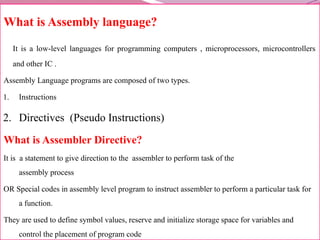
What is Assembly language?
It is a low-level languages for programming computers , microprocessors, microcontrollers
and other IC .
Assembly Language programs are composed of two types.
1. Instructions
2. Directives (Pseudo Instructions)
What is Assembler Directive?
It is a statement to give direction to the assembler to perform task of the
assembly process
OR Special codes in assembly level program to instruct assembler to perform a particular task for
a function.
They are used to define symbol values, reserve and initialize storage space for variables and
control the placement of program code
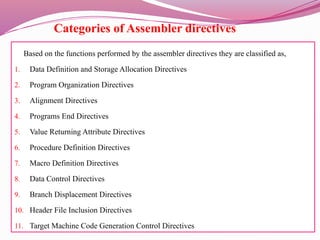
Categories of Assembler directives
Based on the functions performed by the assembler directives they are classified as,
1. Data Definition and Storage Allocation Directives
2. Program Organization Directives
3. Alignment Directives
4. Programs End Directives
5. Value Returning Attribute Directives
6. Procedure Definition Directives
7. Macro Definition Directives
8. Data Control Directives
9. Branch Displacement Directives
10. Header File Inclusion Directives
11. Target Machine Code Generation Control Directives
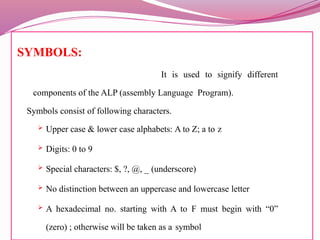
SYMBOLS:
It is used to signify different
components of the ALP (assembly Language Program).
Symbols consist of following characters.
 Upper case & lower case alphabets: A to Z; a to z
 Digits: 0 to 9
 Special characters: $, ?, @, _ (underscore)
 No distinction between an uppercase and lowercase letter
 A hexadecimal no. starting with A to F must begin with “0”
(zero) ; otherwise will be taken as a symbol
VARIABLE
Variables are the symbols whose values can be dynamically varied during run – time
(running program).
Rules for Variable Names.
 A variable can have any one of the following characters.
A to Z; a to z; 0 to 9; @; _ (underscore).
 A Variable name must start with letter or Underscore.
 Length of the variable name depends on the assembler, normally max. length is 32 characters.
 There is no distinction between the uppercase and lower case letters.
Examples:
Valid : Num1, NUM, _data, Total_marks
Invalid: 1num1 , $ , $num
CONSTANTS:
These are symbols whose values can not be varies while running a program.
1. A numeric constant may be a binary, decimal or hexadecimal number.
2. Symbols B, D & H must be used at the end of a binary, decimal and
hexadecimal number, respectively.
3. Suppose the number does not end with any of the following then it will be
treated as Decimal number.
4. Binary constant can have only 0 or 1(BITS).
5. Decimal constant can have only 0 -9.
6. Hexadecimal numbers have both 0-9 and characters (A-F).
Examples:
Valid : 1010, 1010D, 10101H, 0F1H, 1010B
Invalid : 1021B, 0F1,10DD
1: DATA DEFINITION AND STORAGE ALLOCATION
DIRECTIVES
● Data declaration directives: DB, DW, DD, DQ, DT, STRUCT and RECORD.
1.DB - The DB directive is used to define byte type variable or store a byte in memory location
The range lies between 0 -255 for unsigned numbers and -128 to 127 for signed numbers.
GENERAL FORM
nameOfVariable DB InitializationValue(,s)
NUM1 DB 45H,63H;
Examples:
2. TOTAL DB 0
3. DATA DB A
4. MSG DB ‘Hello World’
5. Num DB 100 DUP(?)
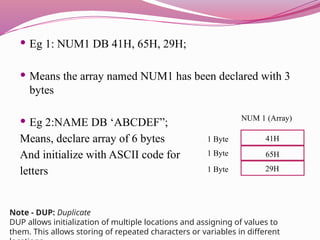
 Eg 1: NUM1 DB 41H, 65H, 29H;
 Means the array named NUM1 has been declared with 3
bytes
 Eg 2:NAME DB ‘ABCDEF”;
Means, declare array of 6 bytes
And initialize with ASCII code for
letters
41H
65H
29H
NUM 1 (Array)
1 Byte
1 Byte
1 Byte
Note - DUP: Duplicate
DUP allows initialization of multiple locations and assigning of values to
them. This allows storing of repeated characters or variables in different
2. DW
The DW directive is used to define a WORD type(2 byte) variable.
The range lies between 0 -65535 for unsigned numbers and -32768 to +32768 for signed
numbers.
GENERAL FORM
nameOfVariable DW InitializationValue(,s)
Examples:
1. TOTAL DW 0
2. DATA DW ?
3. MSG DW ‘Hello World’
4. Num DW 100 DUP(?) [DUP means duplicate. 100h bytes that are
uninitialized]; One more eg; SUM DW 4 DUP(0) - Reserves four words
starting at the offset sum in DS and initializes them to Zero
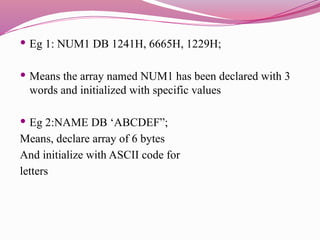
 Eg 1: NUM1 DB 1241H, 6665H, 1229H;
 Means the array named NUM1 has been declared with 3
words and initialized with specific values
 Eg 2:NAME DB ‘ABCDEF”;
Means, declare array of 6 bytes
And initialize with ASCII code for
letters
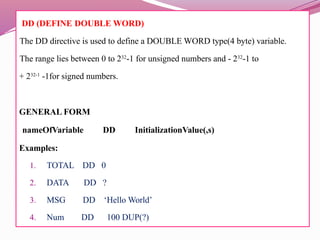
DD (DEFINE DOUBLE WORD)
The DD directive is used to define a DOUBLE WORD type(4 byte) variable.
The range lies between 0 to 232
-1 for unsigned numbers and - 232
-1 to
+ 232-1
-1for signed numbers.
GENERAL FORM
nameOfVariable DD InitializationValue(,s)
Examples:
1. TOTAL DD 0
2. DATA DD ?
3. MSG DD ‘Hello World’
4. Num DD 100 DUP(?)
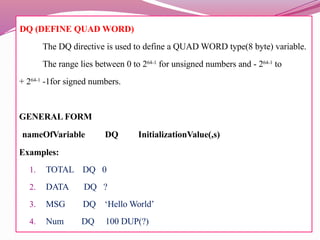
DQ (DEFINE QUAD WORD)
The DQ directive is used to define a QUAD WORD type(8 byte) variable.
The range lies between 0 to 264-1
for unsigned numbers and - 264-1
to
+ 264-1
-1for signed numbers.
GENERAL FORM
nameOfVariable DQ InitializationValue(,s)
Examples:
1. TOTAL DQ 0
2. DATA DQ ?
3. MSG DQ ‘Hello World’
4. Num DQ 100 DUP(?)
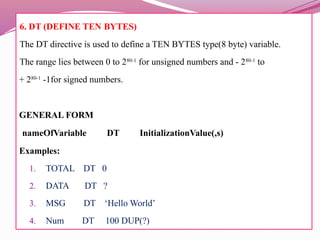
6. DT (DEFINE TEN BYTES)
The DT directive is used to define a TEN BYTES type(8 byte) variable.
The range lies between 0 to 280-1
for unsigned numbers and - 280-1
to
+ 280-1
-1for signed numbers.
GENERAL FORM
nameOfVariable DT InitializationValue(,s)
Examples:
1. TOTAL DT 0
2. DATA DT ?
3. MSG DT ‘Hello World’
4. Num DT 100 DUP(?)
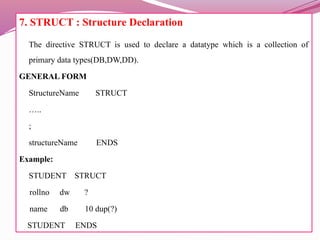
7. STRUCT : Structure Declaration
The directive STRUCT is used to declare a datatype which is a collection of
primary data types(DB,DW,DD).
GENERAL FORM
StructureName STRUCT
…..
;
structureName ENDS
Example:
STUDENT STRUCT
rollno dw ?
name db 10 dup(?)
STUDENT ENDS
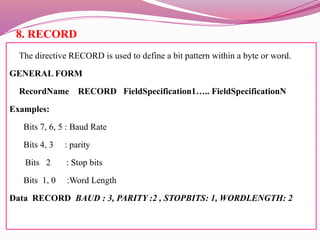
8. RECORD
The directive RECORD is used to define a bit pattern within a byte or word.
GENERAL FORM
RecordName RECORD FieldSpecification1….. FieldSpecificationN
Examples:
Bits 7, 6, 5 : Baud Rate
Bits 4, 3 : parity
Bits 2 : Stop bits
Bits 1, 0 :Word Length
Data RECORD BAUD : 3, PARITY :2 , STOPBITS: 1, WORDLENGTH: 2
2 : PROGRAM ORGANIZATION DIRECTIVES
Program Organization Directives : SEGMENT, ENDS, ASSUME, GROUP
SEGMENT
SEGMENT directive is used to indicate the start of a logical segment.
Syntax:
Segment_name SEGMENT [byte/word]
Examples:
_Data Segment
…….
_Data Ends
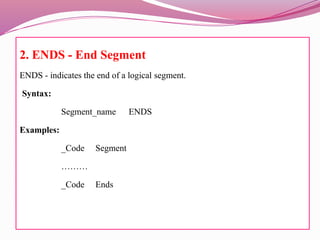
2. ENDS - End Segment
ENDS - indicates the end of a logical segment.
Syntax:
Segment_name ENDS
Examples:
_Code Segment
………
_Code Ends
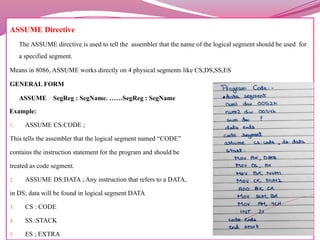
ASSUME Directive
The ASSUME directive is used to tell the assembler that the name of the logical segment should be used for
a specified segment.
Means in 8086, ASSUME works directly on 4 physical segments like CS,DS,SS,ES
GENERAL FORM
ASSUME SegReg : SegName. ……SegReg : SegName
Example:
1. ASSUME CS:CODE ;
This tells the assembler that the logical segment named “CODE”
contains the instruction statement for the program and should be
treated as code segment.
2. ASSUME DS:DATA ; Any instruction that refers to a DATA,
in DS; data will be found in logical segment DATA
3. CS : CODE
4. SS :STACK
5. ES ; EXTRA
4. GROUP
It used to group the logical segments named after the directive into
one logical group segment.
The grouped segment will have the same segment base.
GENERAL FORM
GroupName GROUP : SegmentName1,………
SegmentNameN
Examples:
SmallModel GROUP Data, Code, Stack, Extra
 .CODE:
This directive indicates the start of a code segment
and ends previous segments if any . Before using the .CODE
the .Model segment is used.
.CODE [ name]
.STACK:
This directive indicates the start of a stack segment
and ends previous segments if any. Before using
the .STACK the .Model segment is used.
.STACK [name]
 .DATA:
This directive indicates the start of a data segment and ends previous
segments if any . Before using the .DATA the .Model segment is used.
.DATA [ name]
 .DATA?:
This directive starts the uninitialized data segment and ends previous
segments if any . This segment contains all global data that have no initial
values
.DATA?
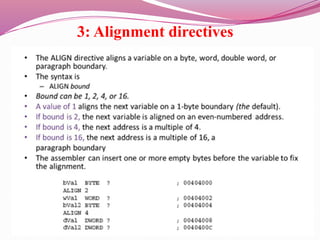
3: Alignment directives
1. EVEN
It instructs the assembler to increment the location of the
counter to the next even address .
If the location counter is already pointing to even memory
address, it should not be incremented.
GENERAL FORM
EVEN
Examples:
_Data Segment _data Segment
A DB 10
A DB 10
B DW 100 dup(?)
EVEN
_Data Ends B DW 100 dup(?)
2. ORG (ORIGIN)
1. ORG assigns the location counter with the value specified in directives.
2. It helps in placing the machine code in the specified location while translating the
instruction into machine code by the assembler.
GENERAL FORM
ORG [$+] NumericValue
Example:
ORG 2000H
The statement ORG 2000H tells the assembler to set the location counter to 2000H.
ORG $ + 10
ORG $
Eg – START 200 (adress)
MOVE R BREG = “4” 200
LOOP MOVE R AREG N 201
ADD BREG = “2” 202
ORIG LOOP+5
NEXT BC ANY , LOOP 206( as Loop starts from 201 +5 = 206)
When ORIG is used in program, it instructs assembler as to what action has to be
performed in the very next instruction after ORIG is mentioned.
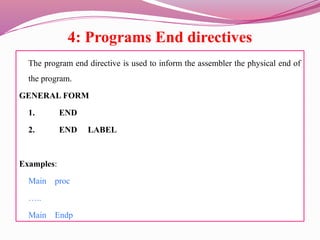
4: Programs End directives
The program end directive is used to inform the assembler the physical end of
the program.
GENERAL FORM
1. END
2. END LABEL
Examples:
Main proc
…..
Main Endp
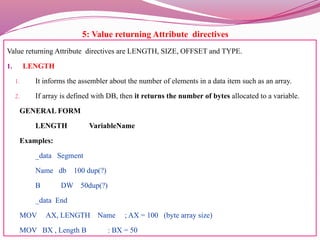
5: Value returning Attribute directives
Value returning Attribute directives are LENGTH, SIZE, OFFSET and TYPE.
1. LENGTH
1. It informs the assembler about the number of elements in a data item such as an array.
2. If array is defined with DB, then it returns the number of bytes allocated to a variable.
GENERAL FORM
LENGTH VariableName
Examples:
_data Segment
Name db 100 dup(?)
B DW 50dup(?)
_data End
MOV AX, LENGTH Name ; AX = 100 (byte array size)
MOV BX , Length B : BX = 50
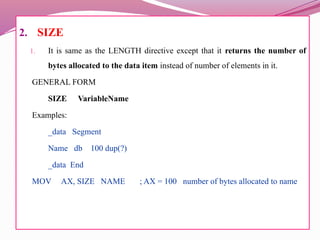
2. SIZE
1. It is same as the LENGTH directive except that it returns the number of
bytes allocated to the data item instead of number of elements in it.
GENERAL FORM
SIZE VariableName
Examples:
_data Segment
Name db 100 dup(?)
_data End
MOV AX, SIZE NAME ; AX = 100 number of bytes allocated to name
3. OFFSET
4. The directive OFFSET informs the assembler to determine the displacement of the specified
variable with respect to the base of the segment.
5. It is usually used to load the offset of a variable into the register. Using this offset value, a variable
can be referenced using indexed addressing modes.
GENARAL FORM
OFFSET VariableName
Example:
_data Segment
Name db ‘Hello world’
A dw 50 dup (?)
_data End
MOV DX, OFFSET Name
MOV SI, OFFSET A
MOV AX , [SI]
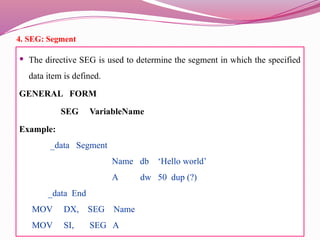
4. SEG: Segment
 The directive SEG is used to determine the segment in which the specified
data item is defined.
GENERAL FORM
SEG VariableName
Example:
_data Segment
Name db ‘Hello world’
A dw 50 dup (?)
_data End
MOV DX, SEG Name
MOV SI, SEG A
5. TYPE:
The directive TYPE is used to determine the type of the data item. It determines
the number of bytes allocated to the data type. Assembler allocates one byte to
DB, two bytes to DW, and four bytes to DD type variable definition.
GENERAL FORM
TYPE VariableName
Example:
_data Segment
CHAR db ‘Hello world’
AMOUNT dw 50 dup (?)
_data End
ADD BX , TYPE CHAR ; BXBX+1
ADD BX , TYPE AMOUNT ; BXBX+2
6: Procedure Definition directives
Procedure definition directives used to define subroutines. Like PROC and ENDP.
Why Procedure? ( To execute functions)
1. PROC : PROCEDURE
The directive PROC indicates the beginning of a procedure. The directive PROC
follows the name of a procedure. The term NEAR or FAR follows the PROC indicating
the type of a procedure. If this term is discarded, then the assembler assumes NEAR as
the type specifier. The directive PROC is used with the directive ENDP to enclose the
procedure code.
GENERAL FORM
ProcedureName PROC [NEAR/FAR]
Example:
HEXA PROC NEAR
FACT PROC FAR
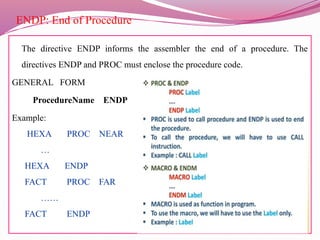
ENDP: End of Procedure
The directive ENDP informs the assembler the end of a procedure. The
directives ENDP and PROC must enclose the procedure code.
GENERAL FORM
ProcedureName ENDP
Example:
HEXA PROC NEAR
…
HEXA ENDP
FACT PROC FAR
……
FACT ENDP
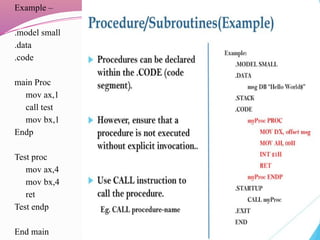
Example –
.model small
.data
.code
main Proc
mov ax,1
call test
mov bx,1
Endp
Test proc
mov ax,4
mov bx,4
ret
Test endp
End main
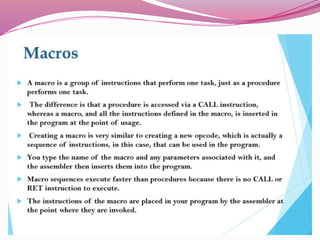
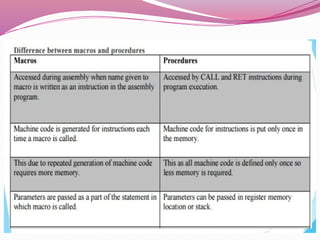
 A macro is a sequence of instructions, assigned by a name and could be
used anywhere in the program.
 In NASM, macros are defined with %macro and %endmacro directives.
 The macro begins with the %macro directive and ends with the
%endmacro directive.
 The Syntax for macro definition −
%macro macro_name number_of_params
<macro body>
%endmacro
Where, number_of_params specifies the number parameters,
macro_name specifies the name of the macro.
7: Macro Definition directives
The Macro definition directives are used to define macro constants and macro
functions. The directives EQU, MACRO, and ENDM are used in the definition of
a macro.
1. EQU : Equate Macro Constant
The directive EQU is used to declare the symbols to which some constant value
is assigned. Such symbols are called as macro symbols. Macro Assembler will
replace every occurrence of the symbol in a program by its value.
GENERAL FORM
SymbolName EQU expression
Example:
1. NUM EQU 100
2. INCREMENT EQU INC
2. MACRO
 The directive MACRO informs the assembler the beginning of a macro. It consists of the name of a
macro followed by the keyword MACRO and macro arguments if any.
 The directives MACRO and ENDM must enclose the definition(s), declaration(s), or a small part of
the code which have to be substituted at the invocation of a macro.
GENERAL FORM
MacroName MACRO [ Argument1,……..ArgumentN ]
Example:
1. PRINTSTRING MACRO MSG
MOV AH , 09
MOV DX , OFFSET MSG
INT 21H
END
Code segment
printstring msg
Code Ends
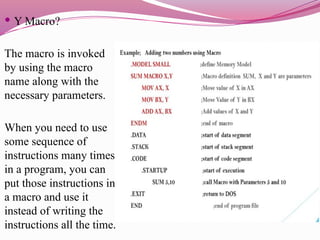
 Y Macro?
The macro is invoked
by using the macro
name along with the
necessary parameters.
When you need to use
some sequence of
instructions many times
in a program, you can
put those instructions in
a macro and use it
instead of writing the
instructions all the time.
3. ENDM: End of Macro
The directive ENDM informs the assembler the end of the macro. The directives
MACRO and ENDM must enclose the definition(s), declaration(s), or a small
part of the code which have to substituted at the invocation of a macro.
GENERAL FORM
ENDM
Example:
PRINTSTRING MACRO MSG
MOV AH , 09
MOV DX , OFFSET MSG
INT 21H
ENDM
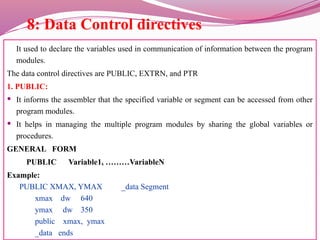
8: Data Control directives
It used to declare the variables used in communication of information between the program
modules.
The data control directives are PUBLIC, EXTRN, and PTR
1. PUBLIC:
 It informs the assembler that the specified variable or segment can be accessed from other
program modules.
 It helps in managing the multiple program modules by sharing the global variables or
procedures.
GENERAL FORM
PUBLIC Variable1, ………VariableN
Example:
PUBLIC XMAX, YMAX _data Segment
xmax dw 640
ymax dw 350
public xmax, ymax
_data ends
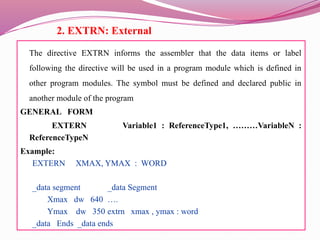
2. EXTRN: External
The directive EXTRN informs the assembler that the data items or label
following the directive will be used in a program module which is defined in
other program modules. The symbol must be defined and declared public in
another module of the program
GENERAL FORM
EXTERN Variable1 : ReferenceType1, ………VariableN :
ReferenceTypeN
Example:
EXTERN XMAX, YMAX : WORD
_data segment _data Segment
Xmax dw 640 ….
Ymax dw 350 extrn xmax , ymax : word
_data Ends _data ends
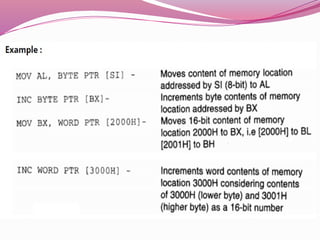
3. PTR: Pointer
The directive PTR is used to indicate the size of the memory operand
or the distance a reference has (BYTE/WORD/DWORD).
 For instance, if the assembler encounters the instruction like INC [SI], it will
not be able to decide whether to code for byte increment or word increment.
 It can be resolved by using PTR directive with the instruction as INC BYTE
PTR [SI) for byte increment or INC WORD PTR [SI) for word increment.
The directive PTR can also be used to override the type declaration of a
variable, i.e., if a variable is declared as word, it can be accessed as byte.
Example:
INC BYTE PTR [DI]
INC WORD PTR [DI]
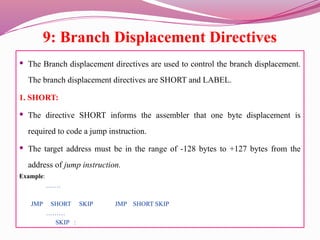
9: Branch Displacement Directives
 The Branch displacement directives are used to control the branch displacement.
The branch displacement directives are SHORT and LABEL.
1. SHORT:
 The directive SHORT informs the assembler that one byte displacement is
required to code a jump instruction.
 The target address must be in the range of -128 bytes to +127 bytes from the
address of jump instruction.
Example:
…….
JMP SHORT SKIP JMP SHORT SKIP
………
SKIP :
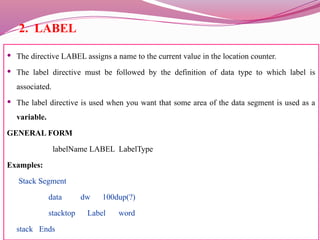
2. LABEL
 The directive LABEL assigns a name to the current value in the location counter.
 The label directive must be followed by the definition of data type to which label is
associated.
 The label directive is used when you want that some area of the data segment is used as a
variable.
GENERAL FORM
labelName LABEL LabelType
Examples:
Stack Segment
data dw 100dup(?)
stacktop Label word
stack Ends
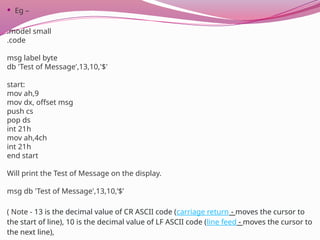
 Eg –
.model small
.code
msg label byte
db 'Test of Message',13,10,'$'
start:
mov ah,9
mov dx, offset msg
push cs
pop ds
int 21h
mov ah,4ch
int 21h
end start
Will print the Test of Message on the display.
msg db 'Test of Message',13,10,’$’
( Note - 13 is the decimal value of CR ASCII code (carriage return - moves the cursor to
the start of line), 10 is the decimal value of LF ASCII code (line feed - moves the cursor to
the next line),
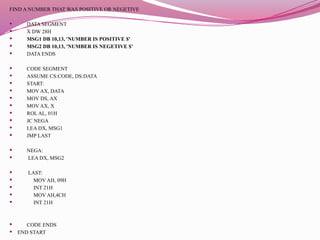
FIND A NUMBER THAT WAS POSITIVE OR NEGETIVE
 DATA SEGMENT
 X DW 28H
 MSG1 DB 10,13, 'NUMBER IS POSITIVE $'
 MSG2 DB 10,13, 'NUMBER IS NEGETIVE $'
 DATA ENDS
 CODE SEGMENT
 ASSUME CS:CODE, DS:DATA
 START:
 MOV AX, DATA
 MOV DS, AX
 MOV AX, X
 ROL AL, 01H
 JC NEGA
 LEA DX, MSG1
 JMP LAST
 NEGA:
 LEA DX, MSG2
 LAST:
 MOV AH, 09H
 INT 21H
 MOV AH,4CH
 INT 21H
 CODE ENDS
 END START
10: Header File Inclusion directives
The Header File Inclusion directive is used to define a include
file header. The header file inclusion directive is INCLUDE.
INCLUDE
 The directive INCLUDE informs the assembler to include the
statements defined in the include file.
 It is useful to place all the data and frequently used macros
into a file known as include file or header file.
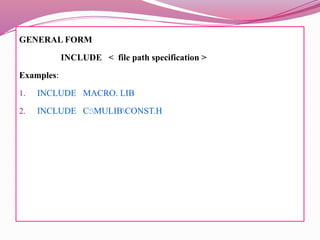
GENERAL FORM
INCLUDE < file path specification >
Examples:
1. INCLUDE MACRO. LIB
2. INCLUDE C:MULIBCONST.H
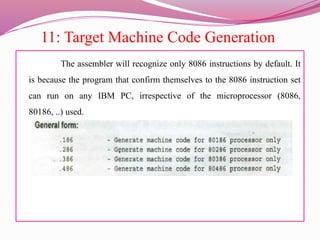
11: Target Machine Code Generation
The assembler will recognize only 8086 instructions by default. It
is because the program that confirm themselves to the 8086 instruction set
can run on any IBM PC, irrespective of the microprocessor (8086,
80186, ..) used.
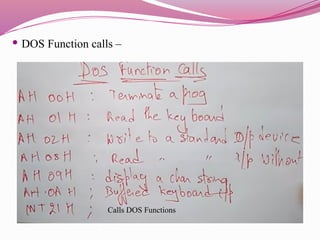
 DOS Function calls –
Calls DOS Functions
 what are assembler directives? Explain any
four with examples
Assembly language consists of two types of statements viz.
Executable statements- These are the statements to be executed by the
processor. It consists of the entire instruction set of 8086.
Assembler directives- These are the statements that direct the assembler to do
something. As the name says, it directs the assembler to do a task.
The specialty of these statements is that they are effective only during the
assembly of a program but they do not generate any code that is machine
executable.
The assembler directives can be divided into two categories namely the general
purpose directives and the special directives
 They are classified into the following categories based on the function performed by them- Simplified
segment directives Data allocation directives Segment directives Macros related directives Code label
directives Scope directives Listing control directives Miscellaneous directives
 .CODE- This assembler directive indicates the beginning of the code segment. Its format is as
follows: .CODE [name] The name in this format is optional.
 .DATA- This directive indicates the beginning of the data segment.
 .MODEL- This directive is used for selecting a standard memory model for the assembly language
program. Each memory model has various limitations depending on the maximum space available for
code and data.
 .STACK- This directive is used for defining the stack. Its format is as follows: .STACK [size]
 Define Byte [DB]- This directive defines the byte type variable.
 Define Word [DW]- The DW directive defines items that are one word (two bytes) in length.
 Define Double word [DD]- It defines the data items that are a double word (four bytes) in length.
 Define Quad word [DQ]- This directive is used to tell the assembler to declare variable 4 words in length
or to reserve 4 words of storage in memory.
 Define Ten bytes [DT]- It is used to define the data items that are 10 bytes long.
 ASSUME- The directive is used for telling the assembler the name of the logical segment which should
be used.
 END- This is placed at the end of a source and it acts as the last statement of a program. This is because
the END directive terminates the entire program.
 ALIGN- This directive will tell the assembler to align the next instruction on an address which
corresponds to the given value.
 LABEL- This directive assigns name to the current value of the location counter.
 INCLUDE- This directive is used to tell the assembler to insert a block of source code from the named file
into the current source module. This shortens the source code. Its format is: INCLUDE path: file name
Thank you

Module 3 Computer Organization Data Hazards.pptx

  • 1.
    ASSEMBLER DIRECTIVES Data Definitionand Storage Allocation, Program Organization, Alignment, Program End, Value Returning Attribute, Procedure Definition, Macro Definition, Data Control, Branch Displacement, Header File, Inclusion, Target Machine Code, Generation Control Directives.
  • 2.
    What is Assemblylanguage? It is a low-level languages for programming computers , microprocessors, microcontrollers and other IC . Assembly Language programs are composed of two types. 1. Instructions 2. Directives (Pseudo Instructions) What is Assembler Directive? It is a statement to give direction to the assembler to perform task of the assembly process OR Special codes in assembly level program to instruct assembler to perform a particular task for a function. They are used to define symbol values, reserve and initialize storage space for variables and control the placement of program code
  • 3.
    Categories of Assemblerdirectives Based on the functions performed by the assembler directives they are classified as, 1. Data Definition and Storage Allocation Directives 2. Program Organization Directives 3. Alignment Directives 4. Programs End Directives 5. Value Returning Attribute Directives 6. Procedure Definition Directives 7. Macro Definition Directives 8. Data Control Directives 9. Branch Displacement Directives 10. Header File Inclusion Directives 11. Target Machine Code Generation Control Directives
  • 4.
    SYMBOLS: It is usedto signify different components of the ALP (assembly Language Program). Symbols consist of following characters.  Upper case & lower case alphabets: A to Z; a to z  Digits: 0 to 9  Special characters: $, ?, @, _ (underscore)  No distinction between an uppercase and lowercase letter  A hexadecimal no. starting with A to F must begin with “0” (zero) ; otherwise will be taken as a symbol
  • 5.
    VARIABLE Variables are thesymbols whose values can be dynamically varied during run – time (running program). Rules for Variable Names.  A variable can have any one of the following characters. A to Z; a to z; 0 to 9; @; _ (underscore).  A Variable name must start with letter or Underscore.  Length of the variable name depends on the assembler, normally max. length is 32 characters.  There is no distinction between the uppercase and lower case letters. Examples: Valid : Num1, NUM, _data, Total_marks Invalid: 1num1 , $ , $num
  • 6.
    CONSTANTS: These are symbolswhose values can not be varies while running a program. 1. A numeric constant may be a binary, decimal or hexadecimal number. 2. Symbols B, D & H must be used at the end of a binary, decimal and hexadecimal number, respectively. 3. Suppose the number does not end with any of the following then it will be treated as Decimal number. 4. Binary constant can have only 0 or 1(BITS). 5. Decimal constant can have only 0 -9. 6. Hexadecimal numbers have both 0-9 and characters (A-F). Examples: Valid : 1010, 1010D, 10101H, 0F1H, 1010B Invalid : 1021B, 0F1,10DD
  • 7.
    1: DATA DEFINITIONAND STORAGE ALLOCATION DIRECTIVES ● Data declaration directives: DB, DW, DD, DQ, DT, STRUCT and RECORD. 1.DB - The DB directive is used to define byte type variable or store a byte in memory location The range lies between 0 -255 for unsigned numbers and -128 to 127 for signed numbers. GENERAL FORM nameOfVariable DB InitializationValue(,s) NUM1 DB 45H,63H; Examples: 2. TOTAL DB 0 3. DATA DB A 4. MSG DB ‘Hello World’ 5. Num DB 100 DUP(?)
  • 8.
     Eg 1:NUM1 DB 41H, 65H, 29H;  Means the array named NUM1 has been declared with 3 bytes  Eg 2:NAME DB ‘ABCDEF”; Means, declare array of 6 bytes And initialize with ASCII code for letters 41H 65H 29H NUM 1 (Array) 1 Byte 1 Byte 1 Byte Note - DUP: Duplicate DUP allows initialization of multiple locations and assigning of values to them. This allows storing of repeated characters or variables in different
  • 9.
    2. DW The DWdirective is used to define a WORD type(2 byte) variable. The range lies between 0 -65535 for unsigned numbers and -32768 to +32768 for signed numbers. GENERAL FORM nameOfVariable DW InitializationValue(,s) Examples: 1. TOTAL DW 0 2. DATA DW ? 3. MSG DW ‘Hello World’ 4. Num DW 100 DUP(?) [DUP means duplicate. 100h bytes that are uninitialized]; One more eg; SUM DW 4 DUP(0) - Reserves four words starting at the offset sum in DS and initializes them to Zero
  • 10.
     Eg 1:NUM1 DB 1241H, 6665H, 1229H;  Means the array named NUM1 has been declared with 3 words and initialized with specific values  Eg 2:NAME DB ‘ABCDEF”; Means, declare array of 6 bytes And initialize with ASCII code for letters
  • 11.
    DD (DEFINE DOUBLEWORD) The DD directive is used to define a DOUBLE WORD type(4 byte) variable. The range lies between 0 to 232 -1 for unsigned numbers and - 232 -1 to + 232-1 -1for signed numbers. GENERAL FORM nameOfVariable DD InitializationValue(,s) Examples: 1. TOTAL DD 0 2. DATA DD ? 3. MSG DD ‘Hello World’ 4. Num DD 100 DUP(?)
  • 12.
    DQ (DEFINE QUADWORD) The DQ directive is used to define a QUAD WORD type(8 byte) variable. The range lies between 0 to 264-1 for unsigned numbers and - 264-1 to + 264-1 -1for signed numbers. GENERAL FORM nameOfVariable DQ InitializationValue(,s) Examples: 1. TOTAL DQ 0 2. DATA DQ ? 3. MSG DQ ‘Hello World’ 4. Num DQ 100 DUP(?)
  • 13.
    6. DT (DEFINETEN BYTES) The DT directive is used to define a TEN BYTES type(8 byte) variable. The range lies between 0 to 280-1 for unsigned numbers and - 280-1 to + 280-1 -1for signed numbers. GENERAL FORM nameOfVariable DT InitializationValue(,s) Examples: 1. TOTAL DT 0 2. DATA DT ? 3. MSG DT ‘Hello World’ 4. Num DT 100 DUP(?)
  • 14.
    7. STRUCT :Structure Declaration The directive STRUCT is used to declare a datatype which is a collection of primary data types(DB,DW,DD). GENERAL FORM StructureName STRUCT ….. ; structureName ENDS Example: STUDENT STRUCT rollno dw ? name db 10 dup(?) STUDENT ENDS
  • 15.
    8. RECORD The directiveRECORD is used to define a bit pattern within a byte or word. GENERAL FORM RecordName RECORD FieldSpecification1….. FieldSpecificationN Examples: Bits 7, 6, 5 : Baud Rate Bits 4, 3 : parity Bits 2 : Stop bits Bits 1, 0 :Word Length Data RECORD BAUD : 3, PARITY :2 , STOPBITS: 1, WORDLENGTH: 2
  • 16.
    2 : PROGRAMORGANIZATION DIRECTIVES Program Organization Directives : SEGMENT, ENDS, ASSUME, GROUP SEGMENT SEGMENT directive is used to indicate the start of a logical segment. Syntax: Segment_name SEGMENT [byte/word] Examples: _Data Segment ……. _Data Ends
  • 17.
    2. ENDS -End Segment ENDS - indicates the end of a logical segment. Syntax: Segment_name ENDS Examples: _Code Segment ……… _Code Ends
  • 18.
    ASSUME Directive The ASSUMEdirective is used to tell the assembler that the name of the logical segment should be used for a specified segment. Means in 8086, ASSUME works directly on 4 physical segments like CS,DS,SS,ES GENERAL FORM ASSUME SegReg : SegName. ……SegReg : SegName Example: 1. ASSUME CS:CODE ; This tells the assembler that the logical segment named “CODE” contains the instruction statement for the program and should be treated as code segment. 2. ASSUME DS:DATA ; Any instruction that refers to a DATA, in DS; data will be found in logical segment DATA 3. CS : CODE 4. SS :STACK 5. ES ; EXTRA
  • 19.
    4. GROUP It usedto group the logical segments named after the directive into one logical group segment. The grouped segment will have the same segment base. GENERAL FORM GroupName GROUP : SegmentName1,……… SegmentNameN Examples: SmallModel GROUP Data, Code, Stack, Extra
  • 20.
     .CODE: This directiveindicates the start of a code segment and ends previous segments if any . Before using the .CODE the .Model segment is used. .CODE [ name] .STACK: This directive indicates the start of a stack segment and ends previous segments if any. Before using the .STACK the .Model segment is used. .STACK [name]
  • 21.
     .DATA: This directiveindicates the start of a data segment and ends previous segments if any . Before using the .DATA the .Model segment is used. .DATA [ name]  .DATA?: This directive starts the uninitialized data segment and ends previous segments if any . This segment contains all global data that have no initial values .DATA?
  • 22.
  • 23.
    1. EVEN It instructsthe assembler to increment the location of the counter to the next even address . If the location counter is already pointing to even memory address, it should not be incremented. GENERAL FORM EVEN Examples: _Data Segment _data Segment A DB 10 A DB 10 B DW 100 dup(?) EVEN _Data Ends B DW 100 dup(?)
  • 24.
    2. ORG (ORIGIN) 1.ORG assigns the location counter with the value specified in directives. 2. It helps in placing the machine code in the specified location while translating the instruction into machine code by the assembler. GENERAL FORM ORG [$+] NumericValue Example: ORG 2000H The statement ORG 2000H tells the assembler to set the location counter to 2000H. ORG $ + 10 ORG $
  • 25.
    Eg – START200 (adress) MOVE R BREG = “4” 200 LOOP MOVE R AREG N 201 ADD BREG = “2” 202 ORIG LOOP+5 NEXT BC ANY , LOOP 206( as Loop starts from 201 +5 = 206) When ORIG is used in program, it instructs assembler as to what action has to be performed in the very next instruction after ORIG is mentioned.
  • 26.
    4: Programs Enddirectives The program end directive is used to inform the assembler the physical end of the program. GENERAL FORM 1. END 2. END LABEL Examples: Main proc ….. Main Endp
  • 27.
    5: Value returningAttribute directives Value returning Attribute directives are LENGTH, SIZE, OFFSET and TYPE. 1. LENGTH 1. It informs the assembler about the number of elements in a data item such as an array. 2. If array is defined with DB, then it returns the number of bytes allocated to a variable. GENERAL FORM LENGTH VariableName Examples: _data Segment Name db 100 dup(?) B DW 50dup(?) _data End MOV AX, LENGTH Name ; AX = 100 (byte array size) MOV BX , Length B : BX = 50
  • 28.
    2. SIZE 1. Itis same as the LENGTH directive except that it returns the number of bytes allocated to the data item instead of number of elements in it. GENERAL FORM SIZE VariableName Examples: _data Segment Name db 100 dup(?) _data End MOV AX, SIZE NAME ; AX = 100 number of bytes allocated to name
  • 29.
    3. OFFSET 4. Thedirective OFFSET informs the assembler to determine the displacement of the specified variable with respect to the base of the segment. 5. It is usually used to load the offset of a variable into the register. Using this offset value, a variable can be referenced using indexed addressing modes. GENARAL FORM OFFSET VariableName Example: _data Segment Name db ‘Hello world’ A dw 50 dup (?) _data End MOV DX, OFFSET Name MOV SI, OFFSET A MOV AX , [SI]
  • 30.
    4. SEG: Segment The directive SEG is used to determine the segment in which the specified data item is defined. GENERAL FORM SEG VariableName Example: _data Segment Name db ‘Hello world’ A dw 50 dup (?) _data End MOV DX, SEG Name MOV SI, SEG A
  • 31.
    5. TYPE: The directiveTYPE is used to determine the type of the data item. It determines the number of bytes allocated to the data type. Assembler allocates one byte to DB, two bytes to DW, and four bytes to DD type variable definition. GENERAL FORM TYPE VariableName Example: _data Segment CHAR db ‘Hello world’ AMOUNT dw 50 dup (?) _data End ADD BX , TYPE CHAR ; BXBX+1 ADD BX , TYPE AMOUNT ; BXBX+2
  • 32.
    6: Procedure Definitiondirectives Procedure definition directives used to define subroutines. Like PROC and ENDP. Why Procedure? ( To execute functions) 1. PROC : PROCEDURE The directive PROC indicates the beginning of a procedure. The directive PROC follows the name of a procedure. The term NEAR or FAR follows the PROC indicating the type of a procedure. If this term is discarded, then the assembler assumes NEAR as the type specifier. The directive PROC is used with the directive ENDP to enclose the procedure code. GENERAL FORM ProcedureName PROC [NEAR/FAR] Example: HEXA PROC NEAR FACT PROC FAR
  • 33.
    ENDP: End ofProcedure The directive ENDP informs the assembler the end of a procedure. The directives ENDP and PROC must enclose the procedure code. GENERAL FORM ProcedureName ENDP Example: HEXA PROC NEAR … HEXA ENDP FACT PROC FAR …… FACT ENDP
  • 34.
    Example – .model small .data .code mainProc mov ax,1 call test mov bx,1 Endp Test proc mov ax,4 mov bx,4 ret Test endp End main
  • 36.
     A macrois a sequence of instructions, assigned by a name and could be used anywhere in the program.  In NASM, macros are defined with %macro and %endmacro directives.  The macro begins with the %macro directive and ends with the %endmacro directive.  The Syntax for macro definition − %macro macro_name number_of_params <macro body> %endmacro Where, number_of_params specifies the number parameters, macro_name specifies the name of the macro.
  • 37.
    7: Macro Definitiondirectives The Macro definition directives are used to define macro constants and macro functions. The directives EQU, MACRO, and ENDM are used in the definition of a macro. 1. EQU : Equate Macro Constant The directive EQU is used to declare the symbols to which some constant value is assigned. Such symbols are called as macro symbols. Macro Assembler will replace every occurrence of the symbol in a program by its value. GENERAL FORM SymbolName EQU expression Example: 1. NUM EQU 100 2. INCREMENT EQU INC
  • 38.
    2. MACRO  Thedirective MACRO informs the assembler the beginning of a macro. It consists of the name of a macro followed by the keyword MACRO and macro arguments if any.  The directives MACRO and ENDM must enclose the definition(s), declaration(s), or a small part of the code which have to be substituted at the invocation of a macro. GENERAL FORM MacroName MACRO [ Argument1,……..ArgumentN ] Example: 1. PRINTSTRING MACRO MSG MOV AH , 09 MOV DX , OFFSET MSG INT 21H END Code segment printstring msg Code Ends
  • 39.
     Y Macro? Themacro is invoked by using the macro name along with the necessary parameters. When you need to use some sequence of instructions many times in a program, you can put those instructions in a macro and use it instead of writing the instructions all the time.
  • 40.
    3. ENDM: Endof Macro The directive ENDM informs the assembler the end of the macro. The directives MACRO and ENDM must enclose the definition(s), declaration(s), or a small part of the code which have to substituted at the invocation of a macro. GENERAL FORM ENDM Example: PRINTSTRING MACRO MSG MOV AH , 09 MOV DX , OFFSET MSG INT 21H ENDM
  • 42.
    8: Data Controldirectives It used to declare the variables used in communication of information between the program modules. The data control directives are PUBLIC, EXTRN, and PTR 1. PUBLIC:  It informs the assembler that the specified variable or segment can be accessed from other program modules.  It helps in managing the multiple program modules by sharing the global variables or procedures. GENERAL FORM PUBLIC Variable1, ………VariableN Example: PUBLIC XMAX, YMAX _data Segment xmax dw 640 ymax dw 350 public xmax, ymax _data ends
  • 43.
    2. EXTRN: External Thedirective EXTRN informs the assembler that the data items or label following the directive will be used in a program module which is defined in other program modules. The symbol must be defined and declared public in another module of the program GENERAL FORM EXTERN Variable1 : ReferenceType1, ………VariableN : ReferenceTypeN Example: EXTERN XMAX, YMAX : WORD _data segment _data Segment Xmax dw 640 …. Ymax dw 350 extrn xmax , ymax : word _data Ends _data ends
  • 44.
    3. PTR: Pointer Thedirective PTR is used to indicate the size of the memory operand or the distance a reference has (BYTE/WORD/DWORD).  For instance, if the assembler encounters the instruction like INC [SI], it will not be able to decide whether to code for byte increment or word increment.  It can be resolved by using PTR directive with the instruction as INC BYTE PTR [SI) for byte increment or INC WORD PTR [SI) for word increment. The directive PTR can also be used to override the type declaration of a variable, i.e., if a variable is declared as word, it can be accessed as byte. Example: INC BYTE PTR [DI] INC WORD PTR [DI]
  • 46.
    9: Branch DisplacementDirectives  The Branch displacement directives are used to control the branch displacement. The branch displacement directives are SHORT and LABEL. 1. SHORT:  The directive SHORT informs the assembler that one byte displacement is required to code a jump instruction.  The target address must be in the range of -128 bytes to +127 bytes from the address of jump instruction. Example: ……. JMP SHORT SKIP JMP SHORT SKIP ……… SKIP :
  • 47.
    2. LABEL  Thedirective LABEL assigns a name to the current value in the location counter.  The label directive must be followed by the definition of data type to which label is associated.  The label directive is used when you want that some area of the data segment is used as a variable. GENERAL FORM labelName LABEL LabelType Examples: Stack Segment data dw 100dup(?) stacktop Label word stack Ends
  • 48.
     Eg – .modelsmall .code msg label byte db 'Test of Message',13,10,'$' start: mov ah,9 mov dx, offset msg push cs pop ds int 21h mov ah,4ch int 21h end start Will print the Test of Message on the display. msg db 'Test of Message',13,10,’$’ ( Note - 13 is the decimal value of CR ASCII code (carriage return - moves the cursor to the start of line), 10 is the decimal value of LF ASCII code (line feed - moves the cursor to the next line),
  • 49.
    FIND A NUMBERTHAT WAS POSITIVE OR NEGETIVE  DATA SEGMENT  X DW 28H  MSG1 DB 10,13, 'NUMBER IS POSITIVE $'  MSG2 DB 10,13, 'NUMBER IS NEGETIVE $'  DATA ENDS  CODE SEGMENT  ASSUME CS:CODE, DS:DATA  START:  MOV AX, DATA  MOV DS, AX  MOV AX, X  ROL AL, 01H  JC NEGA  LEA DX, MSG1  JMP LAST  NEGA:  LEA DX, MSG2  LAST:  MOV AH, 09H  INT 21H  MOV AH,4CH  INT 21H  CODE ENDS  END START
  • 50.
    10: Header FileInclusion directives The Header File Inclusion directive is used to define a include file header. The header file inclusion directive is INCLUDE. INCLUDE  The directive INCLUDE informs the assembler to include the statements defined in the include file.  It is useful to place all the data and frequently used macros into a file known as include file or header file.
  • 51.
    GENERAL FORM INCLUDE <file path specification > Examples: 1. INCLUDE MACRO. LIB 2. INCLUDE C:MULIBCONST.H
  • 52.
    11: Target MachineCode Generation The assembler will recognize only 8086 instructions by default. It is because the program that confirm themselves to the 8086 instruction set can run on any IBM PC, irrespective of the microprocessor (8086, 80186, ..) used.
  • 53.
     DOS Functioncalls – Calls DOS Functions
  • 54.
     what areassembler directives? Explain any four with examples Assembly language consists of two types of statements viz. Executable statements- These are the statements to be executed by the processor. It consists of the entire instruction set of 8086. Assembler directives- These are the statements that direct the assembler to do something. As the name says, it directs the assembler to do a task. The specialty of these statements is that they are effective only during the assembly of a program but they do not generate any code that is machine executable. The assembler directives can be divided into two categories namely the general purpose directives and the special directives
  • 55.
     They areclassified into the following categories based on the function performed by them- Simplified segment directives Data allocation directives Segment directives Macros related directives Code label directives Scope directives Listing control directives Miscellaneous directives  .CODE- This assembler directive indicates the beginning of the code segment. Its format is as follows: .CODE [name] The name in this format is optional.  .DATA- This directive indicates the beginning of the data segment.  .MODEL- This directive is used for selecting a standard memory model for the assembly language program. Each memory model has various limitations depending on the maximum space available for code and data.  .STACK- This directive is used for defining the stack. Its format is as follows: .STACK [size]  Define Byte [DB]- This directive defines the byte type variable.  Define Word [DW]- The DW directive defines items that are one word (two bytes) in length.  Define Double word [DD]- It defines the data items that are a double word (four bytes) in length.  Define Quad word [DQ]- This directive is used to tell the assembler to declare variable 4 words in length or to reserve 4 words of storage in memory.  Define Ten bytes [DT]- It is used to define the data items that are 10 bytes long.  ASSUME- The directive is used for telling the assembler the name of the logical segment which should be used.  END- This is placed at the end of a source and it acts as the last statement of a program. This is because the END directive terminates the entire program.  ALIGN- This directive will tell the assembler to align the next instruction on an address which corresponds to the given value.  LABEL- This directive assigns name to the current value of the location counter.  INCLUDE- This directive is used to tell the assembler to insert a block of source code from the named file into the current source module. This shortens the source code. Its format is: INCLUDE path: file name
  • 56.