What is the Difference
Between a Model and a
Diagram
The benefits of modeling
Agenda
 What is a model?
 What is a diagram?
 Who uses a model?
 What types of diagram?
 What types of model?
 Examples of diagraming tools
 Examples of modeling tools
 Demonstration of the EnterpriseArchitect modeling tool
 More information
What Is a Model?
Anabstractrepresentationof
theactualsystemthatis:
•Createdpriortoconstruction
•Maintainedduring
construction
•Updatedpost-construction
•Isconstantlychanging
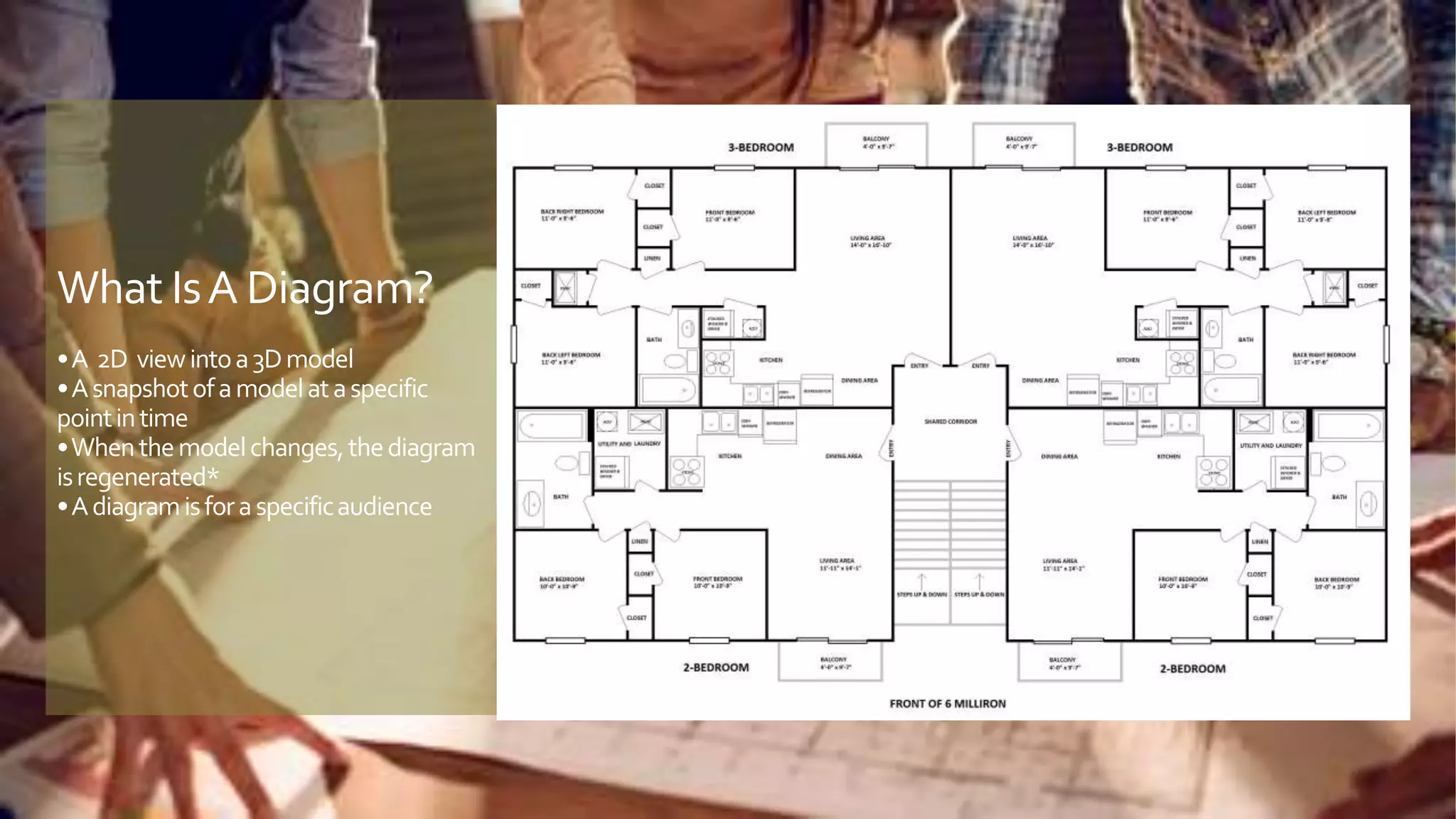
What IsA Diagram?
•A 2D viewintoa3Dmodel
•Asnapshotofamodelataspecific
pointintime
•Whenthemodelchanges,thediagram
isregenerated*
•Adiagramisforaspecificaudience
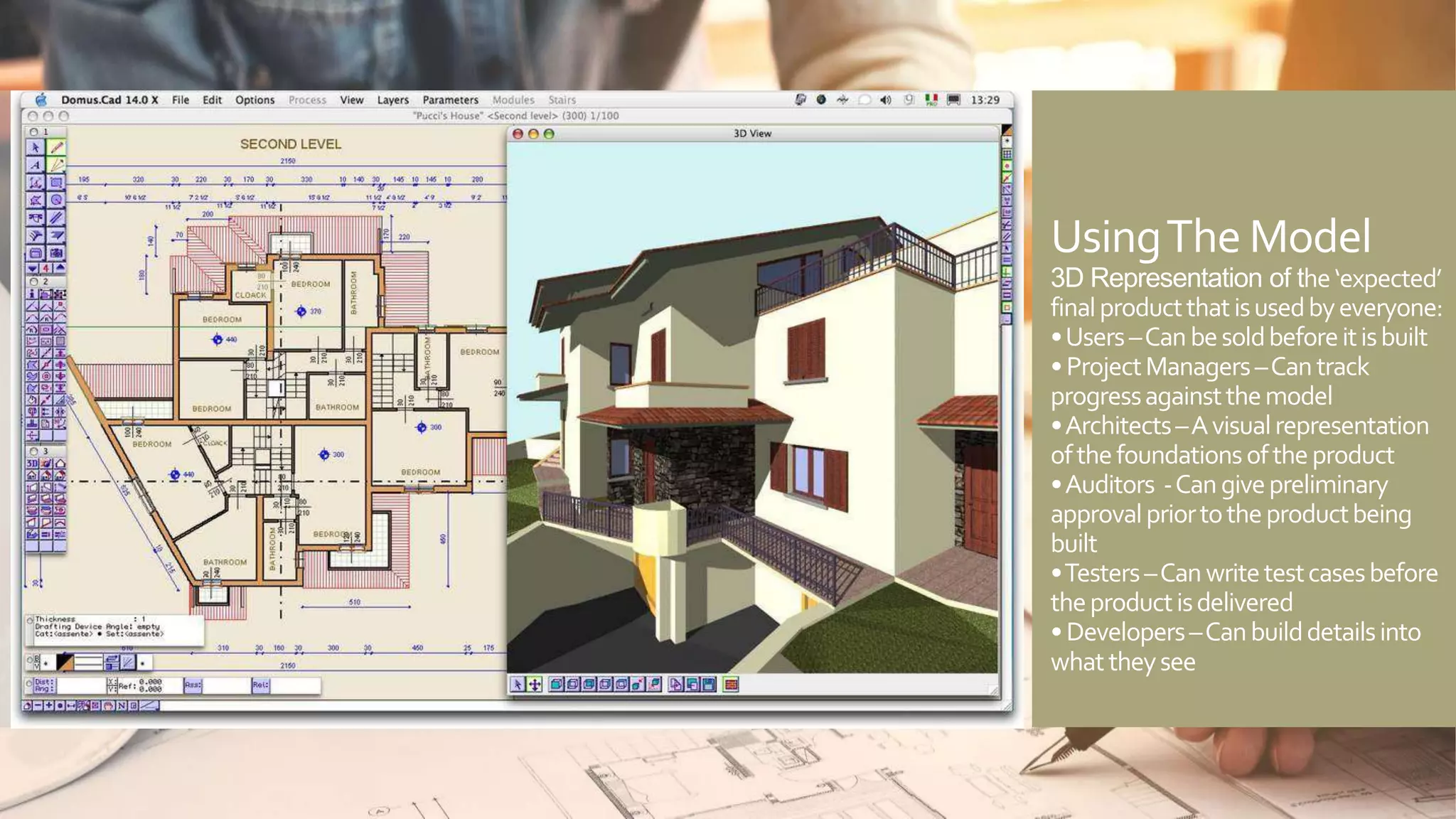
UsingThe Model
3D Representation of the‘expected’
finalproductthatisusedbyeveryone:
•Users–Canbesoldbeforeitisbuilt
•ProjectManagers–Cantrack
progressagainstthemodel
•Architects–Avisualrepresentation
ofthefoundationsoftheproduct
•Auditors -Cangivepreliminary
approvalpriortotheproductbeing
built
•Testers–Canwritetestcasesbefore
theproductisdelivered
•Developers–Canbuilddetailsinto
whattheysee
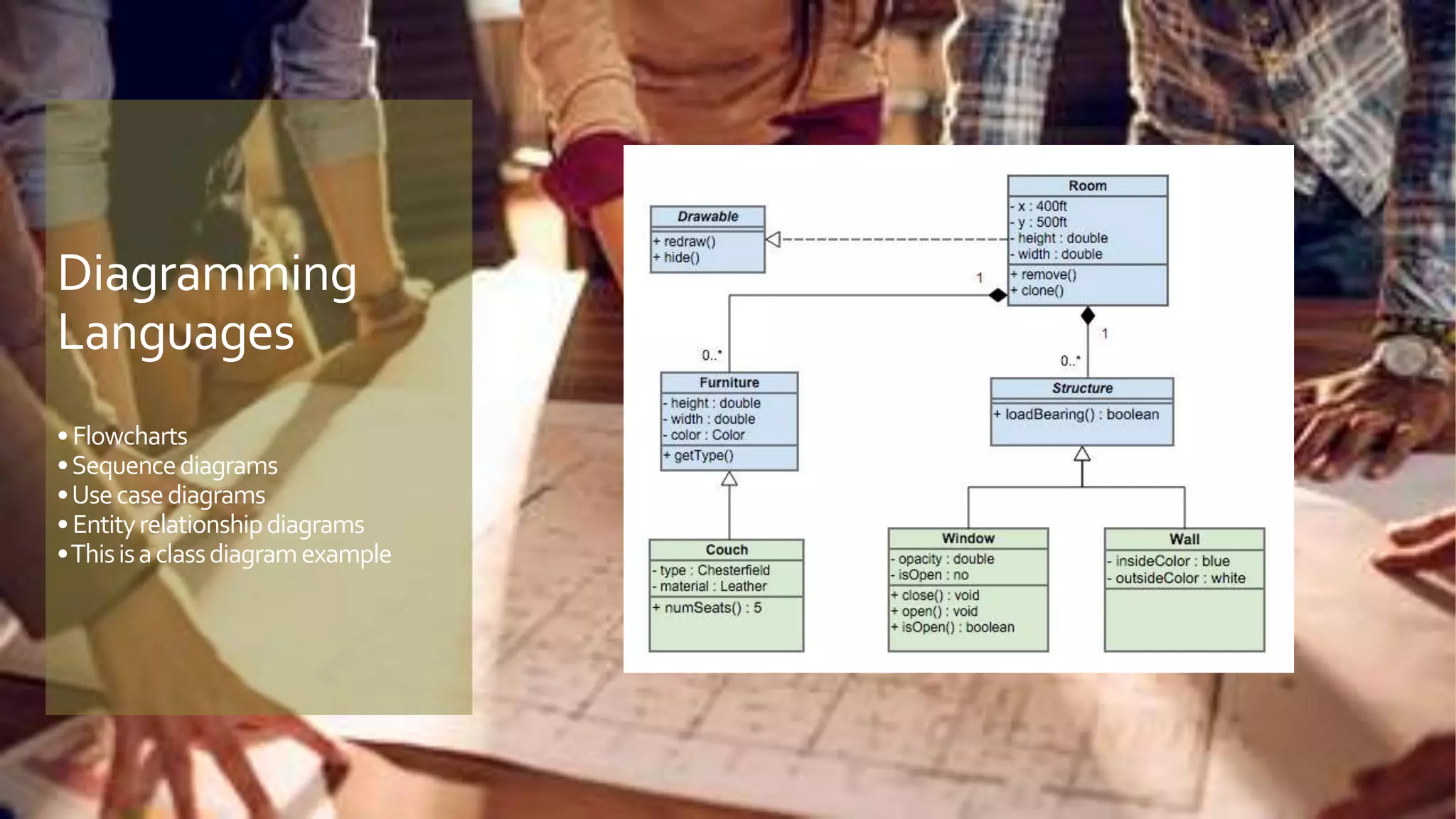
Diagramming
Languages
•Flowcharts
•Sequencediagrams
•Usecasediagrams
•Entityrelationshipdiagrams
•Thisisaclassdiagramexample
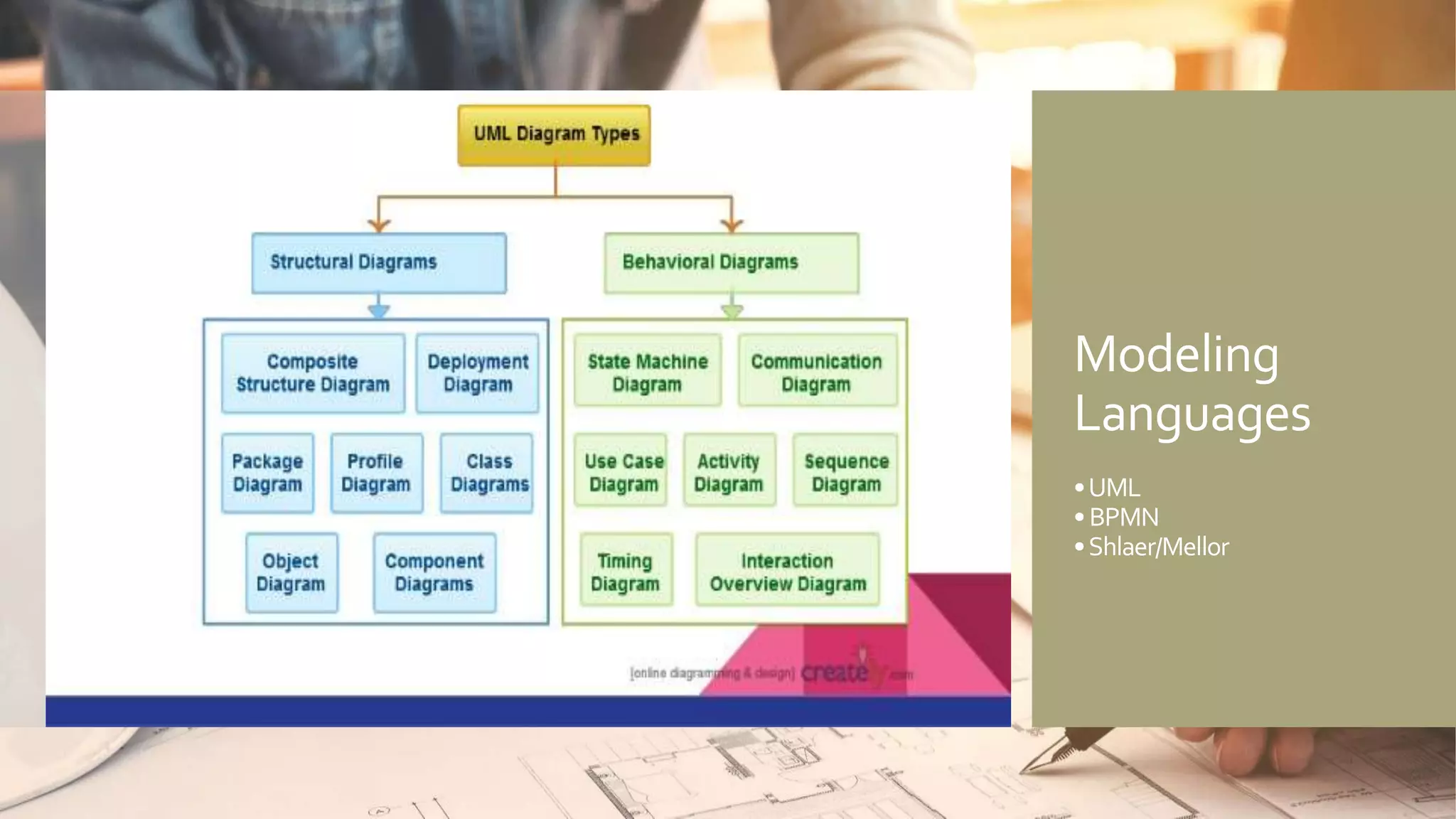
Modeling
Languages
•UML
•BPMN
•Shlaer/Mellor
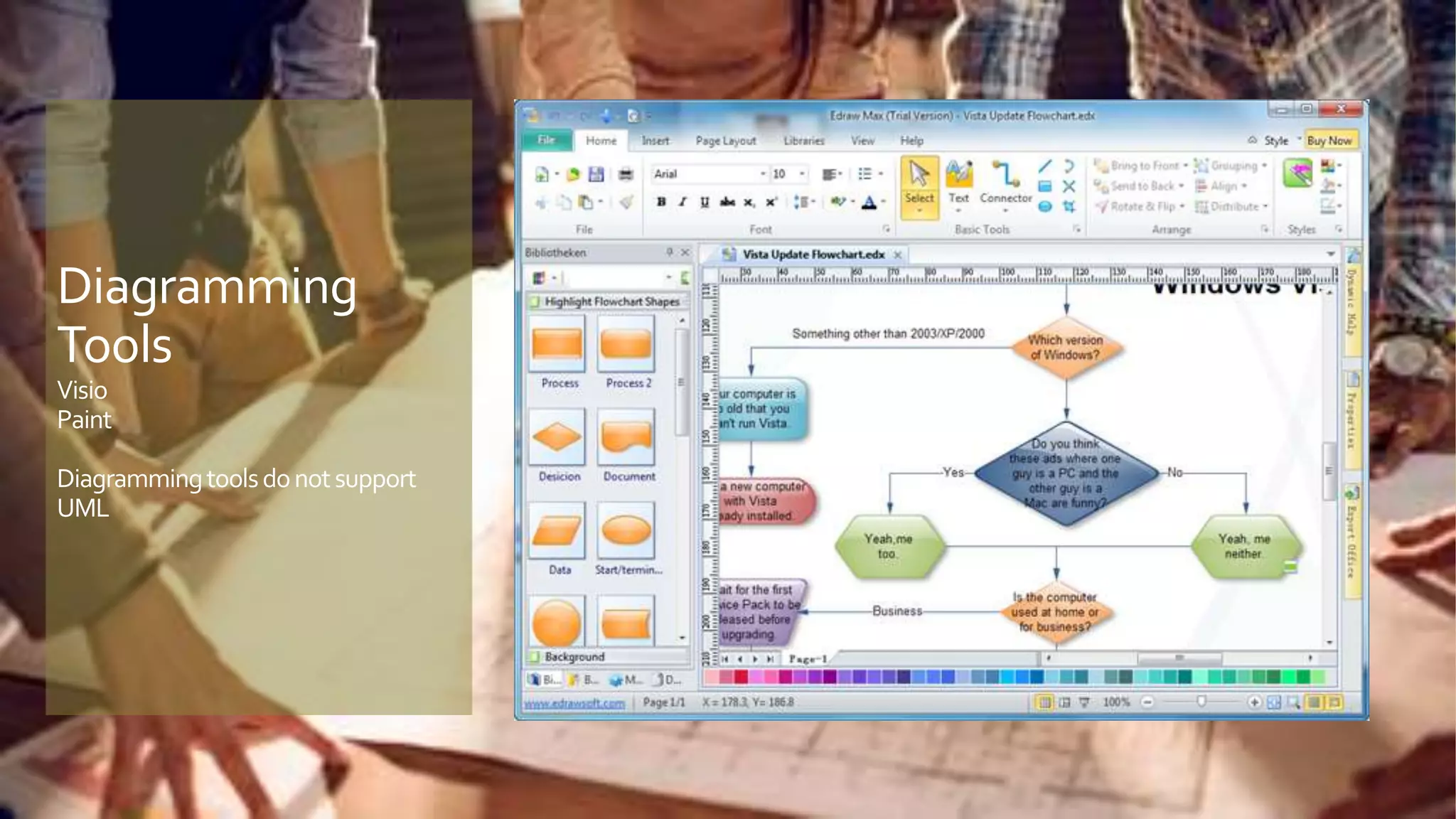
Diagramming
Tools
Visio
Paint
Diagrammingtoolsdonotsupport
UML
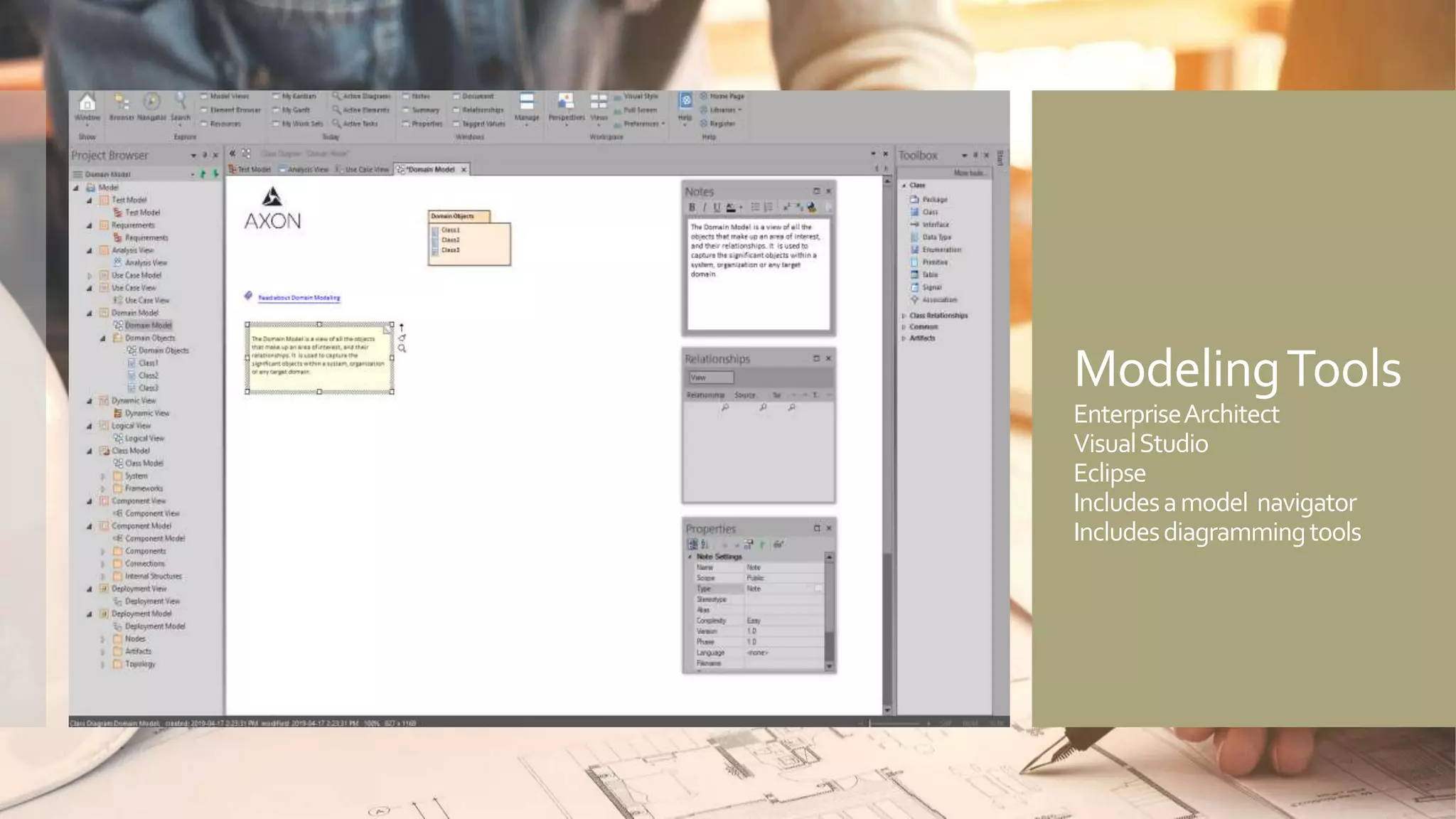
ModelingTools
EnterpriseArchitect
VisualStudio
Eclipse
Includesamodel navigator
Includesdiagrammingtools
Summary
 UML is not just a diagramming notation – it is:
 • Diagrams -The Superstructure that defines the notation and
semantics for diagrams and their model elements
 • Metadata -The Infrastructure that defines the core
metamodel on which the Superstructure is based
 • Functionality -The Object Constraint Language (OCL) for
defining rules for model elements
 • Interfaces -The UML Diagram Interchange that defines how
UML diagram layouts are exchanged
 If a diagram is worth a thousand words, then a model
puts those words into sentences
Demonstration andQ&A
o Create a diagram
o Drag objects onto the diagram
o Create objects on the diagram
o Display them in the navigator
o Create another view of the model
o Edit items in that view
o Demonstrate changes are propagated to all diagrams
o Example diagram views and their audience
UML Modeling References
UML 2 Specification
Appendix B.6 UML Notations and Representations page 704
AnalysisThrough Pictures
By Leslie Munday (lmunday@gmail.com)
The Object Primer: Agile Model Driven Development with UML 2
By Scott Ambler
UML Distilled
By Martin Fowler

Models vs Diagrams

  • 1.
    What is theDifference Between a Model and a Diagram The benefits of modeling
  • 2.
    Agenda  What isa model?  What is a diagram?  Who uses a model?  What types of diagram?  What types of model?  Examples of diagraming tools  Examples of modeling tools  Demonstration of the EnterpriseArchitect modeling tool  More information
  • 3.
    What Is aModel? Anabstractrepresentationof theactualsystemthatis: •Createdpriortoconstruction •Maintainedduring construction •Updatedpost-construction •Isconstantlychanging
  • 4.
    What IsA Diagram? •A2D viewintoa3Dmodel •Asnapshotofamodelataspecific pointintime •Whenthemodelchanges,thediagram isregenerated* •Adiagramisforaspecificaudience
  • 5.
    UsingThe Model 3D Representationof the‘expected’ finalproductthatisusedbyeveryone: •Users–Canbesoldbeforeitisbuilt •ProjectManagers–Cantrack progressagainstthemodel •Architects–Avisualrepresentation ofthefoundationsoftheproduct •Auditors -Cangivepreliminary approvalpriortotheproductbeing built •Testers–Canwritetestcasesbefore theproductisdelivered •Developers–Canbuilddetailsinto whattheysee
  • 6.
  • 7.
  • 8.
  • 9.
  • 10.
    Summary  UML isnot just a diagramming notation – it is:  • Diagrams -The Superstructure that defines the notation and semantics for diagrams and their model elements  • Metadata -The Infrastructure that defines the core metamodel on which the Superstructure is based  • Functionality -The Object Constraint Language (OCL) for defining rules for model elements  • Interfaces -The UML Diagram Interchange that defines how UML diagram layouts are exchanged  If a diagram is worth a thousand words, then a model puts those words into sentences
  • 11.
    Demonstration andQ&A o Createa diagram o Drag objects onto the diagram o Create objects on the diagram o Display them in the navigator o Create another view of the model o Edit items in that view o Demonstrate changes are propagated to all diagrams o Example diagram views and their audience
  • 12.
    UML Modeling References UML2 Specification Appendix B.6 UML Notations and Representations page 704 AnalysisThrough Pictures By Leslie Munday (lmunday@gmail.com) The Object Primer: Agile Model Driven Development with UML 2 By Scott Ambler UML Distilled By Martin Fowler

Editor's Notes

  • #4 Abstract – captures the essential information without the details. For example, it can capture a system its data and its functions, without saying anything about the programming language.
  • #5 You could edit the diagram, but why make edits in 2 places, when you have already updated the model.
  • #10 The explorer is the difference