Mobile Systems and Smartphone Security
(MOBISEC)
Prof: Yanick Fratantonio
EURECOM
Reverse Engineering
1
- The "art" of reverse engineering
- Pros / cons of various approaches
- Actual tools + demo
This class
2
- The goal: understand what X does and how it does it
- "X" could be an Android app, a MS Windows program, OS functionality,
a piece of hardware, a mechanical/physical engine, ...
- "[...] process by which a man-made object is deconstructed to reveal its
designs, architecture, or to extract knowledge from the object." (wiki)
- Why is it an "art"?
- There is no "recipe" that works in all cases
- Learn from experience which approaches work best
- I'll teach you the principles & starting points, I can't teach you everything
The "Art" of Reverse Engineering
3
- Input: the APK of the Android app
- Goals
- Understand what an app does from a high-level point of view
- Understand the tech details on how an app does something
- Find security vulnerabilities ~> exploit them to gain some advantage
- Steal private information, read private file, steal its permissions, etc.
Reversing an Android app
4
- Don't just start reading everything in details!
- You should proceed depending on what's your goal
- Generic understanding on what the app does?
- Find ways to attack the app?
- How does the app interact with network endpoints?
- How does it store private information?
- Check whether a specific functionality can be abused?
- ...
Efficient/effective Reversing
5
- Begin from an high-level point of view
- Start the app in an emulator and see the first UIs
- What are the "claimed" functionality?
- In a way, it will set your expectations right...
- ... and if something seems off, well, that's interesting
Generic understanding on what the app does?
6
- Start from the "entry points"
- Attack surface analysis
- Check the app's components (activities, etc.)
- Can they be reachable from another app?
- Check how the app interacts with the external world
- File-system, network, inter-component communications, etc.
Find ways to attack the app?
7
- Try to find network endpoints IPs, URLs, etc.
- Note: they could be obfuscated!
- Note: no matter what you do, just looking at the APK may not be enough!
- Try to find invocations of network-related APIs
- Run it in an emulator and monitor network activities
- Note: just running it may not be enough!
How does the app interact with network endpoints?
8
- What is "private information"?
- It really depends on the app...
- Examples
- User account credentials
- User sensitive data (messages, photos, etc.),
- Information accessed via security-relevant permissions
- Once you know what you are looking for, it becomes
similar to the "network" case
How does it store private information?
9
- Approach similar to previous case, but more targeted
- "More targeted"
- How does the app use functionality X?
- Does it use it in some unconventional ways? (read: possibly insecure?)
- How can an attacker reach it? (see: attack surface analysis)
Check whether a functionality can be abused?
10
- Top-down mentality:
- Start with high-level understanding of the app's organization/functionality,
then drill down on the tech details depending on your needs
- Start with the various entry points, explore the different functionalities,
explore the app as a "user"
- Perform attack surface analysis
- Keep a flexible mindset!
Generic Suggestions
11
- Static analysis vs. dynamic analysis
- Static analysis: inspect the app without running it
- Dynamic analysis: run the app and check what it does
- They are complementar: taken independently are limited
- Key skill: understand which one to use and when
Two Main Approaches
12
- Key point: you do not run the app
- You inspect it "statically"
- Take the app, unpack it, check what's inside
- Manifest analysis, disassemble/decompile .dex, check .so files, etc.
Overview on Static Analysis
13
- Key point: you actually run the app.
- You want to know what's going on "at run-time"
- Actual values at run-time (useful when strings are obfuscated)
- Trace of API invocation
- Trace of syscalls
- Two main techniques
- Debugging
- Instrumentation
Overview on Dynamic Analysis
14
- You run the app and you "attach" a debugger
- You can ask debuggers a number of things
- Stop the execution when you reach point XYZ
- Tell me the content of this field / memory location
- Single-step through instructions
- Helpful to understand the state / context at a given point
Debugging
15
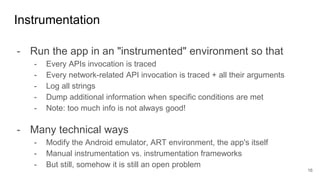
- Run the app in an "instrumented" environment so that
- Every APIs invocation is traced
- Every network-related API invocation is traced + all their arguments
- Log all strings
- Dump additional information when specific conditions are met
- Note: too much info is not always good!
- Many technical ways
- Modify the Android emulator, ART environment, the app's itself
- Manual instrumentation vs. instrumentation frameworks
- But still, somehow it is still an open problem
Instrumentation
16
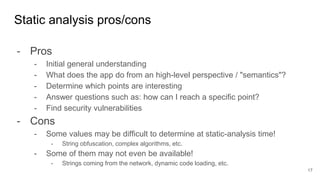
- Pros
- Initial general understanding
- What does the app do from an high-level perspective / "semantics"?
- Determine which points are interesting
- Answer questions such as: how can I reach a specific point?
- Find security vulnerabilities
- Cons
- Some values may be difficult to determine at static-analysis time!
- String obfuscation, complex algorithms, etc.
- Some of them may not even be available!
- Strings coming from the network, dynamic code loading, etc.
Static analysis pros/cons
17
- Pros
- Dump actual values at run-time
- Dump network traffic (both sent and received), no reconstruction needed
- Stop analysis at any-point and do context/memory inspection
- "Is this API ever invoked?", "With which arguments?"
- Verify that a security vulnerability is actually exploitable
- Cons
- Limited code coverage: Where should I click? Input to insert?
- How can I reach a specific point?
- Is what I'm seeing "bad"? Missing context!
- It can be evaded (app can understand it is under analysis / bypass it)
Dynamic analysis pros/cons
18
Usual Workflow
19
Static Analysis Dynamic Analysis
Key: learn when to switch between static and dynamic analysis
- Activity with an "access code" input field and a button
- Protected functionality is behind this activity
- Clicking around will not help you
- Complex "access code" check will make static analysis
tricky
Example where both are useful
20
Alright, practical stuff now
21
Can I haz APKs?
22
- The input: an app's APK
- Where to find the APKs?
- Install them from Google Play Store on your device and pull
- But it's tricky... see next slides
- APKMirror, copies of APKs from the Play Store
- PlayDrone, AndroidZoo, Koodous
- Self-contained package shared by security researchers
- APK path: /data/app/<package-name-prefixed-string>/*
- /data/app/com.facebook.katana-iz-DZLKZM-0t4w1giP_FWA==/base.apk
- If device is rooted: easy, just get the APK
- Trickier if the device is not rooted
- $ ls /data/app ~> "ls: /data/app: Permission denied"
Pulling Play Store's APKs from your device
23
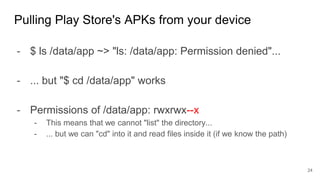
- $ ls /data/app ~> "ls: /data/app: Permission denied"...
- ... but "$ cd /data/app" works
- Permissions of /data/app: rwxrwx--x
- This means that we cannot "list" the directory...
- ... but we can "cd" into it and read files inside it (if we know the path)
Pulling Play Store's APKs from your device
24
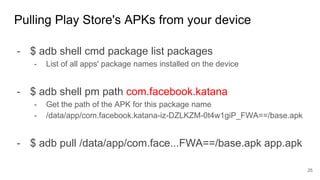
- $ adb shell cmd package list packages
- List of all apps' package names installed on the device
- $ adb shell pm path com.facebook.katana
- Get the path of the APK for this package name
- /data/app/com.facebook.katana-iz-DZLKZM-0t4w1giP_FWA==/base.apk
- $ adb pull /data/app/com.face...FWA==/base.apk app.apk
Pulling Play Store's APKs from your device
25
- If you have a real device, it's trivial
- Play Store app should be already there
- If you don't have a real device, use an emulator
- The easy way: "Target API 28 (Google APIs)"
- This will contain the Play Store (but it's not rooted)
- The trickier way: "Target API 28"
- No Google-related APIs (but it's rooted)
- Install Google apps via https://opengapps.org/
- Tutorial: link
Installing apps from the Play Store
26
Static Analysis
27
- AndroidManifest.xml
- Entrypoints enumeration, tell us what to expect when we run it
- assets/, res/
- Resources, strings, binary blobs, etc.
- Not very important, unless referenced in "interesting" ways
- Suggestion: quickly check for weird things, but don't lose too much time
- classes.dex (classes2.dex, ...)
- The juicy part: disassemble / decompile them
- libs/*.so: native code
- META-INF/*
Static Analysis
28
- We have seen most of them last time
- apktool, smali, baksmali, strings
- APK Studio (UI for apktool)
- dex2jar
- jadx, jd-gui, bytecodeviewer
- IDA pro, JEB
- Generic workflow
- Start from the (main) entry points and try to understand what's going on
- It's normal to end up using strings + grep
- Collect info for dynamic analysis: "How can I arrive to this point?"
Tools for classes.dex
29
- Encrypted strings / values
- Complex algorithms
- DexClassLoader
- Find the loaded classes.dex and unpack it separately
- Reflective calls
Non-trivial aspects to reverse
30
- Tricky to reverse engineer
- Easier to at least detect its usage
- You should be able to see the "native" keyword
- You should be able to see System.loadLibrary("mylib")
- More in the next deck of slides
Native code reversing
31
- Files
- MANIFEST.MF: hashes of all files inside the APK
- CERT.SF: like MANIFEST.MMF, but signed with the RSA key
- CERT.RSA: info about public key used to sign CERT.SF (DER format)
- Dump
- $ openssl pkcs7 -in CERT.RSA -inform DER -print
- Verify it
- $ apksigner verify app-name.apk
META-INF/*
32
- How can you know if this is a "system" app?
- App needs to be signed with a "system" certificate...
- "system" apps are apps signed with the same certificate
as the the app with package name "android"
- /system/framework/framework-res.apk
- Spoiler: this is the APK that defines all the "dangerous" permissions
"System app"?
33
Dynamic Analysis
34
Debugger
35
- Set breakpoints, single step, check "run-time" values
- If it's your own app / you have the source code
- Debugging is easy via Android Studio
- Start it in "debug" mode, put breakpoints, and run it
- Android Studio will auto-attach to it
- If it's not your own app: trickier
- IDA Dalvik debugging plugin (very expensive :-( )
- NetBeans seems an (horrible) alternative: link (didn't work for me)
- Decompile it and add the source code to empty project! (link)
- Run the app where "all actions are logged"
- API trace
- Network activities
- etc.
- Various techniques
- Modify the app itself
- Code injection
- Modify the Android emulator
- Modify the Android framework
Instrumented Environments
36
- Bytecode injection
- Unpack the app, add extra functionality, pack the app
- Example:
- What's the value at run-time of variable X?
- Add proper Log invocations
- Usual trick
- 1) write your functionality in Java
- 2) get the smali
- 3) inject the smali
"Manual" app modifications
37
- It can instrument the app itself
- Based on code injection
- It actually injects a Javascript engine into a running process
- Modules are written in Javascript
- Why Javascript? WHHHYYYY???
- Because there already exists Javascript engines for Android, iOS, etc.
Frida Framework
38
- By default, it requires root
- It needs to ptrace the target app for code injection
- You can inject the "frida-server" directly into the target app
- https://koz.io/using-frida-on-android-without-root/
- In both cases: it can be detected
Frida Framework
39
- It instruments the system itself
- Android framework / DEX/ART files
- It requires a rooted device
- It does not touch the APKs
- It can instrument even system apps
- Many user-developed plugins: link
- One random example
- module page, source code
XPosed Framework
40
- Android-related variant of Cuckoo sandbox
- It will list the URLs contacted, the DNS queries, API
traces, etc.
- Open source: github
Cuckoo Droid
41
- Online service: https://www.joesecurity.org/
- It doesn't require setting anything up
- In the past it was accepting public submissions
- Not sure about now...
- Example report: link
Joe Sandbox
42
- Online service similar to Joe Sandbox
- You submit the app => static/dynamic analysis report
- I was involved in maintaining it, but we didn't have enough
resources / time
- ⇒ discontinued, RIP
Andrubis
43
- Great overview on Android app reversing: link
- Reversing app for vending machines: link
- Frida docs: https://www.frida.re/docs/home/
More Resources
44

MOBISEC 2018 - 08 - Reverse Engineering.pptx

  • 1.
    Mobile Systems andSmartphone Security (MOBISEC) Prof: Yanick Fratantonio EURECOM Reverse Engineering 1
  • 2.
    - The "art"of reverse engineering - Pros / cons of various approaches - Actual tools + demo This class 2
  • 3.
    - The goal:understand what X does and how it does it - "X" could be an Android app, a MS Windows program, OS functionality, a piece of hardware, a mechanical/physical engine, ... - "[...] process by which a man-made object is deconstructed to reveal its designs, architecture, or to extract knowledge from the object." (wiki) - Why is it an "art"? - There is no "recipe" that works in all cases - Learn from experience which approaches work best - I'll teach you the principles & starting points, I can't teach you everything The "Art" of Reverse Engineering 3
  • 4.
    - Input: theAPK of the Android app - Goals - Understand what an app does from a high-level point of view - Understand the tech details on how an app does something - Find security vulnerabilities ~> exploit them to gain some advantage - Steal private information, read private file, steal its permissions, etc. Reversing an Android app 4
  • 5.
    - Don't juststart reading everything in details! - You should proceed depending on what's your goal - Generic understanding on what the app does? - Find ways to attack the app? - How does the app interact with network endpoints? - How does it store private information? - Check whether a specific functionality can be abused? - ... Efficient/effective Reversing 5
  • 6.
    - Begin froman high-level point of view - Start the app in an emulator and see the first UIs - What are the "claimed" functionality? - In a way, it will set your expectations right... - ... and if something seems off, well, that's interesting Generic understanding on what the app does? 6
  • 7.
    - Start fromthe "entry points" - Attack surface analysis - Check the app's components (activities, etc.) - Can they be reachable from another app? - Check how the app interacts with the external world - File-system, network, inter-component communications, etc. Find ways to attack the app? 7
  • 8.
    - Try tofind network endpoints IPs, URLs, etc. - Note: they could be obfuscated! - Note: no matter what you do, just looking at the APK may not be enough! - Try to find invocations of network-related APIs - Run it in an emulator and monitor network activities - Note: just running it may not be enough! How does the app interact with network endpoints? 8
  • 9.
    - What is"private information"? - It really depends on the app... - Examples - User account credentials - User sensitive data (messages, photos, etc.), - Information accessed via security-relevant permissions - Once you know what you are looking for, it becomes similar to the "network" case How does it store private information? 9
  • 10.
    - Approach similarto previous case, but more targeted - "More targeted" - How does the app use functionality X? - Does it use it in some unconventional ways? (read: possibly insecure?) - How can an attacker reach it? (see: attack surface analysis) Check whether a functionality can be abused? 10
  • 11.
    - Top-down mentality: -Start with high-level understanding of the app's organization/functionality, then drill down on the tech details depending on your needs - Start with the various entry points, explore the different functionalities, explore the app as a "user" - Perform attack surface analysis - Keep a flexible mindset! Generic Suggestions 11
  • 12.
    - Static analysisvs. dynamic analysis - Static analysis: inspect the app without running it - Dynamic analysis: run the app and check what it does - They are complementar: taken independently are limited - Key skill: understand which one to use and when Two Main Approaches 12
  • 13.
    - Key point:you do not run the app - You inspect it "statically" - Take the app, unpack it, check what's inside - Manifest analysis, disassemble/decompile .dex, check .so files, etc. Overview on Static Analysis 13
  • 14.
    - Key point:you actually run the app. - You want to know what's going on "at run-time" - Actual values at run-time (useful when strings are obfuscated) - Trace of API invocation - Trace of syscalls - Two main techniques - Debugging - Instrumentation Overview on Dynamic Analysis 14
  • 15.
    - You runthe app and you "attach" a debugger - You can ask debuggers a number of things - Stop the execution when you reach point XYZ - Tell me the content of this field / memory location - Single-step through instructions - Helpful to understand the state / context at a given point Debugging 15
  • 16.
    - Run theapp in an "instrumented" environment so that - Every APIs invocation is traced - Every network-related API invocation is traced + all their arguments - Log all strings - Dump additional information when specific conditions are met - Note: too much info is not always good! - Many technical ways - Modify the Android emulator, ART environment, the app's itself - Manual instrumentation vs. instrumentation frameworks - But still, somehow it is still an open problem Instrumentation 16
  • 17.
    - Pros - Initialgeneral understanding - What does the app do from an high-level perspective / "semantics"? - Determine which points are interesting - Answer questions such as: how can I reach a specific point? - Find security vulnerabilities - Cons - Some values may be difficult to determine at static-analysis time! - String obfuscation, complex algorithms, etc. - Some of them may not even be available! - Strings coming from the network, dynamic code loading, etc. Static analysis pros/cons 17
  • 18.
    - Pros - Dumpactual values at run-time - Dump network traffic (both sent and received), no reconstruction needed - Stop analysis at any-point and do context/memory inspection - "Is this API ever invoked?", "With which arguments?" - Verify that a security vulnerability is actually exploitable - Cons - Limited code coverage: Where should I click? Input to insert? - How can I reach a specific point? - Is what I'm seeing "bad"? Missing context! - It can be evaded (app can understand it is under analysis / bypass it) Dynamic analysis pros/cons 18
  • 19.
    Usual Workflow 19 Static AnalysisDynamic Analysis Key: learn when to switch between static and dynamic analysis
  • 20.
    - Activity withan "access code" input field and a button - Protected functionality is behind this activity - Clicking around will not help you - Complex "access code" check will make static analysis tricky Example where both are useful 20
  • 21.
  • 22.
    Can I hazAPKs? 22 - The input: an app's APK - Where to find the APKs? - Install them from Google Play Store on your device and pull - But it's tricky... see next slides - APKMirror, copies of APKs from the Play Store - PlayDrone, AndroidZoo, Koodous - Self-contained package shared by security researchers
  • 23.
    - APK path:/data/app/<package-name-prefixed-string>/* - /data/app/com.facebook.katana-iz-DZLKZM-0t4w1giP_FWA==/base.apk - If device is rooted: easy, just get the APK - Trickier if the device is not rooted - $ ls /data/app ~> "ls: /data/app: Permission denied" Pulling Play Store's APKs from your device 23
  • 24.
    - $ ls/data/app ~> "ls: /data/app: Permission denied"... - ... but "$ cd /data/app" works - Permissions of /data/app: rwxrwx--x - This means that we cannot "list" the directory... - ... but we can "cd" into it and read files inside it (if we know the path) Pulling Play Store's APKs from your device 24
  • 25.
    - $ adbshell cmd package list packages - List of all apps' package names installed on the device - $ adb shell pm path com.facebook.katana - Get the path of the APK for this package name - /data/app/com.facebook.katana-iz-DZLKZM-0t4w1giP_FWA==/base.apk - $ adb pull /data/app/com.face...FWA==/base.apk app.apk Pulling Play Store's APKs from your device 25
  • 26.
    - If youhave a real device, it's trivial - Play Store app should be already there - If you don't have a real device, use an emulator - The easy way: "Target API 28 (Google APIs)" - This will contain the Play Store (but it's not rooted) - The trickier way: "Target API 28" - No Google-related APIs (but it's rooted) - Install Google apps via https://opengapps.org/ - Tutorial: link Installing apps from the Play Store 26
  • 27.
  • 28.
    - AndroidManifest.xml - Entrypointsenumeration, tell us what to expect when we run it - assets/, res/ - Resources, strings, binary blobs, etc. - Not very important, unless referenced in "interesting" ways - Suggestion: quickly check for weird things, but don't lose too much time - classes.dex (classes2.dex, ...) - The juicy part: disassemble / decompile them - libs/*.so: native code - META-INF/* Static Analysis 28
  • 29.
    - We haveseen most of them last time - apktool, smali, baksmali, strings - APK Studio (UI for apktool) - dex2jar - jadx, jd-gui, bytecodeviewer - IDA pro, JEB - Generic workflow - Start from the (main) entry points and try to understand what's going on - It's normal to end up using strings + grep - Collect info for dynamic analysis: "How can I arrive to this point?" Tools for classes.dex 29
  • 30.
    - Encrypted strings/ values - Complex algorithms - DexClassLoader - Find the loaded classes.dex and unpack it separately - Reflective calls Non-trivial aspects to reverse 30
  • 31.
    - Tricky toreverse engineer - Easier to at least detect its usage - You should be able to see the "native" keyword - You should be able to see System.loadLibrary("mylib") - More in the next deck of slides Native code reversing 31
  • 32.
    - Files - MANIFEST.MF:hashes of all files inside the APK - CERT.SF: like MANIFEST.MMF, but signed with the RSA key - CERT.RSA: info about public key used to sign CERT.SF (DER format) - Dump - $ openssl pkcs7 -in CERT.RSA -inform DER -print - Verify it - $ apksigner verify app-name.apk META-INF/* 32
  • 33.
    - How canyou know if this is a "system" app? - App needs to be signed with a "system" certificate... - "system" apps are apps signed with the same certificate as the the app with package name "android" - /system/framework/framework-res.apk - Spoiler: this is the APK that defines all the "dangerous" permissions "System app"? 33
  • 34.
  • 35.
    Debugger 35 - Set breakpoints,single step, check "run-time" values - If it's your own app / you have the source code - Debugging is easy via Android Studio - Start it in "debug" mode, put breakpoints, and run it - Android Studio will auto-attach to it - If it's not your own app: trickier - IDA Dalvik debugging plugin (very expensive :-( ) - NetBeans seems an (horrible) alternative: link (didn't work for me) - Decompile it and add the source code to empty project! (link)
  • 36.
    - Run theapp where "all actions are logged" - API trace - Network activities - etc. - Various techniques - Modify the app itself - Code injection - Modify the Android emulator - Modify the Android framework Instrumented Environments 36
  • 37.
    - Bytecode injection -Unpack the app, add extra functionality, pack the app - Example: - What's the value at run-time of variable X? - Add proper Log invocations - Usual trick - 1) write your functionality in Java - 2) get the smali - 3) inject the smali "Manual" app modifications 37
  • 38.
    - It caninstrument the app itself - Based on code injection - It actually injects a Javascript engine into a running process - Modules are written in Javascript - Why Javascript? WHHHYYYY??? - Because there already exists Javascript engines for Android, iOS, etc. Frida Framework 38
  • 39.
    - By default,it requires root - It needs to ptrace the target app for code injection - You can inject the "frida-server" directly into the target app - https://koz.io/using-frida-on-android-without-root/ - In both cases: it can be detected Frida Framework 39
  • 40.
    - It instrumentsthe system itself - Android framework / DEX/ART files - It requires a rooted device - It does not touch the APKs - It can instrument even system apps - Many user-developed plugins: link - One random example - module page, source code XPosed Framework 40
  • 41.
    - Android-related variantof Cuckoo sandbox - It will list the URLs contacted, the DNS queries, API traces, etc. - Open source: github Cuckoo Droid 41
  • 42.
    - Online service:https://www.joesecurity.org/ - It doesn't require setting anything up - In the past it was accepting public submissions - Not sure about now... - Example report: link Joe Sandbox 42
  • 43.
    - Online servicesimilar to Joe Sandbox - You submit the app => static/dynamic analysis report - I was involved in maintaining it, but we didn't have enough resources / time - ⇒ discontinued, RIP Andrubis 43
  • 44.
    - Great overviewon Android app reversing: link - Reversing app for vending machines: link - Frida docs: https://www.frida.re/docs/home/ More Resources 44