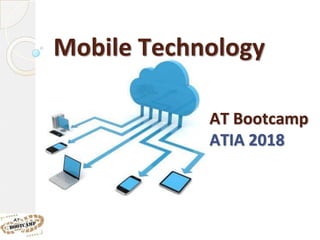
Mobile Technology
AT Bootcamp
ATIA 2018
Mobile Tech Options
The Cloud!Smart
Phones
Tablets Apps
Why use “Everyday Technologies”
as Assistive Technology?
● Easy access- they are out there
● Easier to support- family, other
people know the basics
● More socially acceptable
Don’t Forget SETT!!!!
Access:
Touch
The Touch Screen
◦ Doesn’t require pressure, only contact.
◦ Requires ability to use gestures
The Touch Screen
What Skills are Needed?
www.flickr.com/photos/ebayink/6816581064/
Discuss with a partner - post any unique findings to Padlet
Access
Aides
Speakers
Access:
Input
Devices
Access: Mobile Devices
Access to:
● Menus
● Apps
● Functions
Hardware Options
Android Tablets
Hardware
(Independent)
Option
Chrome Extensions vs. Apps
Extensions
Apps
App
Launcher
Let’s Look at Chrome Resources!
Links to all the apps / extensions:
mmatp.com/chromeAT
Hardware Options
E Readers
● Tablet vs. E Ink
● File Formats
AV Accessories
Apple VGA Adapter
Mini HDMI to VGA Adapter
Google Chromecast
Apple Digital AV adapter
Apple TV
Cases Mounts
Implementation
Develop an Effective Technology Plan
● Effective Plans are:
◦ Short Term; Not Long
Term
◦ Focused on Applications,
not Technology
◦ Not Focused on one type
of Technology Tool
◦ Focused on Integration
◦ Tied to Staff Development John See
Technology Integration Specialist
Minnesota Department of Education
New
Paradigm
Subscriptions vs. One Time Fee
Questions?
Comments?

Mobile tech at bootcamp2018