MOBILE
SEO
Updates & More
Why talk about
Mobile
Optimization?
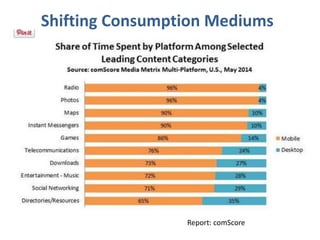
Report: comScore
Shifting Consumption Mediums
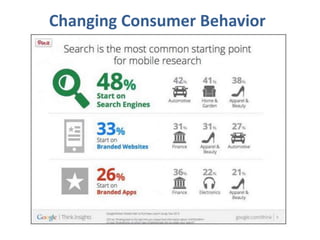
Changing Consumer Behavior
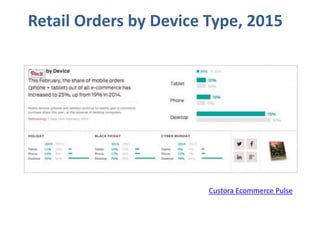
Custora Ecommerce Pulse
Retail Orders by Device Type, 2015
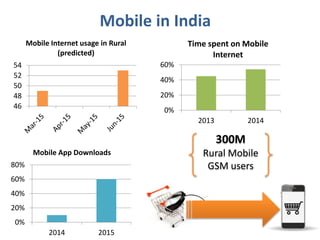
Mobile in India
0%
20%
40%
60%
2013 2014
Time spent on Mobile
Internet
46
48
50
52
54
Mobile Internet usage in Rural
(predicted)
0%
20%
40%
60%
80%
2014 2015
Mobile App Downloads
300M
Rural Mobile
GSM users
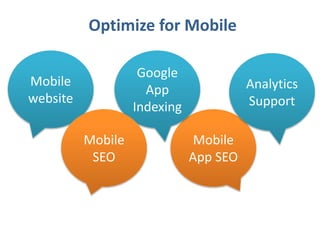
Optimize for Mobile
Mobile
website
Mobile
App SEO
Google
App
Indexing
Mobile
SEO
Analytics
Support
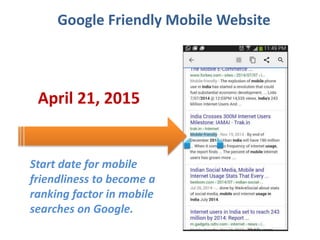
Google Friendly Mobile Website
April 21, 2015
Start date for mobile
friendliness to become a
ranking factor in mobile
searches on Google.
Notifying Google
About
Your Mobile Website
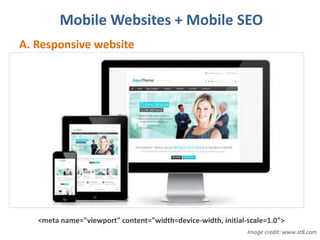
Mobile Websites + Mobile SEO
A. Responsive website
<meta name="viewport" content="width=device-width, initial-scale=1.0">
Image credit: www.st8.com
Mobile Websites
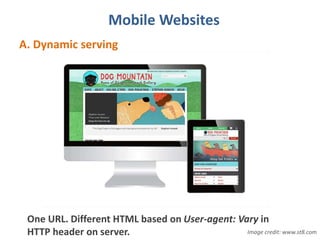
A. Dynamic serving
One URL. Different HTML based on User-agent: Vary in
HTTP header on server. Image credit: www.st8.com
Mobile Websites
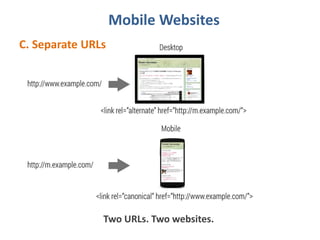
C. Separate URLs
Two URLs. Two websites.
What makes a web
page mobile friendly?
Mobile Usability & Experience
A. Page layout
• Touch friendly
• Right font
• Right width
• Replace mouse-overs
• No pop-ups
• Label buttons clearly
Mobile Usability & Experience
B. Content
• No overloading
• Customize, don’t cut
• Show key actions clearly
• Validate multimedia
• Keep forms short and simple
• Optimize titles and meta description
• Use structured data
• Optimize for local if the business is local
Mobile Usability & Experience
C. Performance
• Avoid too many HTTP requests
• Reduce image overload
• Reduce file overload
Mobile Usability & Experience
D. Common mistakes on mobile websites
• Blocked JavaScript, CSS and image files
• Unplayable content
• Faulty redirects
• Mobile-only 404s
• App download interstitials
• Irrelevant cross-links
• Slow mobile pages
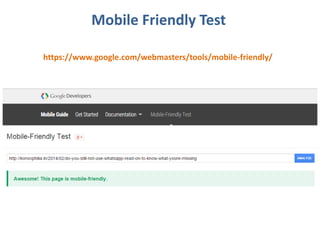
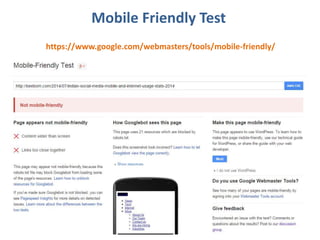
Mobile Friendly Test
https://www.google.com/webmasters/tools/mobile-friendly/
Mobile Friendly Test
https://www.google.com/webmasters/tools/mobile-friendly/
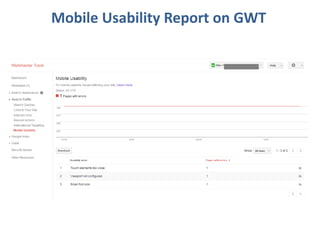
Mobile Usability Report on GWT
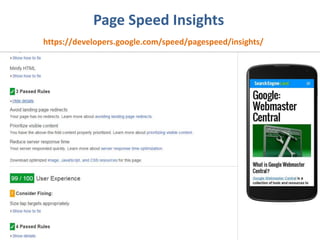
Page Speed Insights
https://developers.google.com/speed/pagespeed/insights/
Page Speed Insights
https://developers.google.com/speed/pagespeed/insights/
Make Mobile Apps
Discoverable
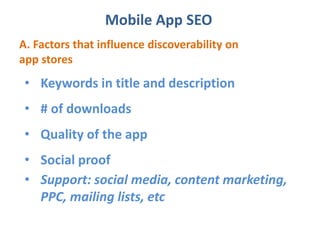
Mobile App SEO
A. Factors that influence discoverability on
app stores
• Keywords in title and description
• # of downloads
• Quality of the app
• Social proof
• Support: social media, content marketing,
PPC, mailing lists, etc
Google App Indexing
Google App Indexing
A. Deep links to the right content within installed
Android apps in SERP
Resource
https://g.co/app-indexing/
http://search-codelabs.appspot.com/codelabs/app-indexing#1
30 billion
links
within
apps
indexed
Google App Indexing
B. Drive app installs through App Indexing
http://googlewebmastercentral.blogspot.in/2015/04/drive-
app-installs-through-app-indexing.html
App
Indexing is
now a
ranking
signal for
all users
on Android
Leveraging Analytics
Analytics Support
A. Build your case
• Compare traffic - mobile vs. desktop on GA
• Look up search queries from mobile
devices on GWT
• Compare user flow - mobile vs. desktop
• Compare bounce rates
• See what mobile devices are used most
Analytics for Mobile Apps
B. Analyze performance
• Mobile app analytics – user behavior from
installs and engagement to purchase
• Compare user flow - mobile vs. desktop
• Measure in-app purchases and revenue
• Measure user actions
• Segment data
• Use custom reports for targeted user behavior
Resource
https://developers.google.com/analytics/solutions/mobile
Other Mobile News on Google
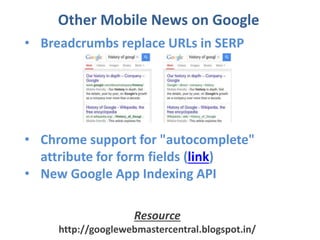
• Breadcrumbs replace URLs in SERP
• Chrome support for "autocomplete"
attribute for form fields (link)
• New Google App Indexing API
Resource
http://googlewebmastercentral.blogspot.in/
Monica Samuel
Twitter: @MSOpinion
Linkedin: https://in.linkedin.com/in/monicasamuel

Mobile SEO Updates for websites & apps

Editor's Notes

  • #3 Mobile penetration has increased. Consumer behavior has changed. Mobile specific features make searches easier – GPS, QR code, Bluetooth, etc. It’s always on, connected, and on consumers.
  • #4 70% of calls that come in come from mobile search results.
  • #15 Touch friendly – min 48dp (density independent pixels) target size, min 8dp between targets - Yes, we suggest a minimum of 7mm width/height for primary tap targets and a minimum margin of 5mm between secondary tap targets. The average width of an adult's finger pad is 10mm, and these dimensions can provide a usable interface while making good use of screen real estate. Right font – min 12p, clean typeface, not image based text Right width – scrolling sideways to see content should not be required Replace mouse-overs on desktop versions – use buttons to display deeper info or menus No pop-ups – Remove. Use embedded prompts (inline) instead of interstitials for app downloads. Label buttons clearly – explain, use breadcrumbs, and clear category names for intuitive navigation
  • #16 No overloading – reduce content Customize, don’t cut – reducing does not mean cutting. Restructure to offer the same core functionality of your desktop site. Show key actions clearly – make key actions easily visible such as product search, shopping cart, etc. Validate multimedia – no Flash, test on multiple screens Keep forms short and simple – minimize typing. For ecomm, integrate with Google Wallet, etc. to enable quick checkouts.
  • #17 Avoid too many HTTP requests – Cut down on page elements that drive extra HTTP requests. Image overload – serve the right size images, reduce time and processing power need. File overload – Compress your JS and CSS code where possible, reorganize CSS, cache assets on browser
  • #18 https://developers.google.com/webmasters/mobile-sites/mobile-seo/common-mistakes/?hl=en
  • #25 .
  • #27 Step 1. Add deep links to an existing app - specify intent filters in your app manifest that define how to reach specific content inside your app. Step 2. Use App Indexing API to notify Google of their deep links. For developers: http://search-codelabs.appspot.com/codelabs/app-indexing#1 Apps with or without corresponding webpages can use the App Indexing API to notify Google of their deep links.
  • #30 .
  • #31 . Google Analytics for mobile apps lets you measure user behavior in your app from installs to engagement and purchase. Tools: GA, MixPanel, Segment.io, Flurry, Localytics, etc.
  • #32 Apps with or without corresponding web pages can use the App Indexing API to notify Google of their deep links.