Mobile Security
Service Overview
Nazar Tymoshyk Ph.D, R&D Manager/Security Consultant
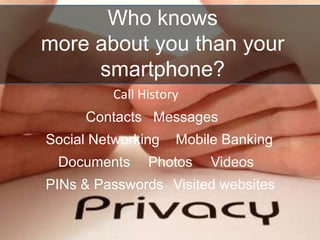
Call History
Messages
Social Networking
Visited websites
Contacts
Mobile Banking
VideosPhotosDocuments
PINs & Passwords
Who knows
more about you than your
smartphone?
always with you!
Always on
Your mobile
All Apps are considered safe until proven guilty
by a security review
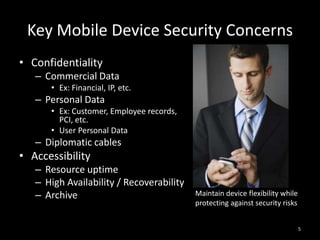
Key Mobile Device Security Concerns
• Confidentiality
– Commercial Data
• Ex: Financial, IP, etc.
– Personal Data
• Ex: Customer, Employee records,
PCI, etc.
• User Personal Data
– Diplomatic cables
• Accessibility
– Resource uptime
– High Availability / Recoverability
– Archive Maintain device flexibility while
protecting against security risks
5
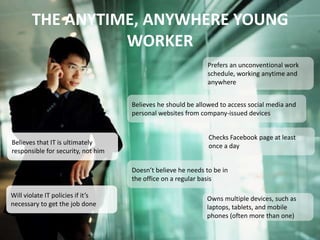
THE ANYTIME, ANYWHERE YOUNG
WORKER
Prefers an unconventional work
schedule, working anytime and
anywhere
Believes he should be allowed to access social media and
personal websites from company-issued devices
Checks Facebook page at least
once a day
Doesn’t believe he needs to be in
the office on a regular basis
Believes that IT is ultimately
responsible for security, not him
Will violate IT policies if it’s
necessary to get the job done
Owns multiple devices, such as
laptops, tablets, and mobile
phones (often more than one)
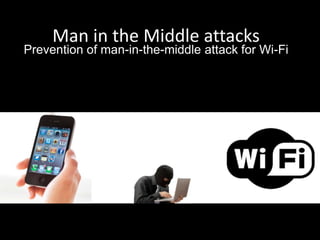
Man in the Middle attacks
Prevention of man-in-the-middle attack for Wi-Fi
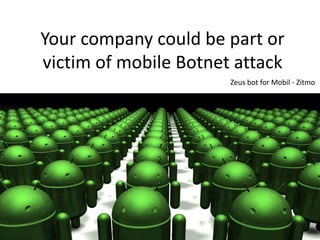
Your company could be part or
victim of mobile Botnet attack
Zeus bot for Mobil - Zitmo
Mobile applications for Healthcare
Require HIPAA security
assessments
Competitors
They do all to get your secrets
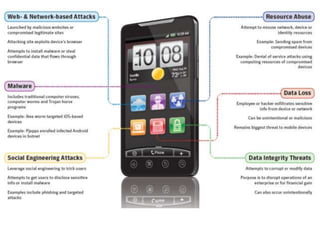
• Sensitive data leakage (inadvertent or side
channel)
• Unsafe sensitive data storage
• Unsafe sensitive data transmission
• Hardcoded password/keys
Mobile application Vulnerabilities:
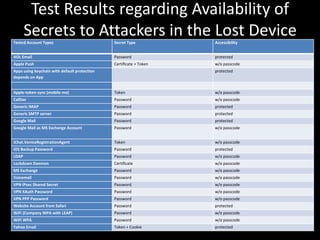
Test Results regarding Availability of
Secrets to Attackers in the Lost Device
Scenario
Tested Account Types Secret Type Accessibility
AOL Email Password protected
Apple Push Certificate + Token w/o passcode
Apps using keychain with default protection
depends on App
protected
Apple-token-sync (mobile me) Token w/o passcode
CalDav Password w/o passcode
Generic IMAP Password protected
Generic SMTP server Password protected
Google Mail Password protected
Google Mail as MS Exchange Account Password w/o passcode
iChat.VeniceRegistrationAgent Token w/o passcode
iOS Backup Password Password protected
LDAP Password w/o passcode
Lockdown Daemon Certificate w/o passcode
MS Exchange Password w/o passcode
Voicemail Password w/o passcode
VPN IPsec Shared Secret Password w/o passcode
VPN XAuth Password Password w/o passcode
VPN PPP Password Password w/o passcode
Website Account from Safari Password protected
WiFi (Company WPA with LEAP) Password w/o passcode
WiFi WPA Password w/o passcode
Yahoo Email Token + Cookie protected
What You LOSE?
If your confidential data will be
leaked?
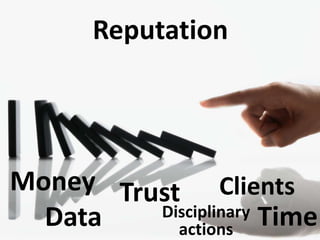
Reputation
TrustMoney
Data TimeDisciplinary
actions
Clients
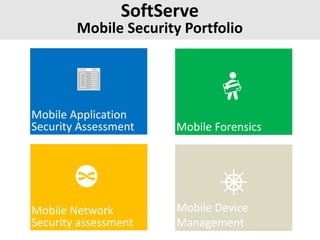
SoftServe
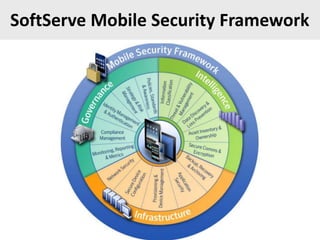
Mobile Security Portfolio
Mobile Application
Security Assessment Mobile Forensics
Mobile Network
Security assessment
Mobile Device
Management
SoftServe Mobile Security Framework
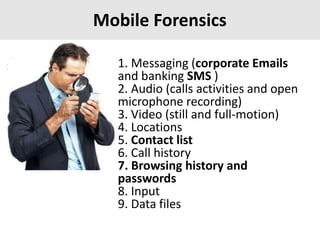
Mobile Forensics
1. Messaging (corporate Emails
and banking SMS )
2. Audio (calls activities and open
microphone recording)
3. Video (still and full-motion)
4. Locations
5. Contact list
6. Call history
7. Browsing history and
passwords
8. Input
9. Data files
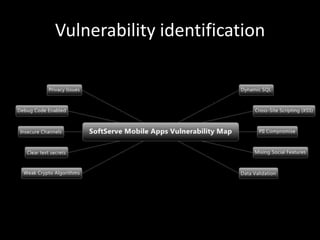
Vulnerability identification
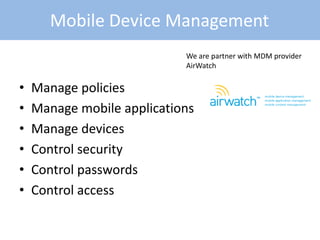
• Manage policies
• Manage mobile applications
• Manage devices
• Control security
• Control passwords
• Control access
Mobile Device Management
We are partner with MDM provider
AirWatch
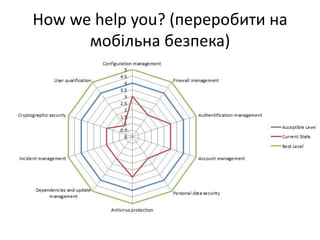
How we help you? (переробити на
мобільна безпека)
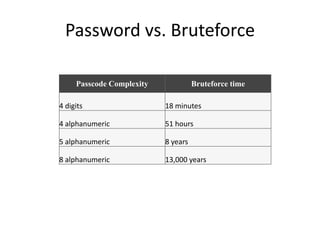
Password vs. Bruteforce
Passcode Complexity Bruteforce time
4 digits 18 minutes
4 alphanumeric 51 hours
5 alphanumeric 8 years
8 alphanumeric 13,000 years
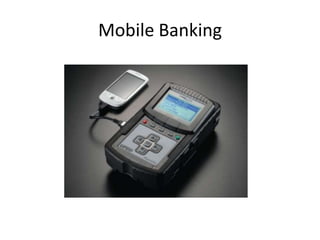
Mobile Banking
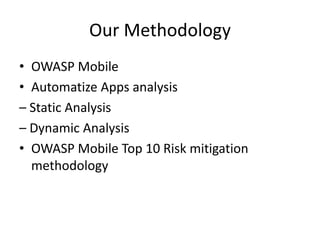
Our Methodology
• OWASP Mobile
• Automatize Apps analysis
– Static Analysis
– Dynamic Analysis
• OWASP Mobile Top 10 Risk mitigation
methodology
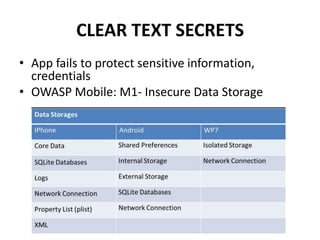
CLEAR TEXT SECRETS
• App fails to protect sensitive information,
credentials
• OWASP Mobile: M1- Insecure Data Storage
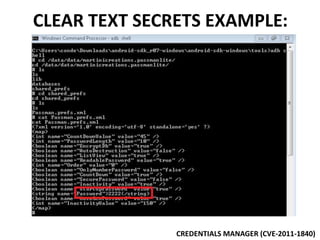
CLEAR TEXT SECRETS EXAMPLE:
CREDENTIALS MANAGER (CVE-2011-1840)
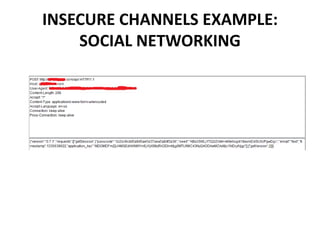
INSECURE CHANNELS EXAMPLE:
SOCIAL NETWORKING
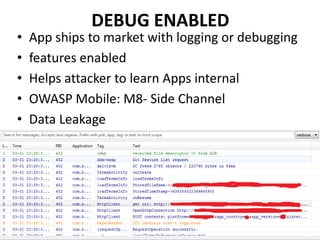
DEBUG ENABLED
• App ships to market with logging or debugging
• features enabled
• Helps attacker to learn Apps internal
• OWASP Mobile: M8- Side Channel
• Data Leakage
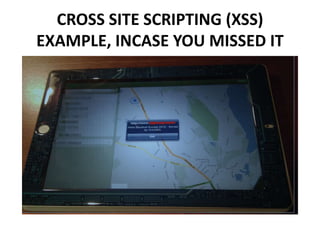
CROSS SITE SCRIPTING (XSS)
EXAMPLE, INCASE YOU MISSED IT
DATA VALIDATION
• App fails to perform appropriate data
• validation
• Accounts for many common risks
• OWASP Mobile: M4- Client Side Injection
DATA VALIDATION MITIGATION
• Validate data for:
– Valid
– Safe
– Length
• For SQL queries use prepared statements
• Validate (sanitize) and escape data before render
for web Apps
• Use white list approach instead black list
• approach. Check out OWASP ESAPI libraries
PII COMPROMISE
• App can collect plenty of PII information
• – User: username, contacts, bookmarks
• – Device: S.O. ver, device name, IMEI, IMSI,
• kernel version, UUID
• – General info: geolocalization
• – OWASP Mobile Risk Classification: M8 – Side
• Channel Data Leakage
PII COMPROMISE MITIGATION
• Apps don't need to collect all they can, just
• what they need
• • If collecting PII:
• – Where is that info going?
• • Log files
• • Data storages
• • Network
• – Protect it:
• • Transit
• • At Rest
3RD PARTY LIBRARIES INTEGRATION
• App integrates 3rd party libraries:
• – Facebook
• – Greendroid
• – Android.ads
• – Apache
• – google.android.apps.analytics
• – Json
• – Mozilla
• – Javax
• – xmlrpc.android
• – slf4j
3RD PARTY LIBRARIES INTEGRATION
MITIGATION
• If using 3rd party libraries, use proven
• libraries
• What info are these libraries collecting?
• Do we really need social networking
libs
• integrated into our finance apps?
WEAK CRYPTO
• Incorrect use of crypto libraries
• Implementing custom
• bad ass crypto algorithm
• M9 - Broken Cryptography
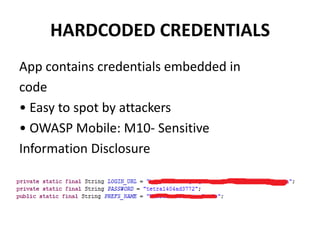
HARDCODED CREDENTIALS
App contains credentials embedded in
code
• Easy to spot by attackers
• OWASP Mobile: M10- Sensitive
Information Disclosure
HARDCODED CREDENTIALS
MITIGATION
• Easy, don't write credentials into code files
• What happens when the credentials change?
• You need to upload a new version on the app!
• Credentials need to use secure data storages
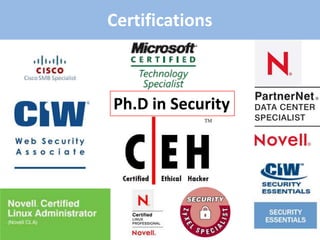
Certifications
Ph.D in Security
Security Clients 2010-2011:
Do you have any
QUESTIONS?

Mobile security services 2012

  • 1.
    Mobile Security Service Overview NazarTymoshyk Ph.D, R&D Manager/Security Consultant
  • 2.
    Call History Messages Social Networking Visitedwebsites Contacts Mobile Banking VideosPhotosDocuments PINs & Passwords Who knows more about you than your smartphone?
  • 3.
  • 4.
    All Apps areconsidered safe until proven guilty by a security review
  • 5.
    Key Mobile DeviceSecurity Concerns • Confidentiality – Commercial Data • Ex: Financial, IP, etc. – Personal Data • Ex: Customer, Employee records, PCI, etc. • User Personal Data – Diplomatic cables • Accessibility – Resource uptime – High Availability / Recoverability – Archive Maintain device flexibility while protecting against security risks 5
  • 6.
    THE ANYTIME, ANYWHEREYOUNG WORKER Prefers an unconventional work schedule, working anytime and anywhere Believes he should be allowed to access social media and personal websites from company-issued devices Checks Facebook page at least once a day Doesn’t believe he needs to be in the office on a regular basis Believes that IT is ultimately responsible for security, not him Will violate IT policies if it’s necessary to get the job done Owns multiple devices, such as laptops, tablets, and mobile phones (often more than one)
  • 8.
    Man in theMiddle attacks Prevention of man-in-the-middle attack for Wi-Fi
  • 9.
    Your company couldbe part or victim of mobile Botnet attack Zeus bot for Mobil - Zitmo
  • 10.
    Mobile applications forHealthcare Require HIPAA security assessments
  • 11.
    Competitors They do allto get your secrets
  • 12.
    • Sensitive dataleakage (inadvertent or side channel) • Unsafe sensitive data storage • Unsafe sensitive data transmission • Hardcoded password/keys Mobile application Vulnerabilities:
  • 13.
    Test Results regardingAvailability of Secrets to Attackers in the Lost Device Scenario Tested Account Types Secret Type Accessibility AOL Email Password protected Apple Push Certificate + Token w/o passcode Apps using keychain with default protection depends on App protected Apple-token-sync (mobile me) Token w/o passcode CalDav Password w/o passcode Generic IMAP Password protected Generic SMTP server Password protected Google Mail Password protected Google Mail as MS Exchange Account Password w/o passcode iChat.VeniceRegistrationAgent Token w/o passcode iOS Backup Password Password protected LDAP Password w/o passcode Lockdown Daemon Certificate w/o passcode MS Exchange Password w/o passcode Voicemail Password w/o passcode VPN IPsec Shared Secret Password w/o passcode VPN XAuth Password Password w/o passcode VPN PPP Password Password w/o passcode Website Account from Safari Password protected WiFi (Company WPA with LEAP) Password w/o passcode WiFi WPA Password w/o passcode Yahoo Email Token + Cookie protected
  • 14.
    What You LOSE? Ifyour confidential data will be leaked?
  • 15.
  • 16.
    SoftServe Mobile Security Portfolio MobileApplication Security Assessment Mobile Forensics Mobile Network Security assessment Mobile Device Management
  • 17.
  • 18.
    Mobile Forensics 1. Messaging(corporate Emails and banking SMS ) 2. Audio (calls activities and open microphone recording) 3. Video (still and full-motion) 4. Locations 5. Contact list 6. Call history 7. Browsing history and passwords 8. Input 9. Data files
  • 19.
  • 20.
    • Manage policies •Manage mobile applications • Manage devices • Control security • Control passwords • Control access Mobile Device Management We are partner with MDM provider AirWatch
  • 21.
    How we helpyou? (переробити на мобільна безпека)
  • 23.
    Password vs. Bruteforce PasscodeComplexity Bruteforce time 4 digits 18 minutes 4 alphanumeric 51 hours 5 alphanumeric 8 years 8 alphanumeric 13,000 years
  • 24.
  • 25.
    Our Methodology • OWASPMobile • Automatize Apps analysis – Static Analysis – Dynamic Analysis • OWASP Mobile Top 10 Risk mitigation methodology
  • 26.
    CLEAR TEXT SECRETS •App fails to protect sensitive information, credentials • OWASP Mobile: M1- Insecure Data Storage
  • 27.
    CLEAR TEXT SECRETSEXAMPLE: CREDENTIALS MANAGER (CVE-2011-1840)
  • 28.
  • 29.
    DEBUG ENABLED • Appships to market with logging or debugging • features enabled • Helps attacker to learn Apps internal • OWASP Mobile: M8- Side Channel • Data Leakage
  • 30.
    CROSS SITE SCRIPTING(XSS) EXAMPLE, INCASE YOU MISSED IT
  • 31.
    DATA VALIDATION • Appfails to perform appropriate data • validation • Accounts for many common risks • OWASP Mobile: M4- Client Side Injection
  • 32.
    DATA VALIDATION MITIGATION •Validate data for: – Valid – Safe – Length • For SQL queries use prepared statements • Validate (sanitize) and escape data before render for web Apps • Use white list approach instead black list • approach. Check out OWASP ESAPI libraries
  • 33.
    PII COMPROMISE • Appcan collect plenty of PII information • – User: username, contacts, bookmarks • – Device: S.O. ver, device name, IMEI, IMSI, • kernel version, UUID • – General info: geolocalization • – OWASP Mobile Risk Classification: M8 – Side • Channel Data Leakage
  • 34.
    PII COMPROMISE MITIGATION •Apps don't need to collect all they can, just • what they need • • If collecting PII: • – Where is that info going? • • Log files • • Data storages • • Network • – Protect it: • • Transit • • At Rest
  • 35.
    3RD PARTY LIBRARIESINTEGRATION • App integrates 3rd party libraries: • – Facebook • – Greendroid • – Android.ads • – Apache • – google.android.apps.analytics • – Json • – Mozilla • – Javax • – xmlrpc.android • – slf4j
  • 36.
    3RD PARTY LIBRARIESINTEGRATION MITIGATION • If using 3rd party libraries, use proven • libraries • What info are these libraries collecting? • Do we really need social networking libs • integrated into our finance apps?
  • 37.
    WEAK CRYPTO • Incorrectuse of crypto libraries • Implementing custom • bad ass crypto algorithm • M9 - Broken Cryptography
  • 38.
    HARDCODED CREDENTIALS App containscredentials embedded in code • Easy to spot by attackers • OWASP Mobile: M10- Sensitive Information Disclosure
  • 39.
    HARDCODED CREDENTIALS MITIGATION • Easy,don't write credentials into code files • What happens when the credentials change? • You need to upload a new version on the app! • Credentials need to use secure data storages
  • 41.
  • 42.
  • 43.
    Do you haveany QUESTIONS?

Editor's Notes

  • #4 Smartphones and other mobile devices serve the same functions as laptop computers—with comparable computing power—but with little or no endpoint security.phone call logsaddress bookemailssmsMobile browser historydocumentscalendarVoice calls cross trough it (volatile but non that much)Corporate network accessGPS tracking dataEnterprise employees use it for their business activityMobile phones became the most personal and private item we ownGet out from home and you take:House & car keyPortfolioMobile phone
  • #6 “The best approach to tablet security is one that allows the ability to isolate business and personal apps and data reliably, applying appropriate security policy to each,” says HoracioZambrano, product manager for Cisco. “Policy happens in the cloud or with an intelligent network, while for the employee, their user experience is preserved and they can leverage the native app capabilities of the device.”
  • #7 Ten years ago, employees were assigned laptops and told not to lose them. They were given logins to the company network, and told not to tell anyone their password. End of security training. Today, your “millennial” employees—the people you want to hire because of the fresh ideas and energy they can bring to your business—show up to their first day on the job toting their own phones, tablets, and laptops, and expect to integrate them into their work life. They also expect others—namely, IT staff and chief information officers—to figure out how they can use their treasured devices, anywhere and anytime they want to, without putting the enterprise at risk. Security, they believe, is not really their responsibility: They want to work hard, from home or the office, using social networks and cloud applications to get the job done, while someone else builds seamless security into their interactions. Research from the Connected World study offers a snapshot of how younger workers and college students about to enter the workforce view security, access to information, and mobile devices. Here’s a snapshot of who you’ll be hiring, based on findings from the study:
  • #9 Mobile Device Management (Prevention of man-in-the-middle attack for wifi)Any sensitive data transferred across wireless network is sniffed and analyzedWill be presented on next sales meeting
  • #10 mobile = PC orOperating SystemWifi = network
  • #38 Use proven crypto libraries and readdocumentation!• Forget about your own crypto• If using SHA1 or MD5 for passwordsapply salt, even better use SHA-256• If using SHA1PRNG set the seed
  • #39 Bh-eu-12-rose0smartphone_apps