
lightspeedteam
Mobile Computing
Content
• Introduction to Mobile Computing
• Mobile Communication
• Mobile OS
• Applications of Mobile Computing
• Challenges Faced
• Current trends & Future
What is Mobile Computing?
• Computing?
– The use or operation of computers
• Mobile?
– Able to move or be moved freely or easily
What is Mobile Computing? Contd.
• Mobile Computing is using a computer (of one
kind or another) while on the move
What is Mobile Computing? Contd.
• Being able to use a computing device even
when being mobile and therefore changing
location (Portability is one aspect of mobile
computing)
What is Mobile Computing? Contd.
• Mobile computing is the ability to use
computing capability without a pre-defined
location and/or connection to a network to
publish and/or subscribe to information
What is Mobile Computing? Contd.
• Mobile Computing is an umbrella term used
to describe technologies that enable people to
access network services anyplace, anytime,
and anywhere
How it all started
• 2400 BC in Babylon – the Abacus
• 1936 – Z1 Computer (Konrad Zuse)
• 1942 – ABC Computer
• 1968 – HP 9100A
• 1974 – Xerox Alto
• 1975 – Altair 8800
• 1975 – IBM 5100
Where does Mobile Computing come
in?
• The concept came around 1990s
• Can be divided into a number of eras:
– Portability
– Miniaturization
– Connectivity
– Convergence
– Divergence
– Apps
– Digital Ecosystem
1971 - Busicom LE-120A
'Handy-LE' Calculator
1981 – Osborne 1 Portable Computer
1982 - Grid Compass 1100 Clamshell Laptop
1983 - DynaTAC 8000x
1999 - Apple iBook G3 Wi-Fi-Enabled Laptop
2002 - Acer TravelMate TM-100 Laptop/Tablet
Hybrid
2007 - Apple iPhone
Why go Mobile?
• No location barriers
• Increase in productivity
• Cloud computing
• Future prospects
Mobile Communications
What is Mobile Communication?
• Communication network that does not involve
a wire connection between two entities
Three Types
Communication
Methods
Cellular
Data
Services
Wireless
Satellites
Cellular Data Services
1G
• First Generation Networks
2G
• Second Generation Networks
3G
• Third Generation Networks
First Generation Networks
Used Analog
Signals
Called “Brick
Phones” and
“Bag Phones”
They were first
introduced for
cellular
industry
Second Generation Networks
• First digital cellular network
• Improved sound quality
• Better security
There are three common technologies used
CDMA
FDMA
TDMA
Frequency division multiple access(FDMA)
Time division multiple access (TDMA)
Code division multiple access (CDMA)
GSM Network?
• Global System for Mobile communication
• Standard set developed by “European
Telecommunications Standards Institute”(ETSI)
Third Generation Networks
• High-speed transmission
• Advanced multimedia access
• Global roaming
How is 3G Better?
• Several times higher data speed;
• Enhanced audio and video streaming;
• Video-conferencing support;
• Web and WAP browsing at higher speeds;
• IPTV (TV through the Internet) support.
3G has the following enhancements over 2.5G and previous
networks:
Wireless Technology
• the transfer of information between two or
more points that are not connected by an
electrical conductor.
• Wi-Fi is a very common wireless technology
that was developed in the 1990s
technically referred to as the 802.11 protocol
Beyond 3G Networks
Conclusion
Fourth generation of mobile
wireless services
Applications of Mobile Computing
APPLICATIONS OF MOBILE COMPUTING
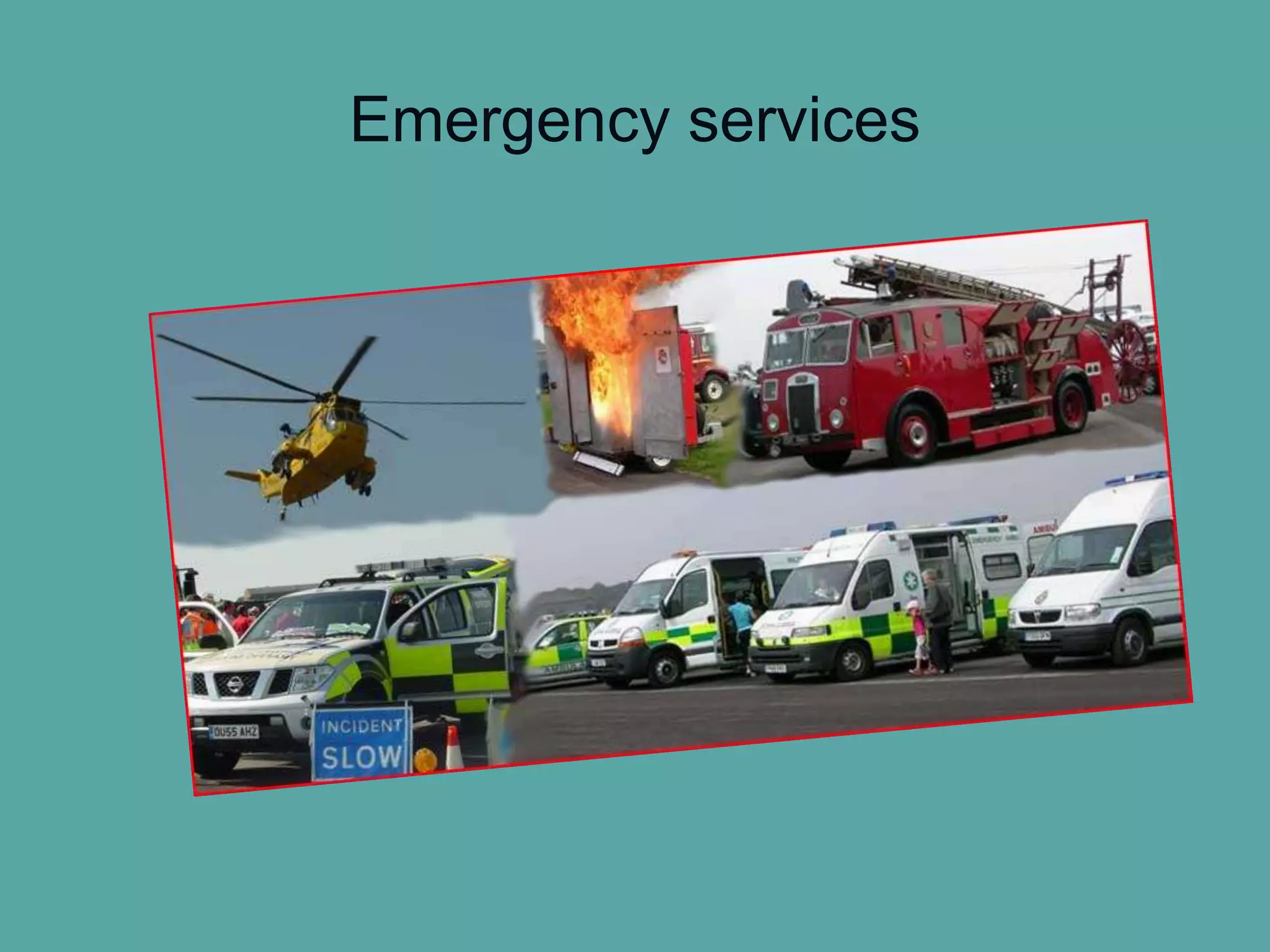
Emergency
services
In companies
In courts
Credit card
verification
Stock
Information
Control
For Estate
Agents
Taxi/Truck
Dispatch
Electronic
Mail/Paging
Vehicles
Mobile
Banking
Emergency services
CDPD (cellular digital packet data)
Police Incident Information Screen
In companies
Credit card verification
For Legal Purposes
(In courts)
Stock Information
Collation/Control
For Estate Agents
Taxi/Truck Dispatch
Travelling Salesmen
Web Access
• Outdoor internet access
Vehicles
Location Aware Services
Entertainment
Mobile Banking and
Financial Services
Electronic Mail
/Paging
Challenges faced in mobile
Computing
Challenges faced
1. Security & Privacy risks
2. Unreliable & Unpredictable wireless links
3. Mobility
4. Limited Resources
5. Potential Health Hazards
6. Transmission interference
1. Privacy and Security risks
 Authentication
 Encryption
 User anonymity
 Instead of the actual directory telephone number, the international
mobile subscriber identity number is used within the network to uniquely
identify a mobile subscriber.
 Threats
 Wi-Fi networks are a shared network that makes it easier for others to
eavesdrop on your communication
• Devices are stolen and tampered
• Cryptography
• Connection
Solutions…
• Secure web browsing
Use secure encrypted sessions.
• Secure Internet Transactions
Use UCI’ s VPN to encrypt your network traffic.
• Always use a personal firewall
Set the firewall to deny ALL incoming connections.
2. Unreliable & unpredictable wireless links
• Wireless links are not reliable.
• They may vary over time and space.
3. Mobility
• This causes poor quality wireless links
• And also causes intermittent connection
– Under intermittent connected networks, traditional routing,
TCP, Application break.
• This changes context
4. Limited Resources
• Insufficient Bandwidth
• High bandwidth variability
• Low bandwidth
• Limited battery power
 Mobile computers must rely entirely on battery power. Combined
with compact size, this means unusually expensive batteries be used.
• Limited processing, display & storage
5. Potential health hazards
• Potential health damages from cellular radio frequencies is not known
yet. However, more car accidents are related drivers who use mobile
devices like mobile phones….etc.
6. Human interface with device
• As screens are often too small. Keyboards are impractical especially one-
handed & alternate methods such as speech or handwriting recognition
require training.
Conclusion
• Mobile Computing has severe limitations & it’s
far from impossible & technology improves all
the time……
• Lots of challenges……
• Some have (good) solutions and many others are still
waiting to be solved.
Future of mobile computing
Artificial Inteligence
Integrated Circuitry
Increase in the processing speed
Smart phones
Google glasses
Netbooks Vs Notebooks
What do they have to say about
future of mobile computing?
Micheal Dell(Chairman and CEO in Dell Inc)
I think if you look at the small mobile devices that
we have today, whether we hold them in our hand
or otherwise, they are in fact personal computers.
We don't think of them as personal computers. We
think of them as smartphones
Richard Edelman(President and CEO in Edelman)
I am fascinated by the “always-on” kids, the
presence of tablets
Lee Rainie(Director Pew Research center’s Internet
and American life project)
So it's giving more power to people to be their
own economic agents. It's also obviously extending
their voices

Mobile computing

  • 1.
  • 2.
  • 3.
    Content • Introduction toMobile Computing • Mobile Communication • Mobile OS • Applications of Mobile Computing • Challenges Faced • Current trends & Future
  • 4.
    What is MobileComputing? • Computing? – The use or operation of computers • Mobile? – Able to move or be moved freely or easily
  • 5.
    What is MobileComputing? Contd. • Mobile Computing is using a computer (of one kind or another) while on the move
  • 6.
    What is MobileComputing? Contd. • Being able to use a computing device even when being mobile and therefore changing location (Portability is one aspect of mobile computing)
  • 7.
    What is MobileComputing? Contd. • Mobile computing is the ability to use computing capability without a pre-defined location and/or connection to a network to publish and/or subscribe to information
  • 8.
    What is MobileComputing? Contd. • Mobile Computing is an umbrella term used to describe technologies that enable people to access network services anyplace, anytime, and anywhere
  • 9.
    How it allstarted • 2400 BC in Babylon – the Abacus • 1936 – Z1 Computer (Konrad Zuse) • 1942 – ABC Computer • 1968 – HP 9100A • 1974 – Xerox Alto • 1975 – Altair 8800 • 1975 – IBM 5100
  • 10.
    Where does MobileComputing come in? • The concept came around 1990s • Can be divided into a number of eras: – Portability – Miniaturization – Connectivity – Convergence – Divergence – Apps – Digital Ecosystem
  • 11.
    1971 - BusicomLE-120A 'Handy-LE' Calculator
  • 12.
    1981 – Osborne1 Portable Computer
  • 13.
    1982 - GridCompass 1100 Clamshell Laptop
  • 14.
  • 15.
    1999 - AppleiBook G3 Wi-Fi-Enabled Laptop
  • 16.
    2002 - AcerTravelMate TM-100 Laptop/Tablet Hybrid
  • 17.
  • 18.
    Why go Mobile? •No location barriers • Increase in productivity • Cloud computing • Future prospects
  • 19.
  • 20.
    What is MobileCommunication? • Communication network that does not involve a wire connection between two entities
  • 21.
  • 22.
    Cellular Data Services 1G •First Generation Networks 2G • Second Generation Networks 3G • Third Generation Networks
  • 23.
    First Generation Networks UsedAnalog Signals Called “Brick Phones” and “Bag Phones” They were first introduced for cellular industry
  • 24.
    Second Generation Networks •First digital cellular network • Improved sound quality • Better security
  • 25.
    There are threecommon technologies used CDMA FDMA TDMA Frequency division multiple access(FDMA) Time division multiple access (TDMA) Code division multiple access (CDMA)
  • 26.
    GSM Network? • GlobalSystem for Mobile communication • Standard set developed by “European Telecommunications Standards Institute”(ETSI)
  • 27.
    Third Generation Networks •High-speed transmission • Advanced multimedia access • Global roaming
  • 28.
    How is 3GBetter? • Several times higher data speed; • Enhanced audio and video streaming; • Video-conferencing support; • Web and WAP browsing at higher speeds; • IPTV (TV through the Internet) support. 3G has the following enhancements over 2.5G and previous networks:
  • 29.
    Wireless Technology • thetransfer of information between two or more points that are not connected by an electrical conductor.
  • 30.
    • Wi-Fi isa very common wireless technology that was developed in the 1990s technically referred to as the 802.11 protocol
  • 31.
    Beyond 3G Networks Conclusion Fourthgeneration of mobile wireless services
  • 32.
  • 33.
  • 34.
    Emergency services In companies In courts Creditcard verification Stock Information Control For Estate Agents Taxi/Truck Dispatch Electronic Mail/Paging Vehicles Mobile Banking
  • 35.
  • 36.
    CDPD (cellular digitalpacket data) Police Incident Information Screen
  • 37.
  • 38.
  • 39.
  • 40.
  • 41.
  • 42.
  • 43.
  • 44.
    Web Access • Outdoorinternet access
  • 45.
  • 46.
  • 47.
  • 48.
  • 49.
  • 50.
    Challenges faced inmobile Computing
  • 51.
    Challenges faced 1. Security& Privacy risks 2. Unreliable & Unpredictable wireless links 3. Mobility 4. Limited Resources 5. Potential Health Hazards 6. Transmission interference
  • 52.
    1. Privacy andSecurity risks  Authentication  Encryption  User anonymity  Instead of the actual directory telephone number, the international mobile subscriber identity number is used within the network to uniquely identify a mobile subscriber.  Threats  Wi-Fi networks are a shared network that makes it easier for others to eavesdrop on your communication • Devices are stolen and tampered • Cryptography • Connection
  • 53.
    Solutions… • Secure webbrowsing Use secure encrypted sessions. • Secure Internet Transactions Use UCI’ s VPN to encrypt your network traffic. • Always use a personal firewall Set the firewall to deny ALL incoming connections.
  • 54.
    2. Unreliable &unpredictable wireless links • Wireless links are not reliable. • They may vary over time and space.
  • 55.
    3. Mobility • Thiscauses poor quality wireless links • And also causes intermittent connection – Under intermittent connected networks, traditional routing, TCP, Application break. • This changes context
  • 56.
    4. Limited Resources •Insufficient Bandwidth • High bandwidth variability • Low bandwidth • Limited battery power  Mobile computers must rely entirely on battery power. Combined with compact size, this means unusually expensive batteries be used. • Limited processing, display & storage
  • 57.
    5. Potential healthhazards • Potential health damages from cellular radio frequencies is not known yet. However, more car accidents are related drivers who use mobile devices like mobile phones….etc.
  • 58.
    6. Human interfacewith device • As screens are often too small. Keyboards are impractical especially one- handed & alternate methods such as speech or handwriting recognition require training.
  • 59.
    Conclusion • Mobile Computinghas severe limitations & it’s far from impossible & technology improves all the time…… • Lots of challenges…… • Some have (good) solutions and many others are still waiting to be solved.
  • 60.
  • 61.
  • 62.
  • 63.
    Increase in theprocessing speed
  • 64.
  • 65.
  • 66.
  • 67.
    What do theyhave to say about future of mobile computing? Micheal Dell(Chairman and CEO in Dell Inc) I think if you look at the small mobile devices that we have today, whether we hold them in our hand or otherwise, they are in fact personal computers. We don't think of them as personal computers. We think of them as smartphones
  • 68.
    Richard Edelman(President andCEO in Edelman) I am fascinated by the “always-on” kids, the presence of tablets Lee Rainie(Director Pew Research center’s Internet and American life project) So it's giving more power to people to be their own economic agents. It's also obviously extending their voices