ML Ops Tools: ML flow and Hugging Face
17/04/2024 1
Course Overview
2
This course covers two of the most popular open-source platforms for MLOps (Machine Learning
Operations): ML flow and Hugging Face. We’ll go through the foundations on what it takes to get
started in these platforms with basic model and dataset operations. You will start with ML flow
using projects and models with its powerful tracking system and you will learn how to interact
with these registered models from ML flow with full lifecycle examples. Then, you will explore
Hugging Face repositories so that you can store datasets, models, and create live interactive
demos.
The Proof of Concept
Factory
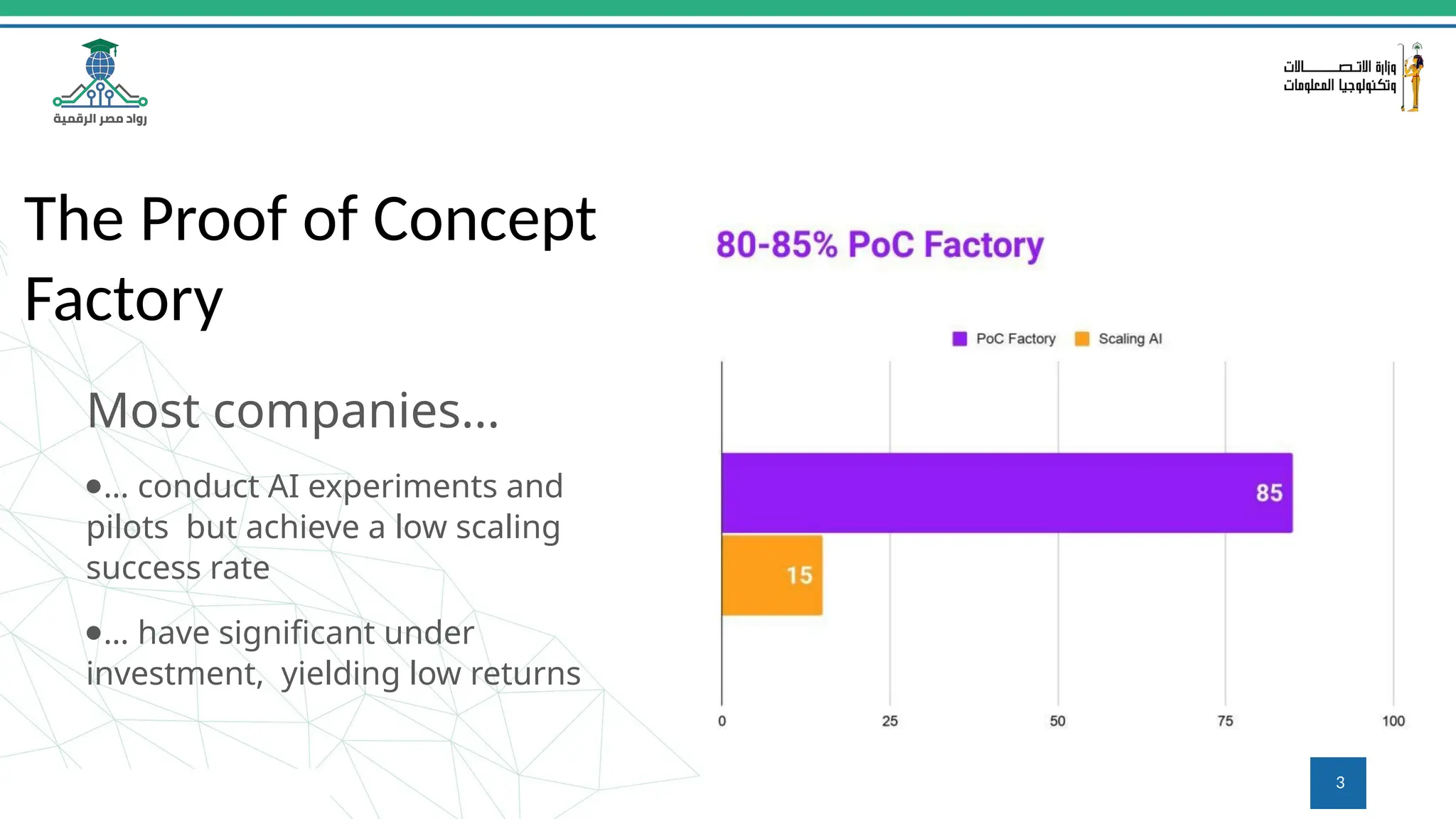
Most companies...
●… conduct AI experiments and
pilots but achieve a low scaling
success rate
●… have significant under
investment, yielding low returns
3
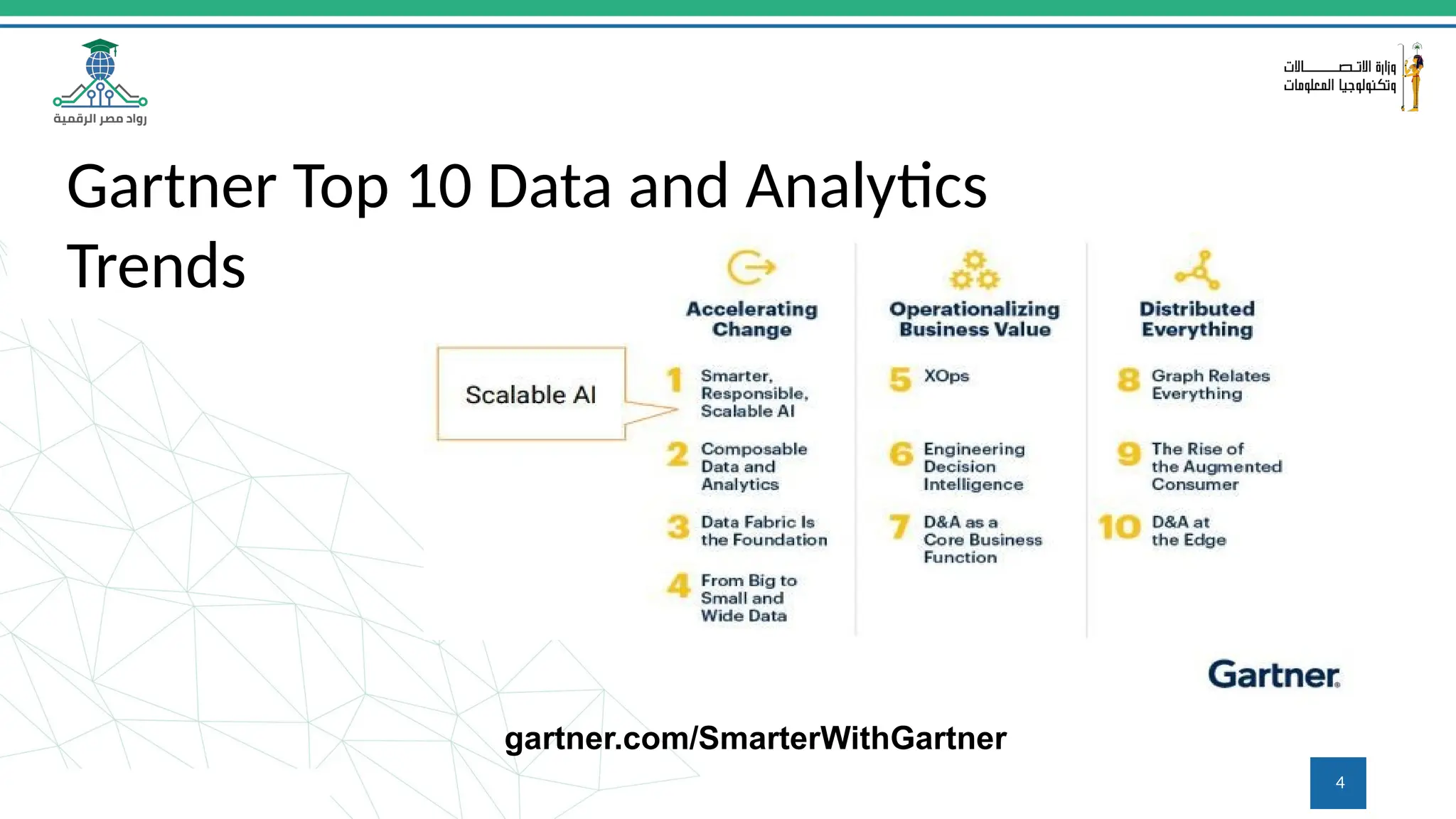
Gartner Top 10 Data and Analytics
Trends
gartner.com/SmarterWithGartner
4
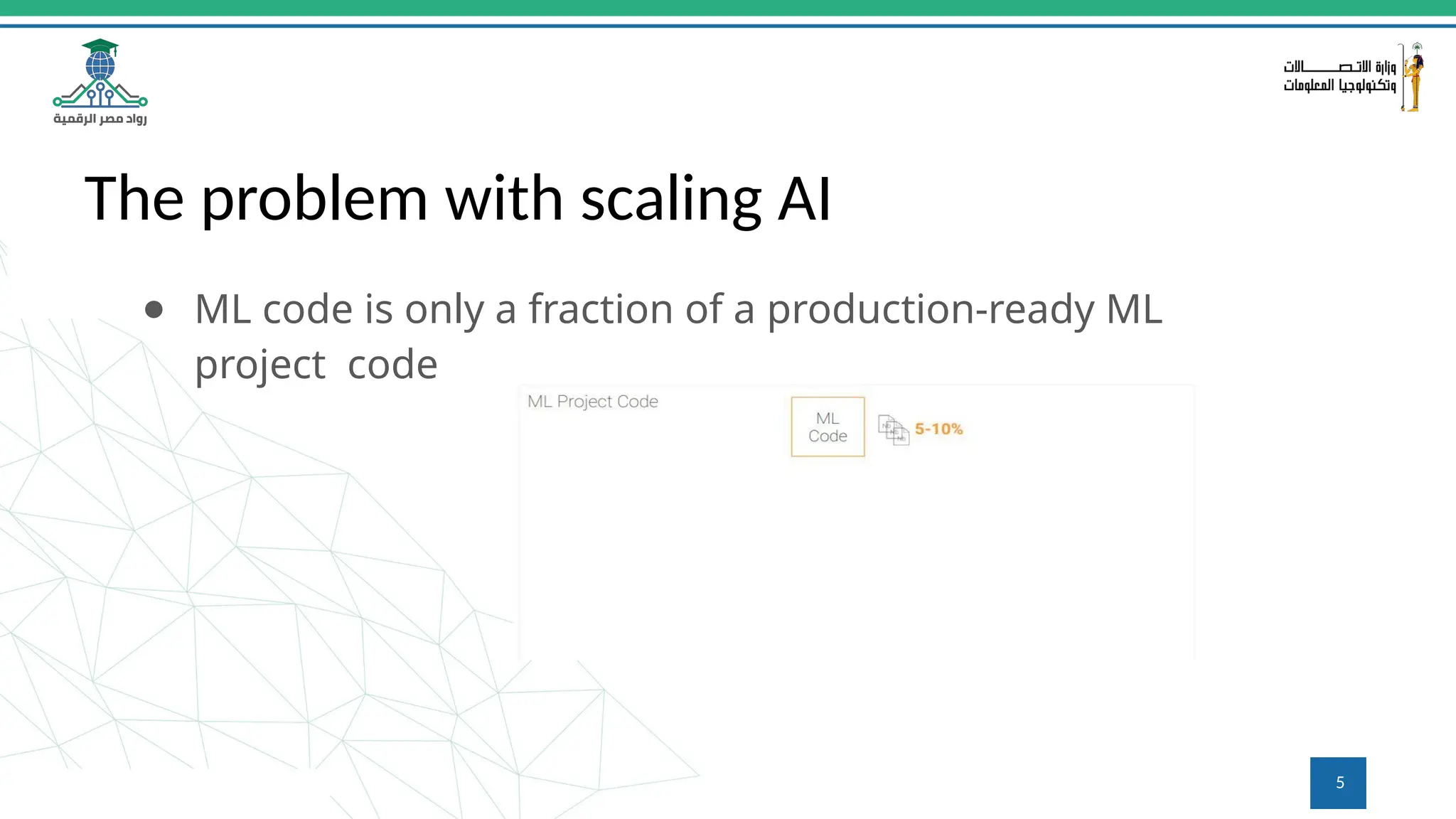
The problem with scaling AI
● ML code is only a fraction of a production-ready ML
project code
5
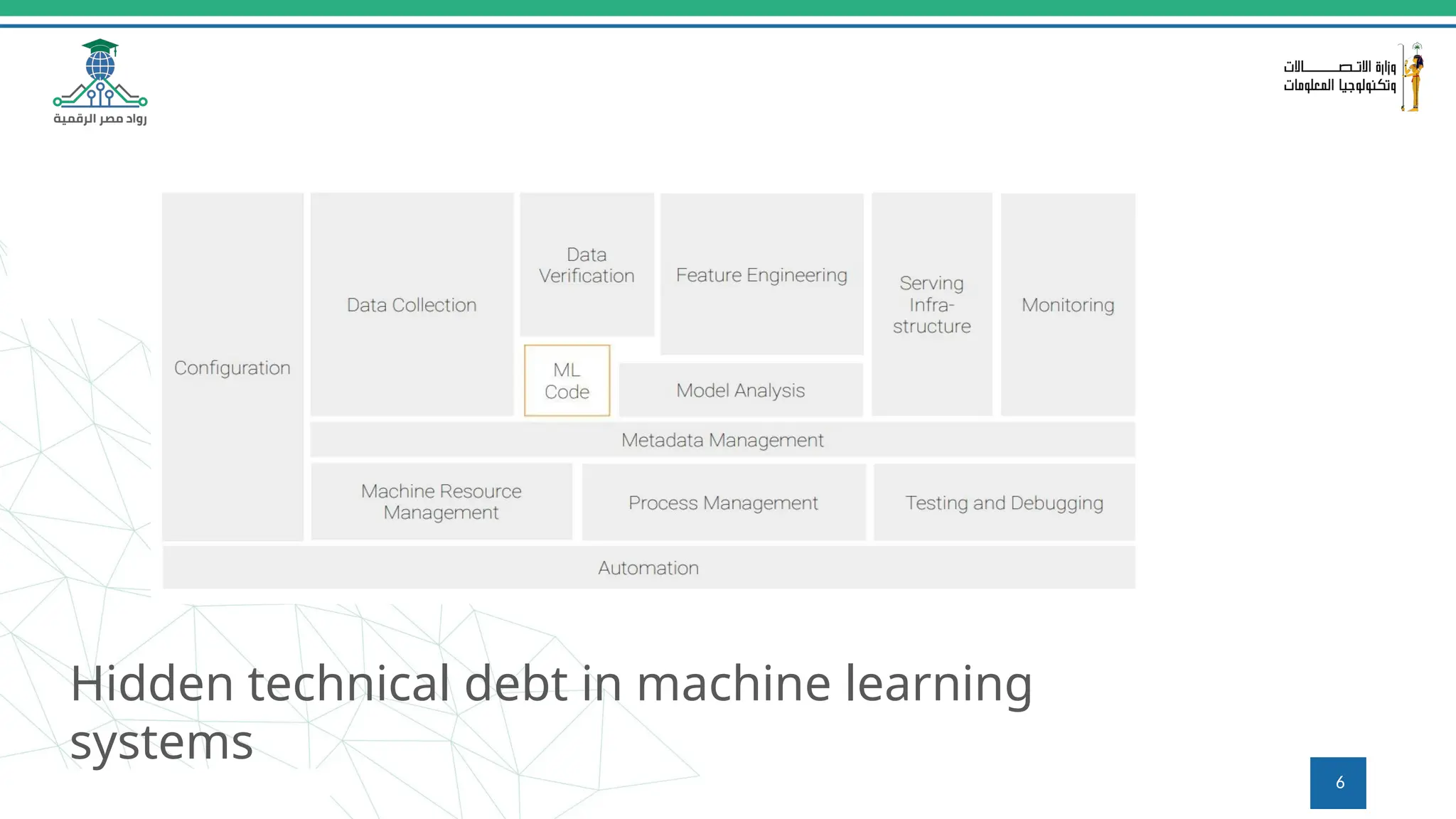
Hidden technical debt in machine learning
systems
6
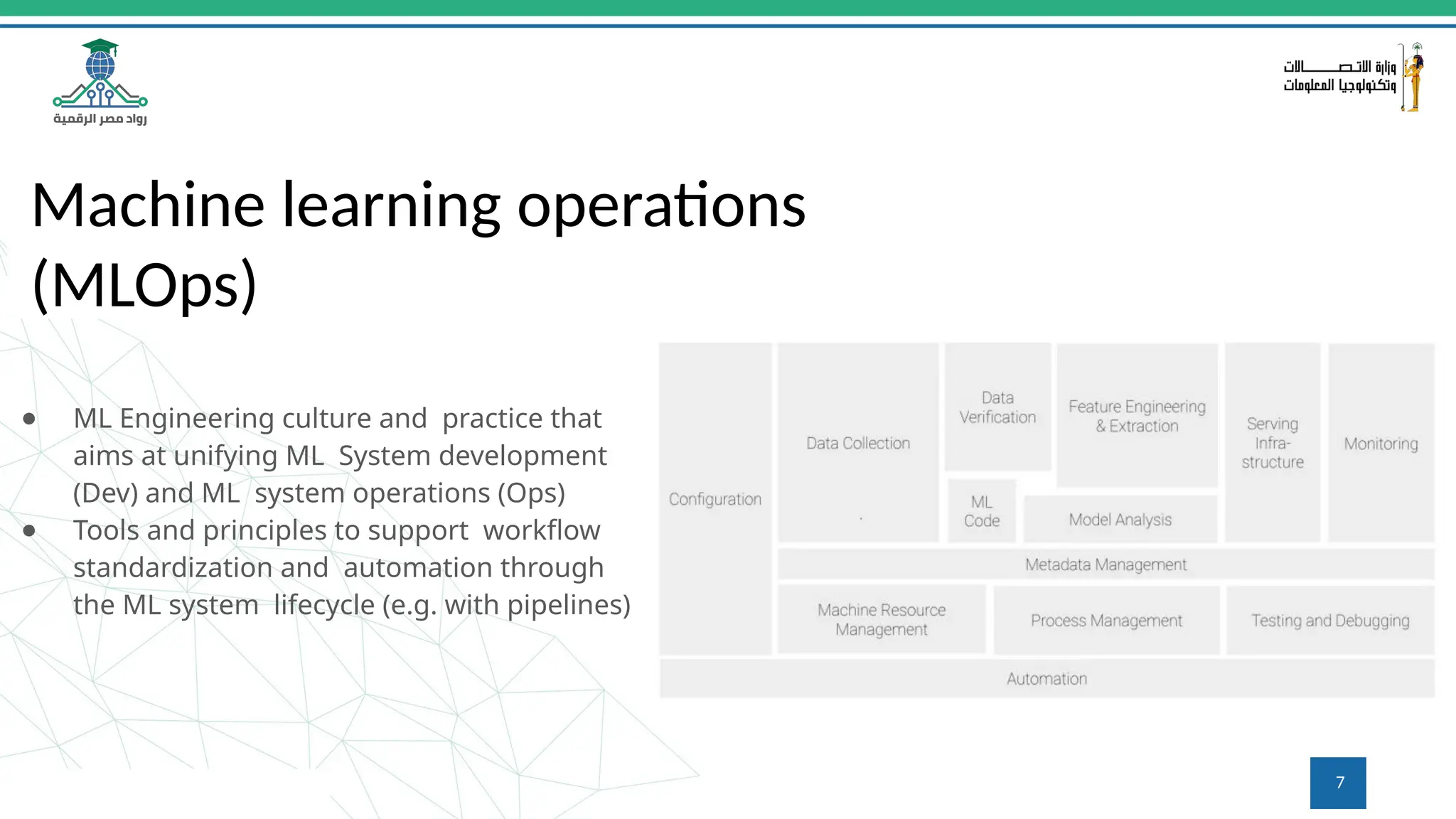
Machine learning operations
(MLOps)
● ML Engineering culture and practice that
aims at unifying ML System development
(Dev) and ML system operations (Ops)
● Tools and principles to support workflow
standardization and automation through
the ML system lifecycle (e.g. with pipelines)
7
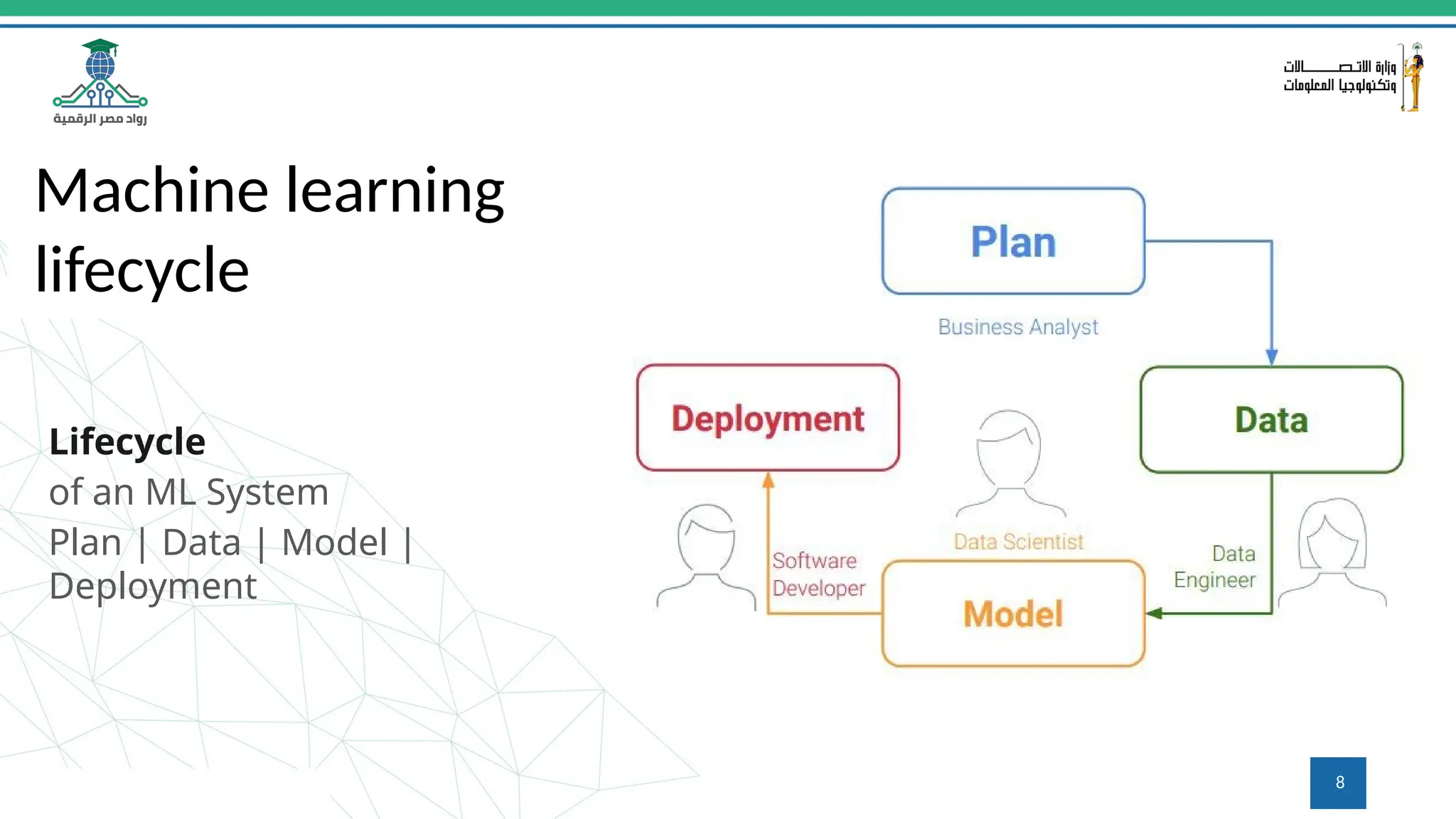
Machine learning
lifecycle
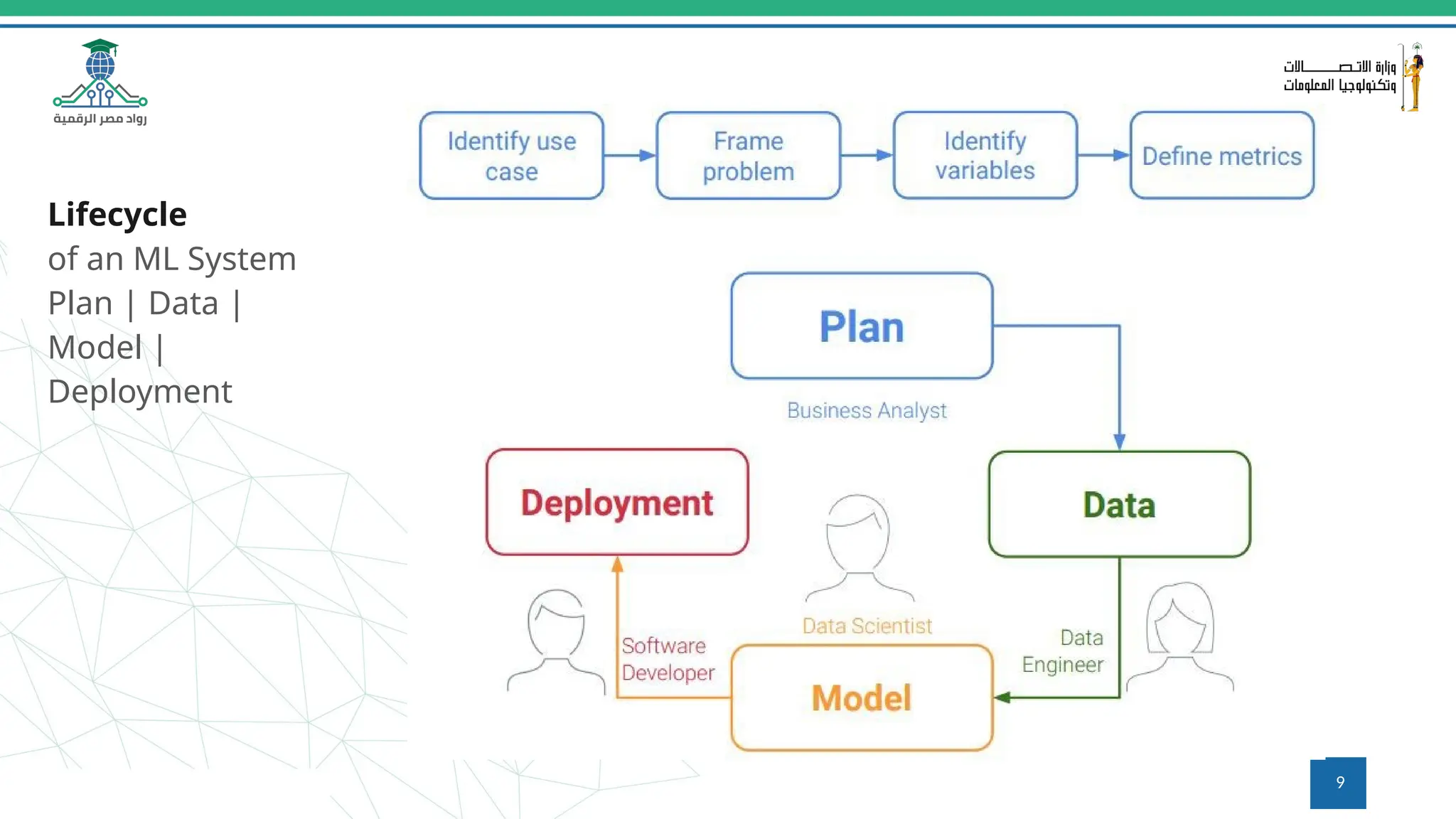
Lifecycle
of an ML System
Plan | Data | Model |
Deployment
8
Lifecycle
of an ML System
Plan | Data |
Model |
Deployment
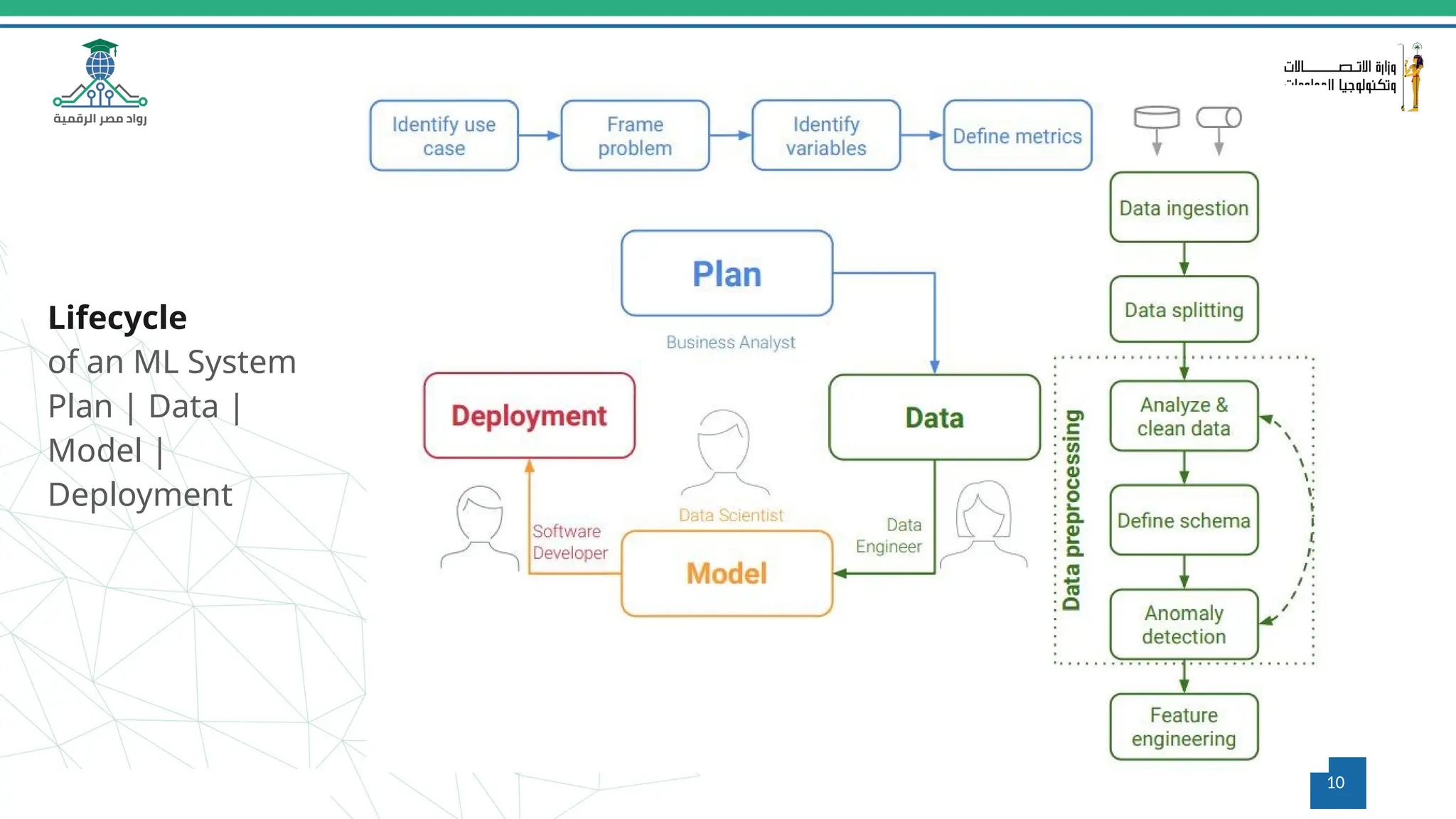
9
Lifecycle
of an ML System
Plan | Data |
Model |
Deployment
10
Lifecycle
of an ML System
Plan | Data |
Model |
Deployment
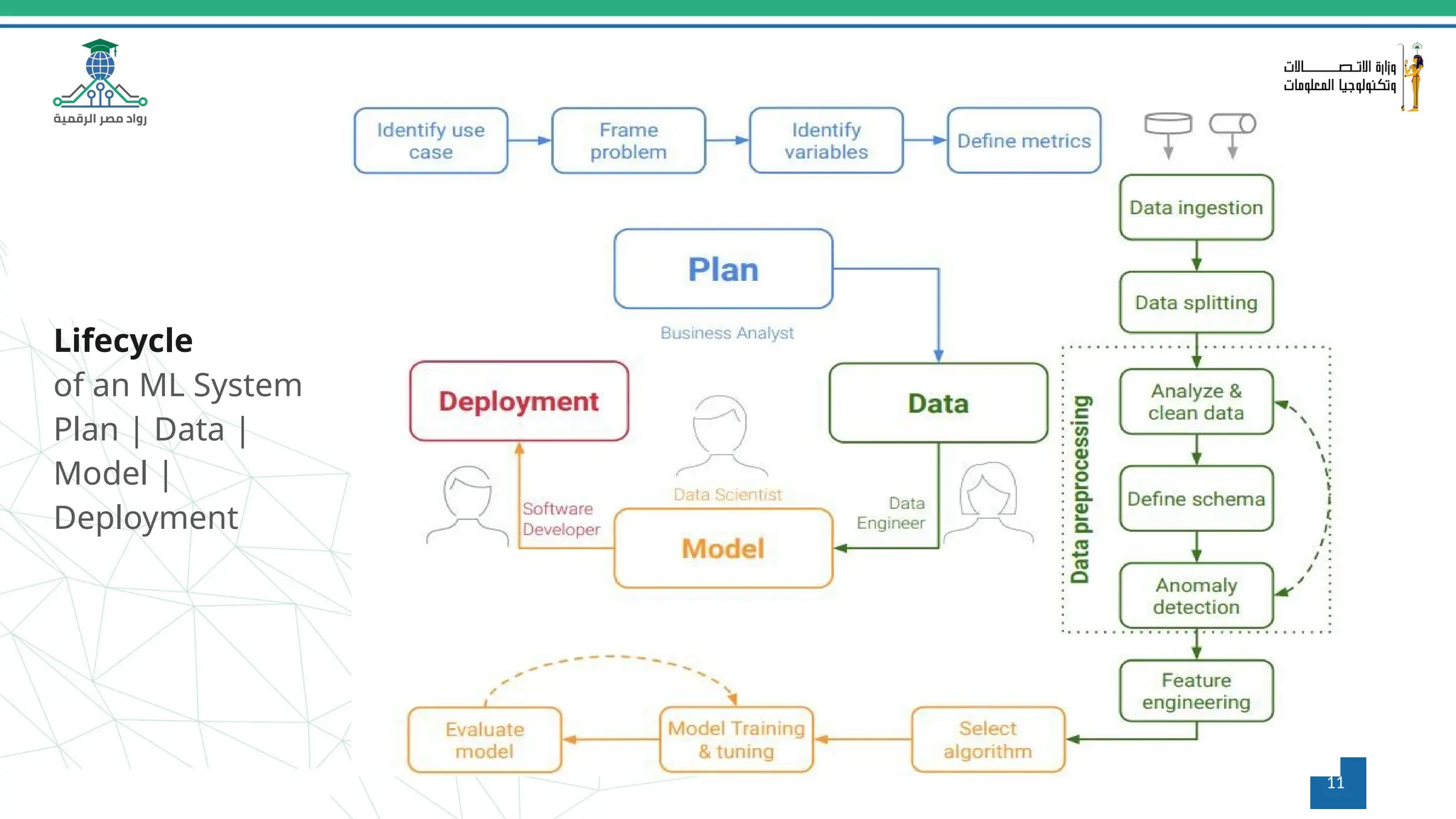
11
Lifecycle
of an ML System
Plan | Data |
Model |
Deployment
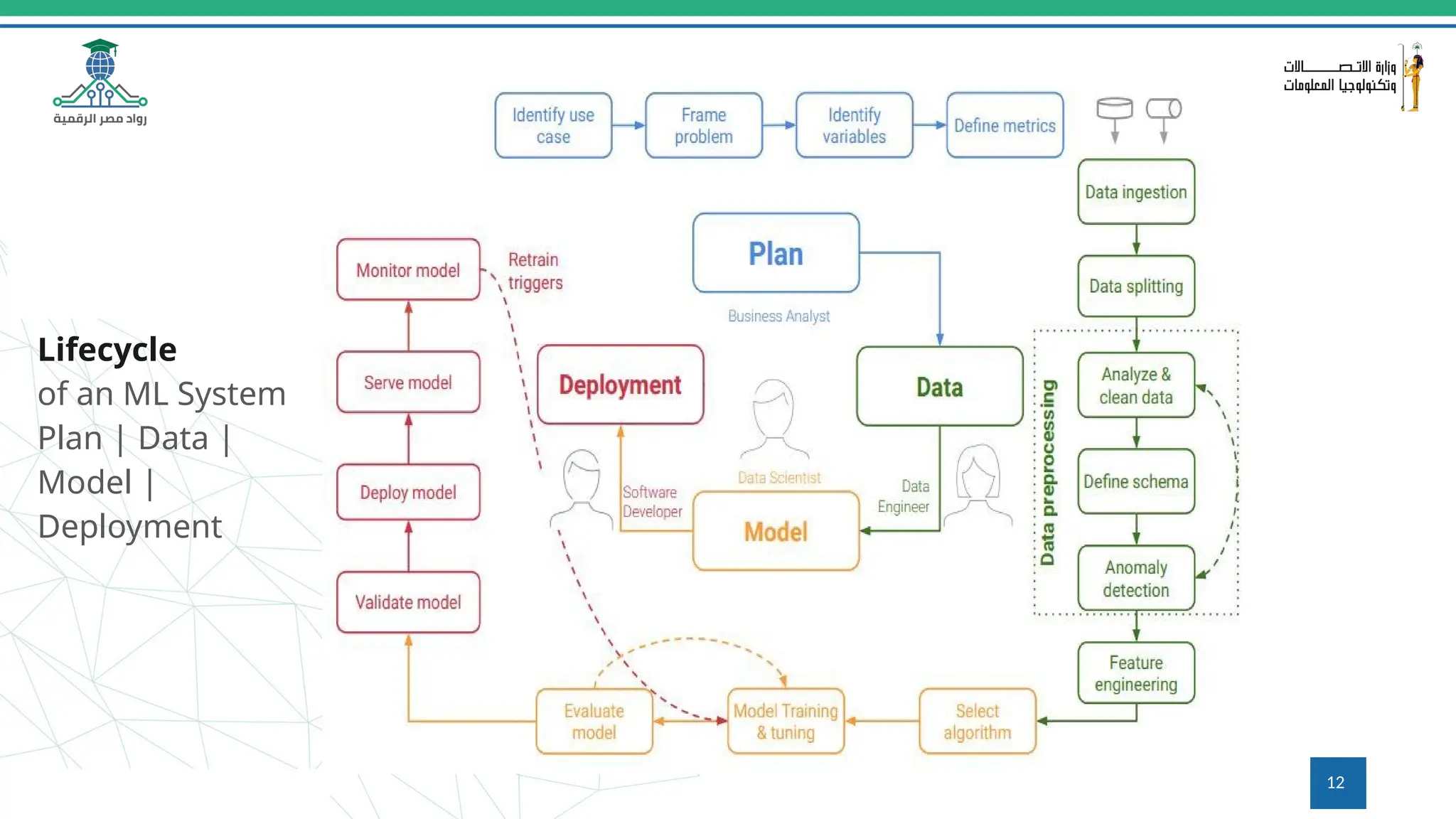
12
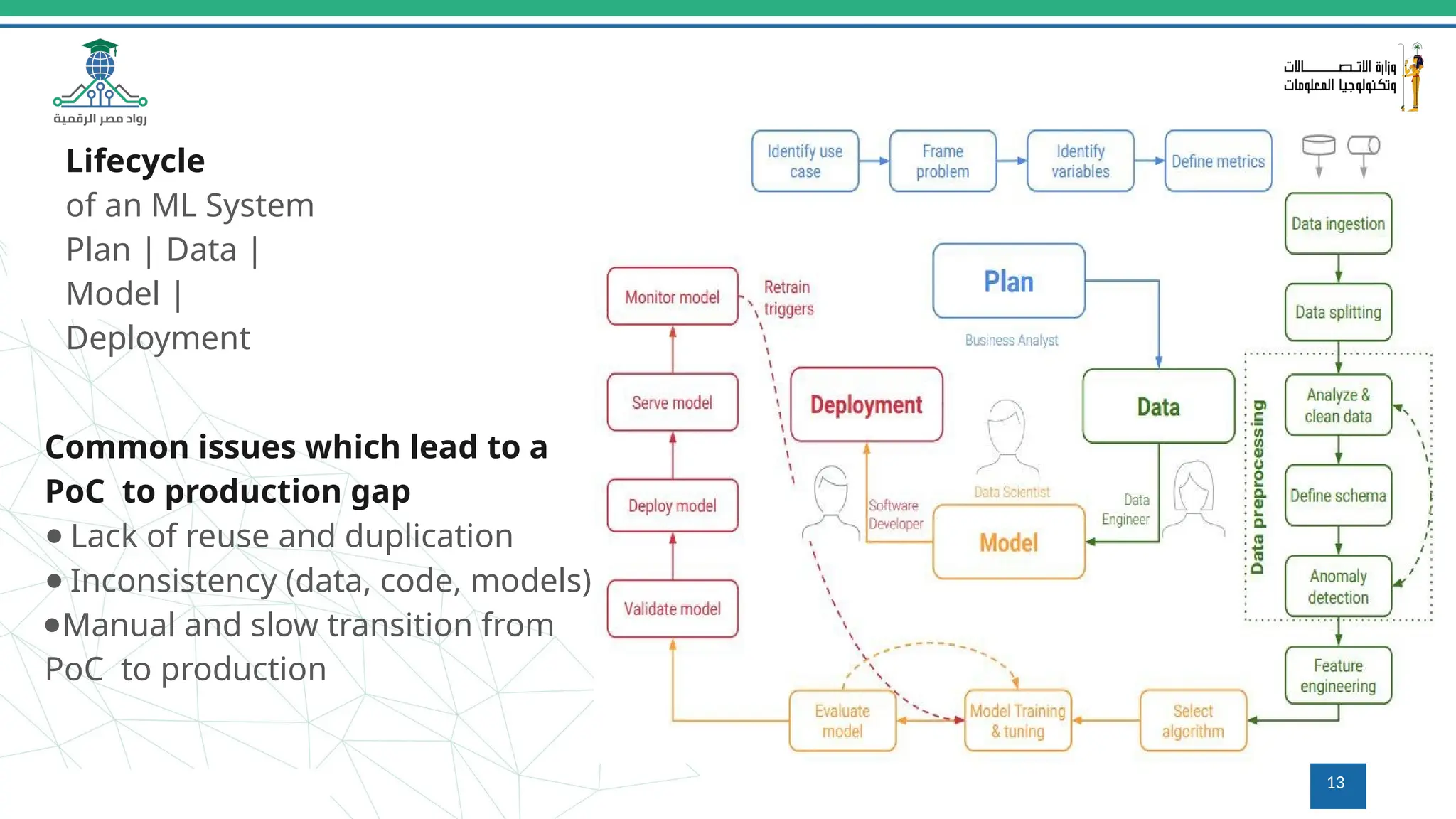
Common issues which lead to a
PoC to production gap
● Lack of reuse and duplication
● Inconsistency (data, code, models)
●Manual and slow transition from
PoC to production
Lifecycle
of an ML System
Plan | Data |
Model |
Deployment
13
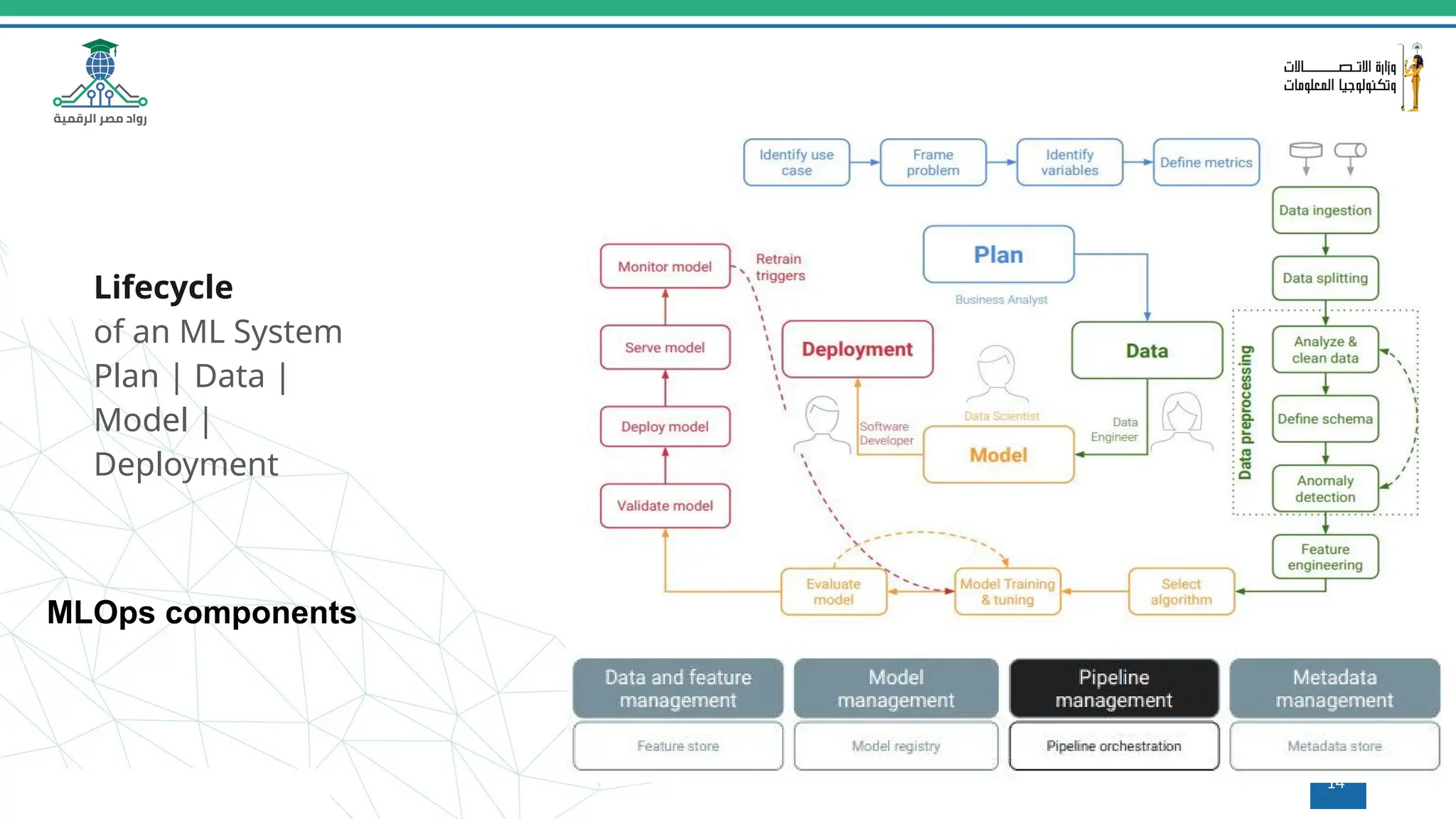
Lifecycle
of an ML System
Plan | Data |
Model |
Deployment
MLOps components
14
15
Q&A
Questions and answers
16
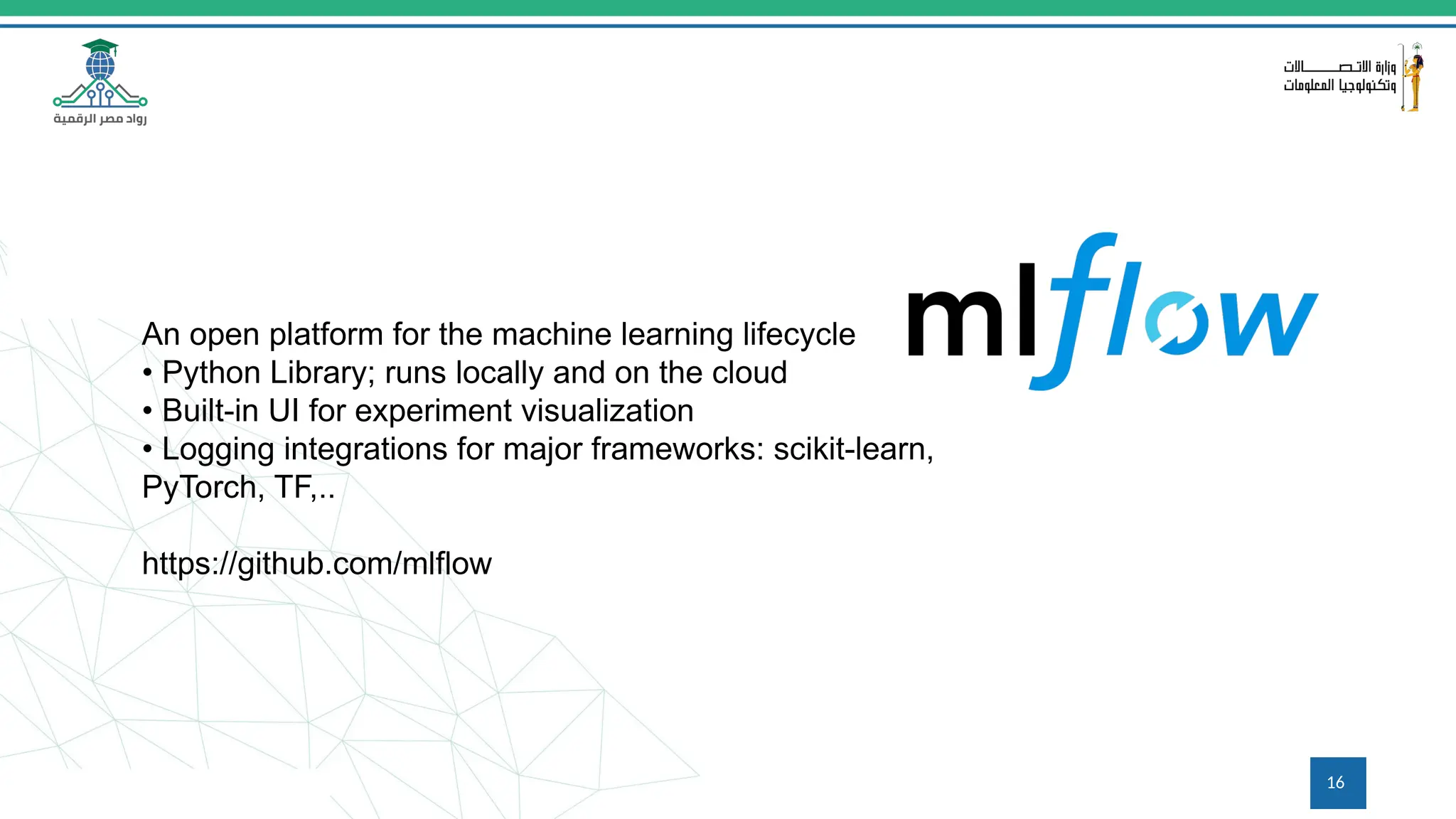
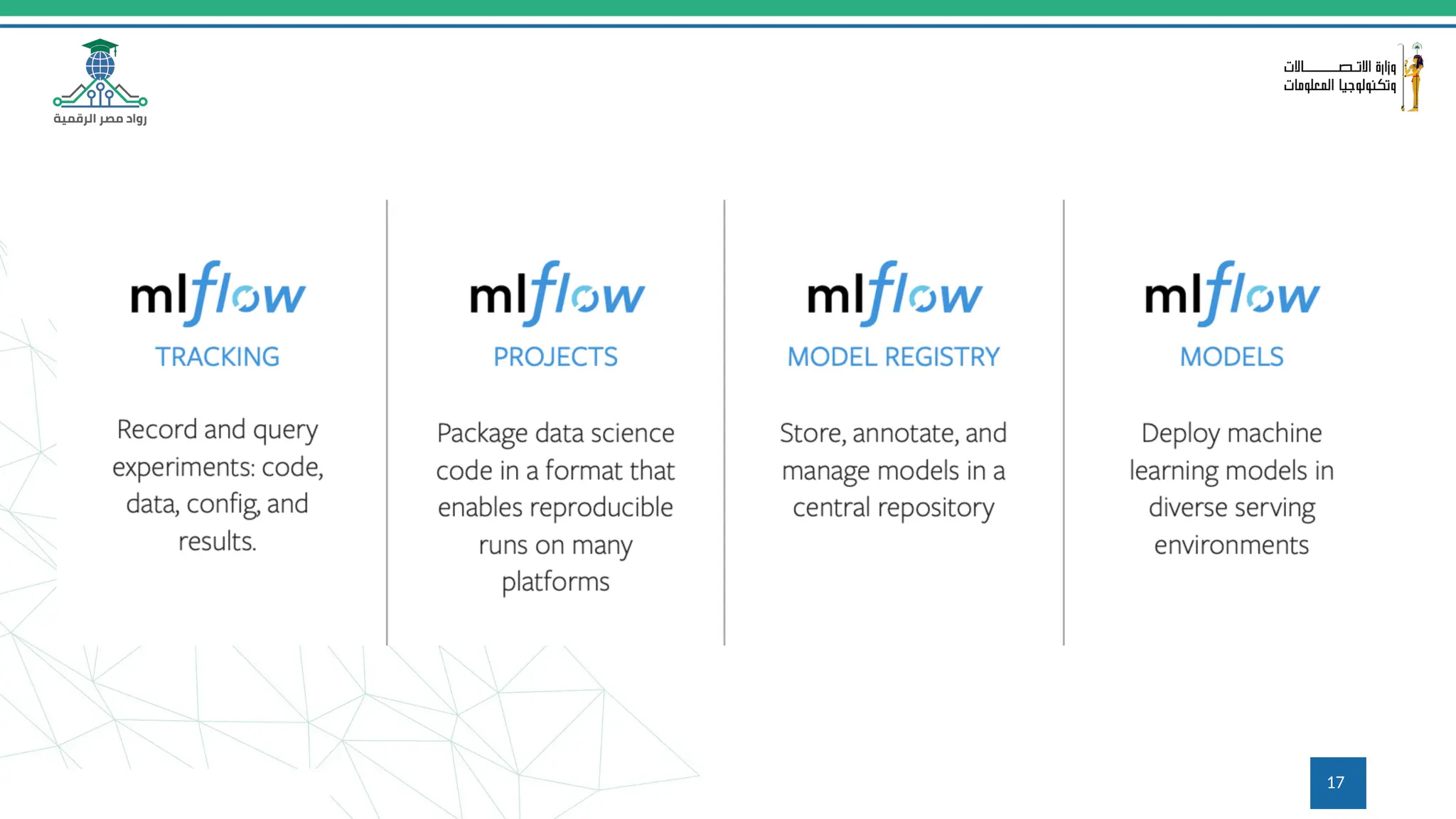
An open platform for the machine learning lifecycle
• Python Library; runs locally and on the cloud
• Built-in UI for experiment visualization
• Logging integrations for major frameworks: scikit-learn,
PyTorch, TF,..
https://github.com/mlflow
17
18
Getting Started with MLflow
Install with pip install mlflow
• Find detailed tutorials at mlflow.org
• Repo: https://github.com/mlflow
• Main contributor and maintainer:
• Managed MLflow services offered by Databricks and Azure
ML
19
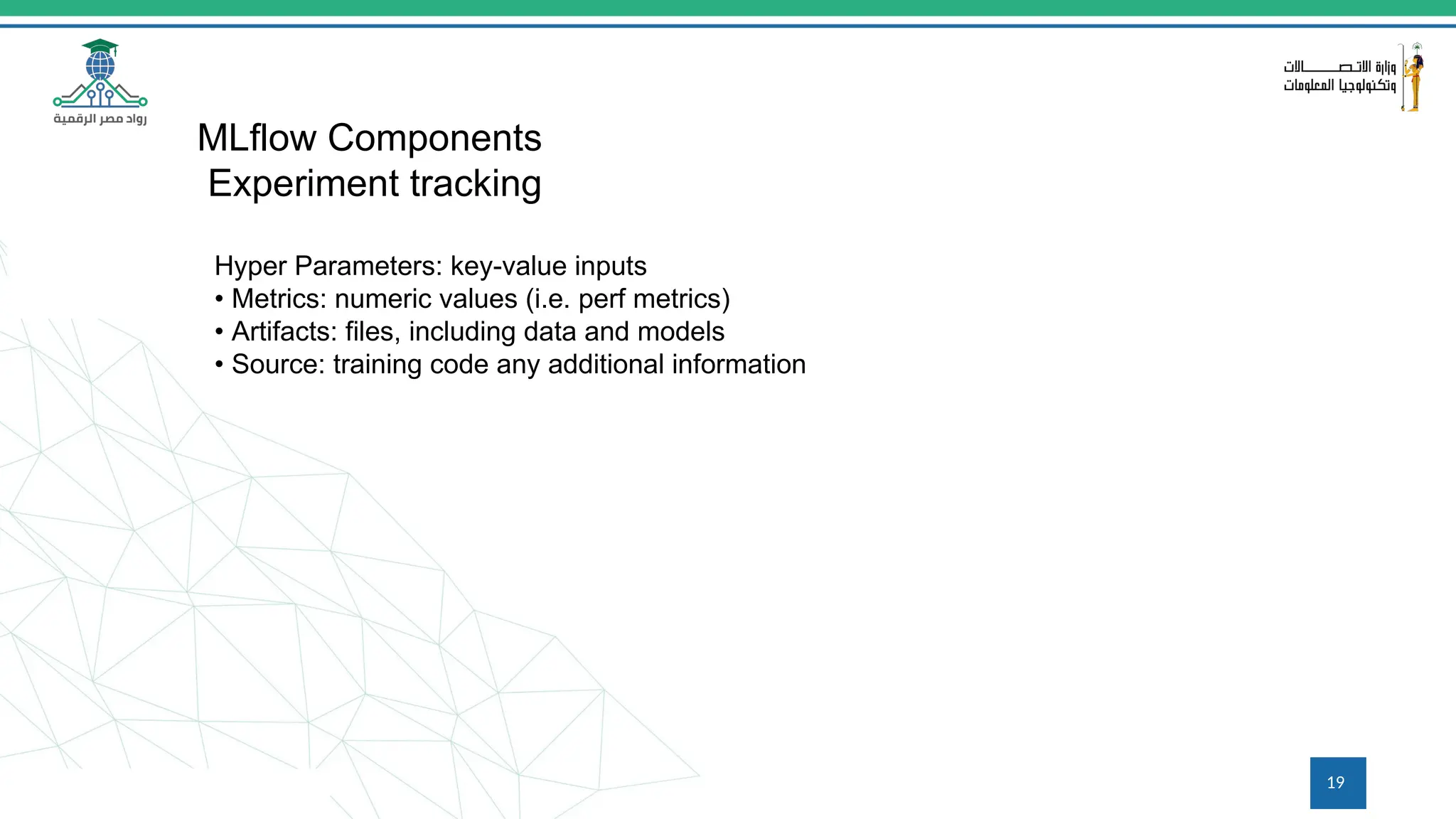
Hyper Parameters: key-value inputs
• Metrics: numeric values (i.e. perf metrics)
• Artifacts: files, including data and models
• Source: training code any additional information
MLflow Components
Experiment tracking
20
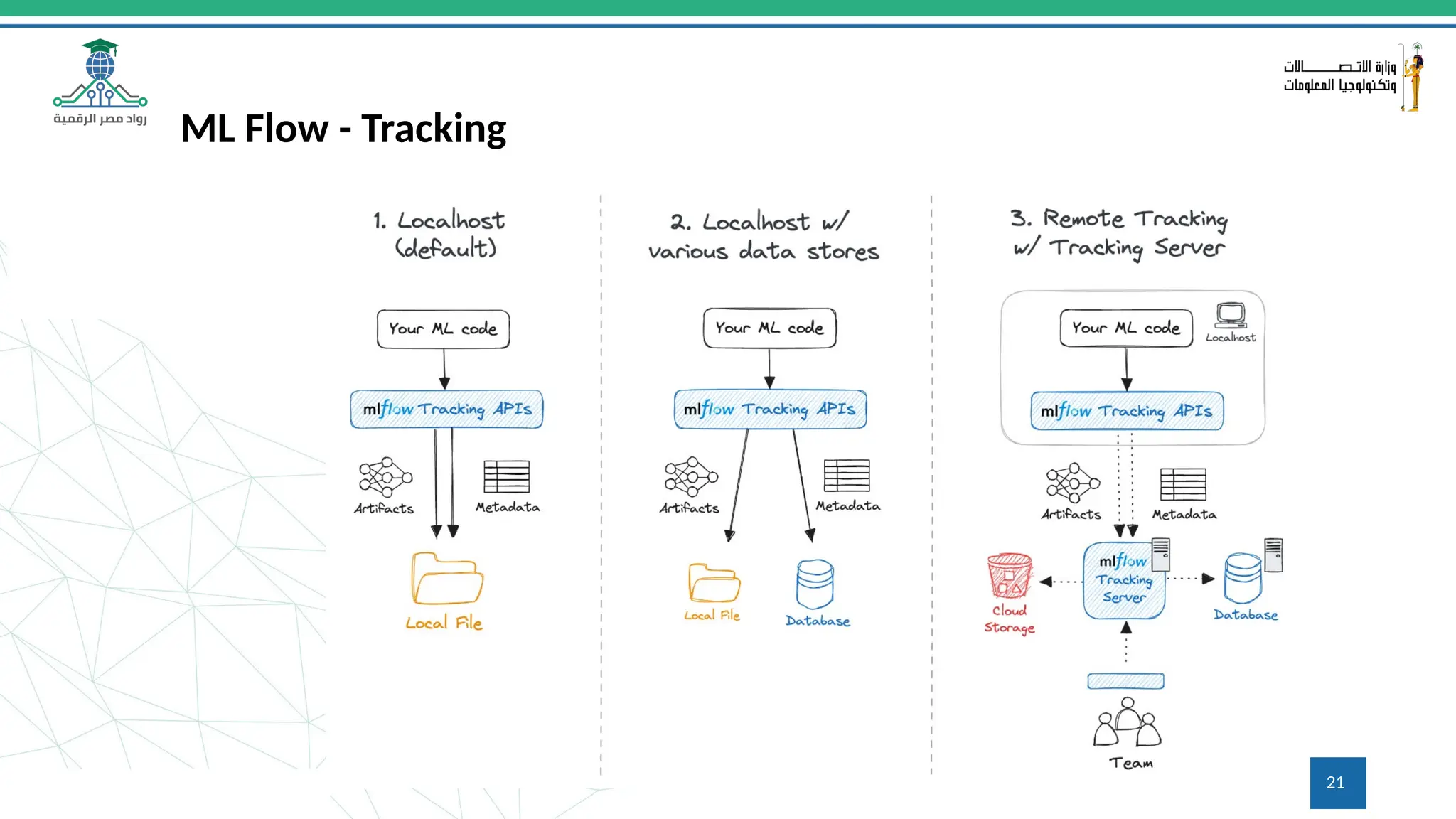
21
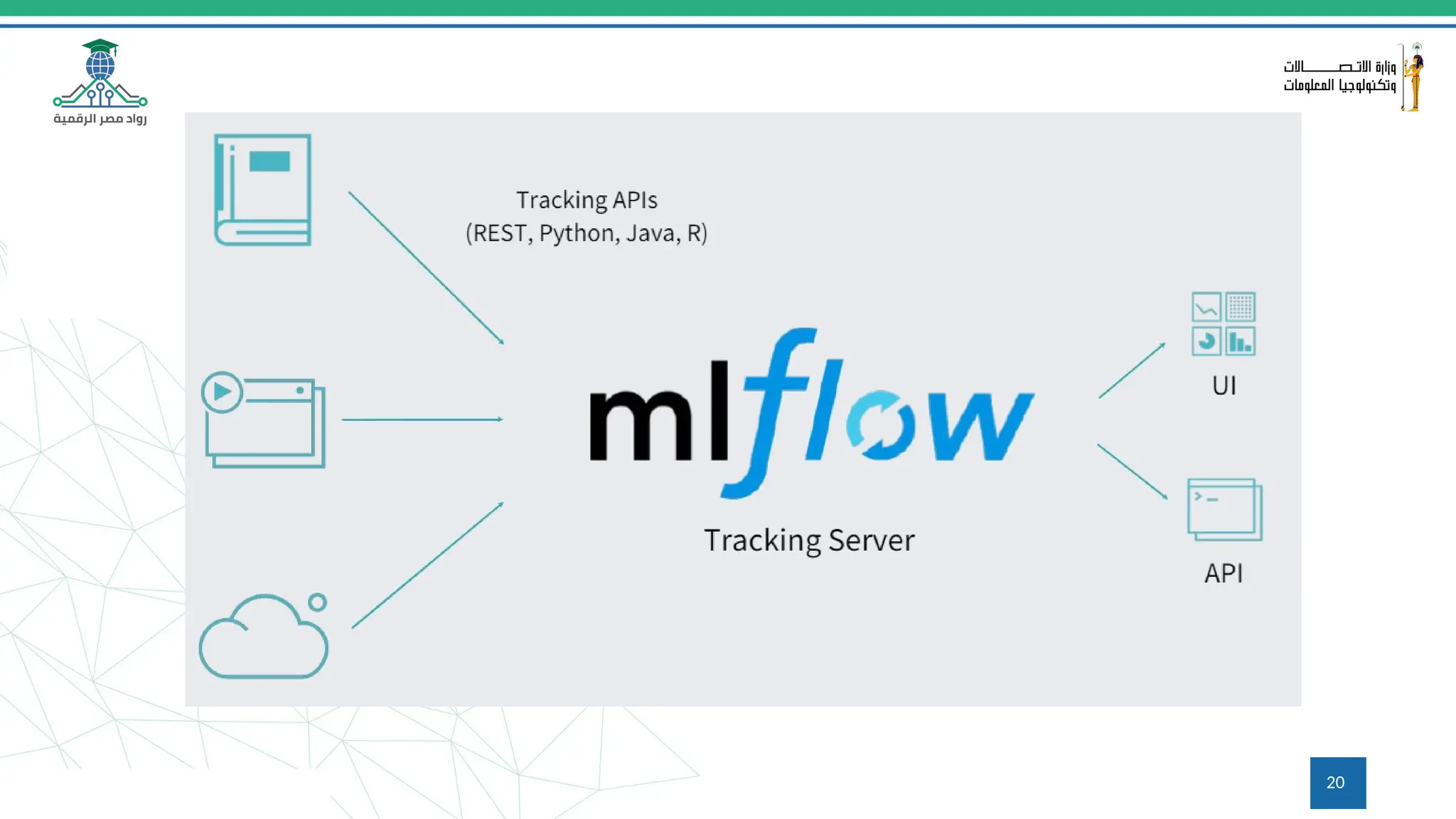
ML Flow - Tracking
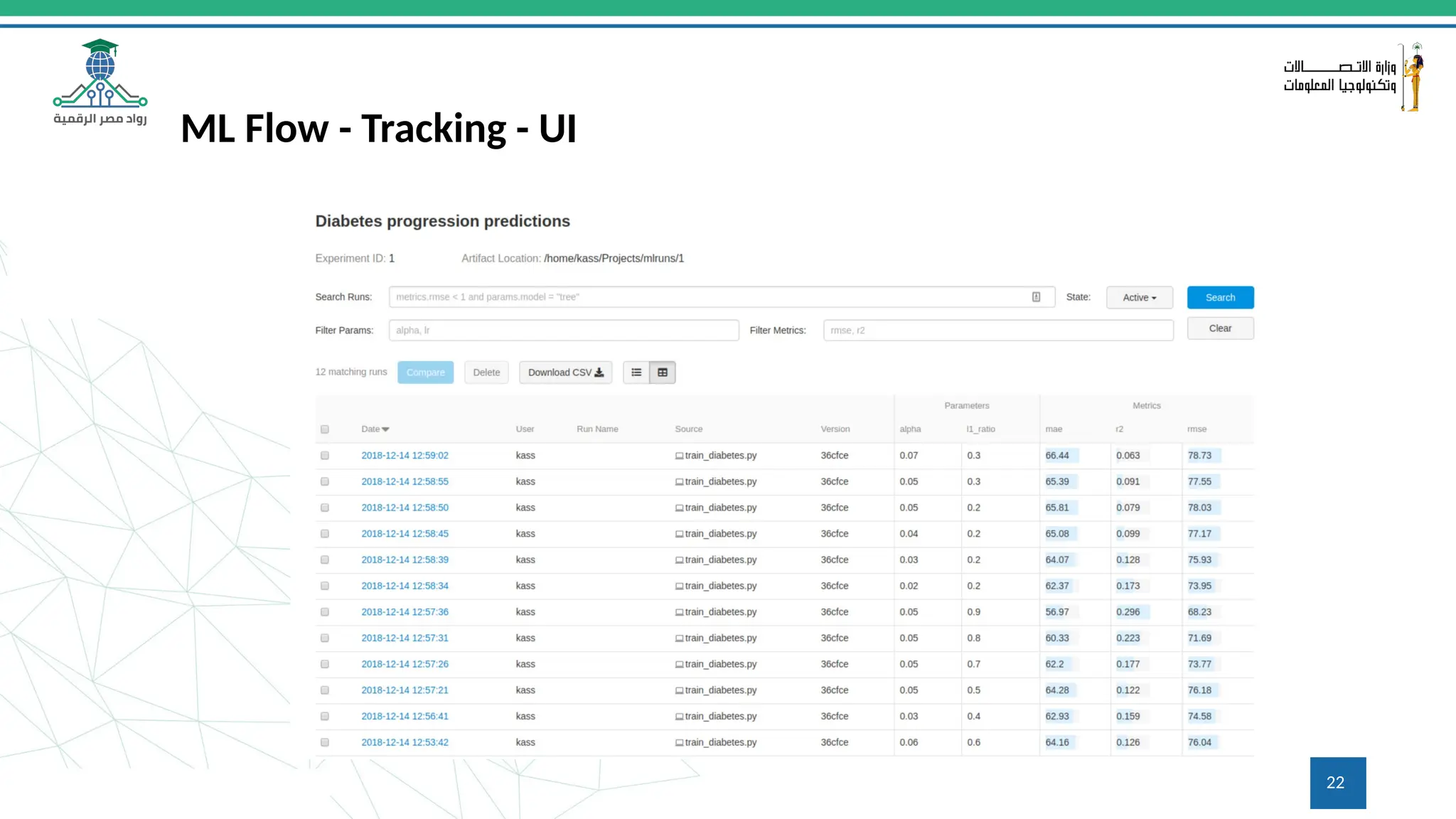
22
ML Flow - Tracking - UI
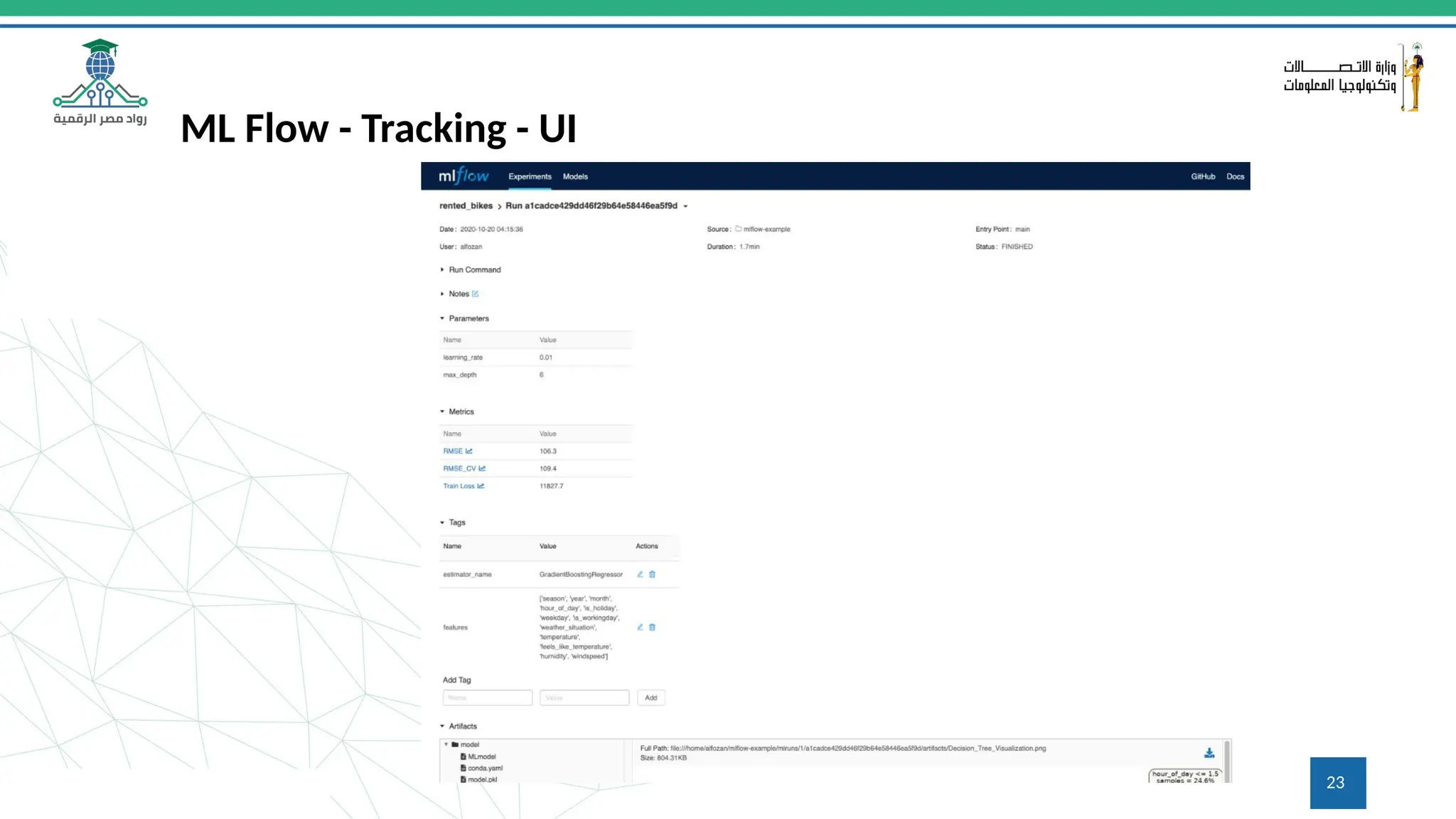
23
ML Flow - Tracking - UI
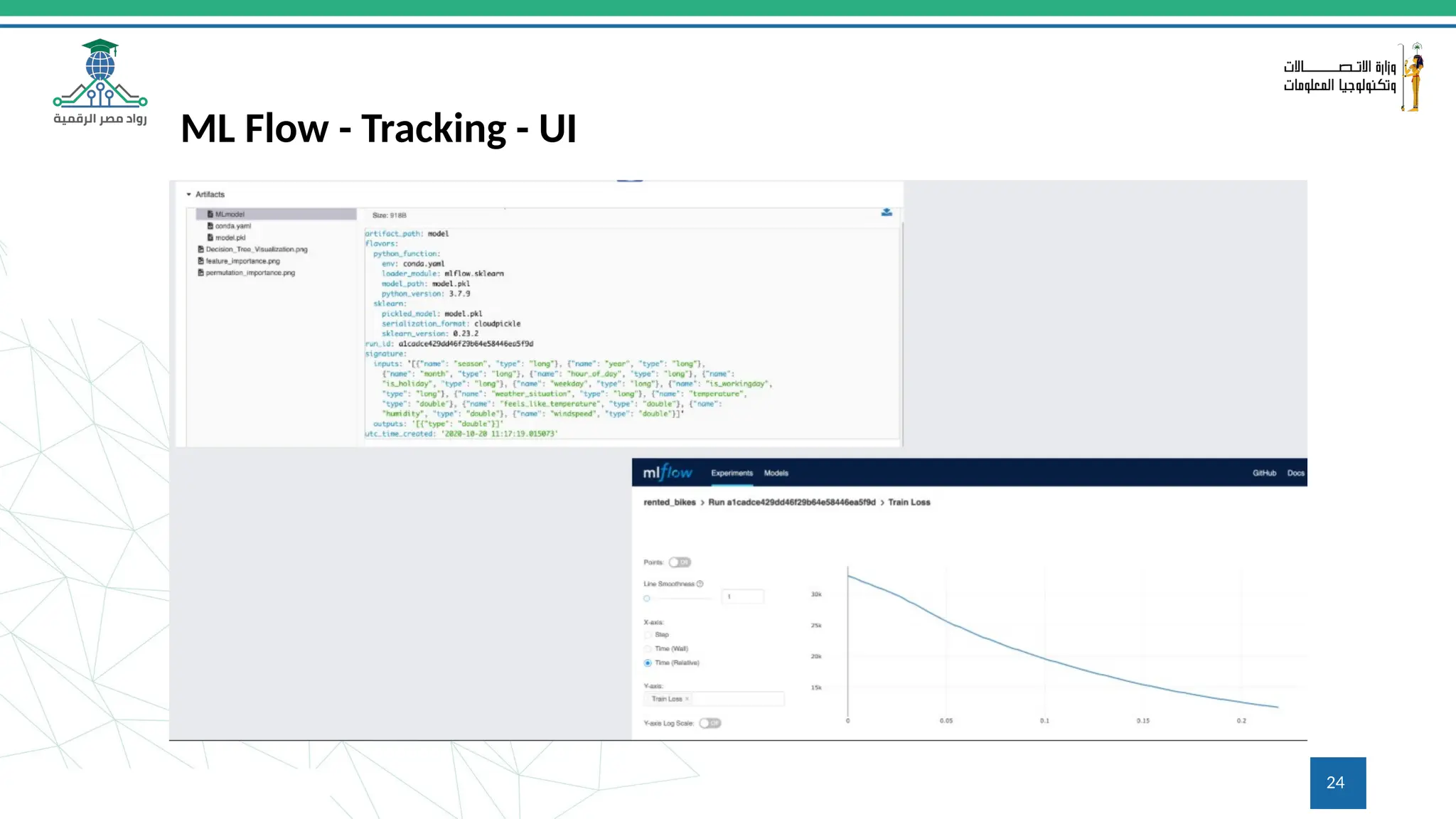
24
ML Flow - Tracking - UI
25
ML Flow - Projects
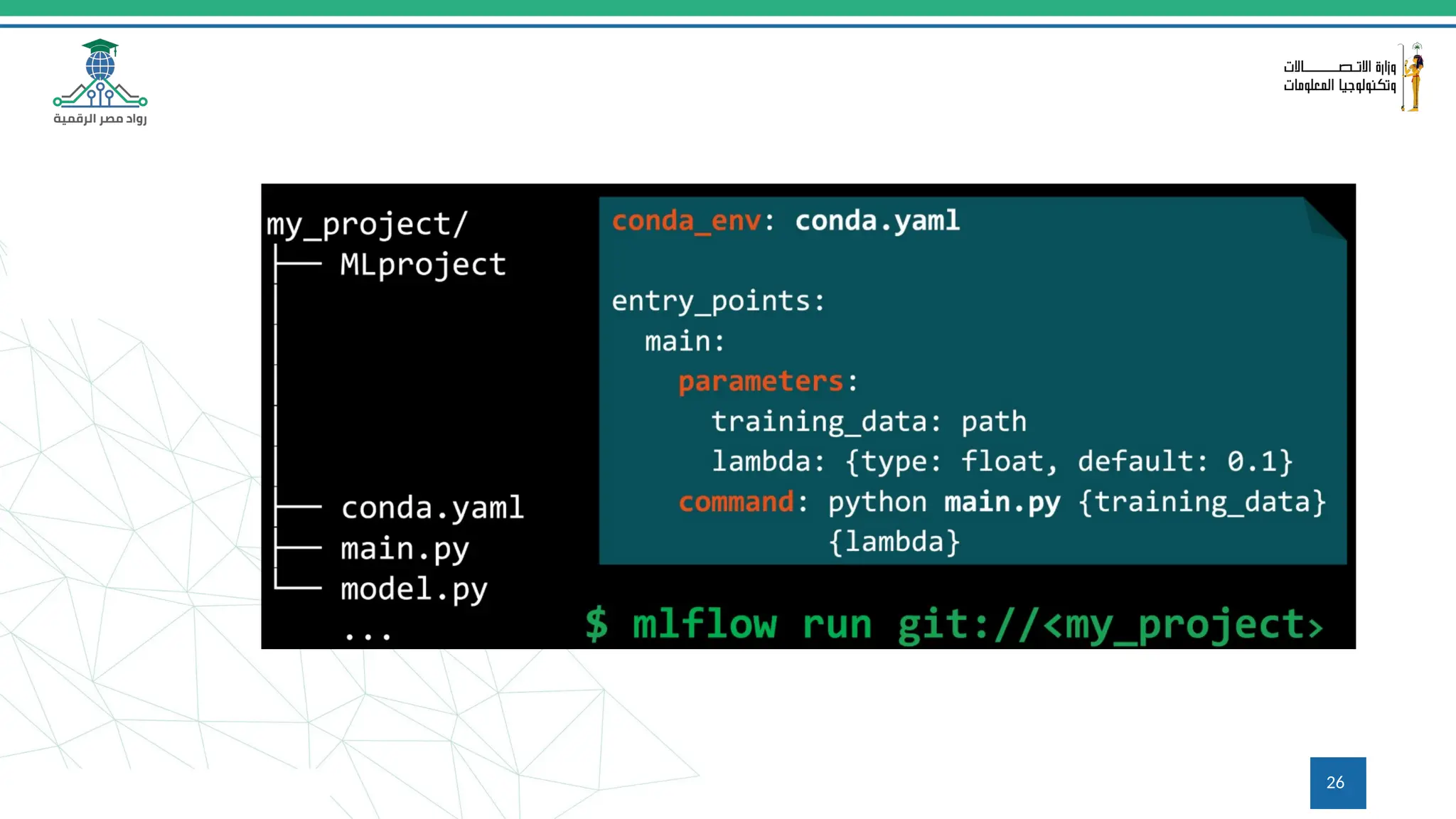
a format for packaging data science code in a reusable and reproducible way, based primarily
on conventions.
• In addition, the Projects component includes an API and command-line tools for running
projects, making it possible to chain together projects into workflows.
https://www.mlflow.org/docs/latest/projects.html
26
27
ML Flow - Models
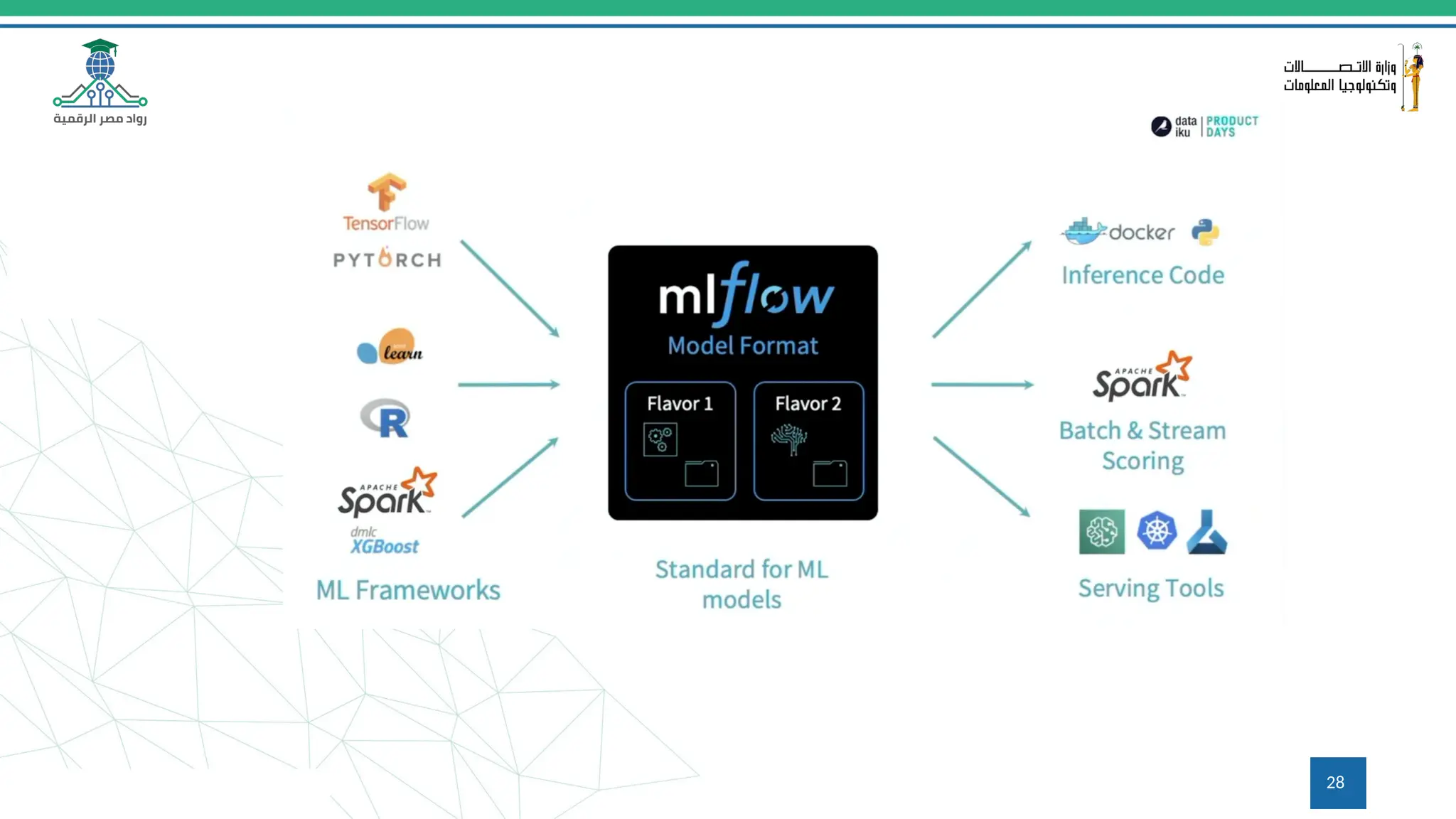
a standard format for packaging machine learning models
that can be used in a variety of downstream tools—for
example, real-time serving through a REST API or batch
inference.
https://www.mlflow.org/docs/latest/models.html
28
29
Q&A
Questions and answers
30
What is Hugging Face?
An open-source platform for machine learning
Fosters collaboration and innovation in the ML community
Provides a central hub for sharing, exploring, and deploying models and datasets
31
Overview of the Hugging Face Hub
A treasure trove of machine learning resources
Houses a vast collection of pre-trained models across various NLP and computer vision tasks
Offers a plethora of high-quality datasets spanning diverse domains
32
Introduction to the Hugging Face Hub
Access the Hub at https://huggingface.co/
Explore different categories like Models, Datasets, and Spaces
Leverage the search bar to find specific resources
33
Using Hugging Face Repositories
Repositories store code for models and datasets
Explore code structure and implementation details
Gain insights into model training and fine-tuning
34
Using Hugging Face Spaces
Interactive playgrounds for exploring models and datasets
Experiment with models directly on the Hub without coding
Share your Spaces with collaborators for easy access and demonstration
35
Introduction to Applied Hugging Face
Leverage pre-trained models to accelerate your projects
Fine-tune models to adapt them to your specific data and task
Build and deploy machine learning applications seamlessly
36
Using GPU Enabled Code Spaces
Access powerful GPUs for faster training and inference
Collaborate on code in real-time with teammates
Experiment with code without managing local infrastructure
37
Using the Hugging Face CLI
Hugging Face CLI (Command Line Interface) for interacting with the Hub
Install models and datasets from the command line
Manage your Hub account and activities
38
Using the Model Hub
Search for models by name, task, or author
Explore model details like description, metrics, and code
Download models for local use or experimentation in Spaces
39
Downloading Models
Download models from the Hub using the user interface or CLI
Choose the appropriate format for your project (e.g., PyTorch, TensorFlow)
Unzip the downloaded file for local use
40
Working with Models
Load downloaded models using libraries like transformers
Use models for inference tasks like text classification or question answering
Fine-tune models on your custom data for improved performance
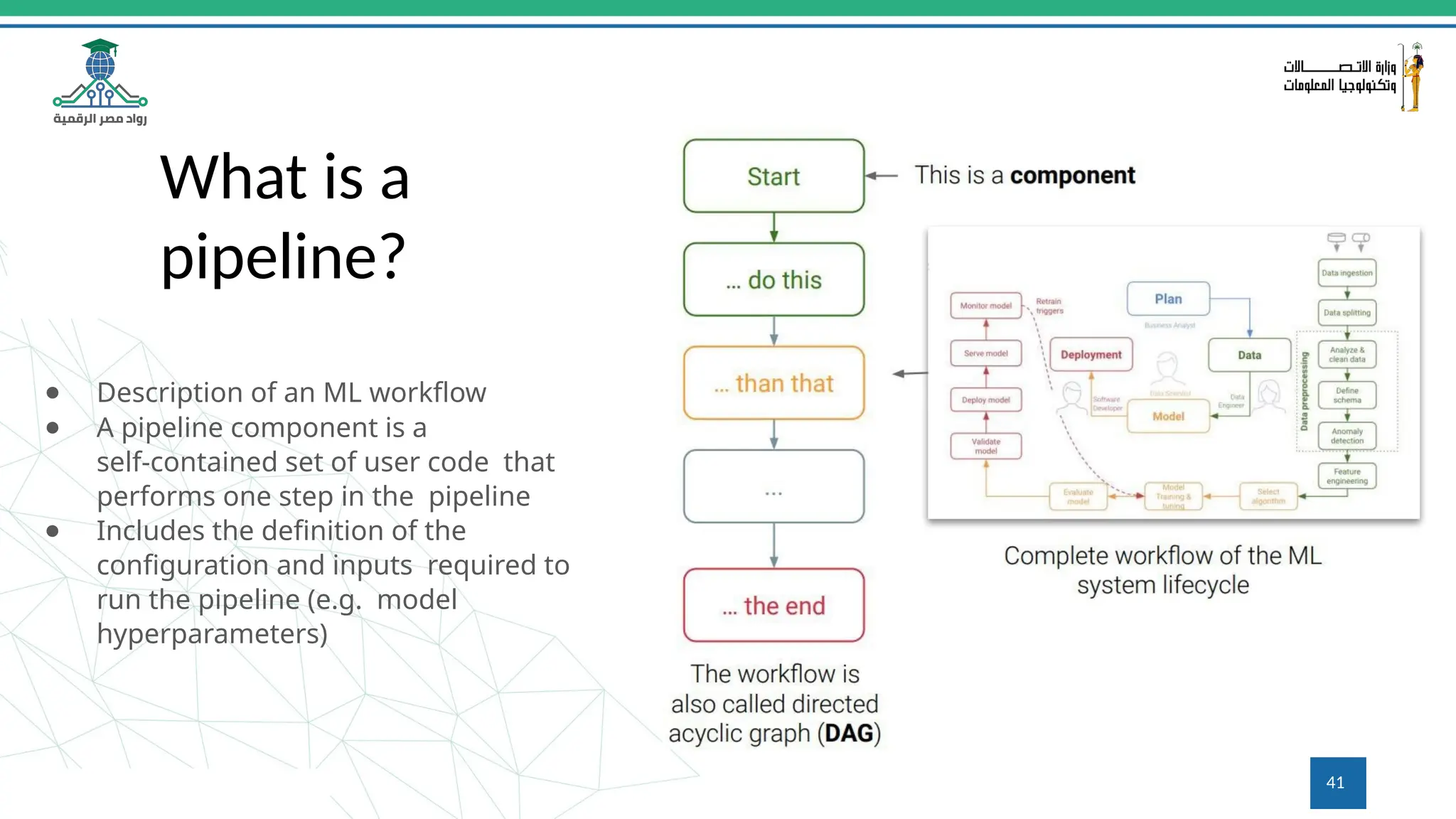
What is a
pipeline?
● Description of an ML workflow
● A pipeline component is a
self-contained set of user code that
performs one step in the pipeline
● Includes the definition of the
configuration and inputs required to
run the pipeline (e.g. model
hyperparameters)
41
42
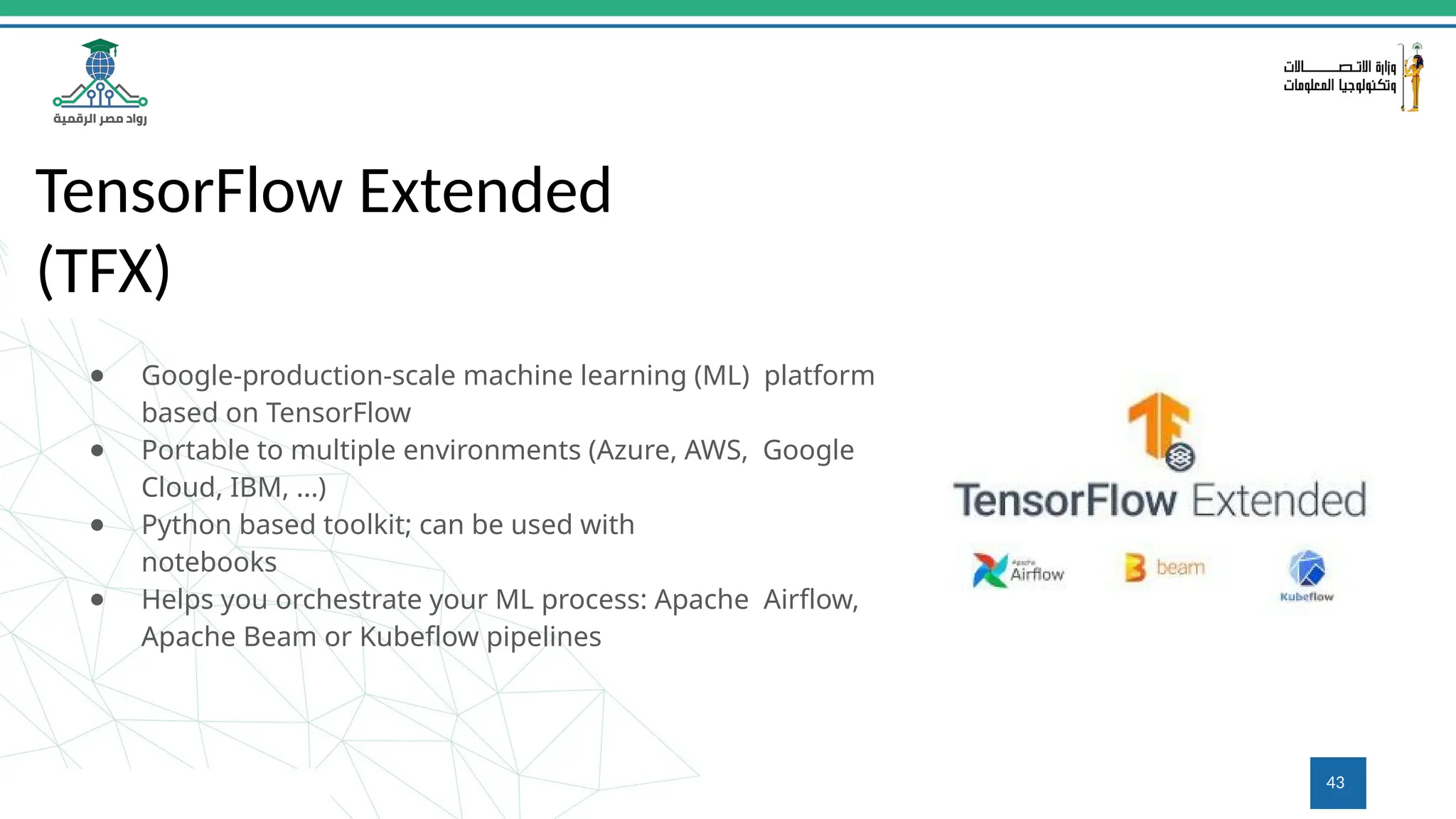
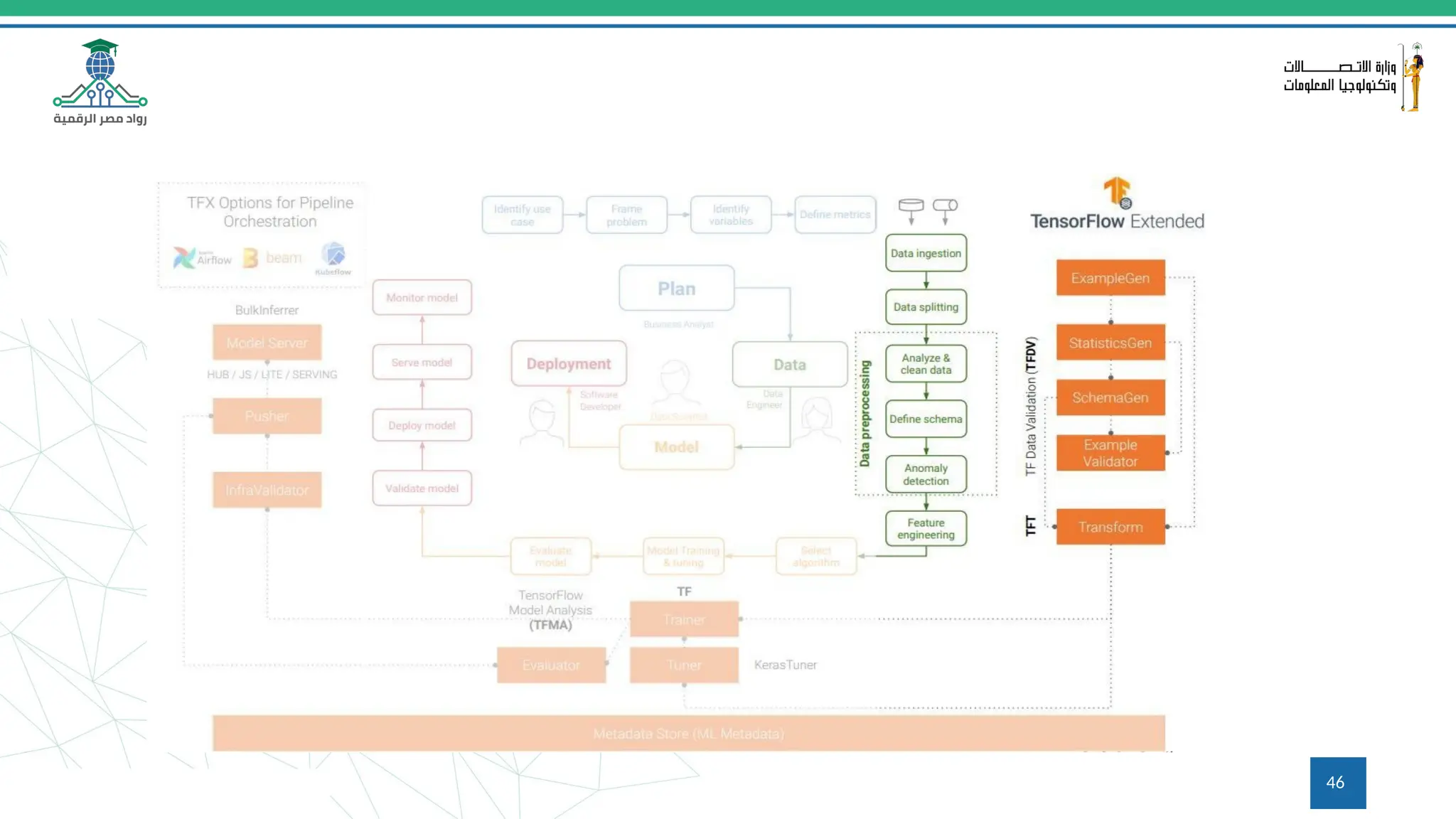
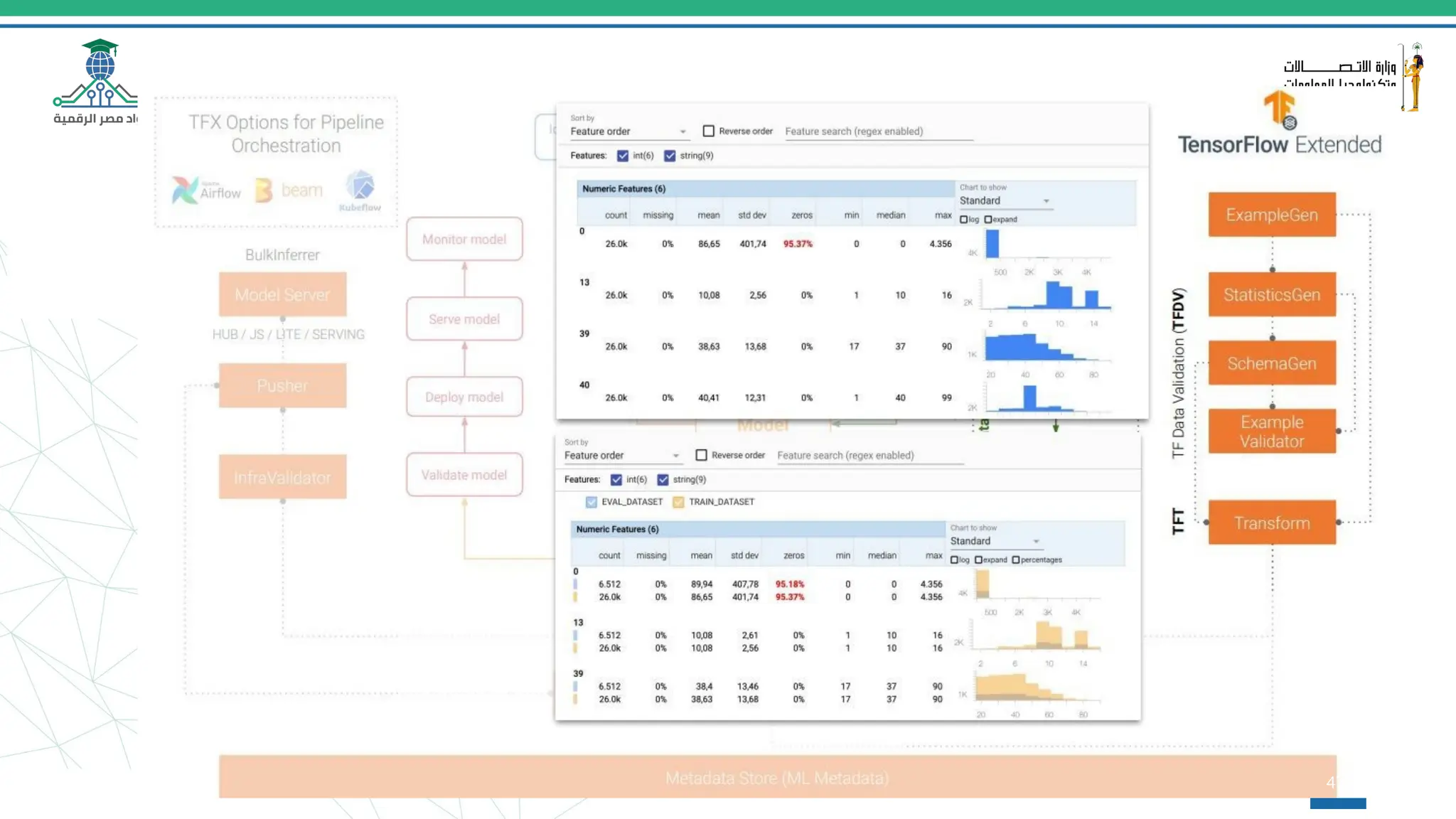
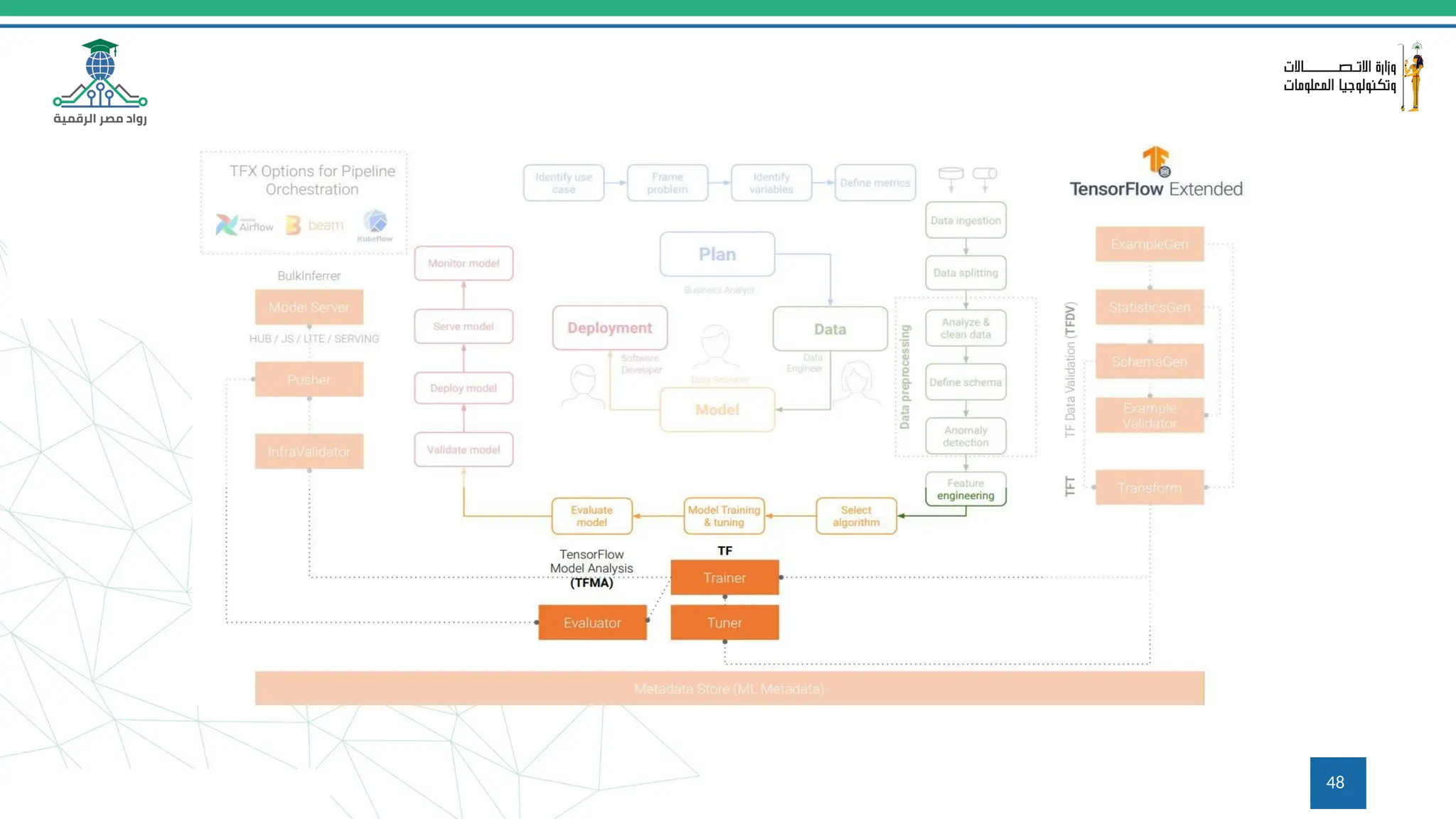
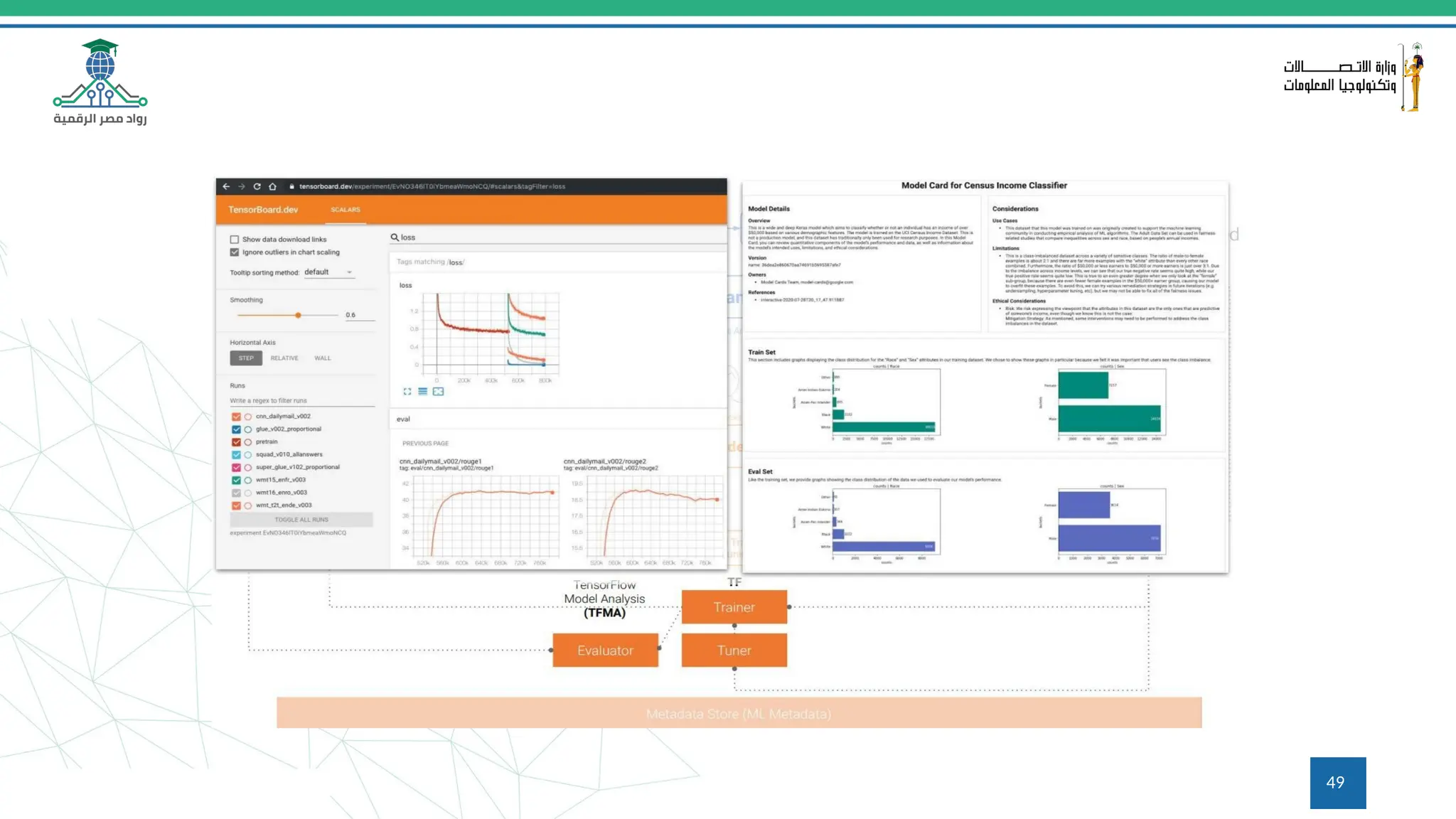
TensorFlow Extended
(TFX)
● Google-production-scale machine learning (ML) platform
based on TensorFlow
● Portable to multiple environments (Azure, AWS, Google
Cloud, IBM, ...)
● Python based toolkit; can be used with
notebooks
● Helps you orchestrate your ML process: Apache Airflow,
Apache Beam or Kubeflow pipelines
43
TFX 1.0
(19.05.21)
● Enterprise-grade support
● Security patches and select bug
fixes for up to three years
● Guaranteed API & Artifact
backward compatibility
44
45
46
47
48
49
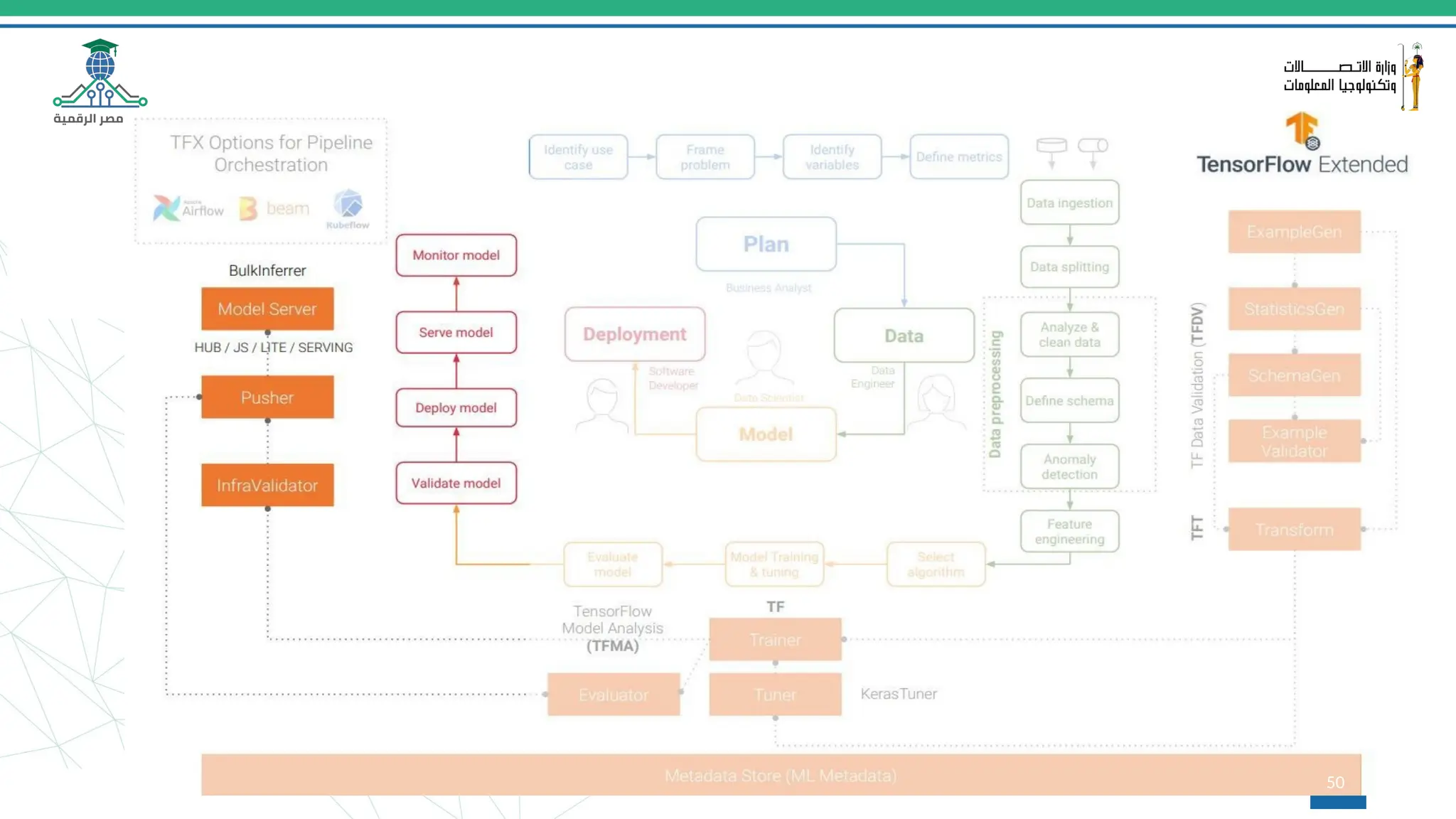
50
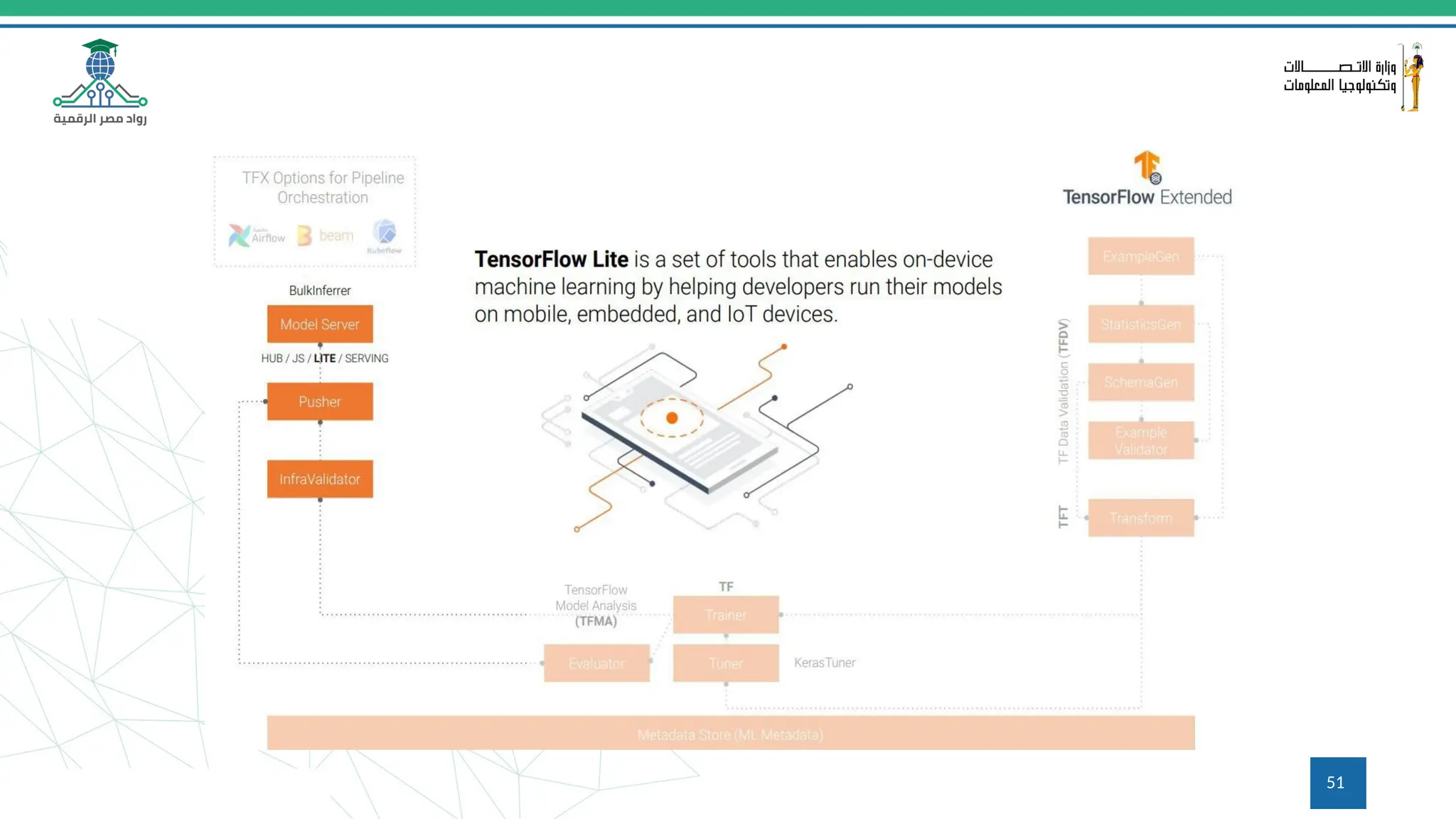
51
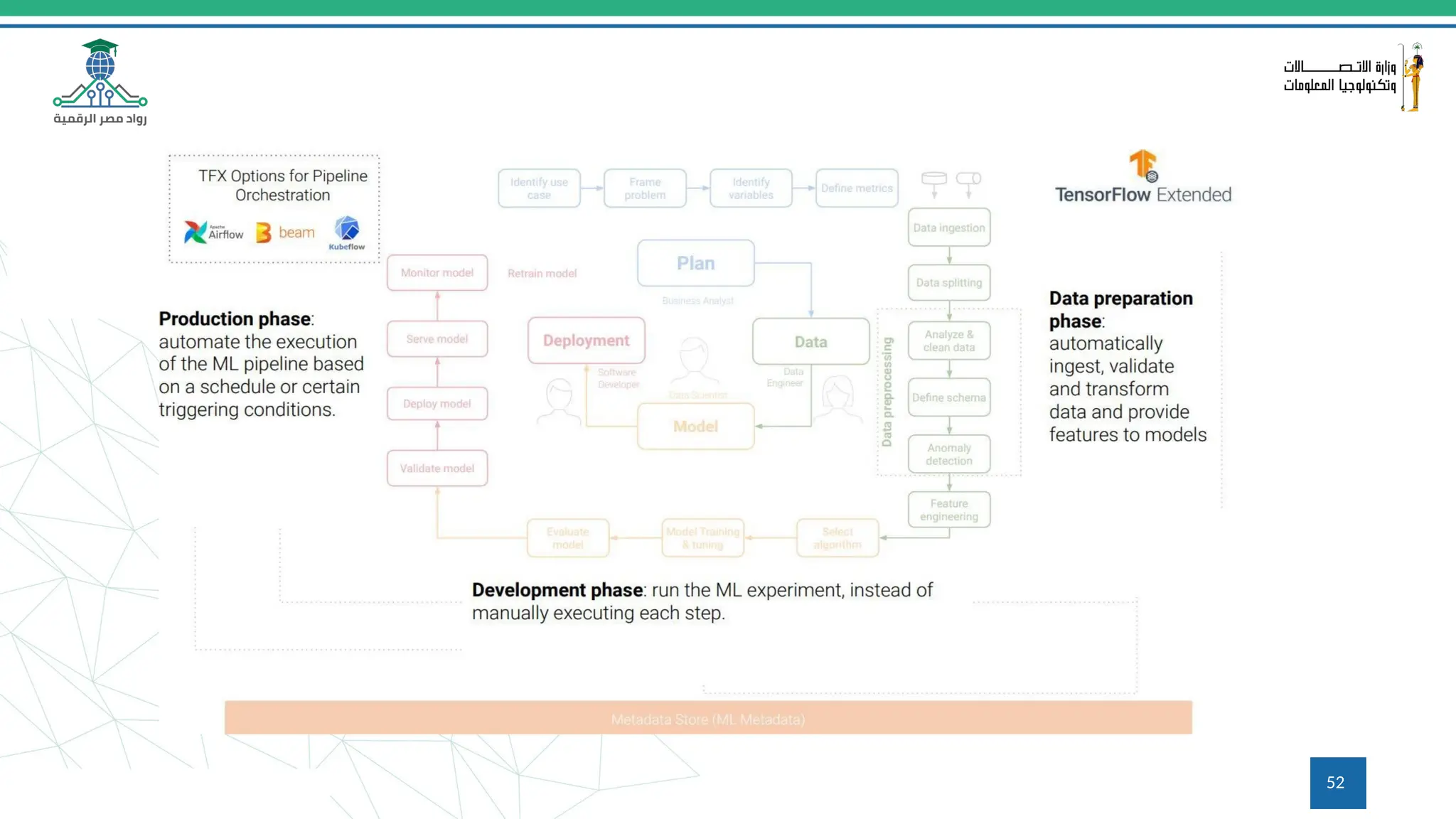
52
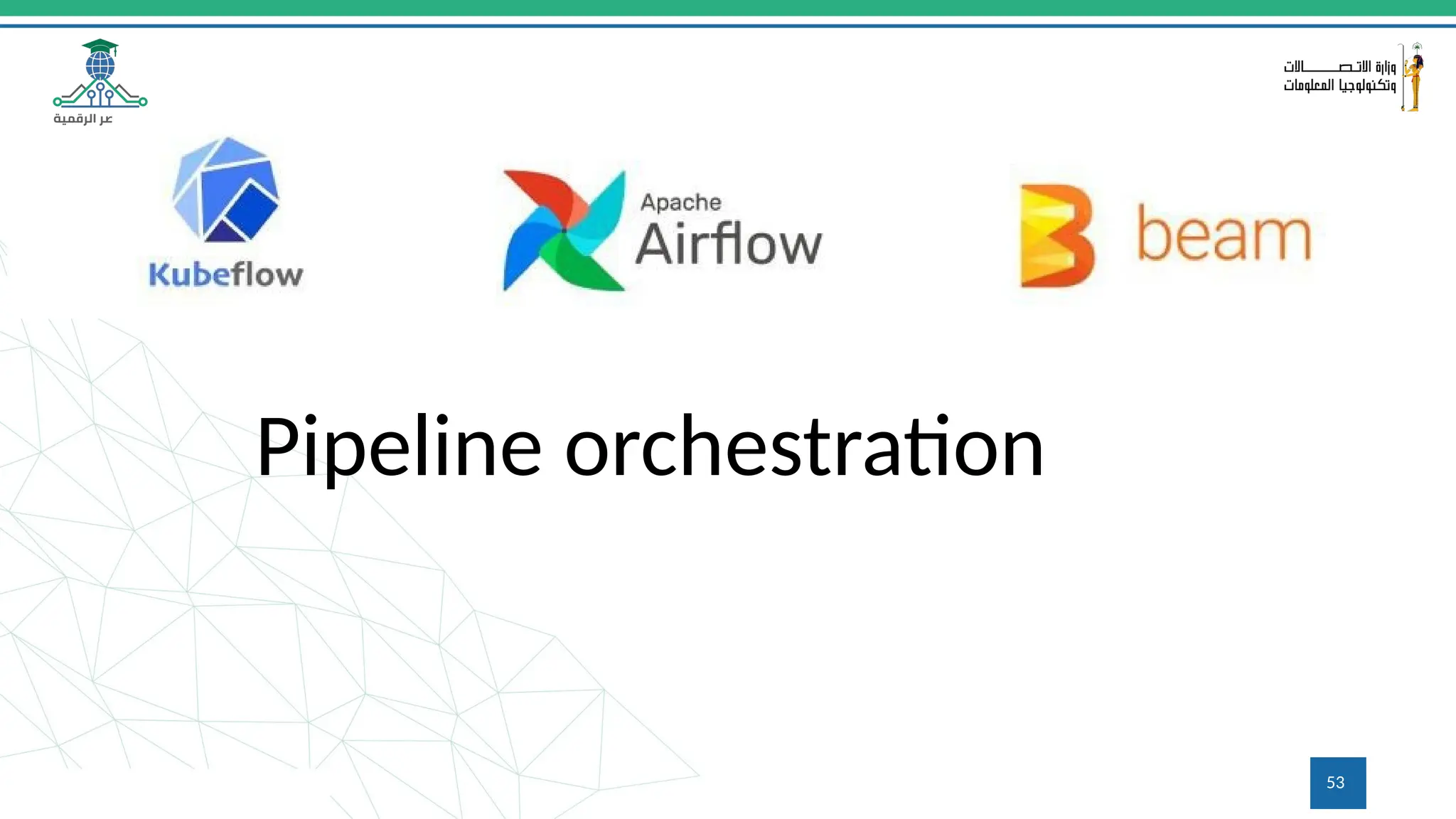
Pipeline orchestration
53
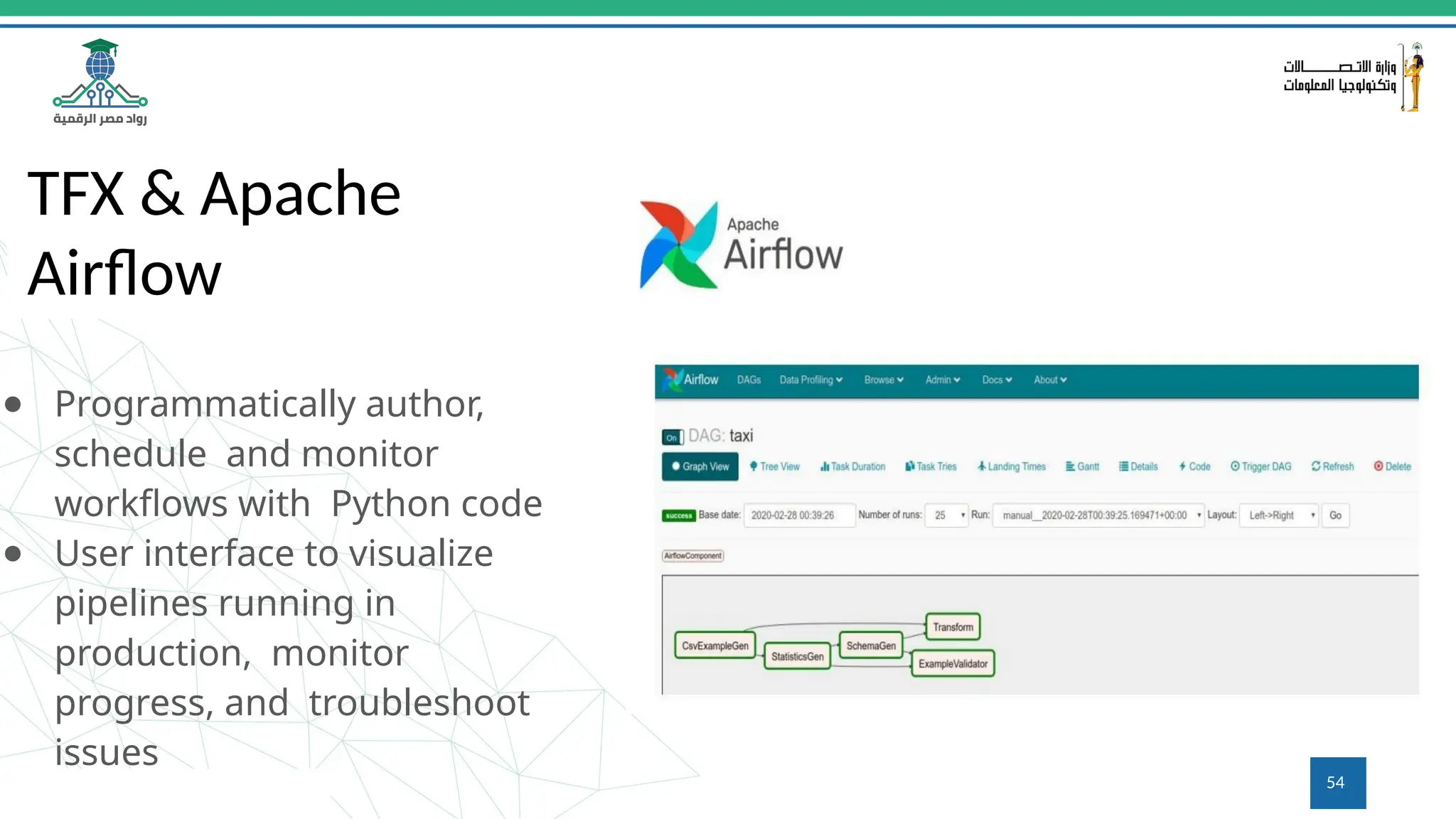
TFX & Apache
Airflow
● Programmatically author,
schedule and monitor
workflows with Python code
● User interface to visualize
pipelines running in
production, monitor
progress, and troubleshoot
issues
54
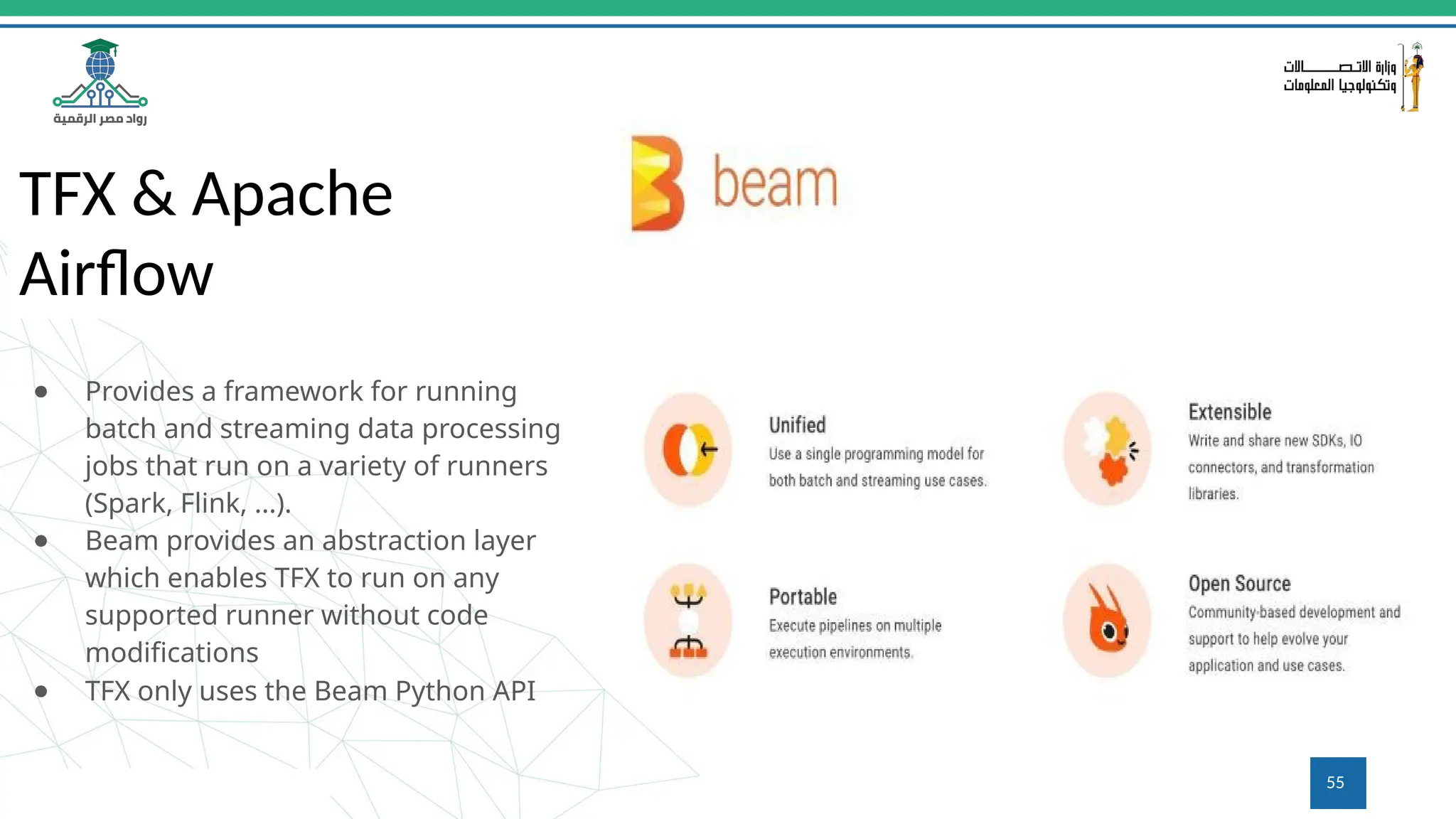
TFX & Apache
Airflow
● Provides a framework for running
batch and streaming data processing
jobs that run on a variety of runners
(Spark, Flink, ...).
● Beam provides an abstraction layer
which enables TFX to run on any
supported runner without code
modifications
● TFX only uses the Beam Python API
55
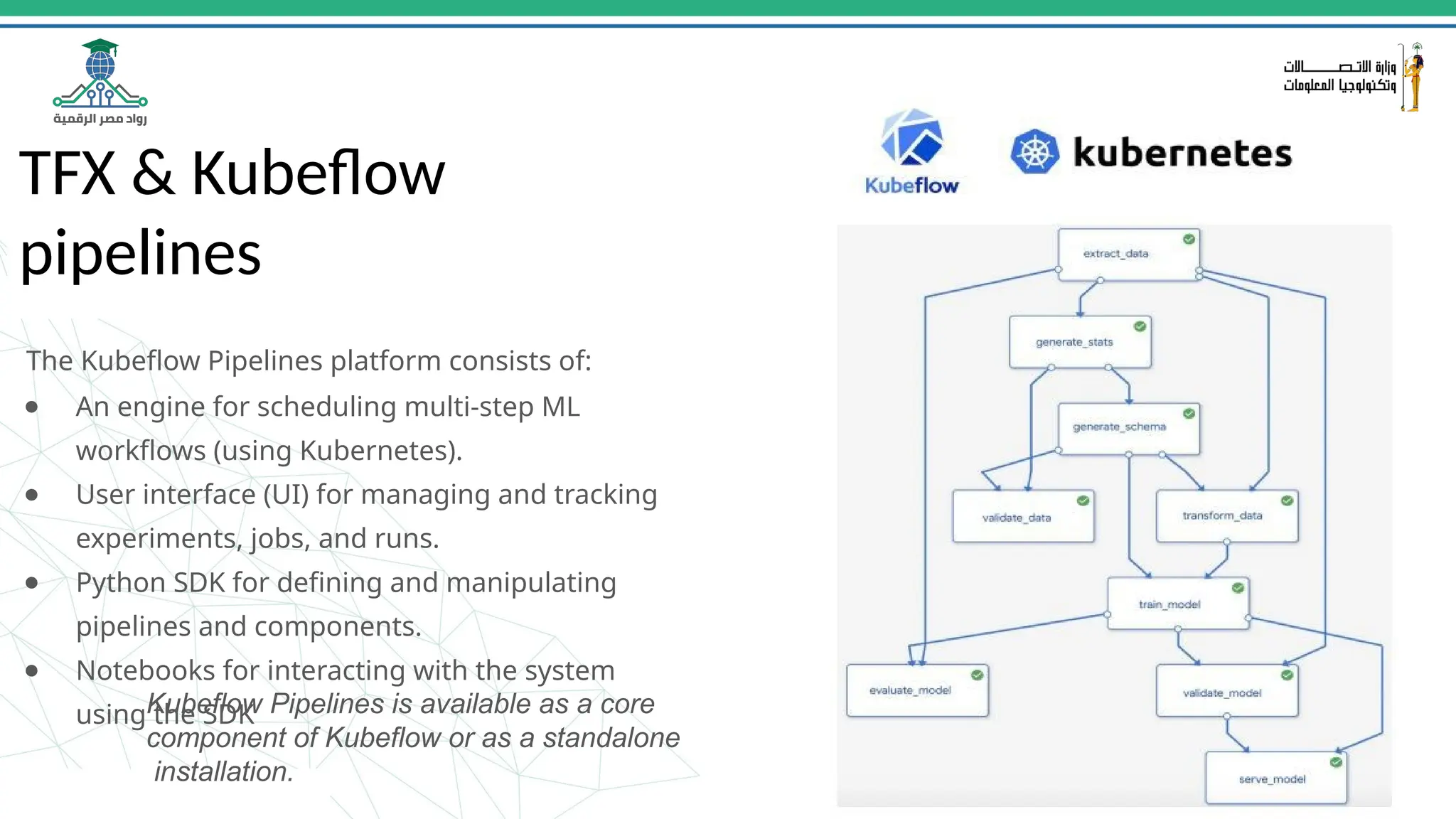
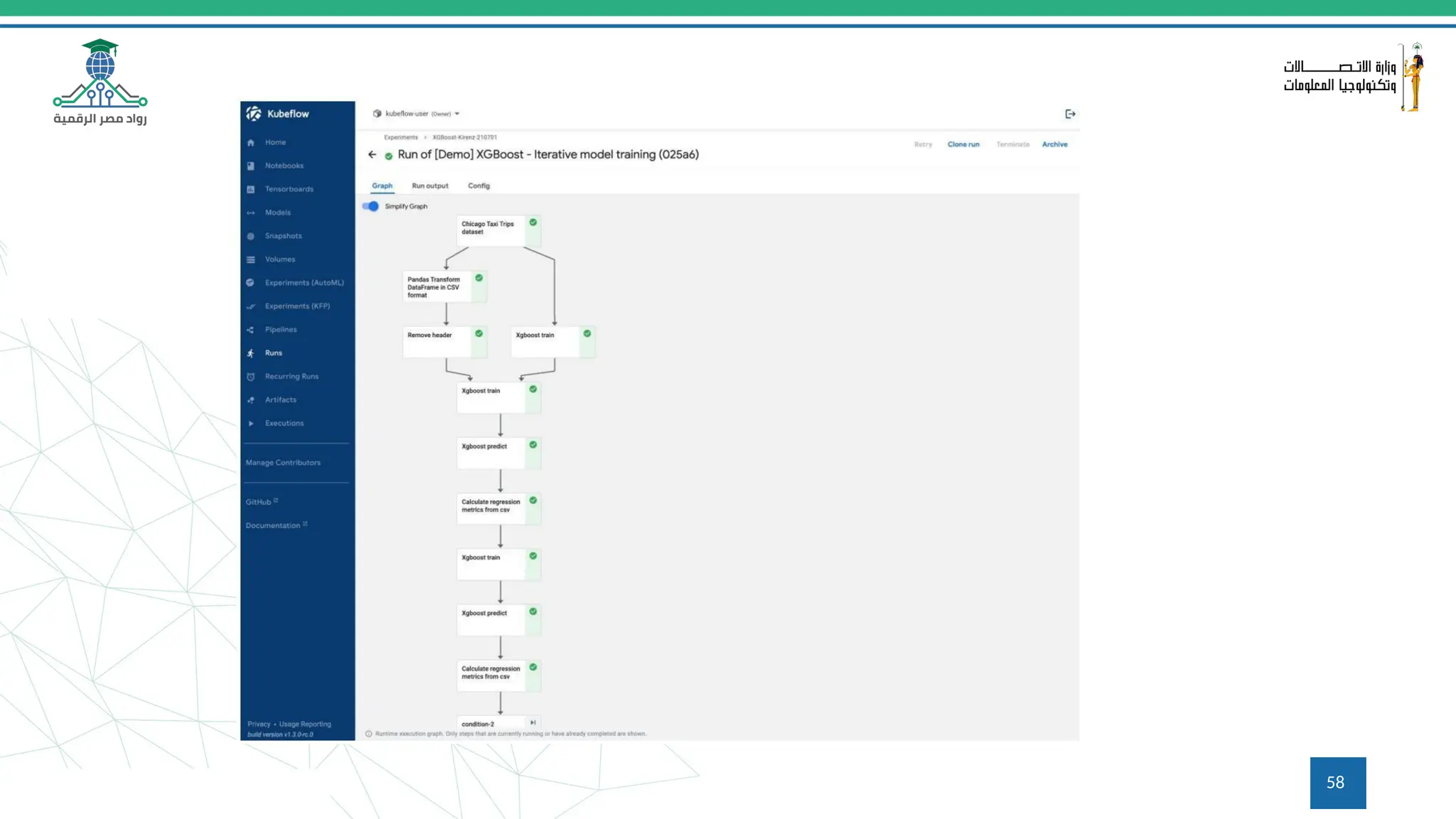
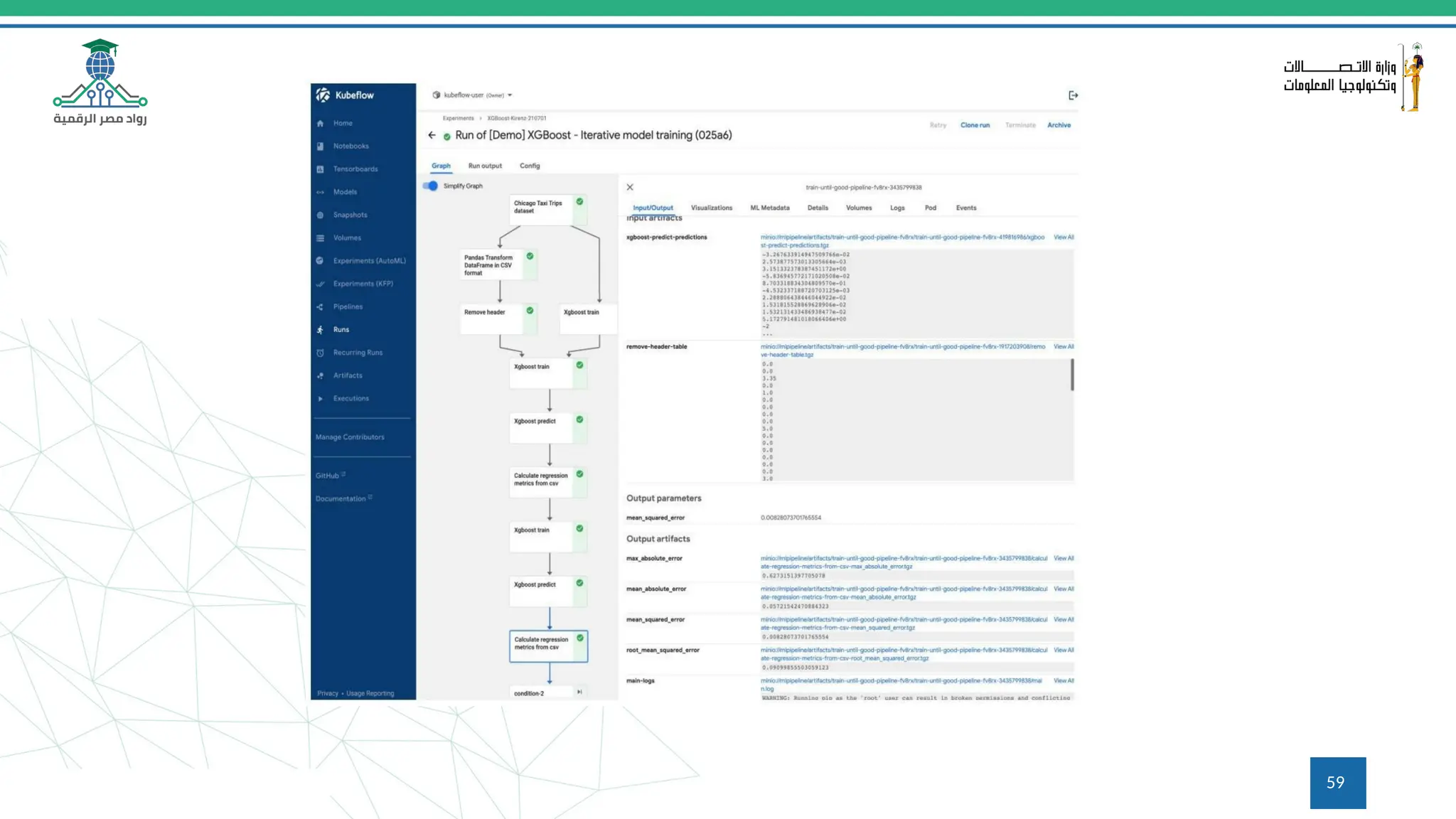
TFX & Kubeflow
pipelines
The Kubeflow Pipelines platform consists of:
● An engine for scheduling multi-step ML
workflows (using Kubernetes).
● User interface (UI) for managing and tracking
experiments, jobs, and runs.
● Python SDK for defining and manipulating
pipelines and components.
● Notebooks for interacting with the system
using the SDK
Kubeflow Pipelines is available as a core
component of Kubeflow or as a standalone
installation. 56
57
58
59
60
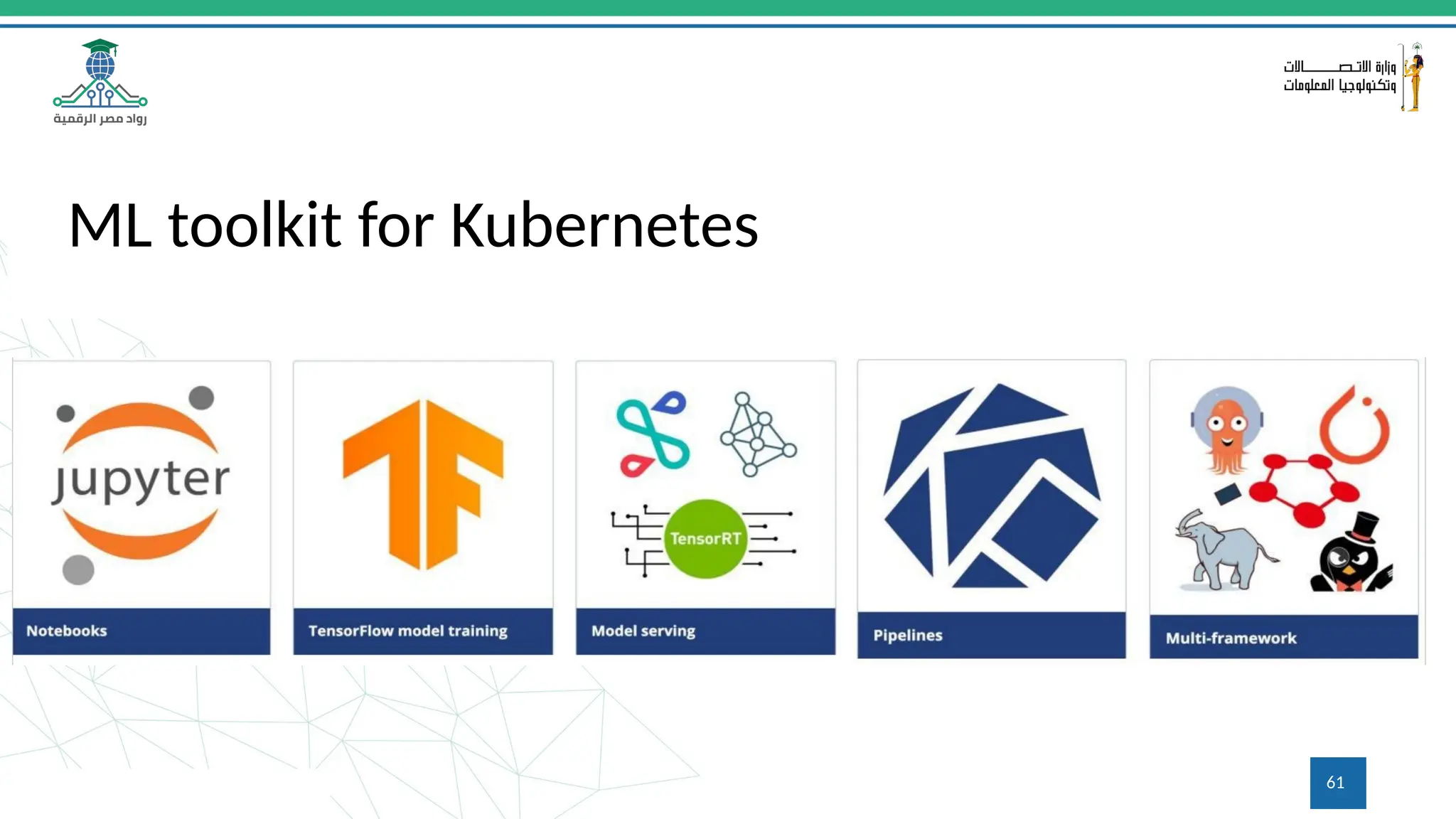
ML toolkit for Kubernetes
61
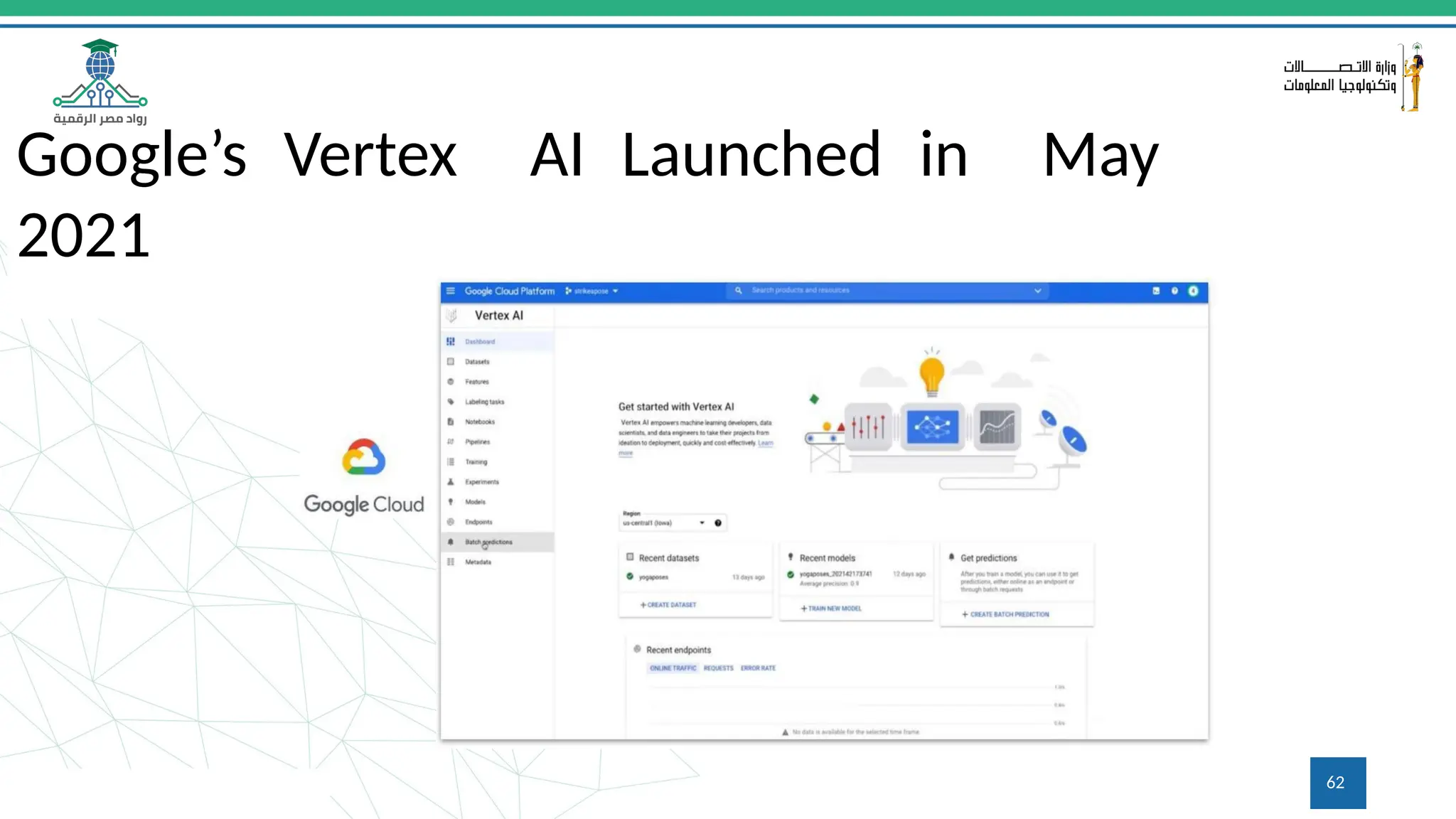
Google’s Vertex AI Launched in May
2021
62
ML Pipelines | wrap-up
By using a ML pipeline, you can:
• Automate your ML process, which lets you
regularly retrain, evaluate, and deploy your
model.
• Utilize distributed compute resources for
processing large datasets and workloads.
• Increase the velocity of experimentation by
running a pipeline with different sets of
hyperparameters.
To learn more visit the following tutorials @:
Data Science & Data Engineering
MLOps tutorials on how to:
• Install TF and TFX
• Build your first TFX pipeline
• Install Kubeflow
• Build your first Kubeflow pipeline
63
Backup
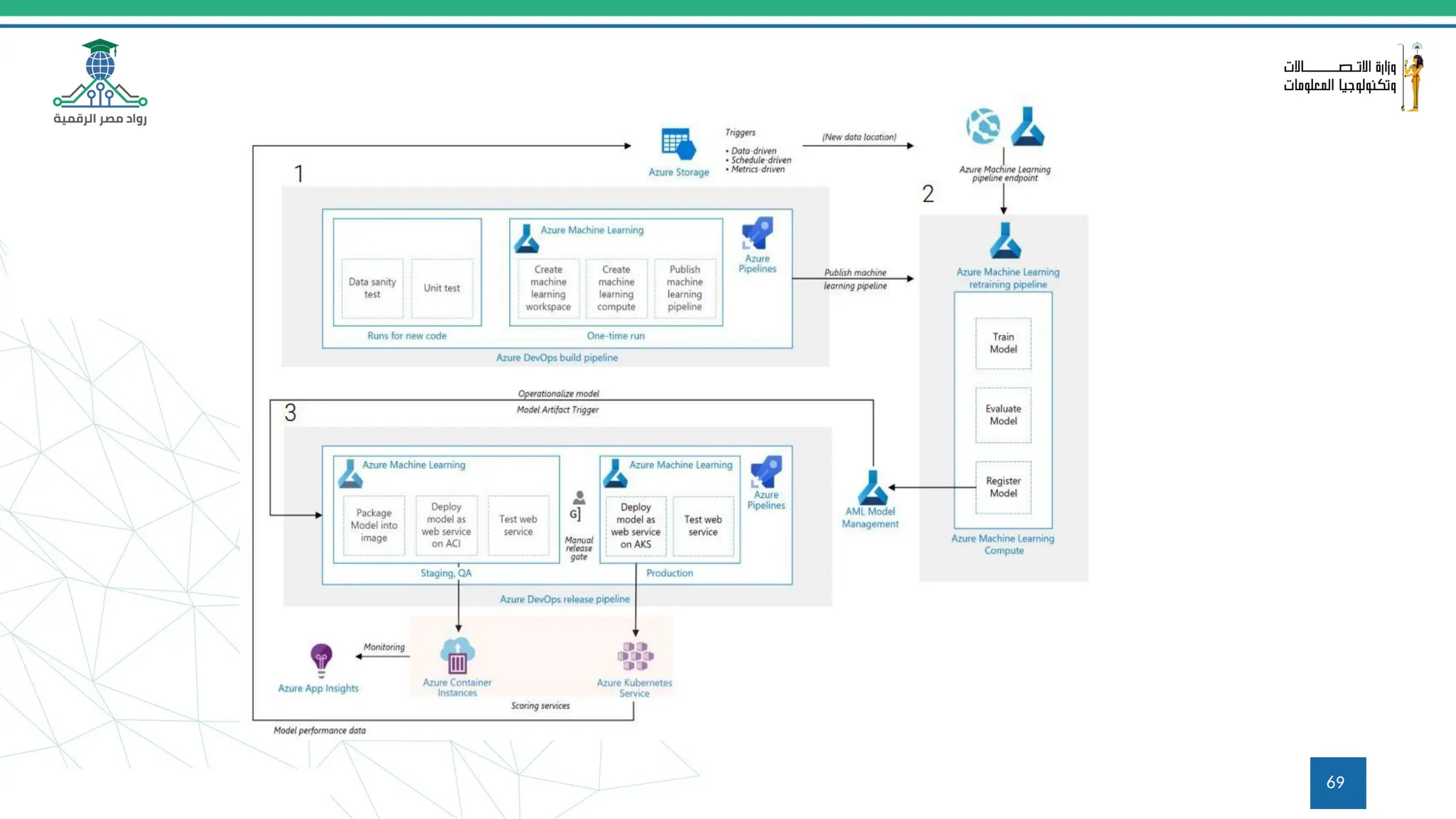
Continuous Integration and
Continuous Delivery pipeline for
an ML/AI project in Microsoft
Azure 64
65
Q&A
Questions and answers
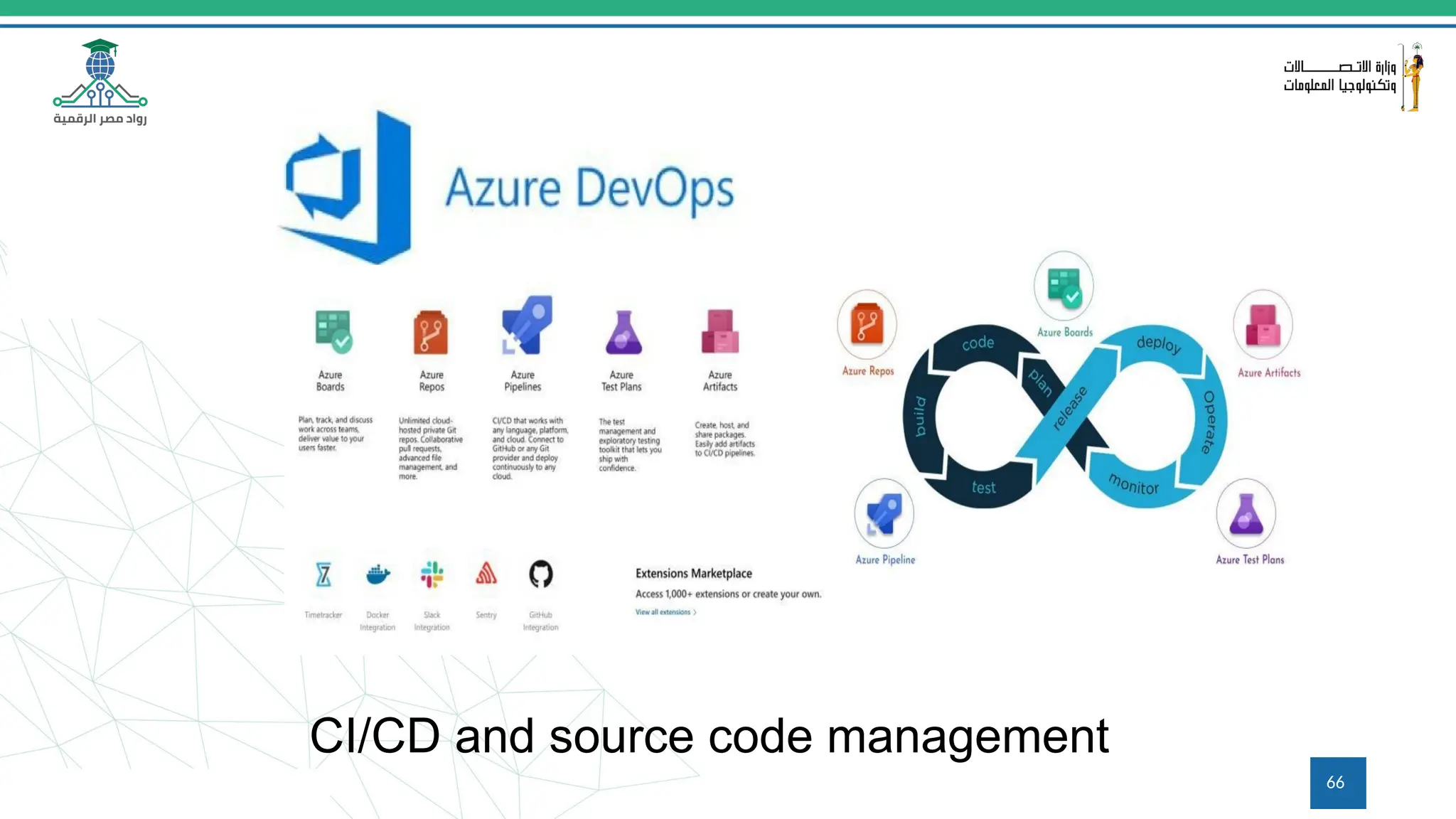
CI/CD and source code management
66
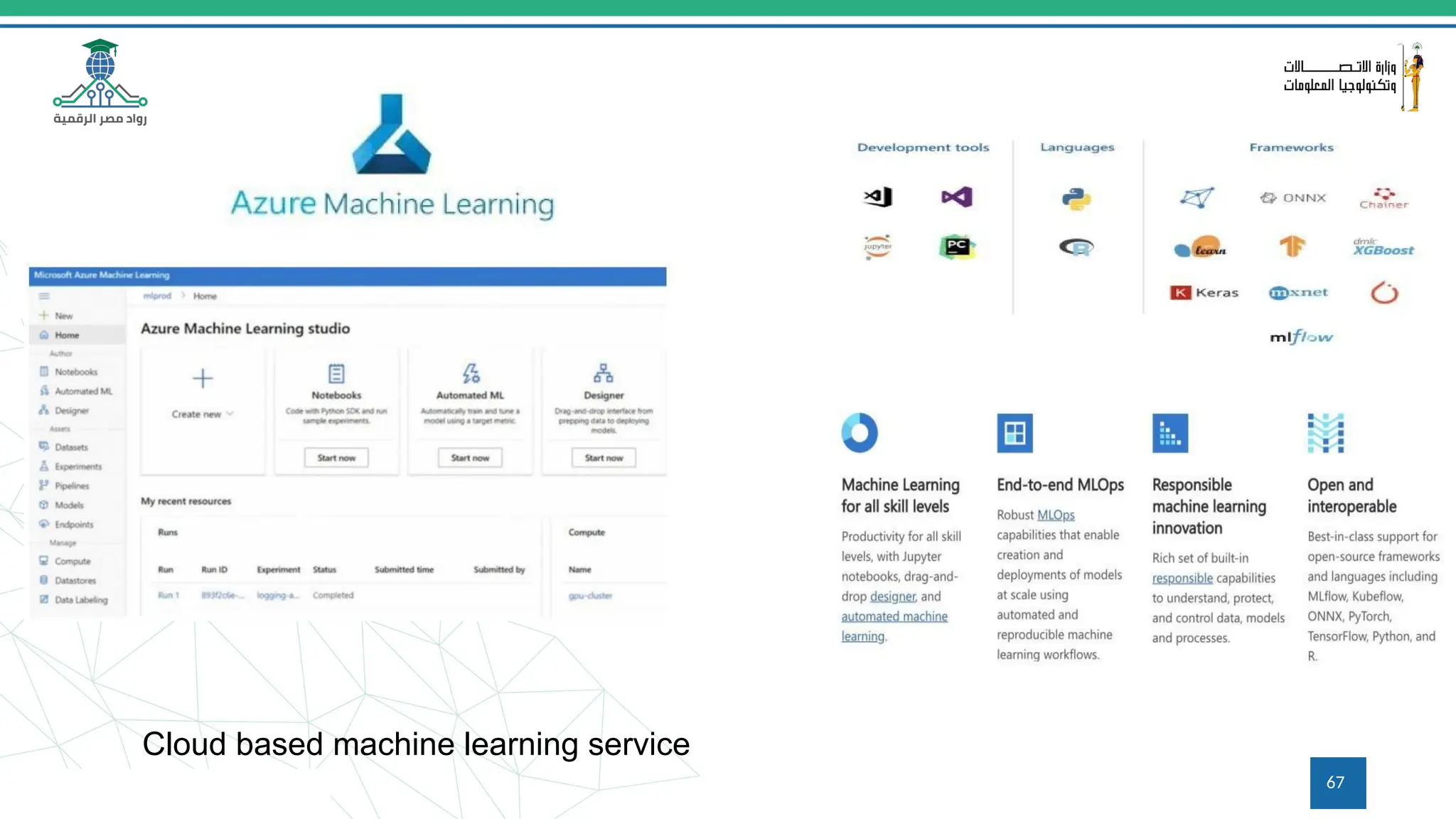
Cloud based machine learning service
67
68
69
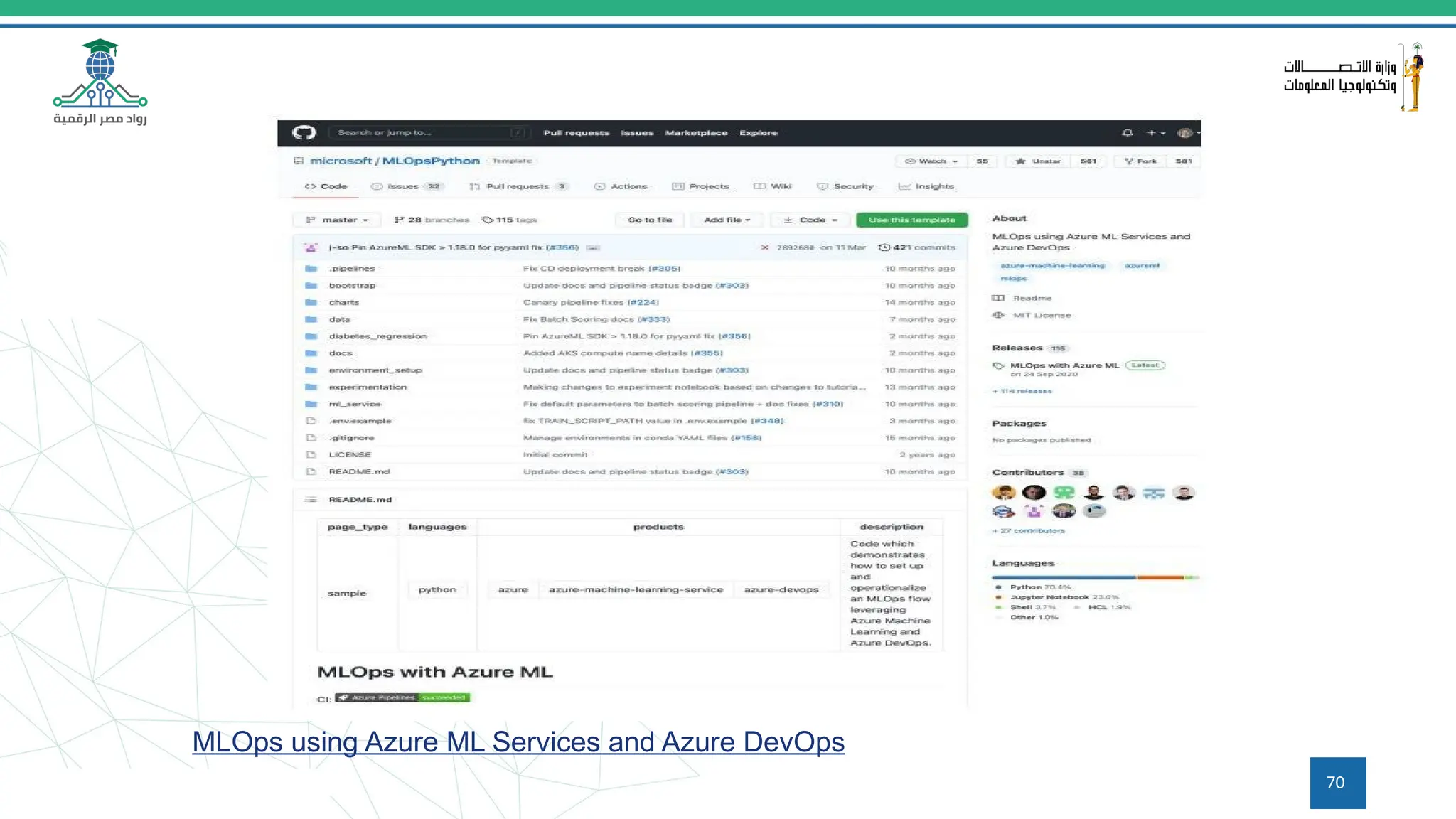
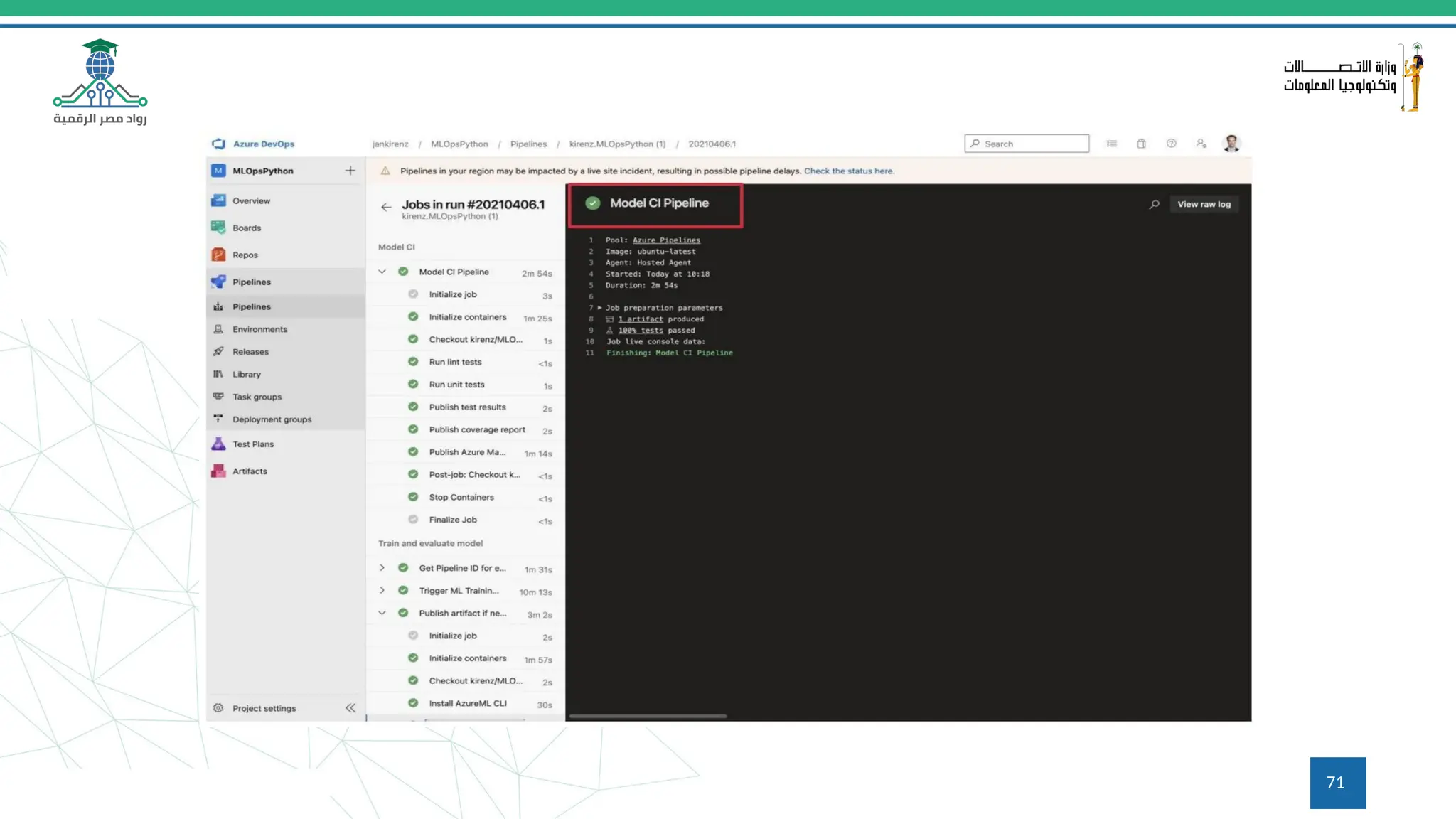
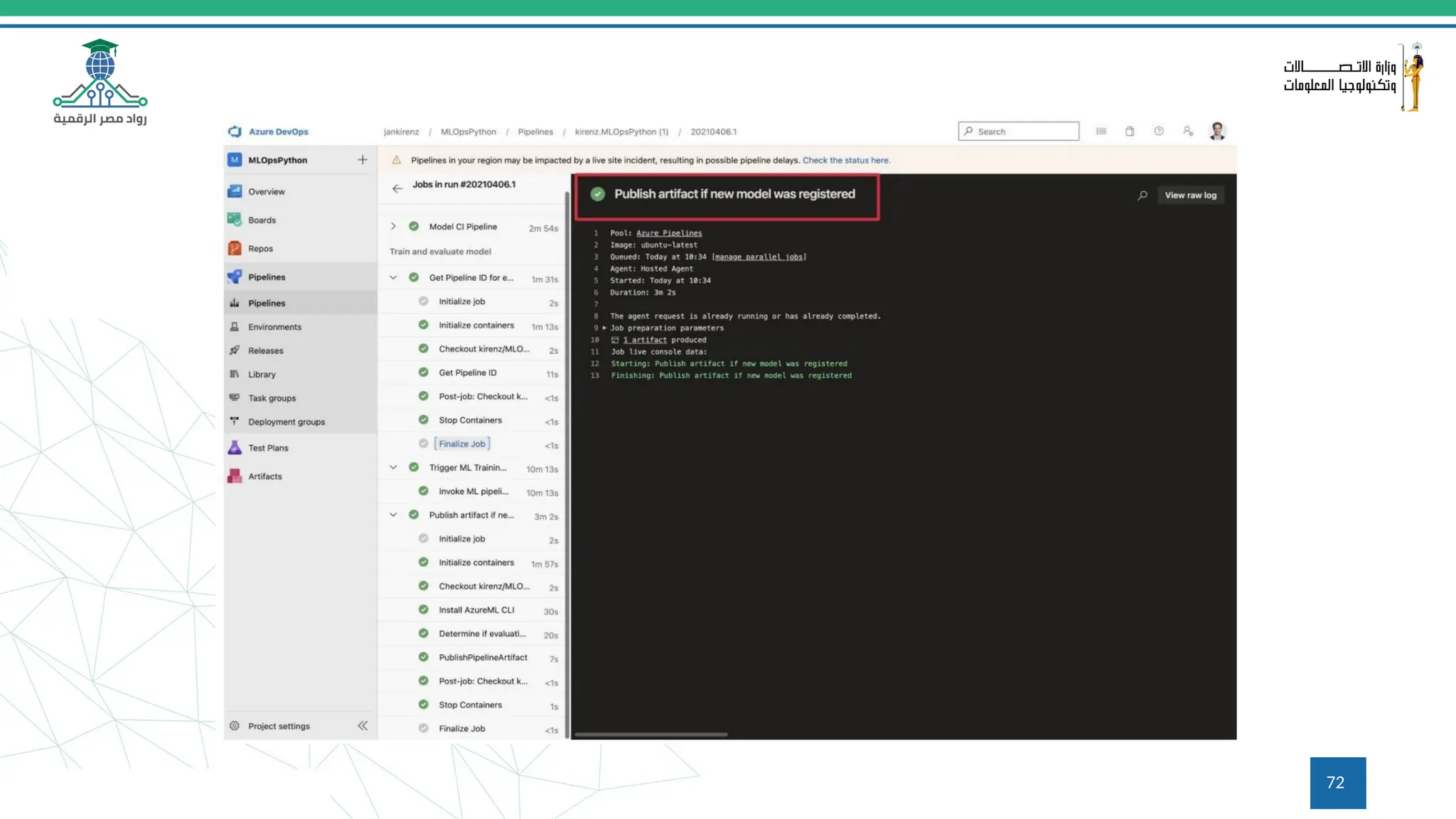
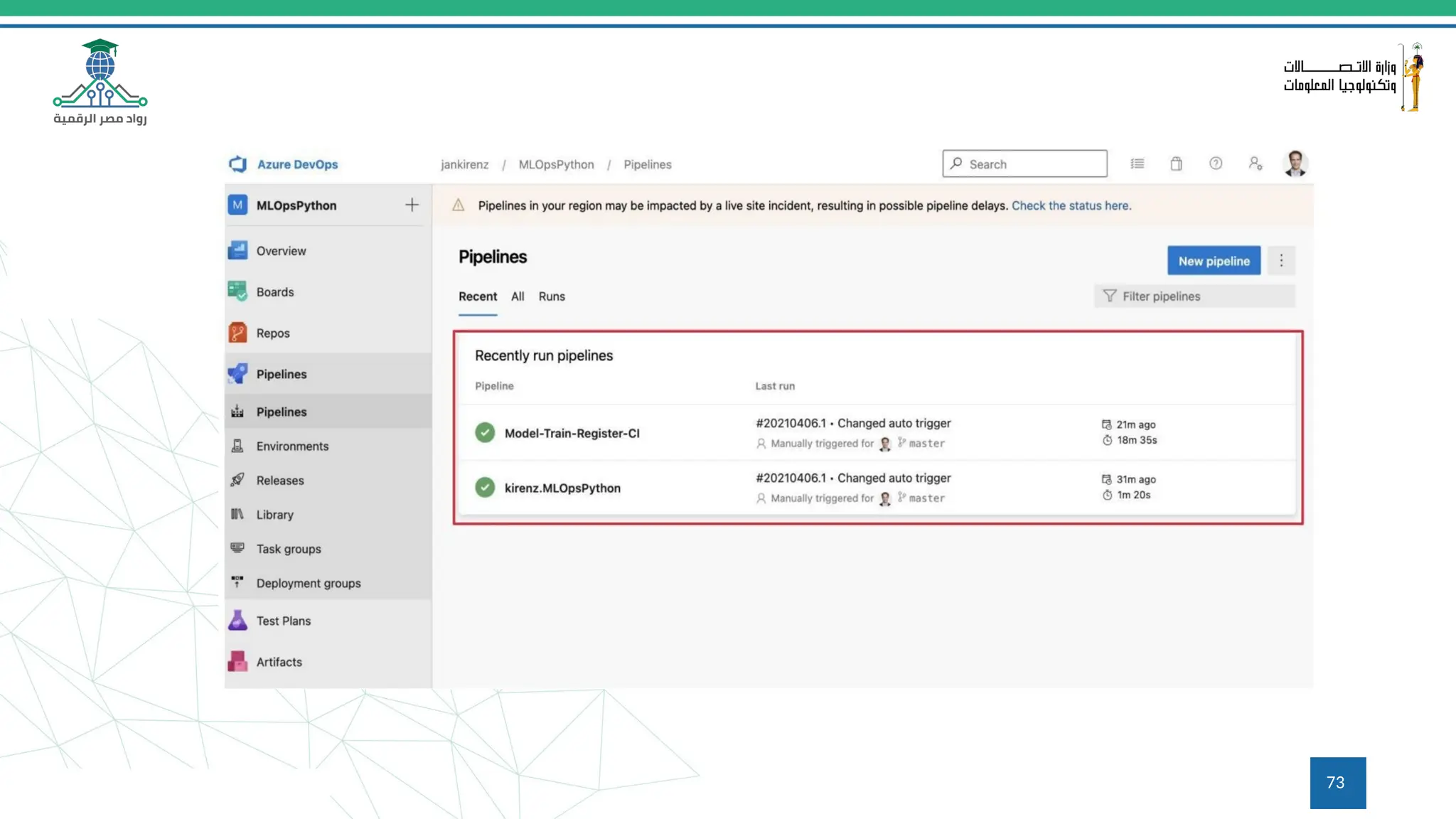
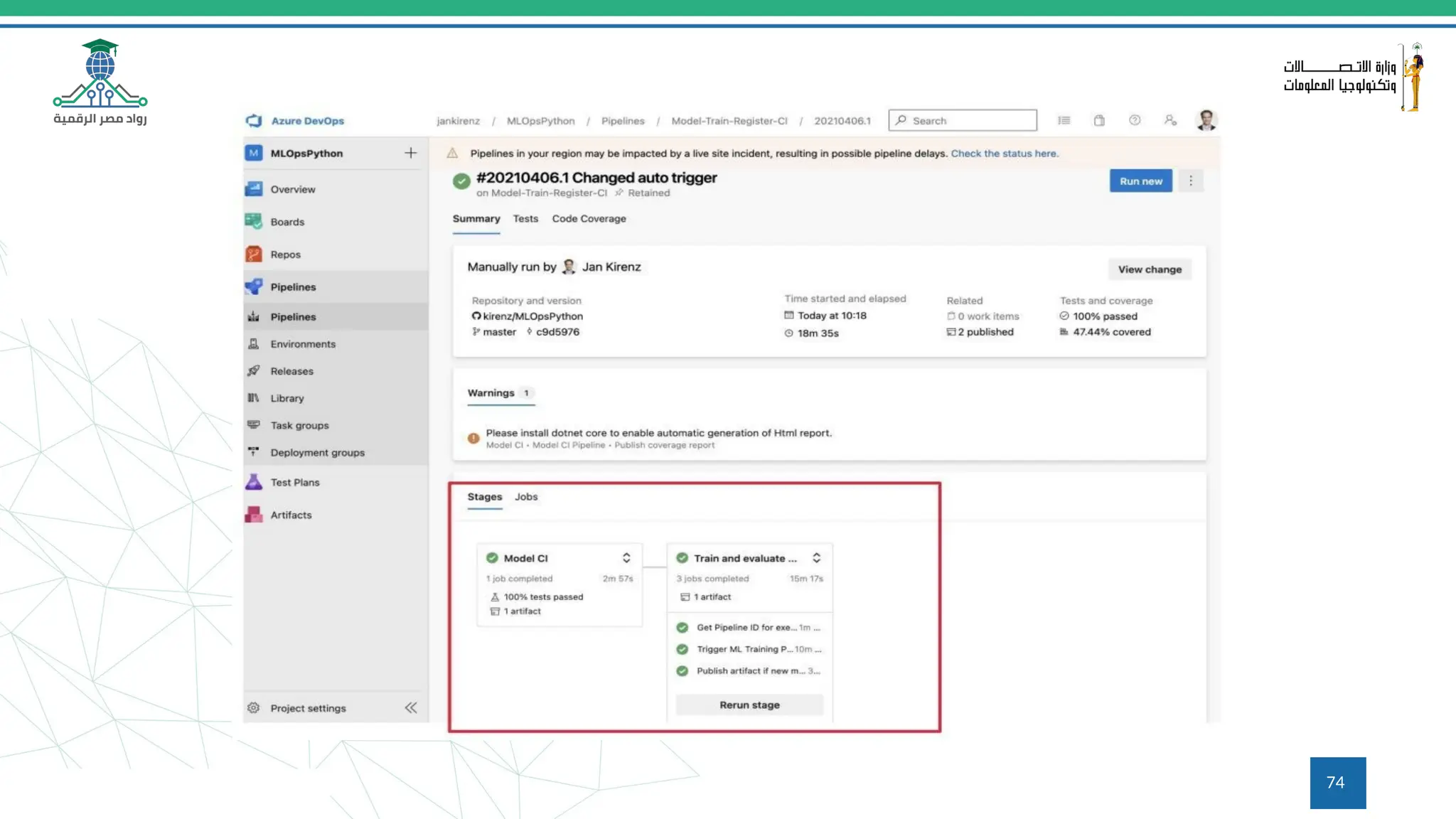
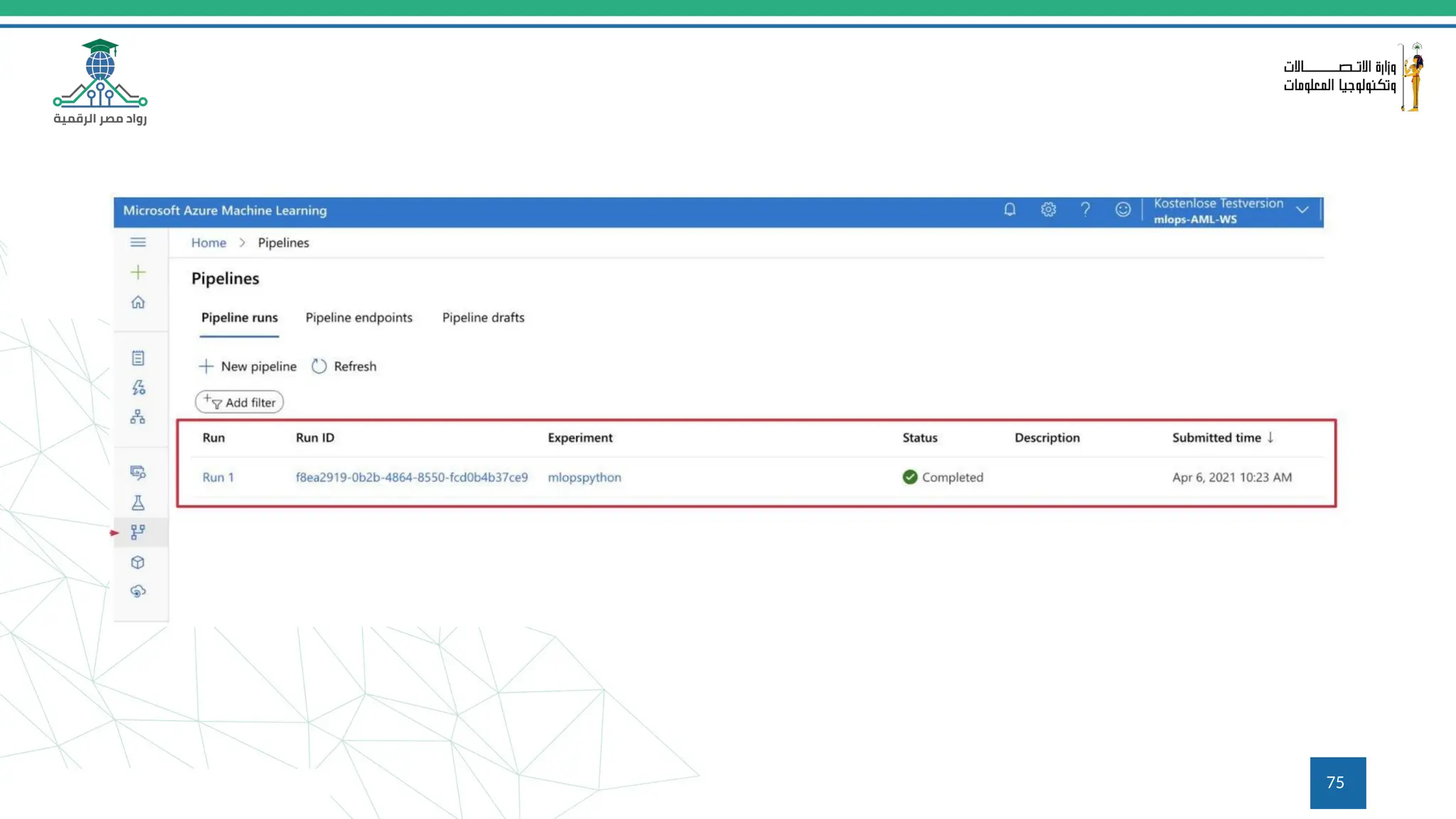
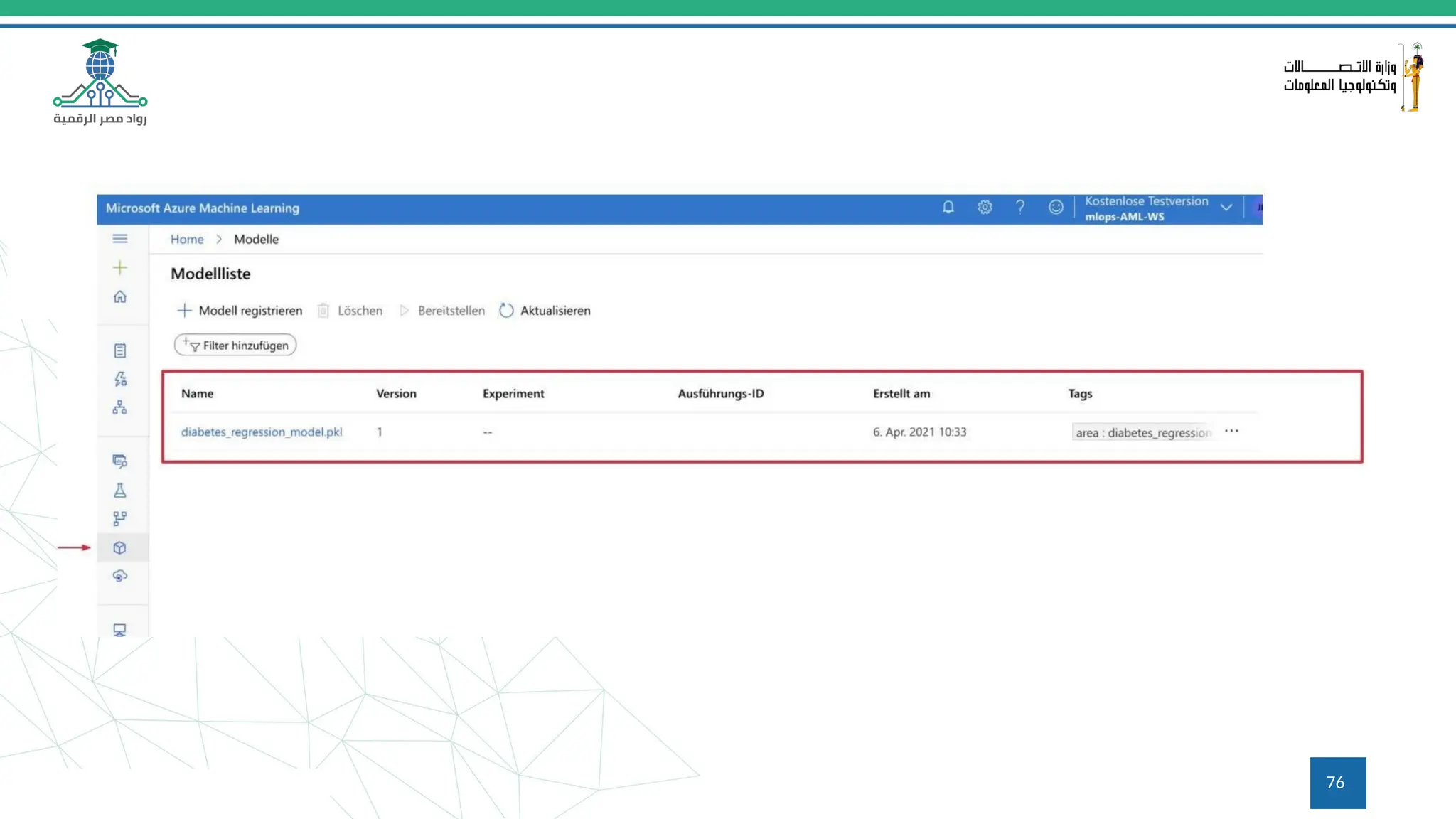
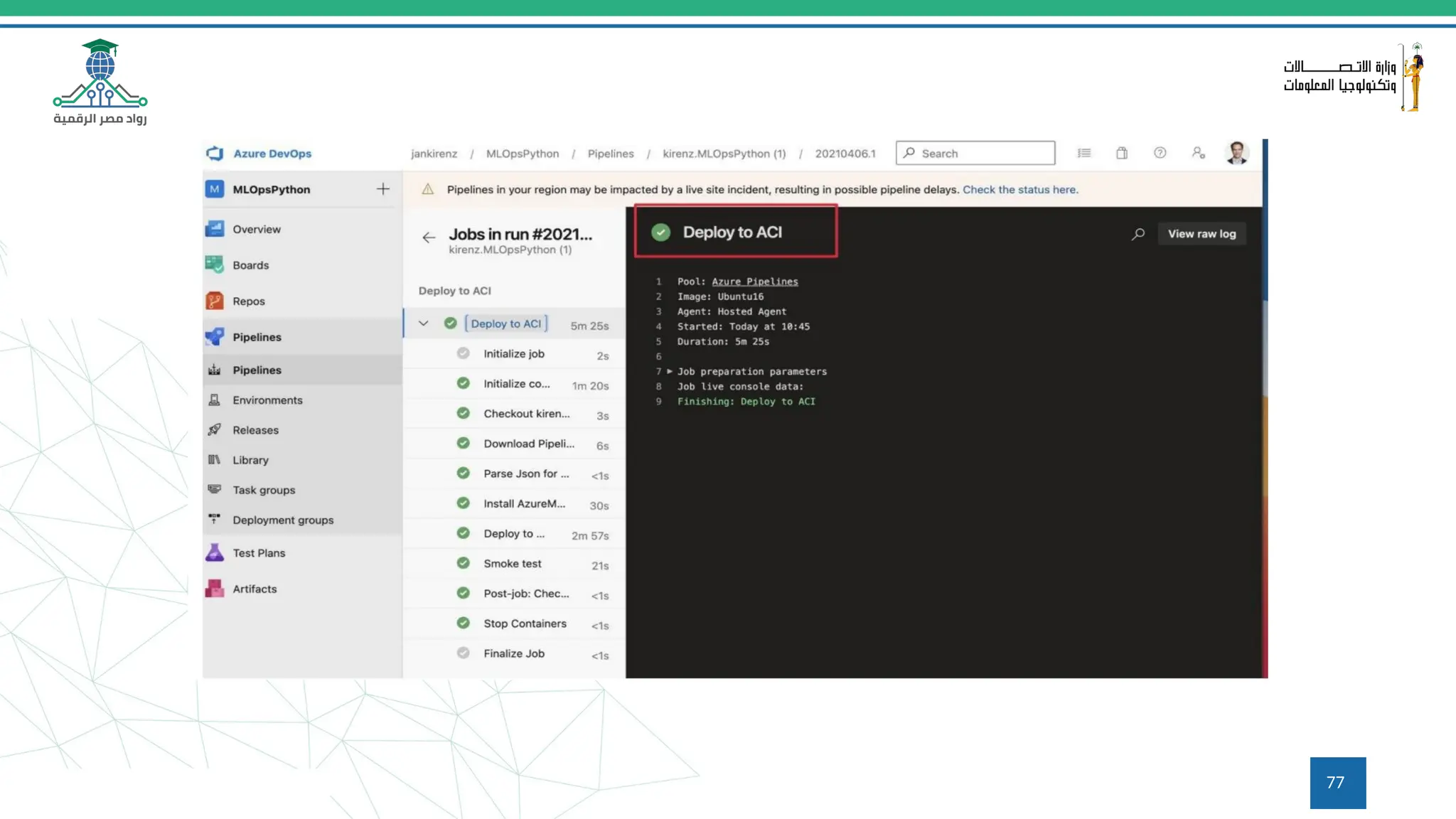
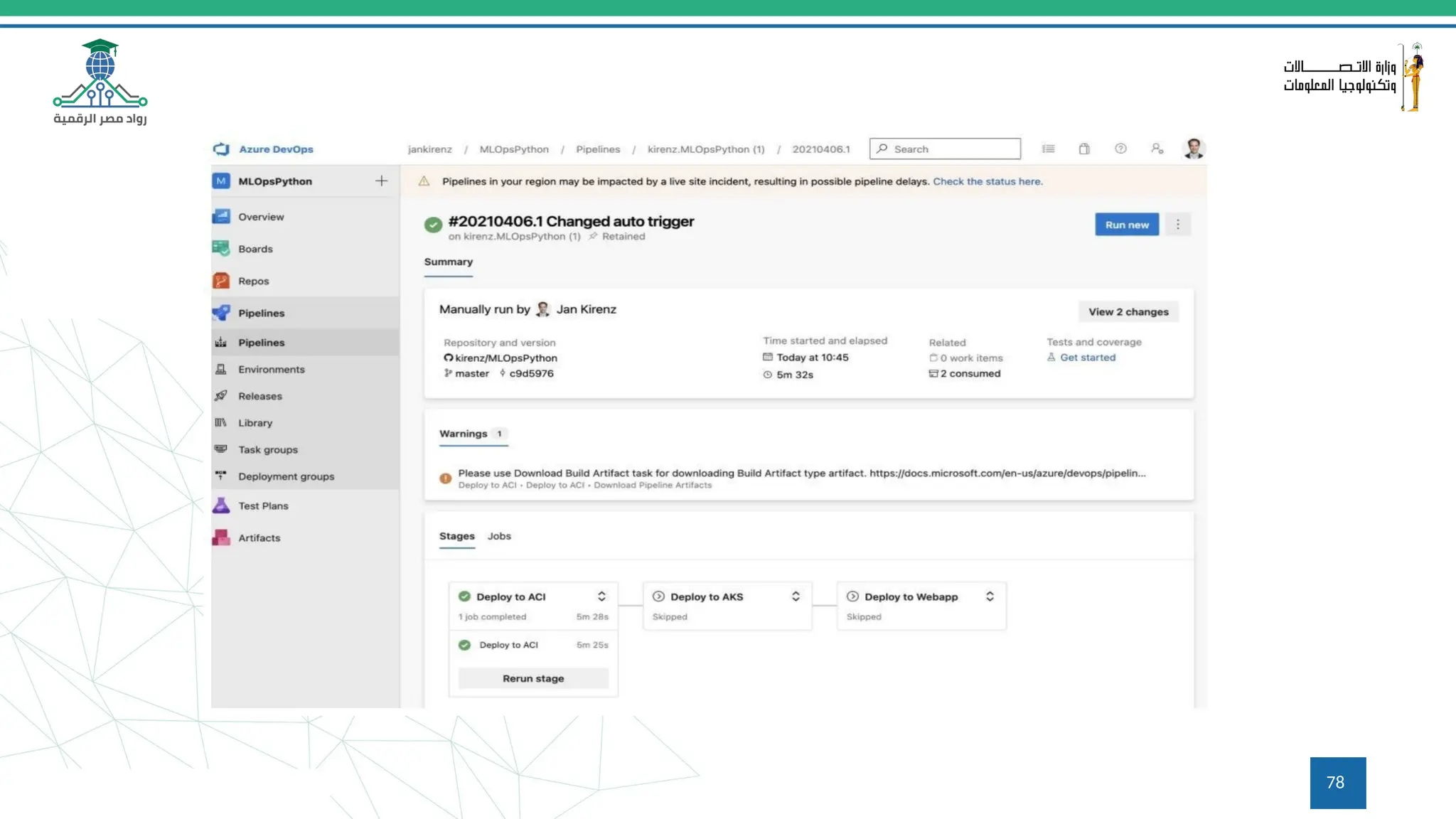
MLOps using Azure ML Services and Azure DevOps
70
71
72
73
74
75
76
77
78
79
Q&A
Questions and answers
80
Thanks

ML Ops Tools ML flow and Hugging Face(2).pptx

  • 1.
    ML Ops Tools:ML flow and Hugging Face 17/04/2024 1
  • 2.
    Course Overview 2 This coursecovers two of the most popular open-source platforms for MLOps (Machine Learning Operations): ML flow and Hugging Face. We’ll go through the foundations on what it takes to get started in these platforms with basic model and dataset operations. You will start with ML flow using projects and models with its powerful tracking system and you will learn how to interact with these registered models from ML flow with full lifecycle examples. Then, you will explore Hugging Face repositories so that you can store datasets, models, and create live interactive demos.
  • 3.
    The Proof ofConcept Factory Most companies... ●… conduct AI experiments and pilots but achieve a low scaling success rate ●… have significant under investment, yielding low returns 3
  • 4.
    Gartner Top 10Data and Analytics Trends gartner.com/SmarterWithGartner 4
  • 5.
    The problem withscaling AI ● ML code is only a fraction of a production-ready ML project code 5
  • 6.
    Hidden technical debtin machine learning systems 6
  • 7.
    Machine learning operations (MLOps) ●ML Engineering culture and practice that aims at unifying ML System development (Dev) and ML system operations (Ops) ● Tools and principles to support workflow standardization and automation through the ML system lifecycle (e.g. with pipelines) 7
  • 8.
    Machine learning lifecycle Lifecycle of anML System Plan | Data | Model | Deployment 8
  • 9.
    Lifecycle of an MLSystem Plan | Data | Model | Deployment 9
  • 10.
    Lifecycle of an MLSystem Plan | Data | Model | Deployment 10
  • 11.
    Lifecycle of an MLSystem Plan | Data | Model | Deployment 11
  • 12.
    Lifecycle of an MLSystem Plan | Data | Model | Deployment 12
  • 13.
    Common issues whichlead to a PoC to production gap ● Lack of reuse and duplication ● Inconsistency (data, code, models) ●Manual and slow transition from PoC to production Lifecycle of an ML System Plan | Data | Model | Deployment 13
  • 14.
    Lifecycle of an MLSystem Plan | Data | Model | Deployment MLOps components 14
  • 15.
  • 16.
    16 An open platformfor the machine learning lifecycle • Python Library; runs locally and on the cloud • Built-in UI for experiment visualization • Logging integrations for major frameworks: scikit-learn, PyTorch, TF,.. https://github.com/mlflow
  • 17.
  • 18.
    18 Getting Started withMLflow Install with pip install mlflow • Find detailed tutorials at mlflow.org • Repo: https://github.com/mlflow • Main contributor and maintainer: • Managed MLflow services offered by Databricks and Azure ML
  • 19.
    19 Hyper Parameters: key-valueinputs • Metrics: numeric values (i.e. perf metrics) • Artifacts: files, including data and models • Source: training code any additional information MLflow Components Experiment tracking
  • 20.
  • 21.
    21 ML Flow -Tracking
  • 22.
    22 ML Flow -Tracking - UI
  • 23.
    23 ML Flow -Tracking - UI
  • 24.
    24 ML Flow -Tracking - UI
  • 25.
    25 ML Flow -Projects a format for packaging data science code in a reusable and reproducible way, based primarily on conventions. • In addition, the Projects component includes an API and command-line tools for running projects, making it possible to chain together projects into workflows. https://www.mlflow.org/docs/latest/projects.html
  • 26.
  • 27.
    27 ML Flow -Models a standard format for packaging machine learning models that can be used in a variety of downstream tools—for example, real-time serving through a REST API or batch inference. https://www.mlflow.org/docs/latest/models.html
  • 28.
  • 29.
  • 30.
    30 What is HuggingFace? An open-source platform for machine learning Fosters collaboration and innovation in the ML community Provides a central hub for sharing, exploring, and deploying models and datasets
  • 31.
    31 Overview of theHugging Face Hub A treasure trove of machine learning resources Houses a vast collection of pre-trained models across various NLP and computer vision tasks Offers a plethora of high-quality datasets spanning diverse domains
  • 32.
    32 Introduction to theHugging Face Hub Access the Hub at https://huggingface.co/ Explore different categories like Models, Datasets, and Spaces Leverage the search bar to find specific resources
  • 33.
    33 Using Hugging FaceRepositories Repositories store code for models and datasets Explore code structure and implementation details Gain insights into model training and fine-tuning
  • 34.
    34 Using Hugging FaceSpaces Interactive playgrounds for exploring models and datasets Experiment with models directly on the Hub without coding Share your Spaces with collaborators for easy access and demonstration
  • 35.
    35 Introduction to AppliedHugging Face Leverage pre-trained models to accelerate your projects Fine-tune models to adapt them to your specific data and task Build and deploy machine learning applications seamlessly
  • 36.
    36 Using GPU EnabledCode Spaces Access powerful GPUs for faster training and inference Collaborate on code in real-time with teammates Experiment with code without managing local infrastructure
  • 37.
    37 Using the HuggingFace CLI Hugging Face CLI (Command Line Interface) for interacting with the Hub Install models and datasets from the command line Manage your Hub account and activities
  • 38.
    38 Using the ModelHub Search for models by name, task, or author Explore model details like description, metrics, and code Download models for local use or experimentation in Spaces
  • 39.
    39 Downloading Models Download modelsfrom the Hub using the user interface or CLI Choose the appropriate format for your project (e.g., PyTorch, TensorFlow) Unzip the downloaded file for local use
  • 40.
    40 Working with Models Loaddownloaded models using libraries like transformers Use models for inference tasks like text classification or question answering Fine-tune models on your custom data for improved performance
  • 41.
    What is a pipeline? ●Description of an ML workflow ● A pipeline component is a self-contained set of user code that performs one step in the pipeline ● Includes the definition of the configuration and inputs required to run the pipeline (e.g. model hyperparameters) 41
  • 42.
  • 43.
    TensorFlow Extended (TFX) ● Google-production-scalemachine learning (ML) platform based on TensorFlow ● Portable to multiple environments (Azure, AWS, Google Cloud, IBM, ...) ● Python based toolkit; can be used with notebooks ● Helps you orchestrate your ML process: Apache Airflow, Apache Beam or Kubeflow pipelines 43
  • 44.
    TFX 1.0 (19.05.21) ● Enterprise-gradesupport ● Security patches and select bug fixes for up to three years ● Guaranteed API & Artifact backward compatibility 44
  • 45.
  • 46.
  • 47.
  • 48.
  • 49.
  • 50.
  • 51.
  • 52.
  • 53.
  • 54.
    TFX & Apache Airflow ●Programmatically author, schedule and monitor workflows with Python code ● User interface to visualize pipelines running in production, monitor progress, and troubleshoot issues 54
  • 55.
    TFX & Apache Airflow ●Provides a framework for running batch and streaming data processing jobs that run on a variety of runners (Spark, Flink, ...). ● Beam provides an abstraction layer which enables TFX to run on any supported runner without code modifications ● TFX only uses the Beam Python API 55
  • 56.
    TFX & Kubeflow pipelines TheKubeflow Pipelines platform consists of: ● An engine for scheduling multi-step ML workflows (using Kubernetes). ● User interface (UI) for managing and tracking experiments, jobs, and runs. ● Python SDK for defining and manipulating pipelines and components. ● Notebooks for interacting with the system using the SDK Kubeflow Pipelines is available as a core component of Kubeflow or as a standalone installation. 56
  • 57.
  • 58.
  • 59.
  • 60.
  • 61.
    ML toolkit forKubernetes 61
  • 62.
    Google’s Vertex AILaunched in May 2021 62
  • 63.
    ML Pipelines |wrap-up By using a ML pipeline, you can: • Automate your ML process, which lets you regularly retrain, evaluate, and deploy your model. • Utilize distributed compute resources for processing large datasets and workloads. • Increase the velocity of experimentation by running a pipeline with different sets of hyperparameters. To learn more visit the following tutorials @: Data Science & Data Engineering MLOps tutorials on how to: • Install TF and TFX • Build your first TFX pipeline • Install Kubeflow • Build your first Kubeflow pipeline 63
  • 64.
    Backup Continuous Integration and ContinuousDelivery pipeline for an ML/AI project in Microsoft Azure 64
  • 65.
  • 66.
    CI/CD and sourcecode management 66
  • 67.
    Cloud based machinelearning service 67
  • 68.
  • 69.
  • 70.
    MLOps using AzureML Services and Azure DevOps 70
  • 71.
  • 72.
  • 73.
  • 74.
  • 75.
  • 76.
  • 77.
  • 78.
  • 79.
  • 80.