Presented by
Md. Kamal Hossain Mitul
& Mamudul Hasan Emon
Student of CSE
Definition
Expansion
Email is the short form of electronic mail.It is a
message that may contain texts,files,images
or other attachments sent through a network
to a specified individual or group of
individuals.It is a method of exchanging digital
messages from an author to one or more
recipients.
The first email was sent by Ray
tomlison in 1971.The following is
a breakdown of an internet
email address example.
The first portion all email
addresses,the part before the @
support@computerhope.com
symbol,contains the alias,user,group
or department of a company.In the
above example support is the
technical support department at
Computer Hope.Next, the @ (at sign)
is used as a divider in the email
address.Finally,computerhope.com is
the domain name to which the user
belongs.
At first, we need internet connection in the
device.
An email account is needed to use email.
Firstly we have to sign up for email address
from email service provider.
There are many free email service provider
such as gmail , yahoo, hotmail etc.
At first,we have to enter in a
browser.
Then, we have to login to server
with their domain address and
required password to access email.
After that, the cover page of the
account will be appeared.
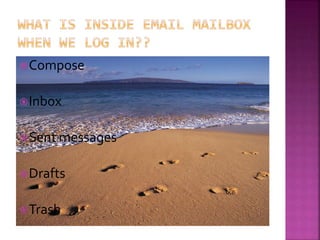
Compose
Inbox
Sent messages
Drafts
Trash
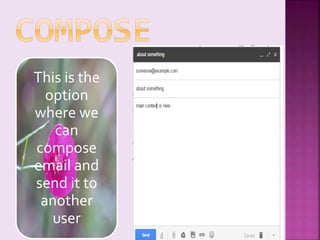
This is the
option
where we
can
compose
email and
send it to
another
user
Inbox is the
place where all
incoming mail
are stored
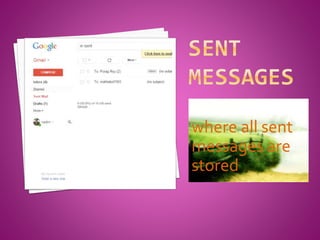
This is the place
where all sent
messages are
stored
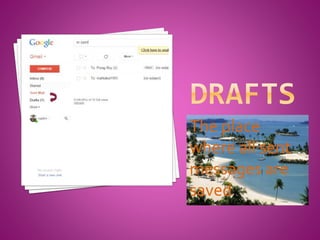
The place
where all sent
messages are
saved
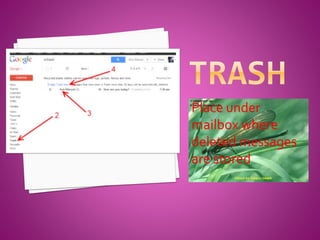
Place under
mailbox where
deleted messages
are stored
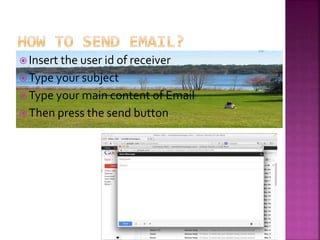
 Insert the user id of receiver
 Type your subject
 Type your main content of Email
 Then press the send button
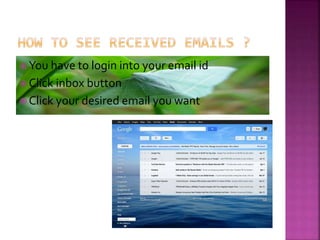
 You have to login into your email id
 Click inbox button
 Click your desired email you want
What is email ?
Requirements to use email
How to enter in the email account ?
Components of the first page of email
account.
How to send emails ?
How to see received emails?
Email Technology

Email Technology

  • 1.
    Presented by Md. KamalHossain Mitul & Mamudul Hasan Emon Student of CSE
  • 2.
  • 3.
    Email is theshort form of electronic mail.It is a message that may contain texts,files,images or other attachments sent through a network to a specified individual or group of individuals.It is a method of exchanging digital messages from an author to one or more recipients.
  • 4.
    The first emailwas sent by Ray tomlison in 1971.The following is a breakdown of an internet email address example. The first portion all email addresses,the part before the @ support@computerhope.com
  • 5.
    symbol,contains the alias,user,group ordepartment of a company.In the above example support is the technical support department at Computer Hope.Next, the @ (at sign) is used as a divider in the email address.Finally,computerhope.com is the domain name to which the user belongs.
  • 6.
    At first, weneed internet connection in the device. An email account is needed to use email. Firstly we have to sign up for email address from email service provider. There are many free email service provider such as gmail , yahoo, hotmail etc.
  • 7.
    At first,we haveto enter in a browser. Then, we have to login to server with their domain address and required password to access email. After that, the cover page of the account will be appeared.
  • 8.
  • 9.
    This is the option wherewe can compose email and send it to another user
  • 10.
    Inbox is the placewhere all incoming mail are stored
  • 11.
    This is theplace where all sent messages are stored
  • 12.
    The place where allsent messages are saved
  • 13.
  • 14.
     Insert theuser id of receiver  Type your subject  Type your main content of Email  Then press the send button
  • 15.
     You haveto login into your email id  Click inbox button  Click your desired email you want
  • 16.
    What is email? Requirements to use email How to enter in the email account ? Components of the first page of email account. How to send emails ? How to see received emails?