Mindjet Mind Manager Advanced Features Daryl Milne
Task panes
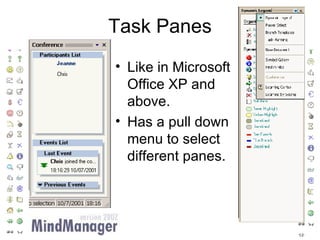
Task Panes Like in Microsoft Office XP and above. Has a pull down menu to select different panes.
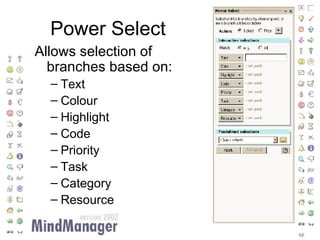
Power Select Allows selection of branches based on: Text Colour Highlight Code Priority Task Category Resource
Conferencing
Two ways to conference Client / Server User Name  and Password. Select a server. Better security. Peer to peer Passphrase. Select a conference. Server not required.
Conference Menu One user may edit at a time Maps can be in  one of three states: Shared (free), Editing, or Not Shared.
Conference Pane Edited Locally Edited Remotely Another user may ‘raise hand’ to ask to edit map. Normal editing is for a specified time, user may lock map to extend editing time.
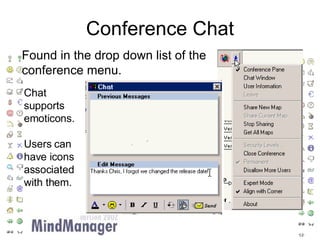
Conference Chat Found in the drop down list of the conference menu. Chat supports emoticons. Users can have icons associated with them.
Microsoft Outlook Synchronisation
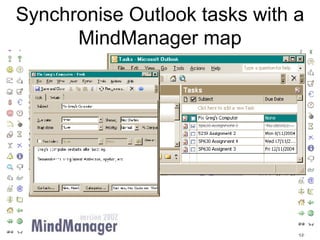
Synchronise Outlook tasks with a MindManager map
Wizard makes it easy Group your tasks Filter which tasks to import
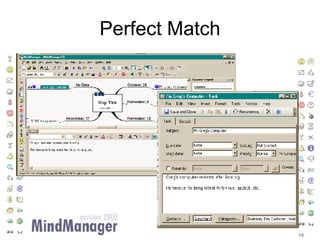
Perfect Match
HTML Export
HTML Export User selects a style and layout for the html page User can select which branch levels to use hyperlinks for.
HTML Export Choose one of 18 styles. Styles can be further customised through the “more options” button.
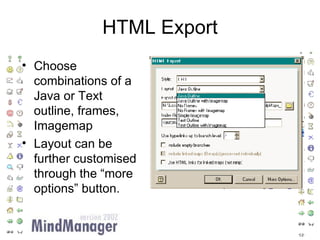
HTML Export Choose combinations of a Java or Text outline, frames, Imagemap Layout can be further customised through the “more options” button.
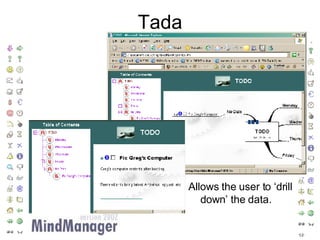
Tada Allows the user to ‘drill down’ the data.
Export to Word
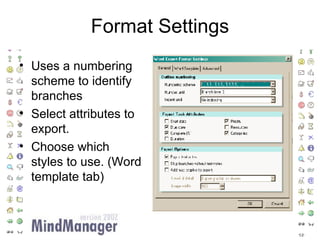
Format Settings Uses a numbering scheme to identify branches Select attributes to export. Choose which styles to use. (Word template tab)
Exported to Word Branches become headings. Great for exporting tasks

Mindjet MindManager Features