at
Dorota Kuleszo
Francesco Mucio MicroStrategy Symposium, London, 22 april 2016
What is ?
● Social Network for meeting people near you
● Over 300M users in 190 countries
● 200 employees based in London and Moscow
● Over 100M downloads on Android
● Also on iOS, Windows Phone, Web and Mobile Web
● Very Agile working environment
● We needed a proper BI tool - among 14 candidates
● Our data volumes - user level data
● Environment - Linux, Database, SSO
● Technical users with high expectations
Why ?
● Hard to set up in our environment
● No real dimensional model
● Data/ETL Team had to prepare data for us
● Time to onboard users and earn their trust
vs
What does with
now?
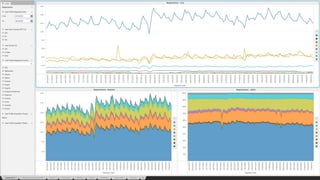
● Fancy Dashboards around the office
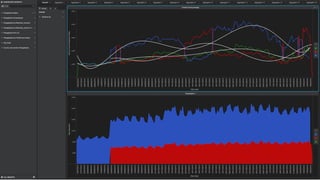
● Data Discovery tools
● Analysis delivered by email
● Self Service Reports
● Weekly releases
90+ Users in Finance, Billing, Marketing, Developers, User
Ops, Founders
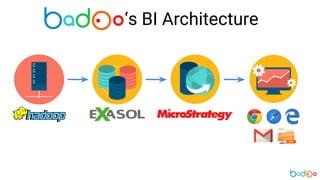
‘s BI Architecture
‘s BI Architecture
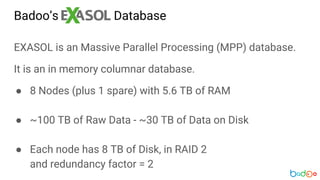
Badoo’s Database
EXASOL is an Massive Parallel Processing (MPP) database.
It is an in memory columnar database.
● 8 Nodes (plus 1 spare) with 5.6 TB of RAM
● ~100 TB of Raw Data - ~30 TB of Data on Disk
● Each node has 8 TB of Disk, in RAID 2
and redundancy factor = 2
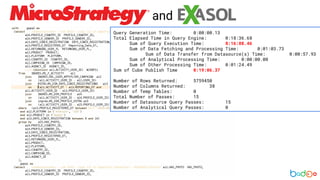
and
Query Generation Time: 0:00:00.13
Total Elapsed Time in Query Engine: 0:18:36.68
Sum of Query Execution Time: 0:16:08.46
Sum of Data Fetching and Processing Time: 0:01:03.73
Sum of Data Transfer from Datasource(s) Time: 0:00:57.93
Sum of Analytical Processing Time: 0:00:00.00
Sum of Other Processing Time: 0:01:24.49
Sum of Cube Publish Time 0:19:06.37
Number of Rows Returned: 5759450
Number of Columns Returned: 38
Number of Temp Tables: 0
Total Number of Passes: 15
Number of Datasource Query Passes: 15
Number of Analytical Query Passes: 0
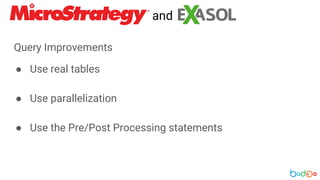
Query Improvements
● Use real tables
● Use parallelization
● Use the Pre/Post Processing statements
and
and
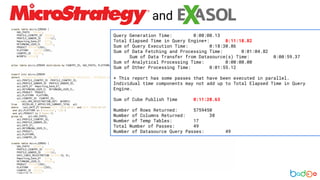
Query Generation Time: 0:00:00.13
Total Elapsed Time in Query Engine*: 0:11:18.82
Sum of Query Execution Time: 0:18:30.86
Sum of Data Fetching and Processing Time: 0:01:04.82
Sum of Data Transfer from Datasource(s) Time: 0:00:59.37
Sum of Analytical Processing Time: 0:00:00.00
Sum of Other Processing Time: 0:01:55.12
* This report has some passes that have been executed in parallel.
Individual time components may not add up to Total Elapsed Time in Query
Engine.
Sum of Cube Publish Time 0:11:28.63
Number of Rows Returned: 5759450
Number of Columns Returned: 38
Number of Temp Tables: 17
Total Number of Passes: 49
Number of Datasource Query Passes: 49
and
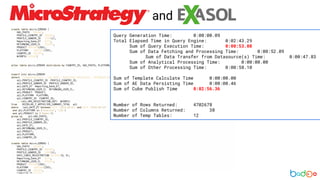
Query Generation Time: 0:00:00.09
Total Elapsed Time in Query Engine: 0:02:43.29
Sum of Query Execution Time: 0:00:53.08
Sum of Data Fetching and Processing Time: 0:00:52.09
Sum of Data Transfer from Datasource(s) Time: 0:00:47.83
Sum of Analytical Processing Time: 0:00:00.00
Sum of Other Processing Time: 0:00:58.10
Sum of Template Calculate Time 0:00:00.00
Sum of AE Data Persisting Time 0:00:00.46
Sum of Cube Publish Time 0:02:56.36
Number of Rows Returned: 4702678
Number of Columns Returned: 38
Number of Temp Tables: 12
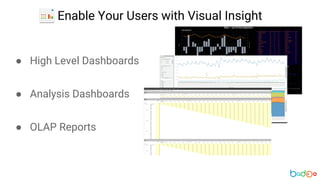
Enable Your Users
with
Visual Insight
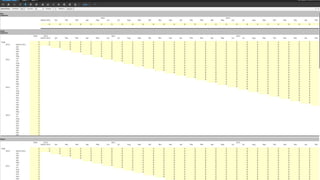
● High Level Dashboards
● Analysis Dashboards
● OLAP Reports
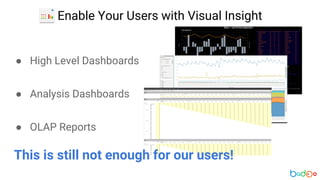
Enable Your Users with Visual Insight
● High Level Dashboards
● Analysis Dashboards
● OLAP Reports
Enable Your Users with Visual Insight
This is still not enough for our users!
Let Your Users
Do the Legwork
with
Transaction Services
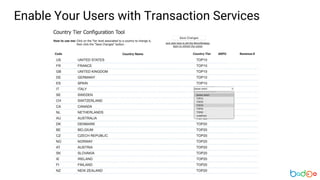
Enable Your Users with Transaction Services
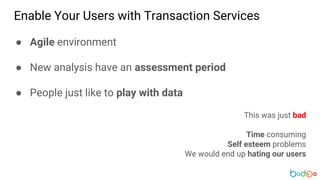
● Agile environment
● New analysis have an assessment period
● People just like to play with data
This was just bad
Time consuming
Self esteem problems
We would end up hating our users
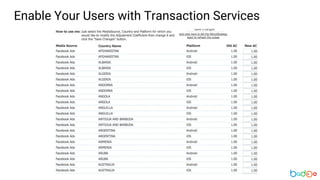
Enable Your Users with Transaction Services
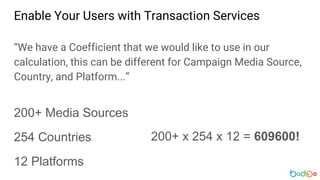
“We have a Coefficient that we would like to use in our
calculation, this can be different for Campaign Media Source,
Country, and Platform...”
200+ Media Sources
254 Countries
12 Platforms
200+ x 254 x 12 = 609600!
Enable Your Users with Transaction Services
We had to convince them to have a go with
Transaction Services!
Enable Your Users with Transaction Services
Don’t Reinvent
the Wheel
Just Use MicroStrategy
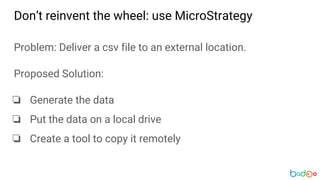
Don’t reinvent the wheel: use MicroStrategy
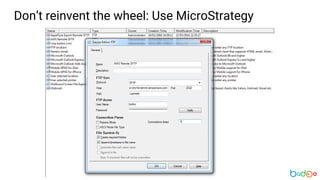
Problem: Deliver a csv file to an external location.
Proposed Solution:
❏ Generate the data
❏ Put the data on a local drive
❏ Create a tool to copy it remotely
Don’t reinvent the wheel: Use MicroStrategy
Beat The Commute
Learn to use
Command Manager
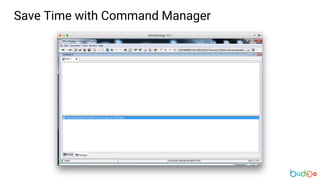
Save Time with Command Manager
Few things we do with Command Manager
● Cube Refresh
● Start Schedules
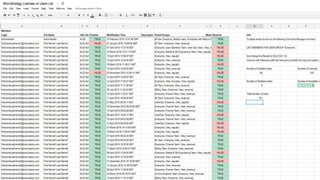
● Manage Our Users
● Configure Database Connections
Save Time with Command Manager
My two cents about Command Manager:
● Get familiar with it
● Try to script repetitive tasks
● Integrate it with other tools
Save Time with Command Manager
MicroStrategy Web Deployment
Made Easy
MicroStrategy Web Deployment Made Easy
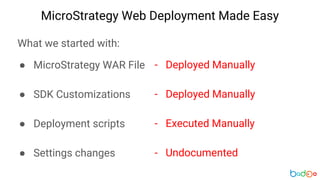
What we started with:
● MicroStrategy WAR File
● SDK Customizations
● Deployment scripts
● Settings changes
- Deployed Manually
- Deployed Manually
- Executed Manually
- Undocumented
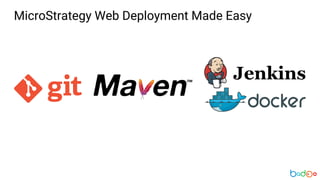
MicroStrategy Web Deployment Made Easy
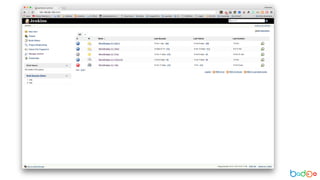
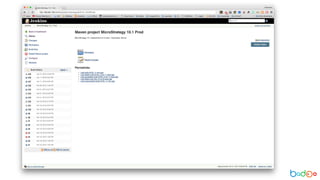
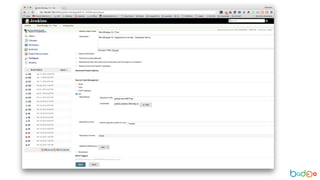
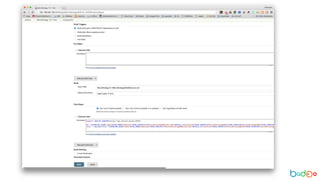
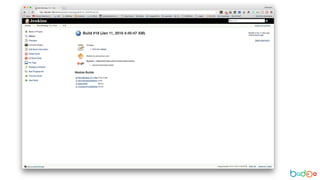
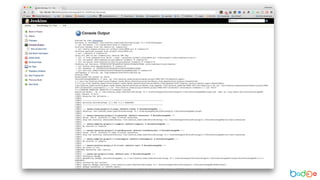
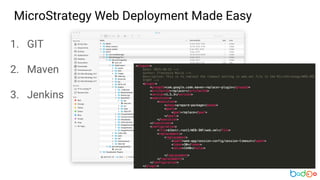
1. GIT
2. Maven
3. Jenkins
MicroStrategy Web Deployment Made Easy
that’s all folks… maybe
q & a

MicroStrategy at Badoo

  • 1.
    at Dorota Kuleszo Francesco MucioMicroStrategy Symposium, London, 22 april 2016
  • 2.
    What is ? ●Social Network for meeting people near you ● Over 300M users in 190 countries ● 200 employees based in London and Moscow ● Over 100M downloads on Android ● Also on iOS, Windows Phone, Web and Mobile Web ● Very Agile working environment
  • 3.
    ● We neededa proper BI tool - among 14 candidates ● Our data volumes - user level data ● Environment - Linux, Database, SSO ● Technical users with high expectations Why ?
  • 4.
    ● Hard toset up in our environment ● No real dimensional model ● Data/ETL Team had to prepare data for us ● Time to onboard users and earn their trust vs
  • 5.
    What does with now? ●Fancy Dashboards around the office ● Data Discovery tools ● Analysis delivered by email ● Self Service Reports ● Weekly releases 90+ Users in Finance, Billing, Marketing, Developers, User Ops, Founders
  • 6.
  • 7.
  • 8.
    Badoo’s Database EXASOL isan Massive Parallel Processing (MPP) database. It is an in memory columnar database. ● 8 Nodes (plus 1 spare) with 5.6 TB of RAM ● ~100 TB of Raw Data - ~30 TB of Data on Disk ● Each node has 8 TB of Disk, in RAID 2 and redundancy factor = 2
  • 9.
    and Query Generation Time:0:00:00.13 Total Elapsed Time in Query Engine: 0:18:36.68 Sum of Query Execution Time: 0:16:08.46 Sum of Data Fetching and Processing Time: 0:01:03.73 Sum of Data Transfer from Datasource(s) Time: 0:00:57.93 Sum of Analytical Processing Time: 0:00:00.00 Sum of Other Processing Time: 0:01:24.49 Sum of Cube Publish Time 0:19:06.37 Number of Rows Returned: 5759450 Number of Columns Returned: 38 Number of Temp Tables: 0 Total Number of Passes: 15 Number of Datasource Query Passes: 15 Number of Analytical Query Passes: 0
  • 10.
    Query Improvements ● Usereal tables ● Use parallelization ● Use the Pre/Post Processing statements and
  • 11.
    and Query Generation Time:0:00:00.13 Total Elapsed Time in Query Engine*: 0:11:18.82 Sum of Query Execution Time: 0:18:30.86 Sum of Data Fetching and Processing Time: 0:01:04.82 Sum of Data Transfer from Datasource(s) Time: 0:00:59.37 Sum of Analytical Processing Time: 0:00:00.00 Sum of Other Processing Time: 0:01:55.12 * This report has some passes that have been executed in parallel. Individual time components may not add up to Total Elapsed Time in Query Engine. Sum of Cube Publish Time 0:11:28.63 Number of Rows Returned: 5759450 Number of Columns Returned: 38 Number of Temp Tables: 17 Total Number of Passes: 49 Number of Datasource Query Passes: 49
  • 12.
    and Query Generation Time:0:00:00.09 Total Elapsed Time in Query Engine: 0:02:43.29 Sum of Query Execution Time: 0:00:53.08 Sum of Data Fetching and Processing Time: 0:00:52.09 Sum of Data Transfer from Datasource(s) Time: 0:00:47.83 Sum of Analytical Processing Time: 0:00:00.00 Sum of Other Processing Time: 0:00:58.10 Sum of Template Calculate Time 0:00:00.00 Sum of AE Data Persisting Time 0:00:00.46 Sum of Cube Publish Time 0:02:56.36 Number of Rows Returned: 4702678 Number of Columns Returned: 38 Number of Temp Tables: 12
  • 13.
  • 14.
    ● High LevelDashboards ● Analysis Dashboards ● OLAP Reports Enable Your Users with Visual Insight
  • 18.
    ● High LevelDashboards ● Analysis Dashboards ● OLAP Reports Enable Your Users with Visual Insight This is still not enough for our users!
  • 20.
    Let Your Users Dothe Legwork with Transaction Services
  • 21.
    Enable Your Userswith Transaction Services ● Agile environment ● New analysis have an assessment period ● People just like to play with data This was just bad Time consuming Self esteem problems We would end up hating our users
  • 22.
    Enable Your Userswith Transaction Services “We have a Coefficient that we would like to use in our calculation, this can be different for Campaign Media Source, Country, and Platform...” 200+ Media Sources 254 Countries 12 Platforms 200+ x 254 x 12 = 609600!
  • 23.
    Enable Your Userswith Transaction Services We had to convince them to have a go with Transaction Services!
  • 24.
    Enable Your Userswith Transaction Services
  • 25.
    Enable Your Userswith Transaction Services
  • 26.
    Enable Your Userswith Transaction Services
  • 27.
  • 28.
    Don’t reinvent thewheel: use MicroStrategy Problem: Deliver a csv file to an external location. Proposed Solution: ❏ Generate the data ❏ Put the data on a local drive ❏ Create a tool to copy it remotely
  • 29.
    Don’t reinvent thewheel: Use MicroStrategy
  • 30.
    Beat The Commute Learnto use Command Manager
  • 31.
    Save Time withCommand Manager
  • 32.
    Few things wedo with Command Manager ● Cube Refresh ● Start Schedules ● Manage Our Users ● Configure Database Connections Save Time with Command Manager
  • 34.
    My two centsabout Command Manager: ● Get familiar with it ● Try to script repetitive tasks ● Integrate it with other tools Save Time with Command Manager
  • 35.
  • 36.
    MicroStrategy Web DeploymentMade Easy What we started with: ● MicroStrategy WAR File ● SDK Customizations ● Deployment scripts ● Settings changes - Deployed Manually - Deployed Manually - Executed Manually - Undocumented
  • 37.
  • 38.
    1. GIT 2. Maven 3.Jenkins MicroStrategy Web Deployment Made Easy
  • 49.
  • 50.