Domenic Chiera                     Siva Subramaniam
Productivity Solution Specialist   Account Technology Strategist
Microsoft                          Microsoft
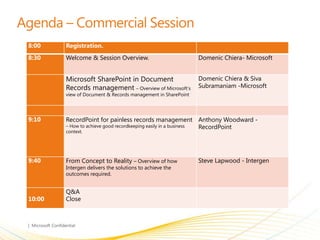
8:00    Registration.
8:30    Welcome & Session Overview.                           Domenic Chiera- Microsoft


        Microsoft SharePoint in Document                      Domenic Chiera & Siva
        Records management – Overview of Microsoft’s          Subramaniam -Microsoft
        view of Document & Records management in SharePoint


9:10    RecordPoint for painless records management Anthony Woodward -
        – How to achieve good recordkeeping easily in a business RecordPoint
        context.


9:40    From Concept to Reality – Overview of how             Steve Lapwood - Intergen
        Intergen delivers the solutions to achieve the
        outcomes required.


        Q&A
10:00   Close
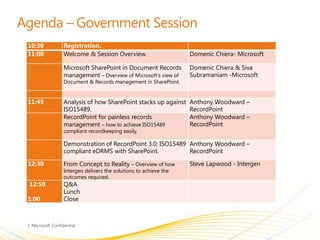
10:30   Registration.
11:00   Welcome & Session Overview.                      Domenic Chiera- Microsoft

        Microsoft SharePoint in Document Records         Domenic Chiera & Siva
        management – Overview of Microsoft’s view of     Subramaniam -Microsoft
        Document & Records management in SharePoint.


11:45   Analysis of how SharePoint stacks up against     Anthony Woodward –
        ISO15489.                                        RecordPoint
        RecordPoint for painless records                 Anthony Woodward –
        management – how to achieve ISO15489             RecordPoint
        compliant recordkeeping easily.

        Demonstration of RecordPoint 3.0; ISO15489 Anthony Woodward –
        compliant eDRMS with SharePoint.           RecordPoint

12:30   From Concept to Reality – Overview of how        Steve Lapwood - Intergen
        Intergen delivers the solutions to achieve the
        outcomes required.
12:50   Q&A
        Lunch
1:00    Close
Problem Space – Why “EDRMS 2.0”
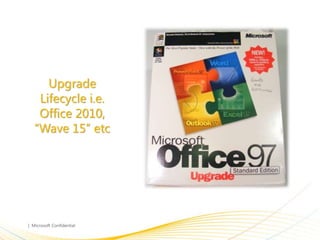
Upgrade
 Lifecycle i.e.
 Office 2010,
“Wave 15” etc
Data Loss
Prevention
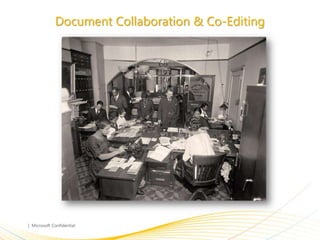
Document Collaboration & Co-Editing
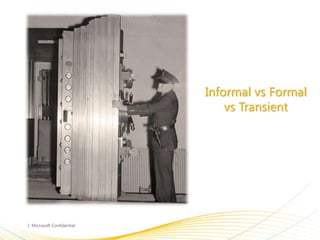
Informal vs Formal
    vs Transient
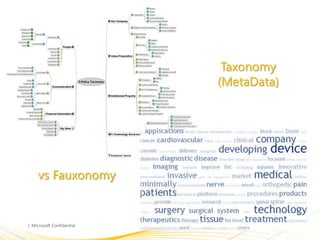
Taxonomy
               (MetaData)


vs Fauxonomy
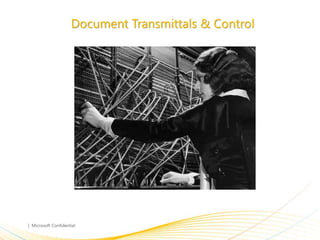
Document Transmittals & Control
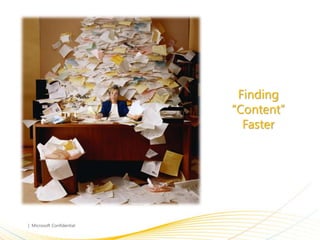
Finding
“Content”
  Faster
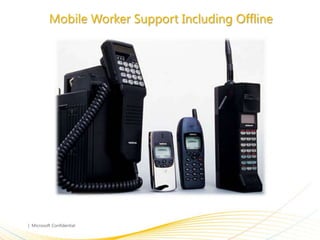
Mobile Worker Support Including Offline
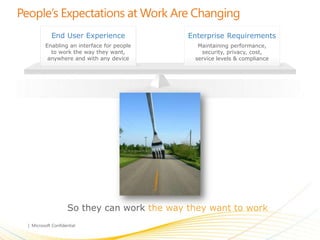
End User Experience              Enterprise Requirements
Enabling an interface for people     Maintaining performance,
  to work the way they want,          security, privacy, cost,
 anywhere and with any device       service levels & compliance


        So they can work the way they want to work
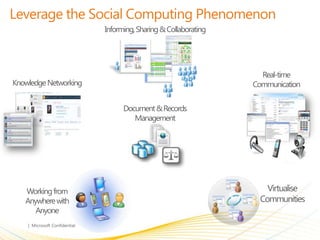
Informing, Sharing & Collaborating


                                                              Real-time
Knowledge Networking                                        Communication


                             Document & Records
                                Management


   Working from                                                 Virtualise
   Anywhere with                                              Communities
      Anyone
•
•
•
•
•
•
•
•
•
•
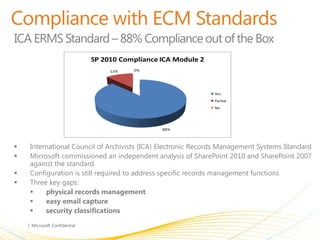
ICA ERMS Standard – 88% Compliance out of the Box
odule 2                         SP 2010 Compliance ICA Module 2
                                      12%    0%


           Yes                                                        Yes
           Partial                                                    Partial
           No                                                         No
 63%


                                                      88%


            International Council of Archivists (ICA) Electronic Records Management Systems Standard
            Microsoft commissioned an independent analysis of SharePoint 2010 and SharePoint 2007
             against the standard
            Configuration is still required to address specific records management functions
            Three key gaps:
                 physical records management
                 easy email capture
                 security classifications
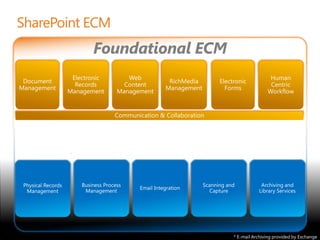
Foundational ECM


                   * E-mail Archiving provided by Exchange
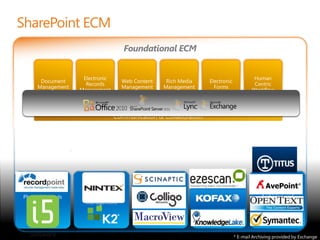
Foundational ECM


                   * E-mail Archiving provided by Exchange
Demo
© 2008 Microsoft Corporation. All rights reserved. Microsoft, Windows, Windows Vista and other product names are or may be registered trademarks and/or trademarks in the U.S. and/or other countries.
The information herein is for informational purposes only and represents the current view of Microsoft Corporation as of the date of this presentation. Because Microsoft must respond to changing market
    conditions, it should not be interpreted to be a commitment on the part of Microsoft, and Microsoft cannot guarantee the accuracy of any information provided after the date of this presentation.
                                        MICROSOFT MAKES NO WARRANTIES, EXPRESS, IMPLIED OR STATUTORY, AS TO THE INFORMATION IN THIS PRESENTATION.
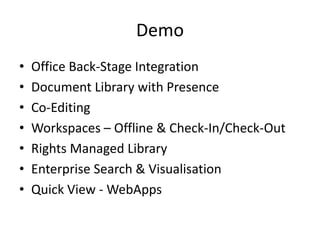
Demo
•   Office Back-Stage Integration
•   Document Library with Presence
•   Co-Editing
•   Workspaces – Offline & Check-In/Check-Out
•   Rights Managed Library
•   Enterprise Search & Visualisation
•   Quick View - WebApps

Microsoft SharePoint and RecordPoint presentation

  • 1.
    Domenic Chiera Siva Subramaniam Productivity Solution Specialist Account Technology Strategist Microsoft Microsoft
  • 2.
    8:00 Registration. 8:30 Welcome & Session Overview. Domenic Chiera- Microsoft Microsoft SharePoint in Document Domenic Chiera & Siva Records management – Overview of Microsoft’s Subramaniam -Microsoft view of Document & Records management in SharePoint 9:10 RecordPoint for painless records management Anthony Woodward - – How to achieve good recordkeeping easily in a business RecordPoint context. 9:40 From Concept to Reality – Overview of how Steve Lapwood - Intergen Intergen delivers the solutions to achieve the outcomes required. Q&A 10:00 Close
  • 3.
    10:30 Registration. 11:00 Welcome & Session Overview. Domenic Chiera- Microsoft Microsoft SharePoint in Document Records Domenic Chiera & Siva management – Overview of Microsoft’s view of Subramaniam -Microsoft Document & Records management in SharePoint. 11:45 Analysis of how SharePoint stacks up against Anthony Woodward – ISO15489. RecordPoint RecordPoint for painless records Anthony Woodward – management – how to achieve ISO15489 RecordPoint compliant recordkeeping easily. Demonstration of RecordPoint 3.0; ISO15489 Anthony Woodward – compliant eDRMS with SharePoint. RecordPoint 12:30 From Concept to Reality – Overview of how Steve Lapwood - Intergen Intergen delivers the solutions to achieve the outcomes required. 12:50 Q&A Lunch 1:00 Close
  • 5.
    Problem Space –Why “EDRMS 2.0”
  • 6.
    Upgrade Lifecycle i.e. Office 2010, “Wave 15” etc
  • 7.
  • 8.
  • 9.
    Informal vs Formal vs Transient
  • 10.
    Taxonomy (MetaData) vs Fauxonomy
  • 11.
  • 12.
  • 13.
    Mobile Worker SupportIncluding Offline
  • 14.
    End User Experience Enterprise Requirements Enabling an interface for people Maintaining performance, to work the way they want, security, privacy, cost, anywhere and with any device service levels & compliance So they can work the way they want to work
  • 15.
    Informing, Sharing &Collaborating Real-time Knowledge Networking Communication Document & Records Management Working from Virtualise Anywhere with Communities Anyone
  • 16.
  • 17.
    ICA ERMS Standard– 88% Compliance out of the Box odule 2 SP 2010 Compliance ICA Module 2 12% 0% Yes Yes Partial Partial No No 63% 88%  International Council of Archivists (ICA) Electronic Records Management Systems Standard  Microsoft commissioned an independent analysis of SharePoint 2010 and SharePoint 2007 against the standard  Configuration is still required to address specific records management functions  Three key gaps:  physical records management  easy email capture  security classifications
  • 18.
    Foundational ECM * E-mail Archiving provided by Exchange
  • 19.
    Foundational ECM * E-mail Archiving provided by Exchange
  • 20.
  • 22.
    © 2008 MicrosoftCorporation. All rights reserved. Microsoft, Windows, Windows Vista and other product names are or may be registered trademarks and/or trademarks in the U.S. and/or other countries. The information herein is for informational purposes only and represents the current view of Microsoft Corporation as of the date of this presentation. Because Microsoft must respond to changing market conditions, it should not be interpreted to be a commitment on the part of Microsoft, and Microsoft cannot guarantee the accuracy of any information provided after the date of this presentation. MICROSOFT MAKES NO WARRANTIES, EXPRESS, IMPLIED OR STATUTORY, AS TO THE INFORMATION IN THIS PRESENTATION.
  • 23.
    Demo • Office Back-Stage Integration • Document Library with Presence • Co-Editing • Workspaces – Offline & Check-In/Check-Out • Rights Managed Library • Enterprise Search & Visualisation • Quick View - WebApps