Just another Web
Application Framework
in JavaScript
blah blah blah
Tin Aung Lin
DevOps
Nex Co., Ltd.
tal@nexlabs.co
http://github.com/thanyawzinmin
http://nexlabs.co
http://tinaunglinn.com
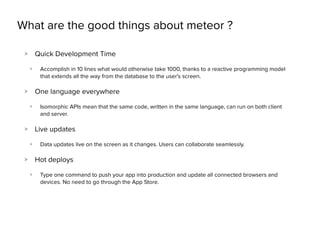
What are the good things about meteor ?
> Quick Development Time
> Accomplish in 10 lines what would otherwise take 1000, thanks to a reactive programming model
that extends all the way from the database to the user's screen.
> One language everywhere
> Isomorphic APIs mean that the same code, written in the same language, can run on both client
and server.
> Live updates
> Data updates live on the screen as it changes. Users can collaborate seamlessly.
> Hot deploys
> Type one command to push your app into production and update all connected browsers and
devices. No need to go through the App Store.
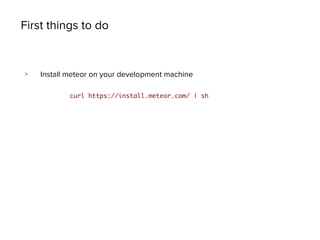
First things to do
> Install meteor on your development machine
curl https://install.meteor.com/ | sh
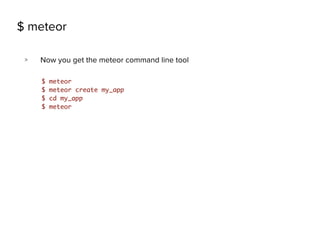
$ meteor
> Now you get the meteor command line tool
$ meteor
$ meteor create my_app
$ cd my_app
$ meteor
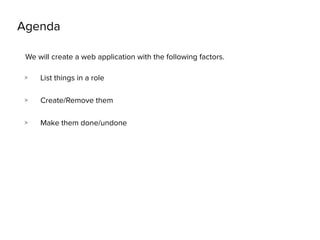
Agenda
> List things in a role
> Create/Remove them
> Make them done/undone
We will create a web application with the following factors.
*template
<head>
<title>ToDo List</title>
</head>
<body>
<h1>Welcome to My ToDo List. You are
about to do a load of things</h1>
<div class="container">
<ul>
{{#each tasks}}
{{> task}}
{{/each}}
</ul>
</div>
</body>
<template name="task">
<li>{{text}}</li>
</template>
HTML
if (Meteor.isClient) {
Template.body.helpers({
tasks: [
{ text: “First Task” },
{ text: “Second Thing” },
{ text: “Third Thing”}
]
});
}
JS
body {
font-family: sans-serif;
background-color: #315481;
background-image: linear-gradient(to bottom, #315481, #918e82 100%);
background-attachment: fixed;
position: absolute;
……………..
CSS
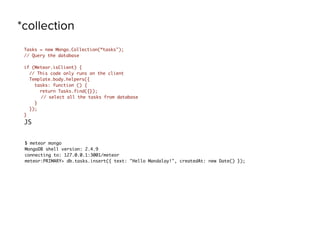
*collection
Tasks = new Mongo.Collection(“tasks");
// Query the database
if (Meteor.isClient) {
// This code only runs on the client
Template.body.helpers({
tasks: function () {
return Tasks.find({});
// select all the tasks from database
}
});
}
JS
$ meteor mongo
MongoDB shell version: 2.4.9
connecting to: 127.0.0.1:3001/meteor
meteor:PRIMARY> db.tasks.insert({ text: "Hello Mandalay!", createdAt: new Date() });
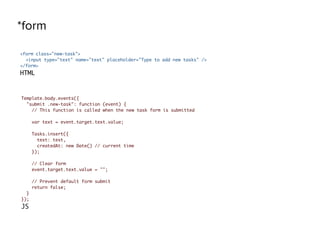
*form
<form class="new-task">
<input type="text" name="text" placeholder="Type to add new tasks" />
</form>
HTML
Template.body.events({
"submit .new-task": function (event) {
// This function is called when the new task form is submitted
var text = event.target.text.value;
Tasks.insert({
text: text,
createdAt: new Date() // current time
});
// Clear form
event.target.text.value = "";
// Prevent default form submit
return false;
}
});
JS
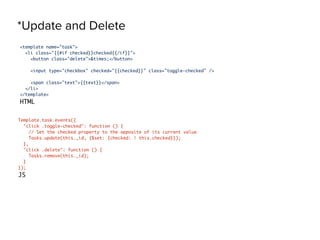
*Update and Delete
<template name="task">
<li class="{{#if checked}}checked{{/if}}">
<button class="delete">&times;</button>
<input type="checkbox" checked="{{checked}}" class="toggle-checked" />
<span class="text">{{text}}</span>
</li>
</template>
HTML
Template.task.events({
"click .toggle-checked": function () {
// Set the checked property to the opposite of its current value
Tasks.update(this._id, {$set: {checked: ! this.checked}});
},
"click .delete": function () {
Tasks.remove(this._id);
}
});
JS
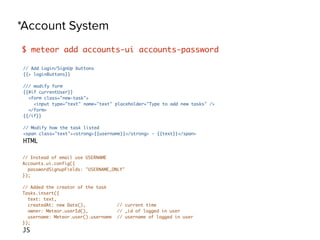
*Account System
$ meteor add accounts-ui accounts-password
// Add Login/SignUp buttons
{{> loginButtons}}
/// modify form
{{#if currentUser}}
<form class="new-task">
<input type="text" name="text" placeholder="Type to add new tasks" />
</form>
{{/if}}
// Modify how the task listed
<span class="text"><strong>{{username}}</strong> - {{text}}</span>
HTML
// Instead of email use USERNAME
Accounts.ui.config({
passwordSignupFields: "USERNAME_ONLY"
});
// Added the creator of the task
Tasks.insert({
text: text,
createdAt: new Date(), // current time
owner: Meteor.userId(), // _id of logged in user
username: Meteor.user().username // username of logged in user
});
JS
website - meteor.com
package - https://atmospherejs.com
doc - http://docs.meteor.com
github - https://github.com/meteor/meteor
Demo/Questions
Thanks You

METEOR 101

  • 2.
    Just another Web ApplicationFramework in JavaScript blah blah blah
  • 3.
    Tin Aung Lin DevOps NexCo., Ltd. tal@nexlabs.co http://github.com/thanyawzinmin http://nexlabs.co http://tinaunglinn.com
  • 4.
    What are thegood things about meteor ? > Quick Development Time > Accomplish in 10 lines what would otherwise take 1000, thanks to a reactive programming model that extends all the way from the database to the user's screen. > One language everywhere > Isomorphic APIs mean that the same code, written in the same language, can run on both client and server. > Live updates > Data updates live on the screen as it changes. Users can collaborate seamlessly. > Hot deploys > Type one command to push your app into production and update all connected browsers and devices. No need to go through the App Store.
  • 5.
    First things todo > Install meteor on your development machine curl https://install.meteor.com/ | sh
  • 6.
    $ meteor > Nowyou get the meteor command line tool $ meteor $ meteor create my_app $ cd my_app $ meteor
  • 7.
    Agenda > List thingsin a role > Create/Remove them > Make them done/undone We will create a web application with the following factors.
  • 8.
    *template <head> <title>ToDo List</title> </head> <body> <h1>Welcome toMy ToDo List. You are about to do a load of things</h1> <div class="container"> <ul> {{#each tasks}} {{> task}} {{/each}} </ul> </div> </body> <template name="task"> <li>{{text}}</li> </template> HTML if (Meteor.isClient) { Template.body.helpers({ tasks: [ { text: “First Task” }, { text: “Second Thing” }, { text: “Third Thing”} ] }); } JS body { font-family: sans-serif; background-color: #315481; background-image: linear-gradient(to bottom, #315481, #918e82 100%); background-attachment: fixed; position: absolute; …………….. CSS
  • 9.
    *collection Tasks = newMongo.Collection(“tasks"); // Query the database if (Meteor.isClient) { // This code only runs on the client Template.body.helpers({ tasks: function () { return Tasks.find({}); // select all the tasks from database } }); } JS $ meteor mongo MongoDB shell version: 2.4.9 connecting to: 127.0.0.1:3001/meteor meteor:PRIMARY> db.tasks.insert({ text: "Hello Mandalay!", createdAt: new Date() });
  • 10.
    *form <form class="new-task"> <input type="text"name="text" placeholder="Type to add new tasks" /> </form> HTML Template.body.events({ "submit .new-task": function (event) { // This function is called when the new task form is submitted var text = event.target.text.value; Tasks.insert({ text: text, createdAt: new Date() // current time }); // Clear form event.target.text.value = ""; // Prevent default form submit return false; } }); JS
  • 11.
    *Update and Delete <templatename="task"> <li class="{{#if checked}}checked{{/if}}"> <button class="delete">&times;</button> <input type="checkbox" checked="{{checked}}" class="toggle-checked" /> <span class="text">{{text}}</span> </li> </template> HTML Template.task.events({ "click .toggle-checked": function () { // Set the checked property to the opposite of its current value Tasks.update(this._id, {$set: {checked: ! this.checked}}); }, "click .delete": function () { Tasks.remove(this._id); } }); JS
  • 12.
    *Account System $ meteoradd accounts-ui accounts-password // Add Login/SignUp buttons {{> loginButtons}} /// modify form {{#if currentUser}} <form class="new-task"> <input type="text" name="text" placeholder="Type to add new tasks" /> </form> {{/if}} // Modify how the task listed <span class="text"><strong>{{username}}</strong> - {{text}}</span> HTML // Instead of email use USERNAME Accounts.ui.config({ passwordSignupFields: "USERNAME_ONLY" }); // Added the creator of the task Tasks.insert({ text: text, createdAt: new Date(), // current time owner: Meteor.userId(), // _id of logged in user username: Meteor.user().username // username of logged in user }); JS
  • 13.
    website - meteor.com package- https://atmospherejs.com doc - http://docs.meteor.com github - https://github.com/meteor/meteor
  • 14.
  • 15.