Message Queues
The good, the bad…
Maksym Bodnar
maksym.bodnar@gmail.com
What is MQ?
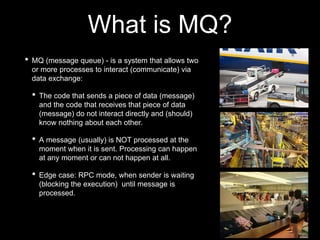
• MQ (message queue) - is a system that allows two
or more processes to interact (communicate) via
data exchange:
• The code that sends a piece of data (message)
and the code that receives that piece of data
(message) do not interact directly and (should)
know nothing about each other.
• A message (usually) is NOT processed at the
moment when it is sent. Processing can happen
at any moment or can not happen at all.
• Edge case: RPC mode, when sender is waiting
(blocking the execution) until message is
processed.
Key elements: publisher
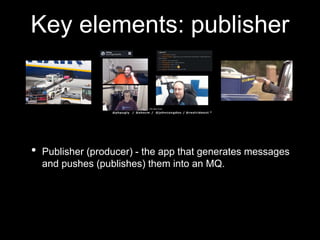
• Publisher (producer) - the app that generates messages
and pushes (publishes) them into an MQ.
Key elements: broker (exchange)
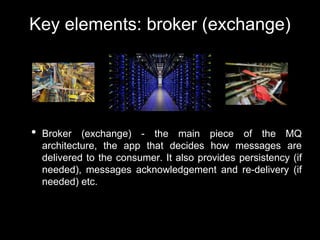
• Broker (exchange) - the main piece of the MQ
architecture, the app that decides how messages are
delivered to the consumer. It also provides persistency (if
needed), messages acknowledgement and re-delivery (if
needed) etc.
Key elements: consumer
• Consumer (subscriber) - the part of an app that receives a
message from the broker and processes it. Usually this
part of application is called “worker” - a script(s) that is
waiting for a new message to process.
Key terms: Blocking
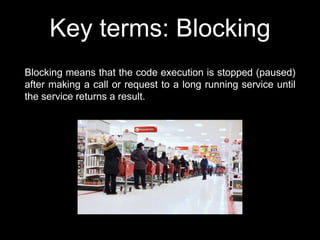
Blocking means that the code execution is stopped (paused)
after making a call or request to a long running service until
the service returns a result.
Key terms: Non-blocking
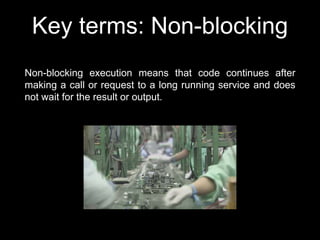
Non-blocking execution means that code continues after
making a call or request to a long running service and does
not wait for the result or output.
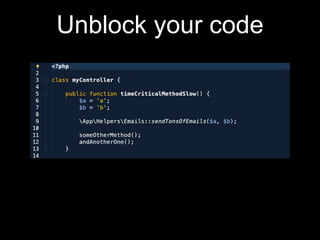
Unblock your code
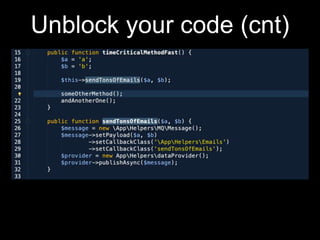
Unblock your code (cnt)
Key benefits of using MQ
• Non-blocking code;
• Parallel execution;
• Easy horizontal scaling;
• Use different programming languages;
• Application resilience;
• Easy requests throttling;
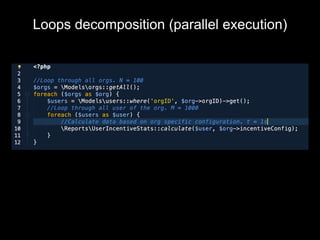
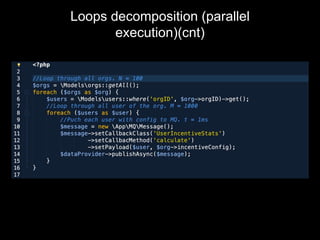
Loops decomposition (parallel execution)
Loops decomposition (parallel
execution)(cnt)
Dark side of the MQ
• Yet another beast in the zoo;
• Bottlenecks;
• Integrating with existing code is tricky;
• Concurrency issues;
• Self blocking queues;
• Testing and debugging pain;
• Monitoring and maintenance;
Pick your favorite bottleneck
• Network interfaces;
• CPU/memory load;
• DB;
• Filesystem;
• External services;
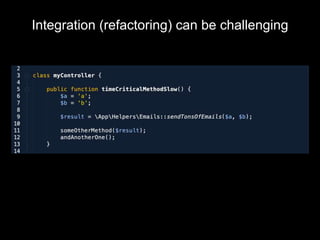
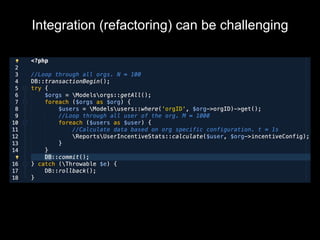
Integration (refactoring) can be challenging
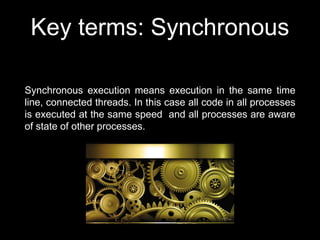
Key terms: Synchronous
Synchronous execution means execution in the same time
line, connected threads. In this case all code in all processes
is executed at the same speed and all processes are aware
of state of other processes.
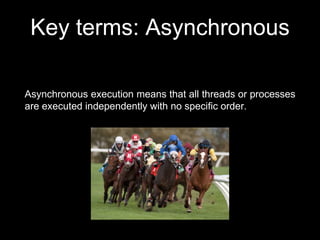
Key terms: Asynchronous
Asynchronous execution means that all threads or processes
are executed independently with no specific order.
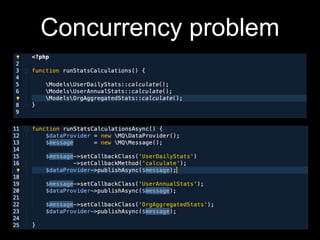
Concurrency problem
• Be aware of duplicated messages;
• Messages are processed in no particular order;
Concurrency problem
Debugging/testing challenges
• Automated integration tests are impossible and make little
sense;
• Response of local vs production environment under load is
different;
• Debugging is difficult - no united stack tracing available
(out of box).
Monitoring
• Flood detection (publish/confirm rate);
• Self-blocking queues;
• Implied Infinite loops;
• Messages that are causing exceptions in workers;
Thank you

Message queues

  • 1.
    Message Queues The good,the bad… Maksym Bodnar maksym.bodnar@gmail.com
  • 2.
    What is MQ? •MQ (message queue) - is a system that allows two or more processes to interact (communicate) via data exchange: • The code that sends a piece of data (message) and the code that receives that piece of data (message) do not interact directly and (should) know nothing about each other. • A message (usually) is NOT processed at the moment when it is sent. Processing can happen at any moment or can not happen at all. • Edge case: RPC mode, when sender is waiting (blocking the execution) until message is processed.
  • 3.
    Key elements: publisher •Publisher (producer) - the app that generates messages and pushes (publishes) them into an MQ.
  • 4.
    Key elements: broker(exchange) • Broker (exchange) - the main piece of the MQ architecture, the app that decides how messages are delivered to the consumer. It also provides persistency (if needed), messages acknowledgement and re-delivery (if needed) etc.
  • 5.
    Key elements: consumer •Consumer (subscriber) - the part of an app that receives a message from the broker and processes it. Usually this part of application is called “worker” - a script(s) that is waiting for a new message to process.
  • 6.
    Key terms: Blocking Blockingmeans that the code execution is stopped (paused) after making a call or request to a long running service until the service returns a result.
  • 7.
    Key terms: Non-blocking Non-blockingexecution means that code continues after making a call or request to a long running service and does not wait for the result or output.
  • 8.
  • 9.
  • 10.
    Key benefits ofusing MQ • Non-blocking code; • Parallel execution; • Easy horizontal scaling; • Use different programming languages; • Application resilience; • Easy requests throttling;
  • 11.
  • 12.
  • 13.
    Dark side ofthe MQ • Yet another beast in the zoo; • Bottlenecks; • Integrating with existing code is tricky; • Concurrency issues; • Self blocking queues; • Testing and debugging pain; • Monitoring and maintenance;
  • 14.
    Pick your favoritebottleneck • Network interfaces; • CPU/memory load; • DB; • Filesystem; • External services;
  • 15.
  • 16.
  • 17.
    Key terms: Synchronous Synchronousexecution means execution in the same time line, connected threads. In this case all code in all processes is executed at the same speed and all processes are aware of state of other processes.
  • 18.
    Key terms: Asynchronous Asynchronousexecution means that all threads or processes are executed independently with no specific order.
  • 19.
    Concurrency problem • Beaware of duplicated messages; • Messages are processed in no particular order;
  • 20.
  • 21.
    Debugging/testing challenges • Automatedintegration tests are impossible and make little sense; • Response of local vs production environment under load is different; • Debugging is difficult - no united stack tracing available (out of box).
  • 22.
    Monitoring • Flood detection(publish/confirm rate); • Self-blocking queues; • Implied Infinite loops; • Messages that are causing exceptions in workers;
  • 23.

Editor's Notes

  • #12 100 orgs x 1000 users x 1s = 100 000 seconds = 28 hours
  • #13 100 x 1000 x 0.001 = 100 s => 2 min 10 workers => 10 000 s => 3 hours 20 workers => 5 000 s => 1.5 hours
  • #16 Key problem here - slow blocking method returns result that is used later.
  • #17 DB transaction makes no sense when decomposing loop to MQ. Requires whole concept rethinking.
  • #20 idem·​po·​tent | \ ˈī-dəm-ˌpō-tᵊnt code in workers; Code: if each