13:30 Session : Track C
• SAP Enhancement Packs (EhP)
– A Deep look into the What, How and When…
Jan Coetzee
Senior SAP Technology Consultant and System Architect
General Manager, Peev Consulting Services cc
Speaker Introduction
• 15 Years IT Experience
• Multiple SAP Implementation Projects
• Multiple SAP EhP Technical Upgrades
• SAP Trainer
• SAP Project Manager
• SAP Basis, Security, Migrations Certified
• General Manager PCS
Company Introduction
• Peev Consulting Services (PCS)
– A SAP NetWeaver Technology Expert Company
– Fulltime employed consultants
– Consultant expertise
• Basis, ABAP, BW, XI/PI, Workflow, Security, Authorisations, Business Objects, Solution
Manager, SAP HANA, Data Archiving, SAP Training, DB2, etc.
– First SAP Certified Migrations Company in Africa
– SAP VAR Partner
– SAP Training Partner
– Track record of expertise in:
• Installation, Implementation, EHP Upgrades, Migration (All supported Platforms, All DB
Platforms), Root Cause Analysis, System Optimisation, Solution Manager, SAP Monitoring
& Support, etc.
Introduction
• Some of Peev Consulting Services’ Clients:
Topics to be covered
• What Are Enhancement Packs?
• The Evolution in a nutshell
• Where Enhancement Packs Came from
• Where is SAP going with Enhancement Packs?
• What is the impact on Your software Maintenance?
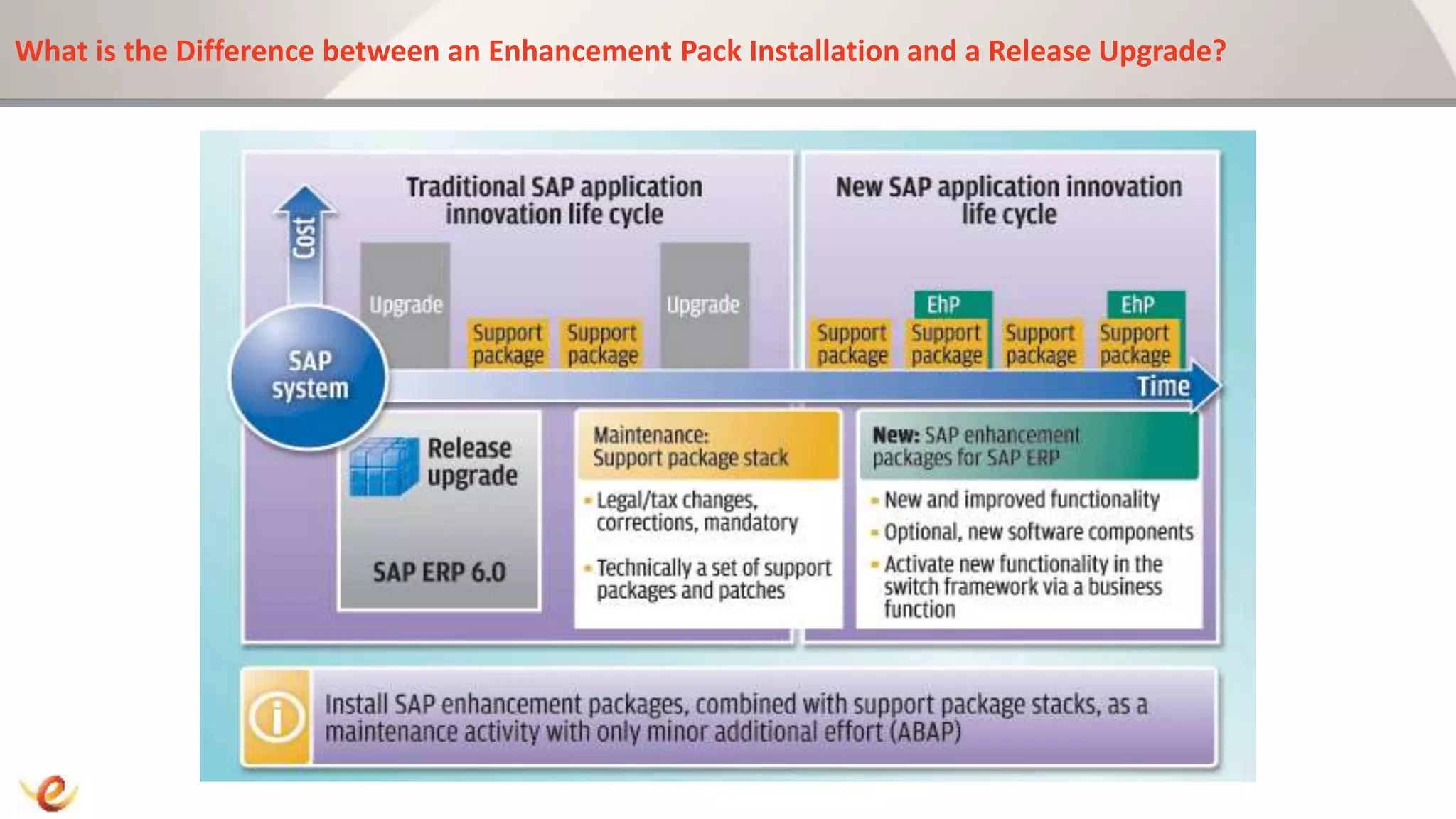
• Difference between EhP Installation and a Release Upgrade
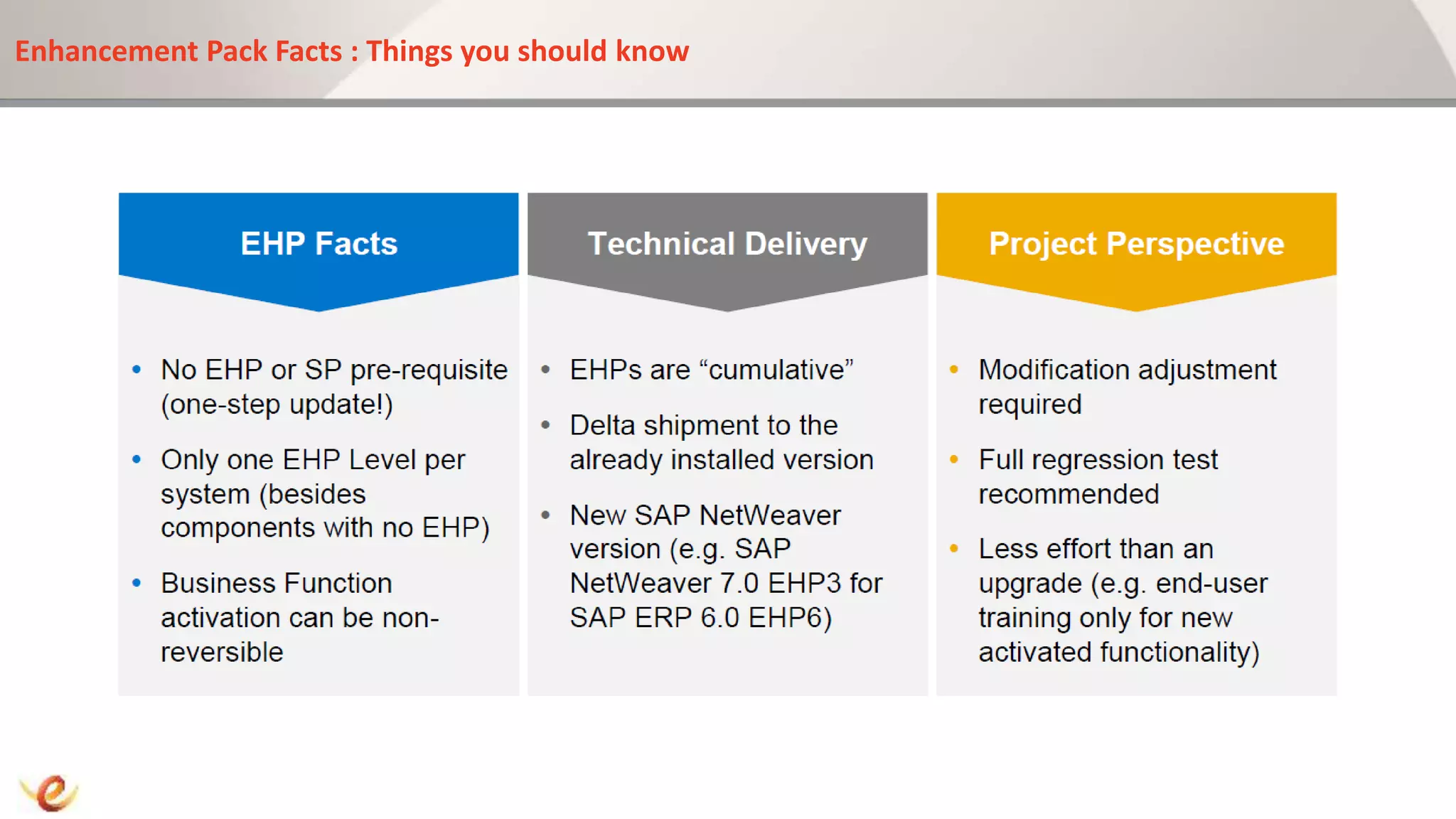
• Things you should Know About Enhancement Packs
• Roadmap to Enhancements : 4 Stages Of Enhancement
– Discovery
– Evaluation
– Installation
– Activation
• Downtime Management with Software Update Manager and Near-Zero Downtime Features
• Case Study : Time savings with Support Update Manager
• Q&A Session
What are Enhancement Packs?
• Nearly 95,000 Customers Running SAP around the world
• In 2006 SAP Announced a new Delivery Model in Form of EhP
• New Functionality by means of Enhancement and not Upgrade
• 2007 First Enhancement pack Released for ERP
• http://service.sap.com/erp-ehp
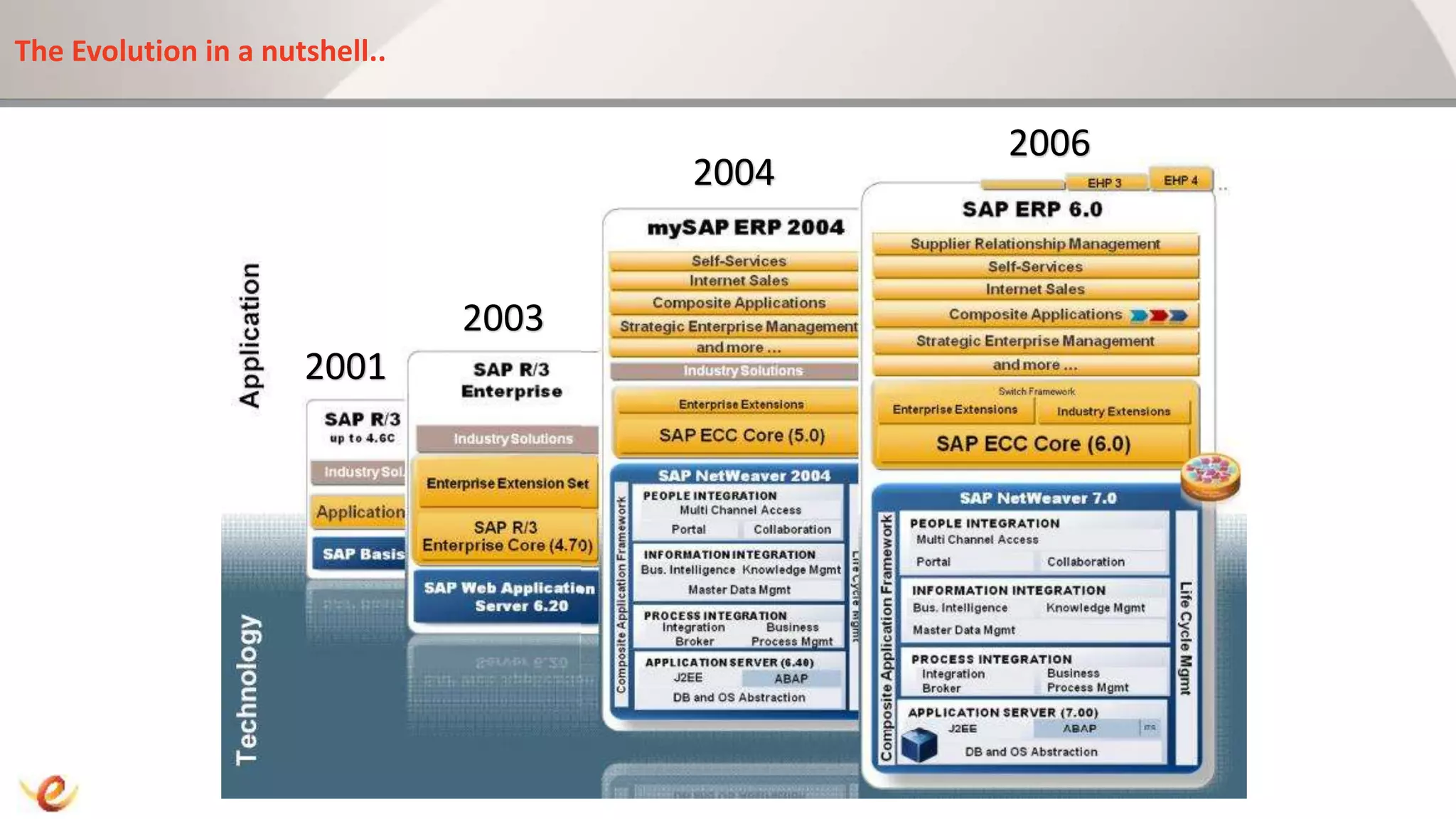
The Evolution in a nutshell..
2001
2003
2004
2006
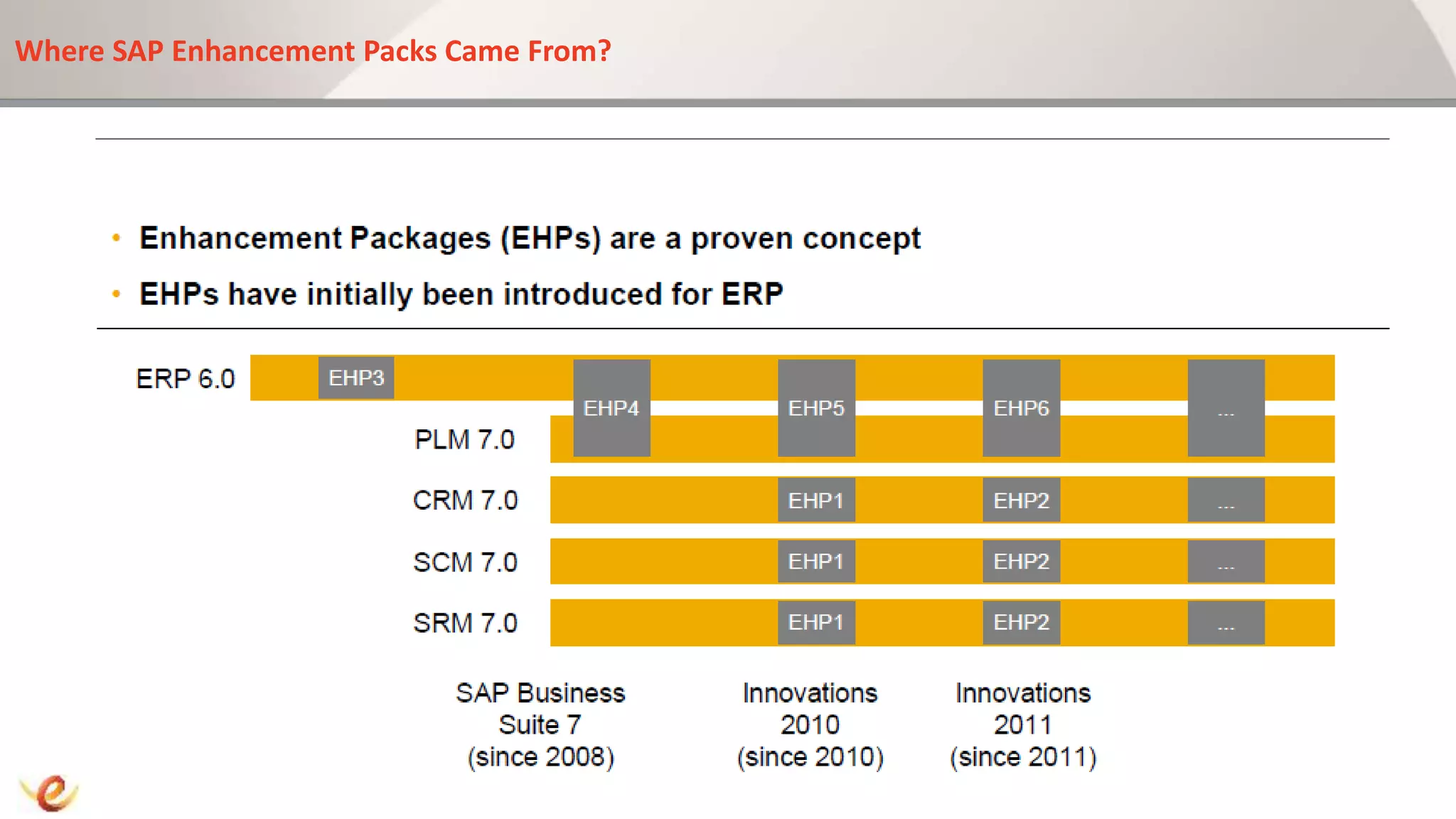
Where SAP Enhancement Packs Came From?
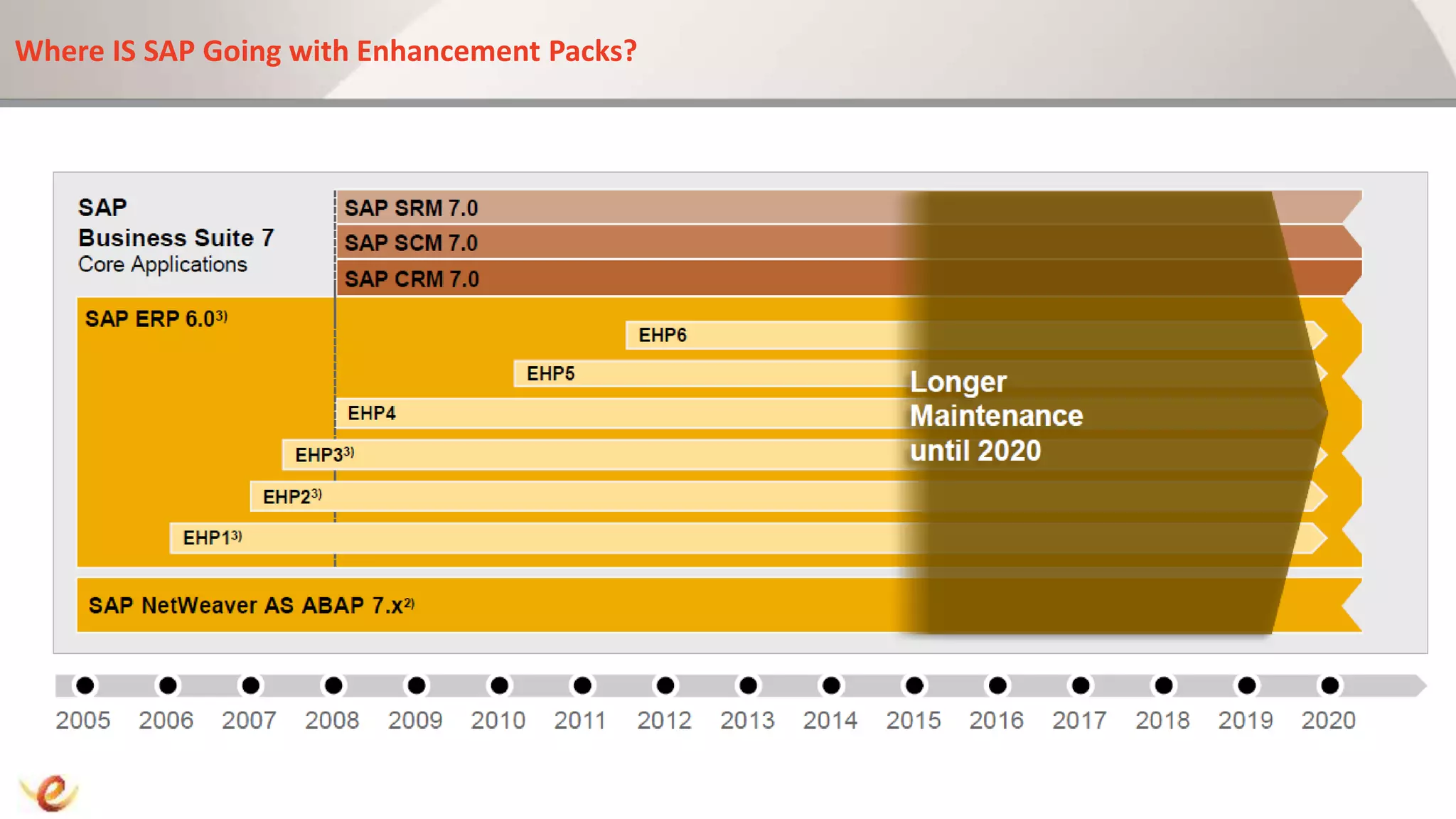
Where IS SAP Going with Enhancement Packs?
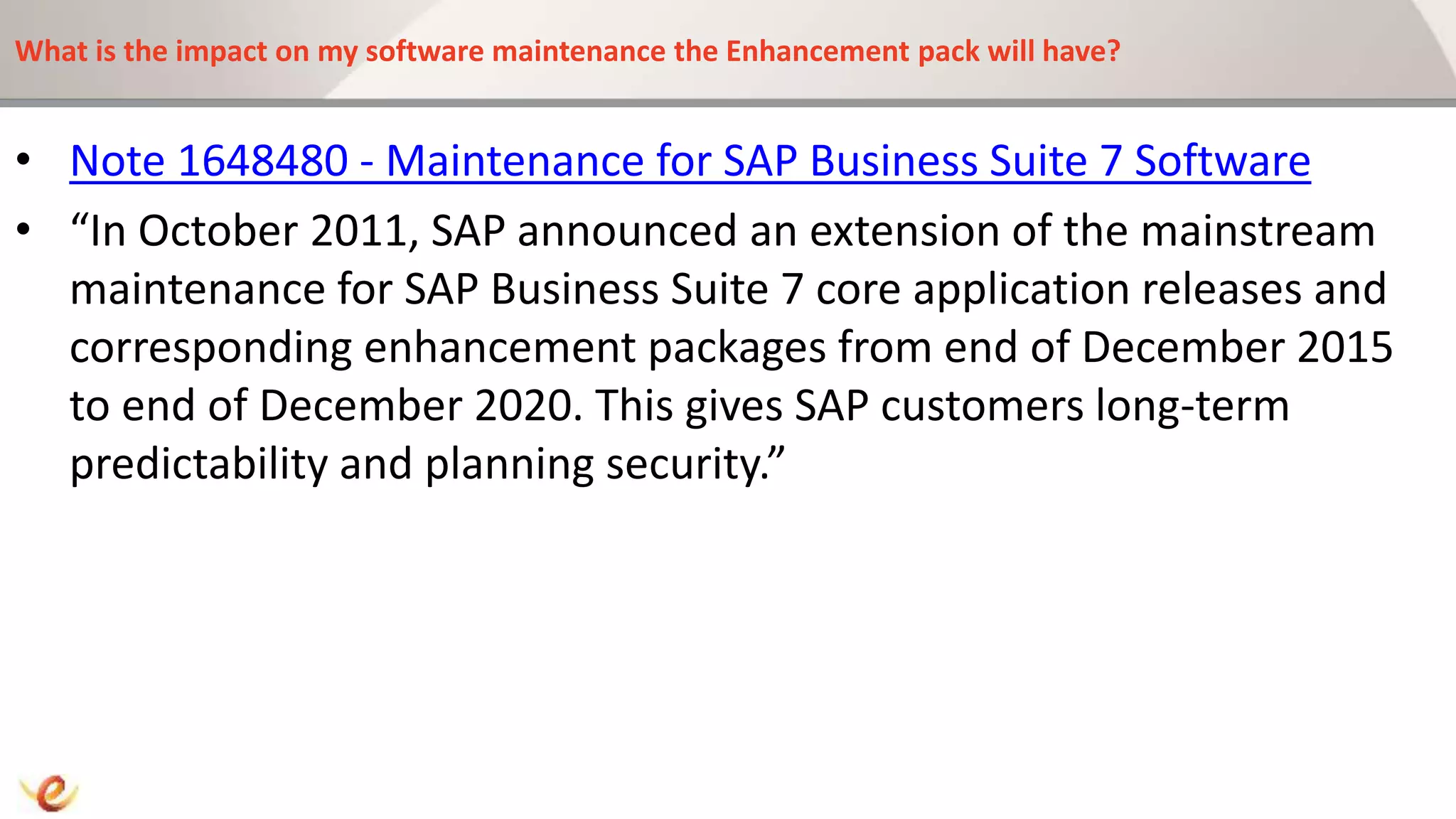
What is the impact on my software maintenance the Enhancement pack will have?
• Note 1648480 - Maintenance for SAP Business Suite 7 Software
• “In October 2011, SAP announced an extension of the mainstream
maintenance for SAP Business Suite 7 core application releases and
corresponding enhancement packages from end of December 2015
to end of December 2020. This gives SAP customers long-term
predictability and planning security.”
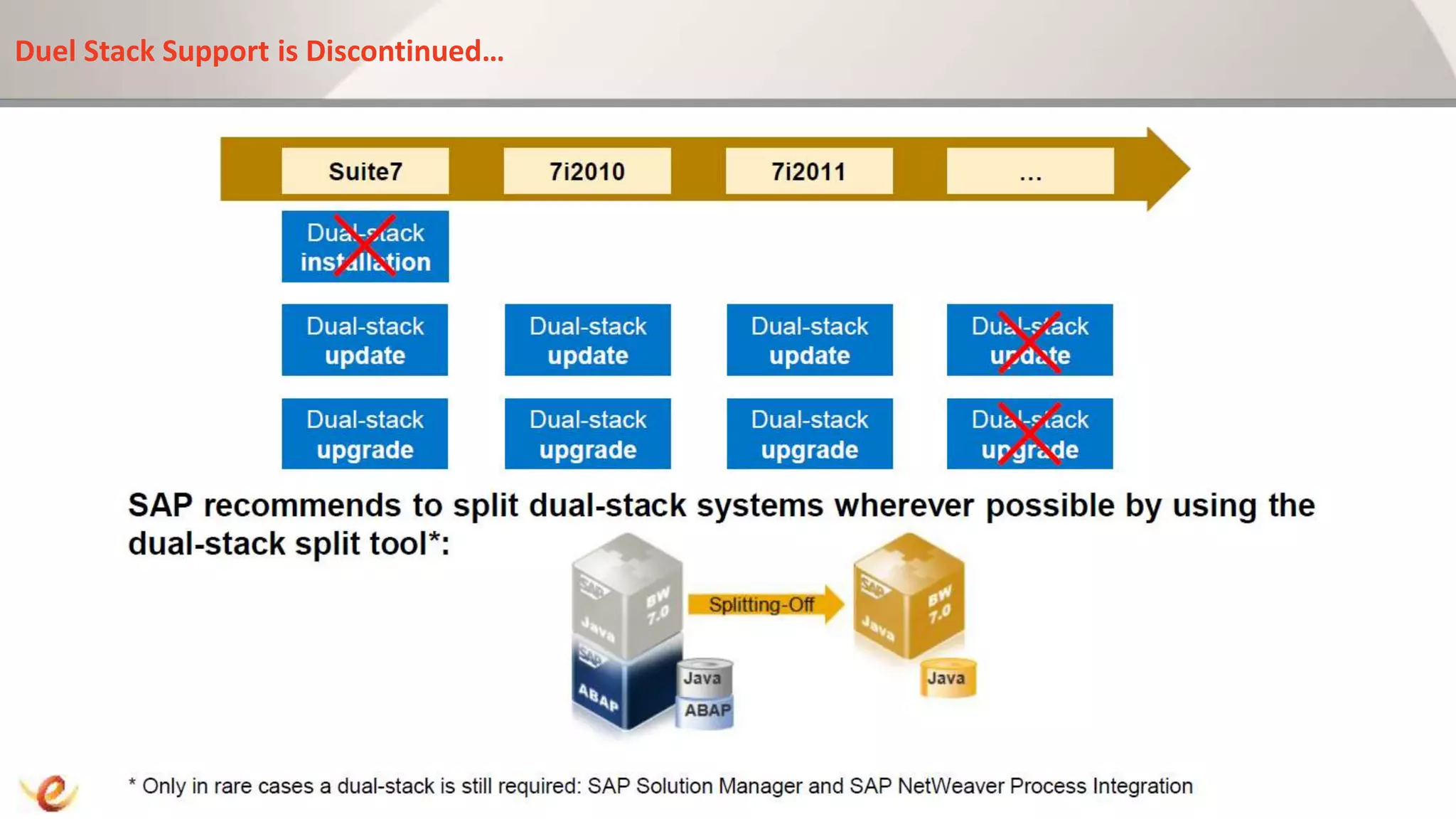
Duel Stack Support is Discontinued…
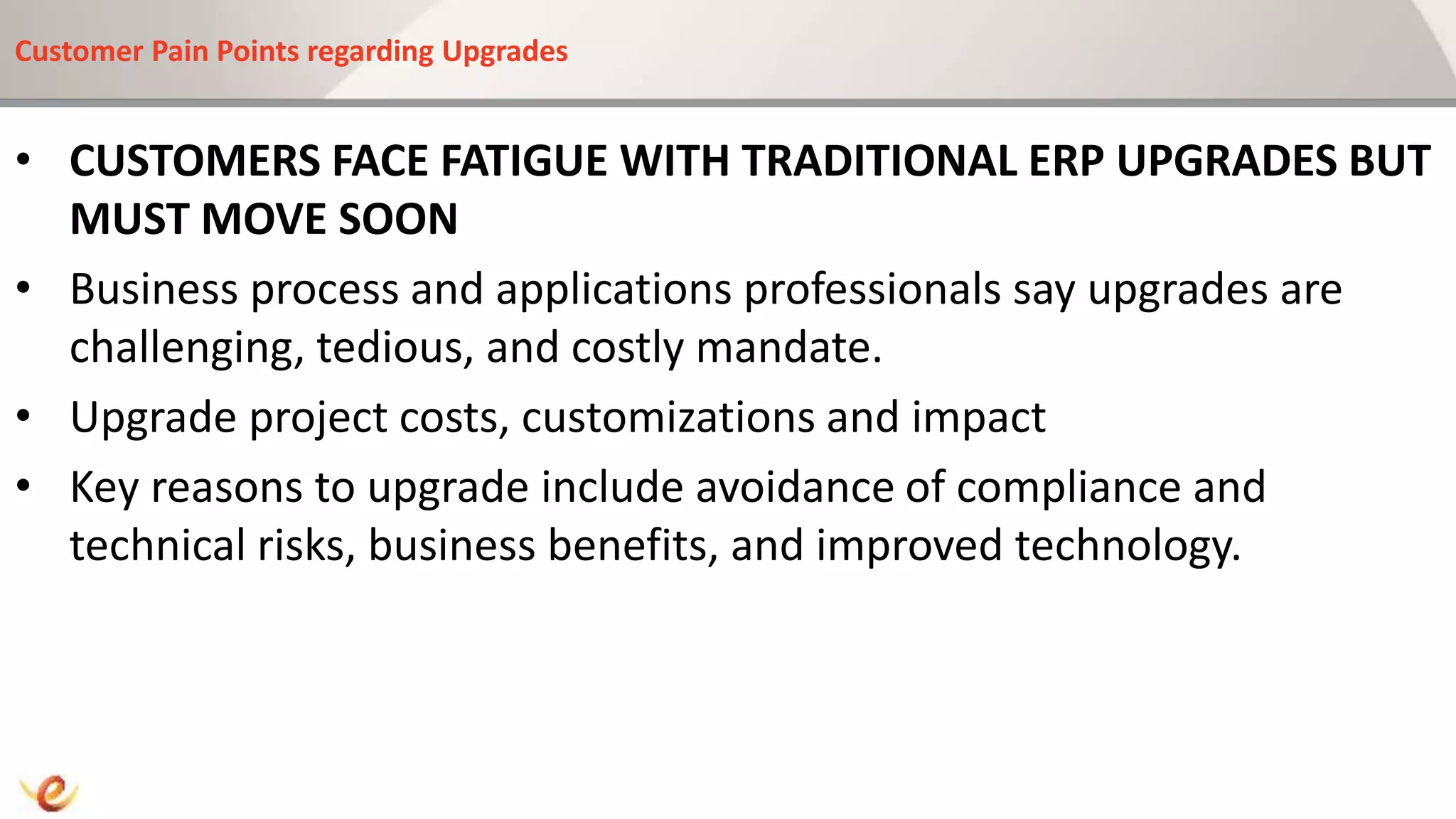
Customer Pain Points regarding Upgrades
• CUSTOMERS FACE FATIGUE WITH TRADITIONAL ERP UPGRADES BUT
MUST MOVE SOON
• Business process and applications professionals say upgrades are
challenging, tedious, and costly mandate.
• Upgrade project costs, customizations and impact
• Key reasons to upgrade include avoidance of compliance and
technical risks, business benefits, and improved technology.
What is the Difference between an Enhancement Pack Installation and a Release Upgrade?
Enhancement Pack Facts : Things you should know
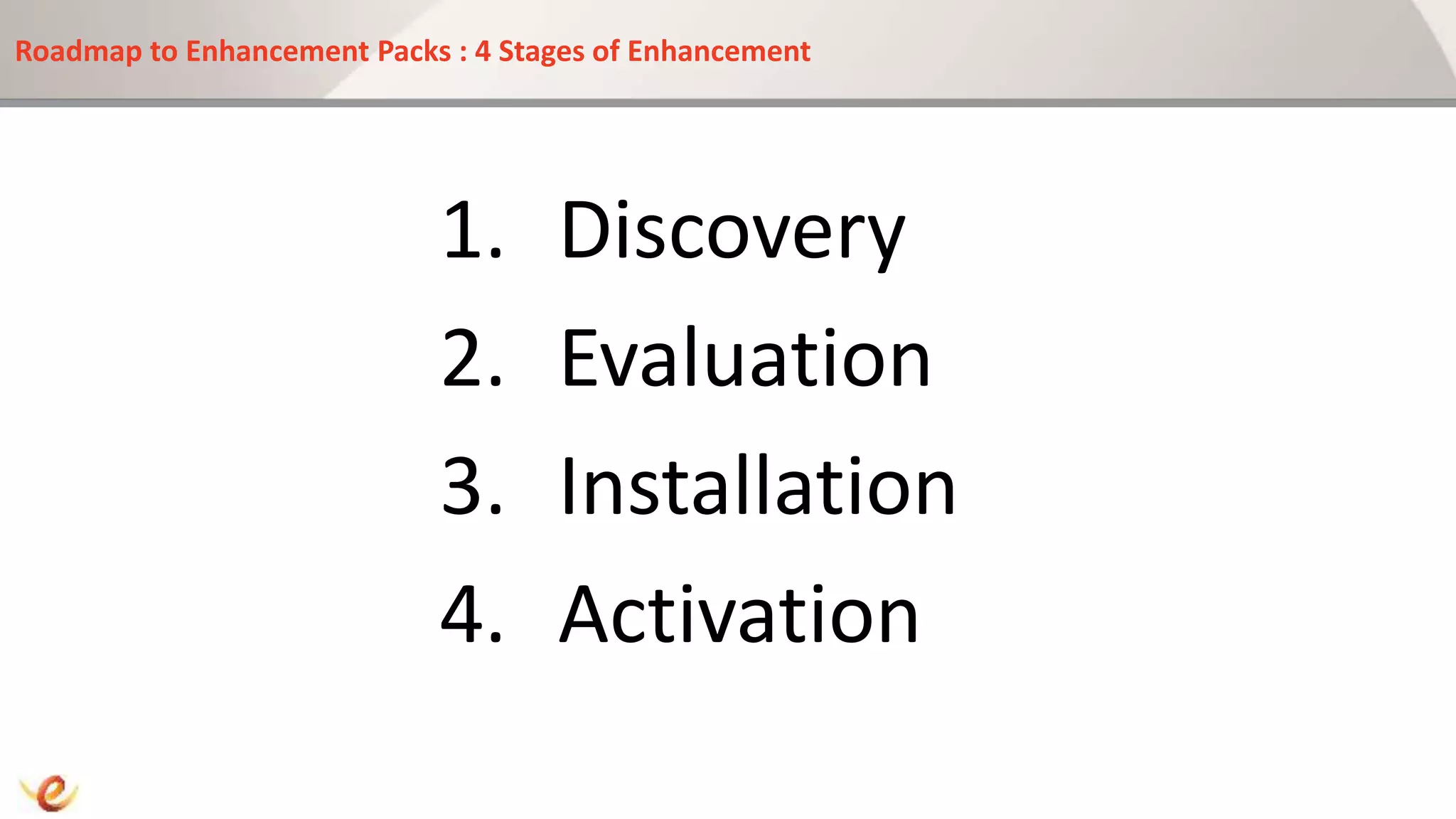
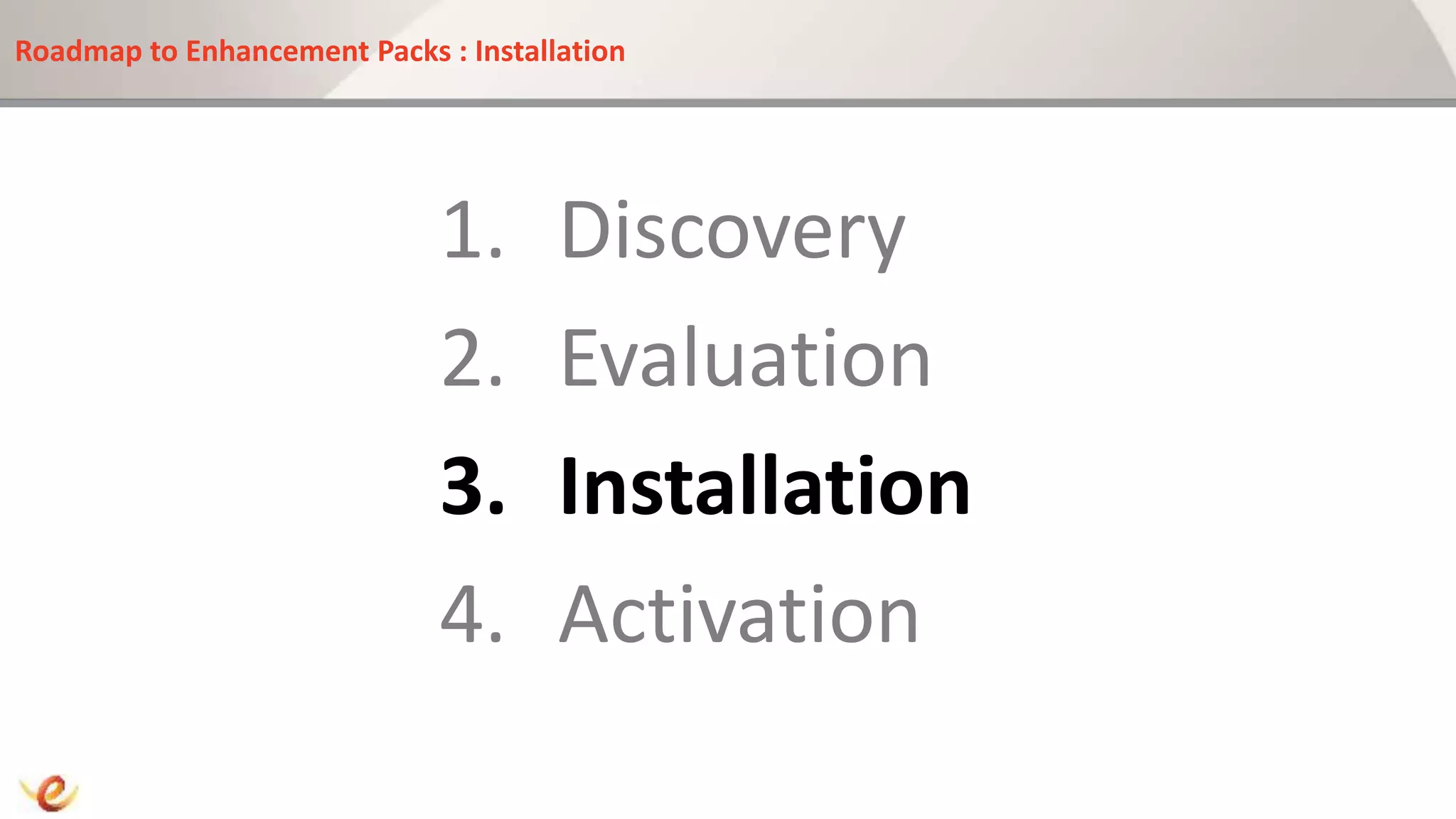
Roadmap to Enhancement Packs : 4 Stages of Enhancement
1. Discovery
2. Evaluation
3. Installation
4. Activation
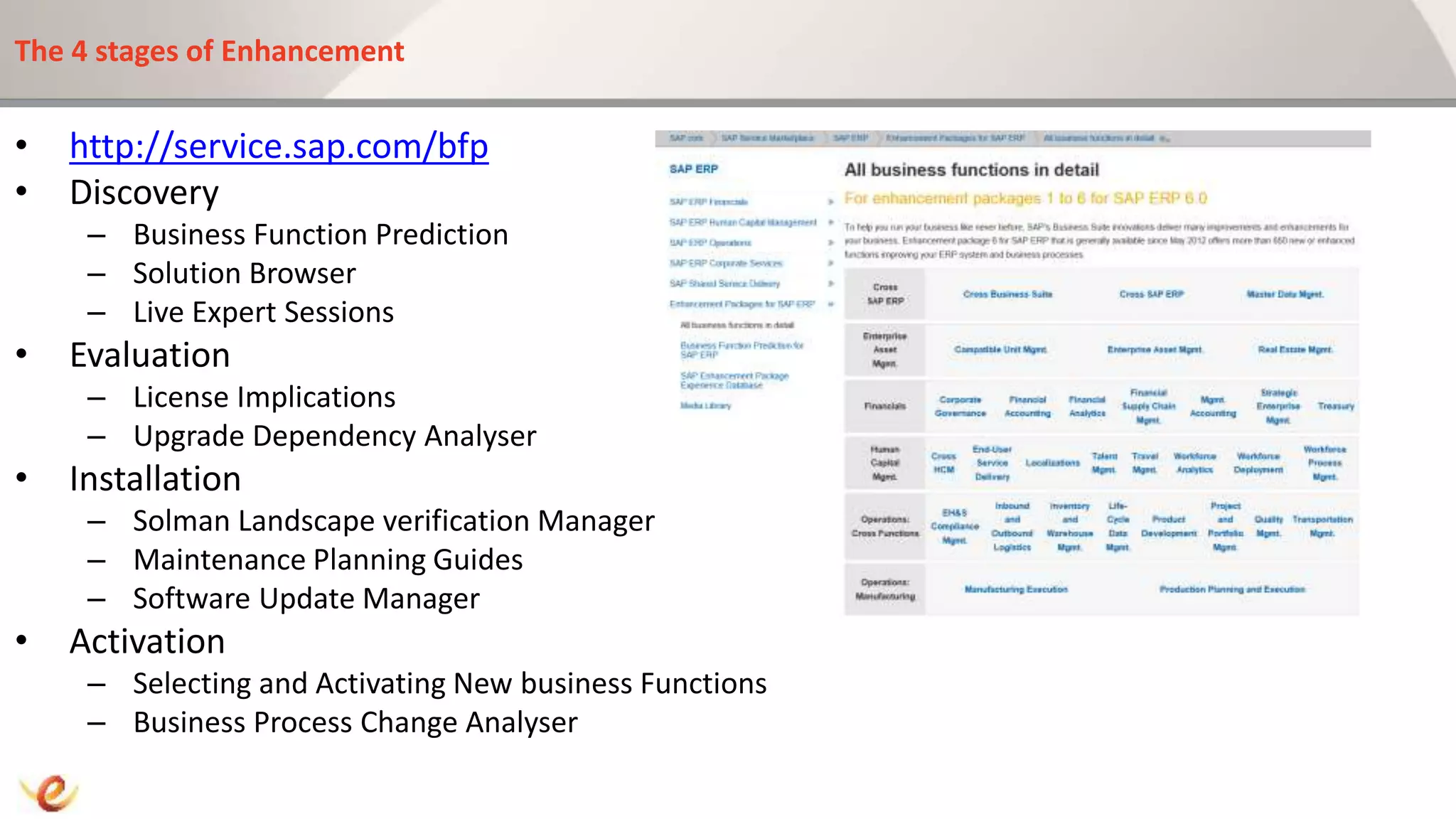
The 4 stages of Enhancement
• http://service.sap.com/bfp
• Discovery
– Business Function Prediction
– Solution Browser
– Live Expert Sessions
• Evaluation
– License Implications
– Upgrade Dependency Analyser
• Installation
– Solman Landscape verification Manager
– Maintenance Planning Guides
– Software Update Manager
• Activation
– Selecting and Activating New business Functions
– Business Process Change Analyser
Roadmap to Enhancement Packs : Discovery
1. Discovery
2. Evaluation
3. Installation
4. Activation
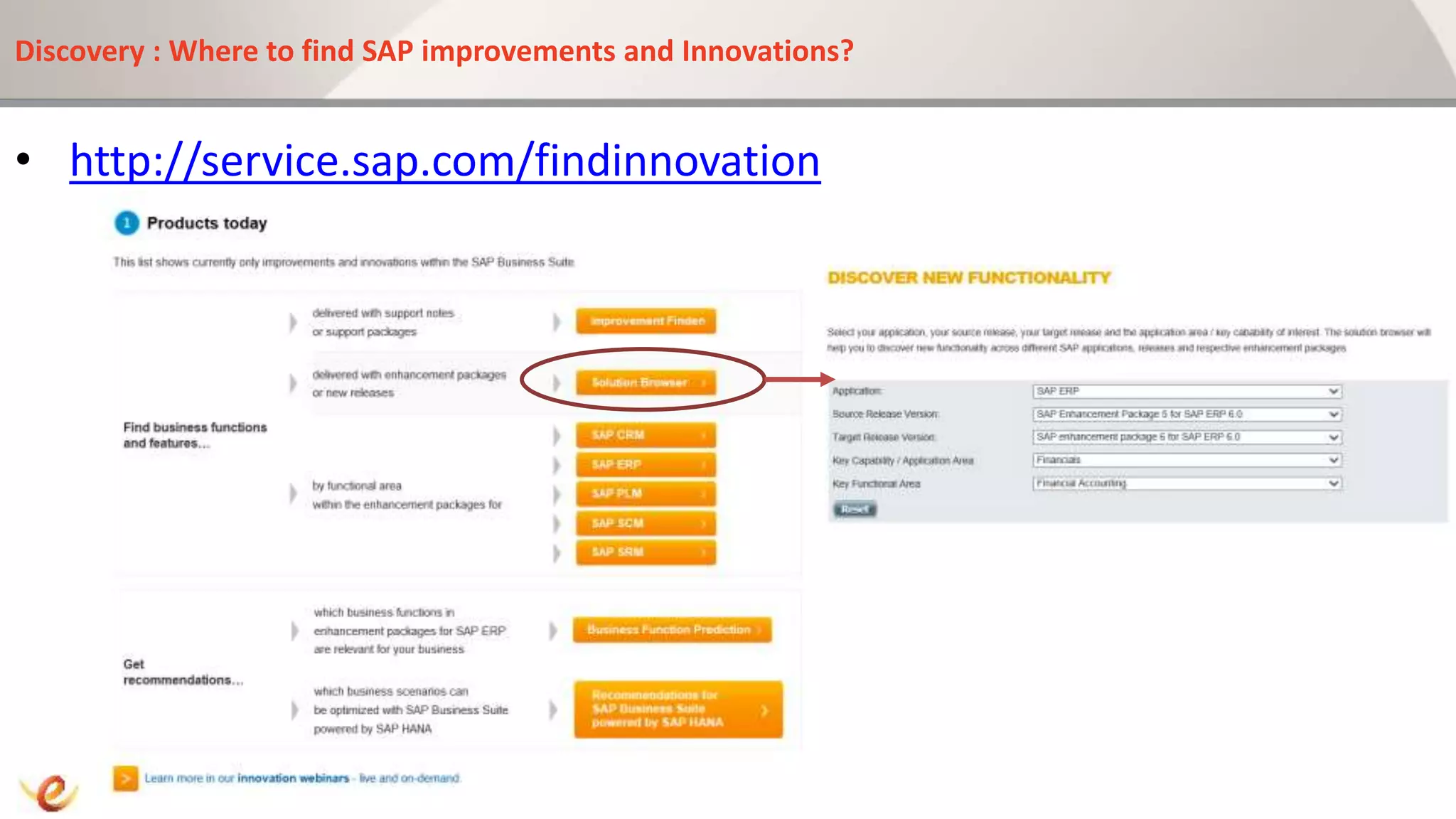
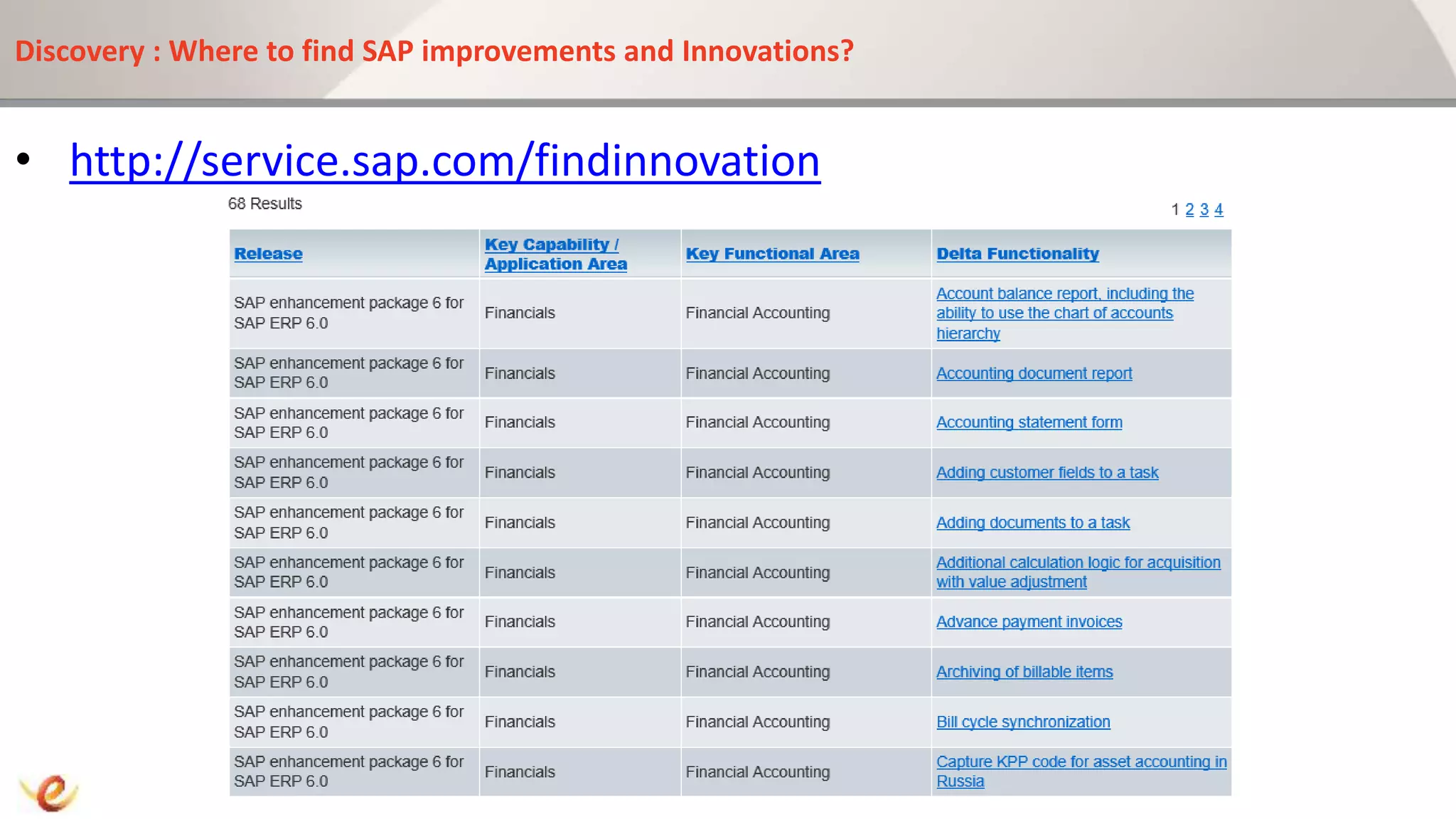
Discovery : Where to find SAP improvements and Innovations?
• http://service.sap.com/findinnovation
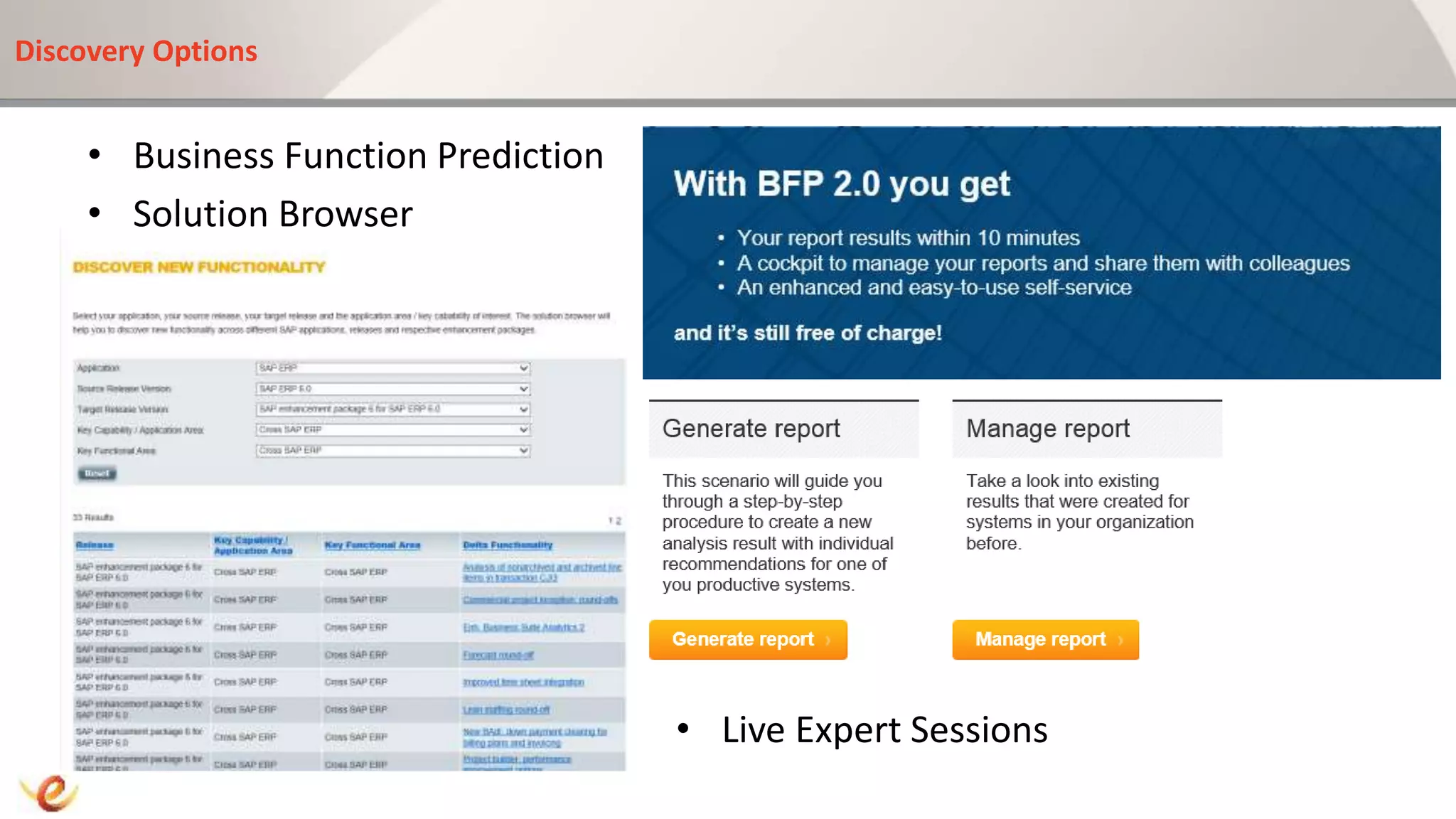
Discovery Options
• Business Function Prediction
• Solution Browser
Live Expert Sessions
• Live Expert Sessions
Discovery : Where to find SAP improvements and Innovations?
• http://service.sap.com/findinnovation
Roadmap to Enhancement Packs : Evaluation
1. Discovery
2. Evaluation
3. Installation
4. Activation
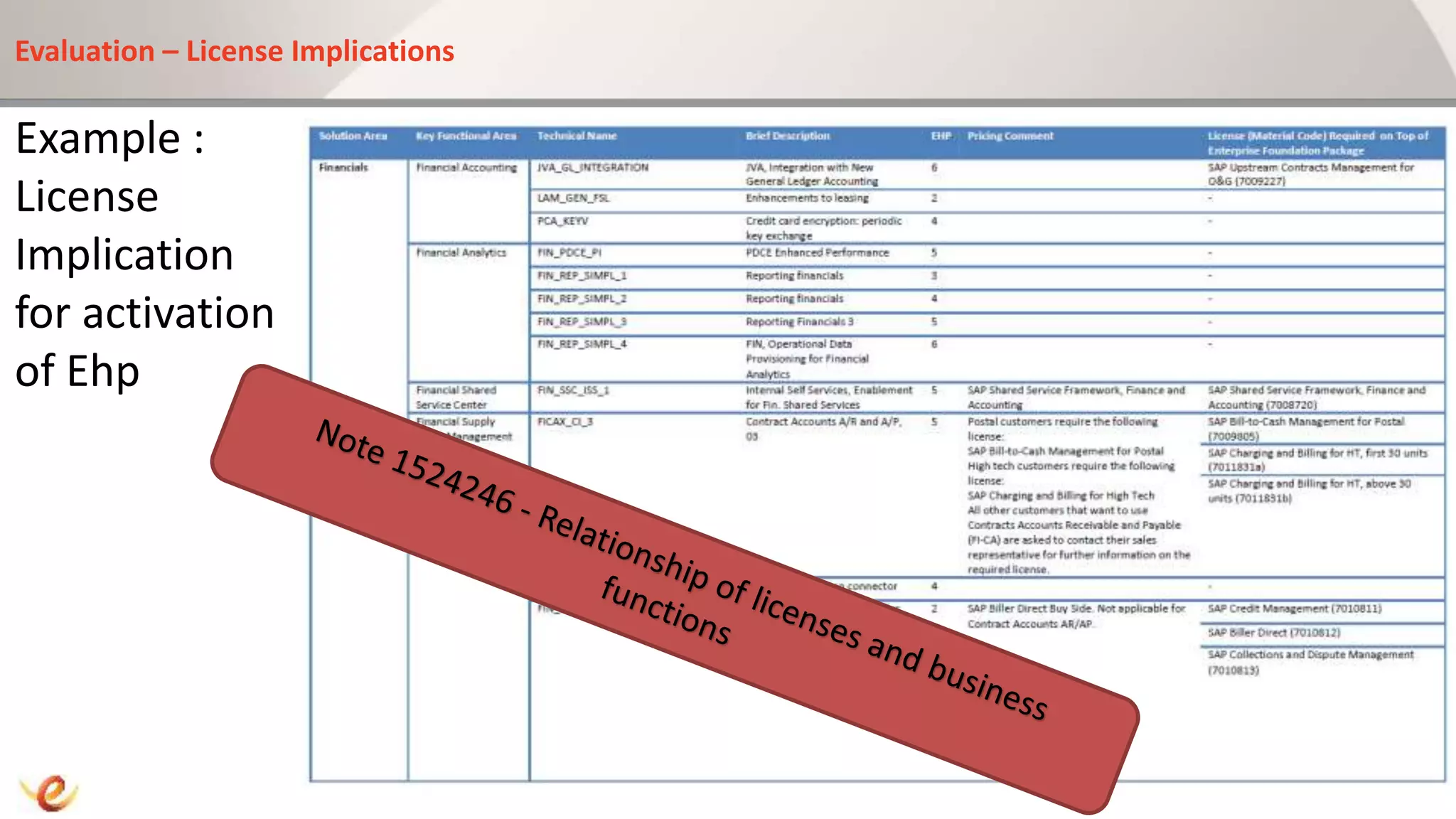
Evaluation – License Implications
Example :
License
Implication
for activation
of Ehp
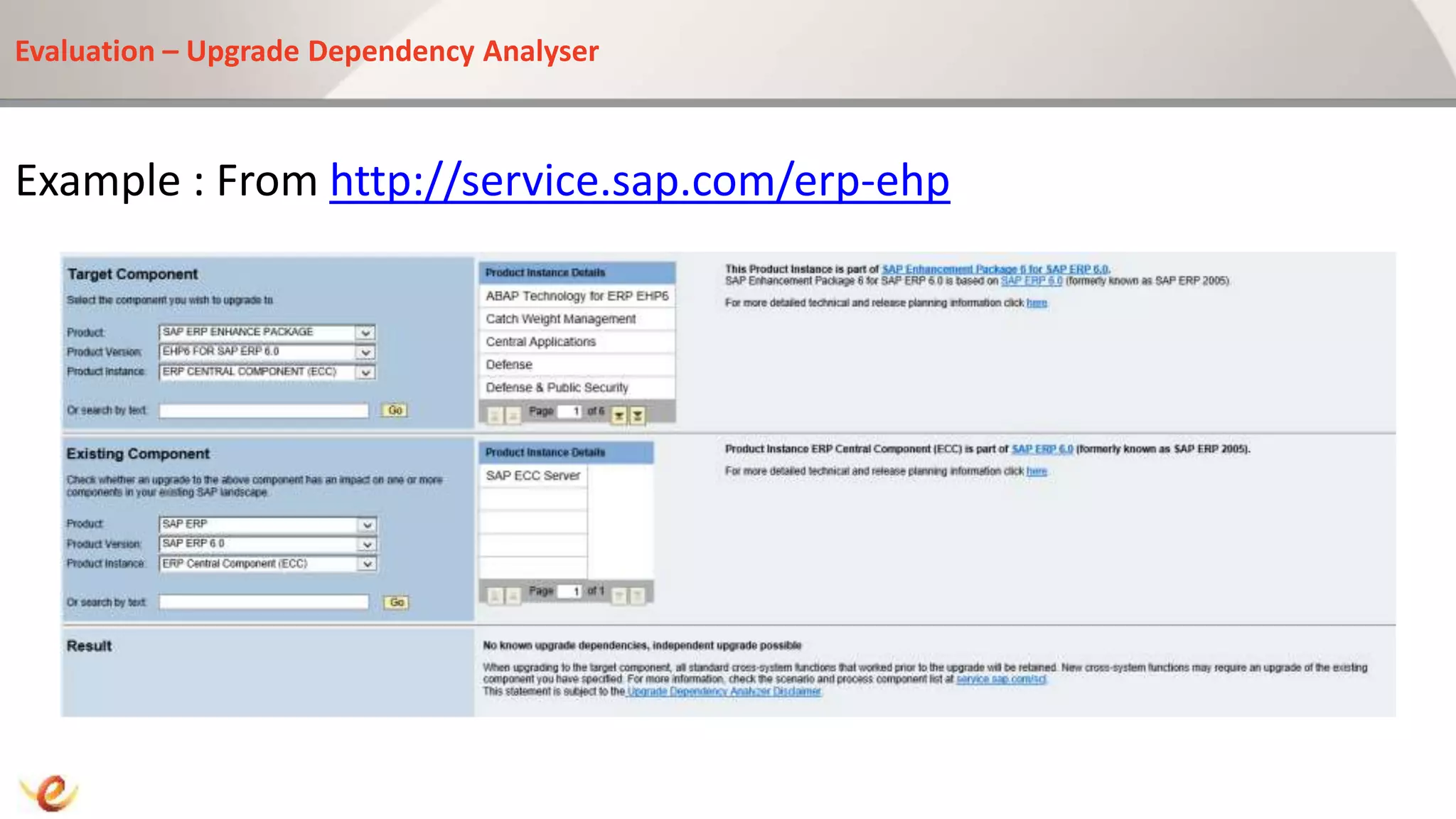
Evaluation – Upgrade Dependency Analyser
Example : From http://service.sap.com/erp-ehp
Roadmap to Enhancement Packs : Installation
1. Discovery
2. Evaluation
3. Installation
4. Activation
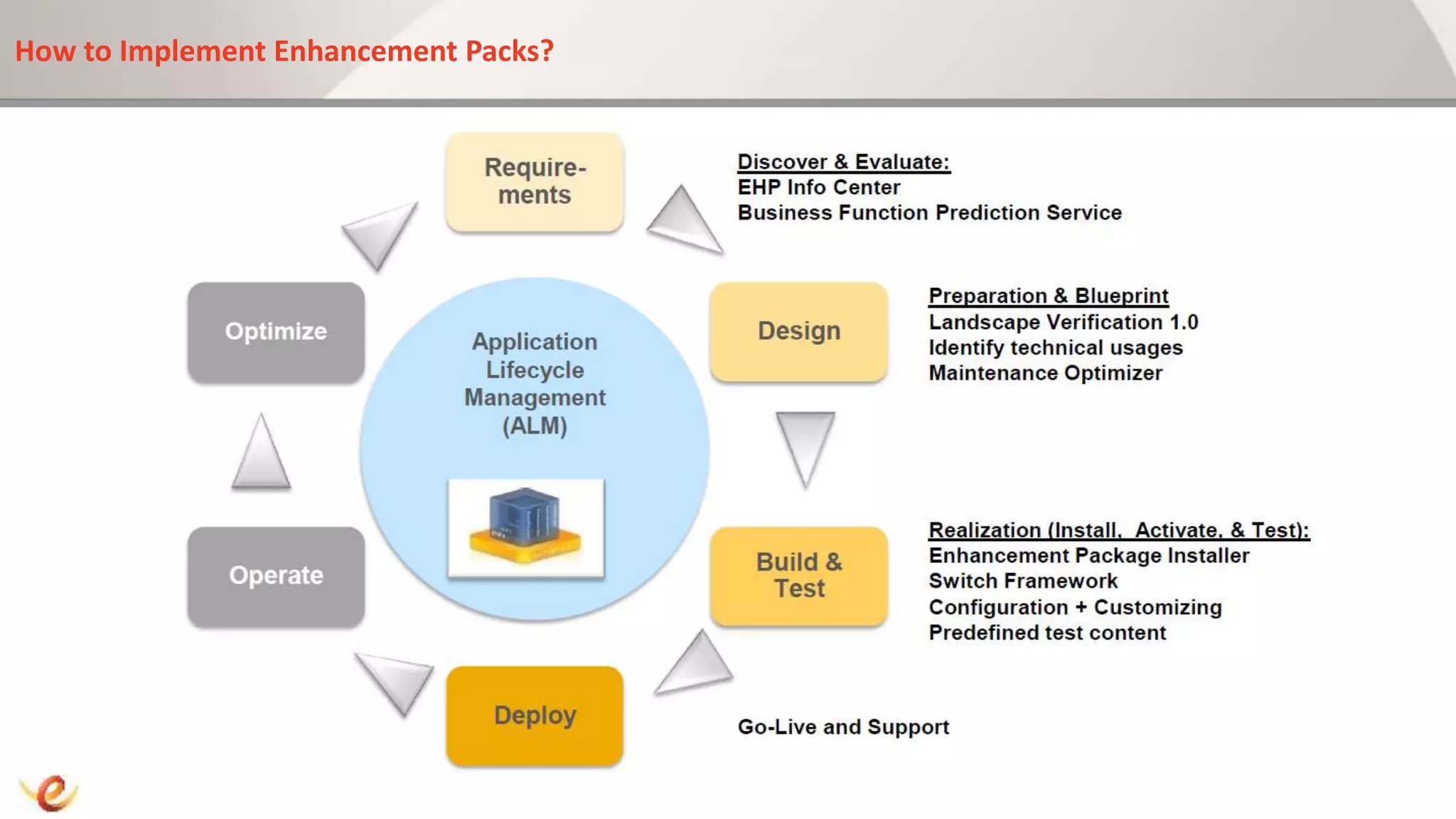
How to Implement Enhancement Packs?
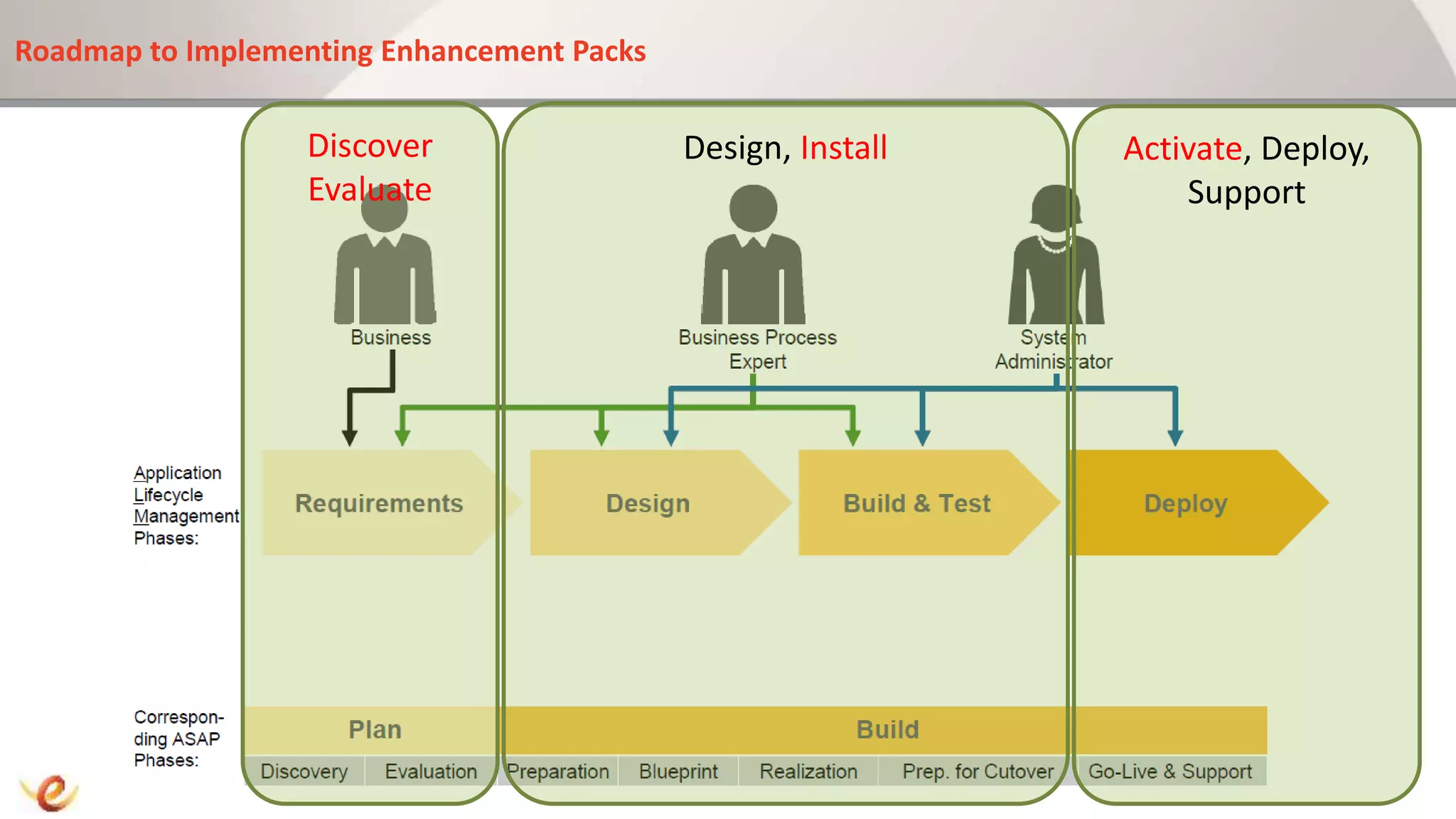
Roadmap to Implementing Enhancement Packs
Discover
Evaluate
Design, Install Activate, Deploy,
Support
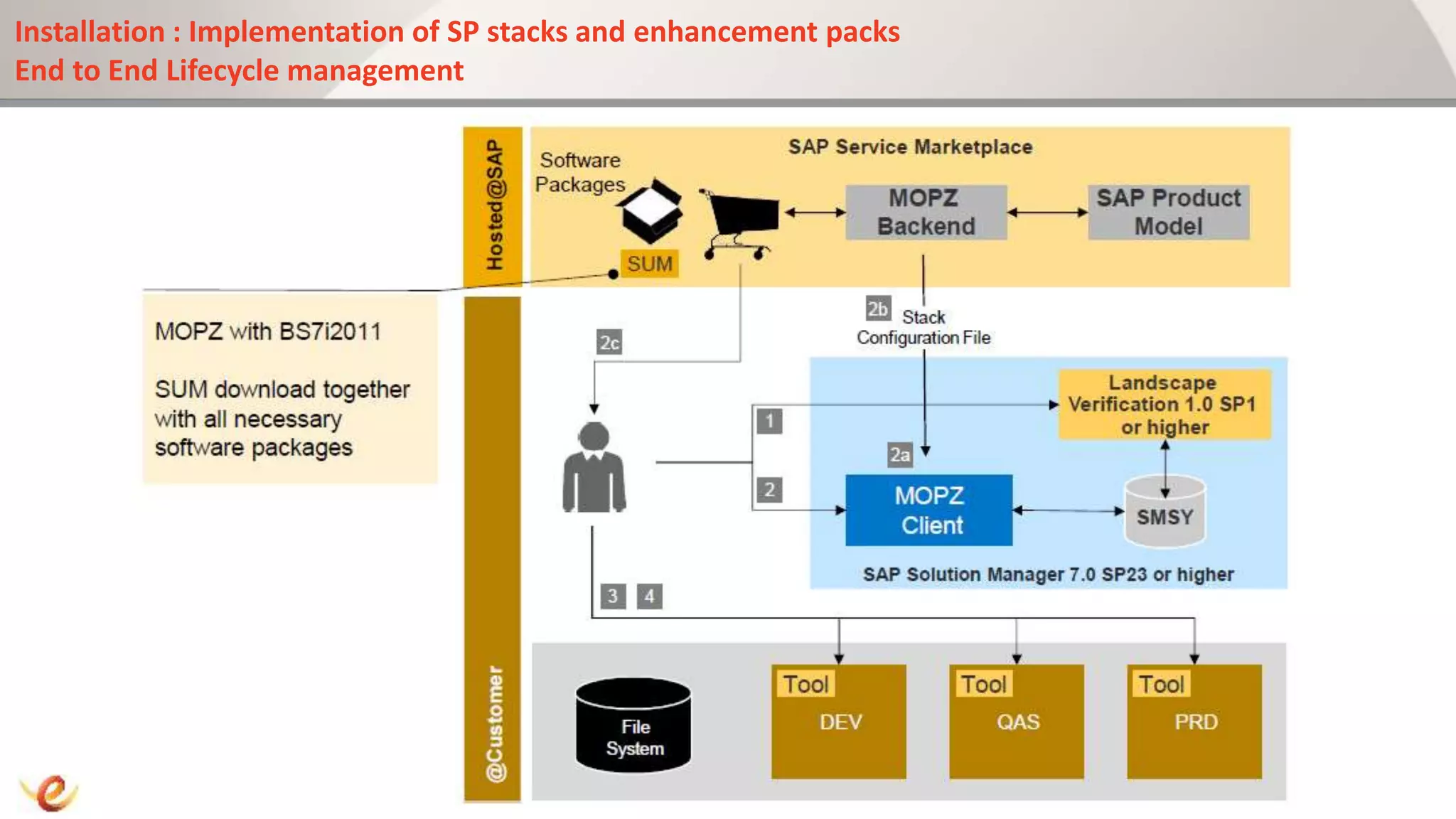
Installation : Implementation of SP stacks and enhancement packs
End to End Lifecycle management
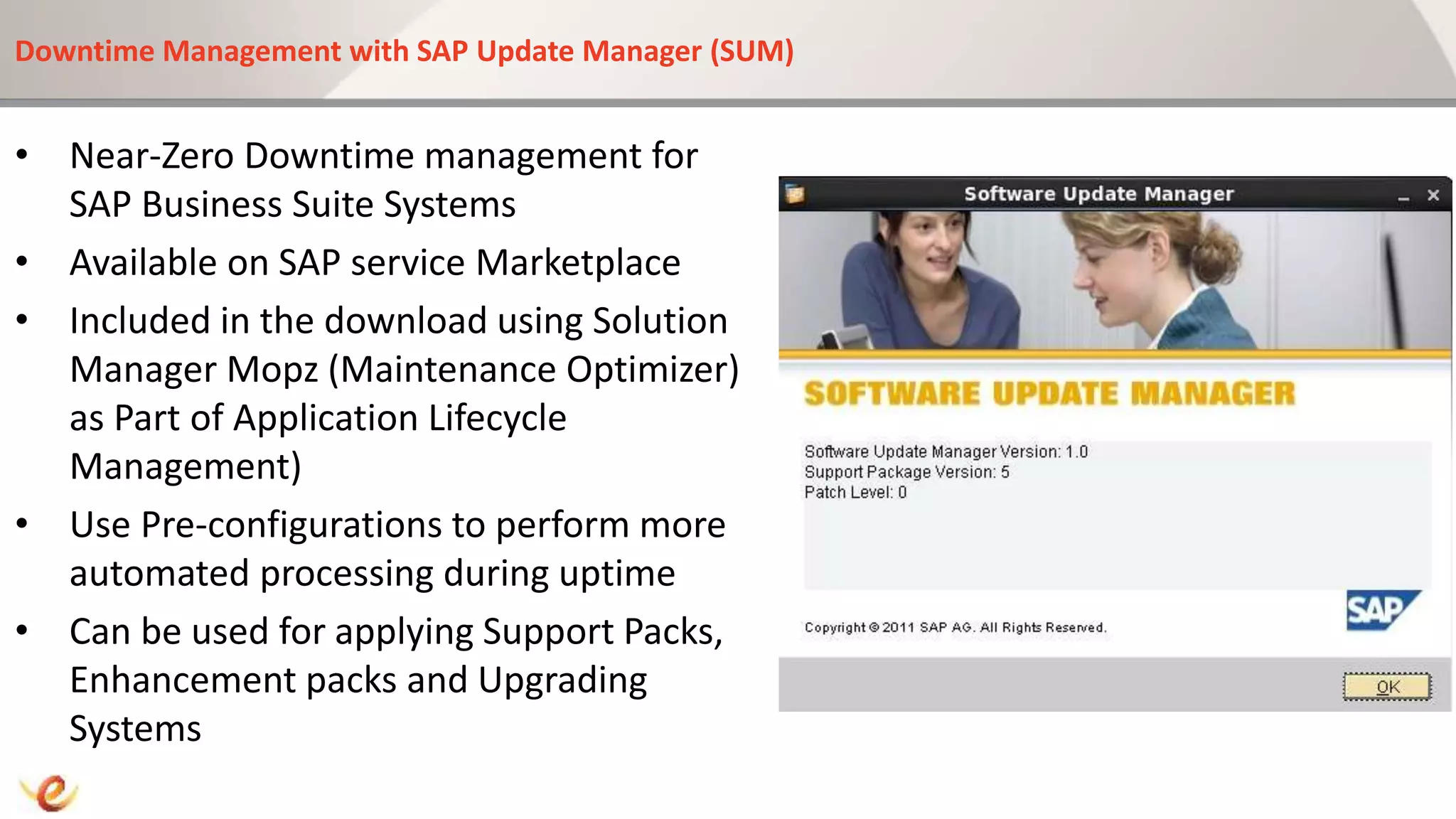
Downtime Management with SAP Update Manager (SUM)
• Near-Zero Downtime management for
SAP Business Suite Systems
• Available on SAP service Marketplace
• Included in the download using Solution
Manager Mopz (Maintenance Optimizer)
as Part of Application Lifecycle
Management)
• Use Pre-configurations to perform more
automated processing during uptime
• Can be used for applying Support Packs,
Enhancement packs and Upgrading
Systems
Downtime Management with SAP Update Manager (SUM)
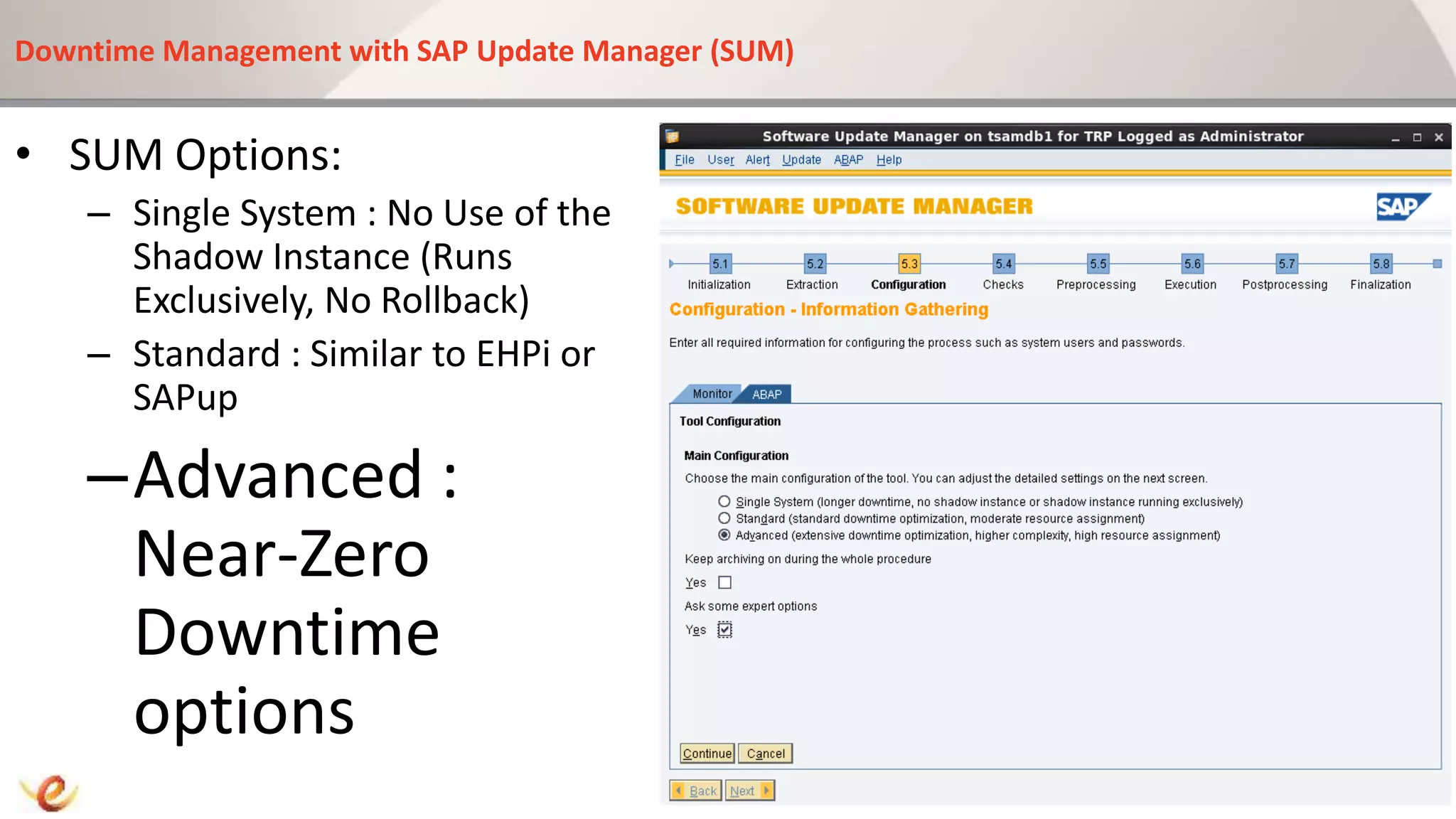
• SUM Options:
– Single System : No Use of the
Shadow Instance (Runs
Exclusively, No Rollback)
– Standard : Similar to EHPi or
SAPup
–Advanced :
Near-Zero
Downtime
options
Downtime Management with SAP Update Manager (SUM)
• SUM Advanced Features:
– Use Shadow Instance for
MAIN_IMPORT Phase
– Intensive Use of Parallelization for
batch processing, DDL Processes and
R3Trans
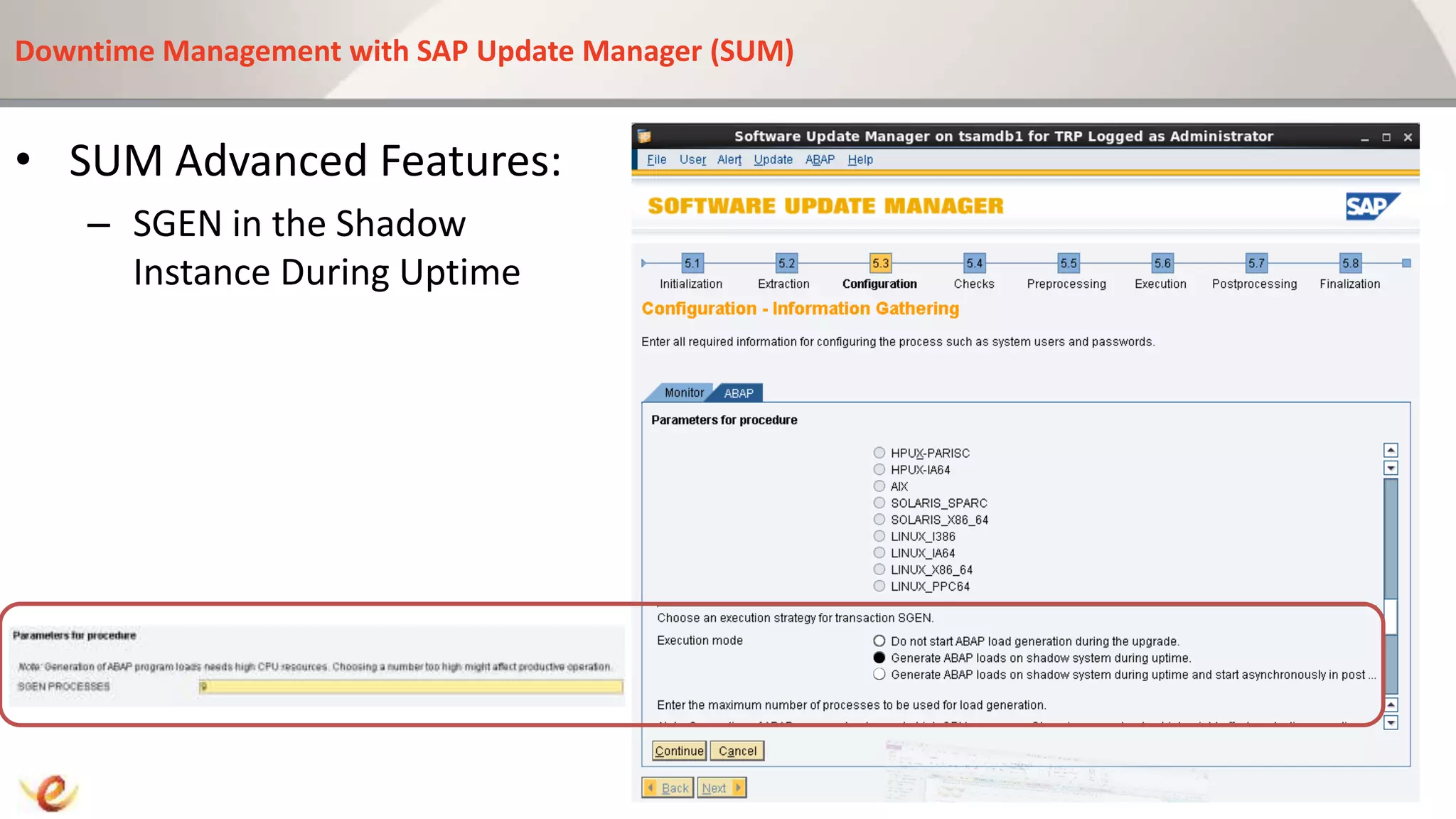
– SGEN in the Shadow Instance
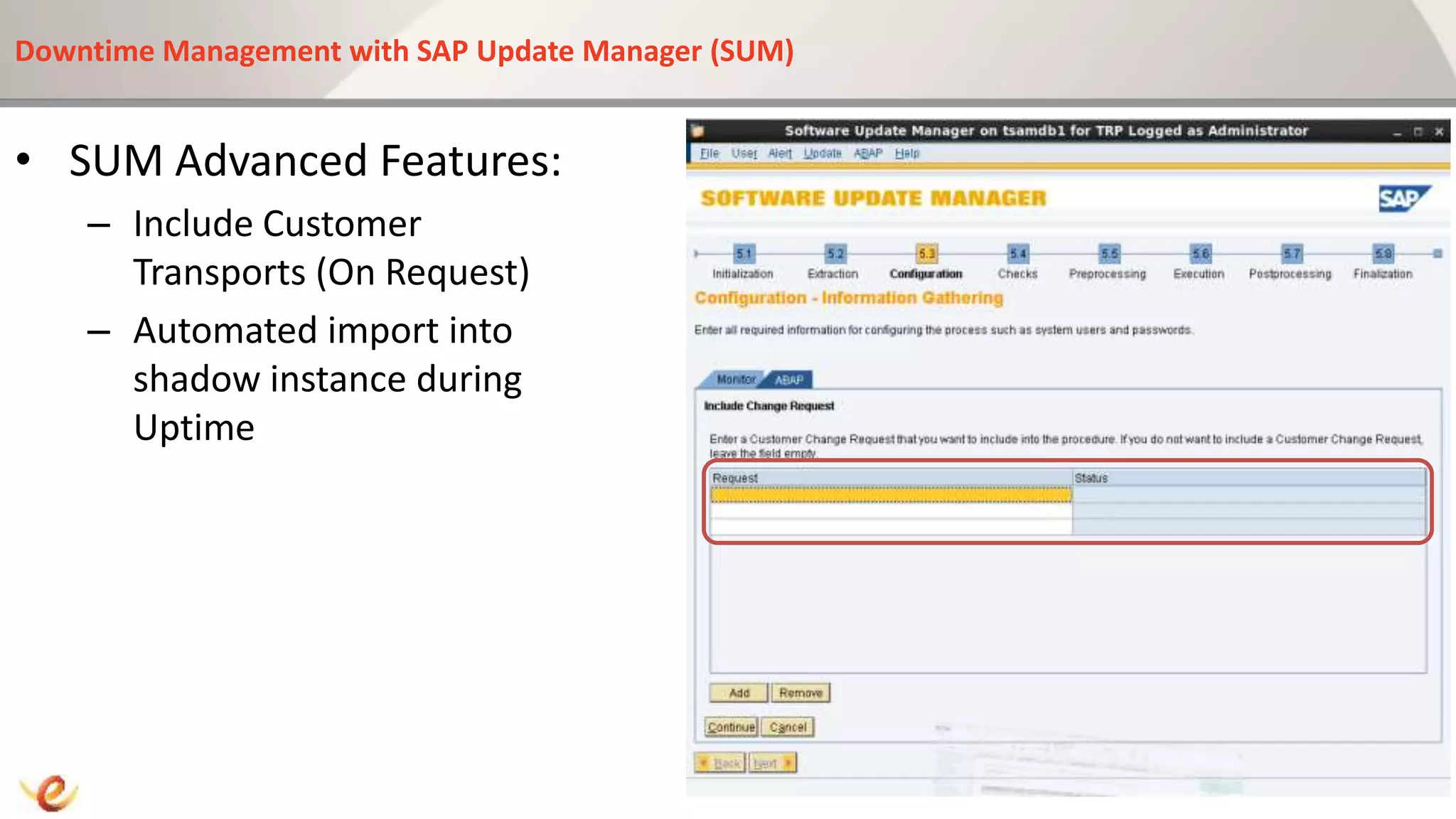
– Include Customer Transports (On
Request)
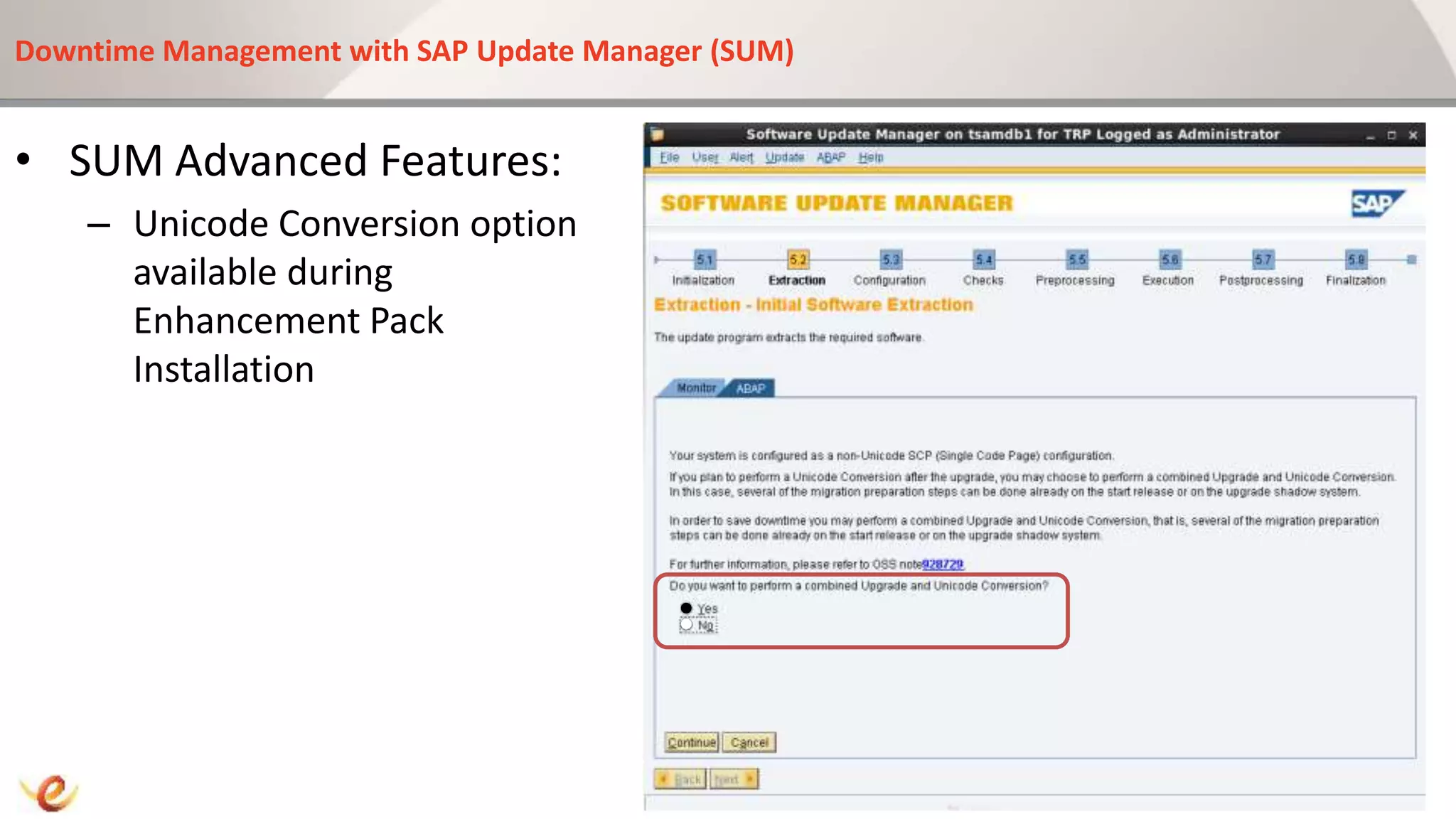
– Unicode Conversion option available
during Enhancement Pack
Installation
Downtime Management with SAP Update Manager (SUM)
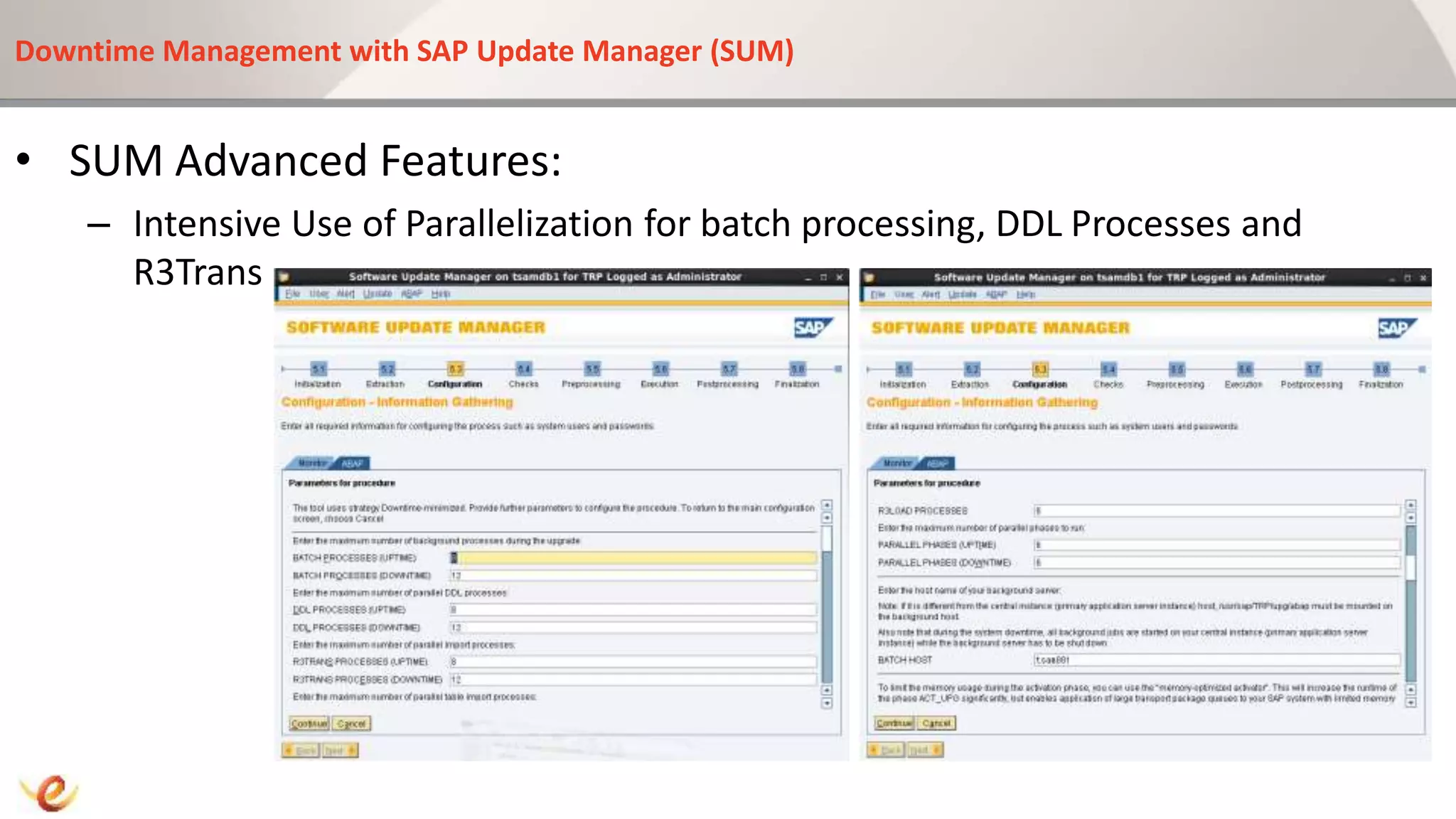
• SUM Advanced Features:
– Intensive Use of Parallelization for batch processing, DDL Processes and
R3Trans
Downtime Management with SAP Update Manager (SUM)
• SUM Advanced Features:
– SGEN in the Shadow
Instance During Uptime
Downtime Management with SAP Update Manager (SUM)
• SUM Advanced Features:
– Unicode Conversion option
available during
Enhancement Pack
Installation
Downtime Management with SAP Update Manager (SUM)
• SUM Advanced Features:
– Include Customer
Transports (On Request)
– Automated import into
shadow instance during
Uptime
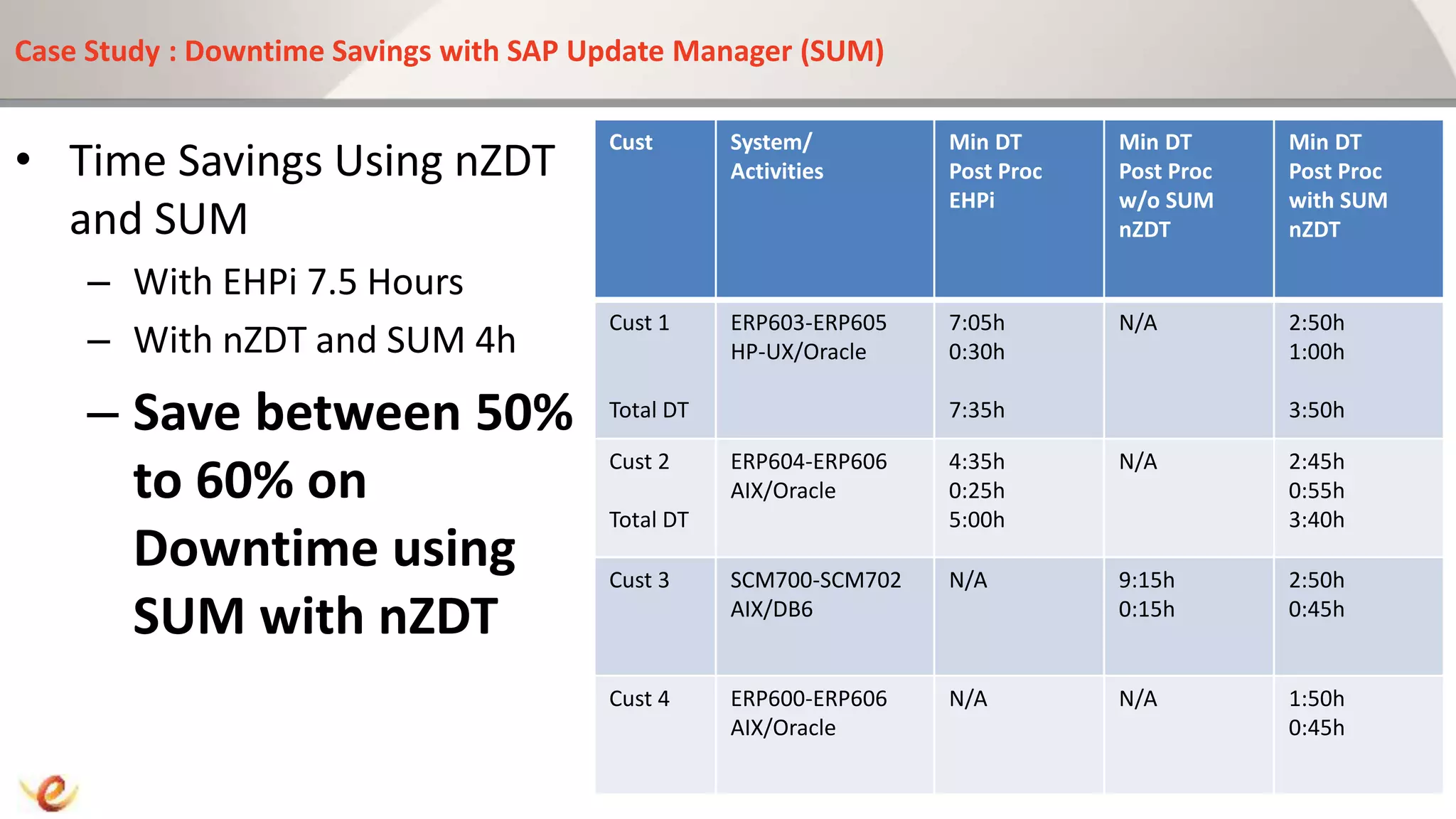
Case Study : Downtime Savings with SAP Update Manager (SUM)
• Time Savings Using nZDT
and SUM
– With EHPi 7.5 Hours
– With nZDT and SUM 4h
– Save between 50%
to 60% on
Downtime using
SUM with nZDT
Cust System/
Activities
Min DT
Post Proc
EHPi
Min DT
Post Proc
w/o SUM
nZDT
Min DT
Post Proc
with SUM
nZDT
Cust 1
Total DT
ERP603-ERP605
HP-UX/Oracle
7:05h
0:30h
7:35h
N/A 2:50h
1:00h
3:50h
Cust 2
Total DT
ERP604-ERP606
AIX/Oracle
4:35h
0:25h
5:00h
N/A 2:45h
0:55h
3:40h
Cust 3 SCM700-SCM702
AIX/DB6
N/A 9:15h
0:15h
2:50h
0:45h
Cust 4 ERP600-ERP606
AIX/Oracle
N/A N/A 1:50h
0:45h
Roadmap to Enhancement Packs : Activation
1. Discovery
2. Evaluation
3. Installation
4. Activation
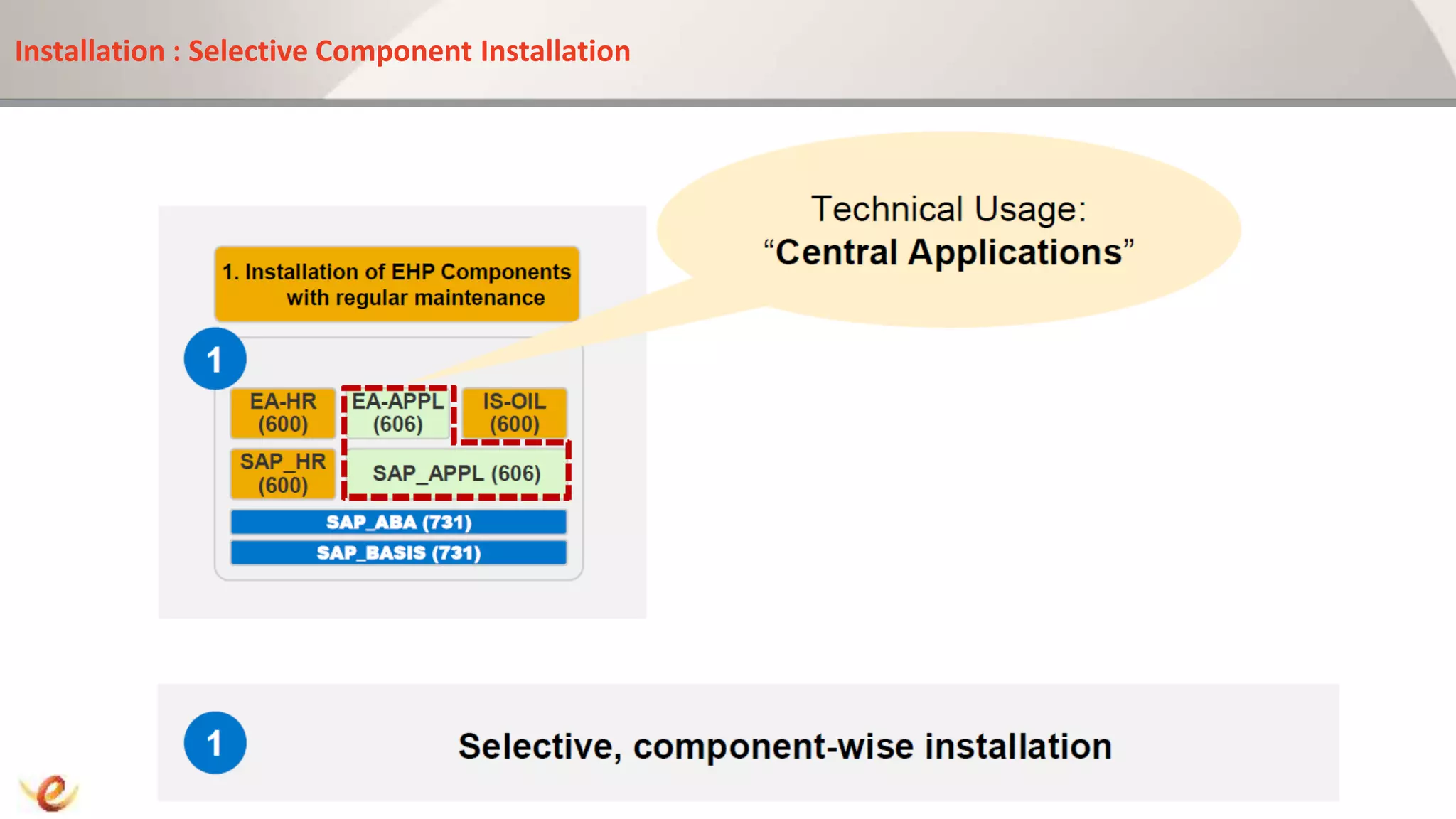
Installation : Selective Component Installation
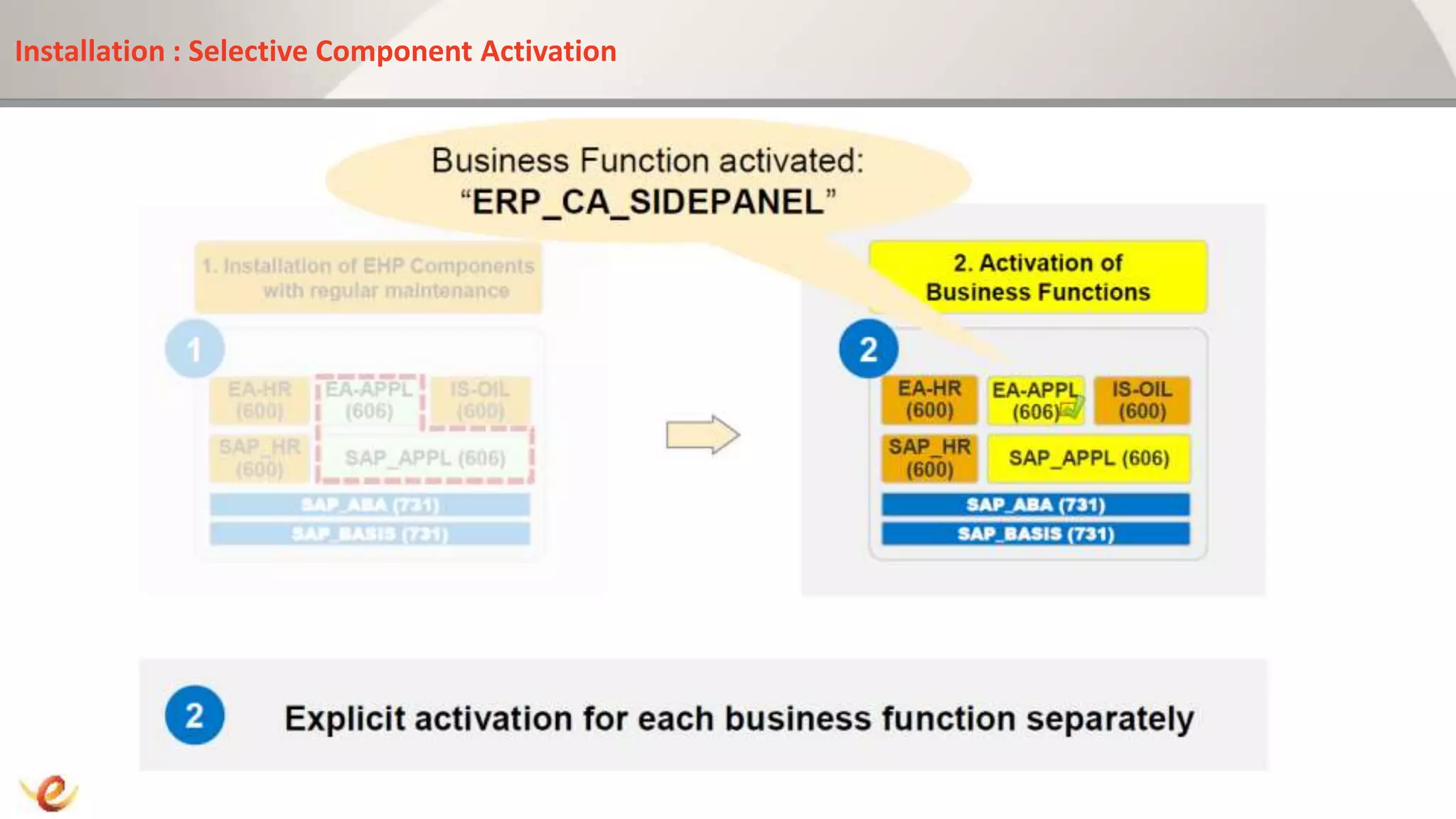
Installation : Selective Component Activation
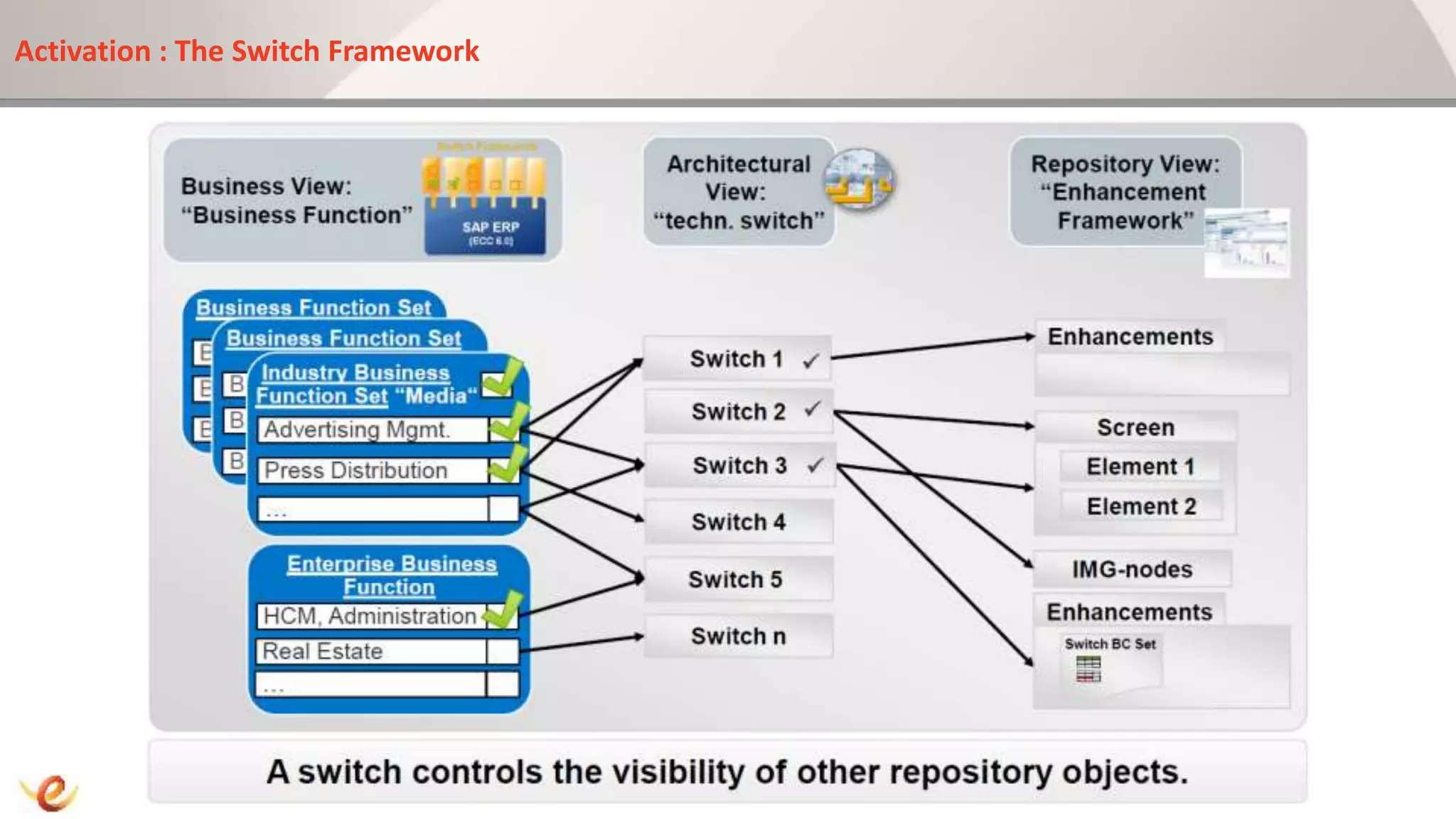
Activation : The Switch Framework
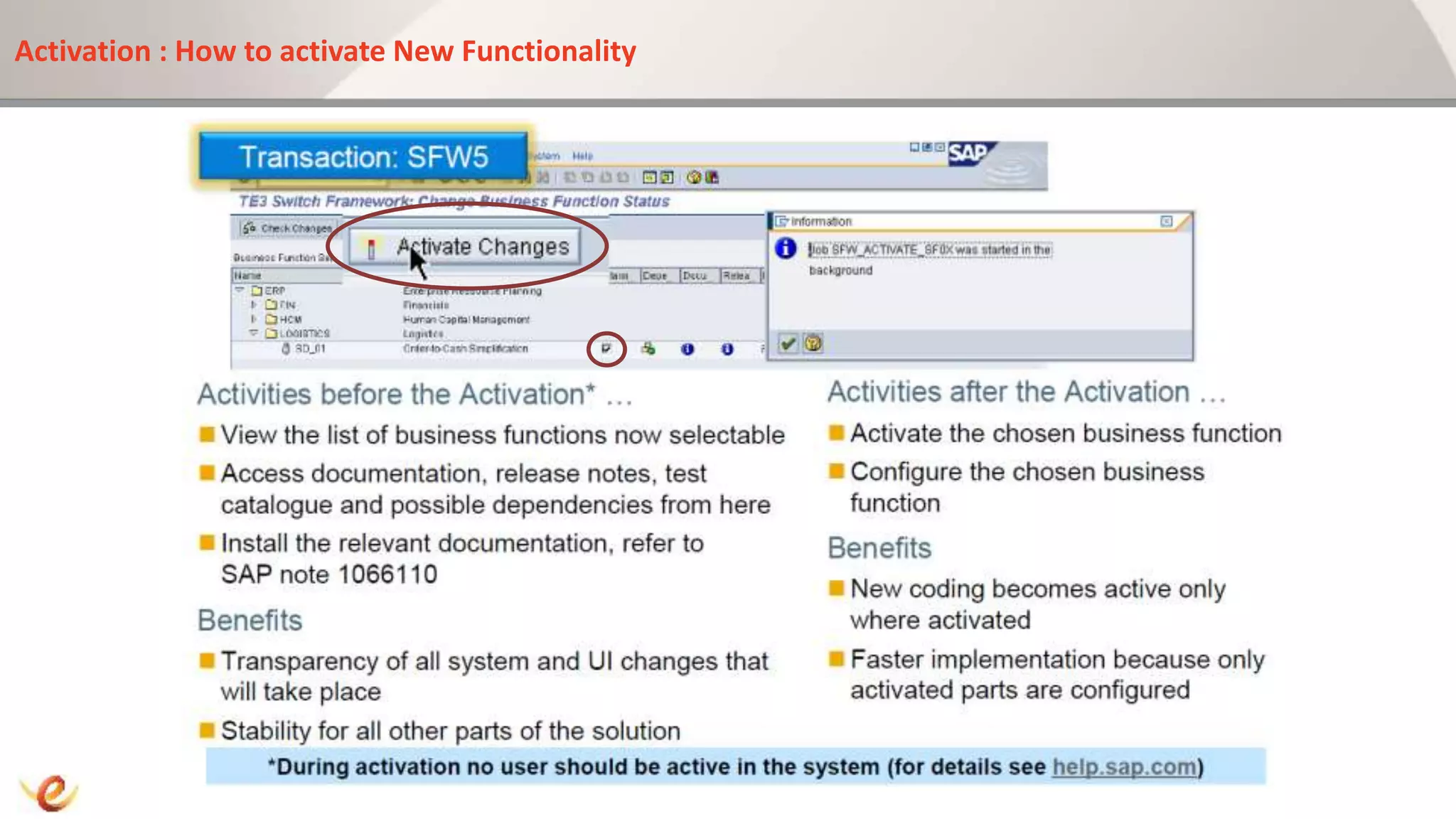
Activation : How to activate New Functionality
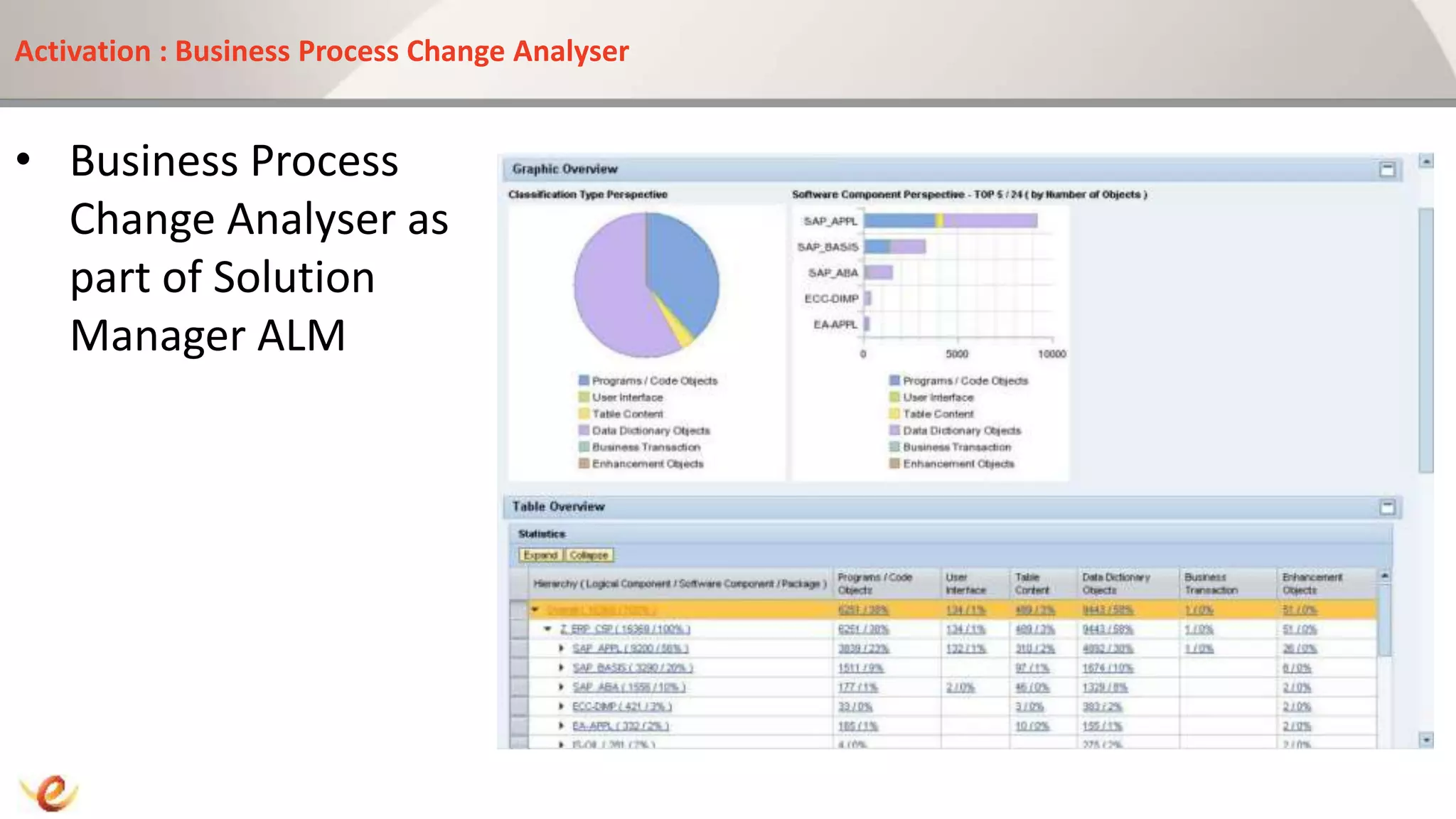
Activation : Business Process Change Analyser
• Business Process
Change Analyser as
part of Solution
Manager ALM
References
• http://service.sap.com/erp-ehp
• http://partneredge.sap.com
• http://sdn.sap.com
• http://service.sap.com/bfp
• http://service.sap.com/findinnovation
• http://service.sap.com/solutionbrowser
Jan Coetzee
Peev Consulting Services
jcoetzee@peevcs.co.za
+27 71 607 9156
Mastering SAP Technologies 2013 - Jan Coetzee - PCS - Enhancement Packs

Mastering SAP Technologies 2013 - Jan Coetzee - PCS - Enhancement Packs

  • 2.
    13:30 Session :Track C • SAP Enhancement Packs (EhP) – A Deep look into the What, How and When… Jan Coetzee Senior SAP Technology Consultant and System Architect General Manager, Peev Consulting Services cc
  • 3.
    Speaker Introduction • 15Years IT Experience • Multiple SAP Implementation Projects • Multiple SAP EhP Technical Upgrades • SAP Trainer • SAP Project Manager • SAP Basis, Security, Migrations Certified • General Manager PCS
  • 4.
    Company Introduction • PeevConsulting Services (PCS) – A SAP NetWeaver Technology Expert Company – Fulltime employed consultants – Consultant expertise • Basis, ABAP, BW, XI/PI, Workflow, Security, Authorisations, Business Objects, Solution Manager, SAP HANA, Data Archiving, SAP Training, DB2, etc. – First SAP Certified Migrations Company in Africa – SAP VAR Partner – SAP Training Partner – Track record of expertise in: • Installation, Implementation, EHP Upgrades, Migration (All supported Platforms, All DB Platforms), Root Cause Analysis, System Optimisation, Solution Manager, SAP Monitoring & Support, etc.
  • 5.
    Introduction • Some ofPeev Consulting Services’ Clients:
  • 6.
    Topics to becovered • What Are Enhancement Packs? • The Evolution in a nutshell • Where Enhancement Packs Came from • Where is SAP going with Enhancement Packs? • What is the impact on Your software Maintenance? • Difference between EhP Installation and a Release Upgrade • Things you should Know About Enhancement Packs • Roadmap to Enhancements : 4 Stages Of Enhancement – Discovery – Evaluation – Installation – Activation • Downtime Management with Software Update Manager and Near-Zero Downtime Features • Case Study : Time savings with Support Update Manager • Q&A Session
  • 7.
    What are EnhancementPacks? • Nearly 95,000 Customers Running SAP around the world • In 2006 SAP Announced a new Delivery Model in Form of EhP • New Functionality by means of Enhancement and not Upgrade • 2007 First Enhancement pack Released for ERP • http://service.sap.com/erp-ehp
  • 8.
    The Evolution ina nutshell.. 2001 2003 2004 2006
  • 9.
    Where SAP EnhancementPacks Came From?
  • 10.
    Where IS SAPGoing with Enhancement Packs?
  • 11.
    What is theimpact on my software maintenance the Enhancement pack will have? • Note 1648480 - Maintenance for SAP Business Suite 7 Software • “In October 2011, SAP announced an extension of the mainstream maintenance for SAP Business Suite 7 core application releases and corresponding enhancement packages from end of December 2015 to end of December 2020. This gives SAP customers long-term predictability and planning security.”
  • 12.
    Duel Stack Supportis Discontinued…
  • 13.
    Customer Pain Pointsregarding Upgrades • CUSTOMERS FACE FATIGUE WITH TRADITIONAL ERP UPGRADES BUT MUST MOVE SOON • Business process and applications professionals say upgrades are challenging, tedious, and costly mandate. • Upgrade project costs, customizations and impact • Key reasons to upgrade include avoidance of compliance and technical risks, business benefits, and improved technology.
  • 14.
    What is theDifference between an Enhancement Pack Installation and a Release Upgrade?
  • 15.
    Enhancement Pack Facts: Things you should know
  • 16.
    Roadmap to EnhancementPacks : 4 Stages of Enhancement 1. Discovery 2. Evaluation 3. Installation 4. Activation
  • 17.
    The 4 stagesof Enhancement • http://service.sap.com/bfp • Discovery – Business Function Prediction – Solution Browser – Live Expert Sessions • Evaluation – License Implications – Upgrade Dependency Analyser • Installation – Solman Landscape verification Manager – Maintenance Planning Guides – Software Update Manager • Activation – Selecting and Activating New business Functions – Business Process Change Analyser
  • 18.
    Roadmap to EnhancementPacks : Discovery 1. Discovery 2. Evaluation 3. Installation 4. Activation
  • 19.
    Discovery : Whereto find SAP improvements and Innovations? • http://service.sap.com/findinnovation
  • 20.
    Discovery Options • BusinessFunction Prediction • Solution Browser Live Expert Sessions • Live Expert Sessions
  • 21.
    Discovery : Whereto find SAP improvements and Innovations? • http://service.sap.com/findinnovation
  • 22.
    Roadmap to EnhancementPacks : Evaluation 1. Discovery 2. Evaluation 3. Installation 4. Activation
  • 23.
    Evaluation – LicenseImplications Example : License Implication for activation of Ehp
  • 24.
    Evaluation – UpgradeDependency Analyser Example : From http://service.sap.com/erp-ehp
  • 25.
    Roadmap to EnhancementPacks : Installation 1. Discovery 2. Evaluation 3. Installation 4. Activation
  • 26.
    How to ImplementEnhancement Packs?
  • 27.
    Roadmap to ImplementingEnhancement Packs Discover Evaluate Design, Install Activate, Deploy, Support
  • 28.
    Installation : Implementationof SP stacks and enhancement packs End to End Lifecycle management
  • 29.
    Downtime Management withSAP Update Manager (SUM) • Near-Zero Downtime management for SAP Business Suite Systems • Available on SAP service Marketplace • Included in the download using Solution Manager Mopz (Maintenance Optimizer) as Part of Application Lifecycle Management) • Use Pre-configurations to perform more automated processing during uptime • Can be used for applying Support Packs, Enhancement packs and Upgrading Systems
  • 30.
    Downtime Management withSAP Update Manager (SUM) • SUM Options: – Single System : No Use of the Shadow Instance (Runs Exclusively, No Rollback) – Standard : Similar to EHPi or SAPup –Advanced : Near-Zero Downtime options
  • 31.
    Downtime Management withSAP Update Manager (SUM) • SUM Advanced Features: – Use Shadow Instance for MAIN_IMPORT Phase – Intensive Use of Parallelization for batch processing, DDL Processes and R3Trans – SGEN in the Shadow Instance – Include Customer Transports (On Request) – Unicode Conversion option available during Enhancement Pack Installation
  • 32.
    Downtime Management withSAP Update Manager (SUM) • SUM Advanced Features: – Intensive Use of Parallelization for batch processing, DDL Processes and R3Trans
  • 33.
    Downtime Management withSAP Update Manager (SUM) • SUM Advanced Features: – SGEN in the Shadow Instance During Uptime
  • 34.
    Downtime Management withSAP Update Manager (SUM) • SUM Advanced Features: – Unicode Conversion option available during Enhancement Pack Installation
  • 35.
    Downtime Management withSAP Update Manager (SUM) • SUM Advanced Features: – Include Customer Transports (On Request) – Automated import into shadow instance during Uptime
  • 36.
    Case Study :Downtime Savings with SAP Update Manager (SUM) • Time Savings Using nZDT and SUM – With EHPi 7.5 Hours – With nZDT and SUM 4h – Save between 50% to 60% on Downtime using SUM with nZDT Cust System/ Activities Min DT Post Proc EHPi Min DT Post Proc w/o SUM nZDT Min DT Post Proc with SUM nZDT Cust 1 Total DT ERP603-ERP605 HP-UX/Oracle 7:05h 0:30h 7:35h N/A 2:50h 1:00h 3:50h Cust 2 Total DT ERP604-ERP606 AIX/Oracle 4:35h 0:25h 5:00h N/A 2:45h 0:55h 3:40h Cust 3 SCM700-SCM702 AIX/DB6 N/A 9:15h 0:15h 2:50h 0:45h Cust 4 ERP600-ERP606 AIX/Oracle N/A N/A 1:50h 0:45h
  • 37.
    Roadmap to EnhancementPacks : Activation 1. Discovery 2. Evaluation 3. Installation 4. Activation
  • 38.
    Installation : SelectiveComponent Installation
  • 39.
    Installation : SelectiveComponent Activation
  • 40.
    Activation : TheSwitch Framework
  • 41.
    Activation : Howto activate New Functionality
  • 42.
    Activation : BusinessProcess Change Analyser • Business Process Change Analyser as part of Solution Manager ALM
  • 43.
    References • http://service.sap.com/erp-ehp • http://partneredge.sap.com •http://sdn.sap.com • http://service.sap.com/bfp • http://service.sap.com/findinnovation • http://service.sap.com/solutionbrowser
  • 45.
    Jan Coetzee Peev ConsultingServices jcoetzee@peevcs.co.za +27 71 607 9156