Mastering PyTorch: Your
Deep Learning Journey
Welcome! This presentation will guide you through the world of
PyTorch, a powerful open-source deep learning framework.
by YourTechDiet
Key Features of PyTorch
Dynamic Computation Graph
PyTorch's dynamic computation
graph allows for flexible model
design and debugging.
Tensor Operations
PyTorch provides a rich set of
tensor operations for efficient
numerical computations.
Deep Learning Libraries
PyTorch includes powerful libraries
like TorchVision and TorchText for
computer vision and natural
language processing.
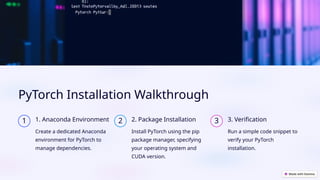
PyTorch Installation Walkthrough
1 1. Anaconda Environment
Create a dedicated Anaconda
environment for PyTorch to
manage dependencies.
2 2. Package Installation
Install PyTorch using the pip
package manager, specifying
your operating system and
CUDA version.
3 3. Verification
Run a simple code snippet to
verify your PyTorch
installation.
PyTorch Tensor Basics
Tensor Creation
Create tensors from lists,
arrays, or random values
using PyTorch functions.
Tensor Operations
Perform operations like
addition, multiplication,
and matrix operations on
tensors.
Tensor Manipulation
Reshape, transpose, and index tensors for efficient data handling.
Constructing Neural Networks in PyTorch
Define Layers
Create layers like linear, convolutional, and recurrent layers using PyTorch modules.
Combine Layers
Combine layers sequentially to form a complete neural network architecture.
Input/Output
Define input and output dimensions for your model.
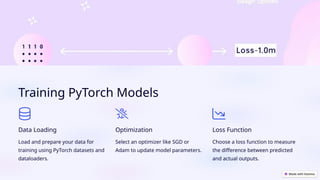
Training PyTorch Models
Data Loading
Load and prepare your data for
training using PyTorch datasets and
dataloaders.
Optimization
Select an optimizer like SGD or
Adam to update model parameters.
Loss Function
Choose a loss function to measure
the difference between predicted
and actual outputs.
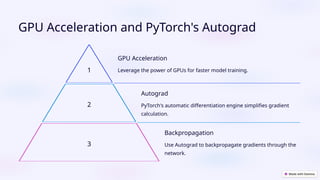
GPU Acceleration and PyTorch's Autograd
1
GPU Acceleration
Leverage the power of GPUs for faster model training.
2
Autograd
PyTorch's automatic differentiation engine simplifies gradient
calculation.
3
Backpropagation
Use Autograd to backpropagate gradients through the
network.
PyTorch Model Saving/Loading
and Advanced Features
1 Model Saving
Save trained models for later use or sharing.
2 Model Loading
Load saved models and resume training or make predictions.
3 TorchVision
Use TorchVision for pre-trained models and image datasets.
4 TorchText
Utilize TorchText for natural language processing tasks.

Mastering PyTorch: A Comprehensive Guide for Deep Learning Enthusiasts

  • 1.
    Mastering PyTorch: Your DeepLearning Journey Welcome! This presentation will guide you through the world of PyTorch, a powerful open-source deep learning framework. by YourTechDiet
  • 2.
    Key Features ofPyTorch Dynamic Computation Graph PyTorch's dynamic computation graph allows for flexible model design and debugging. Tensor Operations PyTorch provides a rich set of tensor operations for efficient numerical computations. Deep Learning Libraries PyTorch includes powerful libraries like TorchVision and TorchText for computer vision and natural language processing.
  • 3.
    PyTorch Installation Walkthrough 11. Anaconda Environment Create a dedicated Anaconda environment for PyTorch to manage dependencies. 2 2. Package Installation Install PyTorch using the pip package manager, specifying your operating system and CUDA version. 3 3. Verification Run a simple code snippet to verify your PyTorch installation.
  • 4.
    PyTorch Tensor Basics TensorCreation Create tensors from lists, arrays, or random values using PyTorch functions. Tensor Operations Perform operations like addition, multiplication, and matrix operations on tensors. Tensor Manipulation Reshape, transpose, and index tensors for efficient data handling.
  • 5.
    Constructing Neural Networksin PyTorch Define Layers Create layers like linear, convolutional, and recurrent layers using PyTorch modules. Combine Layers Combine layers sequentially to form a complete neural network architecture. Input/Output Define input and output dimensions for your model.
  • 6.
    Training PyTorch Models DataLoading Load and prepare your data for training using PyTorch datasets and dataloaders. Optimization Select an optimizer like SGD or Adam to update model parameters. Loss Function Choose a loss function to measure the difference between predicted and actual outputs.
  • 7.
    GPU Acceleration andPyTorch's Autograd 1 GPU Acceleration Leverage the power of GPUs for faster model training. 2 Autograd PyTorch's automatic differentiation engine simplifies gradient calculation. 3 Backpropagation Use Autograd to backpropagate gradients through the network.
  • 8.
    PyTorch Model Saving/Loading andAdvanced Features 1 Model Saving Save trained models for later use or sharing. 2 Model Loading Load saved models and resume training or make predictions. 3 TorchVision Use TorchVision for pre-trained models and image datasets. 4 TorchText Utilize TorchText for natural language processing tasks.