Mapping Flatland
   Storing and Querying Location
   Data with MongoDB


GDC Online 2011                    Grant Goodale (@ggoodale)
(#gdconline)
October 12, 2011
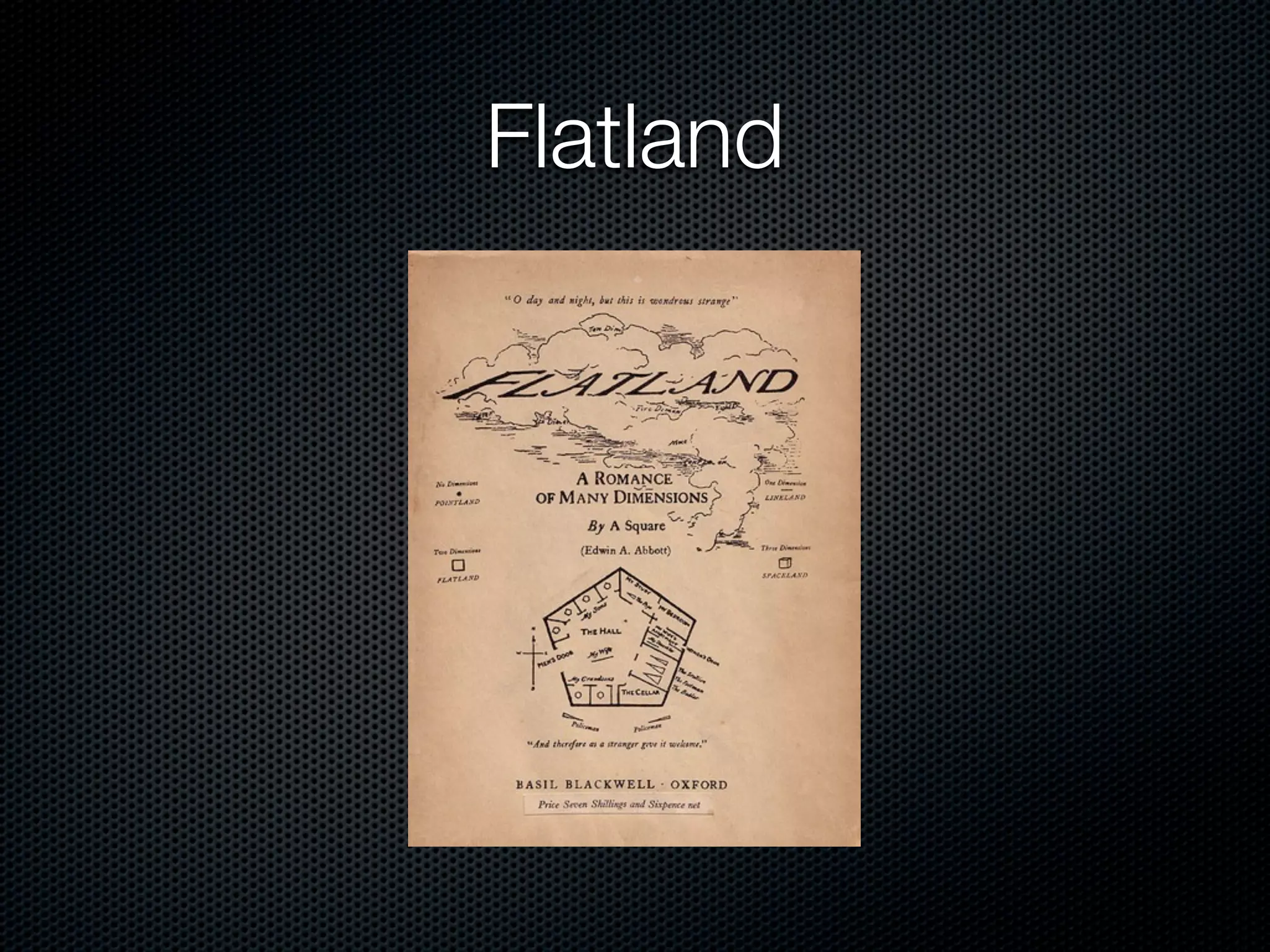
Flatland
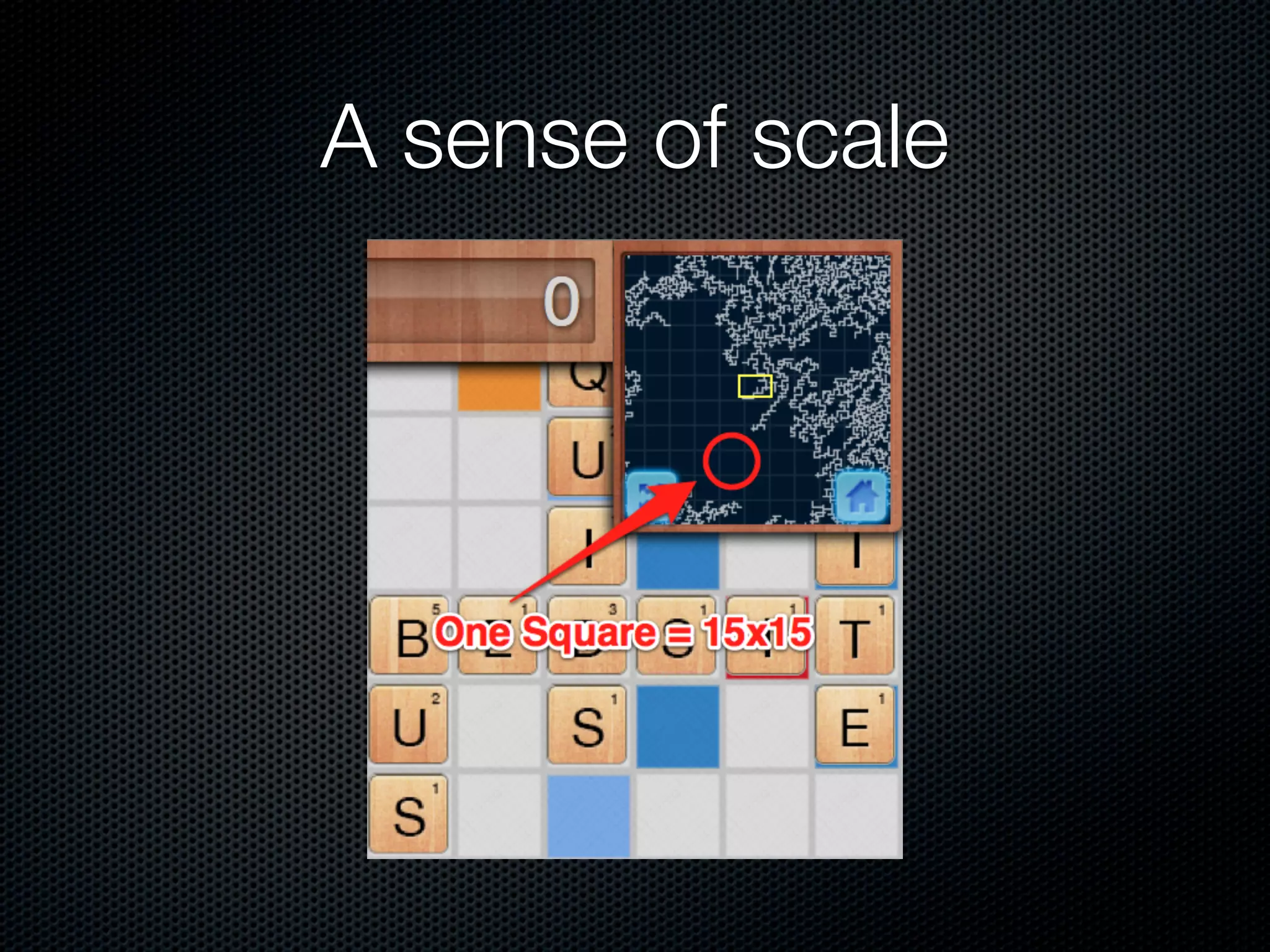
A sense of scale
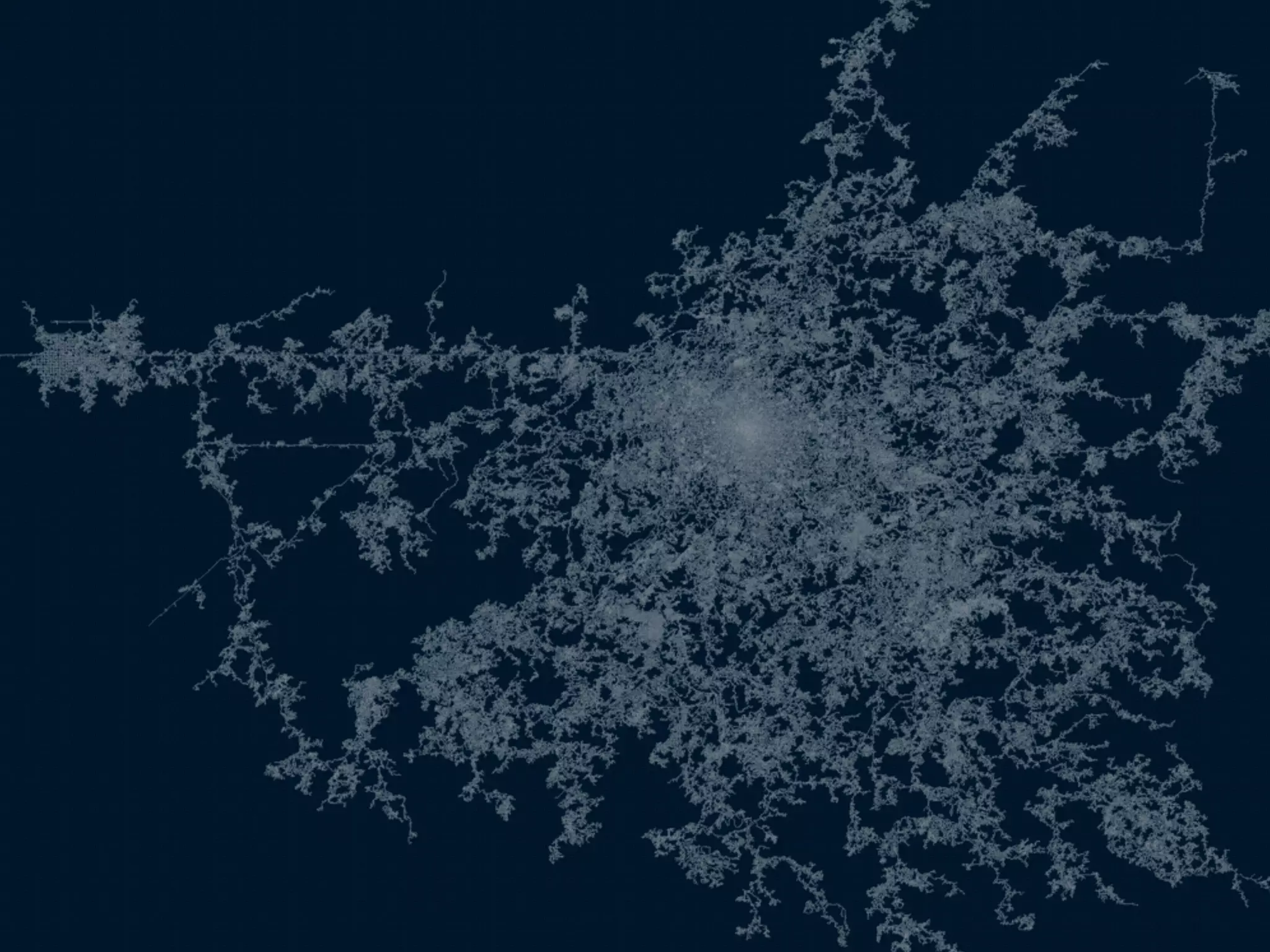
The world
A bit of history

Originally written for Node Knockout 2010
MongoDB - An Introduction
                     (briefly)

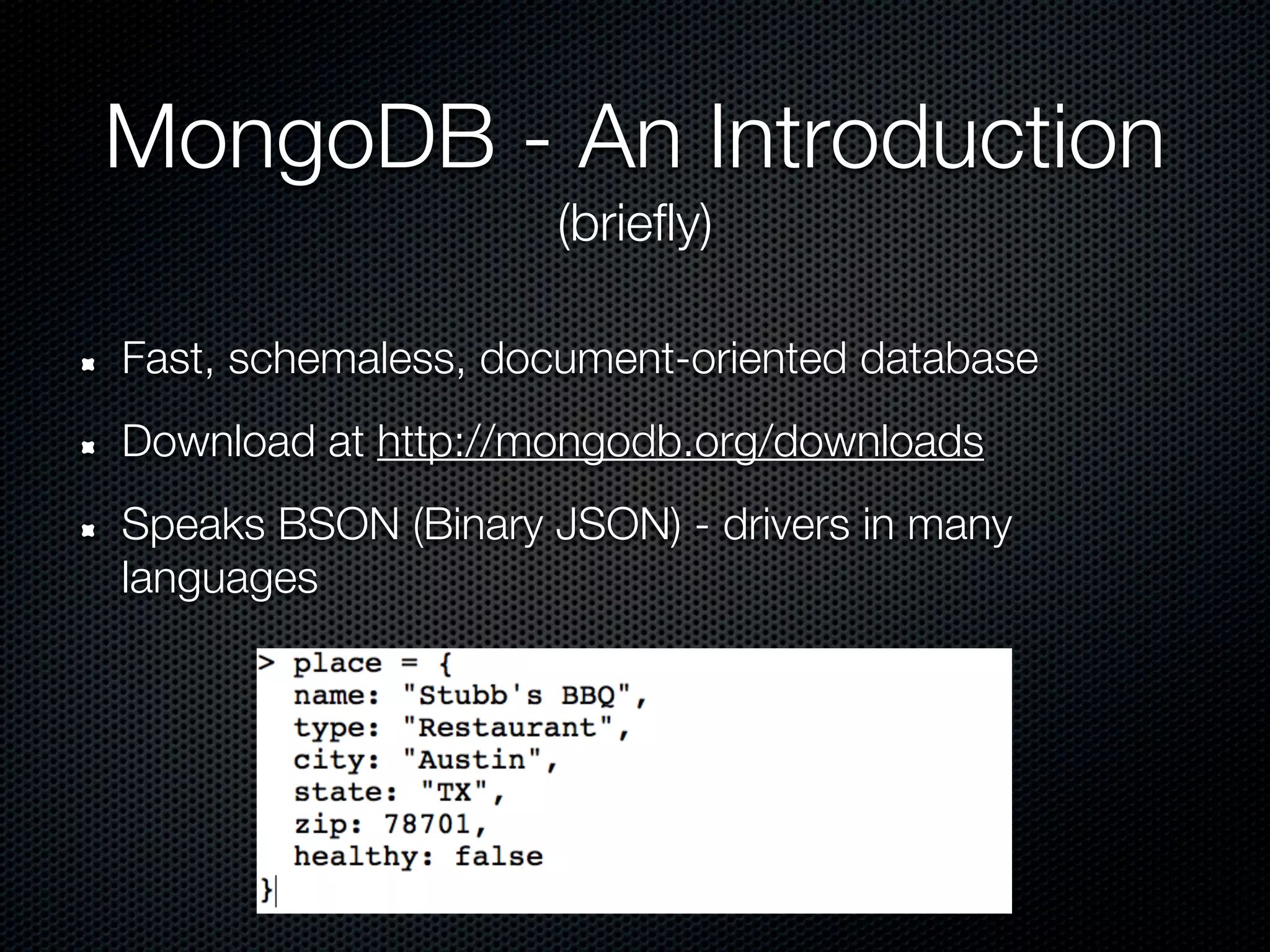
Fast, schemaless, document-oriented database
Download at http://mongodb.org/downloads
Speaks BSON (Binary JSON) - drivers in many
languages
MongoDB - An Introduction
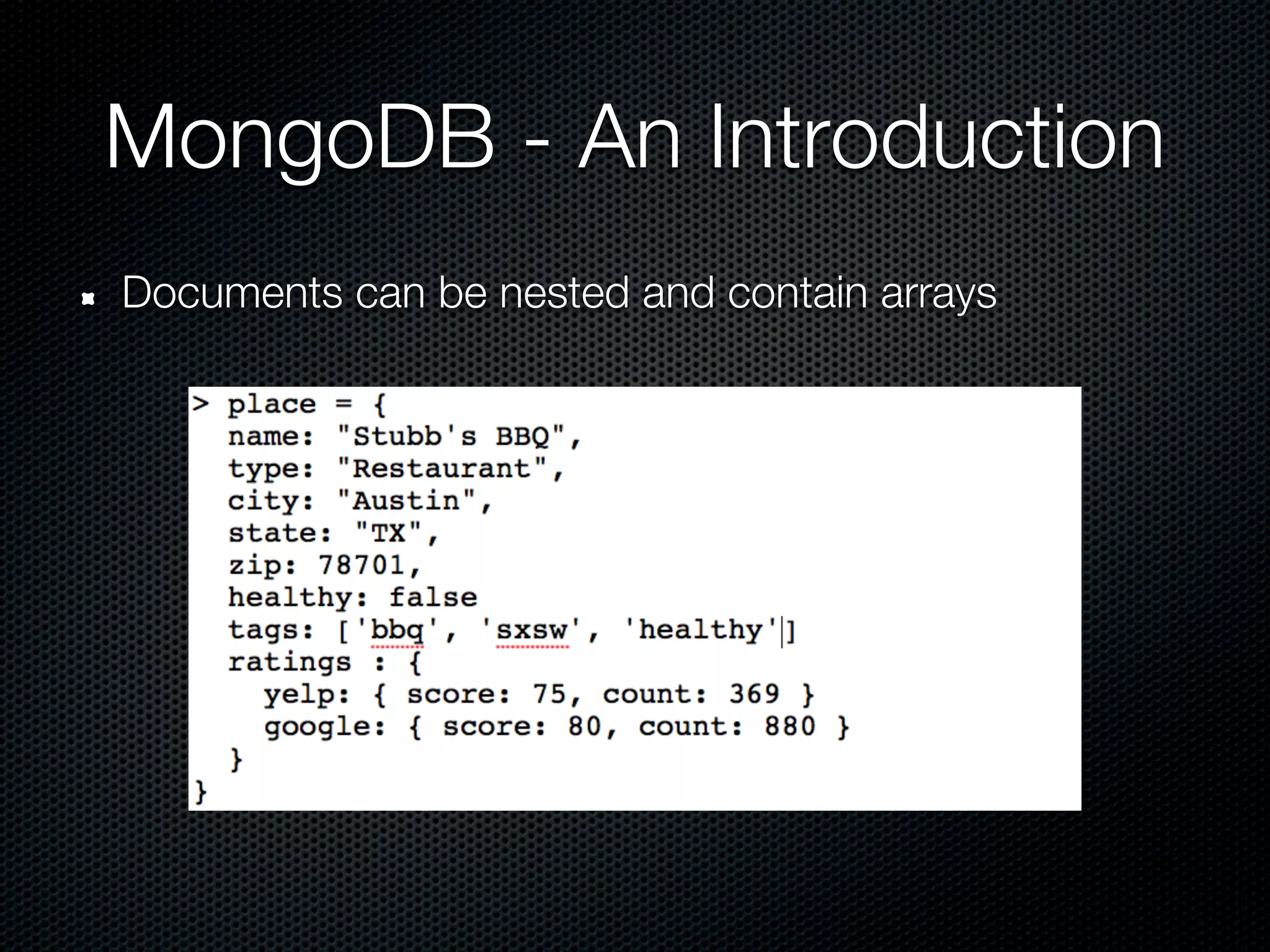
Documents can be nested and contain arrays
Querying in MongoDB
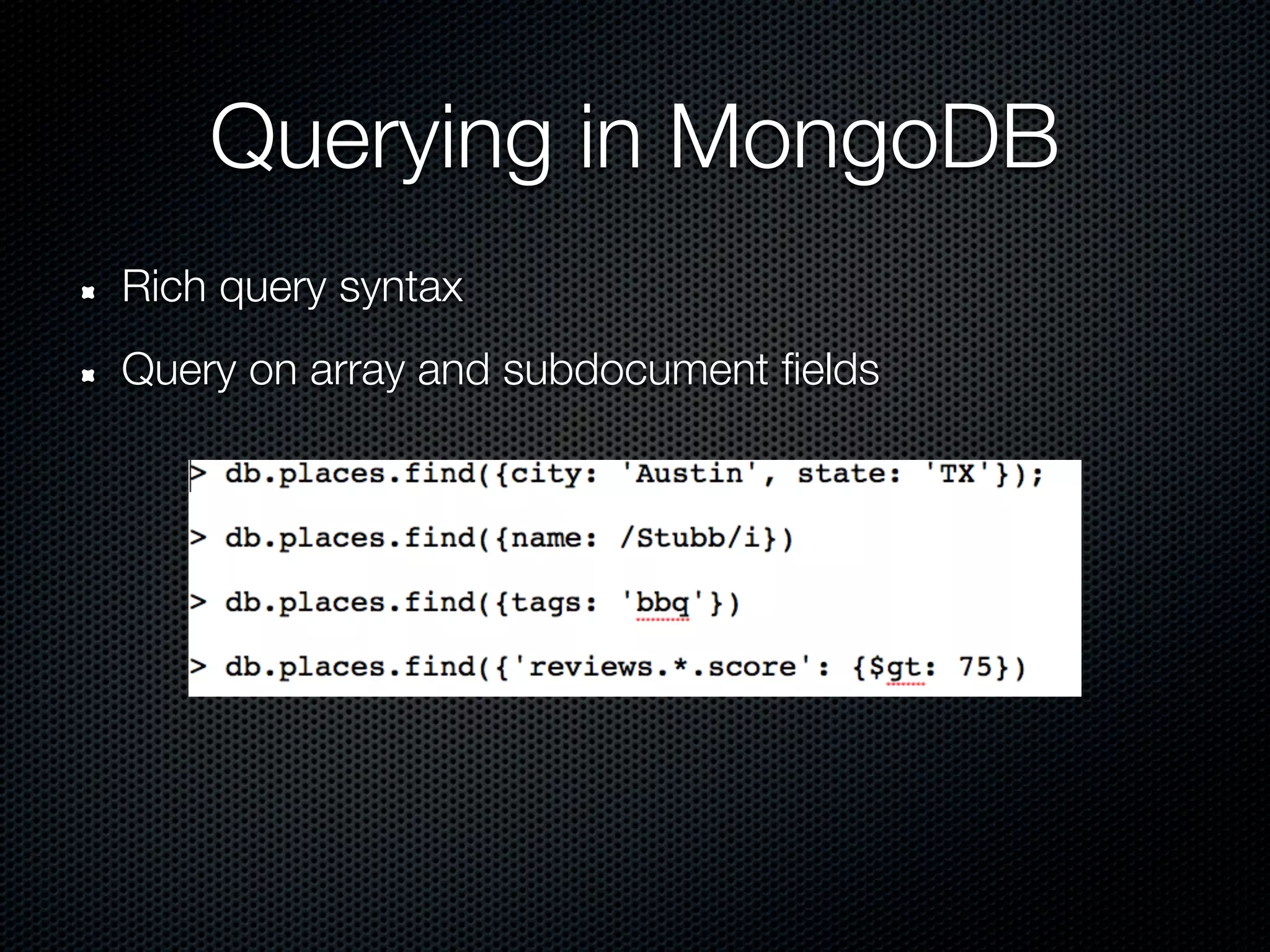
Rich query syntax
Query on array and subdocument fields
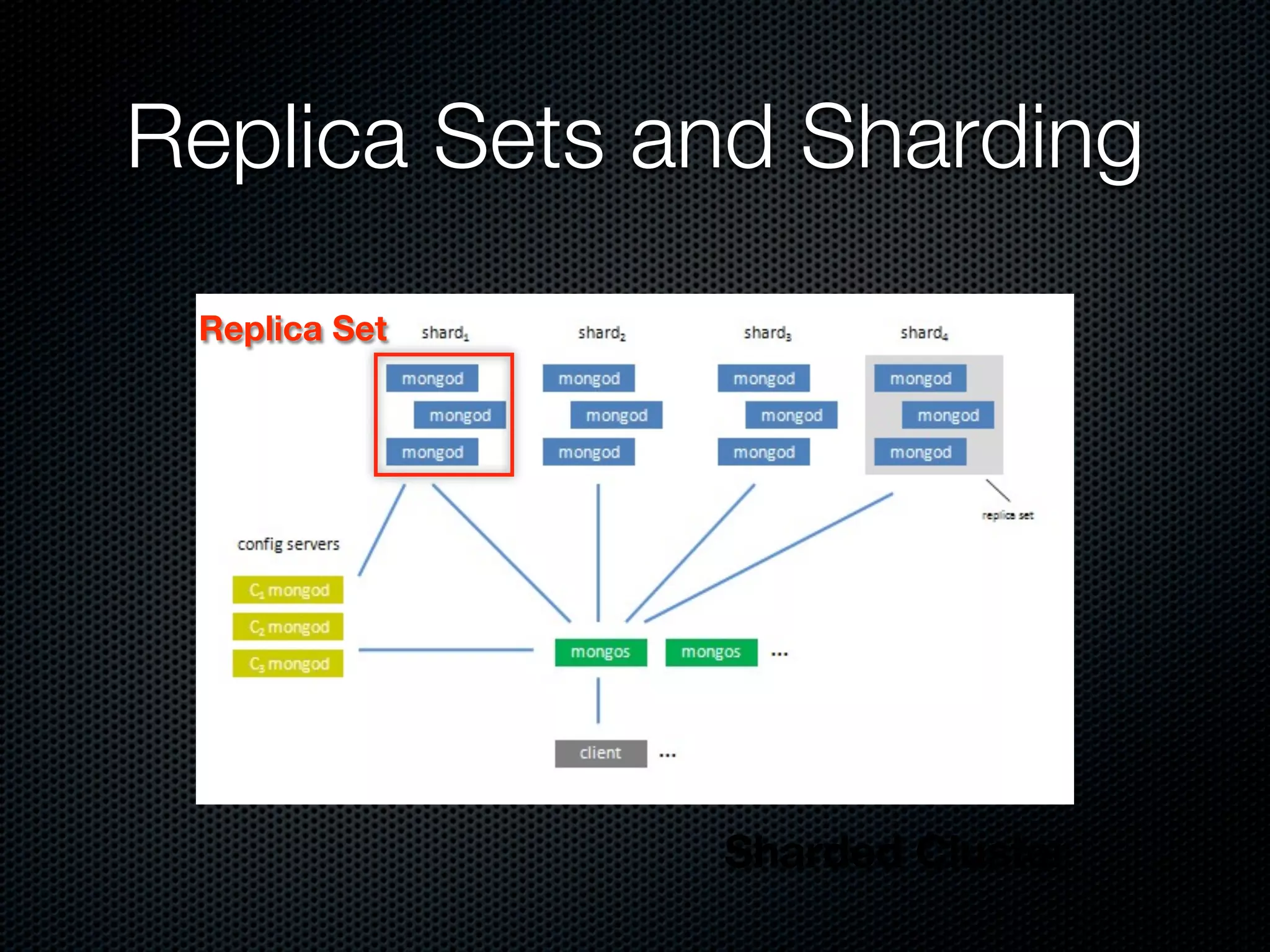
Replica Sets and Sharding
 Replica Set


               Sharded Cluster
Why MongoDB?

Easy to set up and run
Fast
Reasonably robust node.js driver (much better now)
Geospatial indexing and querying
Geo2D in 1.8

Data and Indices
Querying
Running / Scaling Production
Structuring your data
tile = {
    _id        :   BSON::ObjectId(...)
    position   :   [0,0],
    letter     :   "A",
    wildcard   :   "false"
}
Structuring your data
tile = {
    _id        :   BSON::ObjectId(...)
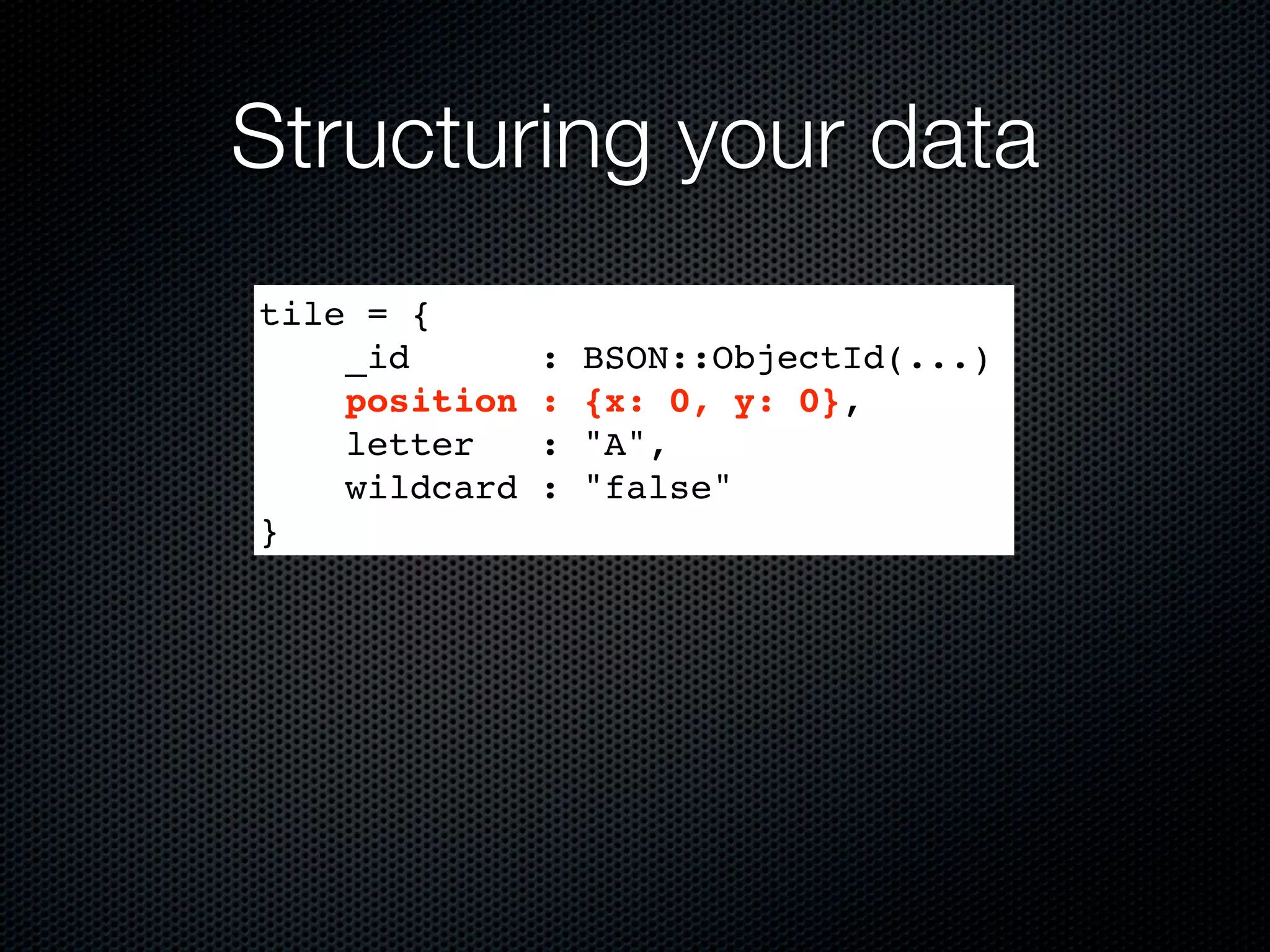
    position   :   {x: 0, y: 0},
    letter     :   "A",
    wildcard   :   "false"
}
Watch your language
> db[‘tiles’].insert({
    position : {y: 50, x: 20},
    letter   : "A",
    wildcard : "false"
})
=> BSON::ObjectId('4dd06d037a70183256000004')
> db.[‘tiles’].find_one()
=>
{"_id"=>BSON::ObjectId('4dd06d037a70183256000
004'), "letter"=>"A", "position"=>{"x"=>20,
"y"=>50}, "wildcard"=>false}
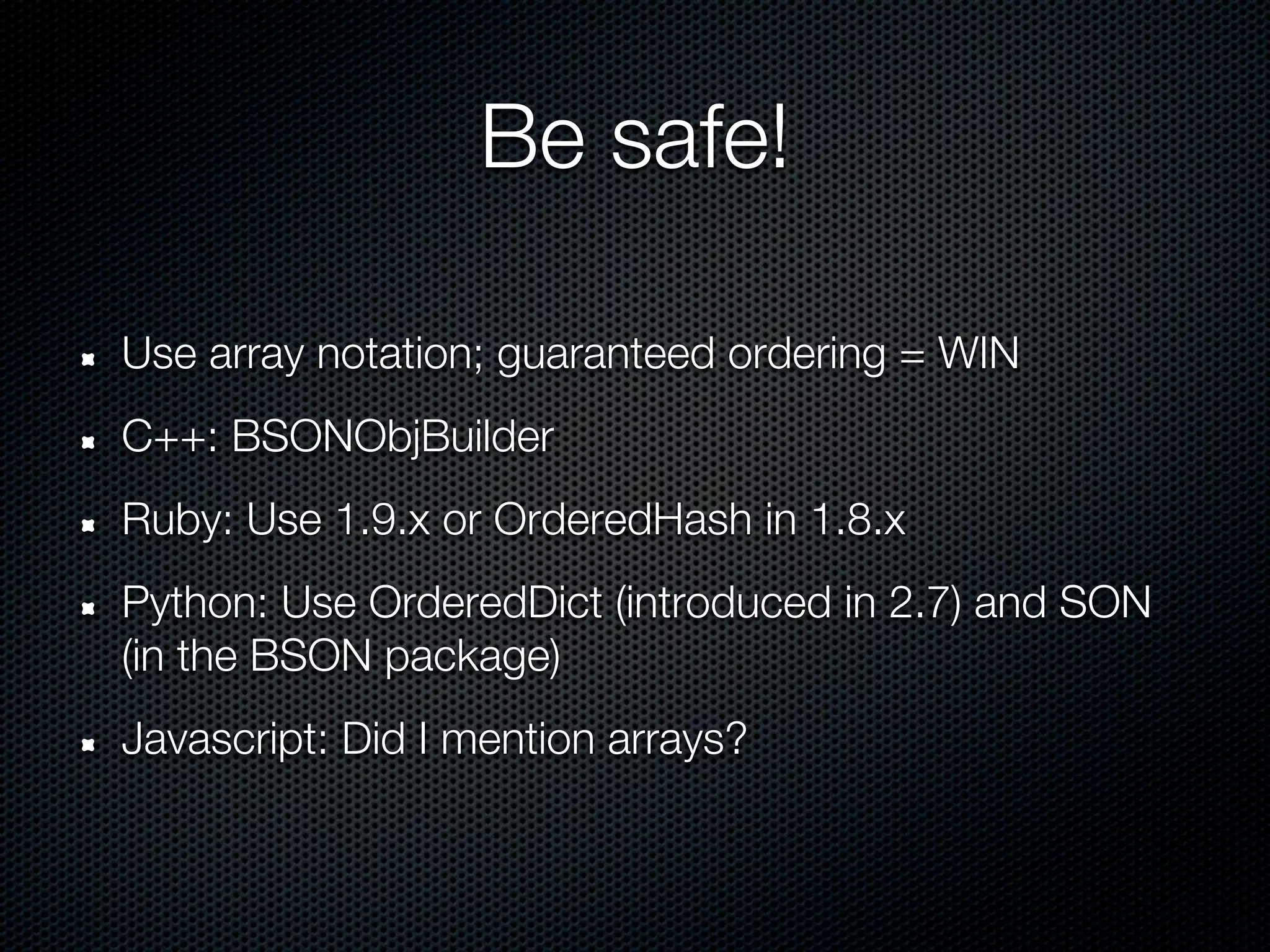
Be safe!

Use array notation; guaranteed ordering = WIN
C++: BSONObjBuilder
Ruby: Use 1.9.x or OrderedHash in 1.8.x
Python: Use OrderedDict (introduced in 2.7) and SON
(in the BSON package)
Javascript: Did I mention arrays?
Creating the index
> db[‘tiles’].create_index([[“position”,
                              Mongo::GEO2D]])
=> “position_2d”
> db[‘tiles’].index_information
=> {"_id_"=>{"name"=>"_id_",
"ns"=>"test.test_tiles", "key"=>{"_id"=>1}},
"position_2d"=>{"key"=>{"position"=>"2d"},
"ns"=>"test.test_tiles", "name"=>"position_2d"}}


 Defaults:
   Min: -180, Max: 180,
   bits: 26
Creating the index
> db[‘tiles’].create_index(
    [[“position”, Mongo::GEO2D]],
    :min => -500, :max => 500, :bits => 32
  )
=> “position_2d”
More index fun

 Only one Geo2D index per collection (SERVER-2331)
 But it can be a compound index:

> db[‘tiles’].create_index([
     [“position”, Mongo::GEO2D],
     [“letter”, Mongo::ASCENDING]
  ])
=> “position_2d_letter_1”

Queries are prefix-matched on indexes, so put Geo2D
first (or use hinting)
New 2.0 feature
          Geo2d indices across an array field!
> db[‘words’].insert({
     “word” : “QI”,
     “tiles” : [
       {“letter” => “Q”, position => [1,1]},
       {“letter” => “I”, position => [2,1]}
     ]
  })
=> BSON::ObjectID('4dd074927a70183256000006')
> db[‘words’].create_index([[
     “tiles.position”,
    Mongo::GEO2D
  ]])
=> “position_2d”
Geo2D in 2.0

Data and Indices
Querying
Running / Scaling Production
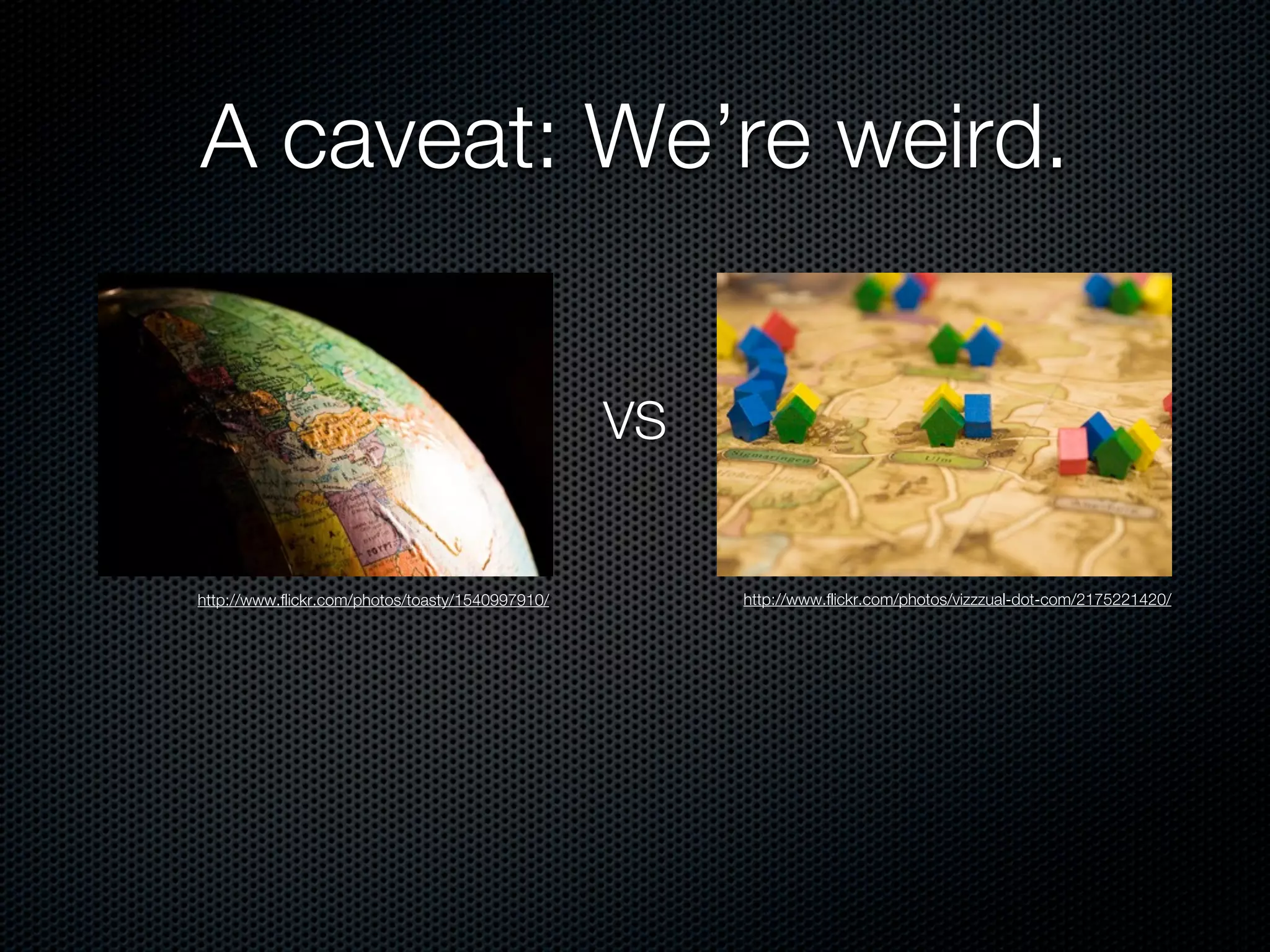
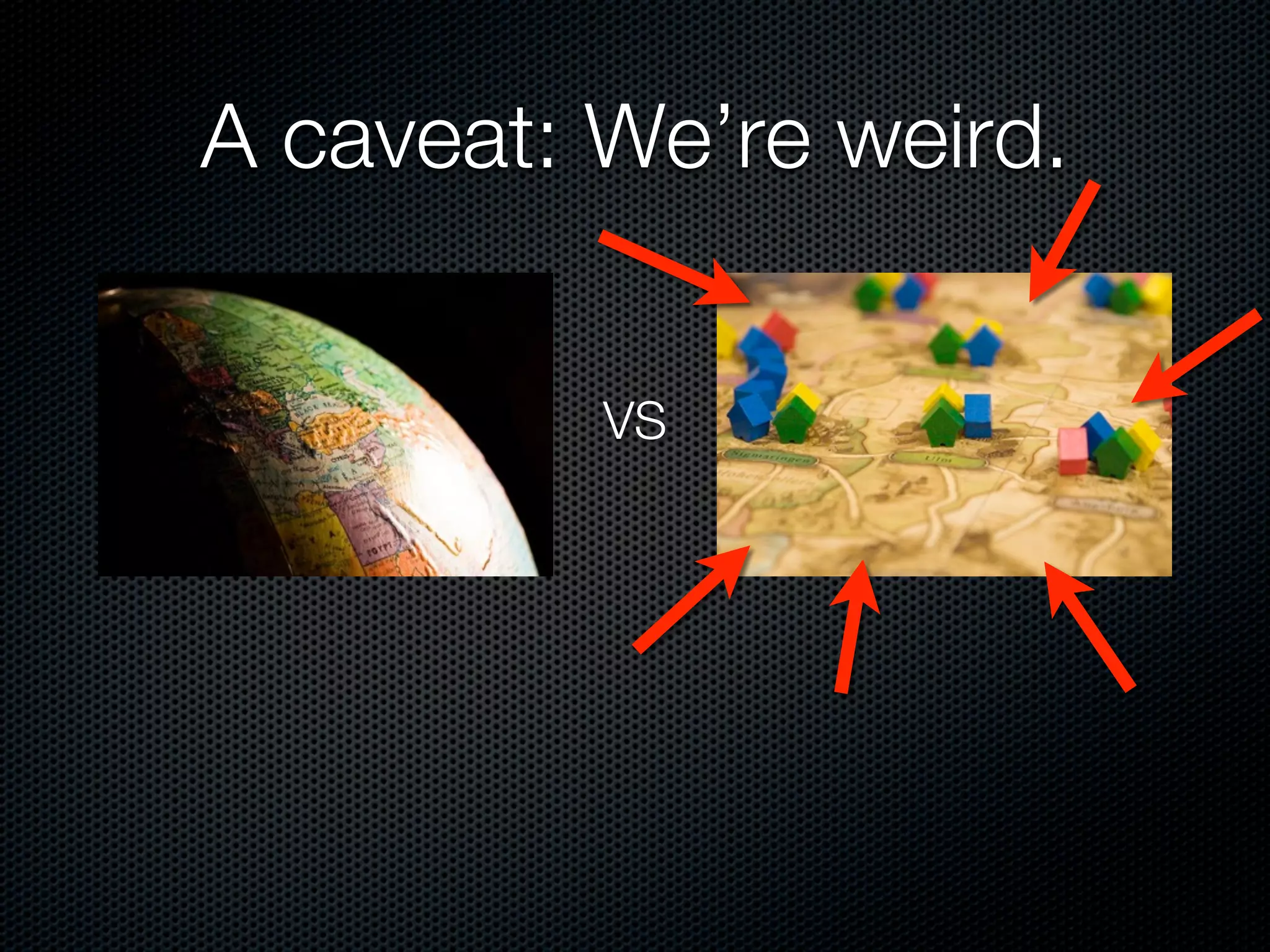
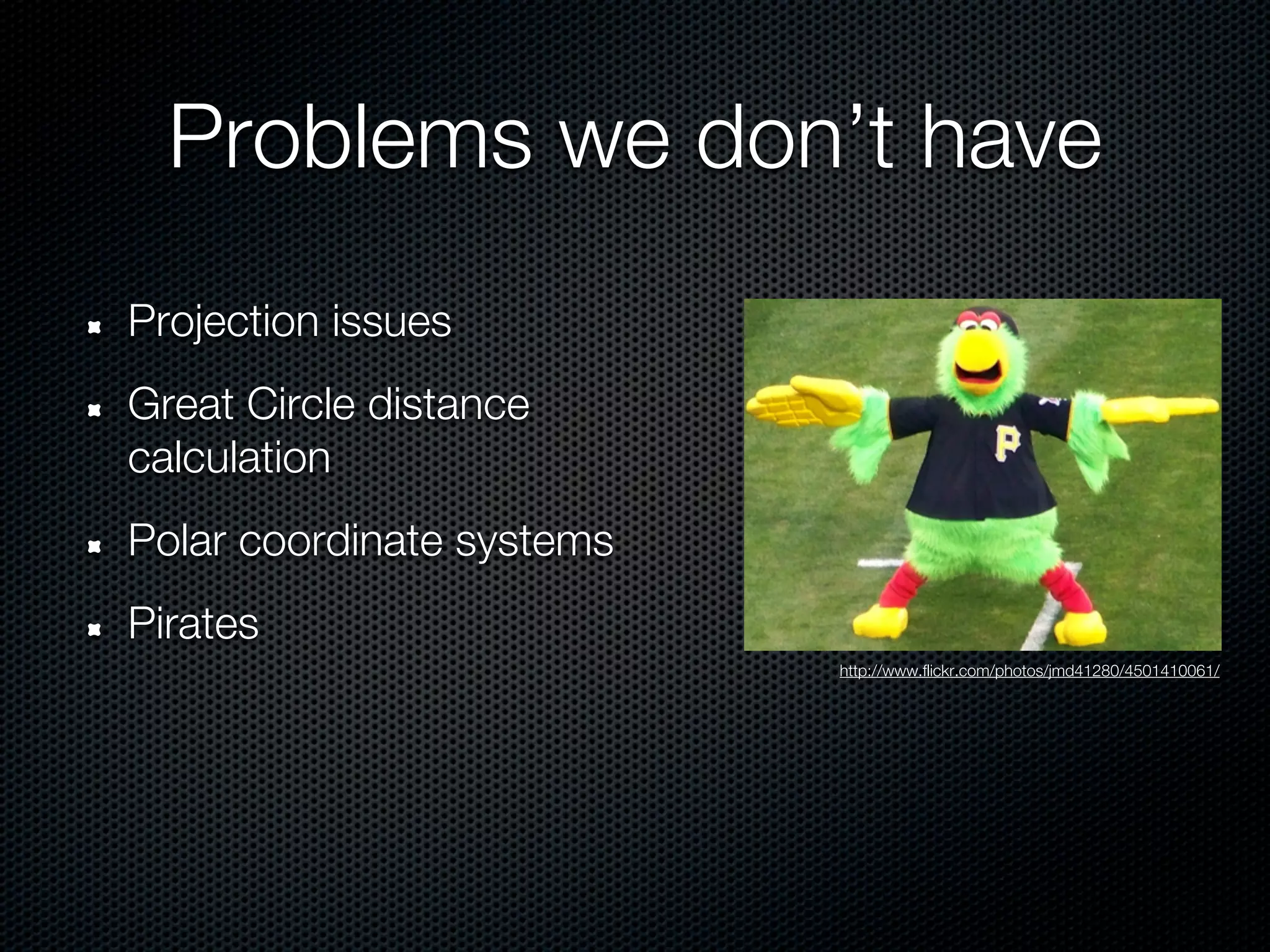
A caveat: We’re weird.


                                                  VS


http://www.flickr.com/photos/toasty/1540997910/        http://www.flickr.com/photos/vizzzual-dot-com/2175221420/
A caveat: We’re weird.


          VS
Problems we don’t have
Projection issues
Great Circle distance
calculation
Polar coordinate systems
Pirates
                           http://www.flickr.com/photos/jmd41280/4501410061/
Querying real location data
  Search by proximity: $near
  Uses native units (degrees for [-180, 180])
  Use $maxDistance to bound query

> db[‘tile’].find(:position => {“$near” => [10,10]}).to_a
=> [{"_id"=>BSON::ObjectId('4dd084ca7a70183256000007'),
"letter"=>"A", "position"=>[12,9]}]

> db[‘tile’].find(:position => {“$near” => [10,10],
“$maxDistance” => 1}).to_a
=>[]
Querying real location data
  Need distance to center as well? Use $geoNear
  Also includes fun stats
> db.command('geoNear' => 'tiles', 'near' => [1830,
2002], :maxDistance => 10)
)
=> {"ns"=>"test.tiles",
"near"=>"110000000000001100011000110010101010001000001011
1111", "results"=>[{"dis"=>3.999471664428711,
"obj"=>{"_id"=>BSON::ObjectId('4dd0b0957a701852bc02bf67')
, "position"=>{"x"=>1830, "y"=>2006}, "letter"=>"A"}}],
"stats"=>{"time"=>0, "btreelocs"=>3, "nscanned"=>2,
"objectsLoaded"=>1, "avgDistance"=>3.999471664428711,
"maxDistance"=>3.999471664428711}, "ok"=>1.0}
Querying real location data
 Region queries: $within
 Example: $box (rectangle)
> db[‘tile’].find(:position => {“$within” => {“$box” =>
[[10,10], [30,30]]}).to_a
=> [{"_id"=>BSON::ObjectId('4dd084ca7a70183256000007'),
"letter"=>"A", "position"=>[12,9]}]


                              [30,30]


                    [10,10]
Querying real location data
 Alternately: $center (circle)

> db[‘tile’].find(:position => {“$within” => {“$center”
=> [[10,10], 5]}).to_a
=> [{"_id"=>BSON::ObjectId('4dd084ca7a70183256000007'),
"letter"=>"A", "position"=>[12,9]}]


                                5
                          [10,10]
Querying real location data
 New in 2.0: $polygon!

> db[‘tile’].find(:position => {“$within” => {“$polygon”
=> [[5,5], [5,15], [15,5]}).to_a
=> [{"_id"=>BSON::ObjectId('4dd084ca7a70183256000007'),
"letter"=>"A", "position"=>[12,9]}]


                         [5,15]


                         [5,5]    [15,5]
Querying real location data
  Spherical equivalents: $nearSphere and $centerSphere
  Uses radians, not native units
  position must be in [long, lat] order!
> earthRadius = 6378 #km
=> 6378
> db[‘restaurants’].find(:position => {“$nearSphere” =>
[-122.03,36.97], “$maxDistance” => 25.0/earthRadius}).to_a
=> [{"_id"=>BSON::ObjectId('4dd084ca7a70183256000007'),
"name"=>"Crow’s Nest", "position"=>[-122.0,36.96]}]
MapReduce
MapReduce queries can use Geo2D indices when
querying data
Great for MMO analytics:
  ‘What events did user x trigger within this region’
  ‘Which users visited this region in the last 24 hours’
Alternate Geometries

Really “Regular Planed Tilings by Regular Polygons”.
Or “Edge-to-Edge Tilings by Congruent Polygons”.
Really.
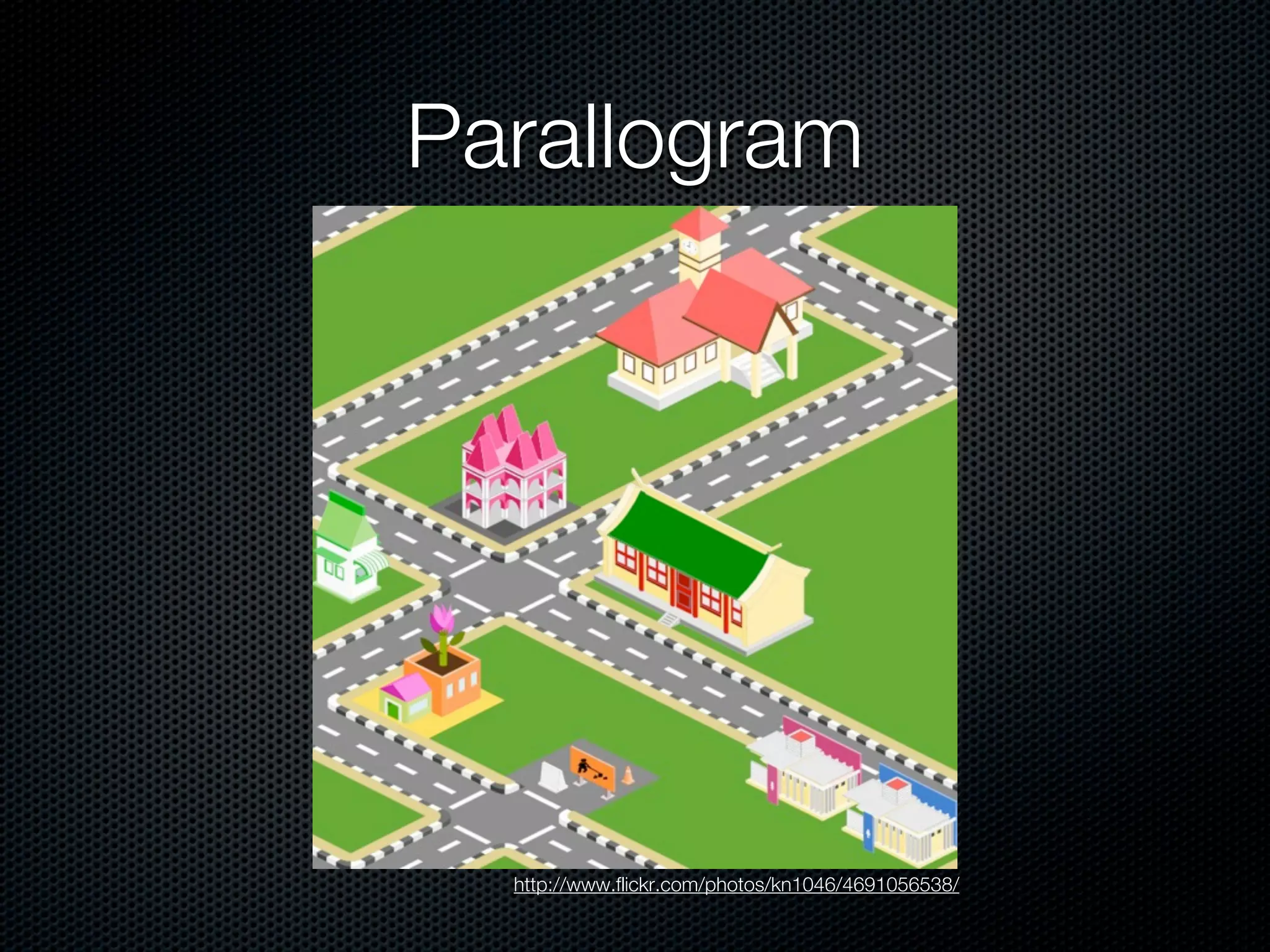
Parallogram


  http://www.flickr.com/photos/kn1046/4691056538/
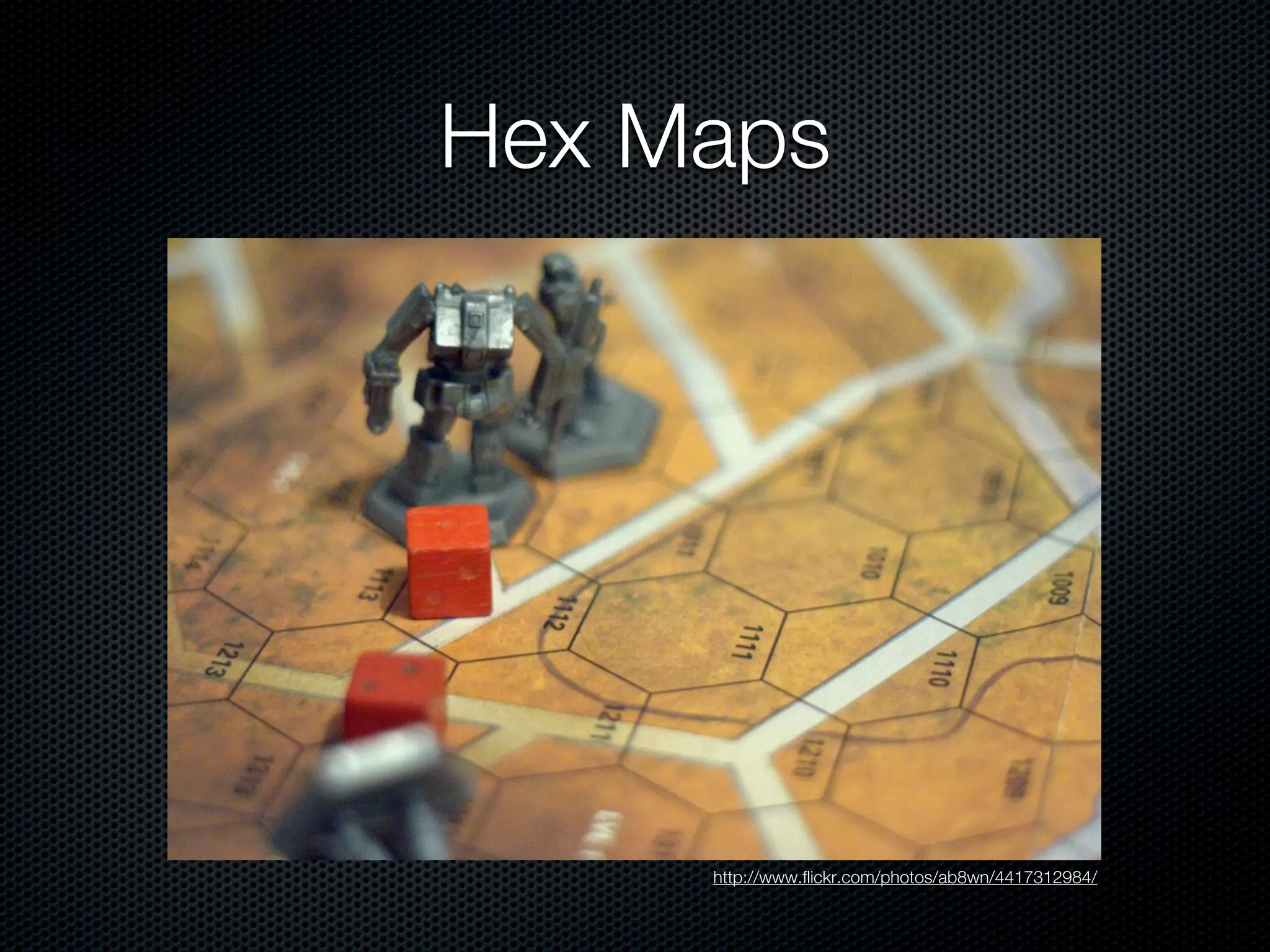
Hex Maps


     http://www.flickr.com/photos/ab8wn/4417312984/
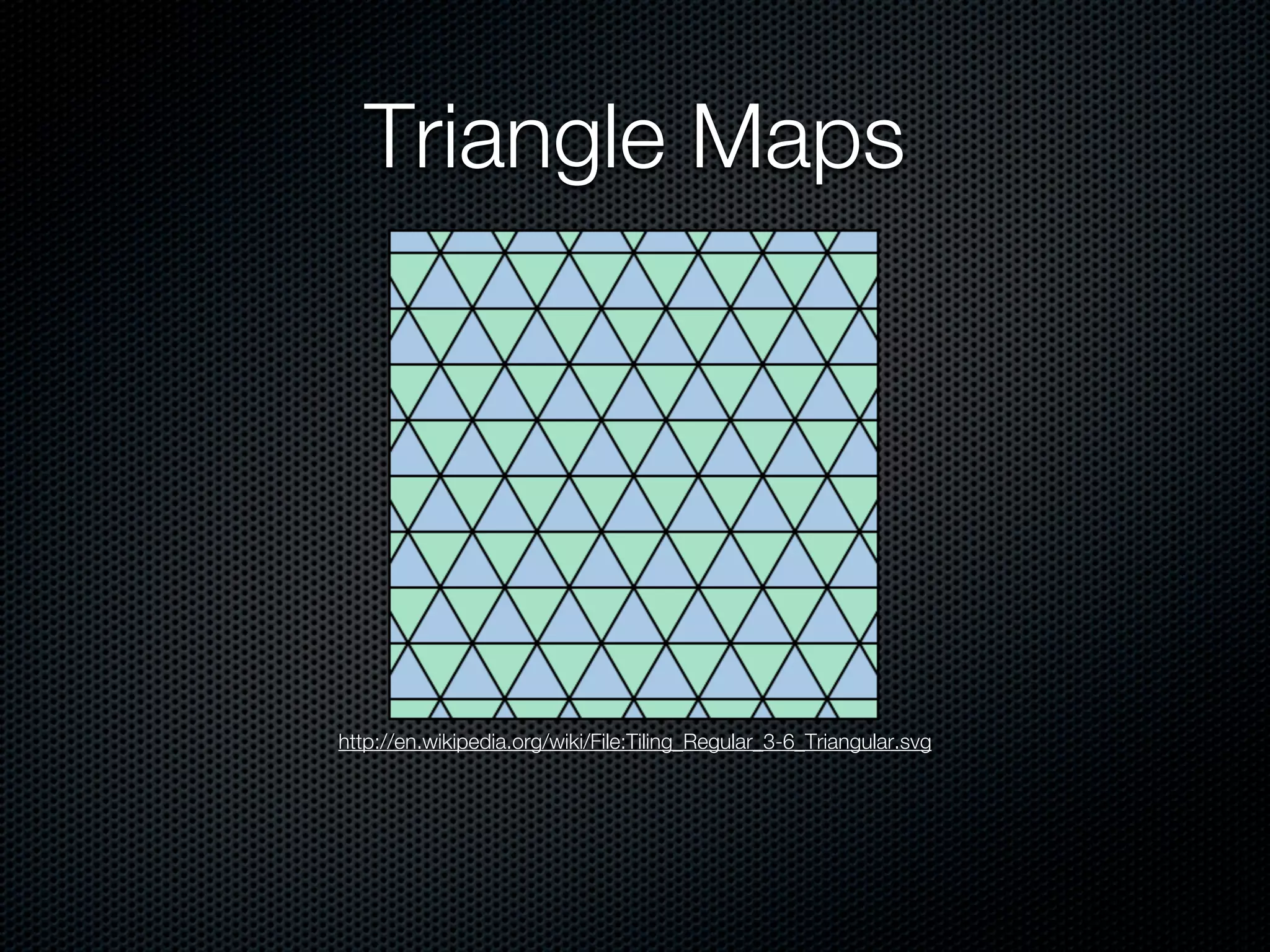
Triangle Maps


http://en.wikipedia.org/wiki/File:Tiling_Regular_3-6_Triangular.svg
Gotchas
            -1,1    0,1         1,1         2,1


         -2,0   -1,0      0,0         1,0         2,0


            -1,-1   0,-1    1,-1        2,-1


Non-uniform distances between adjacent ranks

Example: $within => [-1,-1], [1,1]
Gotchas
            -1,1    0,1         1,1         2,1


         -2,0   -1,0      0,0         1,0         2,0


            -1,-1   0,-1    1,-1        2,-1


Non-uniform distances between adjacent ranks

Example: $within => [-1,-1], [1,1]
Gotchas
            -1,1    0,1         1,1         2,1


         -2,0   -1,0      0,0         1,0         2,0


            -1,-1   0,-1    1,-1        2,-1
                                                        Oops.
Non-uniform distances between adjacent ranks

Example: $within => [-1,-1], [1,1]
Gotchas

Query engine assumes a regular grid (possibly mapped
onto a sphere using a standard sinusoidal projection)
If you’re using non-square region units, expect to
perform secondary processing on the results
Geo2D in 2.0

Data and Indices
Querying
Running / Scaling Production
Again: we’re weird.
Big index, but no need for it all to be in memory
Large numbers of tiny documents
Large regions of the world where activity => 0 as
density => 1
Single box scaling limit determined by # of active
sections of the world at a time
Our setup
Master/Slave (Nowadays: use a Replica Set)
Slaves used for
  backup
  Map image generation
Next stop (at some point): geoSharding
Sharding
Yes, you can shard on a geo-indexed field
Not recommended due to query performance
(SERVER-1982). Vote it up if you care (and you
should).
Can’t use $near in queries, only $geoNear and
therefore runCommand(). (SERVER-1981)
What does it all mean?
Questions?


               http://www.flickr.com/photos/wili/3361117222/


@ggoodale
grant@massivelyfun.com

Mapping Flatland: Using MongoDB for an MMO Crossword Game (GDC Online 2011)

  • 1.
    Mapping Flatland Storing and Querying Location Data with MongoDB GDC Online 2011 Grant Goodale (@ggoodale) (#gdconline) October 12, 2011
  • 2.
  • 5.
  • 6.
  • 7.
    A bit ofhistory Originally written for Node Knockout 2010
  • 8.
    MongoDB - AnIntroduction (briefly) Fast, schemaless, document-oriented database Download at http://mongodb.org/downloads Speaks BSON (Binary JSON) - drivers in many languages
  • 9.
    MongoDB - AnIntroduction Documents can be nested and contain arrays
  • 10.
    Querying in MongoDB Richquery syntax Query on array and subdocument fields
  • 11.
    Replica Sets andSharding Replica Set Sharded Cluster
  • 12.
    Why MongoDB? Easy toset up and run Fast Reasonably robust node.js driver (much better now) Geospatial indexing and querying
  • 13.
    Geo2D in 1.8 Dataand Indices Querying Running / Scaling Production
  • 14.
    Structuring your data tile= { _id : BSON::ObjectId(...) position : [0,0], letter : "A", wildcard : "false" }
  • 15.
    Structuring your data tile= { _id : BSON::ObjectId(...) position : {x: 0, y: 0}, letter : "A", wildcard : "false" }
  • 16.
    Watch your language >db[‘tiles’].insert({ position : {y: 50, x: 20}, letter : "A", wildcard : "false" }) => BSON::ObjectId('4dd06d037a70183256000004') > db.[‘tiles’].find_one() => {"_id"=>BSON::ObjectId('4dd06d037a70183256000 004'), "letter"=>"A", "position"=>{"x"=>20, "y"=>50}, "wildcard"=>false}
  • 17.
    Be safe! Use arraynotation; guaranteed ordering = WIN C++: BSONObjBuilder Ruby: Use 1.9.x or OrderedHash in 1.8.x Python: Use OrderedDict (introduced in 2.7) and SON (in the BSON package) Javascript: Did I mention arrays?
  • 18.
    Creating the index >db[‘tiles’].create_index([[“position”, Mongo::GEO2D]]) => “position_2d” > db[‘tiles’].index_information => {"_id_"=>{"name"=>"_id_", "ns"=>"test.test_tiles", "key"=>{"_id"=>1}}, "position_2d"=>{"key"=>{"position"=>"2d"}, "ns"=>"test.test_tiles", "name"=>"position_2d"}} Defaults: Min: -180, Max: 180, bits: 26
  • 19.
    Creating the index >db[‘tiles’].create_index( [[“position”, Mongo::GEO2D]], :min => -500, :max => 500, :bits => 32 ) => “position_2d”
  • 20.
    More index fun Only one Geo2D index per collection (SERVER-2331) But it can be a compound index: > db[‘tiles’].create_index([ [“position”, Mongo::GEO2D], [“letter”, Mongo::ASCENDING] ]) => “position_2d_letter_1” Queries are prefix-matched on indexes, so put Geo2D first (or use hinting)
  • 21.
    New 2.0 feature Geo2d indices across an array field! > db[‘words’].insert({ “word” : “QI”, “tiles” : [ {“letter” => “Q”, position => [1,1]}, {“letter” => “I”, position => [2,1]} ] }) => BSON::ObjectID('4dd074927a70183256000006') > db[‘words’].create_index([[ “tiles.position”, Mongo::GEO2D ]]) => “position_2d”
  • 22.
    Geo2D in 2.0 Dataand Indices Querying Running / Scaling Production
  • 23.
    A caveat: We’reweird. VS http://www.flickr.com/photos/toasty/1540997910/ http://www.flickr.com/photos/vizzzual-dot-com/2175221420/
  • 24.
  • 25.
    Problems we don’thave Projection issues Great Circle distance calculation Polar coordinate systems Pirates http://www.flickr.com/photos/jmd41280/4501410061/
  • 26.
    Querying real locationdata Search by proximity: $near Uses native units (degrees for [-180, 180]) Use $maxDistance to bound query > db[‘tile’].find(:position => {“$near” => [10,10]}).to_a => [{"_id"=>BSON::ObjectId('4dd084ca7a70183256000007'), "letter"=>"A", "position"=>[12,9]}] > db[‘tile’].find(:position => {“$near” => [10,10], “$maxDistance” => 1}).to_a =>[]
  • 27.
    Querying real locationdata Need distance to center as well? Use $geoNear Also includes fun stats > db.command('geoNear' => 'tiles', 'near' => [1830, 2002], :maxDistance => 10) ) => {"ns"=>"test.tiles", "near"=>"110000000000001100011000110010101010001000001011 1111", "results"=>[{"dis"=>3.999471664428711, "obj"=>{"_id"=>BSON::ObjectId('4dd0b0957a701852bc02bf67') , "position"=>{"x"=>1830, "y"=>2006}, "letter"=>"A"}}], "stats"=>{"time"=>0, "btreelocs"=>3, "nscanned"=>2, "objectsLoaded"=>1, "avgDistance"=>3.999471664428711, "maxDistance"=>3.999471664428711}, "ok"=>1.0}
  • 28.
    Querying real locationdata Region queries: $within Example: $box (rectangle) > db[‘tile’].find(:position => {“$within” => {“$box” => [[10,10], [30,30]]}).to_a => [{"_id"=>BSON::ObjectId('4dd084ca7a70183256000007'), "letter"=>"A", "position"=>[12,9]}] [30,30] [10,10]
  • 29.
    Querying real locationdata Alternately: $center (circle) > db[‘tile’].find(:position => {“$within” => {“$center” => [[10,10], 5]}).to_a => [{"_id"=>BSON::ObjectId('4dd084ca7a70183256000007'), "letter"=>"A", "position"=>[12,9]}] 5 [10,10]
  • 30.
    Querying real locationdata New in 2.0: $polygon! > db[‘tile’].find(:position => {“$within” => {“$polygon” => [[5,5], [5,15], [15,5]}).to_a => [{"_id"=>BSON::ObjectId('4dd084ca7a70183256000007'), "letter"=>"A", "position"=>[12,9]}] [5,15] [5,5] [15,5]
  • 31.
    Querying real locationdata Spherical equivalents: $nearSphere and $centerSphere Uses radians, not native units position must be in [long, lat] order! > earthRadius = 6378 #km => 6378 > db[‘restaurants’].find(:position => {“$nearSphere” => [-122.03,36.97], “$maxDistance” => 25.0/earthRadius}).to_a => [{"_id"=>BSON::ObjectId('4dd084ca7a70183256000007'), "name"=>"Crow’s Nest", "position"=>[-122.0,36.96]}]
  • 32.
    MapReduce MapReduce queries canuse Geo2D indices when querying data Great for MMO analytics: ‘What events did user x trigger within this region’ ‘Which users visited this region in the last 24 hours’
  • 33.
    Alternate Geometries Really “RegularPlaned Tilings by Regular Polygons”. Or “Edge-to-Edge Tilings by Congruent Polygons”. Really.
  • 34.
  • 35.
    Hex Maps http://www.flickr.com/photos/ab8wn/4417312984/
  • 36.
  • 37.
    Gotchas -1,1 0,1 1,1 2,1 -2,0 -1,0 0,0 1,0 2,0 -1,-1 0,-1 1,-1 2,-1 Non-uniform distances between adjacent ranks Example: $within => [-1,-1], [1,1]
  • 38.
    Gotchas -1,1 0,1 1,1 2,1 -2,0 -1,0 0,0 1,0 2,0 -1,-1 0,-1 1,-1 2,-1 Non-uniform distances between adjacent ranks Example: $within => [-1,-1], [1,1]
  • 39.
    Gotchas -1,1 0,1 1,1 2,1 -2,0 -1,0 0,0 1,0 2,0 -1,-1 0,-1 1,-1 2,-1 Oops. Non-uniform distances between adjacent ranks Example: $within => [-1,-1], [1,1]
  • 40.
    Gotchas Query engine assumesa regular grid (possibly mapped onto a sphere using a standard sinusoidal projection) If you’re using non-square region units, expect to perform secondary processing on the results
  • 41.
    Geo2D in 2.0 Dataand Indices Querying Running / Scaling Production
  • 42.
    Again: we’re weird. Bigindex, but no need for it all to be in memory Large numbers of tiny documents Large regions of the world where activity => 0 as density => 1 Single box scaling limit determined by # of active sections of the world at a time
  • 43.
    Our setup Master/Slave (Nowadays:use a Replica Set) Slaves used for backup Map image generation Next stop (at some point): geoSharding
  • 44.
    Sharding Yes, you canshard on a geo-indexed field Not recommended due to query performance (SERVER-1982). Vote it up if you care (and you should). Can’t use $near in queries, only $geoNear and therefore runCommand(). (SERVER-1981)
  • 45.
    What does itall mean?
  • 46.
    Questions? http://www.flickr.com/photos/wili/3361117222/ @ggoodale grant@massivelyfun.com

Editor's Notes

  • #2 \n
  • #3 Don’t have a lot of time - trying to pack in as much useful information as possible.\n\nStill, in case you’re wondering where the title came from: A book from the 19th Century in which a Sphere comes to 2D Flatland in an effort to convince them of the existence of the third dimension (and then scoffs when the Square posits 4th, 5th etc. dimensions). \n\n
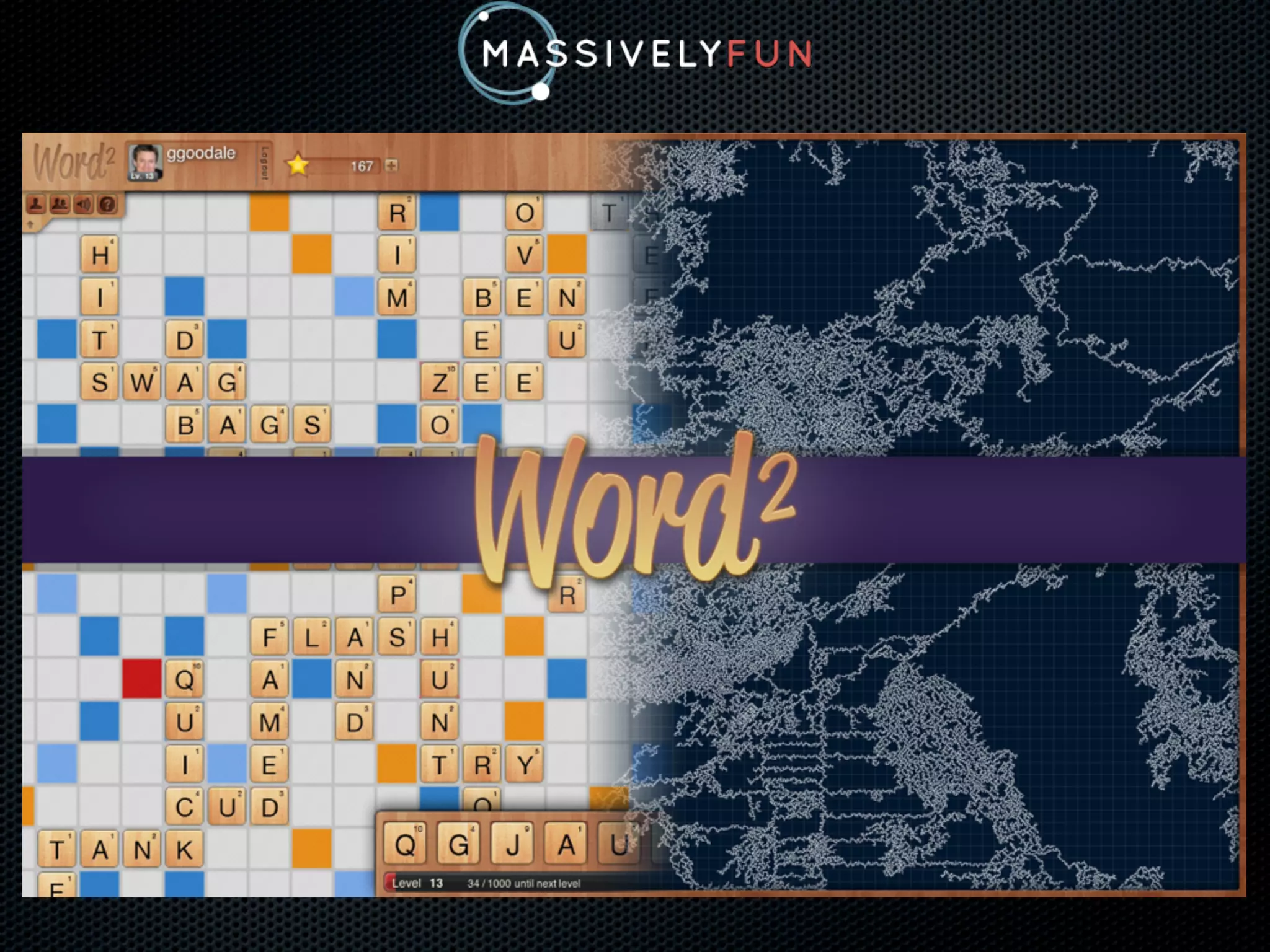
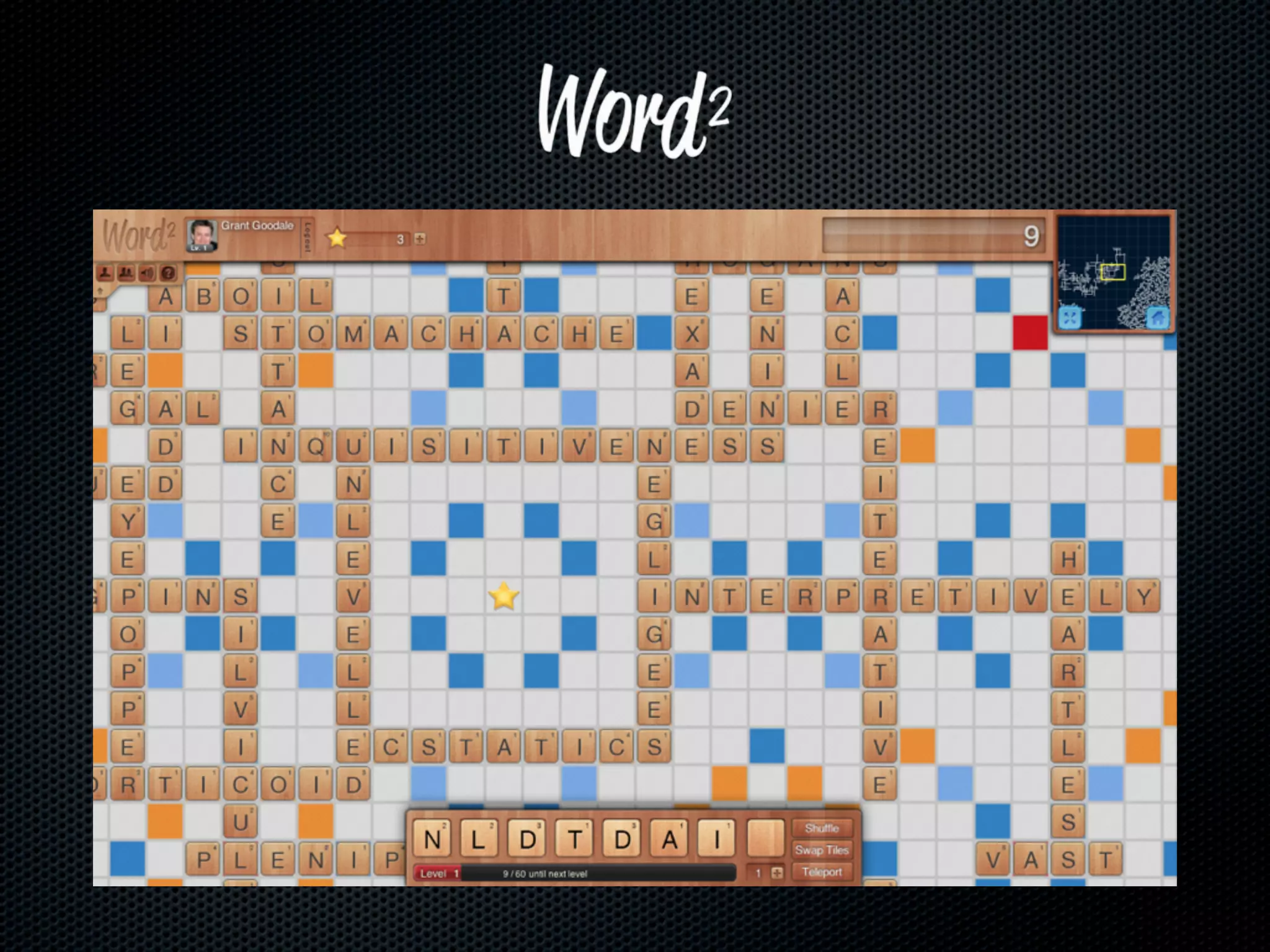
  • #4 I run a game company named Massively Fun. We’re based in Seattle and are relatively new to the scene. \nOur first game is WordSquared. Anyone heard of it? Anyone? Bueller?\n
  • #5 Massively multiplayer crossword game, played on an infinitely large board.\n47.18MM wordd played so far\nPlay surface: 108MM+ tiles, covering an area of 63510 x 130629\nAssuming a ‘standard’ 18.5mmx21mmx4.5mm tile, the play surface covers an area of:\n * 3.22 MM square meters\n * 796.44 acres.\n\nStacked vertically, 489.5 km tall (Roughly 100km higher than the orbit of the ISS\n
  • #6 One grid square = 15x15 (a size that should be familiar from other, smaller word games)\nEach white pixel = 1 tile\n
  • #7 \n
  • #8 Wrote the original version in 48 hours as part of Node Knockout.\nApp is pure HTML/Javascript/CSS3.\nBackend was Node talking to MongoDB.\n
  • #9 \n
  • #10 \n
  • #11 \n
  • #12 \n
  • #13 MongoHQ was offering free hosted MongoDB instances for NK teams\nNo fixed schema = less time wrangling with the schema while rapid prototyping\nWe track every tile in the game world using a single Geo2D indexed collection.\n
  • #14 We’ll be looking at 1.8.1 for today. \nSome things that won’t work in 1.6.x\nSome things get better in 1.9.x (use at your own risk!)\nExamples are in Ruby for brevity and clarity\n
  • #15 MongoDB stores Documents - arbitrarily structured JSON.\nHere’s our basic tile document. Not too different from what we store.\nWe’re going to generate a 2d index across the position field.\nOur position data is in an array. Doesn’t matter whether x or y comes first, as long as it’s consistent.\n
  • #16 You can also store your position data as a sub-object.\nThere’s a gotcha here...\n
  • #17 Let’s use Ruby 1.8.7 as an example. If you specify the position as a Hash,\nthere’s no guarantee the ordering of keys will be preserved. \nThis is bad news for geo2d and will result in strange query results.\n
  • #18 Not much you can do in javascript.\nOf course, your ORM may take care of this for you. Test to be sure.\nWe use the array syntax.\n
  • #19 Creates a basic lat/long geo2d index over the position column. \nRange by default is -180 to 180, with 26 bits’ precision\nIf you’re indexing a larger space (like us!), you’ll want to increase all 3.\nMin/Max can be really, really big. :)\n
  • #20 We can modify the defaults by passing additional options to the call to create_index.\nNot that in versions less than 1.9, you cannot insert records at the limit of the index (±500 here). \n
  • #21 Useful if you’re frequently querying on parameters other than location.\ngeo doesn’t have to be first, but probably should be unless you never query purely on location (remember, only one Geo2D index per collection!).\nAlternately you can use MongoDB’s hinting mechanism to help the query planner.\n
  • #22 Great for storing things that appear at multiple locations. For example:\n * Everywhere on the board a word has been played\n * \n\n
  • #23 \n
  • #24 The world isn’t flat. (Inorite?) Our (and likely, your) world is. \nAny guess which world is easier to deal with?\n
  • #25 Big surprise.\n
  • #26 \n
  • #27 $near is a simple proximity search. $maxDistance can be a float and < 1.\n
  • #28 Remember, ruby 1.9.x or use OrderedHash! Things won’t work otherwise!\n
  • #29 This is our primary use: fetching $box queries that represent the user’s viewport on the world.\n
  • #30 You can also do centerpoint/radius queries.\n
  • #31 Okay, technically it was there in 1.9.\nStore your mesh and query within it - great for political regions, for example\n
  • #32 Works like $near, but we need to adjust for the fact that it uses radians and not native units.\nNo $boxSphere or $polygonSphere, in case you were wondering.\n
  • #33 \n
  • #34 \n
  • #35 Easysauce. Treat like a normal grid, then do the skew math in the client.\n
  • #36 “Squares are great!” you say. “But what about other shapes?”\nI’m glad you asked. Our engine on top of MongoDB can handle persistence and region calculations with non-square region units. \n(Side note: Battletech rawks. I loved the Marauder. Can anyone name that ‘mech?)\n
  • #37 Massively Multiplayer Triominos, anyone?\nOr is it a flattened polygon mesh?\n\n
  • #38 \n
  • #39 \n
  • #40 \n
  • #41 \n
  • #42 We’ll be looking at 1.8.1 for today. \nSome things that won’t work in 1.6.x\nSome things get better in 1.9.x (use at your own risk!)\nExamples are in Ruby for brevity and clarity\n
  • #43 The Word2 world is a bit like the universe. All the interesting stuff is happening further and further apart. \n
  • #44 We build map images on the slave because they pull tile data into memory that’s a superset of what’s necessary to show players; minimizes in-memory cache thrashing\n
  • #45 Geo queries currently get routed to every shard for execution. \nWe don’t do it (yet). Experimenting with it though.\n
  • #46 What does that mean for me, the person on the street?\n
  • #47 No questions! Look at the seal!\n