Leadership-Life Fit:
      Managing Email


                       S
Managing Email
Strategies for Managing Email


S Chunk email
  S Process in batches a couple of times a
    day (use auto reply to communicate the
    times during which you will respond to
    email)
  S Don’t schedule email checks during your
    times of high energy
Strategies for Managing Email:
    Reading & Processing

S Delete immediately (without reading) all notification emails from
   social networking (e.g. LinkedIn updates, Facebook, and
   Twitter) and any other unnecessary messages.
S Consider re-routing RSS feeds and other non-essential email
   to another email address.
S Unsubscribe from non-essential email (see fine print at the
   bottom of the message to unsubscribe).
S Delete messages you won’t want or need to look at after this
   week.
S File all other email or archive—keep your Inbox as clear as
   possible.
S Don’t revisit messages you have trashed.
Strategies for Managing
       Emails: Composing

S Re-use sent messages for those that you send over and
  over instead of re-writing

S Use the subject line to summarize

S Use distribution lists

S Keep the content clear and concise
Strategies for Managing Email


S Establish effective organizational habits with your
  staff
  S Use cc effectively--to indicate an FYI (this also allows you
    quickly to scan and file or delete emails on which you are
    cc’d)
  S Distinguish between a message and a
     conversation
     S message=email
     S conversation=phone call, Skpye, face-to-face
Strategies for Managing Email


S Explain your expectations to others
  S Do you have a 24 hour rule? A 48 hour rule?
  S Do you have different expectations for your
    administrative team, your teachers, your parents?
Strategies for Managing Email


S Turn off new message notifications
  S Don’t let a ping or a pop-up distract you from your work!
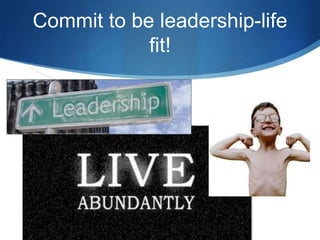
Commit to be leadership-life
            fit!

Managing email

  • 1.
    Leadership-Life Fit: Managing Email S
  • 2.
  • 3.
    Strategies for ManagingEmail S Chunk email S Process in batches a couple of times a day (use auto reply to communicate the times during which you will respond to email) S Don’t schedule email checks during your times of high energy
  • 4.
    Strategies for ManagingEmail: Reading & Processing S Delete immediately (without reading) all notification emails from social networking (e.g. LinkedIn updates, Facebook, and Twitter) and any other unnecessary messages. S Consider re-routing RSS feeds and other non-essential email to another email address. S Unsubscribe from non-essential email (see fine print at the bottom of the message to unsubscribe). S Delete messages you won’t want or need to look at after this week. S File all other email or archive—keep your Inbox as clear as possible. S Don’t revisit messages you have trashed.
  • 5.
    Strategies for Managing Emails: Composing S Re-use sent messages for those that you send over and over instead of re-writing S Use the subject line to summarize S Use distribution lists S Keep the content clear and concise
  • 6.
    Strategies for ManagingEmail S Establish effective organizational habits with your staff S Use cc effectively--to indicate an FYI (this also allows you quickly to scan and file or delete emails on which you are cc’d) S Distinguish between a message and a conversation S message=email S conversation=phone call, Skpye, face-to-face
  • 7.
    Strategies for ManagingEmail S Explain your expectations to others S Do you have a 24 hour rule? A 48 hour rule? S Do you have different expectations for your administrative team, your teachers, your parents?
  • 8.
    Strategies for ManagingEmail S Turn off new message notifications S Don’t let a ping or a pop-up distract you from your work!
  • 9.
    Commit to beleadership-life fit!