PSC MailChimp Email
Laura Anca Chichisan
PSC Communications Coordinator
clauraa@mit.edu
February 11, 2015
Together we will cover
• Types of emails
• Settings & options
• Building your email using templates
• Links
• Images
• Style Guide (Time/Date, Abbreviations, Titles)
• Resources
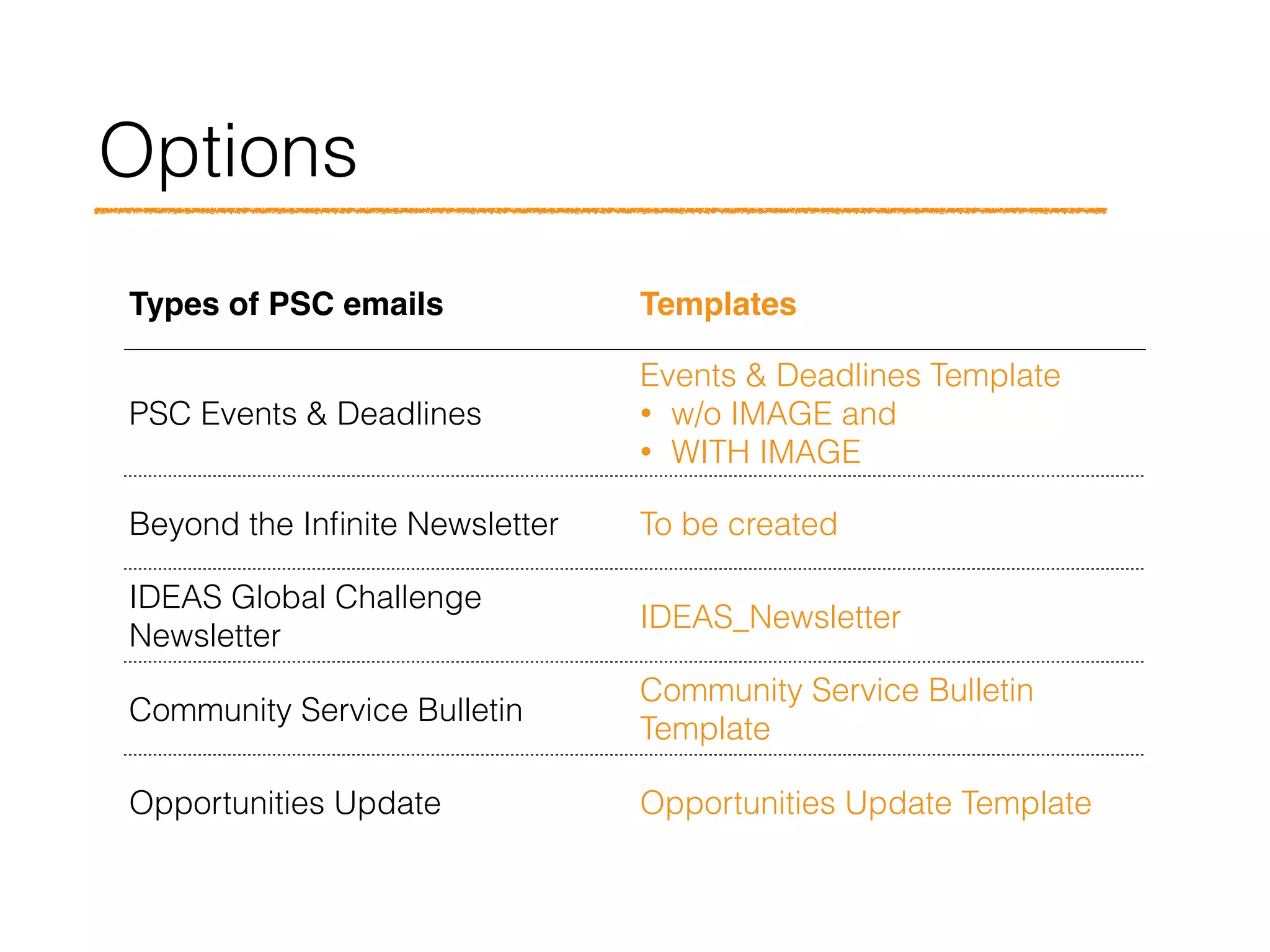
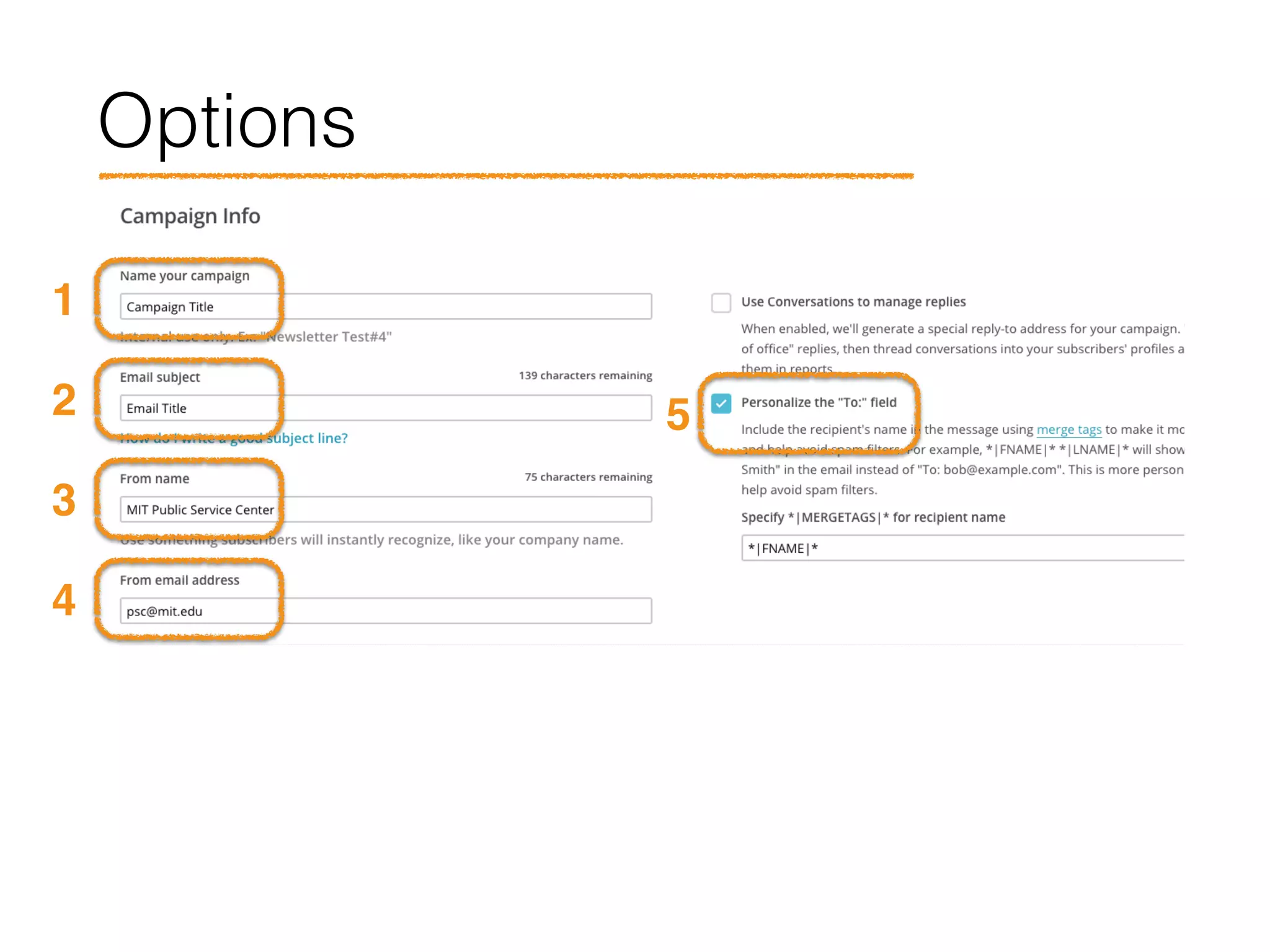
Options
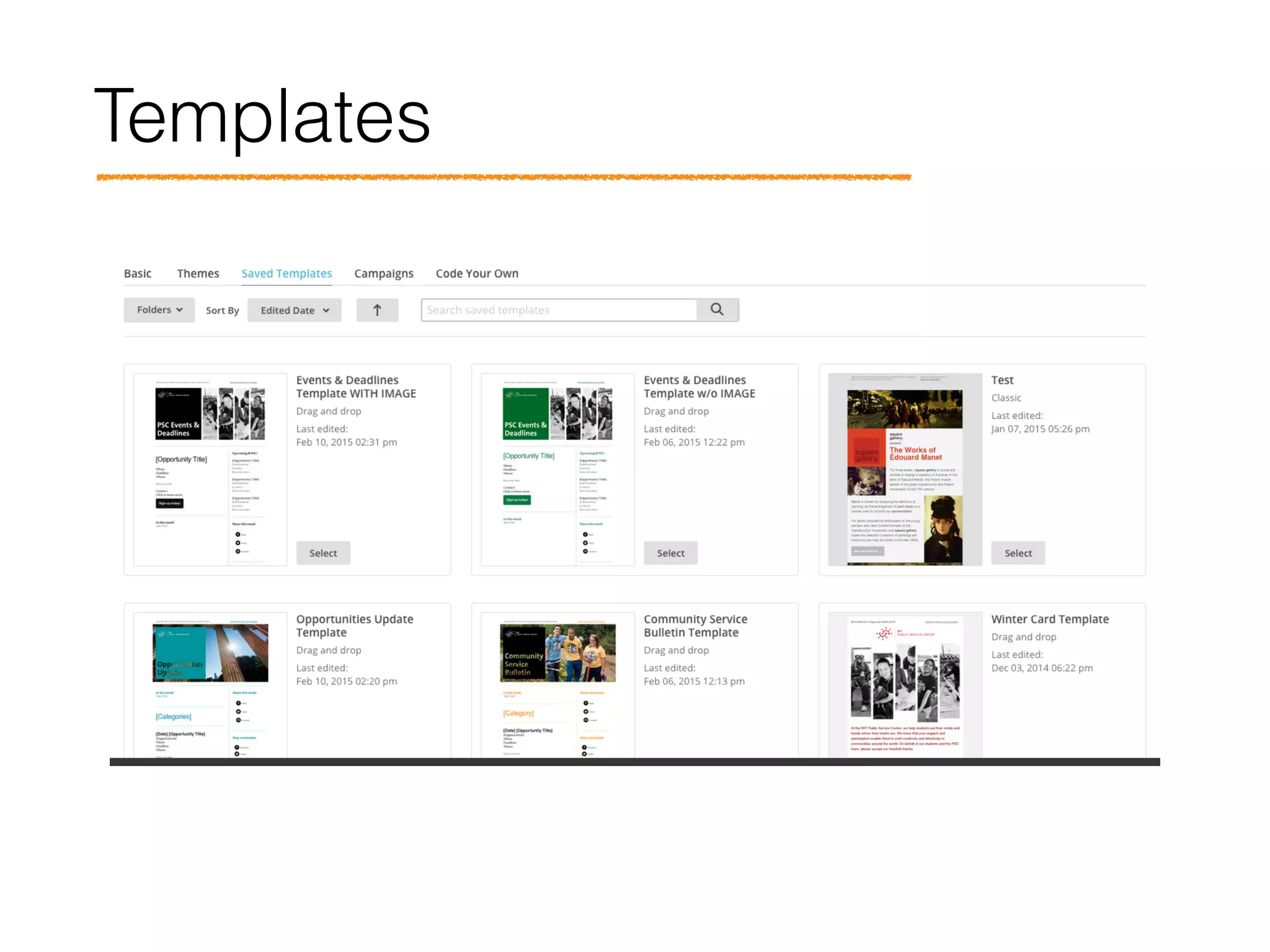
Types of PSC emails Templates
PSC Events & Deadlines
Events & Deadlines Template
• w/o IMAGE and
• WITH IMAGE
Beyond the Infinite Newsletter To be created
IDEAS Global Challenge
Newsletter
IDEAS_Newsletter
Community Service Bulletin
Template
Opportunities Update Opportunities Update Template
Does everyone know which
template to use?
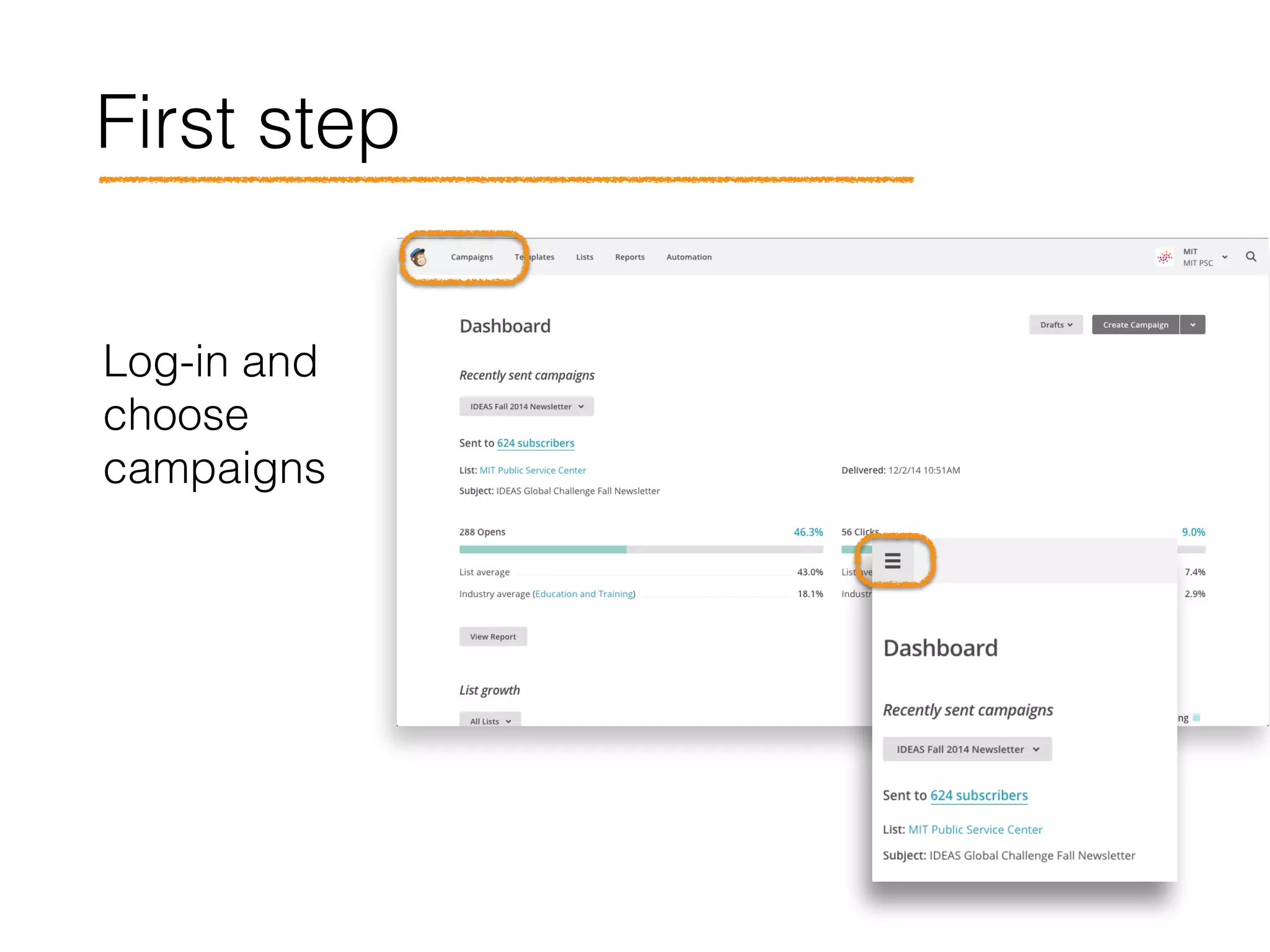
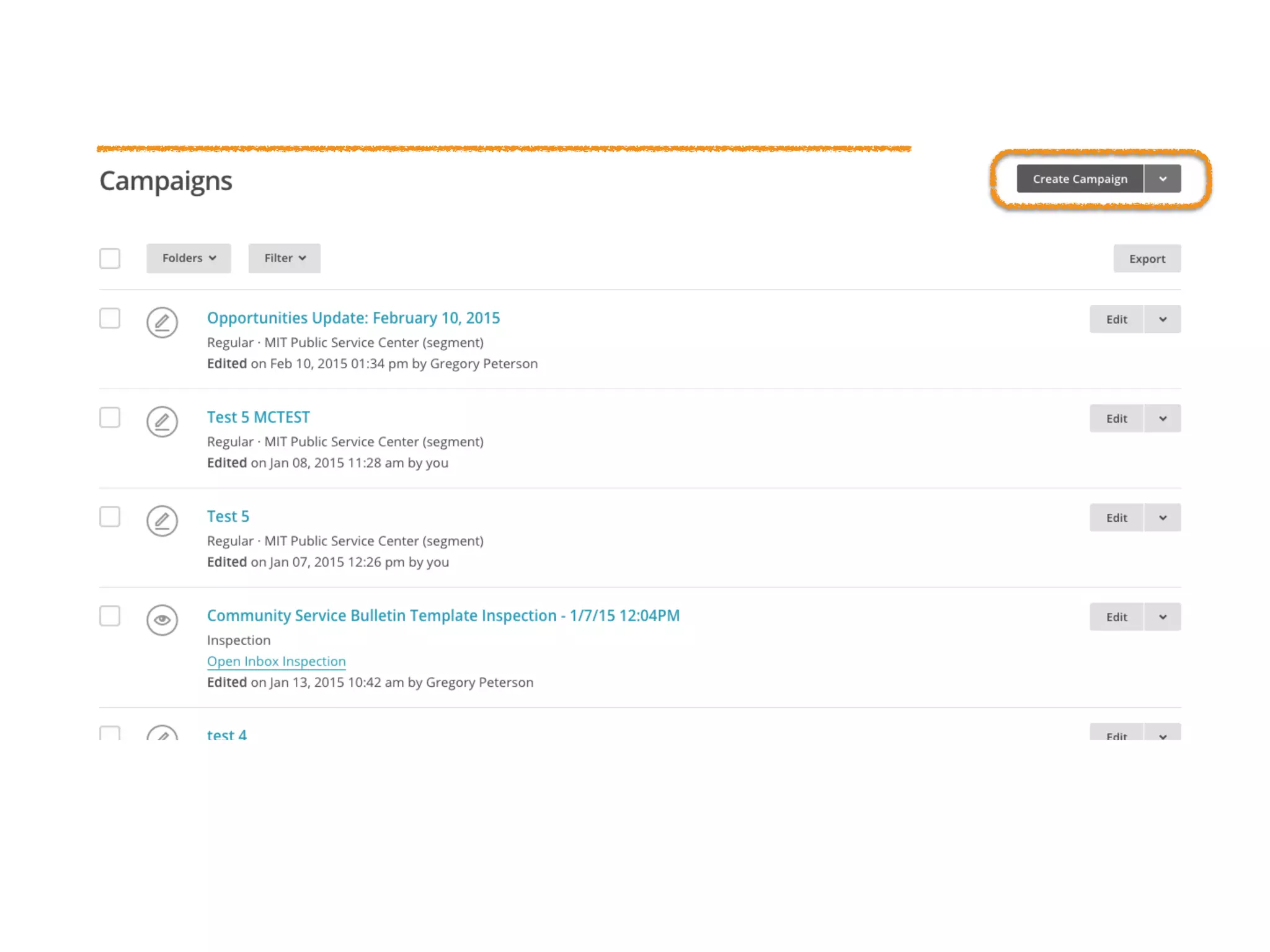
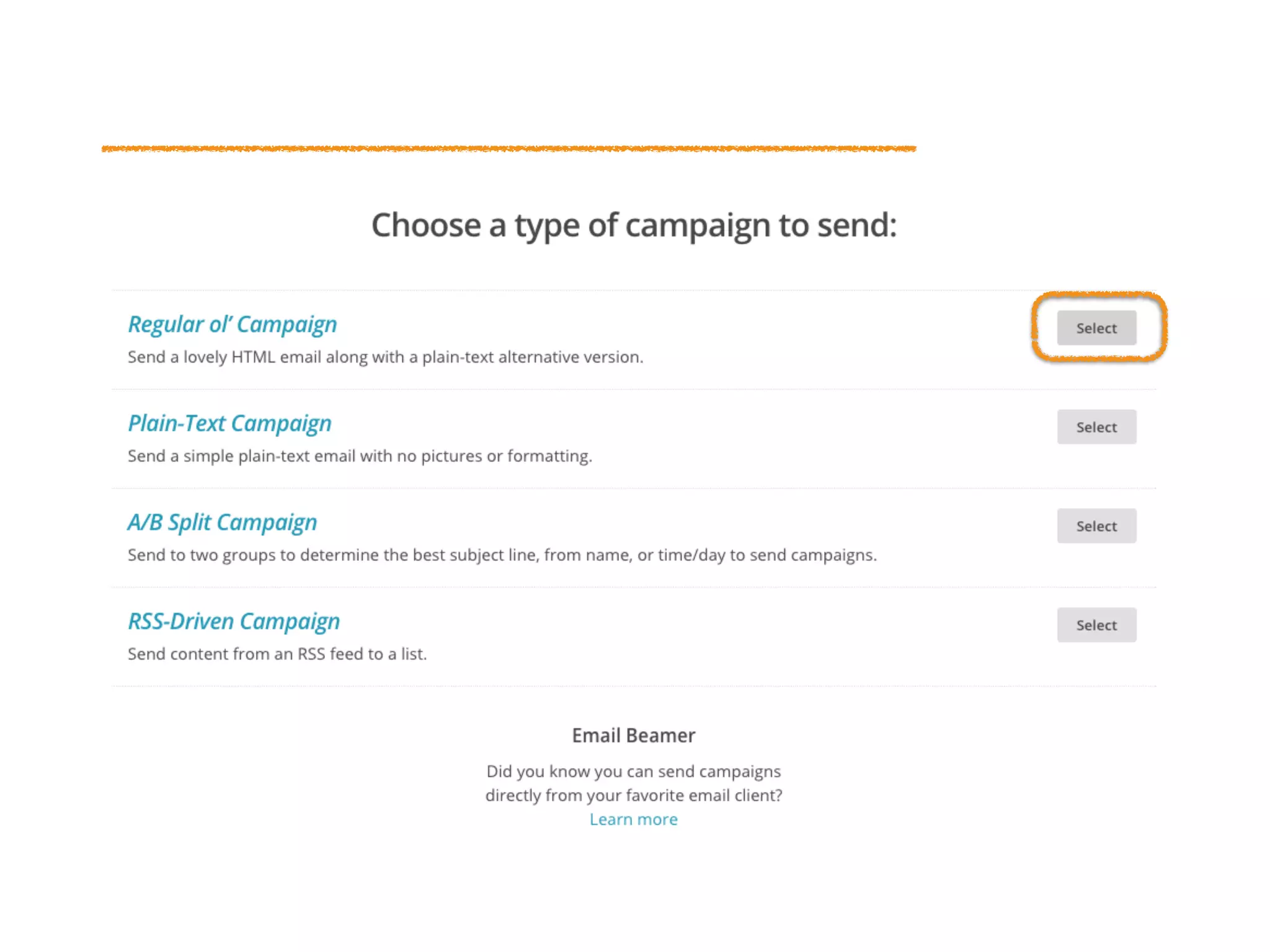
First step
Log-in and
choose
campaigns
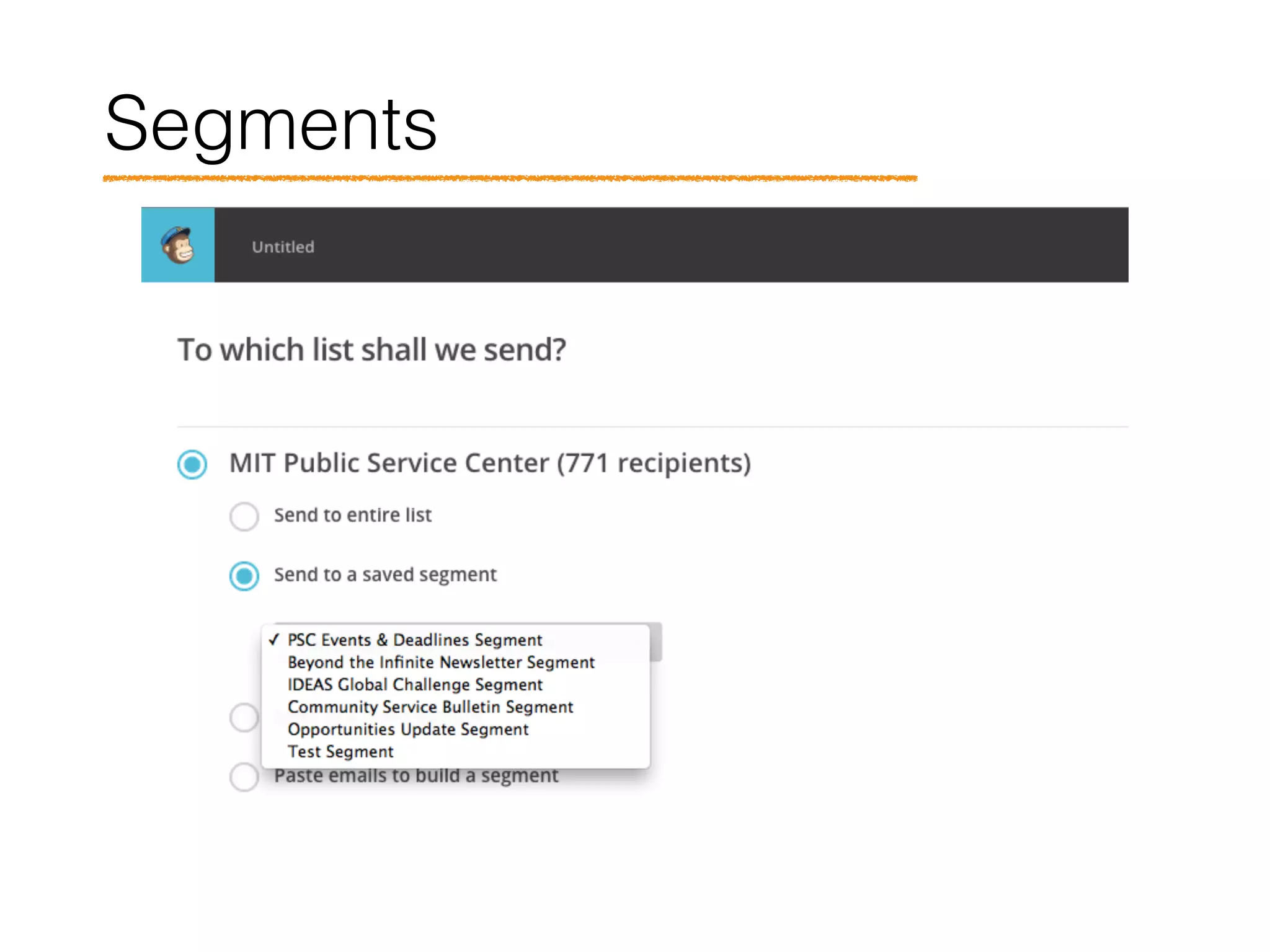
Segments
1
2
3
4
5
Options
1
2
3
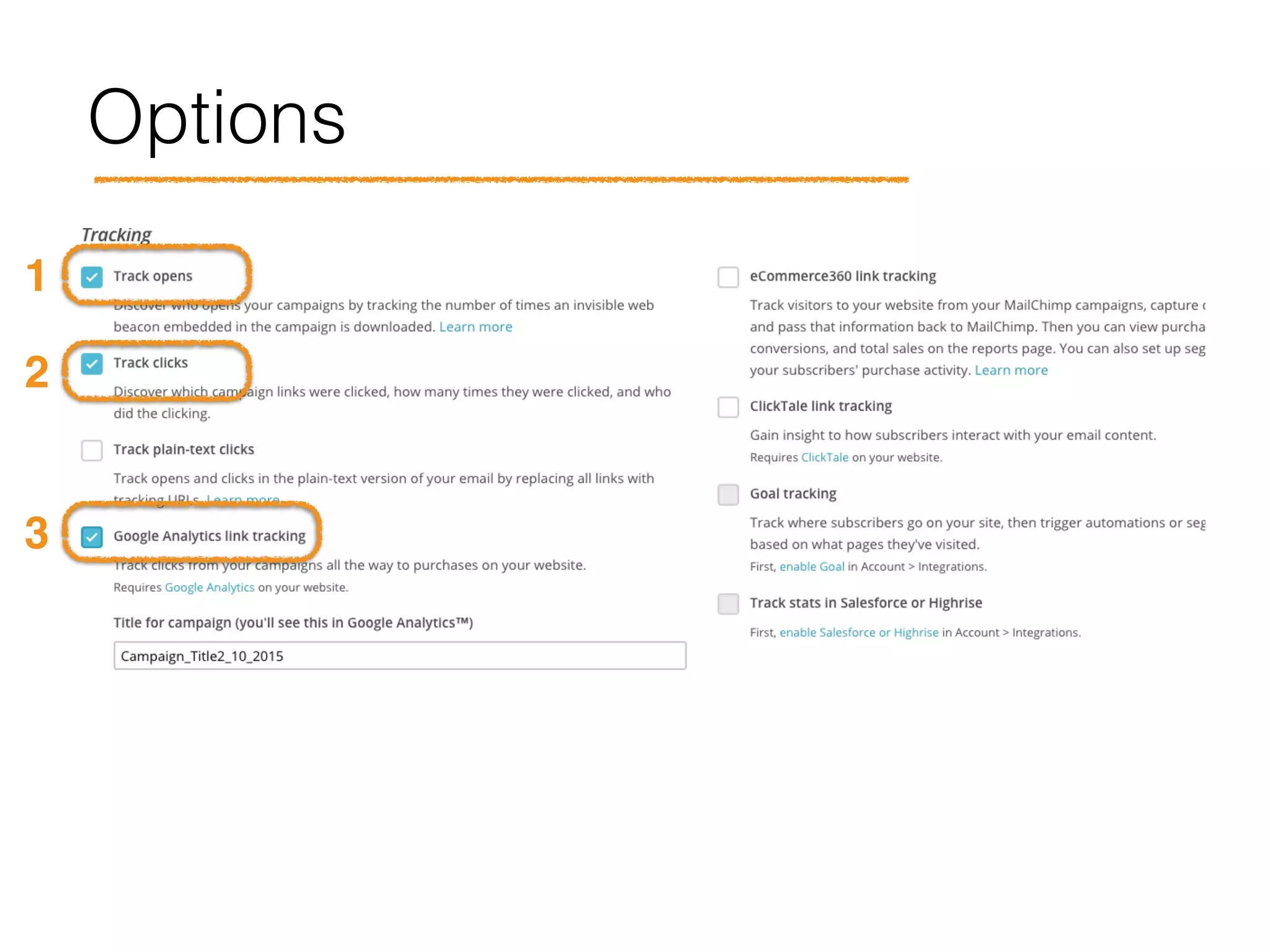
Options
1 2
3
45
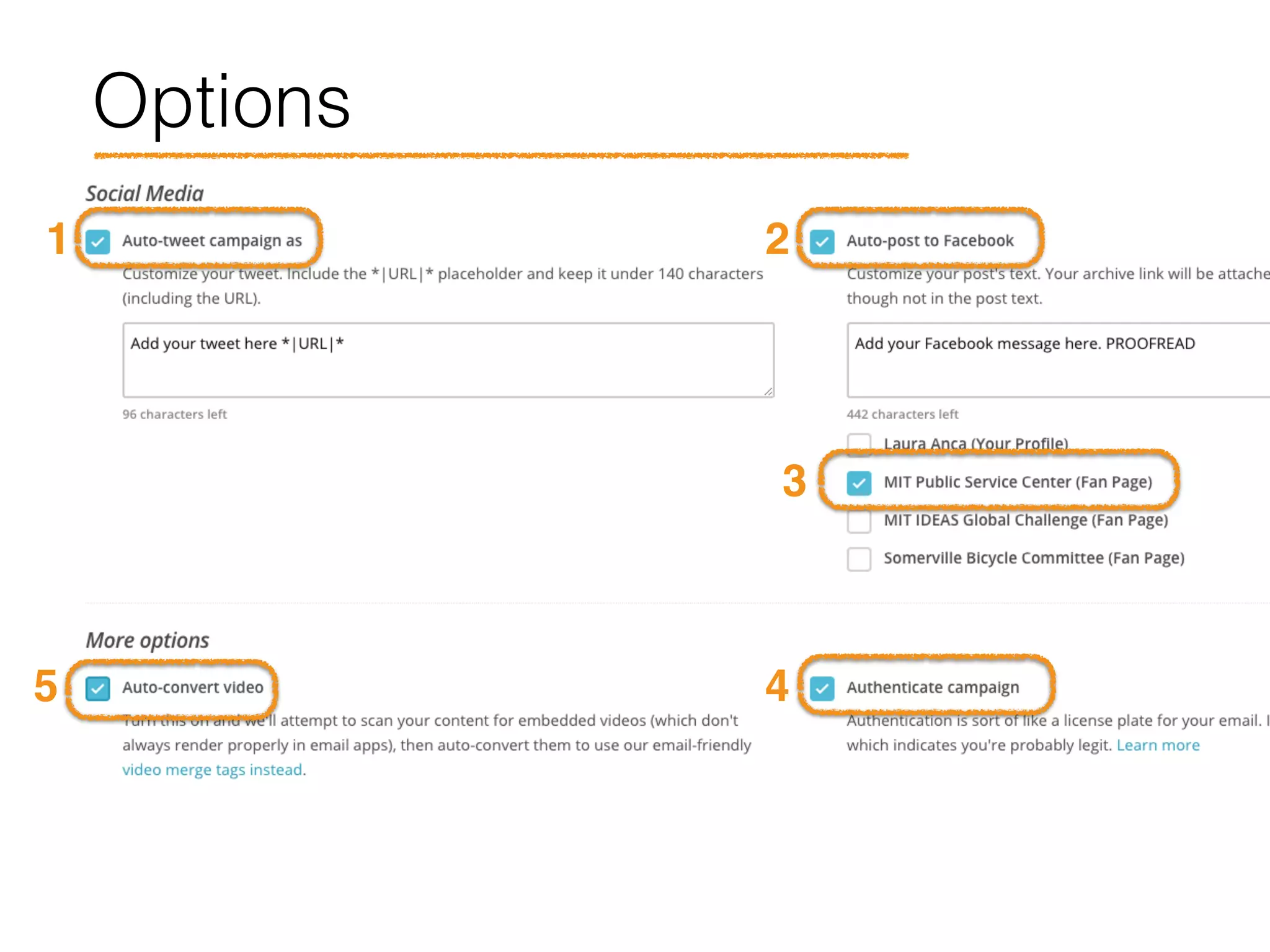
Options
Let’s build this!
Templates
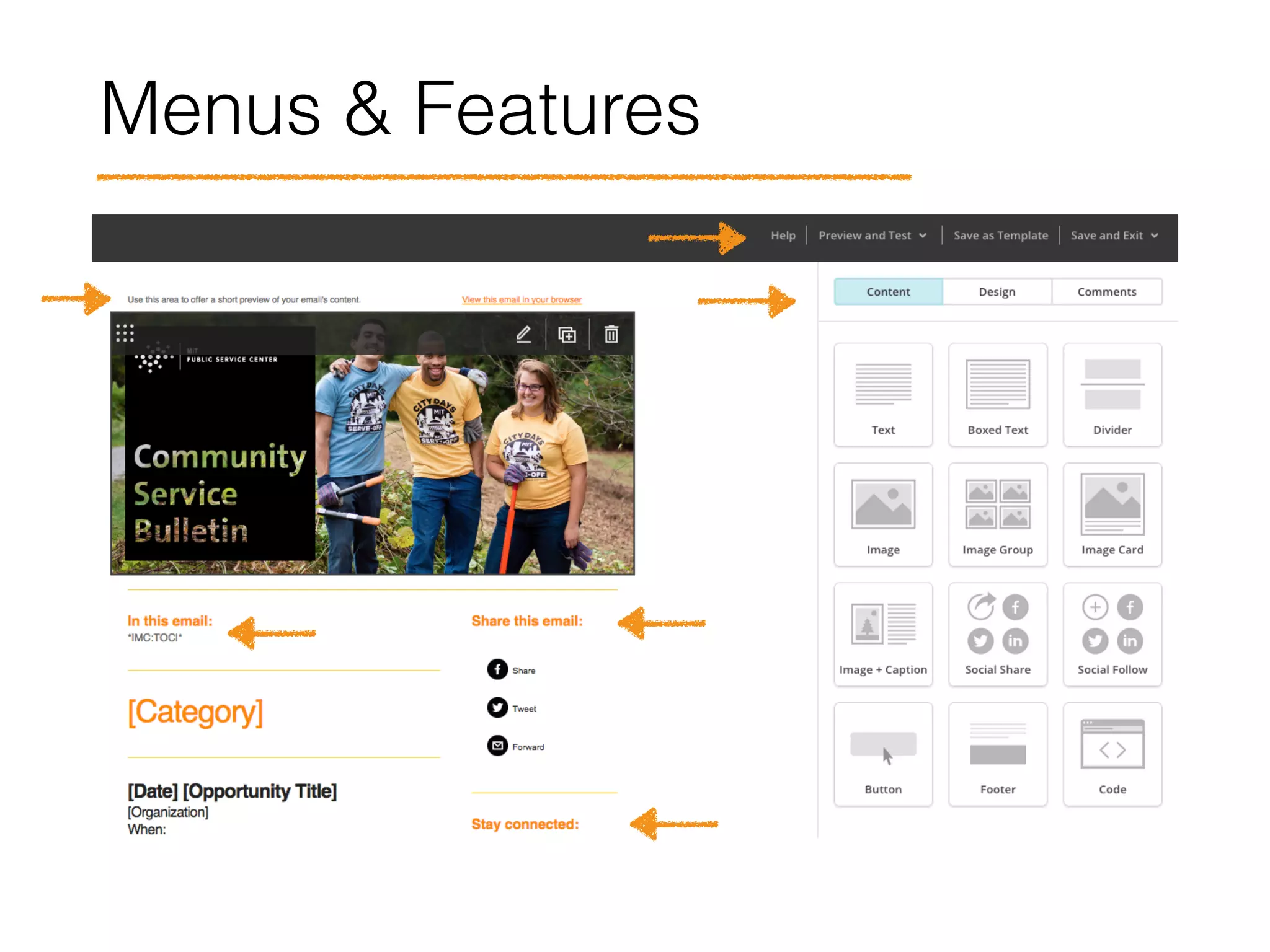
Menus & Features
Automated & Pre-filled Features
• View this email in your browser
• In this email (table of contents)
• Share this email
• Stay connected
• Footer
• Header image caption
• Disclaimer (Opps Update, Bulletin)
• Logos with links
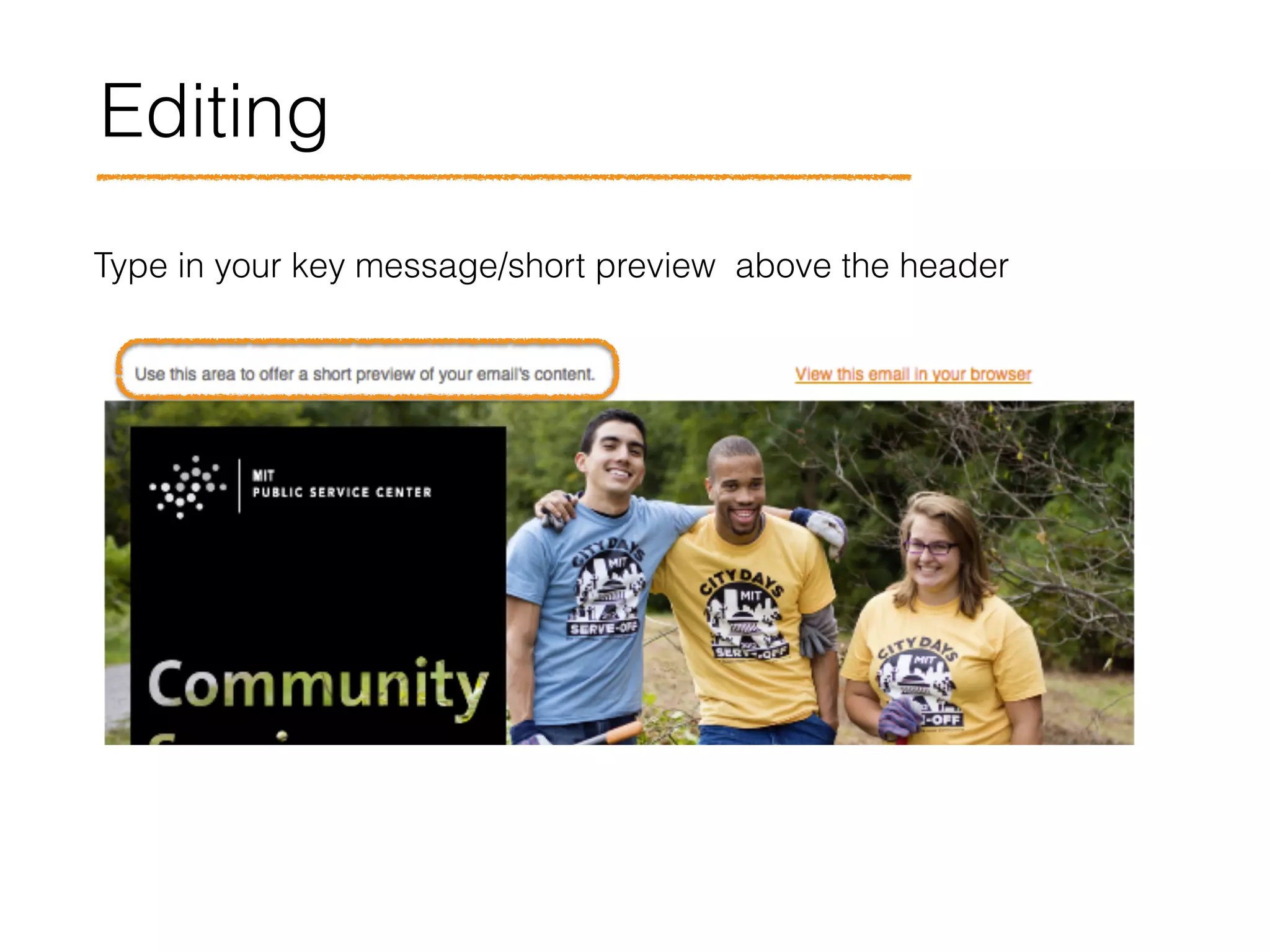
Editing
Type in your key message/short preview above the header
Editing
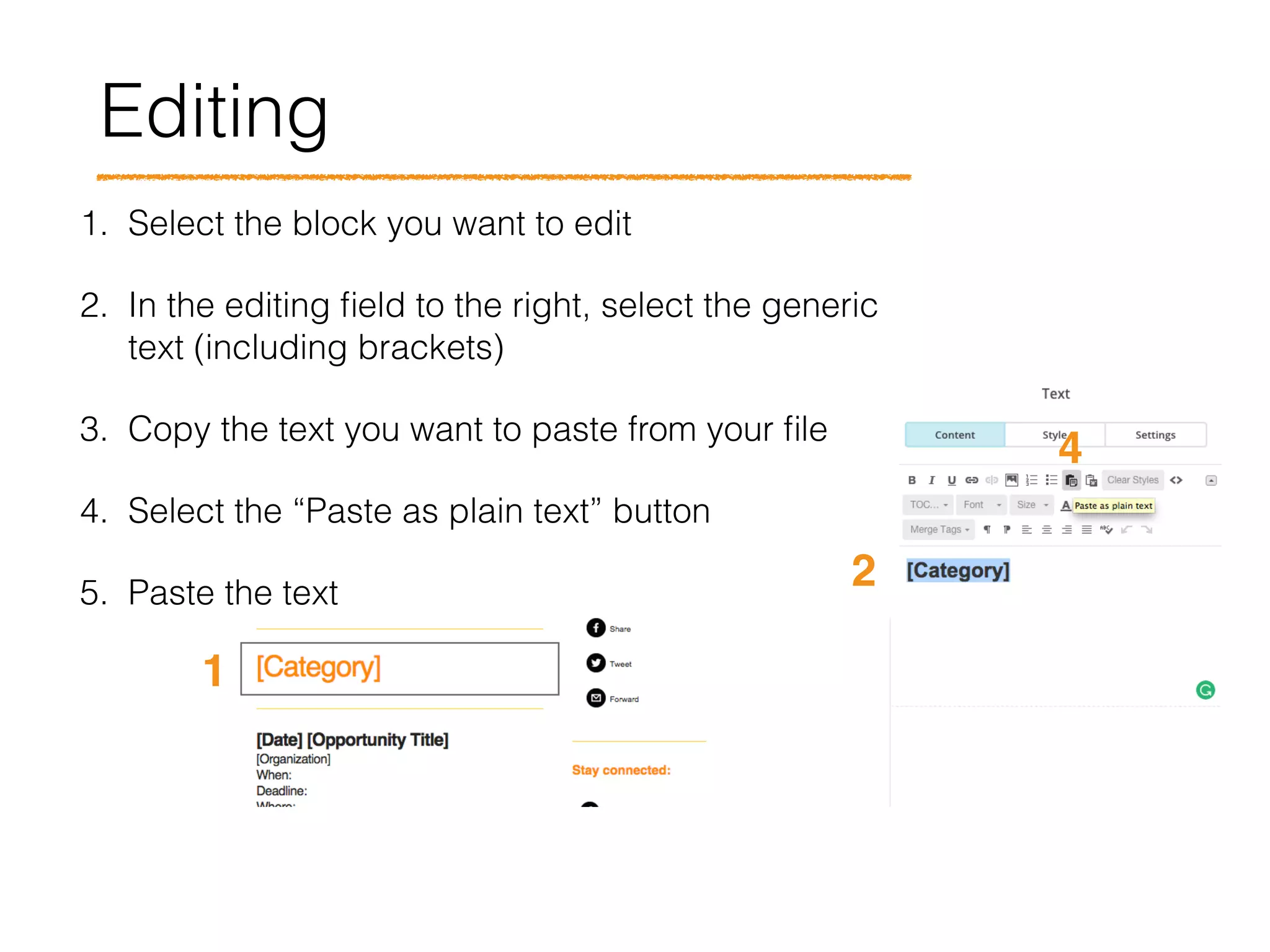
1. Select the block you want to edit
2. In the editing field to the right, select the generic
text (including brackets)
3. Copy the text you want to paste from your file
4. Select the “Paste as plain text” button
5. Paste the text
1
2
4
Editing
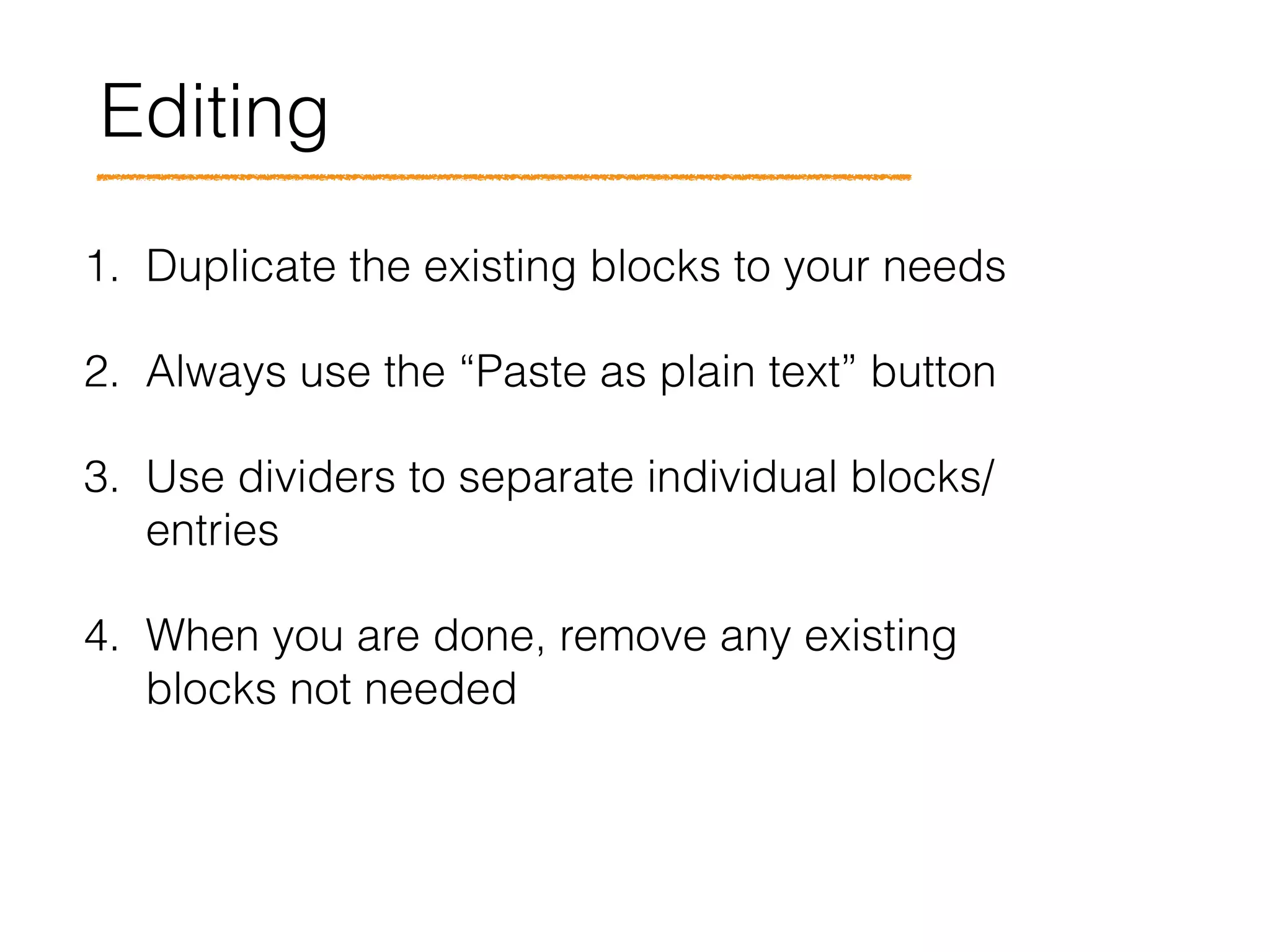
1. Duplicate the existing blocks to your needs
2. Always use the “Paste as plain text” button
3. Use dividers to separate individual blocks/
entries
4. When you are done, remove any existing
blocks not needed
Questions?
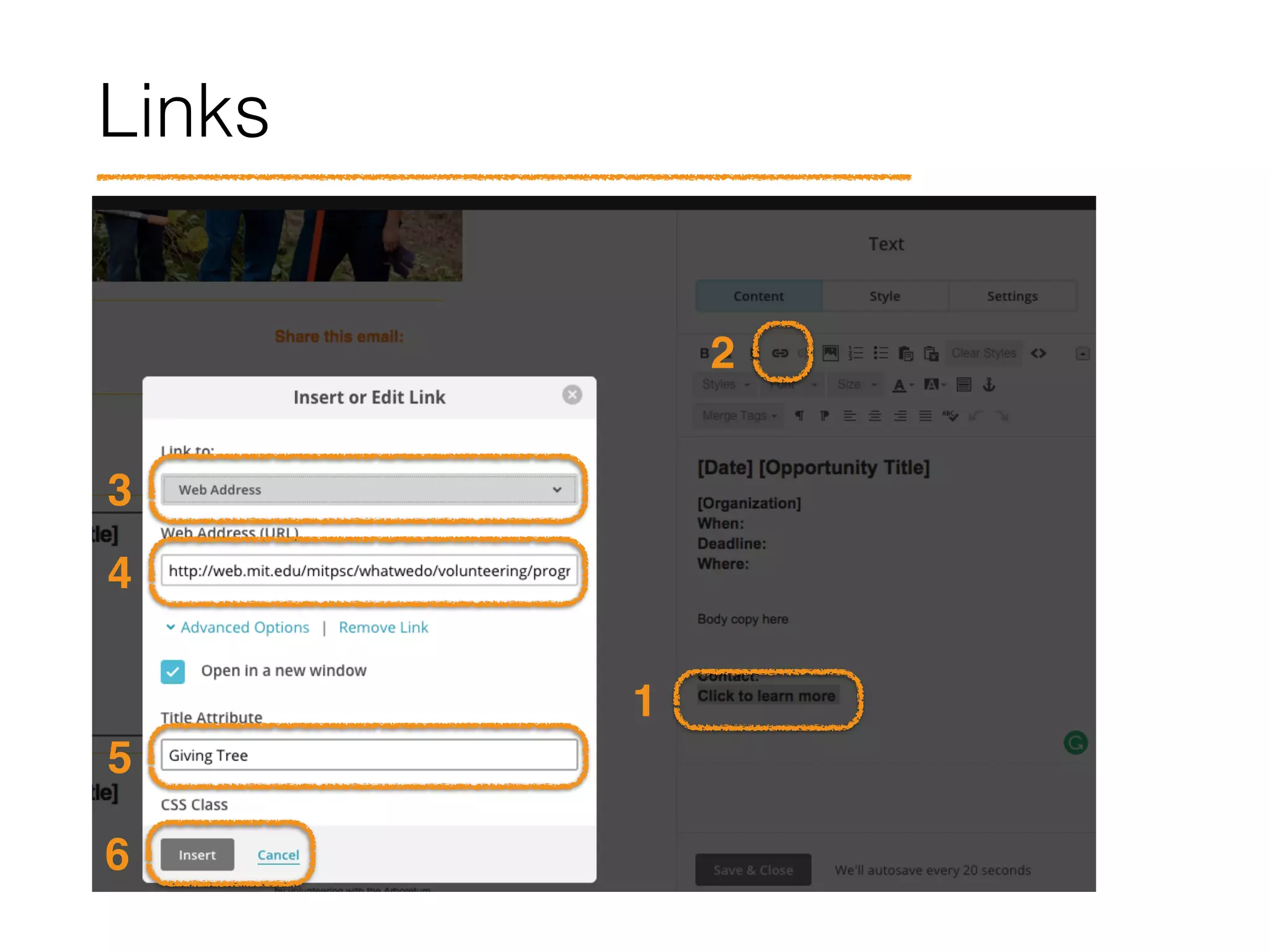
Links
1
2
3
4
5
6
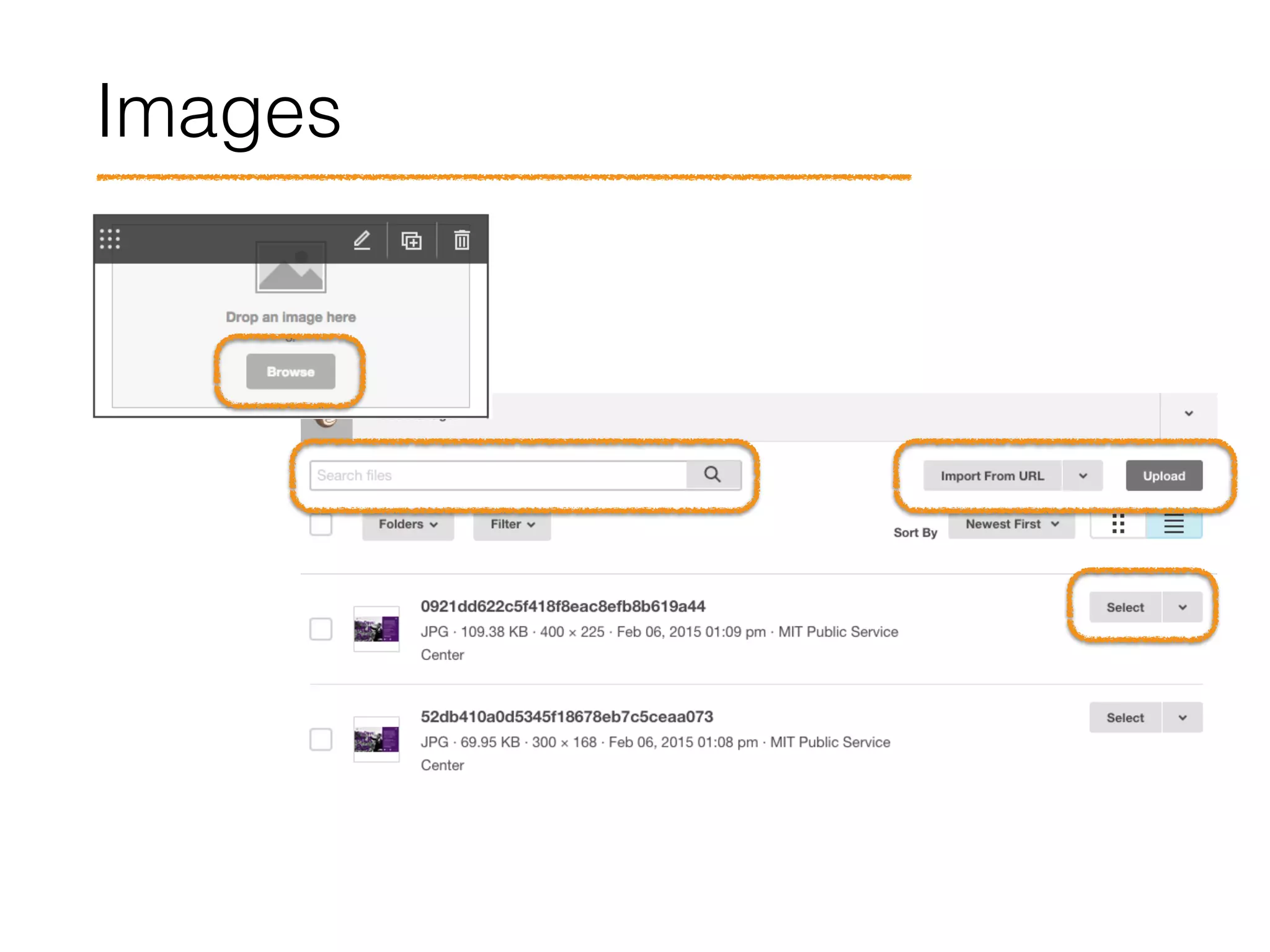
Images
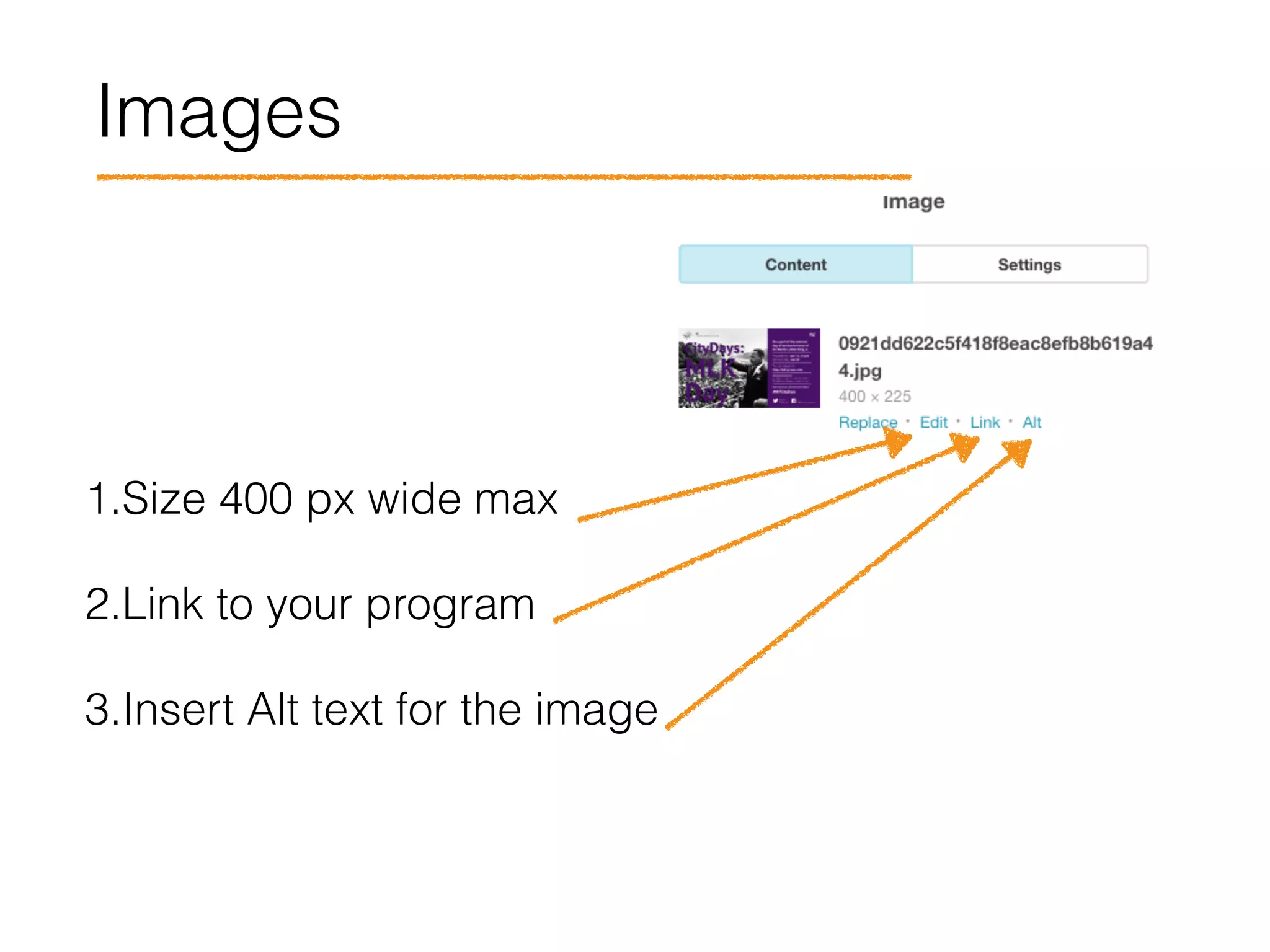
Images
1.Size 400 px wide max
2.Link to your program
3.Insert Alt text for the image
Questions?
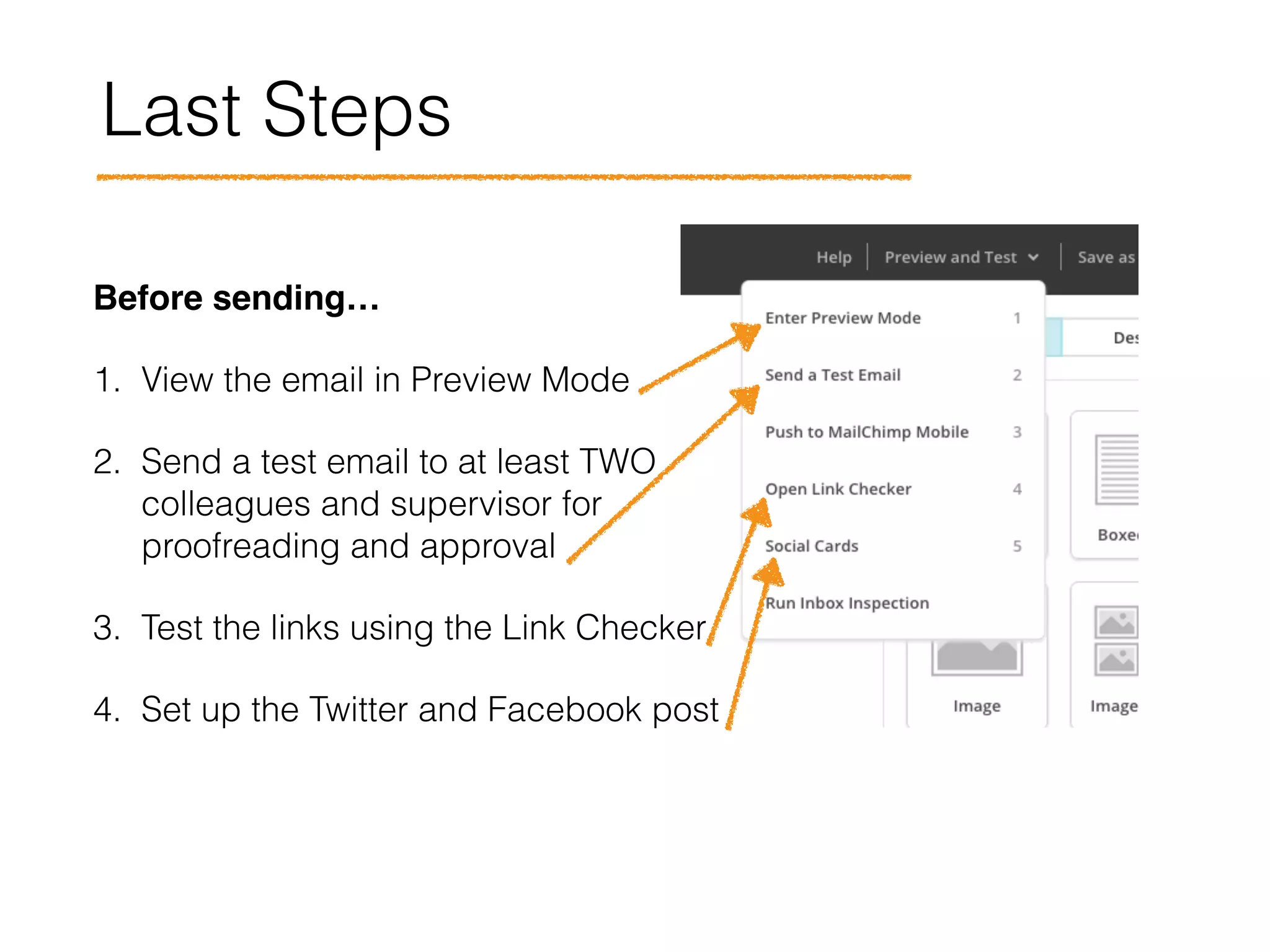
Last Steps
Before sending… !
1. View the email in Preview Mode
2. Send a test email to at least TWO
colleagues and supervisor for
proofreading and approval
3. Test the links using the Link Checker
4. Set up the Twitter and Facebook post
Questions?
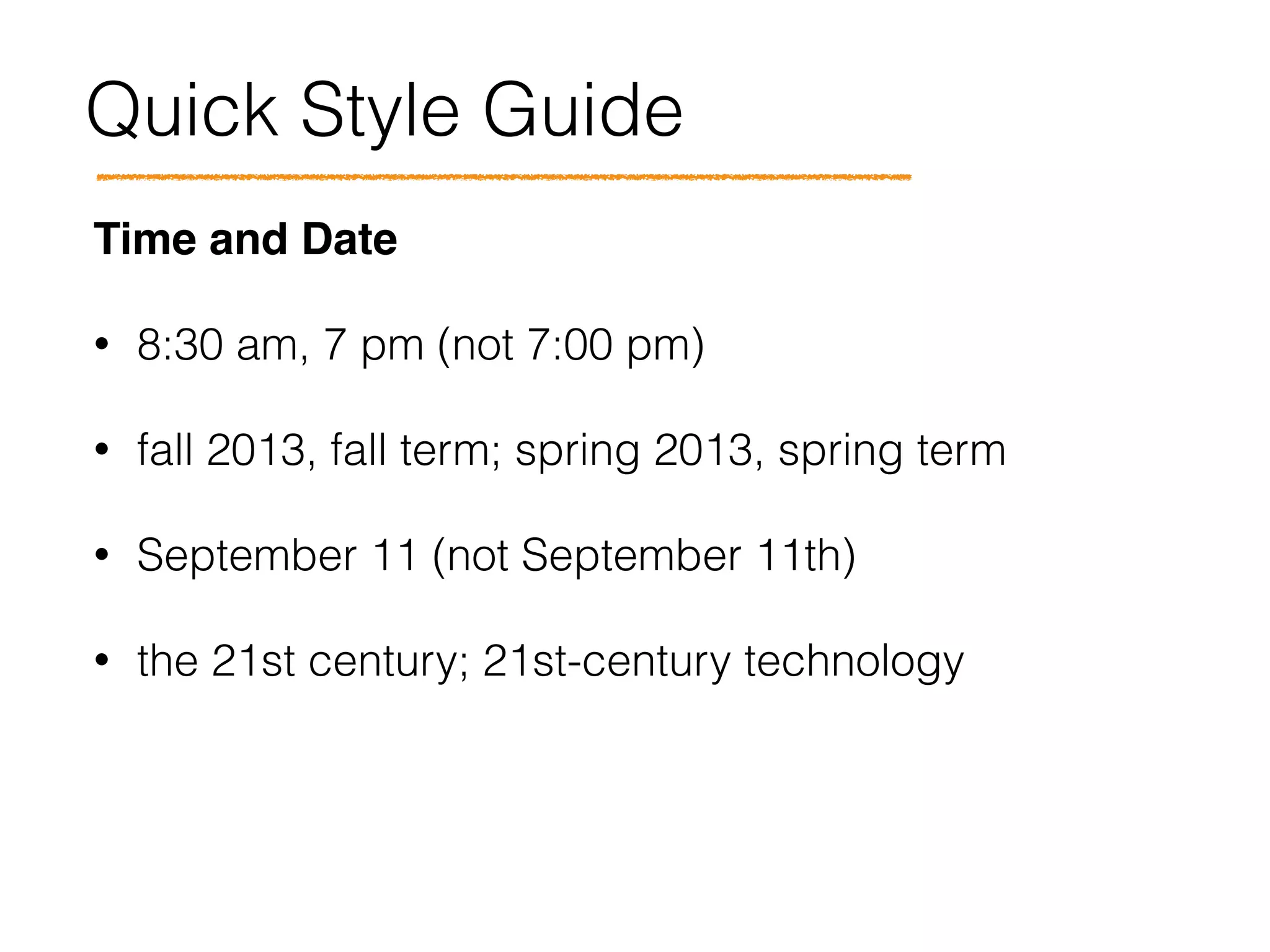
Quick Style Guide
Time and Date!
• 8:30 am, 7 pm (not 7:00 pm)
• fall 2013, fall term; spring 2013, spring term
• September 11 (not September 11th)
• the 21st century; 21st-century technology
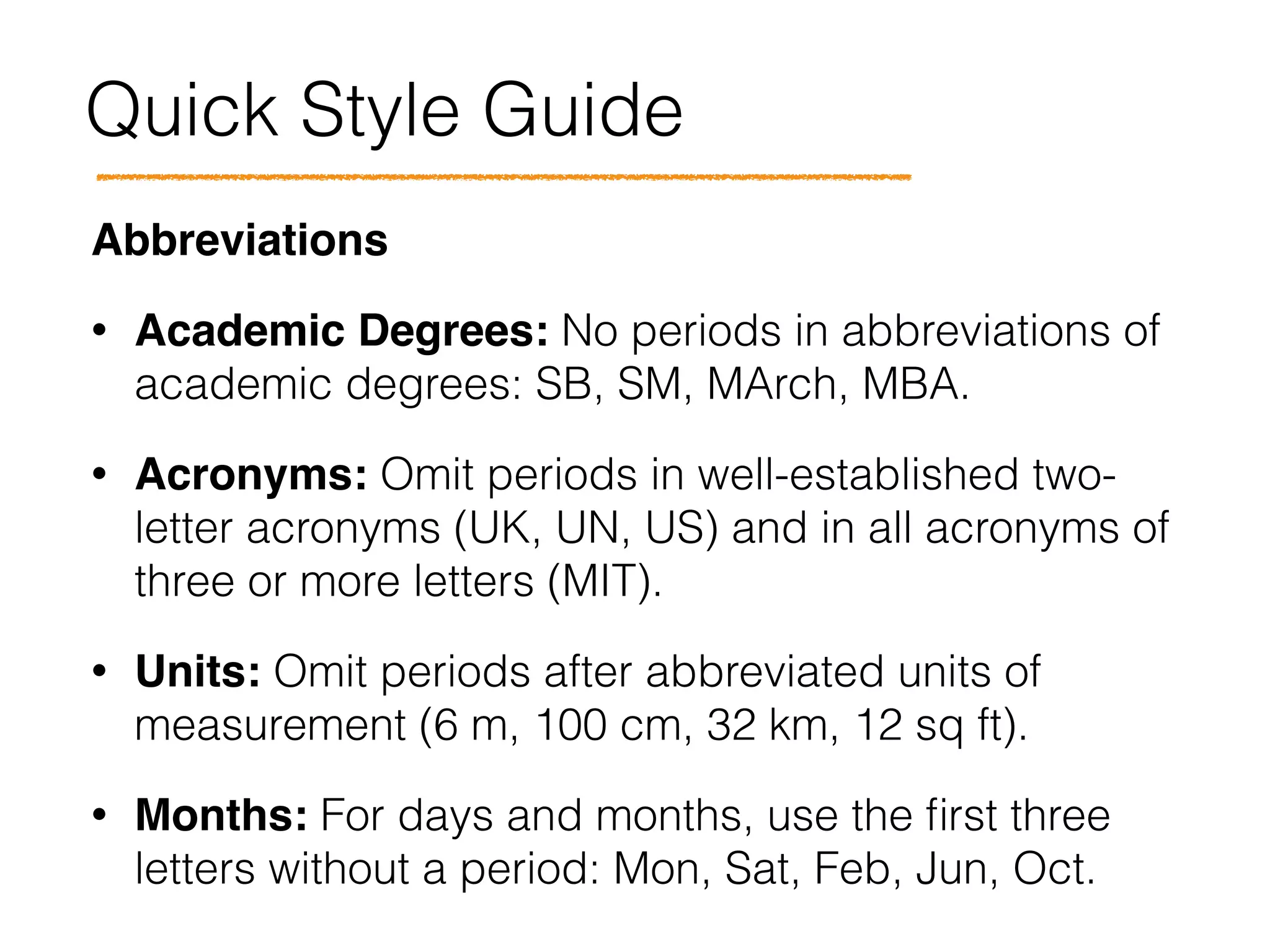
Quick Style Guide
Abbreviations!
• Academic Degrees: No periods in abbreviations of
academic degrees: SB, SM, MArch, MBA.
• Acronyms: Omit periods in well-established two-
letter acronyms (UK, UN, US) and in all acronyms of
three or more letters (MIT).
• Units: Omit periods after abbreviated units of
measurement (6 m, 100 cm, 32 km, 12 sq ft).
• Months: For days and months, use the first three
letters without a period: Mon, Sat, Feb, Jun, Oct.
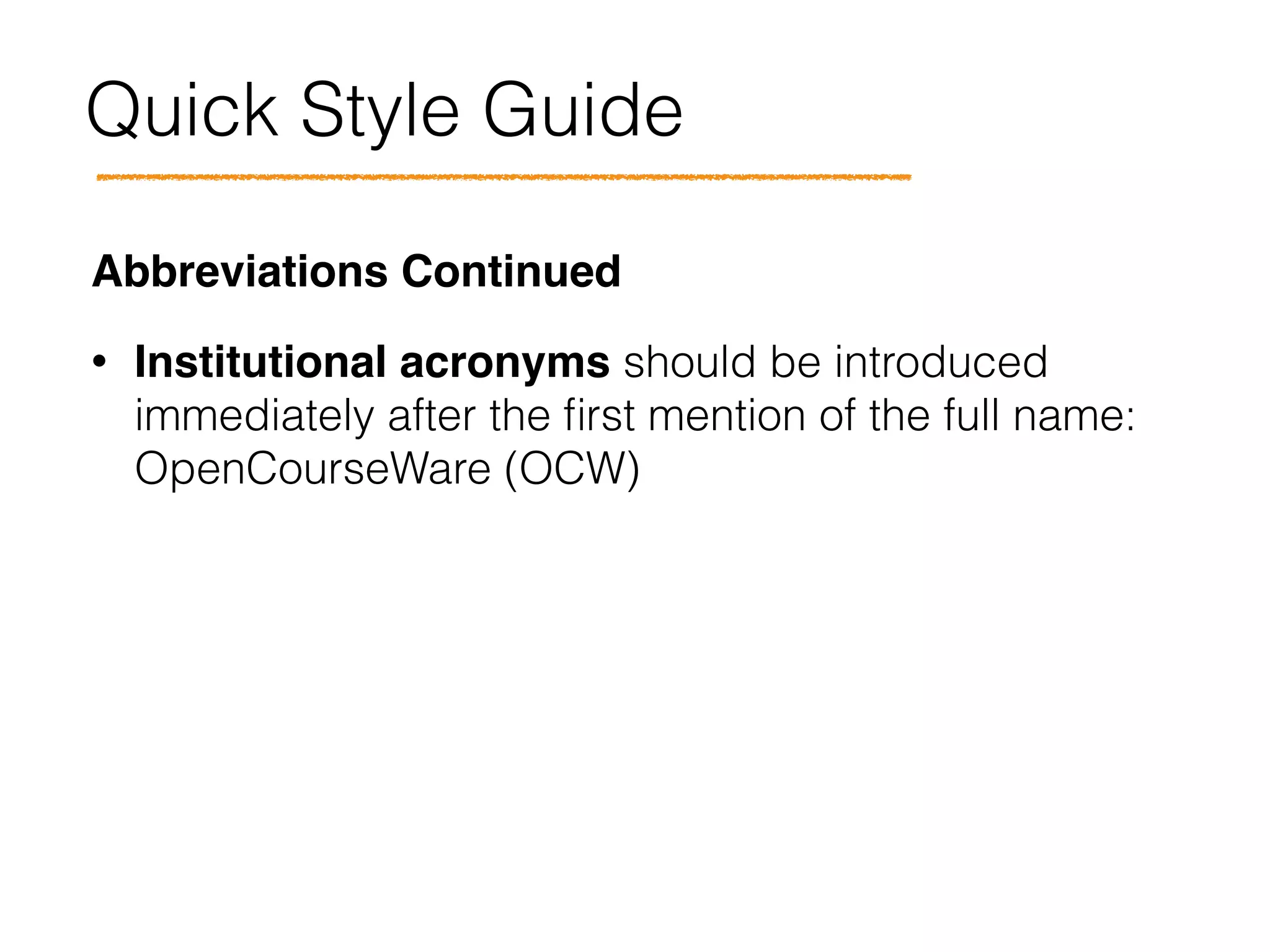
Quick Style Guide
Abbreviations Continued!
• Institutional acronyms should be introduced
immediately after the first mention of the full name:
OpenCourseWare (OCW)
Quick Style Guide
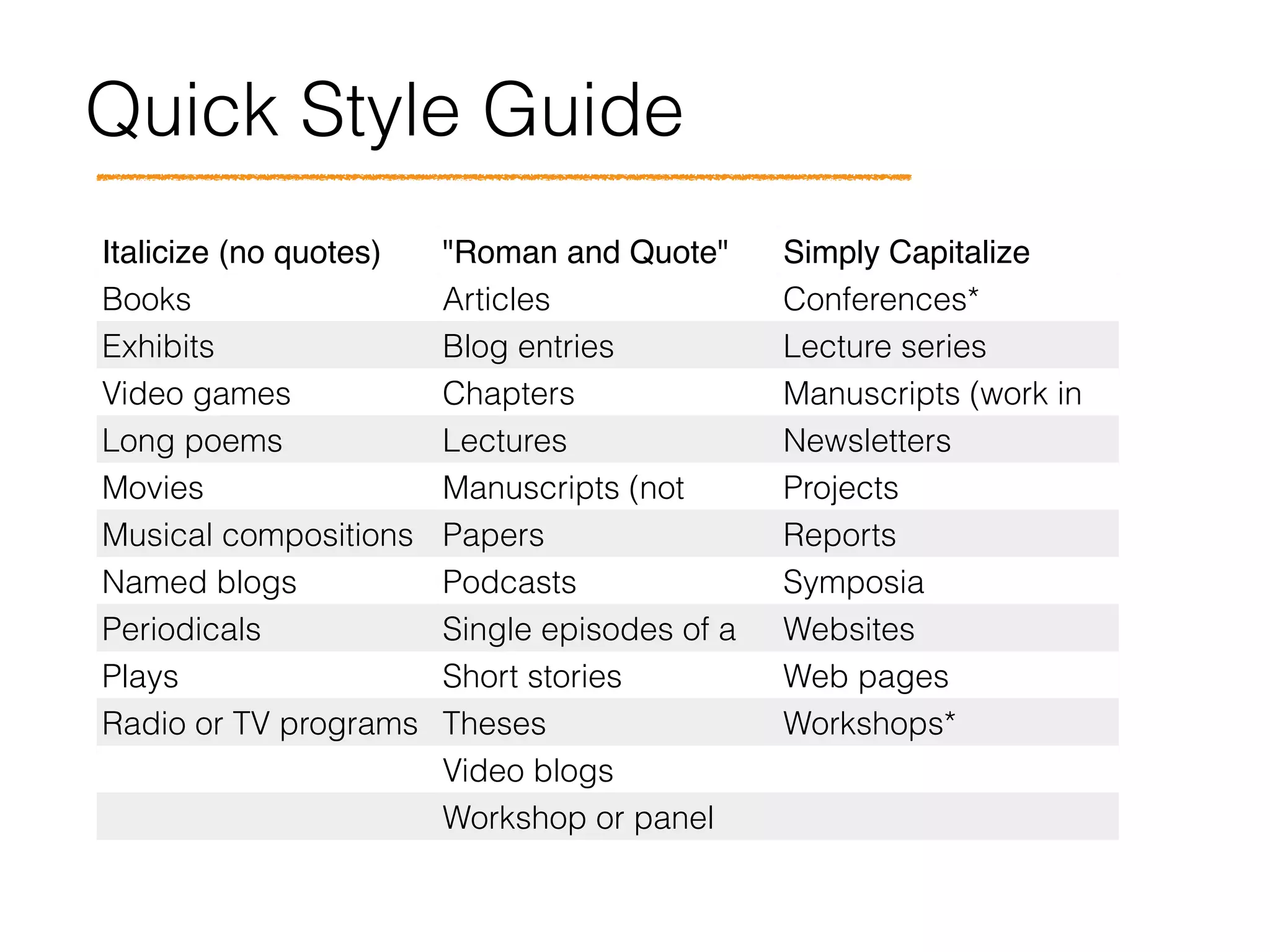
Italicize (no quotes) "Roman and Quote" Simply Capitalize 

(no quotes or italics)Books Articles Conferences*
Exhibits Blog entries Lecture series
Video games Chapters Manuscripts (work in
progress)Long poems Lectures Newsletters
Movies Manuscripts (not
accepted for
Projects
Musical compositions Papers Reports
Named blogs Podcasts Symposia
Periodicals Single episodes of a
continuing radio or TV
Websites
Plays Short stories Web pages
Radio or TV programs Theses Workshops*
  Video blogs  
  Workshop or panel
presentations
 
Quick Style Guide
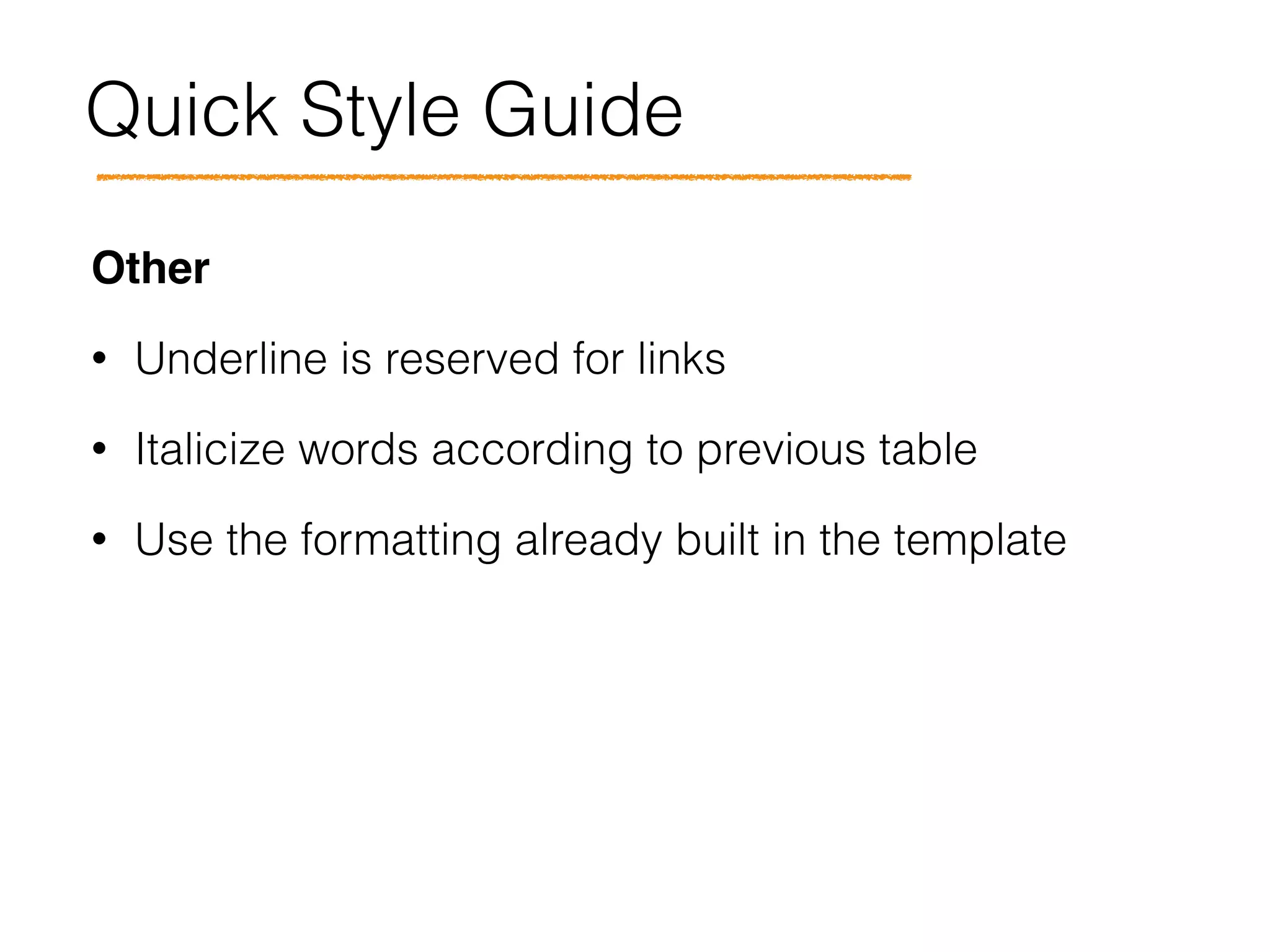
Other!
• Underline is reserved for links
• Italicize words according to previous table
• Use the formatting already built in the template
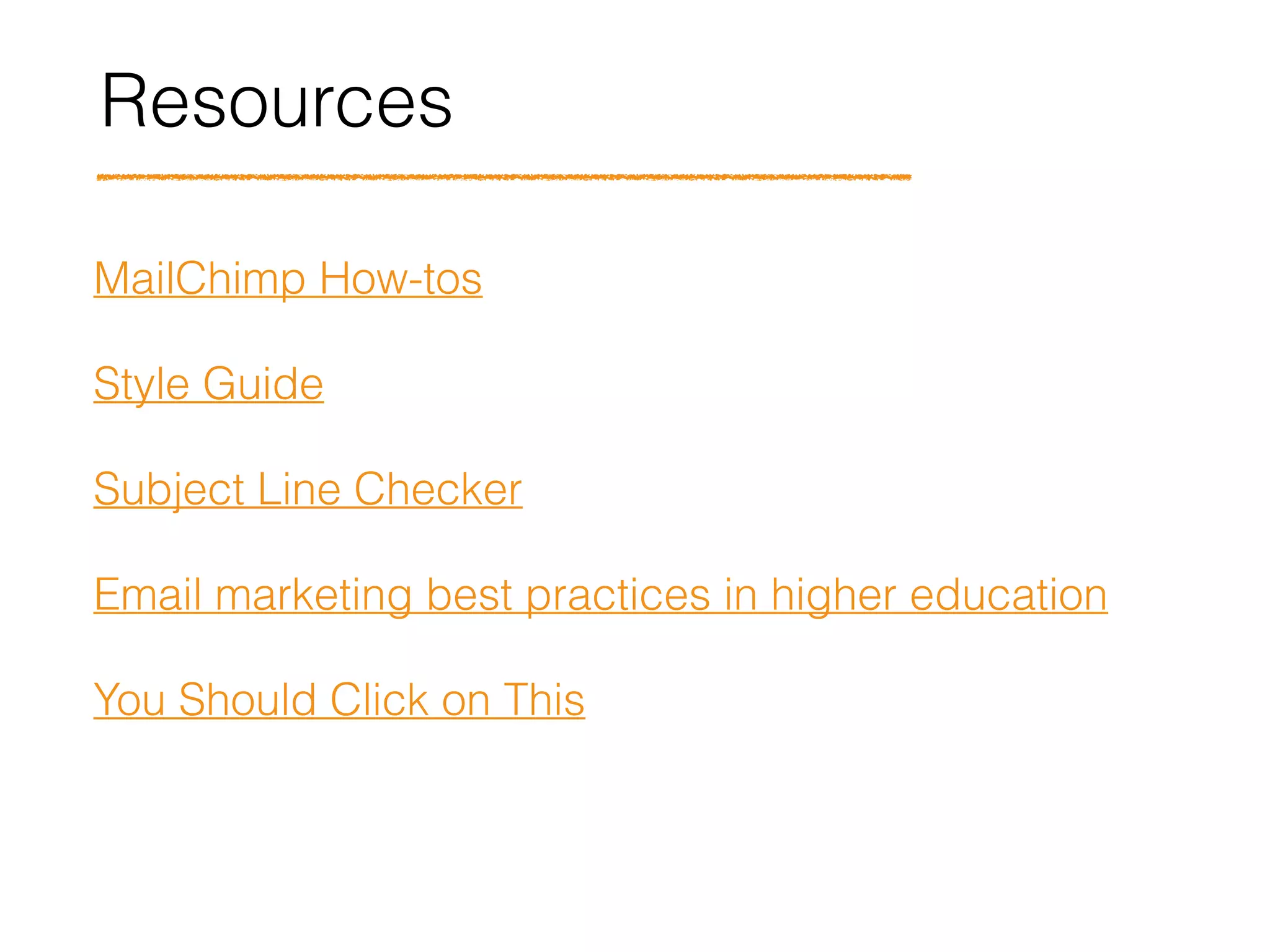
Resources
MailChimp How-tos
Style Guide
Subject Line Checker
Email marketing best practices in higher education
You Should Click on This
Thank you!

PSC MailChimp Templates Tutorial

  • 1.
    PSC MailChimp Email LauraAnca Chichisan PSC Communications Coordinator clauraa@mit.edu February 11, 2015
  • 2.
    Together we willcover • Types of emails • Settings & options • Building your email using templates • Links • Images • Style Guide (Time/Date, Abbreviations, Titles) • Resources
  • 3.
    Options Types of PSCemails Templates PSC Events & Deadlines Events & Deadlines Template • w/o IMAGE and • WITH IMAGE Beyond the Infinite Newsletter To be created IDEAS Global Challenge Newsletter IDEAS_Newsletter Community Service Bulletin Community Service Bulletin Template Opportunities Update Opportunities Update Template
  • 4.
    Does everyone knowwhich template to use?
  • 5.
  • 8.
  • 9.
  • 10.
  • 11.
  • 12.
  • 13.
  • 14.
  • 15.
    Automated & Pre-filledFeatures • View this email in your browser • In this email (table of contents) • Share this email • Stay connected • Footer • Header image caption • Disclaimer (Opps Update, Bulletin) • Logos with links
  • 16.
    Editing Type in yourkey message/short preview above the header
  • 17.
    Editing 1. Select theblock you want to edit 2. In the editing field to the right, select the generic text (including brackets) 3. Copy the text you want to paste from your file 4. Select the “Paste as plain text” button 5. Paste the text 1 2 4
  • 18.
    Editing 1. Duplicate theexisting blocks to your needs 2. Always use the “Paste as plain text” button 3. Use dividers to separate individual blocks/ entries 4. When you are done, remove any existing blocks not needed
  • 19.
  • 20.
  • 21.
  • 22.
    Images 1.Size 400 pxwide max 2.Link to your program 3.Insert Alt text for the image
  • 23.
  • 24.
    Last Steps Before sending…! 1. View the email in Preview Mode 2. Send a test email to at least TWO colleagues and supervisor for proofreading and approval 3. Test the links using the Link Checker 4. Set up the Twitter and Facebook post
  • 25.
  • 26.
    Quick Style Guide Timeand Date! • 8:30 am, 7 pm (not 7:00 pm) • fall 2013, fall term; spring 2013, spring term • September 11 (not September 11th) • the 21st century; 21st-century technology
  • 27.
    Quick Style Guide Abbreviations! •Academic Degrees: No periods in abbreviations of academic degrees: SB, SM, MArch, MBA. • Acronyms: Omit periods in well-established two- letter acronyms (UK, UN, US) and in all acronyms of three or more letters (MIT). • Units: Omit periods after abbreviated units of measurement (6 m, 100 cm, 32 km, 12 sq ft). • Months: For days and months, use the first three letters without a period: Mon, Sat, Feb, Jun, Oct.
  • 28.
    Quick Style Guide AbbreviationsContinued! • Institutional acronyms should be introduced immediately after the first mention of the full name: OpenCourseWare (OCW)
  • 29.
    Quick Style Guide Italicize(no quotes) "Roman and Quote" Simply Capitalize 
 (no quotes or italics)Books Articles Conferences* Exhibits Blog entries Lecture series Video games Chapters Manuscripts (work in progress)Long poems Lectures Newsletters Movies Manuscripts (not accepted for Projects Musical compositions Papers Reports Named blogs Podcasts Symposia Periodicals Single episodes of a continuing radio or TV Websites Plays Short stories Web pages Radio or TV programs Theses Workshops*   Video blogs     Workshop or panel presentations  
  • 30.
    Quick Style Guide Other! •Underline is reserved for links • Italicize words according to previous table • Use the formatting already built in the template
  • 31.
    Resources MailChimp How-tos Style Guide SubjectLine Checker Email marketing best practices in higher education You Should Click on This
  • 32.