Macro’s Programming
Information Module
Introduction to macro’s
• What is the difference between macro and a macro
statement
• How macro’s are used
• Parameter
• G and M codes
• Settings
• Variables
• Write a basic macro’s program
Definition
• A macro is a form of sub-program that includes non-G-
code commands. It is typically a common operation that
will be called many times.
• Any program that performs a common function and will be
executed repeatedly within a g-code program.
Macro statements
• Any non-G-code command. Includes statements such
as: IF, WHILE, GOTO, math functions, and variables.
Macro Enable parameter bit
• Parameter 57 bit 22. This parameter allows for the entry
of macro statements.
• The control needs an option code to activate this
parameter.
Parameter 57 bit 22
• This parameter is used at the time of program entry not
program execution.
• If this parameter is turned off and a macro statement is
entered, the control will ignore it.
• If program is loaded from a file with the parameter off, the
macro statements will be converted to comments.
• If the statement is loaded manually in MDI or edit modes,
the control will give an alarm when the parameter is off.
Why use macro’s ?
• A G-code program is rigid in structure and can not be
altered in mid-operation. Offset are the only means to
adjust the machine path from one run to the next.
• Macros add flexible with the use of additional macro
statements.
• With macros you can set up families of parts, create
custom canned cycles and drive optional devices.
Useful G and M codes
• M01 Optional Program stop
• M00 Program stop
• M30 Program end and reset
• G04 Dwell
• G65 Pxx Macro sub program call
• M97 Pxx Local sub program call
• M98 Pxx Sub program call
• G103 P1 Block look ahead limit
• M109 Interactive user input
Settings that can affect macro progs
• #23 9xxx PROGS EDIT LOCK
• #74 9xxx PROGS TRACE
• #75 9xxx PROGS SINGLE BLK
Variables
• Local variables
Local variables range between #1 and #33. See the operator’s manual for
more details.
• Global variables
Global variables occur in three ranges #100 - #199, #500 - #699 and
#800 - #899. See the operator’s manual for more details.
System variables
System variables give the programmer the ability to interact with control
conditions. Note that some of these variables are read only.
See the operator’s manual for more details.
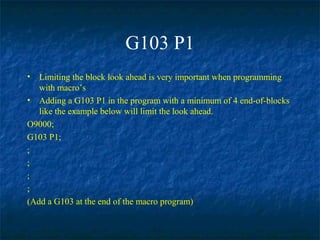
G103 P1
• Limiting the block look ahead is very important when programming
with macro’s
• Adding a G103 P1 in the program with a minimum of 4 end-of-blocks
like the example below will limit the look ahead.
O9000;
G103 P1;
;
;
;
;
(Add a G103 at the end of the macro program)
Program Syntax
• Parentheses
Parentheses are used to enclose comments.
• Brackets
Brackets are used to control the order of execution of expressions within a
g-code program and are used to enclose MACRO expressions.
• Line Numbers
Line numbers are a way of assigning a label to a block.
Line numbers can be used with sub-routine calls. Nnn indicates the target
of a M99 Pnn, M97 Pnn, or GOTOnn statement.
Aliasing a macro to a G- or M-code
• Aliasing is the act of assigning a name (G-code) to a
specific program. Macro's are typically a subprogram, not
a stand-alone program.
• They are called via G65 or M98. This subprogram call can
be replaced with a single M- or G-code.
• The assignment of this new code to a program takes place
through parameters 81-100. Only programs O9000 to
O9019 may be aliased.
• When aliased to a G-code, variables may be passed.
• With an M-code, variables may not be passed.
Parts counter macro example
O00001
G103 P1
;
;
;
;
#800= xxx (NUMBER OF PARTS)
N100
IF [ #801 GE #800 ] GOTO200
#801= #801 + 1
(ADD MAIN PROGRAM)
IF [ #801 LE #800 ] GOTO100
N200
#801= 0
M30
Prepared by Haas Automation
Training Department
Oxnard, CA 93030

Macro Programming

  • 1.
  • 2.
    Introduction to macro’s •What is the difference between macro and a macro statement • How macro’s are used • Parameter • G and M codes • Settings • Variables • Write a basic macro’s program
  • 3.
    Definition • A macrois a form of sub-program that includes non-G- code commands. It is typically a common operation that will be called many times. • Any program that performs a common function and will be executed repeatedly within a g-code program.
  • 4.
    Macro statements • Anynon-G-code command. Includes statements such as: IF, WHILE, GOTO, math functions, and variables.
  • 5.
    Macro Enable parameterbit • Parameter 57 bit 22. This parameter allows for the entry of macro statements. • The control needs an option code to activate this parameter.
  • 6.
    Parameter 57 bit22 • This parameter is used at the time of program entry not program execution. • If this parameter is turned off and a macro statement is entered, the control will ignore it. • If program is loaded from a file with the parameter off, the macro statements will be converted to comments. • If the statement is loaded manually in MDI or edit modes, the control will give an alarm when the parameter is off.
  • 7.
    Why use macro’s? • A G-code program is rigid in structure and can not be altered in mid-operation. Offset are the only means to adjust the machine path from one run to the next. • Macros add flexible with the use of additional macro statements. • With macros you can set up families of parts, create custom canned cycles and drive optional devices.
  • 8.
    Useful G andM codes • M01 Optional Program stop • M00 Program stop • M30 Program end and reset • G04 Dwell • G65 Pxx Macro sub program call • M97 Pxx Local sub program call • M98 Pxx Sub program call • G103 P1 Block look ahead limit • M109 Interactive user input
  • 9.
    Settings that canaffect macro progs • #23 9xxx PROGS EDIT LOCK • #74 9xxx PROGS TRACE • #75 9xxx PROGS SINGLE BLK
  • 10.
    Variables • Local variables Localvariables range between #1 and #33. See the operator’s manual for more details. • Global variables Global variables occur in three ranges #100 - #199, #500 - #699 and #800 - #899. See the operator’s manual for more details. System variables System variables give the programmer the ability to interact with control conditions. Note that some of these variables are read only. See the operator’s manual for more details.
  • 11.
    G103 P1 • Limitingthe block look ahead is very important when programming with macro’s • Adding a G103 P1 in the program with a minimum of 4 end-of-blocks like the example below will limit the look ahead. O9000; G103 P1; ; ; ; ; (Add a G103 at the end of the macro program)
  • 12.
    Program Syntax • Parentheses Parenthesesare used to enclose comments. • Brackets Brackets are used to control the order of execution of expressions within a g-code program and are used to enclose MACRO expressions. • Line Numbers Line numbers are a way of assigning a label to a block. Line numbers can be used with sub-routine calls. Nnn indicates the target of a M99 Pnn, M97 Pnn, or GOTOnn statement.
  • 13.
    Aliasing a macroto a G- or M-code • Aliasing is the act of assigning a name (G-code) to a specific program. Macro's are typically a subprogram, not a stand-alone program. • They are called via G65 or M98. This subprogram call can be replaced with a single M- or G-code. • The assignment of this new code to a program takes place through parameters 81-100. Only programs O9000 to O9019 may be aliased. • When aliased to a G-code, variables may be passed. • With an M-code, variables may not be passed.
  • 14.
    Parts counter macroexample O00001 G103 P1 ; ; ; ; #800= xxx (NUMBER OF PARTS) N100 IF [ #801 GE #800 ] GOTO200 #801= #801 + 1 (ADD MAIN PROGRAM) IF [ #801 LE #800 ] GOTO100 N200 #801= 0 M30
  • 15.
    Prepared by HaasAutomation Training Department Oxnard, CA 93030