
MICROSOFT 365
Virtual MARATHON
May 27 & 28, 2020
36 hours / 2 days
MICROSOFT 365 VIRTUAL MARATHON
Protecting your Teamwork across Microsoft 365
JOANNE KLEIN
Sponsored by
MICROSOFT 365
Virtual MARATHON
May 27 & 28, 2020
36 hours / 2 days
Mark Your Calendars:
March 23-25, 2021, MGM Grand Resort
Las Vegas, Nevada, USA
M365Conf.com
#M365CONF
TheSharePoint Conferenceis nowTheMicrosoft 365 CollaborationConference
#M365VM
M365VirtualMarathon.com
Broughtto youby:
TheGlobalMicrosoft Community&
M365Conf.com | #M365CONF
THANK YOU TO ALL OUR GENEROUS SPONSORS
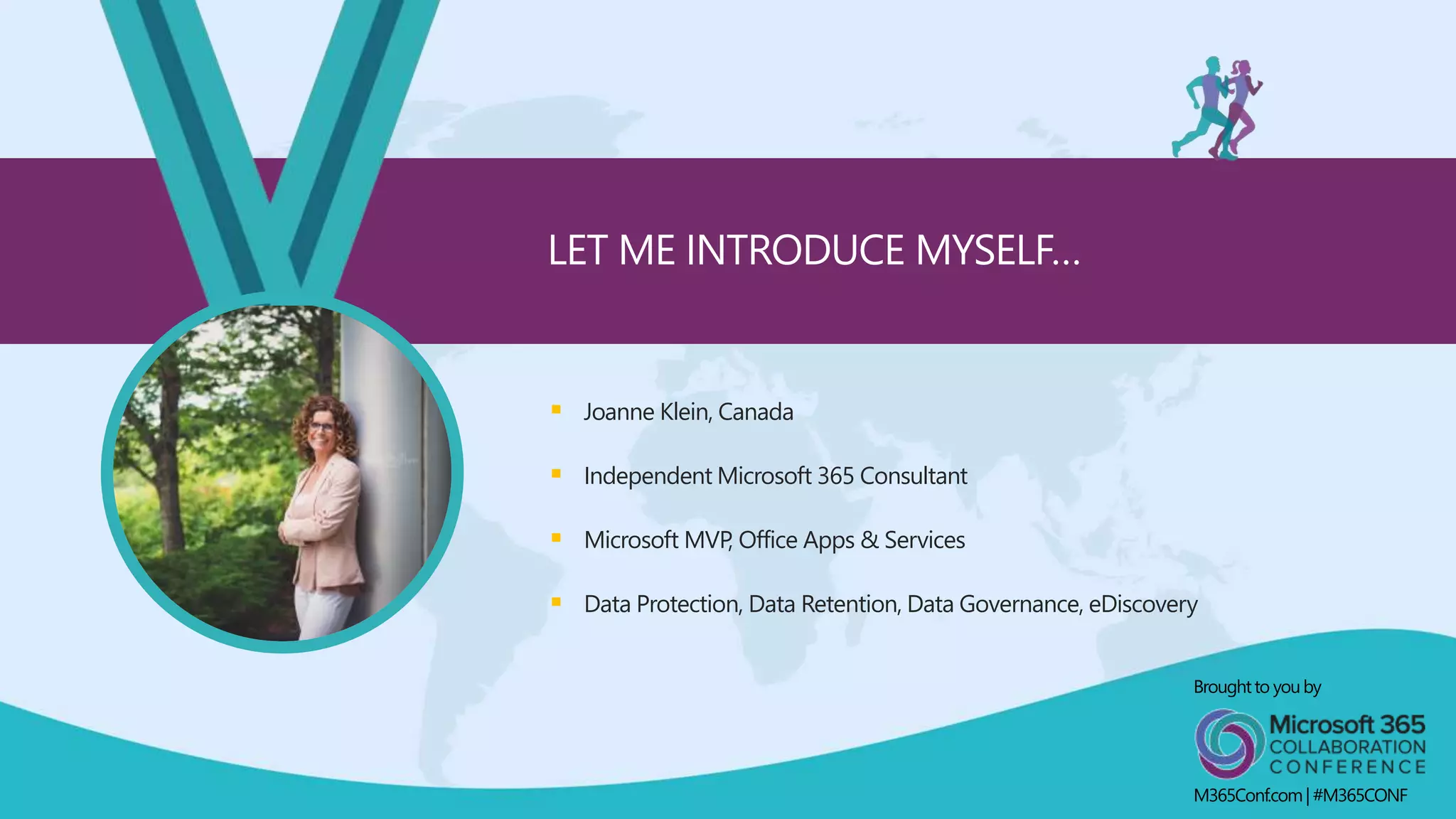
 Joanne Klein, Canada
 Independent Microsoft 365 Consultant
 Microsoft MVP, Office Apps & Services
 Data Protection, Data Retention, Data Governance, eDiscovery
LET ME INTRODUCE MYSELF…
Broughtto youby
M365Conf.com| #M365CONF
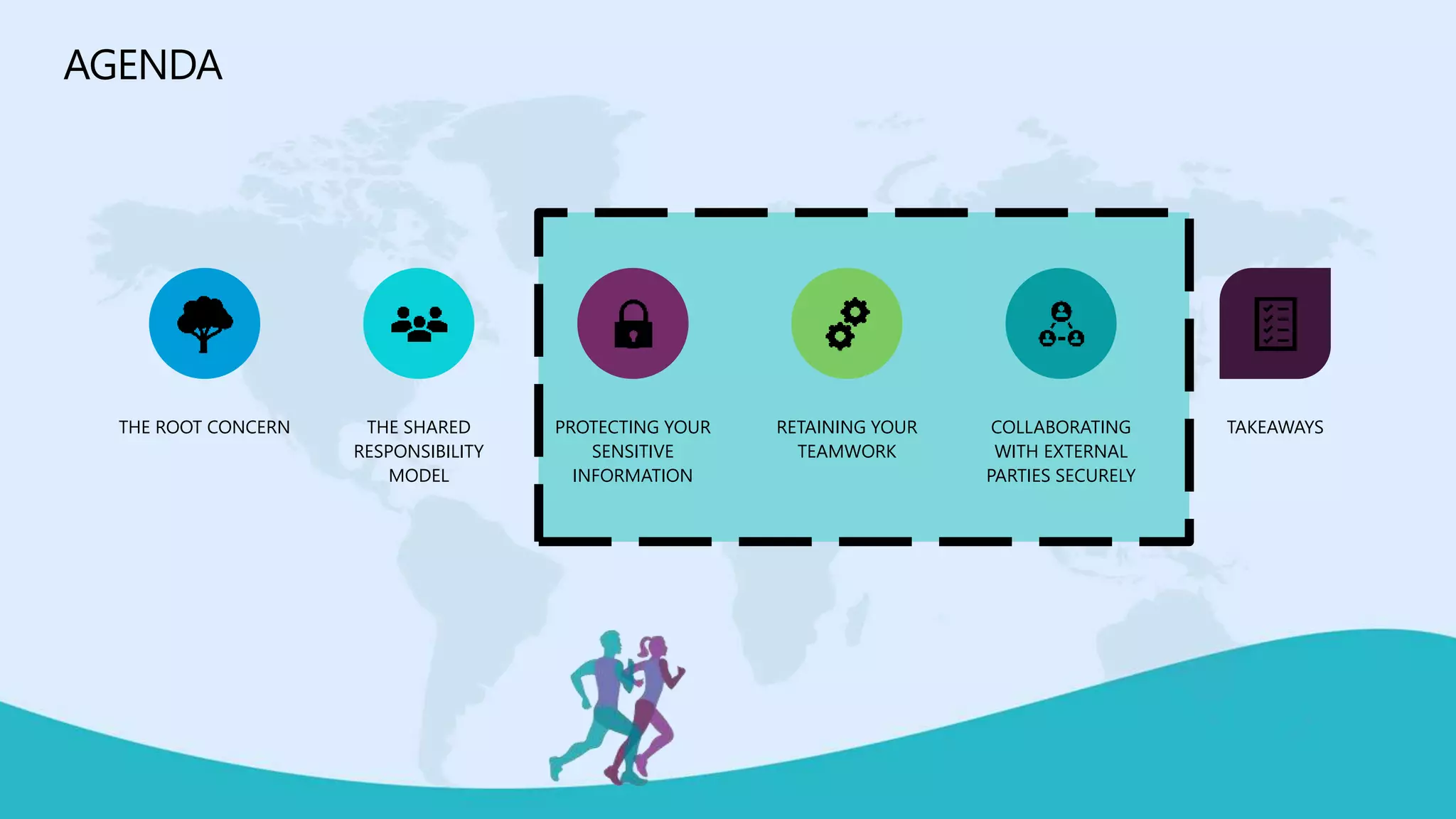
AGENDA
THE ROOT CONCERN THE SHARED
RESPONSIBILITY
MODEL
PROTECTING YOUR
SENSITIVE
INFORMATION
RETAINING YOUR
TEAMWORK
COLLABORATING
WITH EXTERNAL
PARTIES SECURELY
TAKEAWAYS
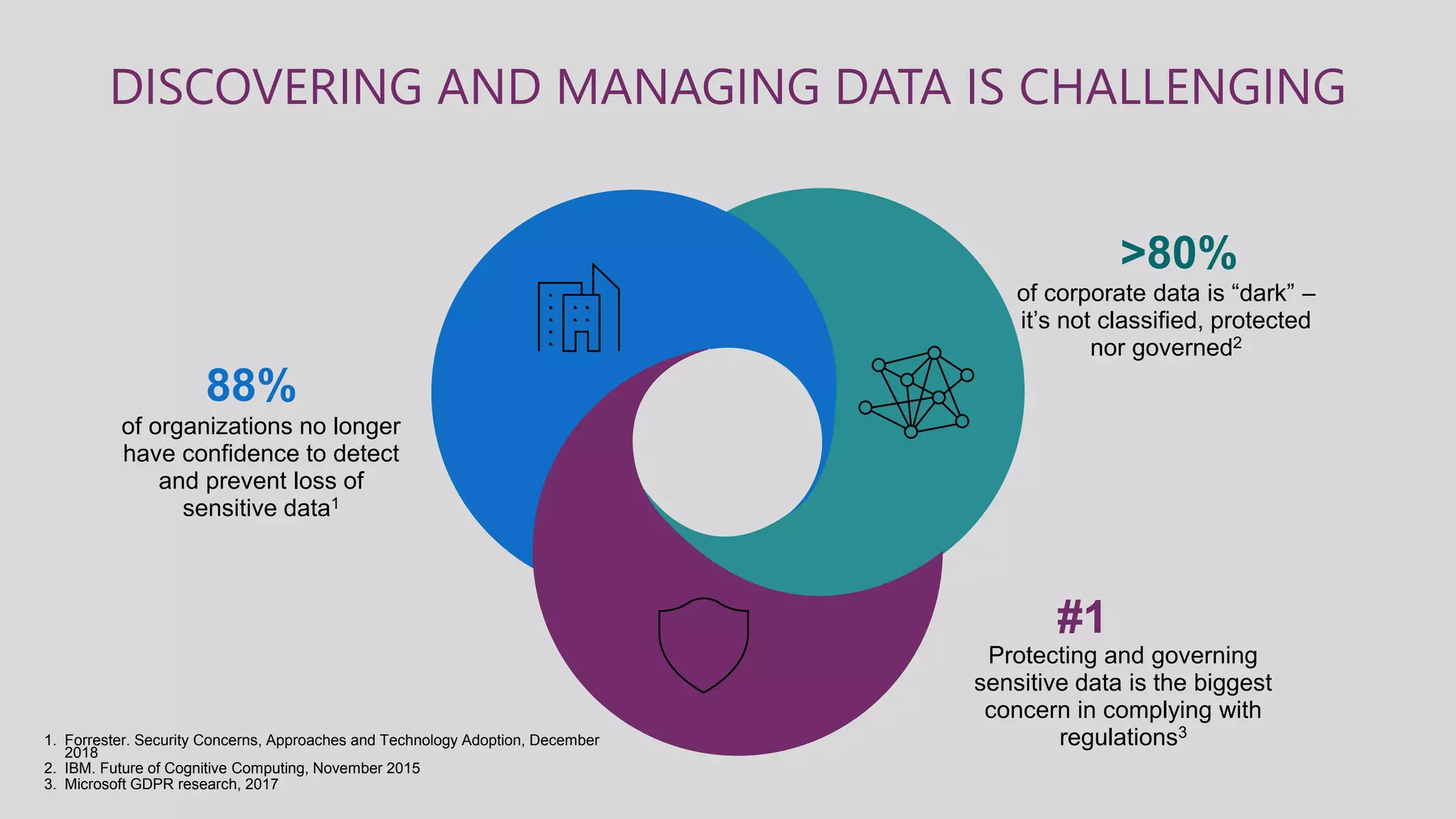
DISCOVERING AND MANAGING DATA IS CHALLENGING
of corporate data is “dark” –
it’s not classified, protected
nor governed2
>80%
Protecting and governing
sensitive data is the biggest
concern in complying with
regulations3
#1
of organizations no longer
have confidence to detect
and prevent loss of
sensitive data1
88%
1. Forrester. Security Concerns, Approaches and Technology Adoption, December
2018
2. IBM. Future of Cognitive Computing, November 2015
3. Microsoft GDPR research, 2017
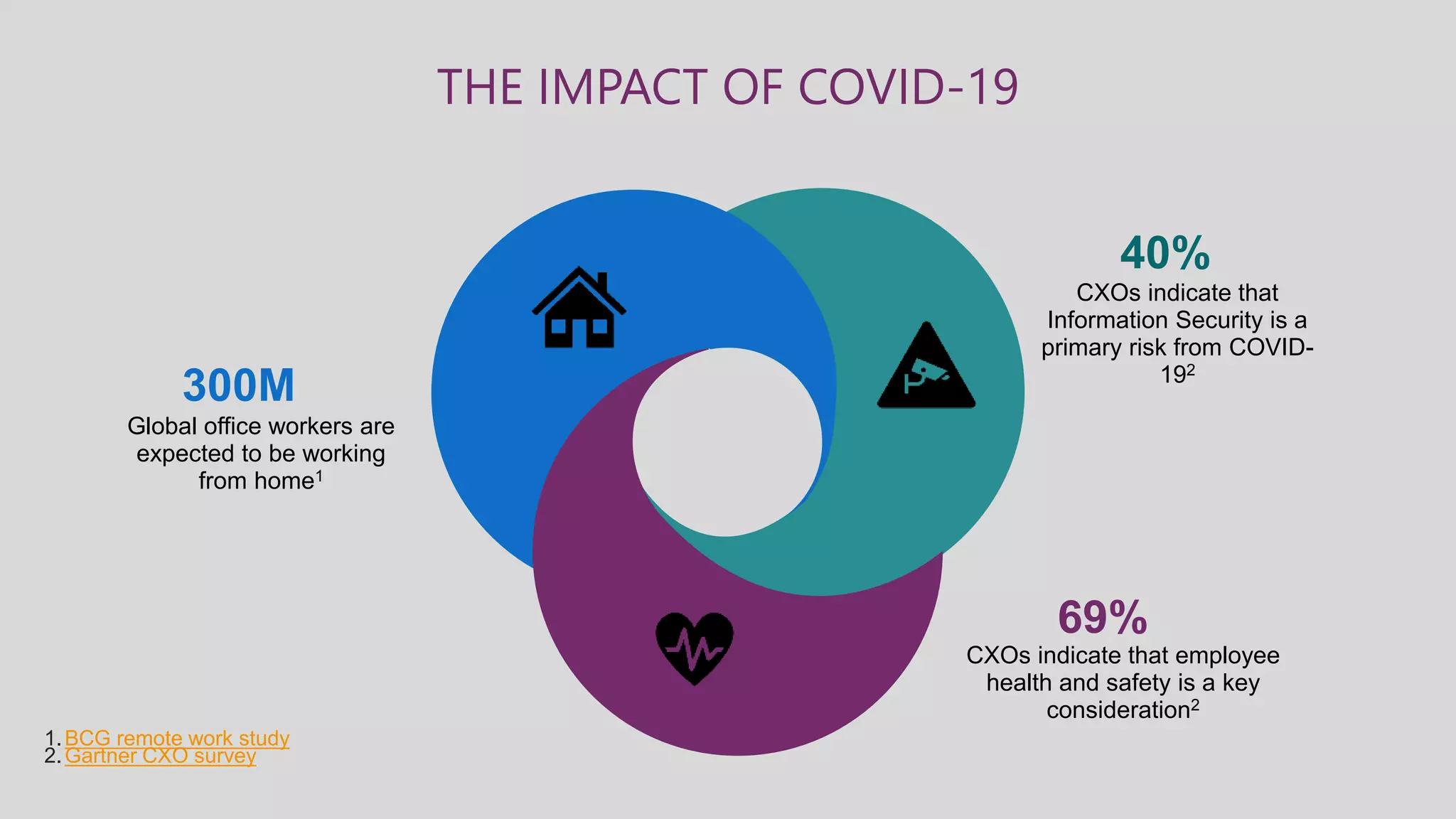
THE IMPACT OF COVID-19
CXOs indicate that
Information Security is a
primary risk from COVID-
192
40%
CXOs indicate that employee
health and safety is a key
consideration2
69%
Global office workers are
expected to be working
from home1
300M
1.BCG remote work study
2.Gartner CXO survey
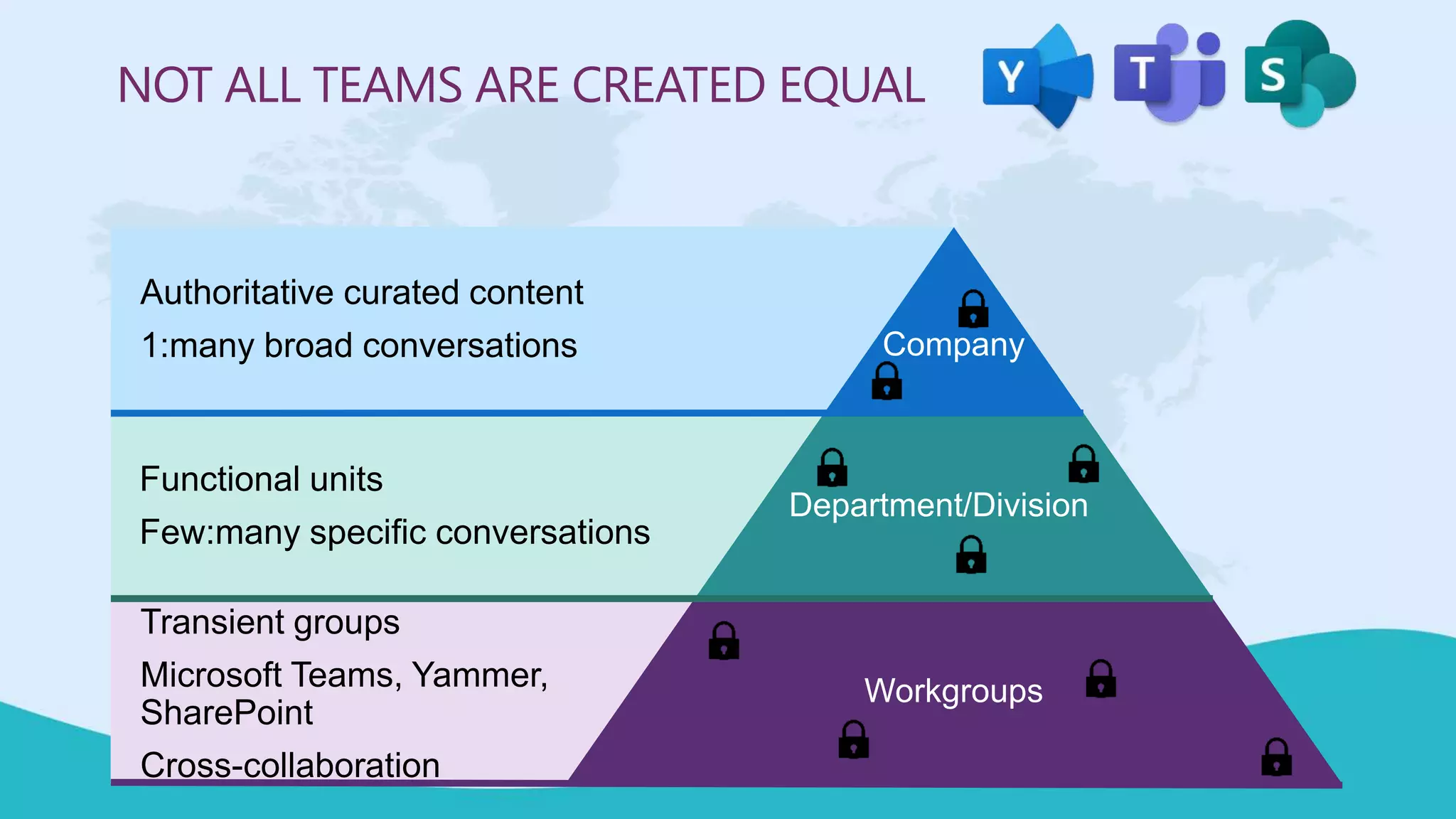
NOT ALL TEAMS ARE CREATED EQUAL
Company
Department/Division
Workgroups
Authoritative curated content
1:many broad conversations
Functional units
Few:many specific conversations
Transient groups
Microsoft Teams, Yammer,
SharePoint
Cross-collaboration
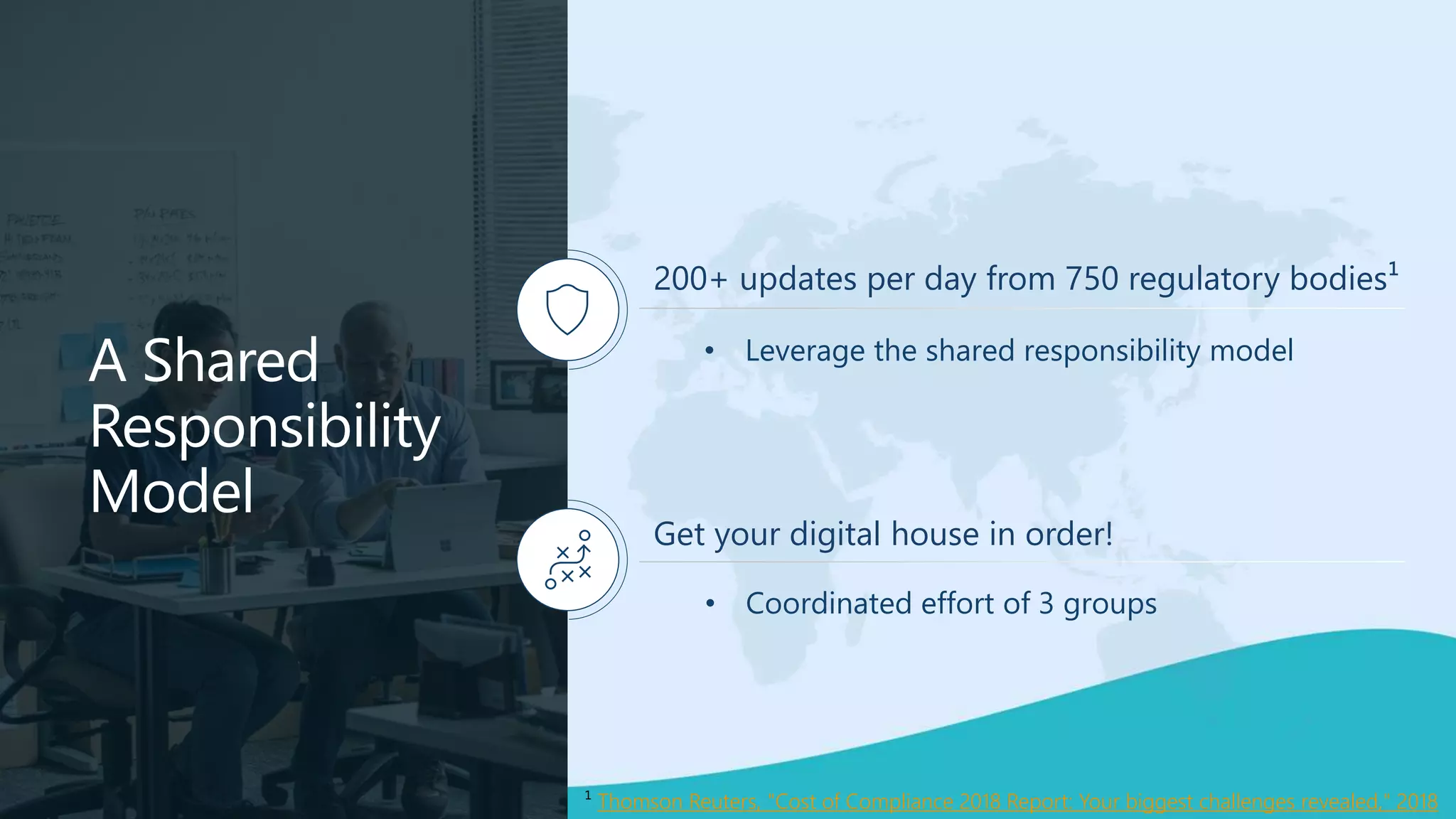
A Shared
Responsibility
Model
200+ updates per day from 750 regulatory bodies¹
Get your digital house in order!
¹ Thomson Reuters, "Cost of Compliance 2018 Report: Your biggest challenges revealed," 2018
• Leverage the shared responsibility model
• Coordinated effort of 3 groups
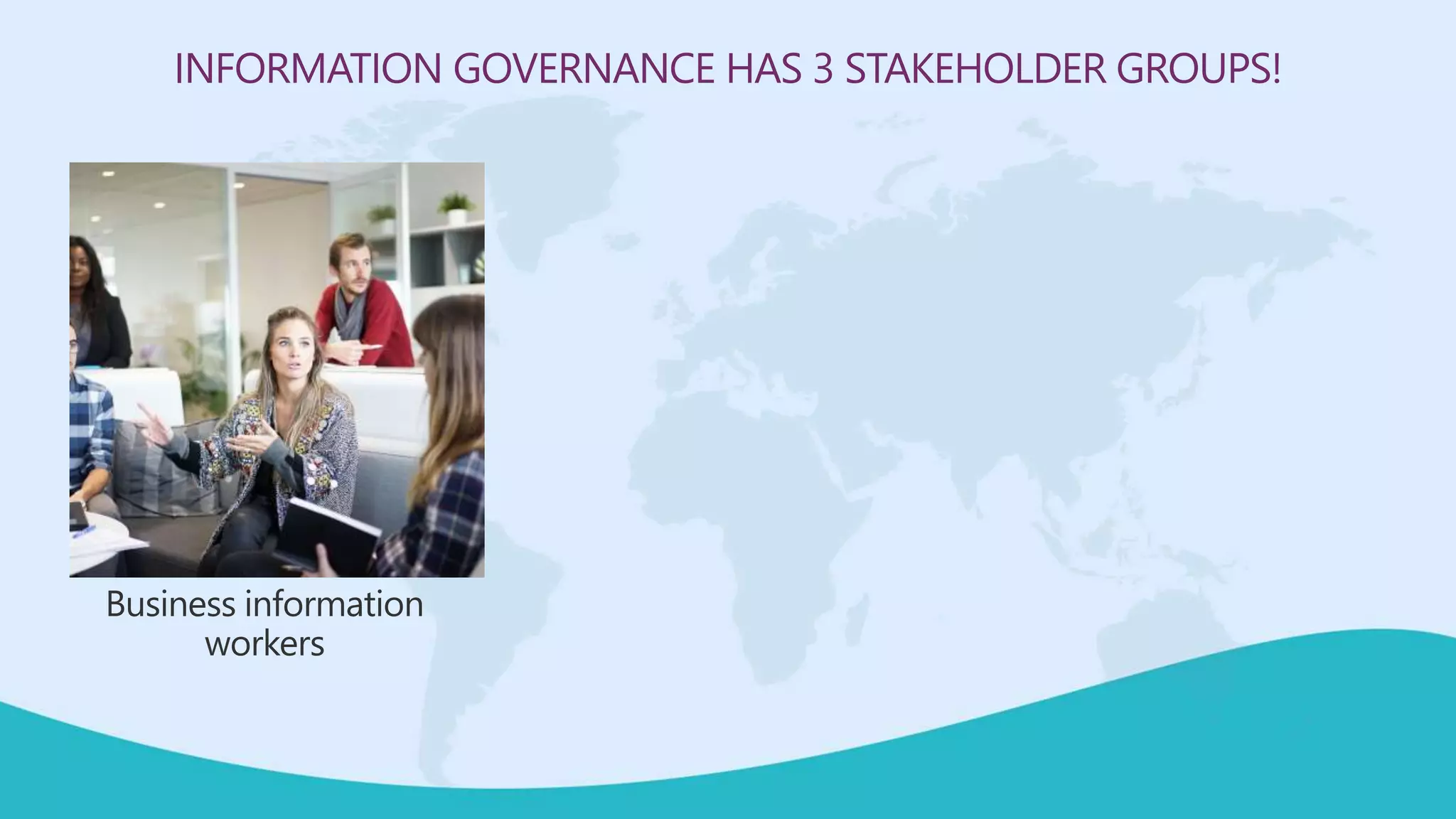
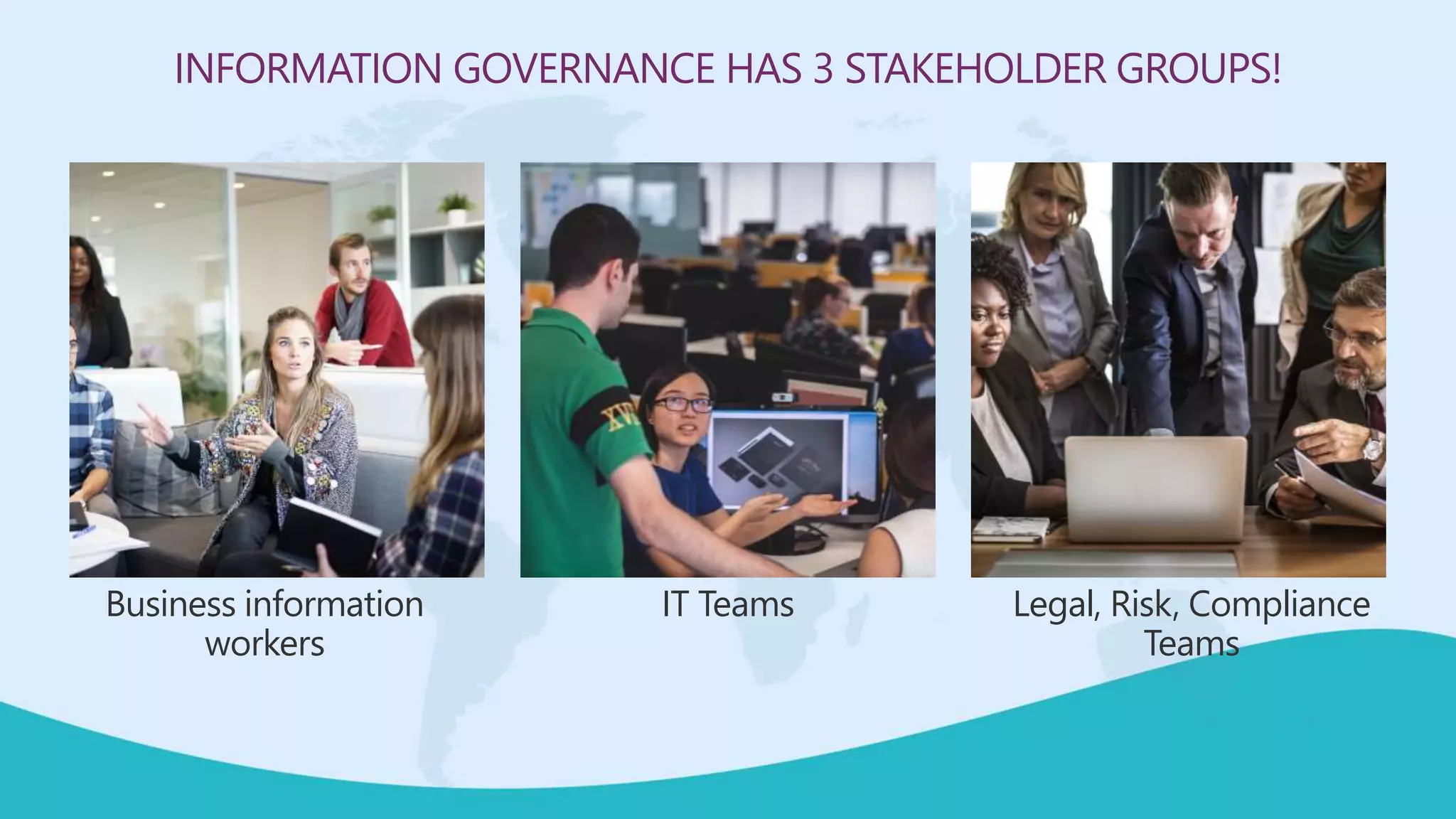
INFORMATION GOVERNANCE HAS 3 STAKEHOLDER GROUPS!
Business information
workers
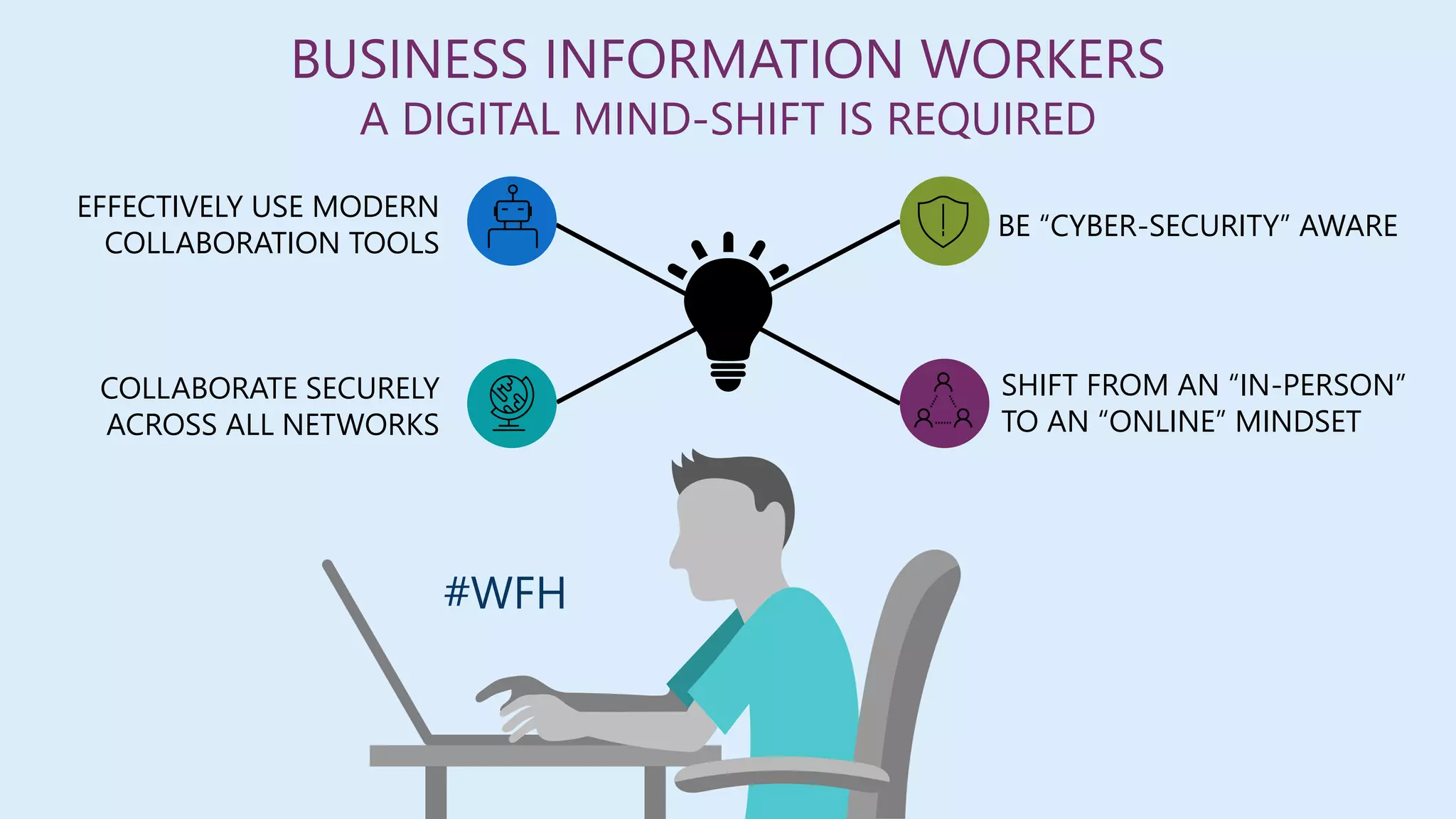
BE “CYBER-SECURITY” AWARE
SHIFT FROM AN “IN-PERSON”
TO AN “ONLINE” MINDSET
EFFECTIVELY USE MODERN
COLLABORATION TOOLS
COLLABORATE SECURELY
ACROSS ALL NETWORKS
BUSINESS INFORMATION WORKERS
A DIGITAL MIND-SHIFT IS REQUIRED
#WFH
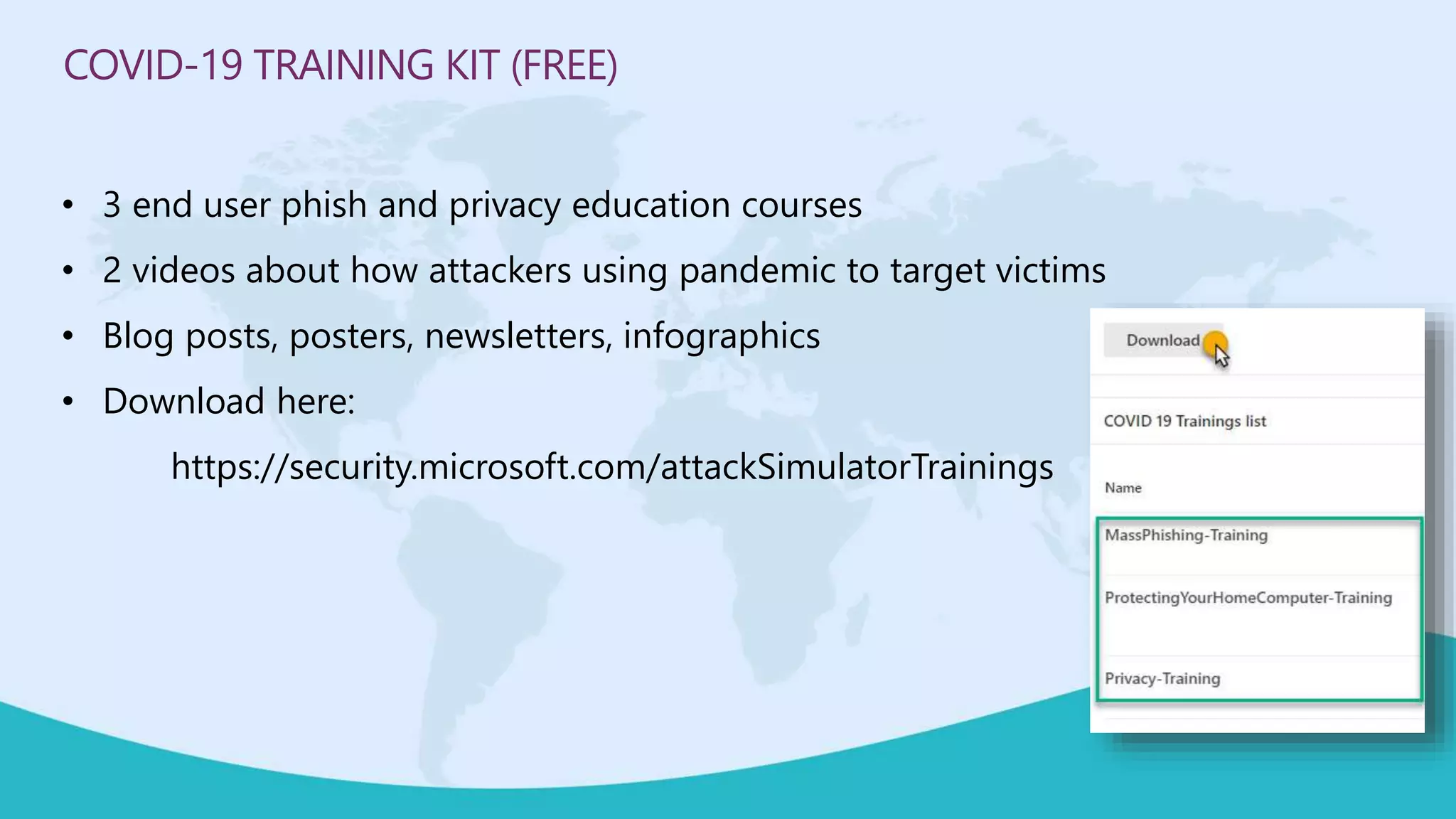
COVID-19 TRAINING KIT (FREE)
• 3 end user phish and privacy education courses
• 2 videos about how attackers using pandemic to target victims
• Blog posts, posters, newsletters, infographics
• Download here:
https://security.microsoft.com/attackSimulatorTrainings
INFORMATION GOVERNANCE HAS 3 STAKEHOLDER GROUPS!
Business information
workers
IT Teams Legal, Risk, Compliance
Teams
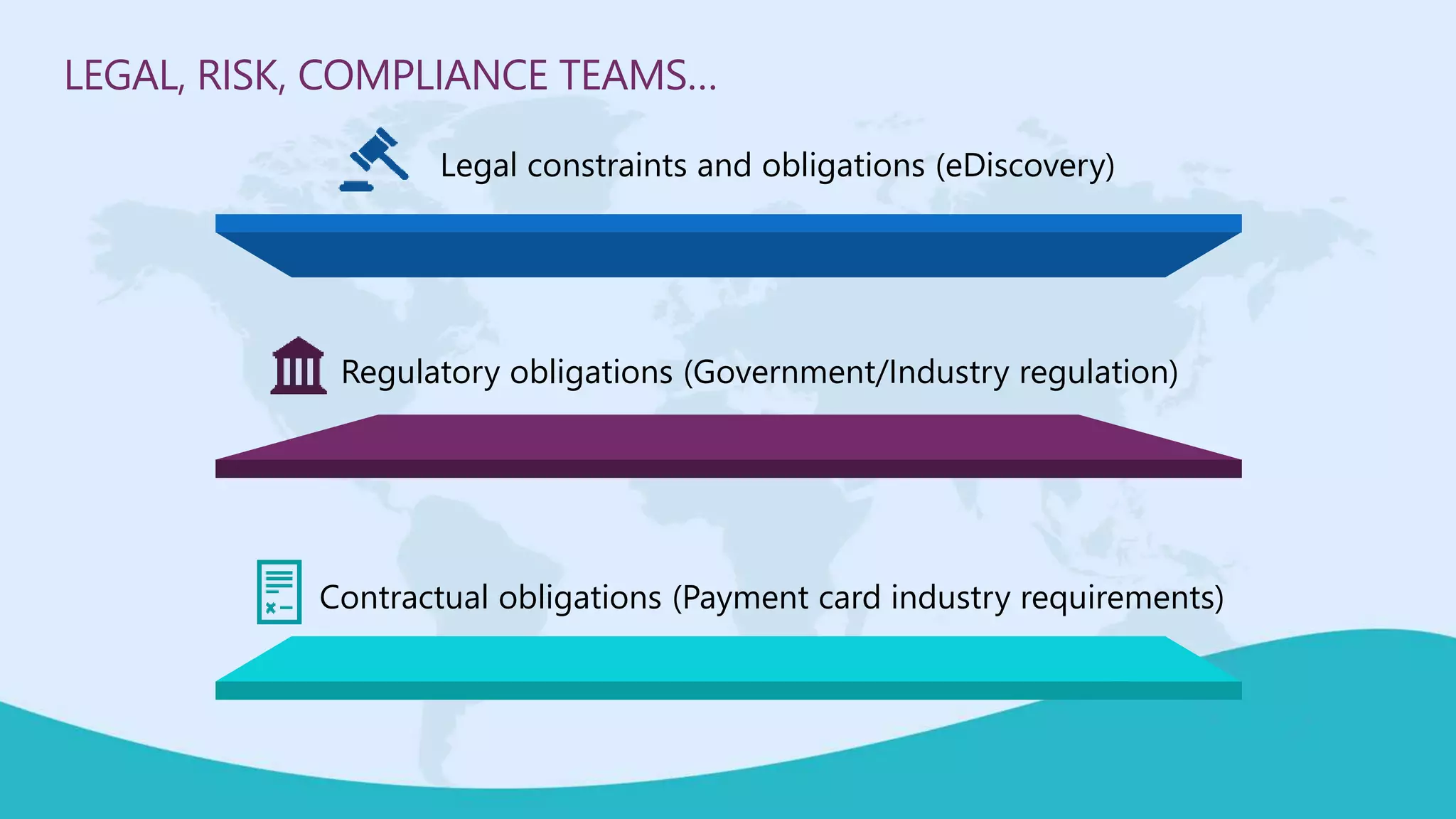
LEGAL, RISK, COMPLIANCE TEAMS…
Legal constraints and obligations (eDiscovery)
Regulatory obligations (Government/Industry regulation)
Contractual obligations (Payment card industry requirements)
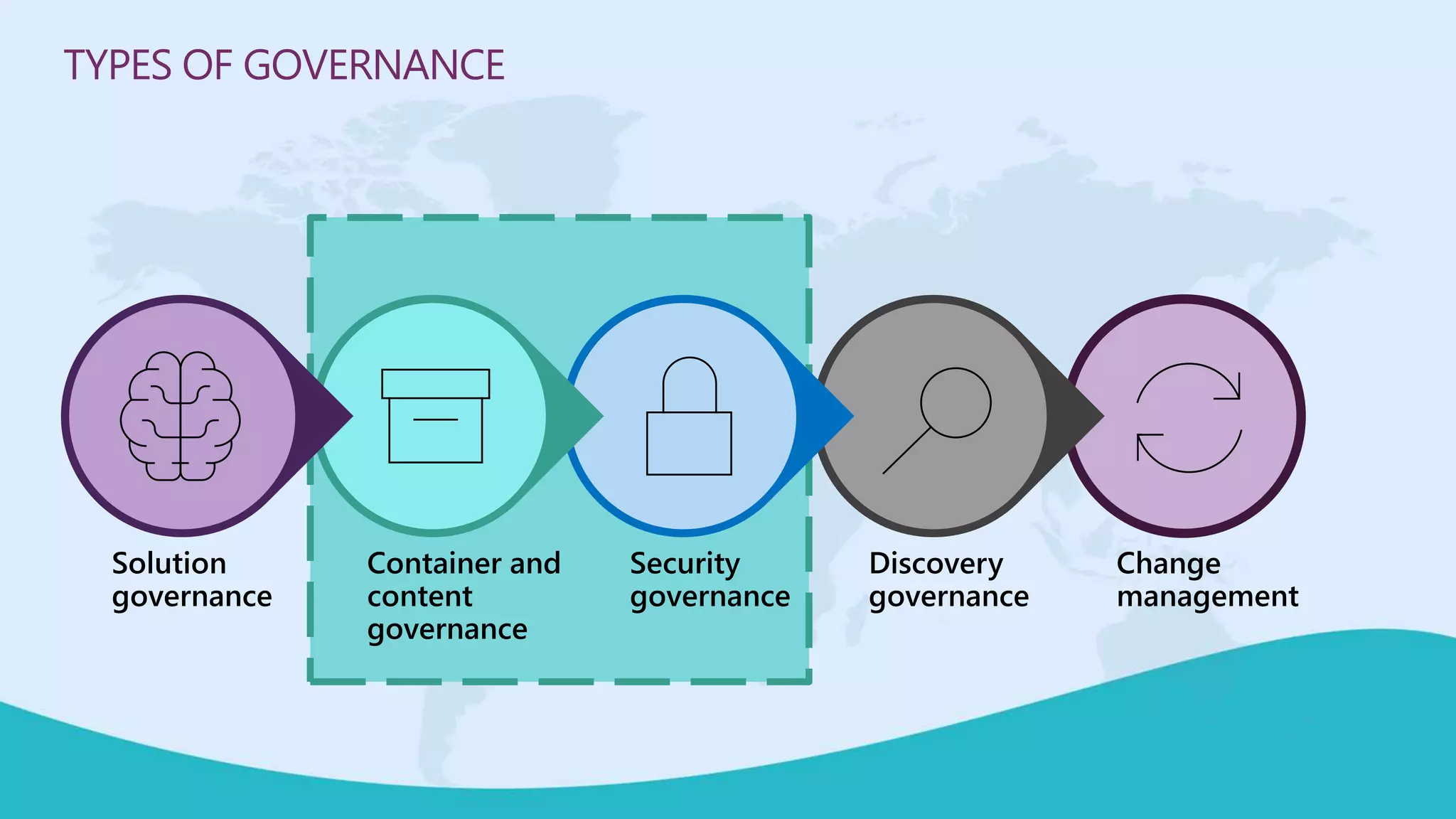
TYPES OF GOVERNANCE
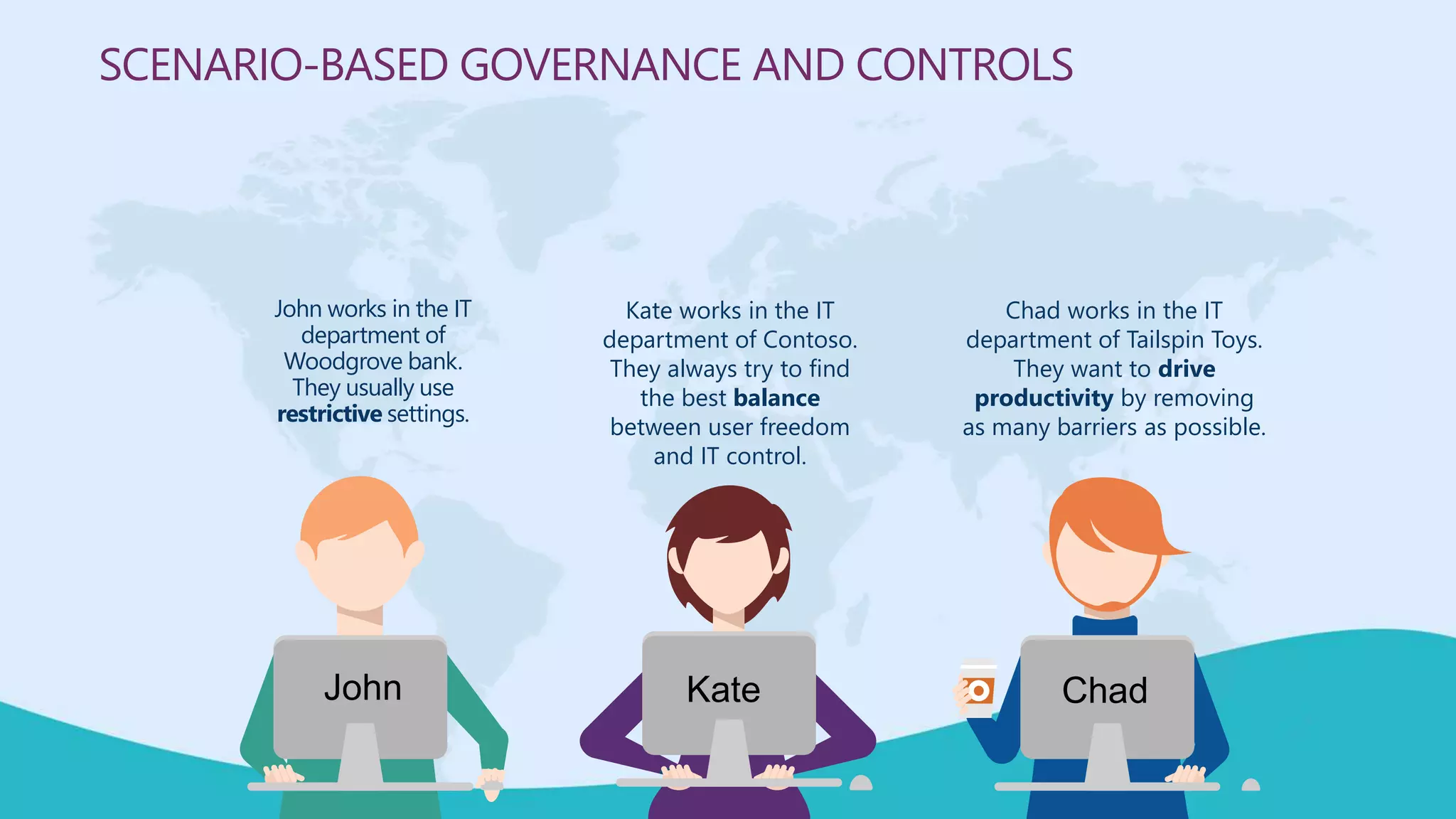
SCENARIO-BASED GOVERNANCE AND CONTROLS
John works in the IT
department of
Woodgrove bank.
They usually use
restrictive settings.
Kate works in the IT
department of Contoso.
They always try to find
the best balance
between user freedom
and IT control.
Chad works in the IT
department of Tailspin Toys.
They want to drive
productivity by removing
as many barriers as possible.
John Kate Chad
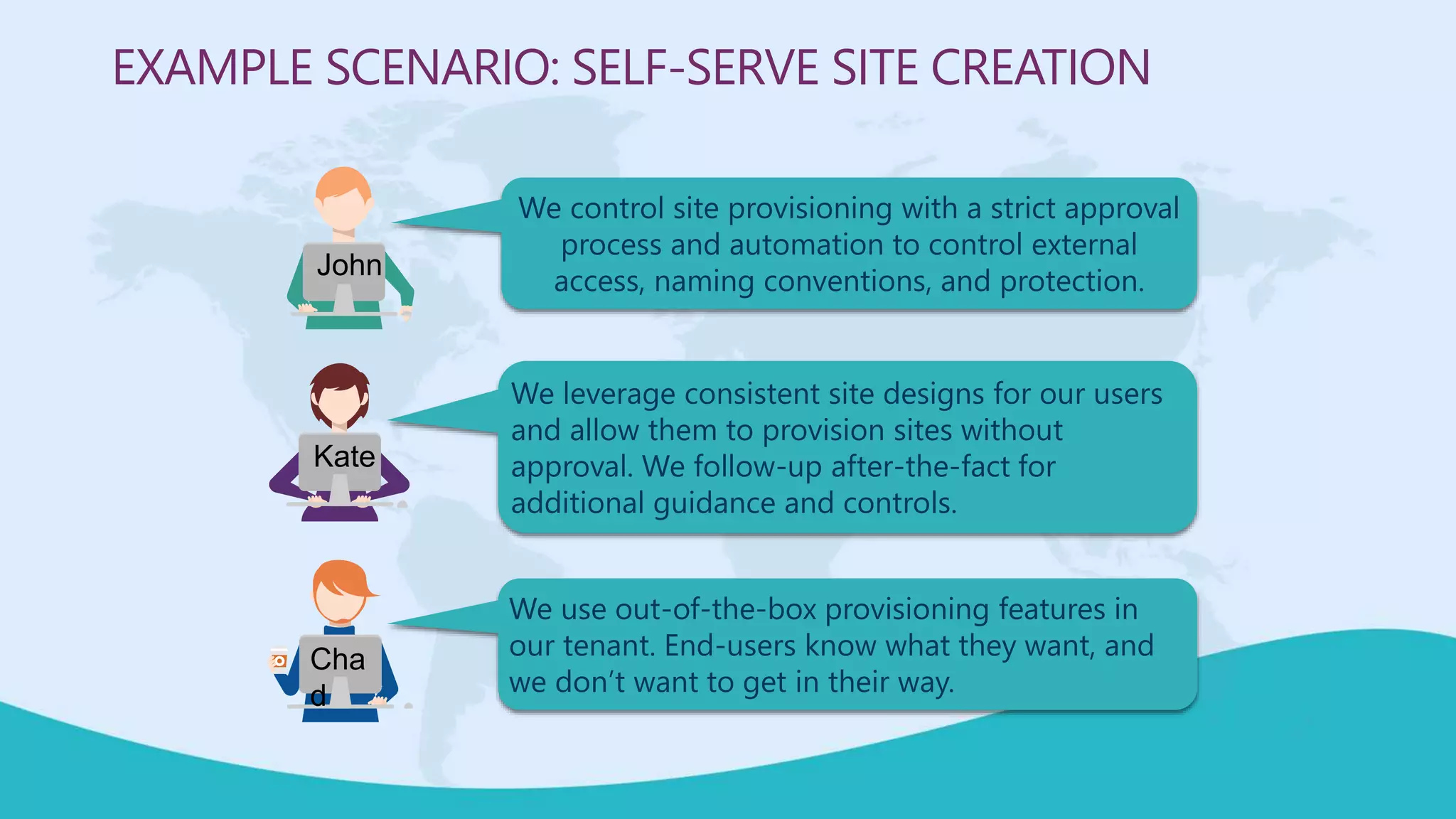
We control site provisioning with a strict approval
process and automation to control external
access, naming conventions, and protection.
EXAMPLE SCENARIO: SELF-SERVE SITE CREATION
We leverage consistent site designs for our users
and allow them to provision sites without
approval. We follow-up after-the-fact for
additional guidance and controls.
We use out-of-the-box provisioning features in
our tenant. End-users know what they want, and
we don’t want to get in their way.
John
Kate
Cha
d
 Protecting your (sensitive) teamwork
 Retaining your teamwork
CONTAINER AND CONTENT GOVERNANCE
Broughtto youby
M365Conf.com| #M365CONF
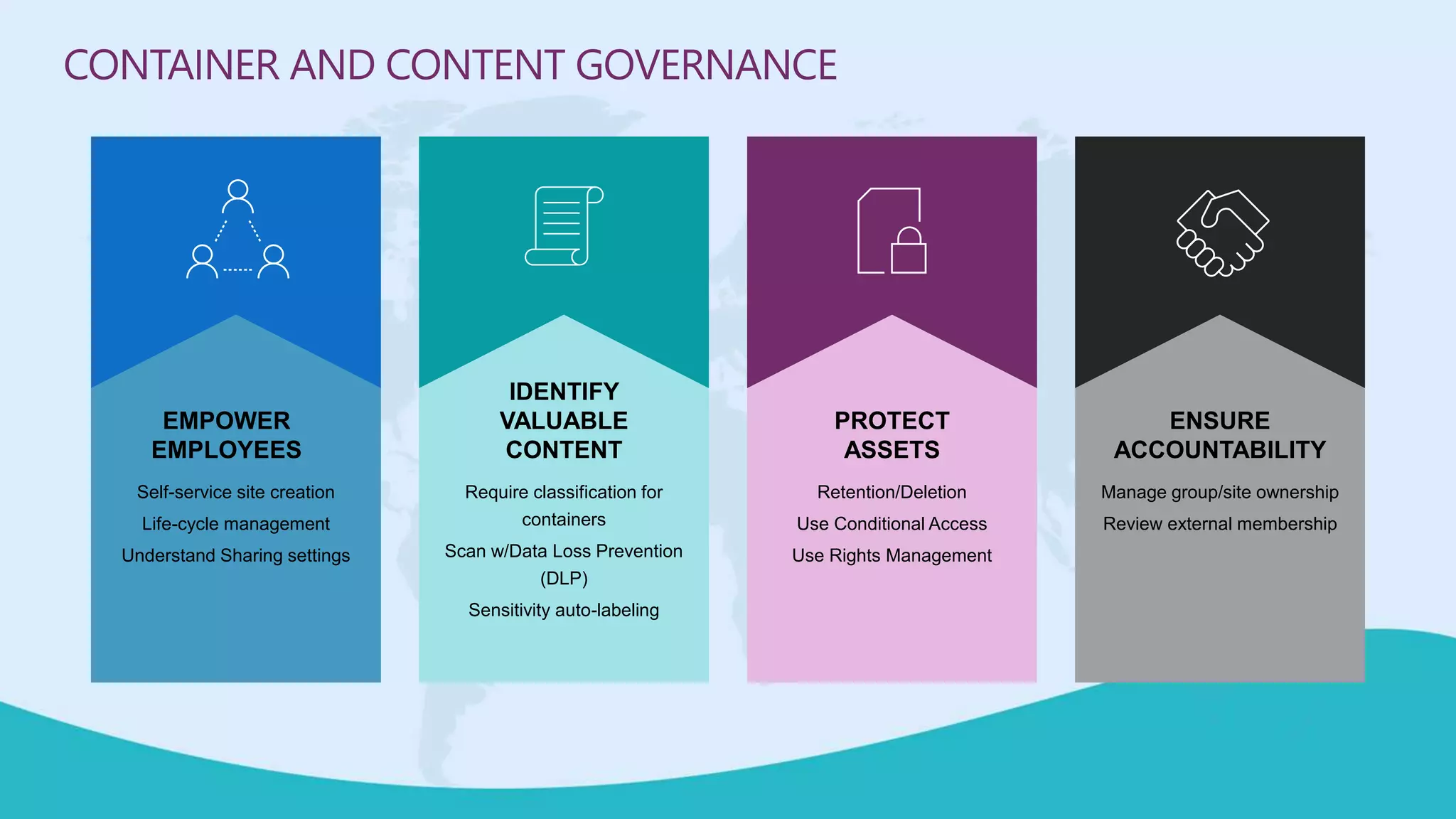
CONTAINER AND CONTENT GOVERNANCE
IDENTIFY
VALUABLE
CONTENT
Require classification for
containers
Scan w/Data Loss Prevention
(DLP)
Sensitivity auto-labeling
PROTECT
ASSETS
Retention/Deletion
Use Conditional Access
Use Rights Management
ENSURE
ACCOUNTABILITY
Manage group/site ownership
Review external membership
EMPOWER
EMPLOYEES
Self-service site creation
Life-cycle management
Understand Sharing settings
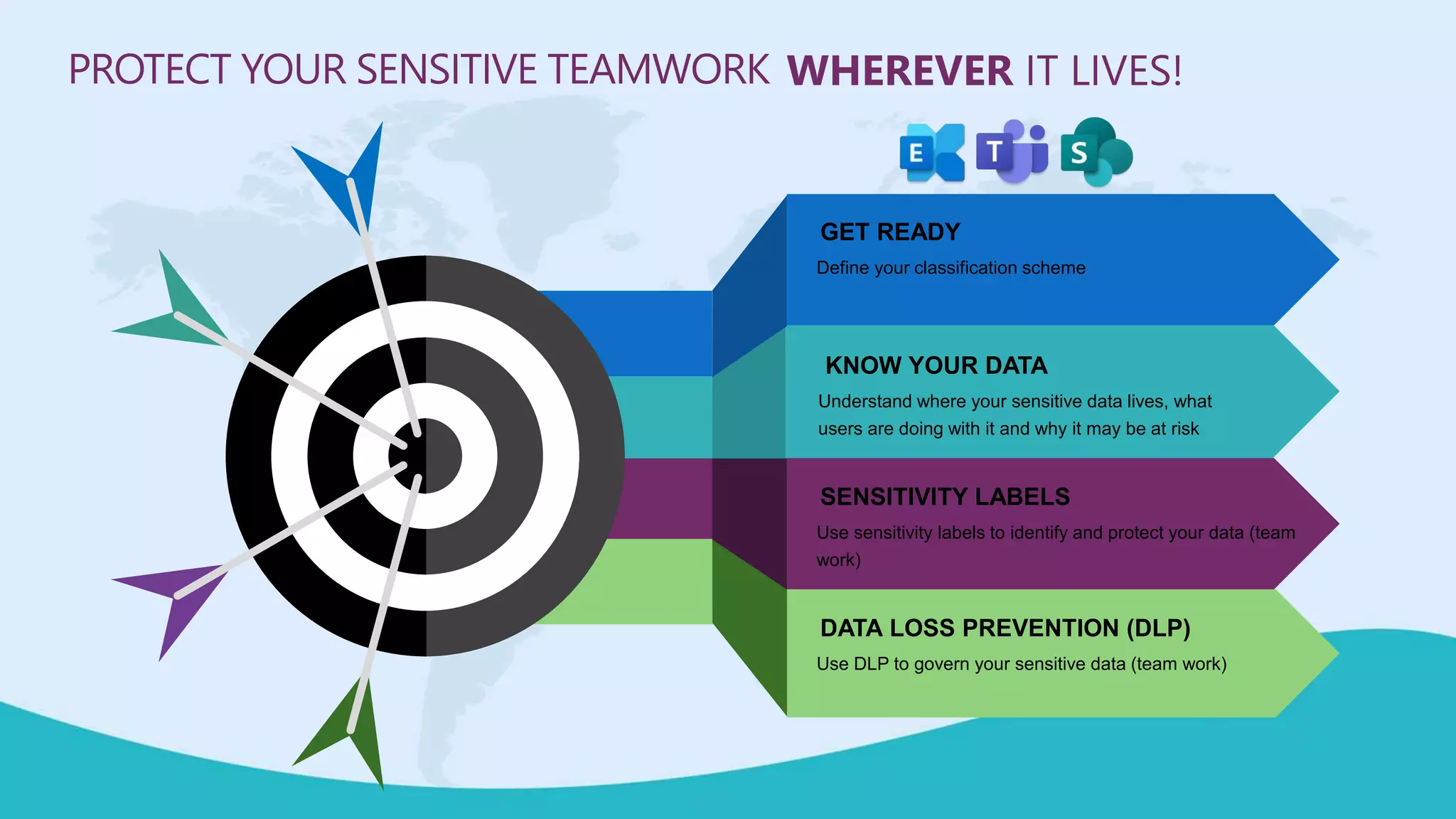
DATA LOSS PREVENTION (DLP)
Use DLP to govern your sensitive data (team work)
SENSITIVITY LABELS
Use sensitivity labels to identify and protect your data (team
work)
KNOW YOUR DATA
Understand where your sensitive data lives, what
users are doing with it and why it may be at risk
GET READY
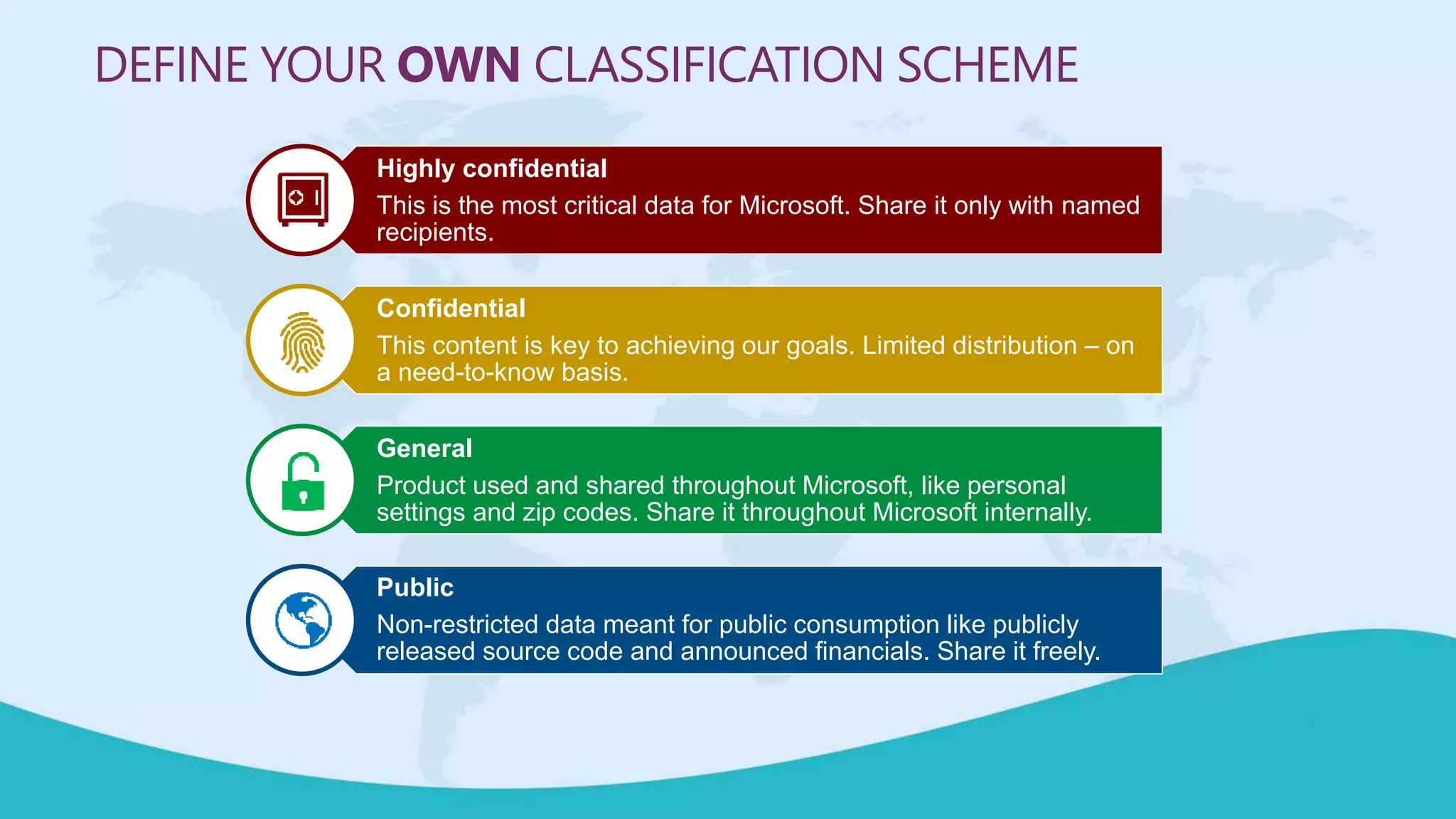
Define your classification scheme
WHEREVER IT LIVES!PROTECT YOUR SENSITIVE TEAMWORK
DEFINE YOUR OWN CLASSIFICATION SCHEME
Highly confidential
This is the most critical data for Microsoft. Share it only with named
recipients.
Confidential
This content is key to achieving our goals. Limited distribution – on
a need-to-know basis.
General
Product used and shared throughout Microsoft, like personal
settings and zip codes. Share it throughout Microsoft internally.
Public
Non-restricted data meant for public consumption like publicly
released source code and announced financials. Share it freely.
DO YOU KNOW WHERE YOUR
(SENSITIVE) DATA IS AND IF ITS
BEING PROTECTED AND
RETAINED?
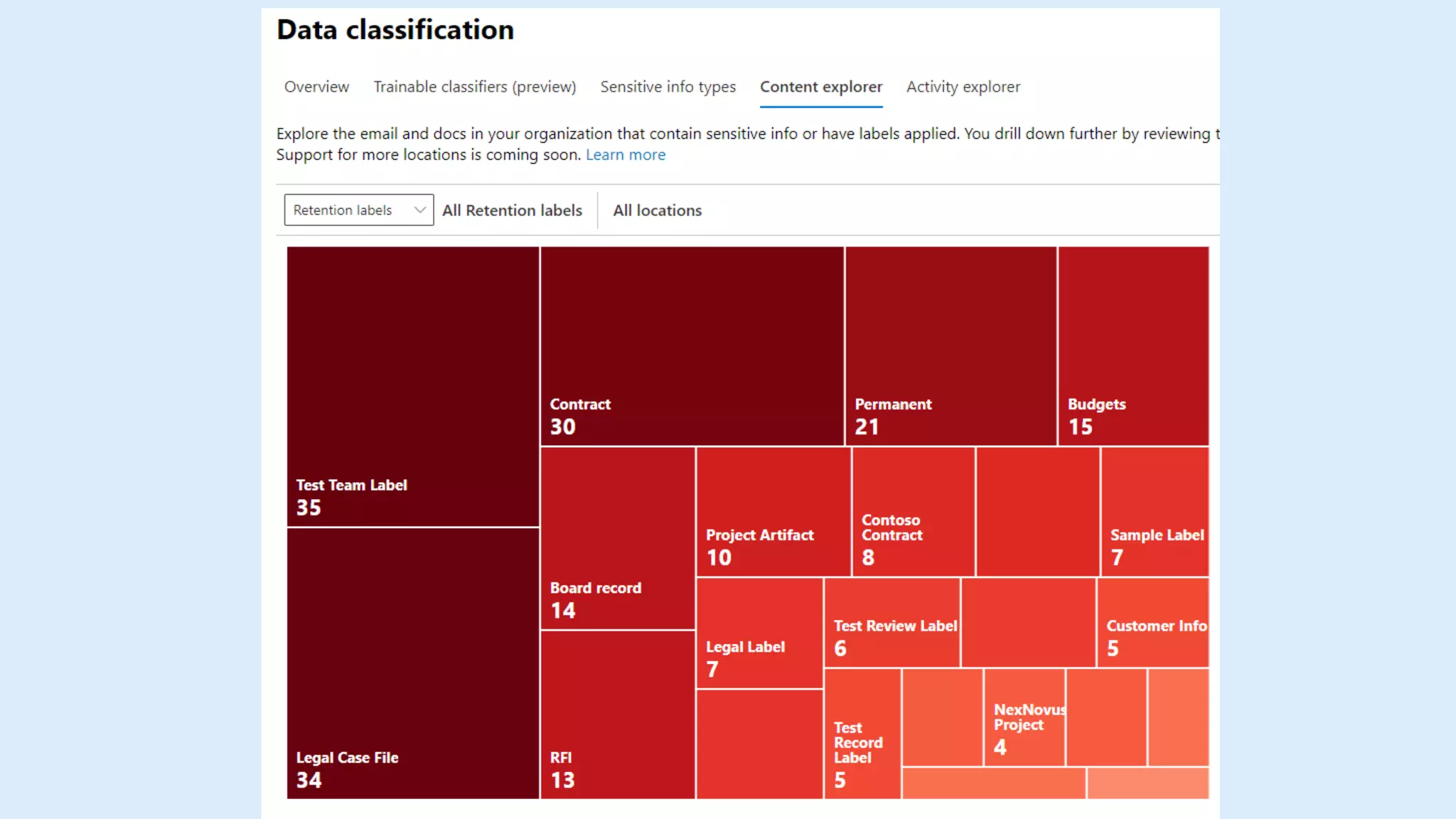
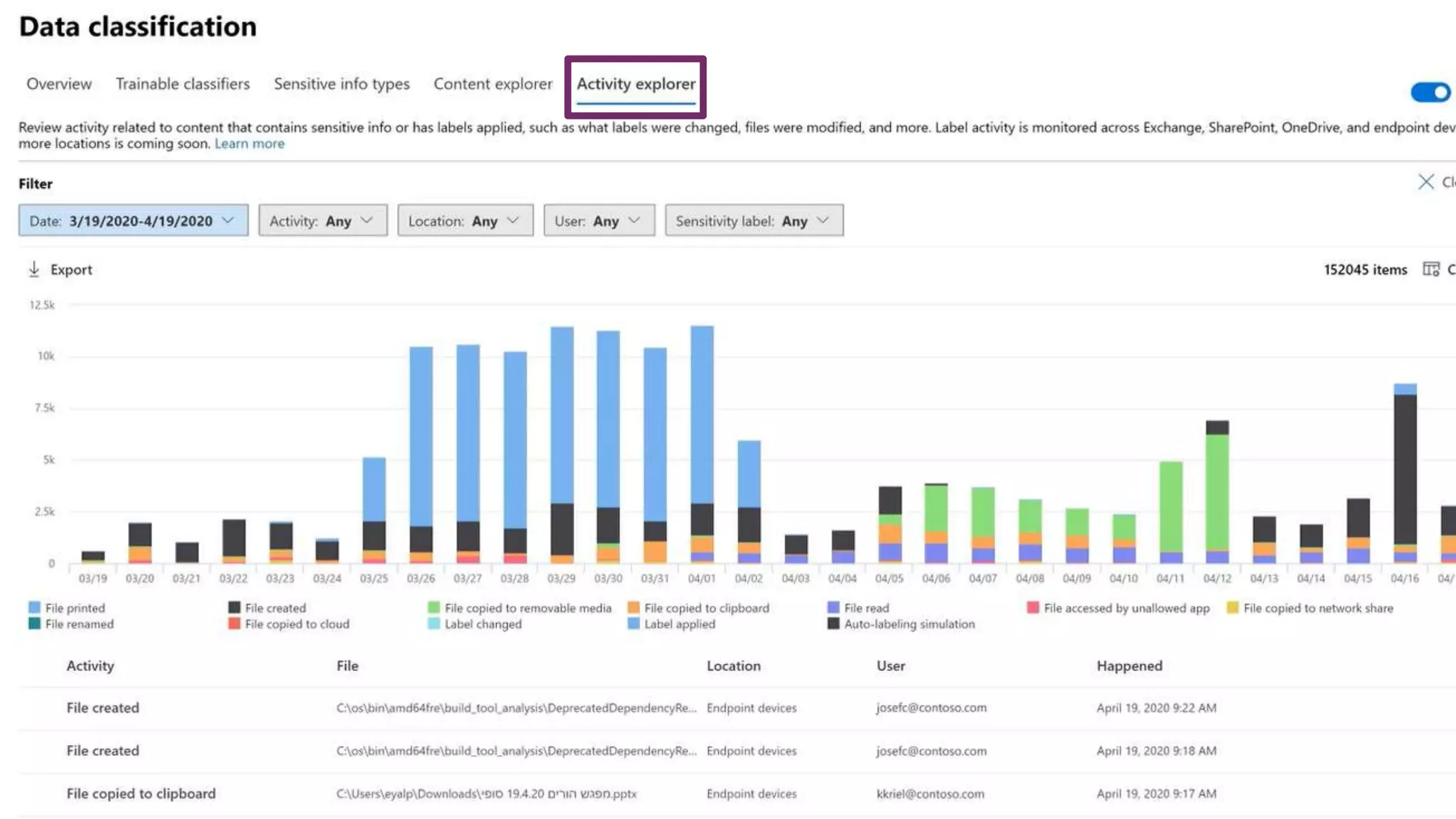
KNOW YOUR DATA
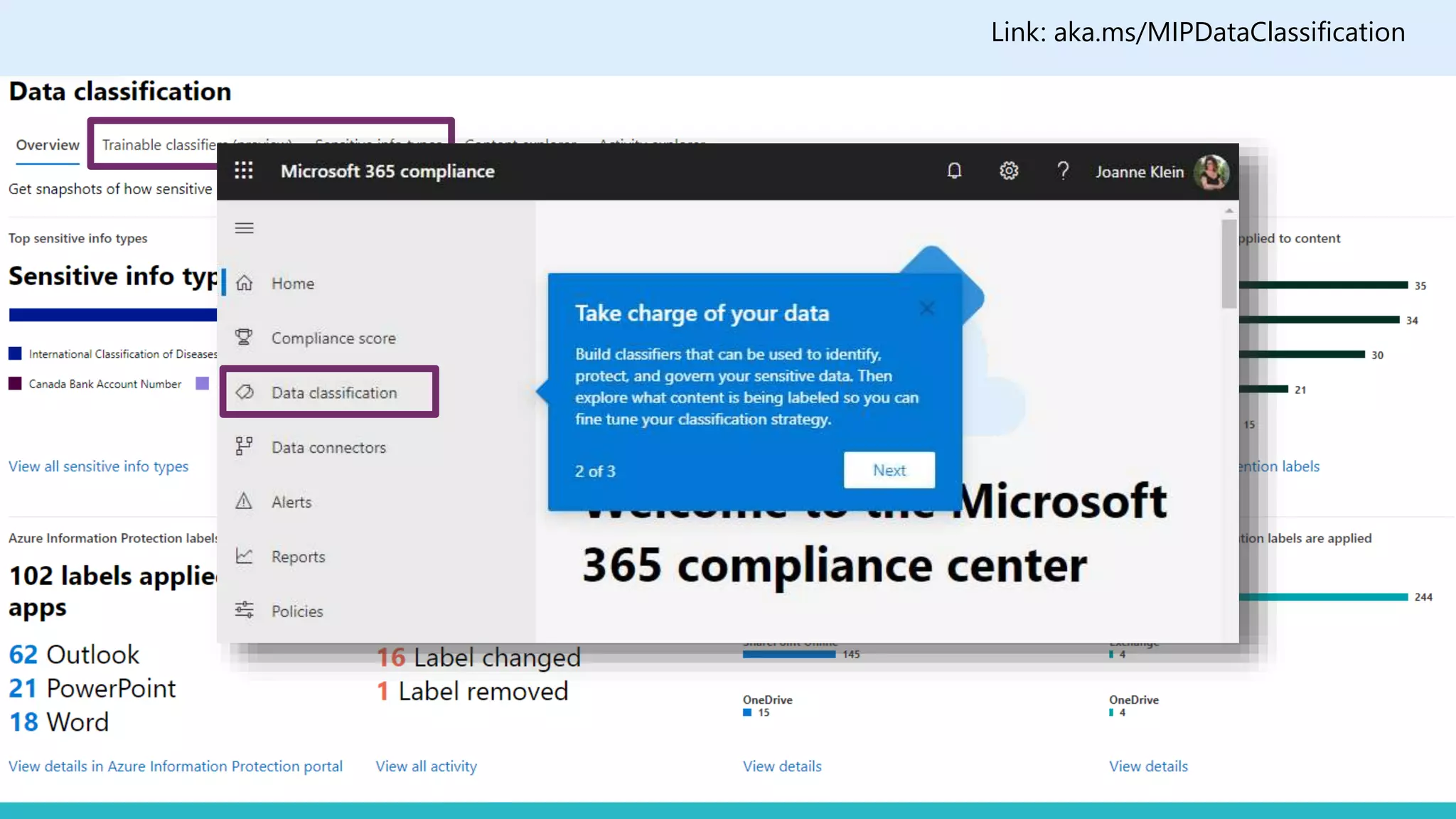
Link: aka.ms/MIPDataClassification
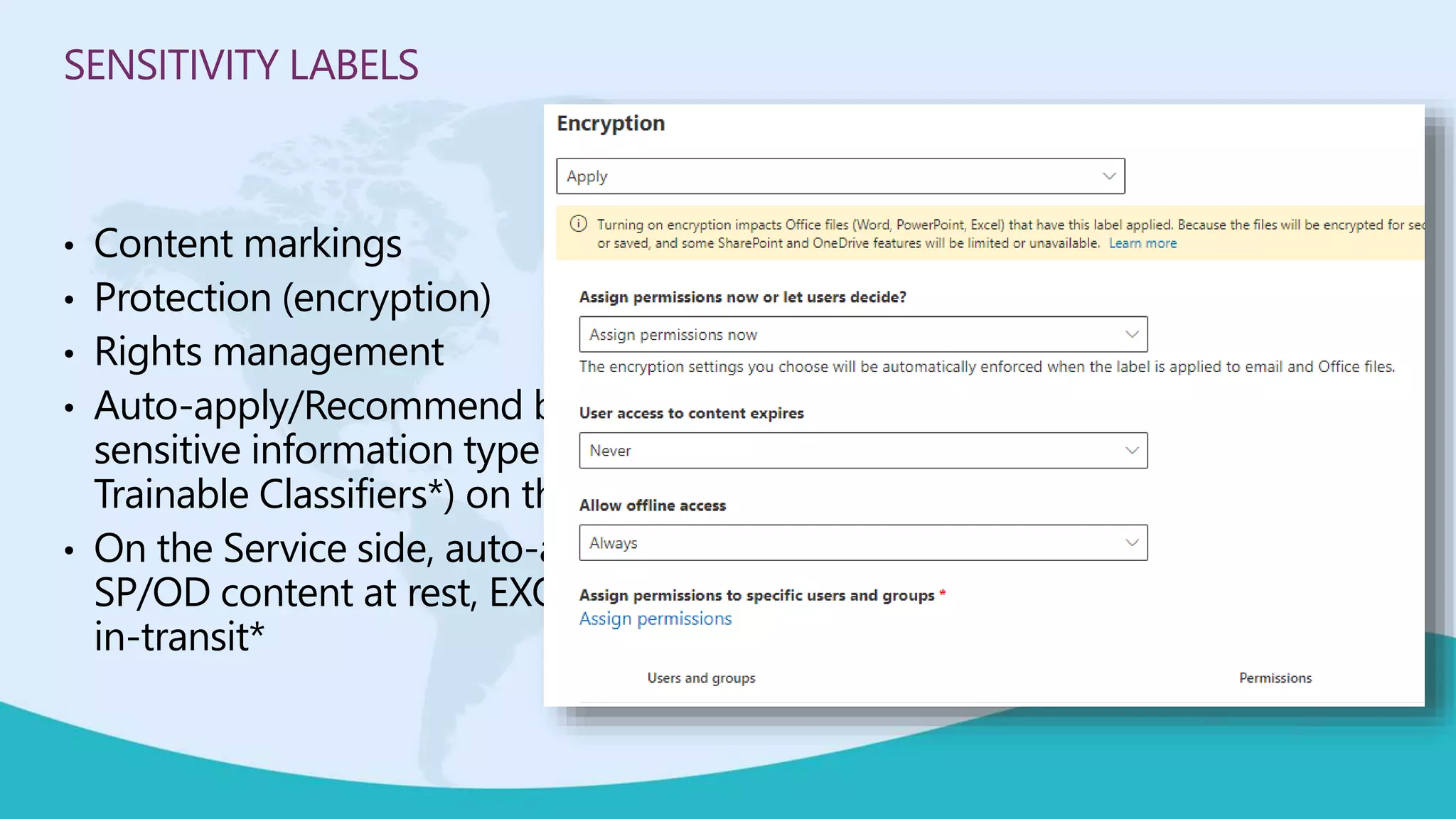
SENSITIVITY LABELS
• Content markings
• Protection (encryption)
• Rights management
• Auto-apply/Recommend based on
sensitive information type (and
Trainable Classifiers*) on the Client
• On the Service side, auto-apply
SP/OD content at rest, EXO emails
in-transit*
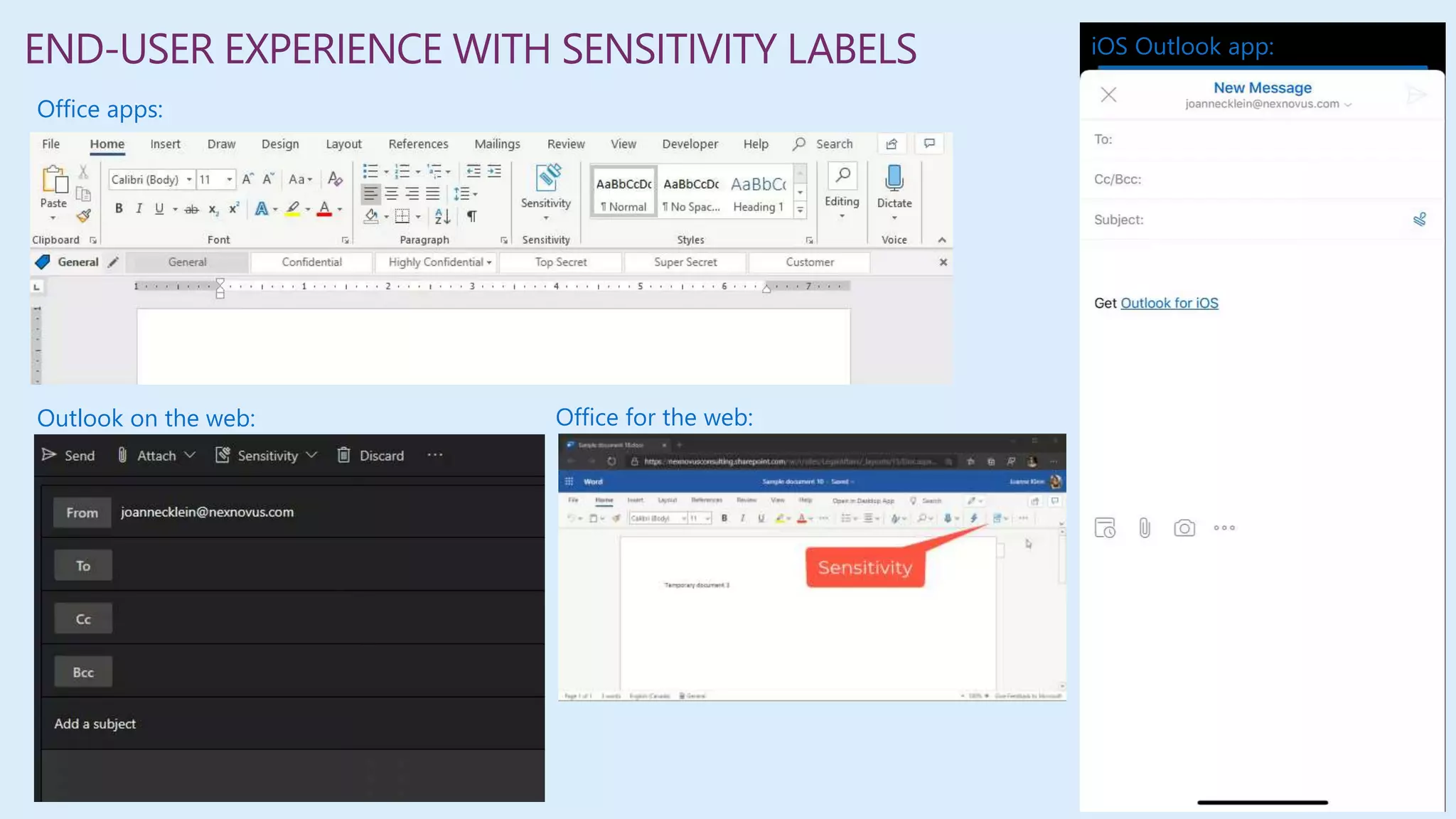
Office apps:
Outlook on the web:
iOS Outlook app:
Office for the web:
END-USER EXPERIENCE WITH SENSITIVITY LABELS
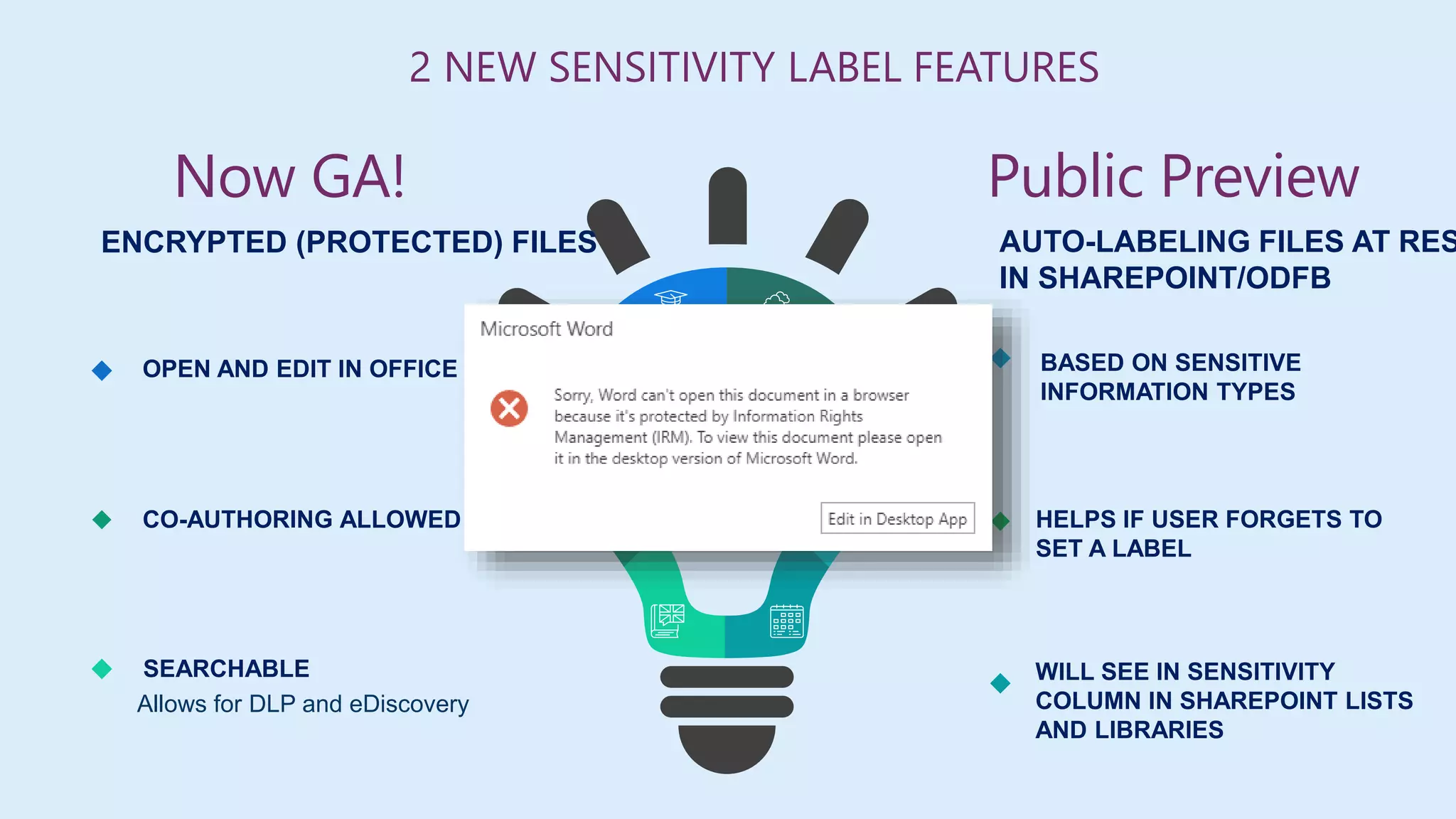
BASED ON SENSITIVE
INFORMATION TYPES
HELPS IF USER FORGETS TO
SET A LABEL
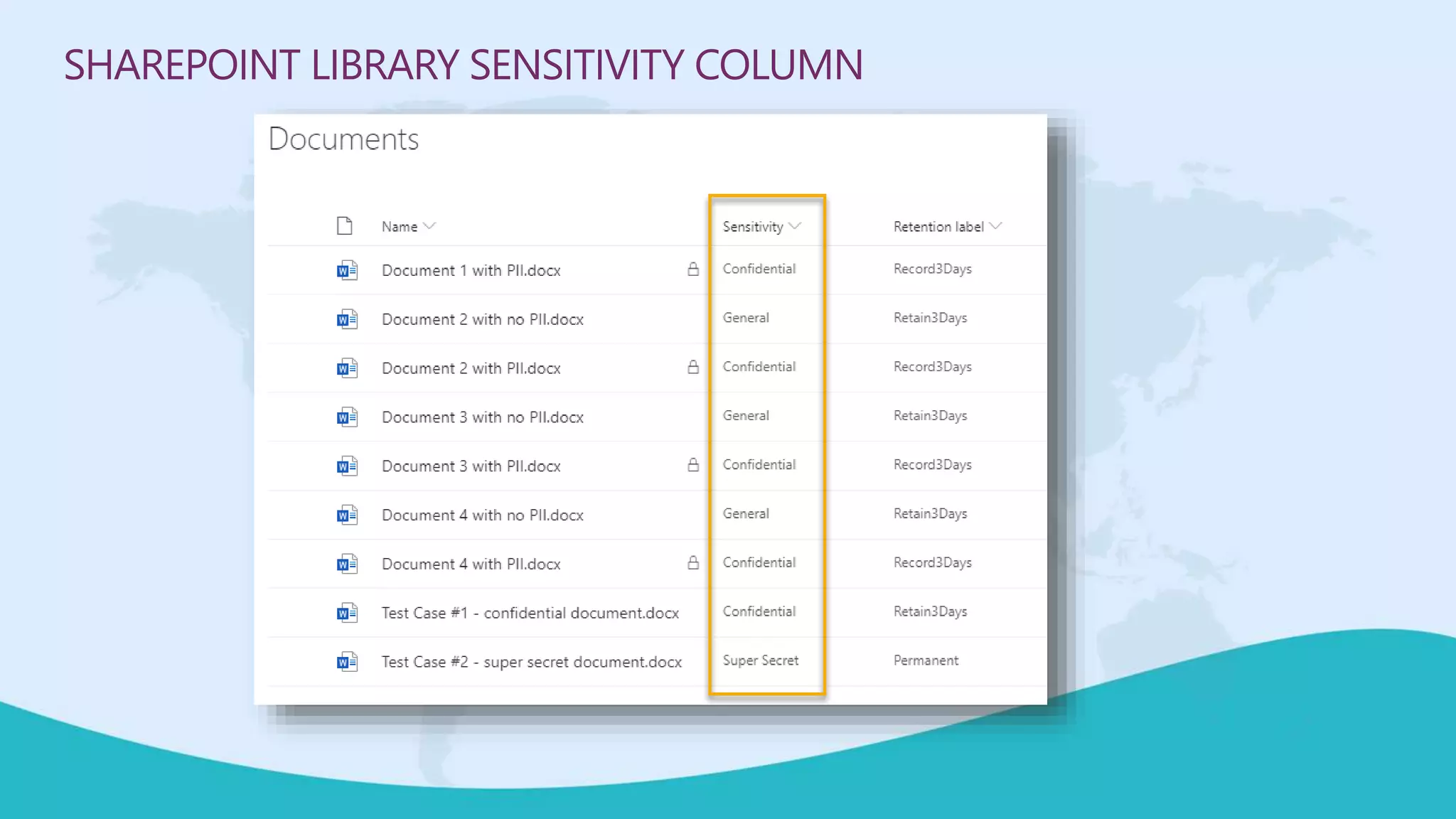
WILL SEE IN SENSITIVITY
COLUMN IN SHAREPOINT LISTS
AND LIBRARIES
ENCRYPTED (PROTECTED) FILES
OPEN AND EDIT IN OFFICE ONLINE
CO-AUTHORING ALLOWED
SEARCHABLE
Allows for DLP and eDiscovery
2 NEW SENSITIVITY LABEL FEATURES
AUTO-LABELING FILES AT RES
IN SHAREPOINT/ODFB
Now GA! Public Preview
SHAREPOINT LIBRARY SENSITIVITY COLUMN
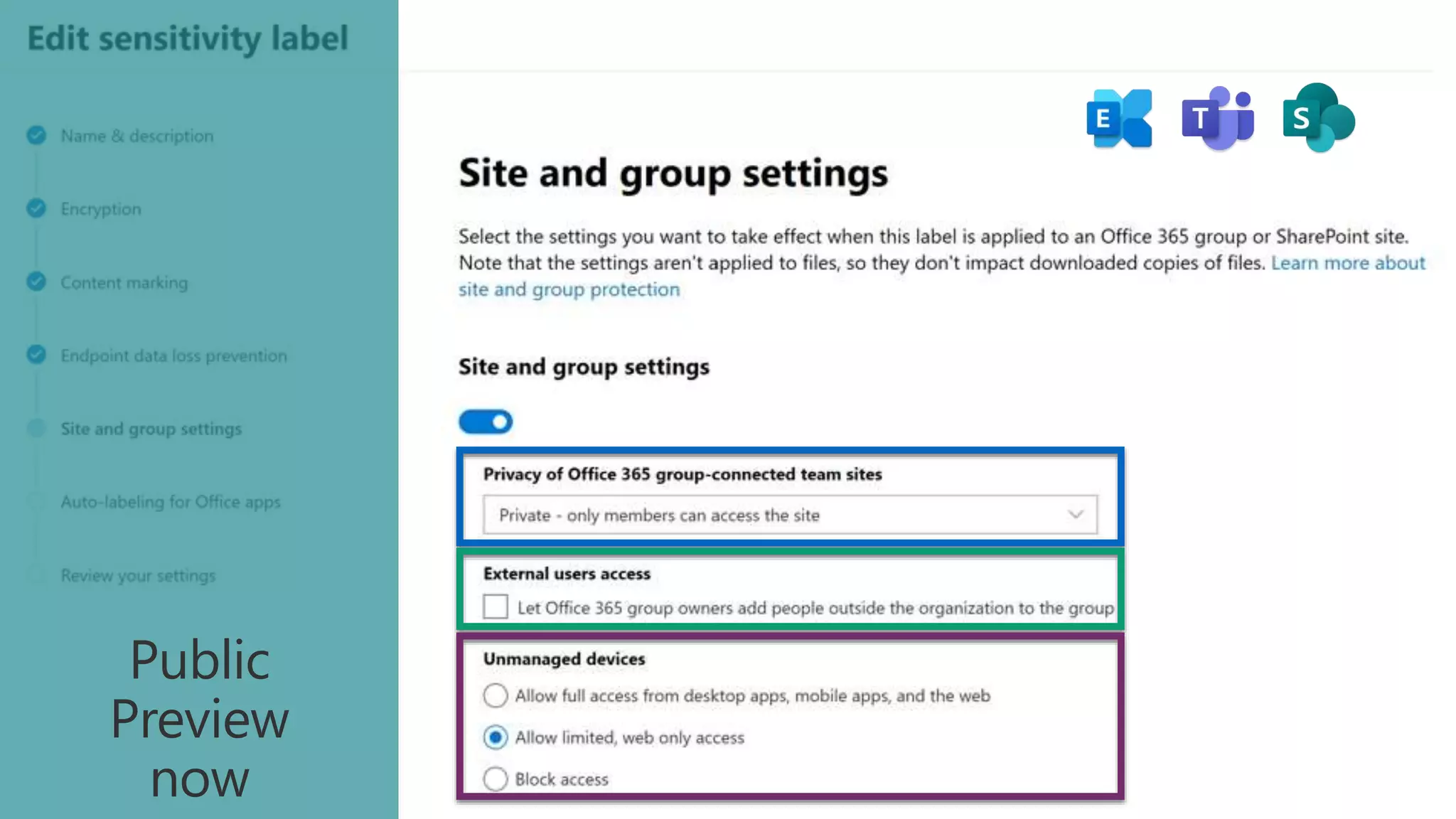
Public
Preview
now
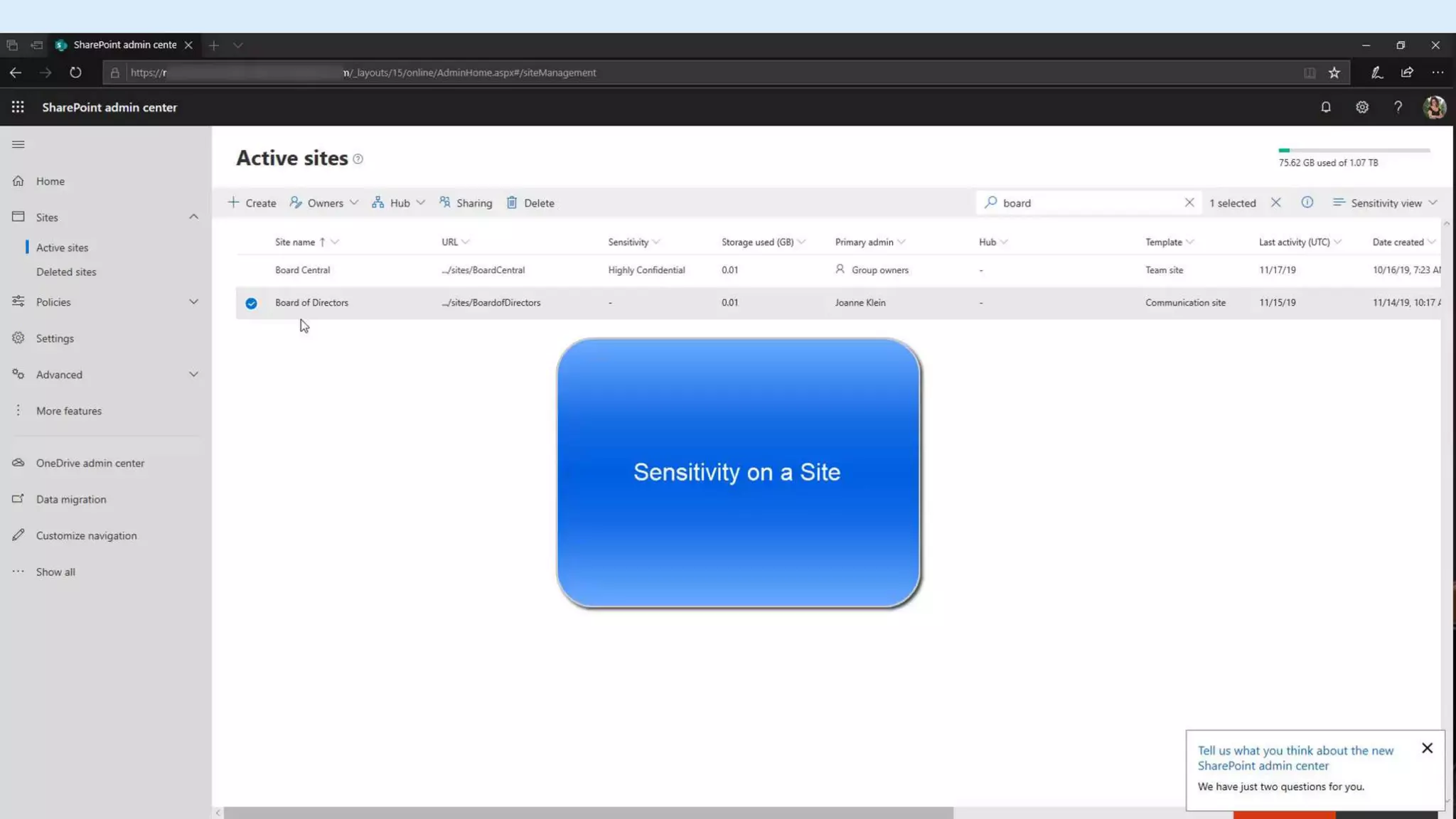
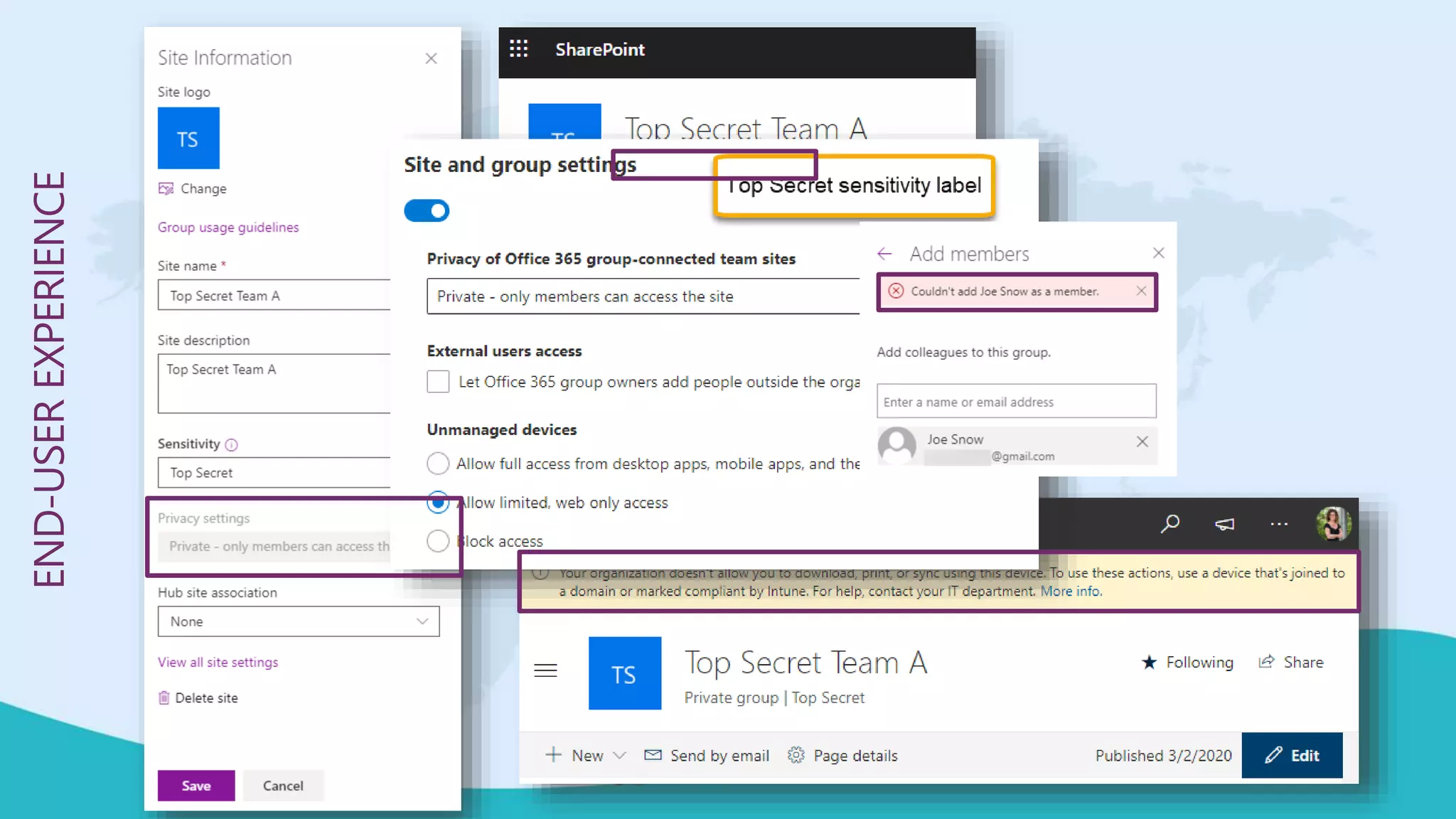
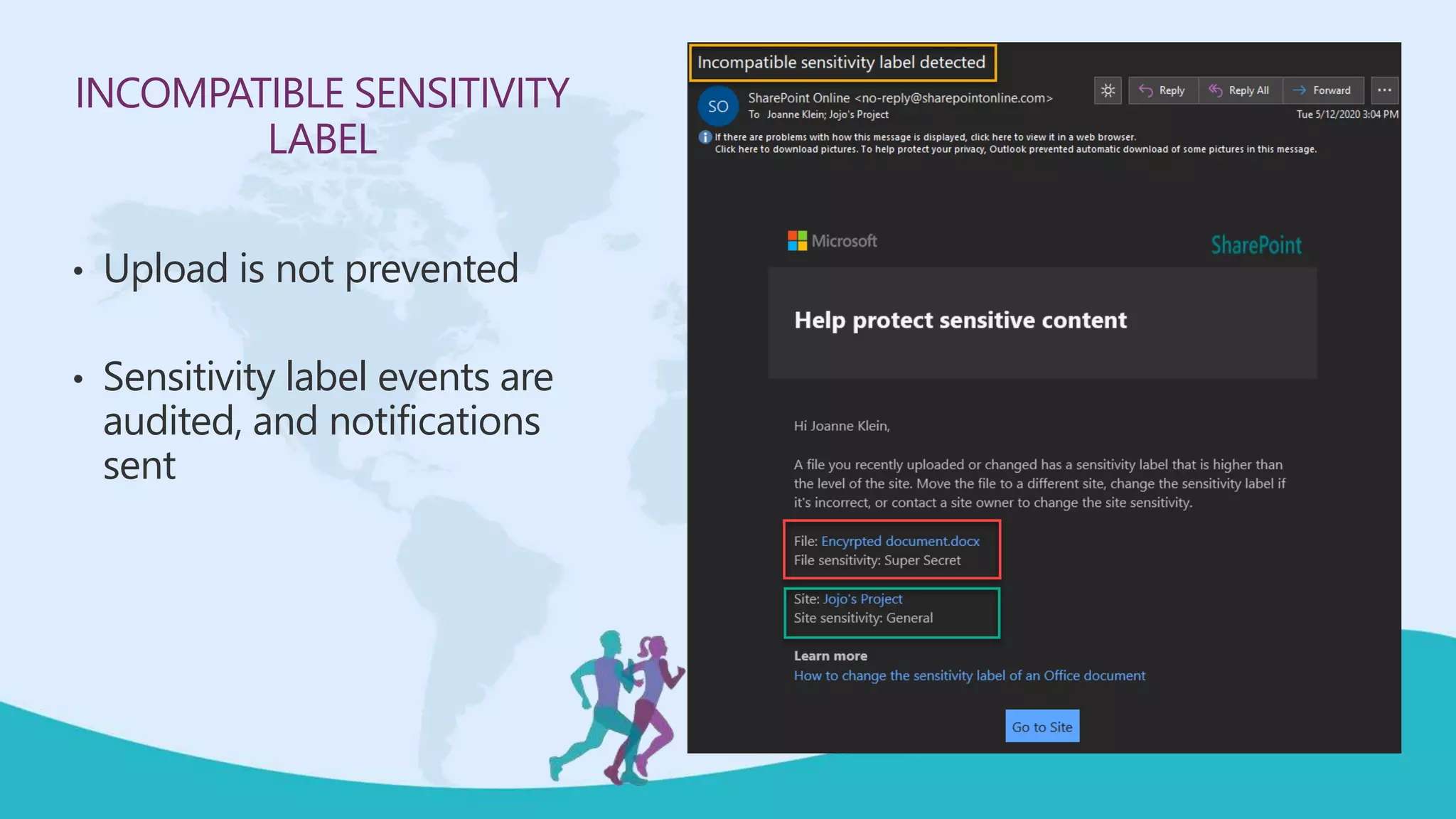
END-USEREXPERIENCE
INCOMPATIBLE SENSITIVITY
LABEL
• Upload is not prevented
• Sensitivity label events are
audited, and notifications
sent
MOVING FROM AIP TO UNIFIED SENSITIVITY LABELS
• AIP Classic client and Label Management in the Azure Portal will be
deprecated on March 31, 2021
• Steps for migrating:
 https://docs.microsoft.com/en-us/azure/information-protection/configure-policy-migrate-labels
• Compare the labeling clients:
 AIP Classic client VERSUS Unified Labeling client VERSUS Office built-in labeling client
 https://docs.microsoft.com/en-us/azure/information-protection/rms-client/use-client#compare-the-
labeling-clients-for-windows-computers
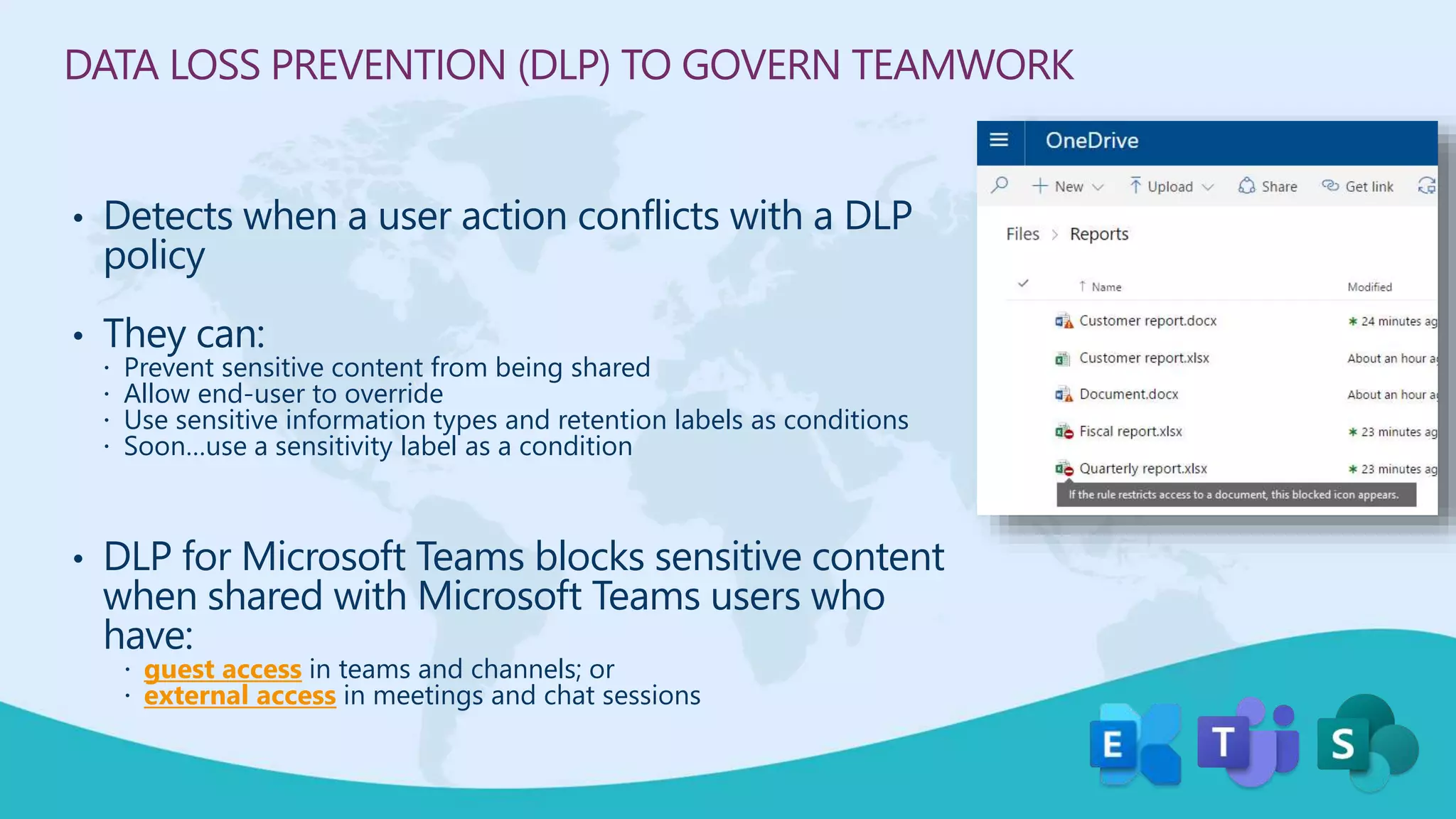
DATA LOSS PREVENTION (DLP) TO GOVERN TEAMWORK
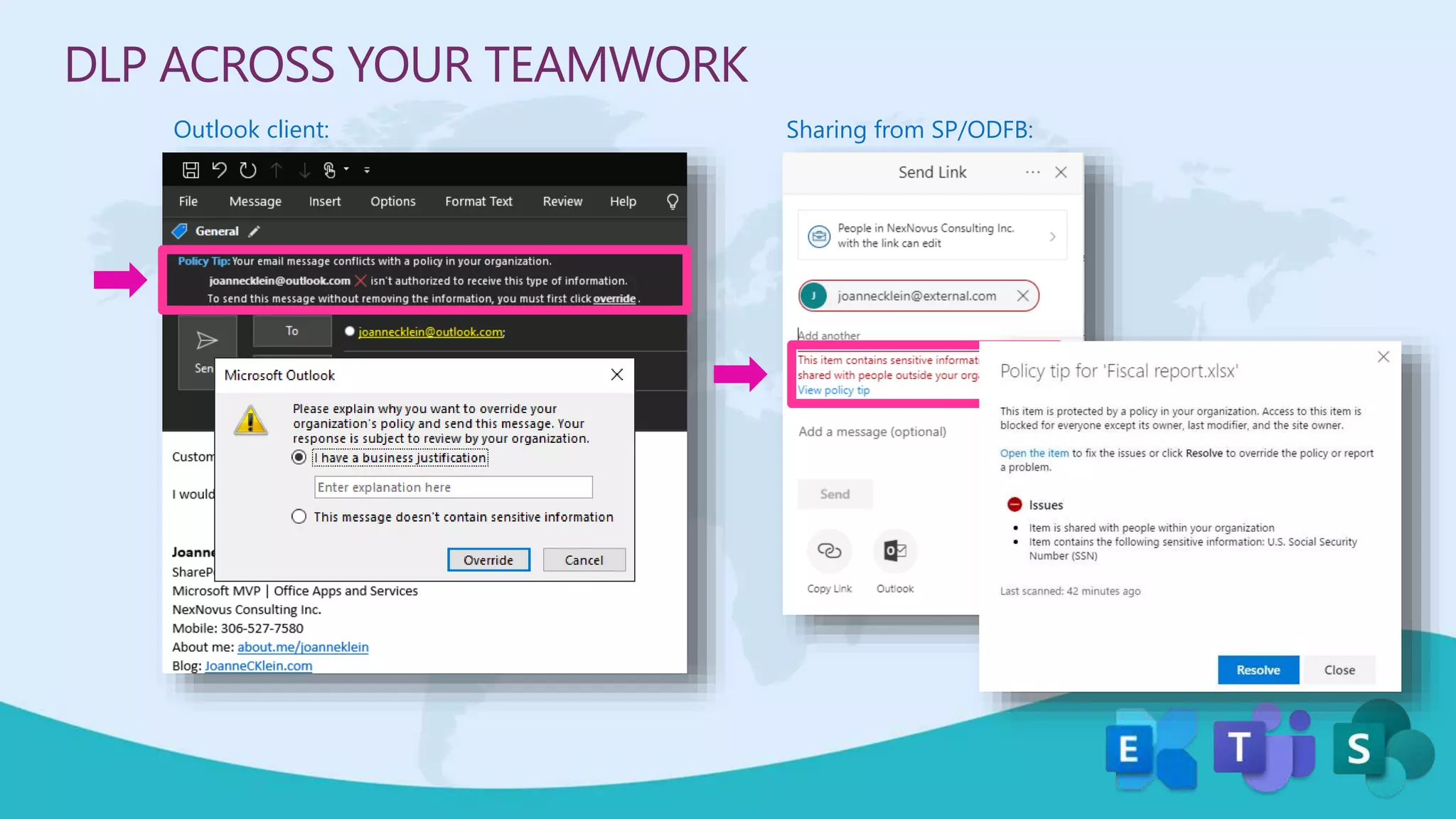
• Detects when a user action conflicts with a DLP
policy
• They can:
 Prevent sensitive content from being shared
 Allow end-user to override
 Use sensitive information types and retention labels as conditions
 Soon…use a sensitivity label as a condition
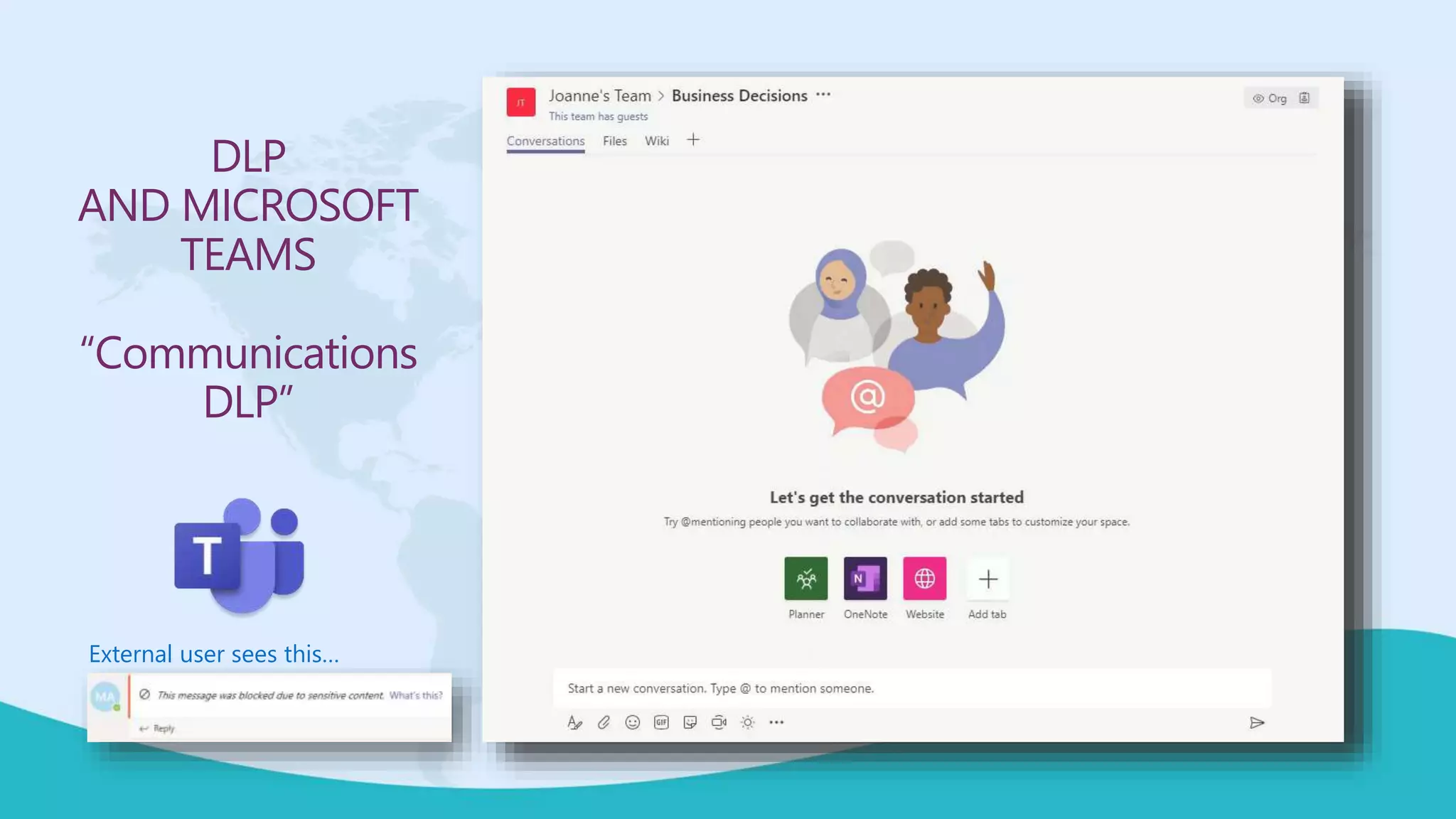
• DLP for Microsoft Teams blocks sensitive content
when shared with Microsoft Teams users who
have:
 guest access in teams and channels; or
 external access in meetings and chat sessions
DLP ACROSS YOUR TEAMWORK
Outlook client: Sharing from SP/ODFB:
DLP
AND MICROSOFT
TEAMS
“Communications
DLP”
External user sees this…
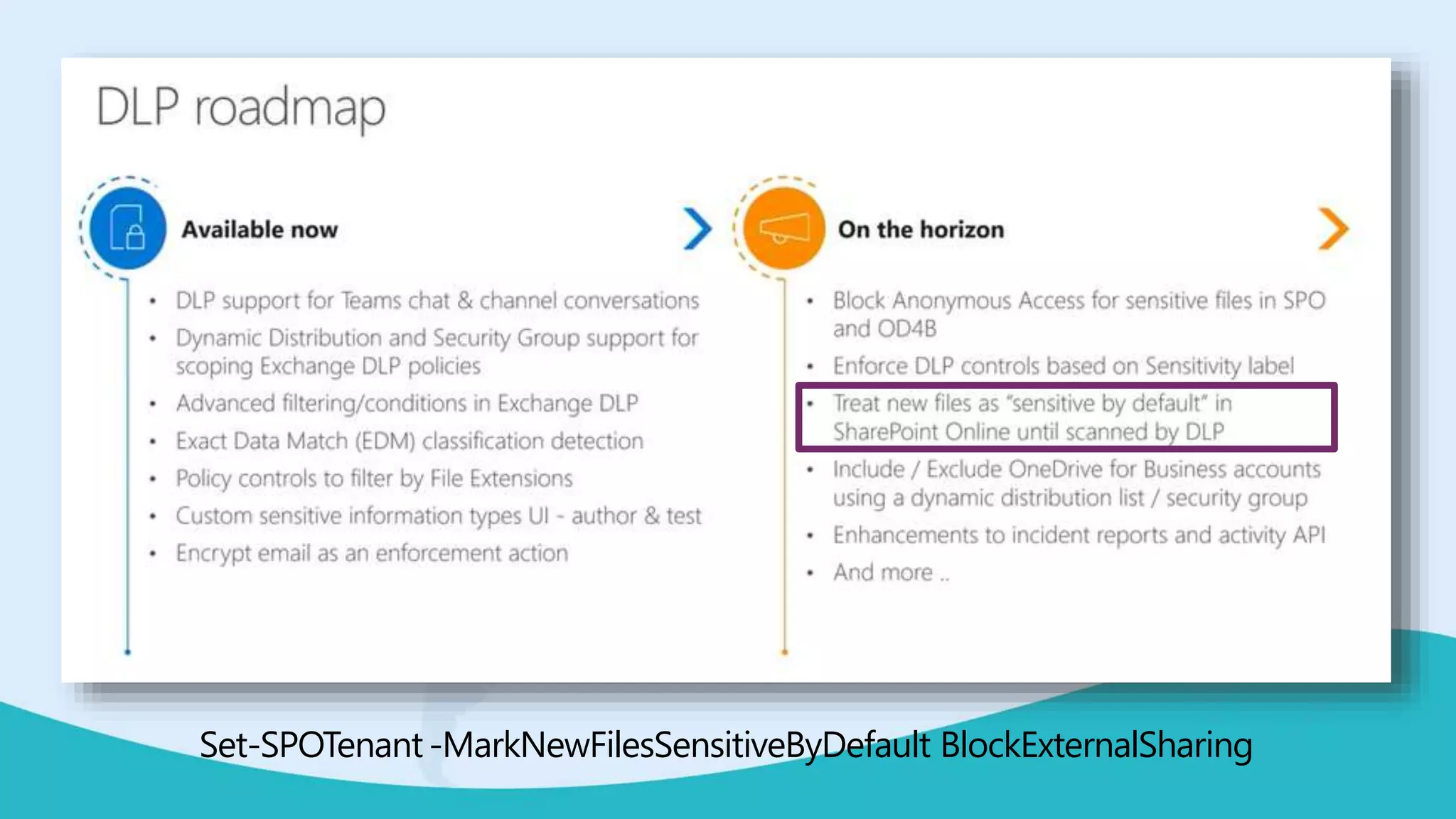
Set-SPOTenant-MarkNewFilesSensitiveByDefault BlockExternalSharing
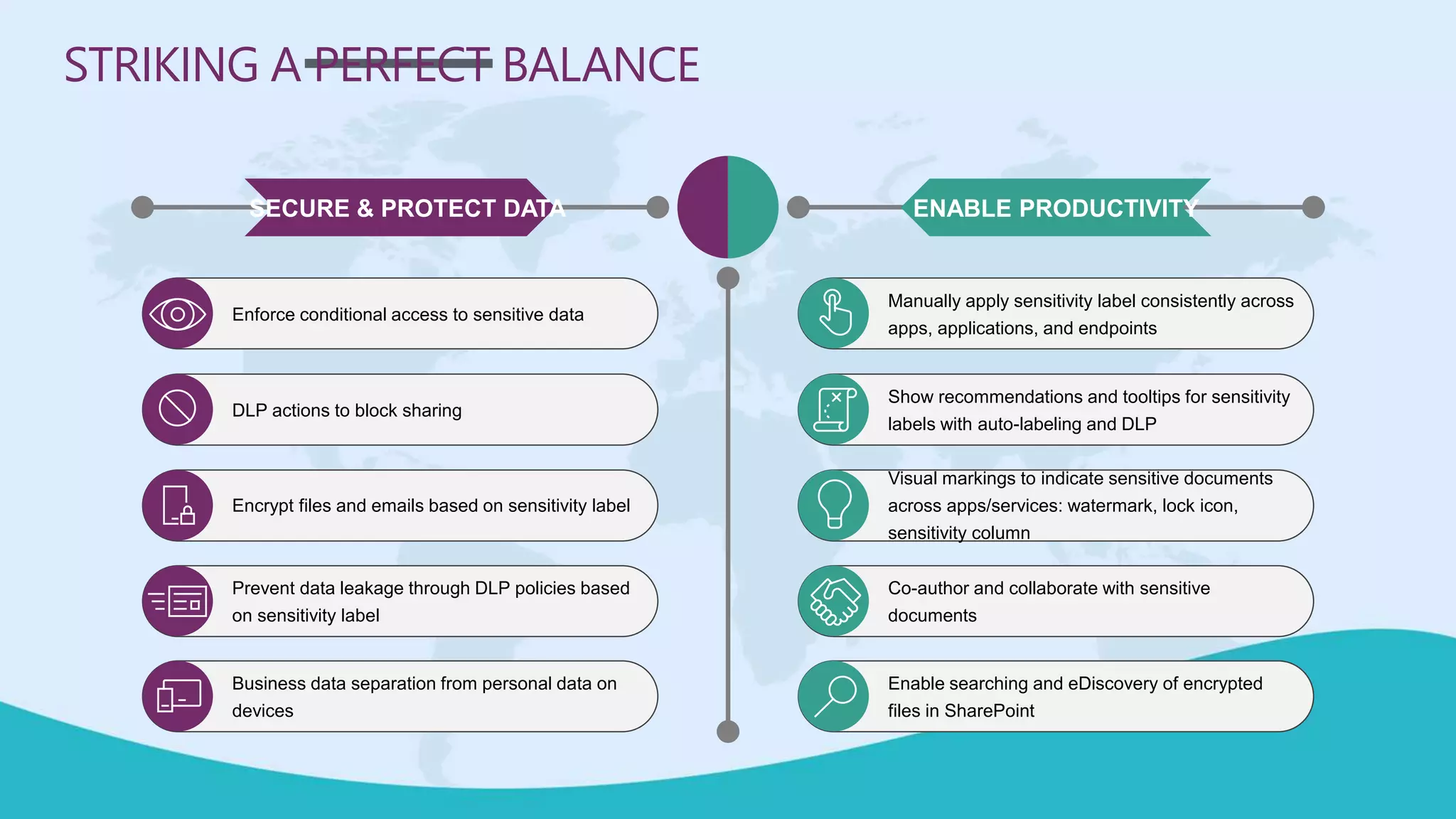
SECURE & PROTECT DATA ENABLE PRODUCTIVITY
Manually apply sensitivity label consistently across
apps, applications, and endpoints
Show recommendations and tooltips for sensitivity
labels with auto-labeling and DLP
Visual markings to indicate sensitive documents
across apps/services: watermark, lock icon,
sensitivity column
Co-author and collaborate with sensitive
documents
Enable searching and eDiscovery of encrypted
files in SharePoint
Enforce conditional access to sensitive data
DLP actions to block sharing
Encrypt files and emails based on sensitivity label
Prevent data leakage through DLP policies based
on sensitivity label
Business data separation from personal data on
devices
STRIKING A PERFECT BALANCE
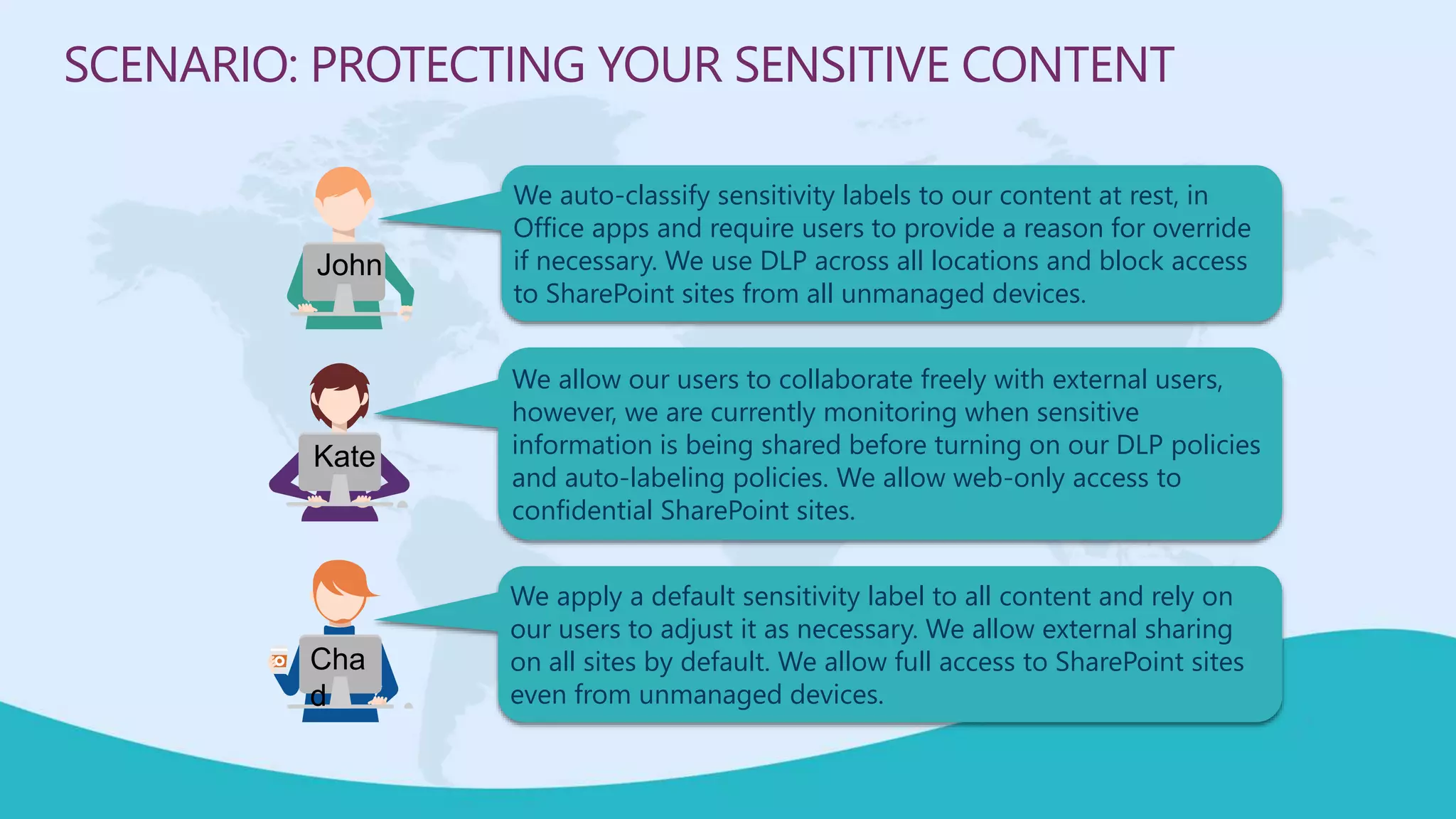
We auto-classify sensitivity labels to our content at rest, in
Office apps and require users to provide a reason for override
if necessary. We use DLP across all locations and block access
to SharePoint sites from all unmanaged devices.
SCENARIO: PROTECTING YOUR SENSITIVE CONTENT
We allow our users to collaborate freely with external users,
however, we are currently monitoring when sensitive
information is being shared before turning on our DLP policies
and auto-labeling policies. We allow web-only access to
confidential SharePoint sites.
We apply a default sensitivity label to all content and rely on
our users to adjust it as necessary. We allow external sharing
on all sites by default. We allow full access to SharePoint sites
even from unmanaged devices.
John
Kate
Cha
d
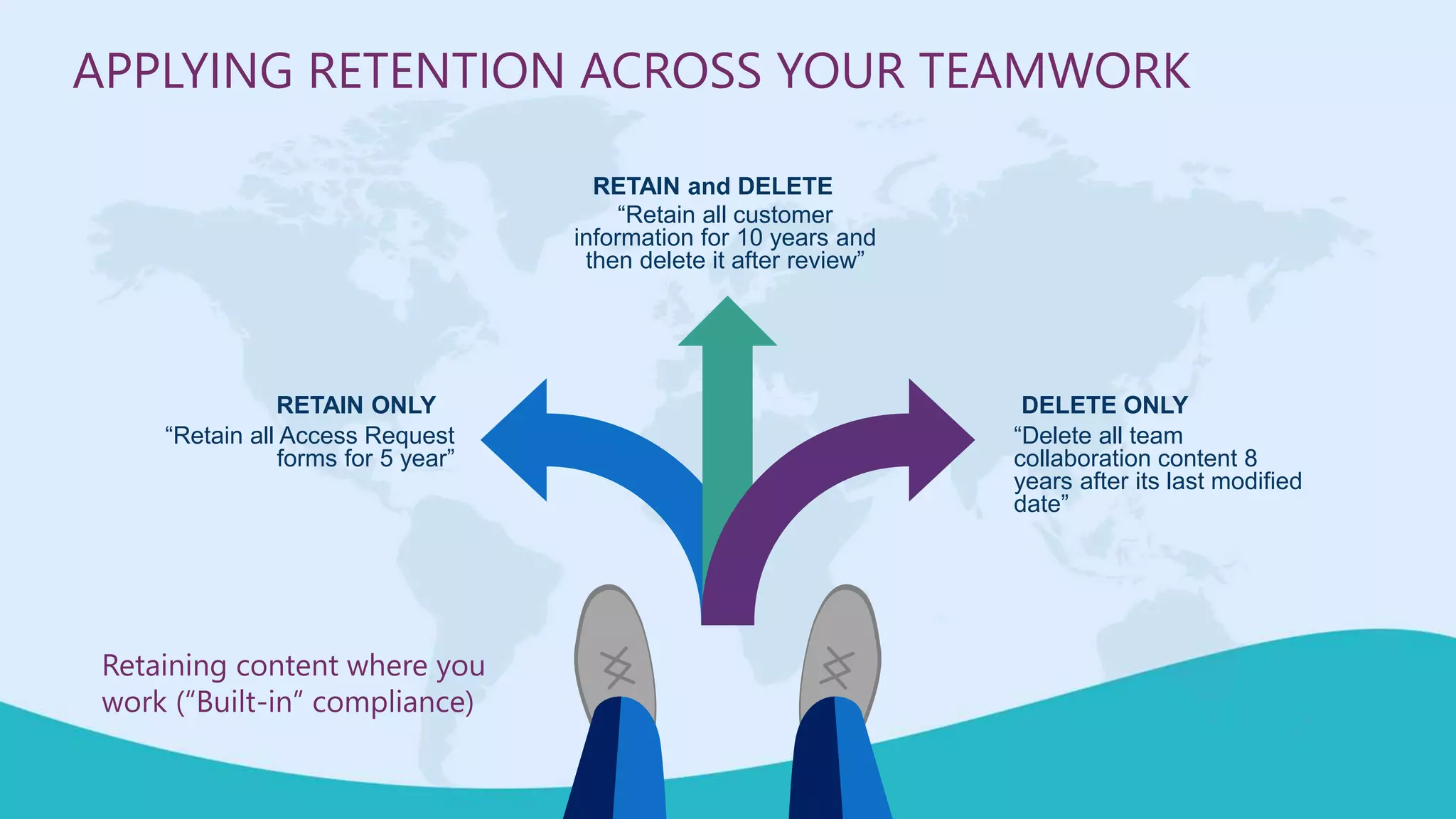
DELETE ONLY
“Delete all team
collaboration content 8
years after its last modified
date”
RETAIN ONLY
“Retain all Access Request
forms for 5 year”
RETAIN and DELETE
“Retain all customer
information for 10 years and
then delete it after review”
APPLYING RETENTION ACROSS YOUR TEAMWORK
Retaining content where you
work (“Built-in” compliance)
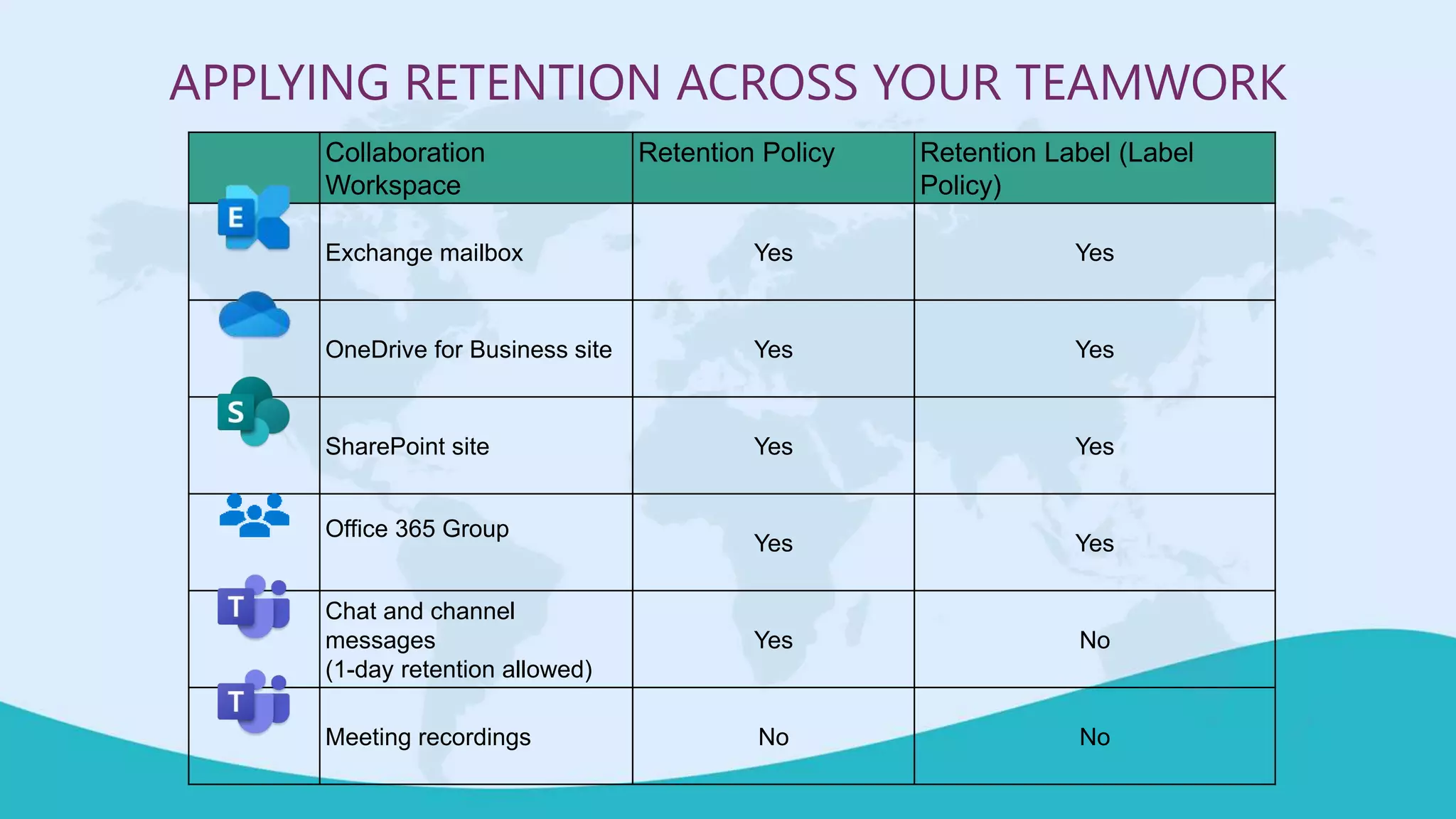
Collaboration
Workspace
Retention Policy Retention Label (Label
Policy)
Exchange mailbox Yes Yes
OneDrive for Business site Yes Yes
SharePoint site Yes Yes
Office 365 Group
Yes Yes
Chat and channel
messages
(1-day retention allowed)
Yes No
Meeting recordings No No
APPLYING RETENTION ACROSS YOUR TEAMWORK
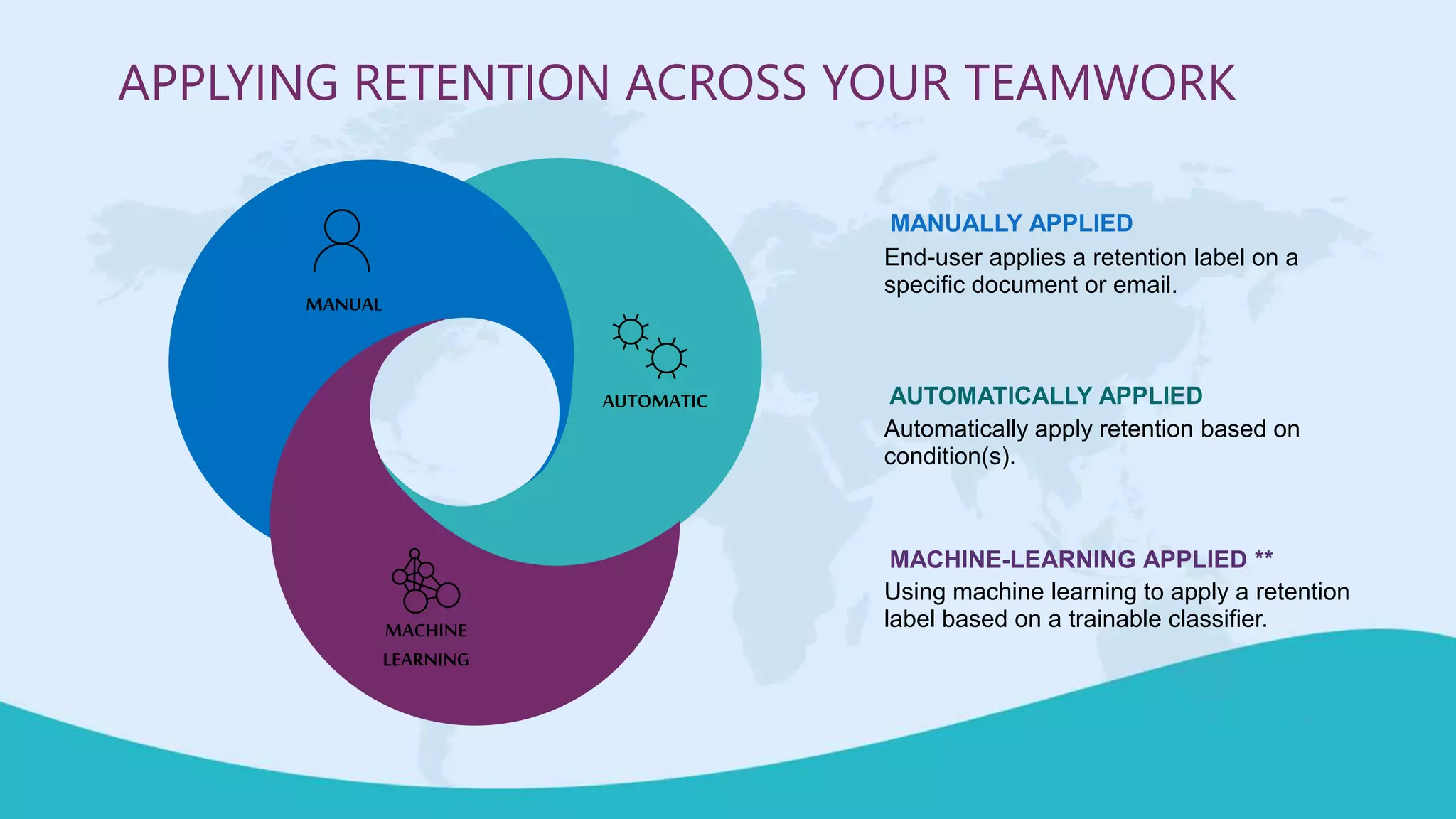
End-user applies a retention label on a
specific document or email.
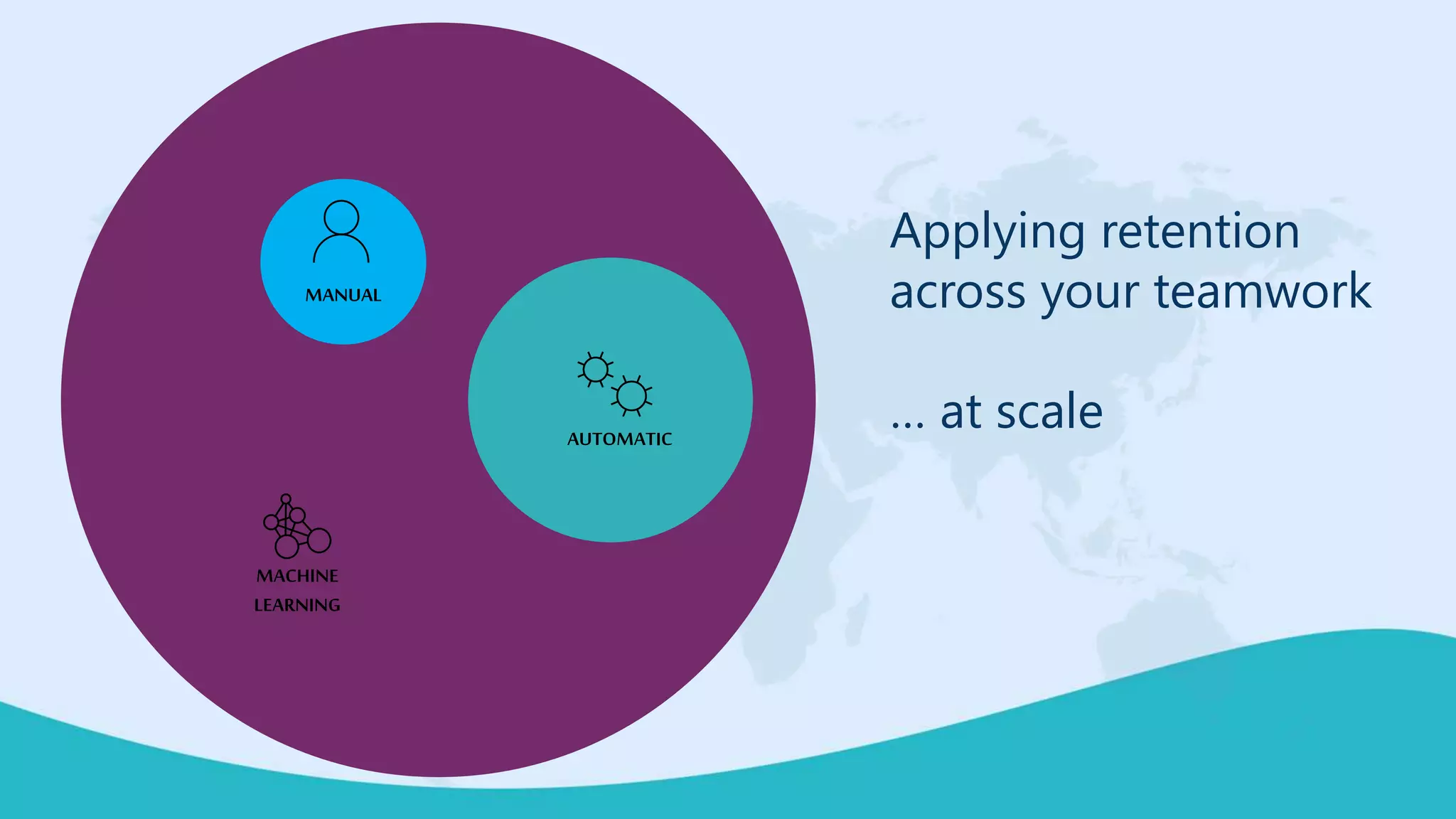
MANUALLY APPLIED
Automatically apply retention based on
condition(s).
AUTOMATICALLY APPLIED
Using machine learning to apply a retention
label based on a trainable classifier.
MACHINE-LEARNING APPLIED **
MANUAL
AUTOMATIC
MACHINE
LEARNING
APPLYING RETENTION ACROSS YOUR TEAMWORK
Applying retention
across your teamwork
… at scaleAUTOMATIC
MANUAL
MACHINE
LEARNING
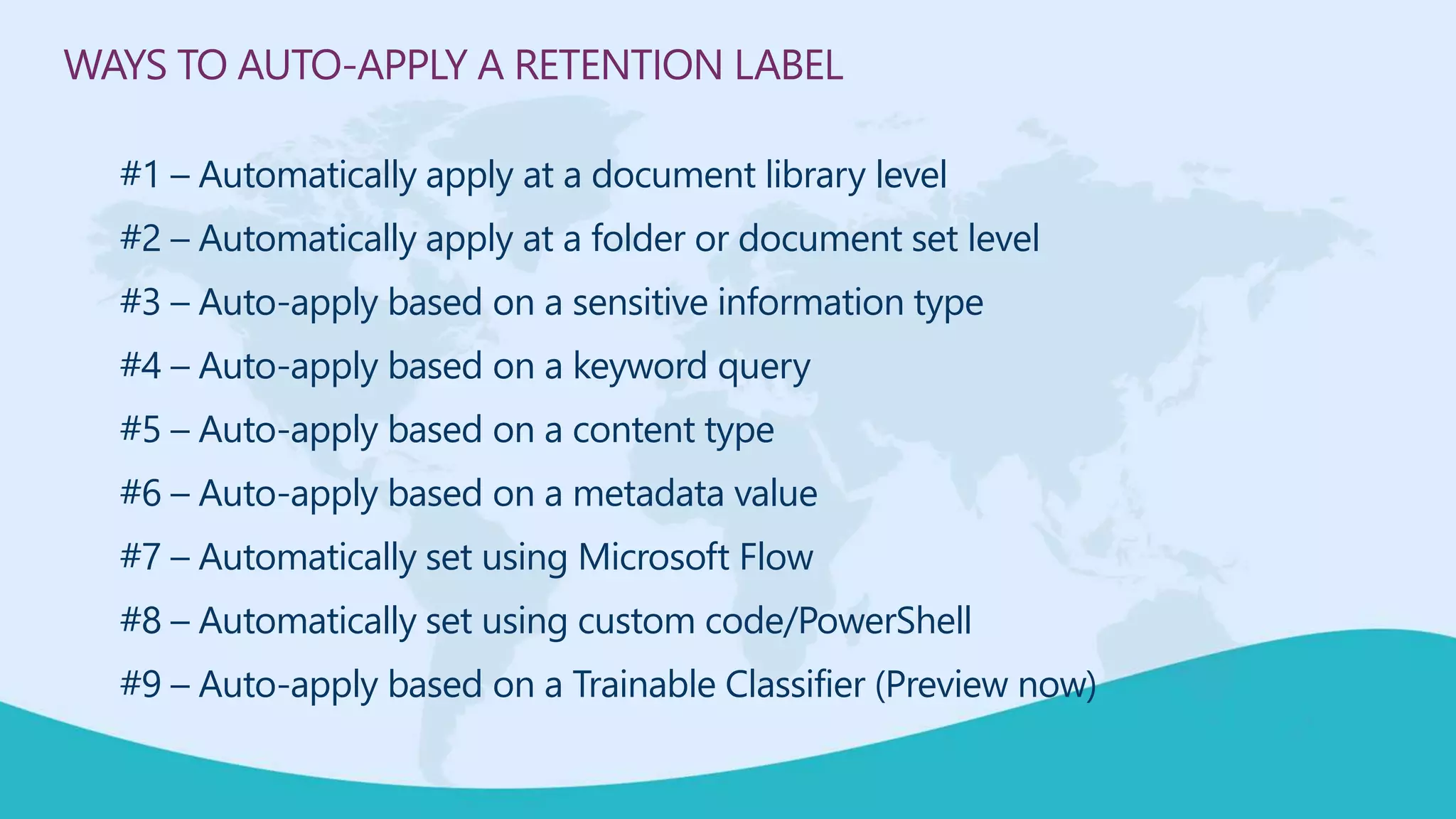
WAYS TO AUTO-APPLY A RETENTION LABEL
#1 – Automatically apply at a document library level
#2 – Automatically apply at a folder or document set level
#3 – Auto-apply based on a sensitive information type
#4 – Auto-apply based on a keyword query
#5 – Auto-apply based on a content type
#6 – Auto-apply based on a metadata value
#7 – Automatically set using Microsoft Flow
#8 – Automatically set using custom code/PowerShell
#9 – Auto-apply based on a Trainable Classifier (Preview now)
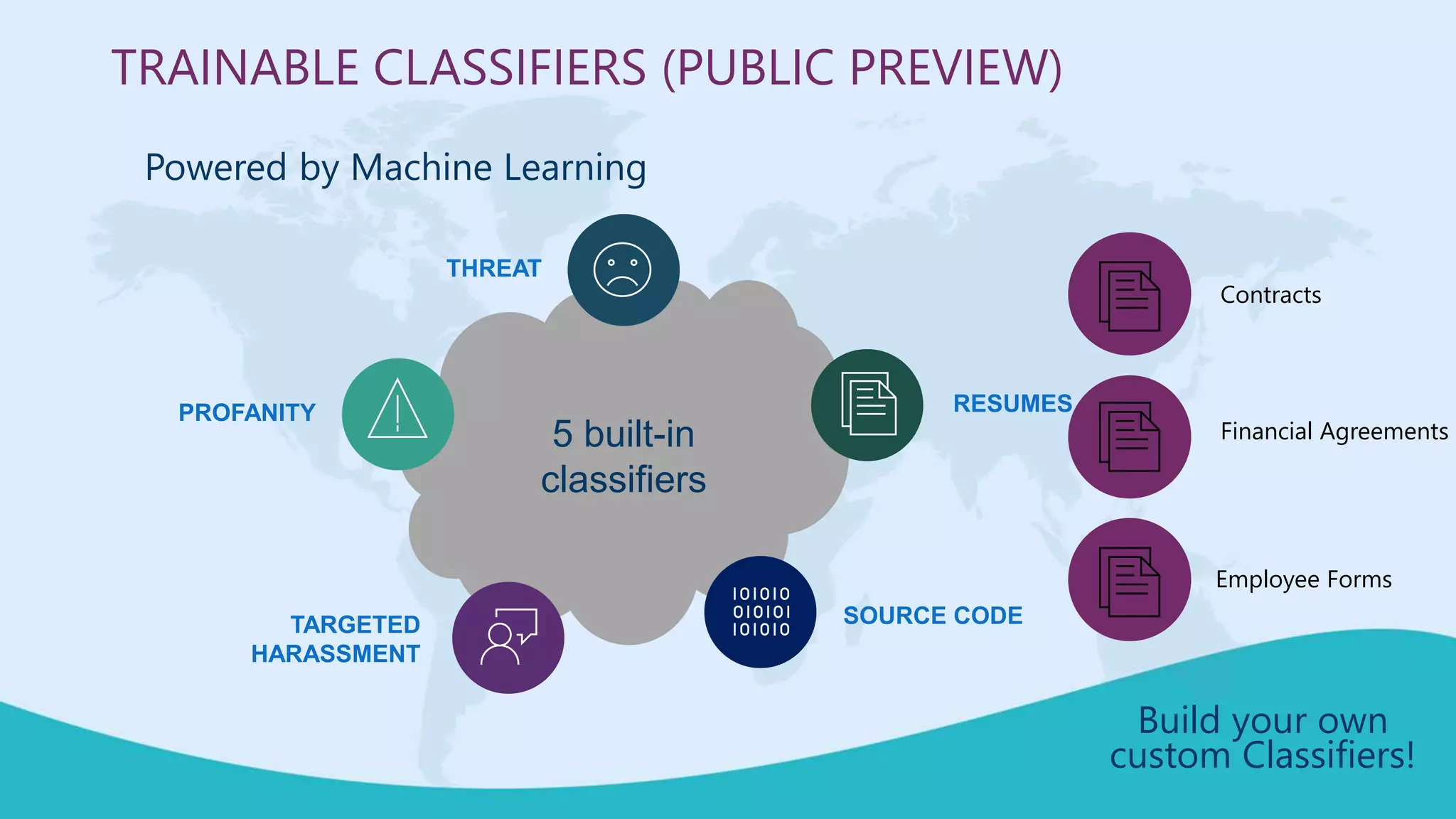
SOURCE CODE
RESUMESPROFANITY
THREAT
TARGETED
HARASSMENT
TRAINABLE CLASSIFIERS (PUBLIC PREVIEW)
Powered by Machine Learning
5 built-in
classifiers
Build your own
custom Classifiers!
Contracts
Financial Agreements
Employee Forms
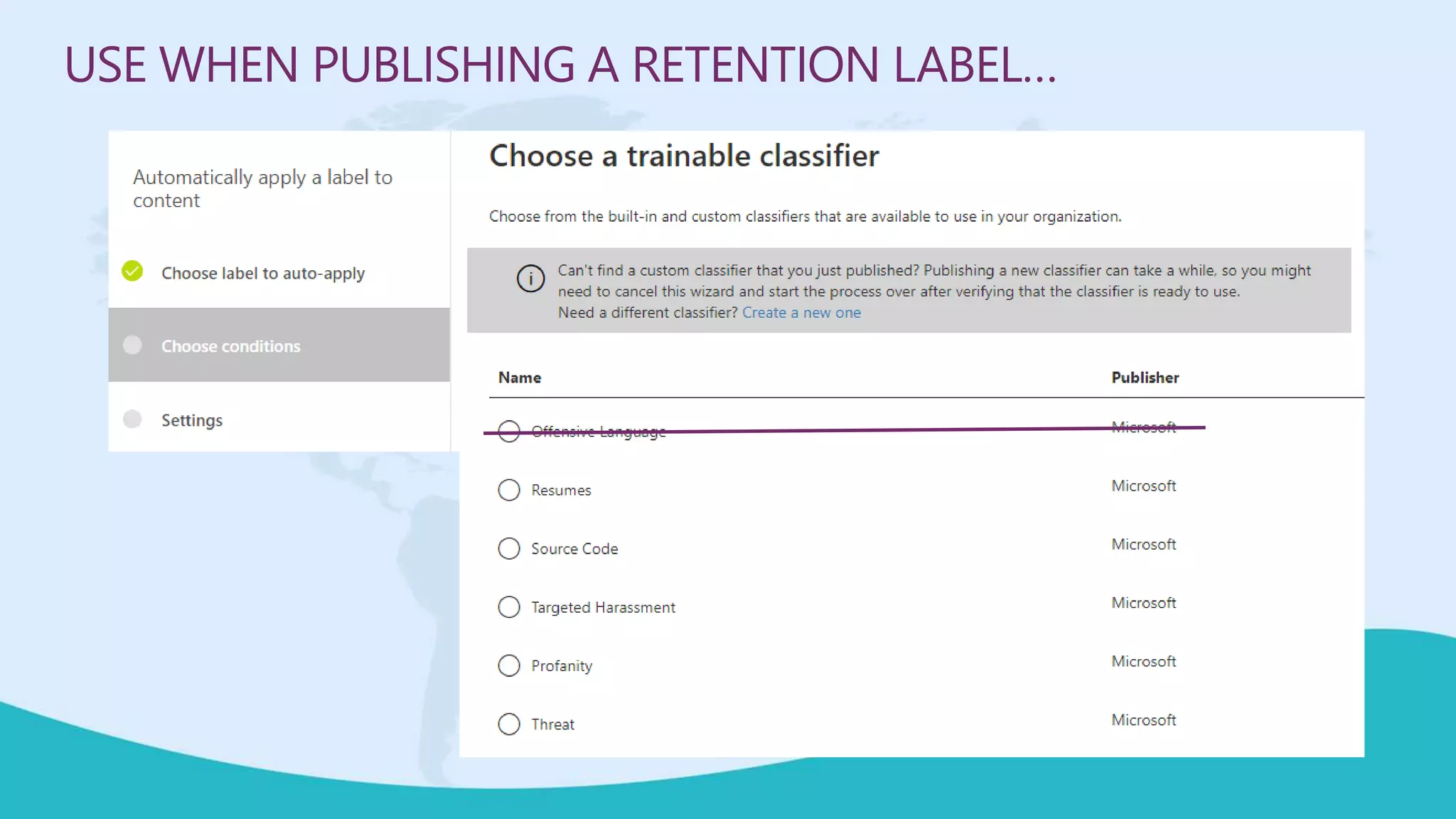
USE WHEN PUBLISHING A RETENTION LABEL…
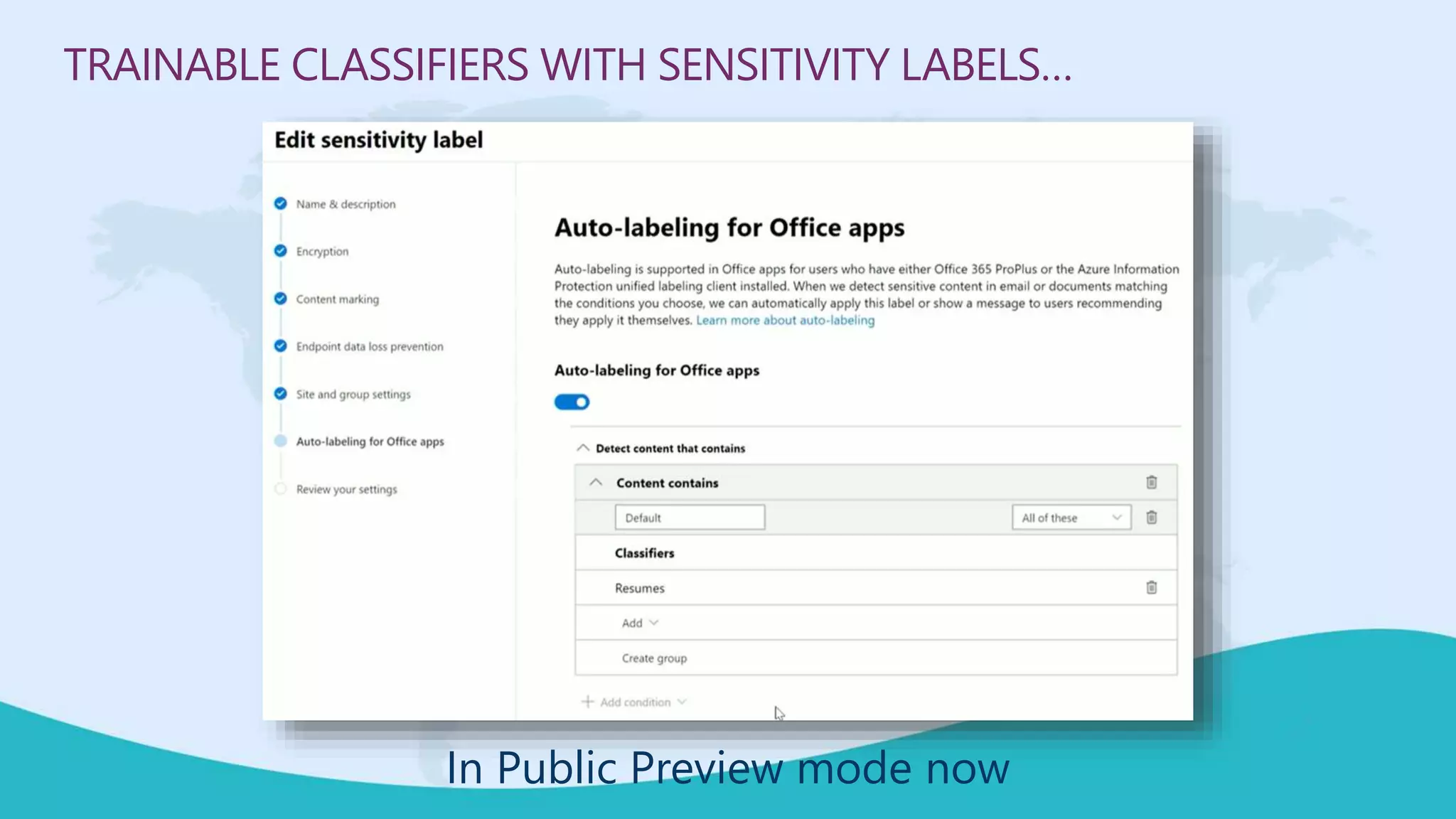
TRAINABLE CLASSIFIERS WITH SENSITIVITY LABELS…
In Public Preview mode now
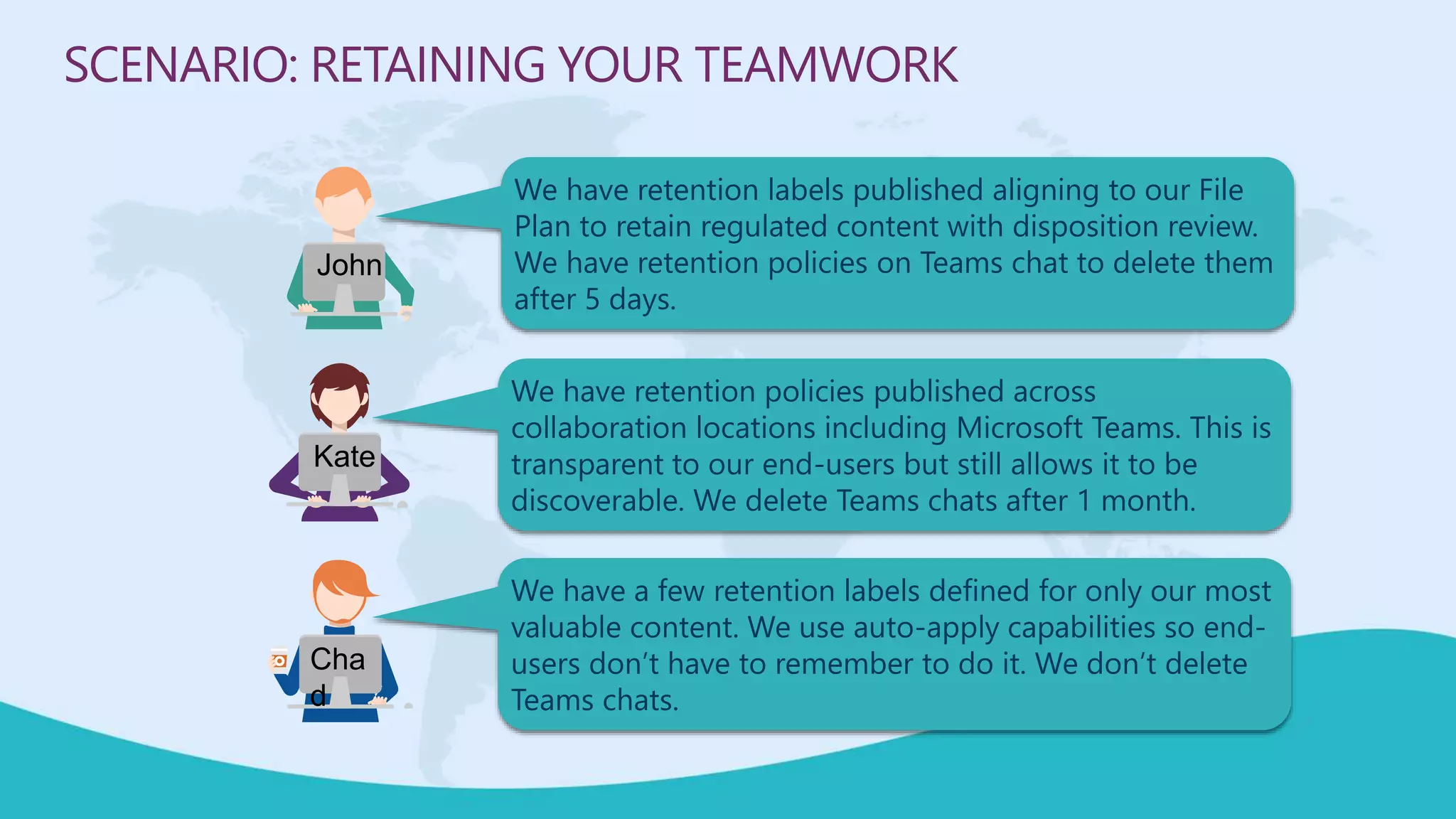
We have retention labels published aligning to our File
Plan to retain regulated content with disposition review.
We have retention policies on Teams chat to delete them
after 5 days.
SCENARIO: RETAINING YOUR TEAMWORK
We have retention policies published across
collaboration locations including Microsoft Teams. This is
transparent to our end-users but still allows it to be
discoverable. We delete Teams chats after 1 month.
We have a few retention labels defined for only our most
valuable content. We use auto-apply capabilities so end-
users don’t have to remember to do it. We don’t delete
Teams chats.
John
Kate
Cha
d
SECURITY GOVERNANCE
 Collaborating with external users securely
Broughtto youby
M365Conf.com| #M365CONF
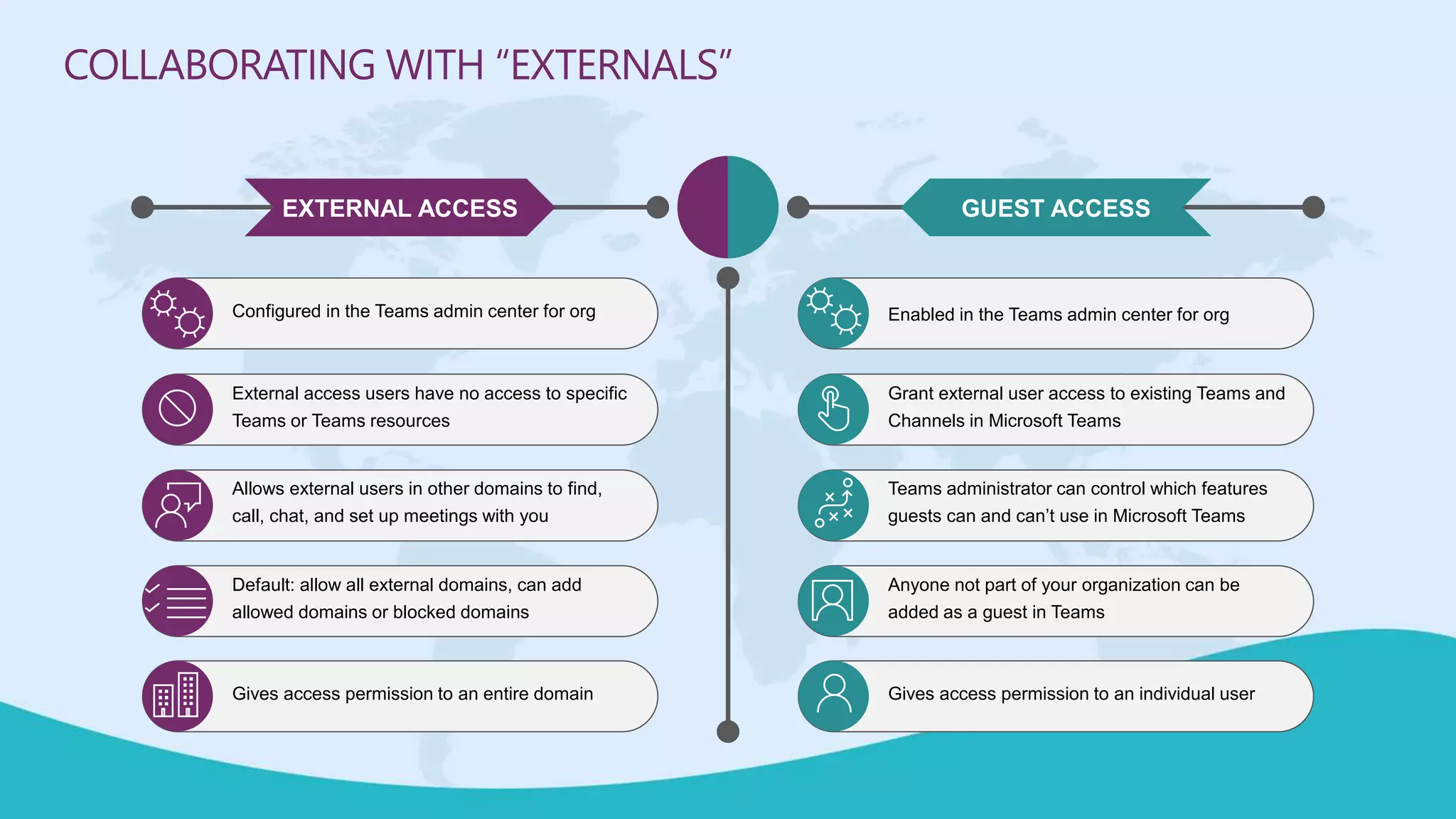
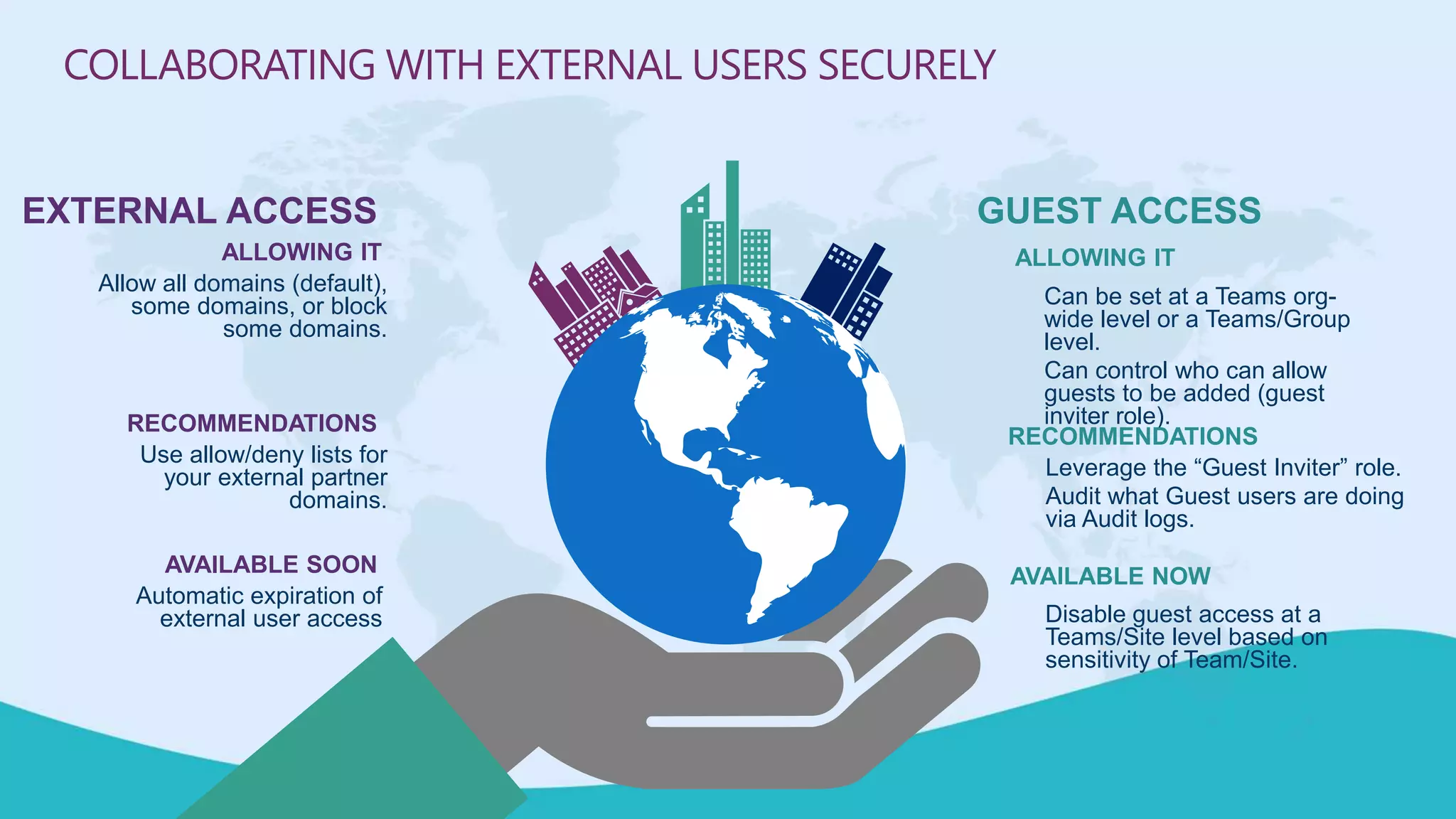
Configured in the Teams admin center for org
External access users have no access to specific
Teams or Teams resources
Allows external users in other domains to find,
call, chat, and set up meetings with you
Default: allow all external domains, can add
allowed domains or blocked domains
Gives access permission to an entire domain
Enabled in the Teams admin center for org
Grant external user access to existing Teams and
Channels in Microsoft Teams
Teams administrator can control which features
guests can and can’t use in Microsoft Teams
Anyone not part of your organization can be
added as a guest in Teams
Gives access permission to an individual user
EXTERNAL ACCESS GUEST ACCESS
COLLABORATING WITH “EXTERNALS”
ALLOWING IT
Can be set at a Teams org-
wide level or a Teams/Group
level.
Can control who can allow
guests to be added (guest
inviter role).
RECOMMENDATIONS
Leverage the “Guest Inviter” role.
Audit what Guest users are doing
via Audit logs.
GUEST ACCESS
AVAILABLE NOW
Disable guest access at a
Teams/Site level based on
sensitivity of Team/Site.
ALLOWING IT
Allow all domains (default),
some domains, or block
some domains.
RECOMMENDATIONS
Use allow/deny lists for
your external partner
domains.
EXTERNAL ACCESS
AVAILABLE SOON
Automatic expiration of
external user access
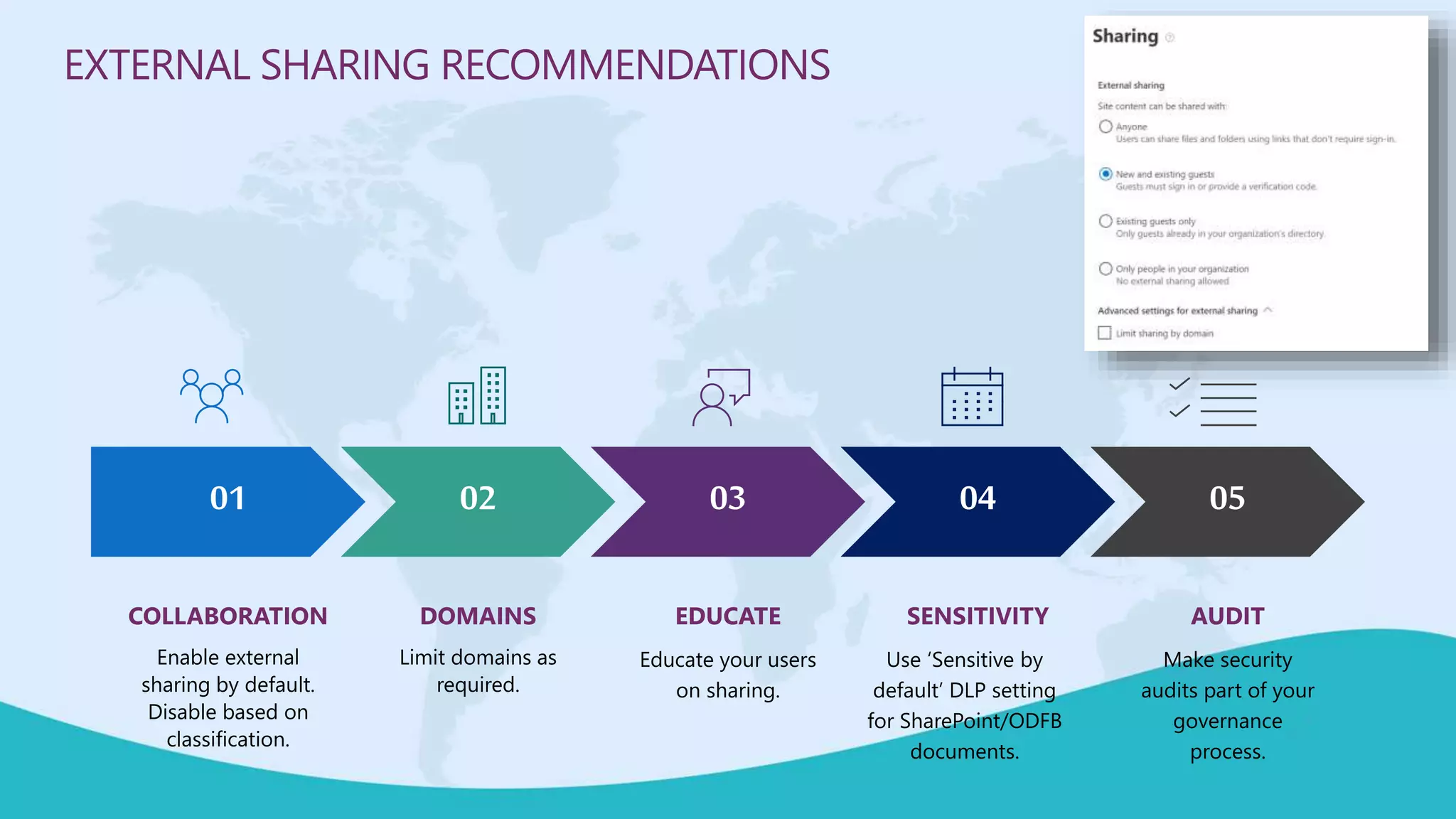
COLLABORATING WITH EXTERNAL USERS SECURELY
COLLABORATION
Enable external
sharing by default.
Disable based on
classification.
DOMAINS
Limit domains as
required.
EDUCATE
Educate your users
on sharing.
SENSITIVITY
Use ‘Sensitive by
default’ DLP setting
for SharePoint/ODFB
documents.
AUDIT
Make security
audits part of your
governance
process.
01 02 03 04 05
EXTERNAL SHARING RECOMMENDATIONS
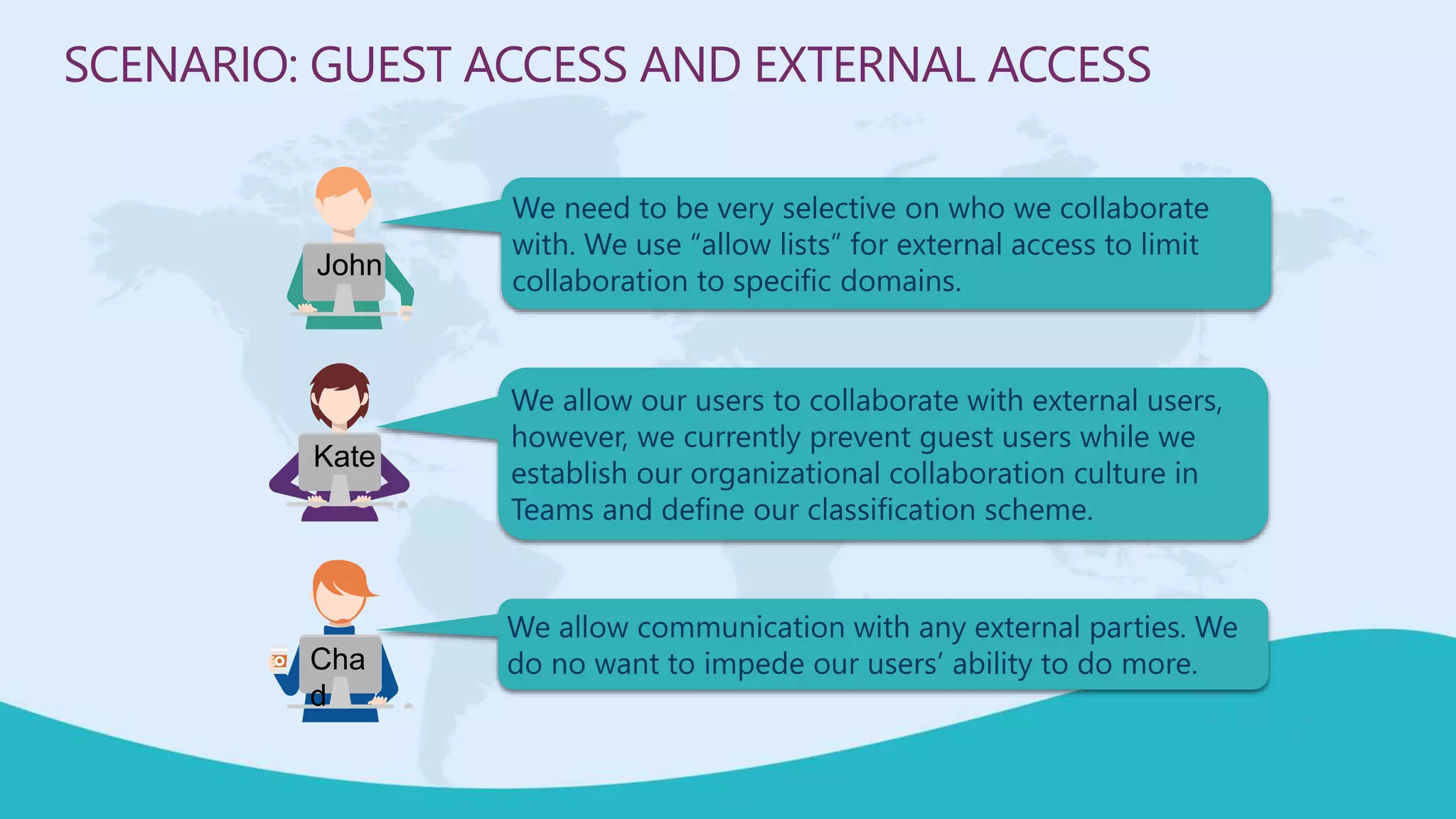
We need to be very selective on who we collaborate
with. We use “allow lists” for external access to limit
collaboration to specific domains.
SCENARIO: GUEST ACCESS AND EXTERNAL ACCESS
We allow our users to collaborate with external users,
however, we currently prevent guest users while we
establish our organizational collaboration culture in
Teams and define our classification scheme.
We allow communication with any external parties. We
do no want to impede our users’ ability to do more.
John
Kate
Cha
d
SUMMARY
Broughtto youby
M365Conf.com| #M365CONF
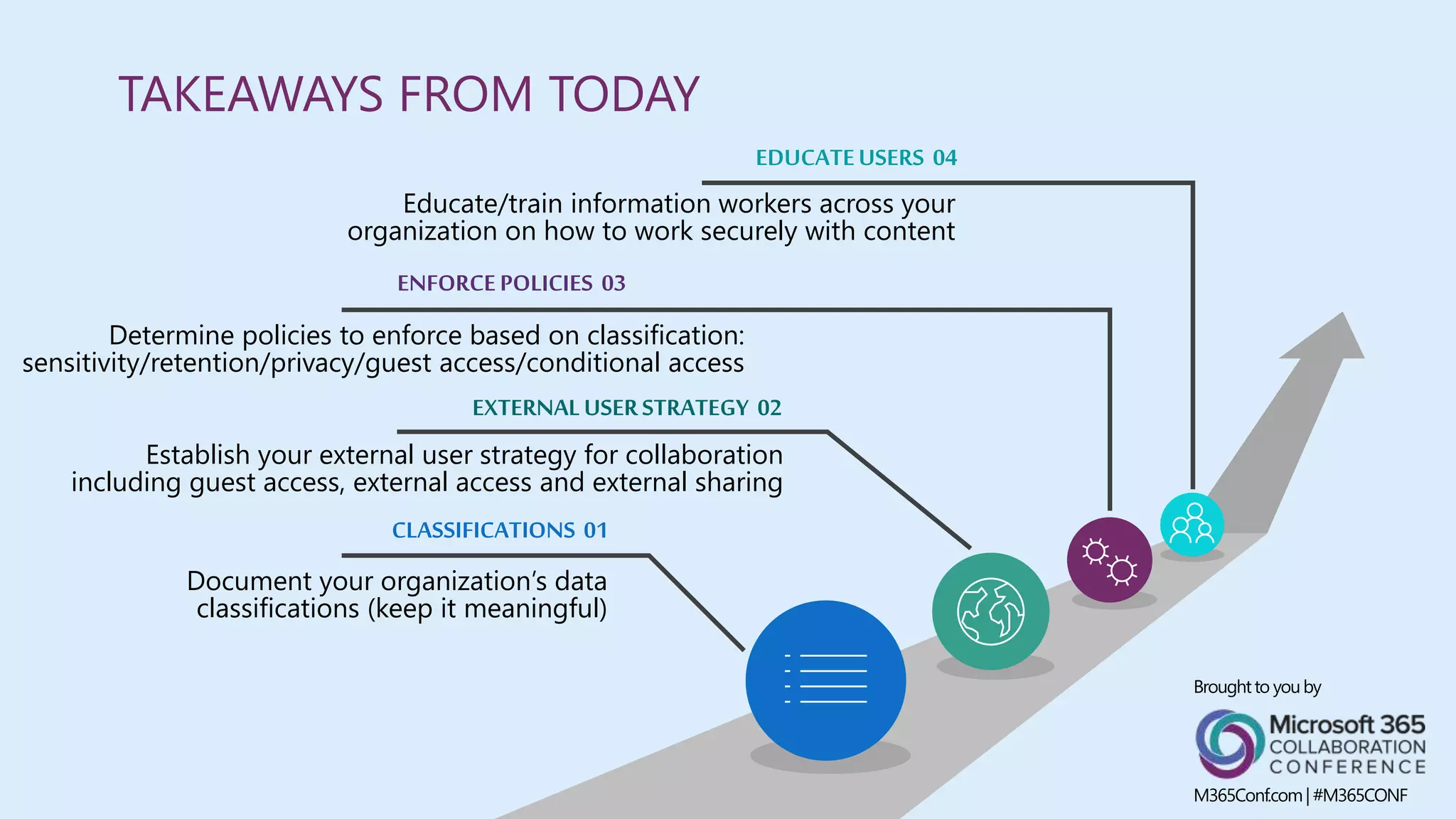
CLASSIFICATIONS 01
Document your organization’s data
classifications (keep it meaningful)
ENFORCEPOLICIES 03
Determine policies to enforce based on classification:
sensitivity/retention/privacy/guest access/conditional access
EXTERNALUSERSTRATEGY 02
Establish your external user strategy for collaboration
including guest access, external access and external sharing
EDUCATEUSERS 04
Educate/train information workers across your
organization on how to work securely with content
TAKEAWAYS FROM TODAY
Broughtto youby
M365Conf.com| #M365CONF
LICENSING
Feature discussed today Office 365 E3
Microsoft 365
E3
Office 365 E5
Microsoft 365
E5 Compliance
Office 365
Advanced
Compliance
AIP
Premium
P1
AIP
Premium
P2
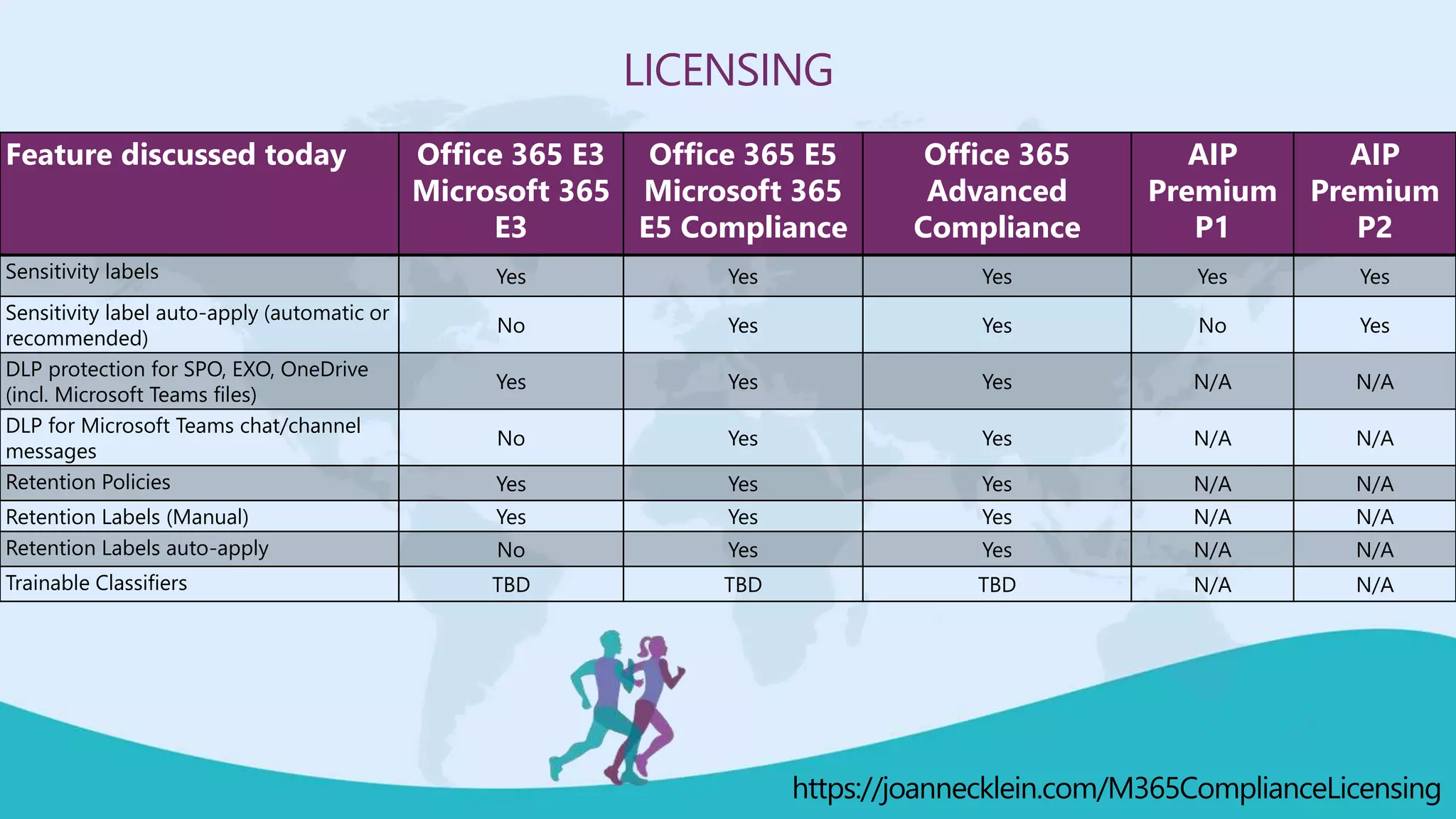
Sensitivity labels Yes Yes Yes Yes Yes
Sensitivity label auto-apply (automatic or
recommended)
No Yes Yes No Yes
DLP protection for SPO, EXO, OneDrive
(incl. Microsoft Teams files)
Yes Yes Yes N/A N/A
DLP for Microsoft Teams chat/channel
messages
No Yes Yes N/A N/A
Retention Policies Yes Yes Yes N/A N/A
Retention Labels (Manual) Yes Yes Yes N/A N/A
Retention Labels auto-apply No Yes Yes N/A N/A
Trainable Classifiers TBD TBD TBD N/A N/A
https://joannecklein.com/M365ComplianceLicensing
CAPABILITIES MENTIONED TODAY
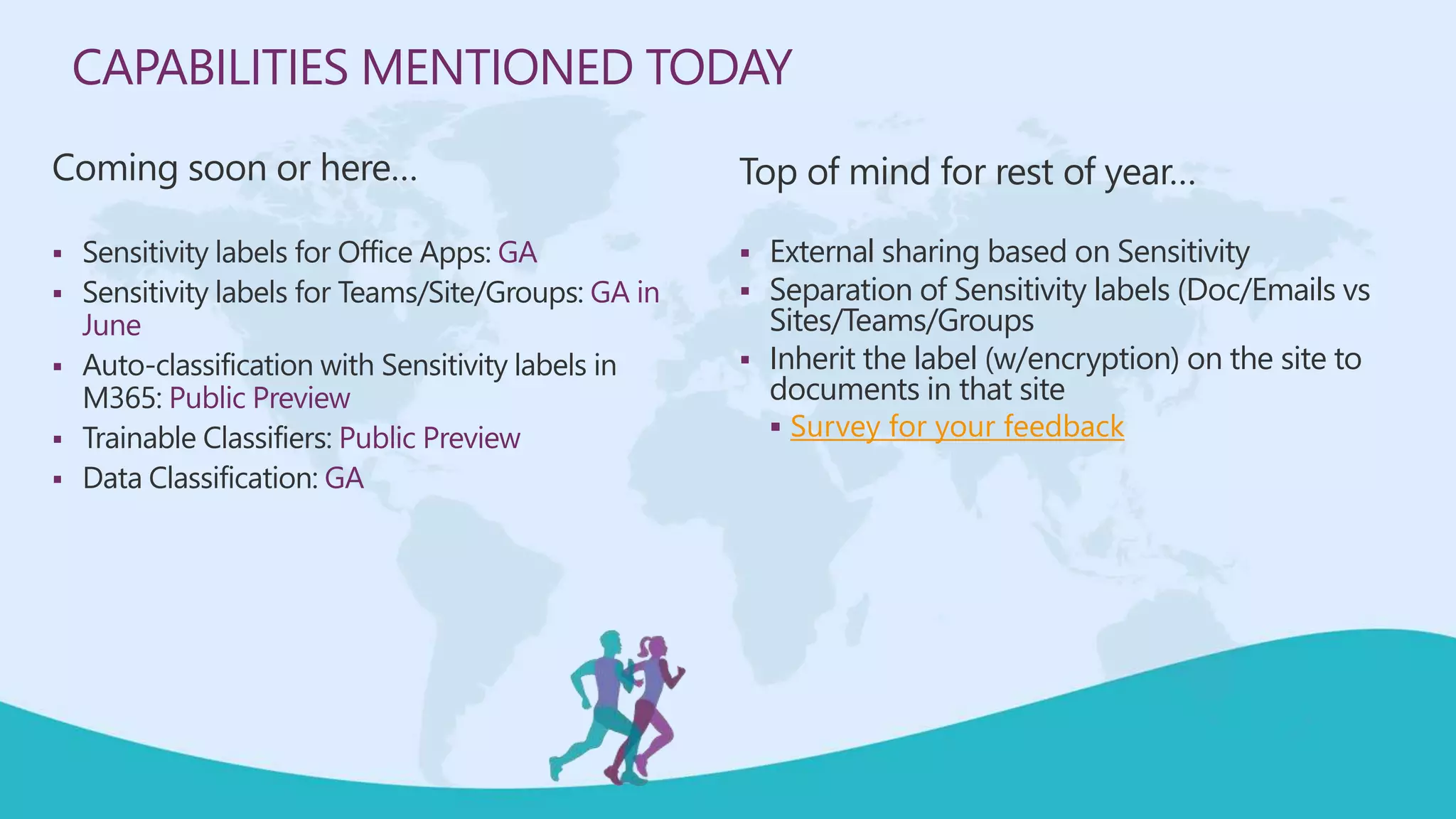
Coming soon or here…
 Sensitivity labels for Office Apps: GA
 Sensitivity labels for Teams/Site/Groups: GA in
June
 Auto-classification with Sensitivity labels in
M365: Public Preview
 Trainable Classifiers: Public Preview
 Data Classification: GA
Top of mind for rest of year…
 External sharing based on Sensitivity
 Separation of Sensitivity labels (Doc/Emails vs
Sites/Teams/Groups
 Inherit the label (w/encryption) on the site to
documents in that site
 Survey for your feedback
 Visit the Vendors Booth, Sessions and Watch the Videos
 Submit Your Answers to Enter the Raffle
 You need at least 5 correct answers then submit for a chance to win one of 3
(One in each Americas, APAC, EMEA)
ARE YOU READY FOR A RAFFLE?
WE ARE GIVING AWAY 3 OCULUS QUEST ALL IN ONE!
https://bit.ly/m365raffle
CONSIDER DONATING TO THE FOLLOWING CHARITY RELIEF FUNDS:
UNITED WAY: HTTPS://GIVE.UWKC.ORG/M365VM
INTERNATIONAL MEDICAL CORPS: HTTPS://BIT.LY/MEDICALCORPSFUND
10% OF FUNDS FROM SPONSORS GO TO SUPPORT COMMUNITY RELIEF.
FOR MORE INFORMATION WRITE TO INFO@M365VIRTUALMARATHON.COM
MICROSOFT 365
Virtual MARATHON
May 27 & 28, 2020
36 hours / 2 days
THANK YOU FOR JOINING US!
DO YOU HAVE ANY QUESTIONS?
Speaker feedback
https://bit.ly/M365VMSpeakerFeedback
Event feedback
https://bit.ly/M365VMFeedback

M365 Virtual Marthon: Protecting your Teamwork across Microsoft 365

  • 1.
    MICROSOFT 365 Virtual MARATHON May27 & 28, 2020 36 hours / 2 days MICROSOFT 365 VIRTUAL MARATHON Protecting your Teamwork across Microsoft 365 JOANNE KLEIN Sponsored by
  • 2.
    MICROSOFT 365 Virtual MARATHON May27 & 28, 2020 36 hours / 2 days Mark Your Calendars: March 23-25, 2021, MGM Grand Resort Las Vegas, Nevada, USA M365Conf.com #M365CONF TheSharePoint Conferenceis nowTheMicrosoft 365 CollaborationConference #M365VM M365VirtualMarathon.com Broughtto youby: TheGlobalMicrosoft Community& M365Conf.com | #M365CONF
  • 3.
    THANK YOU TOALL OUR GENEROUS SPONSORS
  • 4.
     Joanne Klein,Canada  Independent Microsoft 365 Consultant  Microsoft MVP, Office Apps & Services  Data Protection, Data Retention, Data Governance, eDiscovery LET ME INTRODUCE MYSELF… Broughtto youby M365Conf.com| #M365CONF
  • 5.
    AGENDA THE ROOT CONCERNTHE SHARED RESPONSIBILITY MODEL PROTECTING YOUR SENSITIVE INFORMATION RETAINING YOUR TEAMWORK COLLABORATING WITH EXTERNAL PARTIES SECURELY TAKEAWAYS
  • 6.
    DISCOVERING AND MANAGINGDATA IS CHALLENGING of corporate data is “dark” – it’s not classified, protected nor governed2 >80% Protecting and governing sensitive data is the biggest concern in complying with regulations3 #1 of organizations no longer have confidence to detect and prevent loss of sensitive data1 88% 1. Forrester. Security Concerns, Approaches and Technology Adoption, December 2018 2. IBM. Future of Cognitive Computing, November 2015 3. Microsoft GDPR research, 2017
  • 7.
    THE IMPACT OFCOVID-19 CXOs indicate that Information Security is a primary risk from COVID- 192 40% CXOs indicate that employee health and safety is a key consideration2 69% Global office workers are expected to be working from home1 300M 1.BCG remote work study 2.Gartner CXO survey
  • 8.
    NOT ALL TEAMSARE CREATED EQUAL Company Department/Division Workgroups Authoritative curated content 1:many broad conversations Functional units Few:many specific conversations Transient groups Microsoft Teams, Yammer, SharePoint Cross-collaboration
  • 9.
    A Shared Responsibility Model 200+ updatesper day from 750 regulatory bodies¹ Get your digital house in order! ¹ Thomson Reuters, "Cost of Compliance 2018 Report: Your biggest challenges revealed," 2018 • Leverage the shared responsibility model • Coordinated effort of 3 groups
  • 10.
    INFORMATION GOVERNANCE HAS3 STAKEHOLDER GROUPS! Business information workers
  • 11.
    BE “CYBER-SECURITY” AWARE SHIFTFROM AN “IN-PERSON” TO AN “ONLINE” MINDSET EFFECTIVELY USE MODERN COLLABORATION TOOLS COLLABORATE SECURELY ACROSS ALL NETWORKS BUSINESS INFORMATION WORKERS A DIGITAL MIND-SHIFT IS REQUIRED #WFH
  • 12.
    COVID-19 TRAINING KIT(FREE) • 3 end user phish and privacy education courses • 2 videos about how attackers using pandemic to target victims • Blog posts, posters, newsletters, infographics • Download here: https://security.microsoft.com/attackSimulatorTrainings
  • 13.
    INFORMATION GOVERNANCE HAS3 STAKEHOLDER GROUPS! Business information workers IT Teams Legal, Risk, Compliance Teams
  • 14.
    LEGAL, RISK, COMPLIANCETEAMS… Legal constraints and obligations (eDiscovery) Regulatory obligations (Government/Industry regulation) Contractual obligations (Payment card industry requirements)
  • 15.
  • 16.
    SCENARIO-BASED GOVERNANCE ANDCONTROLS John works in the IT department of Woodgrove bank. They usually use restrictive settings. Kate works in the IT department of Contoso. They always try to find the best balance between user freedom and IT control. Chad works in the IT department of Tailspin Toys. They want to drive productivity by removing as many barriers as possible. John Kate Chad
  • 17.
    We control siteprovisioning with a strict approval process and automation to control external access, naming conventions, and protection. EXAMPLE SCENARIO: SELF-SERVE SITE CREATION We leverage consistent site designs for our users and allow them to provision sites without approval. We follow-up after-the-fact for additional guidance and controls. We use out-of-the-box provisioning features in our tenant. End-users know what they want, and we don’t want to get in their way. John Kate Cha d
  • 18.
     Protecting your(sensitive) teamwork  Retaining your teamwork CONTAINER AND CONTENT GOVERNANCE Broughtto youby M365Conf.com| #M365CONF
  • 19.
    CONTAINER AND CONTENTGOVERNANCE IDENTIFY VALUABLE CONTENT Require classification for containers Scan w/Data Loss Prevention (DLP) Sensitivity auto-labeling PROTECT ASSETS Retention/Deletion Use Conditional Access Use Rights Management ENSURE ACCOUNTABILITY Manage group/site ownership Review external membership EMPOWER EMPLOYEES Self-service site creation Life-cycle management Understand Sharing settings
  • 20.
    DATA LOSS PREVENTION(DLP) Use DLP to govern your sensitive data (team work) SENSITIVITY LABELS Use sensitivity labels to identify and protect your data (team work) KNOW YOUR DATA Understand where your sensitive data lives, what users are doing with it and why it may be at risk GET READY Define your classification scheme WHEREVER IT LIVES!PROTECT YOUR SENSITIVE TEAMWORK
  • 21.
    DEFINE YOUR OWNCLASSIFICATION SCHEME Highly confidential This is the most critical data for Microsoft. Share it only with named recipients. Confidential This content is key to achieving our goals. Limited distribution – on a need-to-know basis. General Product used and shared throughout Microsoft, like personal settings and zip codes. Share it throughout Microsoft internally. Public Non-restricted data meant for public consumption like publicly released source code and announced financials. Share it freely.
  • 22.
    DO YOU KNOWWHERE YOUR (SENSITIVE) DATA IS AND IF ITS BEING PROTECTED AND RETAINED? KNOW YOUR DATA
  • 23.
  • 27.
    SENSITIVITY LABELS • Contentmarkings • Protection (encryption) • Rights management • Auto-apply/Recommend based on sensitive information type (and Trainable Classifiers*) on the Client • On the Service side, auto-apply SP/OD content at rest, EXO emails in-transit*
  • 28.
    Office apps: Outlook onthe web: iOS Outlook app: Office for the web: END-USER EXPERIENCE WITH SENSITIVITY LABELS
  • 29.
    BASED ON SENSITIVE INFORMATIONTYPES HELPS IF USER FORGETS TO SET A LABEL WILL SEE IN SENSITIVITY COLUMN IN SHAREPOINT LISTS AND LIBRARIES ENCRYPTED (PROTECTED) FILES OPEN AND EDIT IN OFFICE ONLINE CO-AUTHORING ALLOWED SEARCHABLE Allows for DLP and eDiscovery 2 NEW SENSITIVITY LABEL FEATURES AUTO-LABELING FILES AT RES IN SHAREPOINT/ODFB Now GA! Public Preview
  • 30.
  • 31.
  • 33.
  • 34.
    INCOMPATIBLE SENSITIVITY LABEL • Uploadis not prevented • Sensitivity label events are audited, and notifications sent
  • 35.
    MOVING FROM AIPTO UNIFIED SENSITIVITY LABELS • AIP Classic client and Label Management in the Azure Portal will be deprecated on March 31, 2021 • Steps for migrating:  https://docs.microsoft.com/en-us/azure/information-protection/configure-policy-migrate-labels • Compare the labeling clients:  AIP Classic client VERSUS Unified Labeling client VERSUS Office built-in labeling client  https://docs.microsoft.com/en-us/azure/information-protection/rms-client/use-client#compare-the- labeling-clients-for-windows-computers
  • 36.
    DATA LOSS PREVENTION(DLP) TO GOVERN TEAMWORK • Detects when a user action conflicts with a DLP policy • They can:  Prevent sensitive content from being shared  Allow end-user to override  Use sensitive information types and retention labels as conditions  Soon…use a sensitivity label as a condition • DLP for Microsoft Teams blocks sensitive content when shared with Microsoft Teams users who have:  guest access in teams and channels; or  external access in meetings and chat sessions
  • 37.
    DLP ACROSS YOURTEAMWORK Outlook client: Sharing from SP/ODFB:
  • 38.
  • 39.
  • 40.
    SECURE & PROTECTDATA ENABLE PRODUCTIVITY Manually apply sensitivity label consistently across apps, applications, and endpoints Show recommendations and tooltips for sensitivity labels with auto-labeling and DLP Visual markings to indicate sensitive documents across apps/services: watermark, lock icon, sensitivity column Co-author and collaborate with sensitive documents Enable searching and eDiscovery of encrypted files in SharePoint Enforce conditional access to sensitive data DLP actions to block sharing Encrypt files and emails based on sensitivity label Prevent data leakage through DLP policies based on sensitivity label Business data separation from personal data on devices STRIKING A PERFECT BALANCE
  • 41.
    We auto-classify sensitivitylabels to our content at rest, in Office apps and require users to provide a reason for override if necessary. We use DLP across all locations and block access to SharePoint sites from all unmanaged devices. SCENARIO: PROTECTING YOUR SENSITIVE CONTENT We allow our users to collaborate freely with external users, however, we are currently monitoring when sensitive information is being shared before turning on our DLP policies and auto-labeling policies. We allow web-only access to confidential SharePoint sites. We apply a default sensitivity label to all content and rely on our users to adjust it as necessary. We allow external sharing on all sites by default. We allow full access to SharePoint sites even from unmanaged devices. John Kate Cha d
  • 42.
    DELETE ONLY “Delete allteam collaboration content 8 years after its last modified date” RETAIN ONLY “Retain all Access Request forms for 5 year” RETAIN and DELETE “Retain all customer information for 10 years and then delete it after review” APPLYING RETENTION ACROSS YOUR TEAMWORK Retaining content where you work (“Built-in” compliance)
  • 43.
    Collaboration Workspace Retention Policy RetentionLabel (Label Policy) Exchange mailbox Yes Yes OneDrive for Business site Yes Yes SharePoint site Yes Yes Office 365 Group Yes Yes Chat and channel messages (1-day retention allowed) Yes No Meeting recordings No No APPLYING RETENTION ACROSS YOUR TEAMWORK
  • 44.
    End-user applies aretention label on a specific document or email. MANUALLY APPLIED Automatically apply retention based on condition(s). AUTOMATICALLY APPLIED Using machine learning to apply a retention label based on a trainable classifier. MACHINE-LEARNING APPLIED ** MANUAL AUTOMATIC MACHINE LEARNING APPLYING RETENTION ACROSS YOUR TEAMWORK
  • 45.
    Applying retention across yourteamwork … at scaleAUTOMATIC MANUAL MACHINE LEARNING
  • 46.
    WAYS TO AUTO-APPLYA RETENTION LABEL #1 – Automatically apply at a document library level #2 – Automatically apply at a folder or document set level #3 – Auto-apply based on a sensitive information type #4 – Auto-apply based on a keyword query #5 – Auto-apply based on a content type #6 – Auto-apply based on a metadata value #7 – Automatically set using Microsoft Flow #8 – Automatically set using custom code/PowerShell #9 – Auto-apply based on a Trainable Classifier (Preview now)
  • 47.
    SOURCE CODE RESUMESPROFANITY THREAT TARGETED HARASSMENT TRAINABLE CLASSIFIERS(PUBLIC PREVIEW) Powered by Machine Learning 5 built-in classifiers Build your own custom Classifiers! Contracts Financial Agreements Employee Forms
  • 48.
    USE WHEN PUBLISHINGA RETENTION LABEL…
  • 49.
    TRAINABLE CLASSIFIERS WITHSENSITIVITY LABELS… In Public Preview mode now
  • 50.
    We have retentionlabels published aligning to our File Plan to retain regulated content with disposition review. We have retention policies on Teams chat to delete them after 5 days. SCENARIO: RETAINING YOUR TEAMWORK We have retention policies published across collaboration locations including Microsoft Teams. This is transparent to our end-users but still allows it to be discoverable. We delete Teams chats after 1 month. We have a few retention labels defined for only our most valuable content. We use auto-apply capabilities so end- users don’t have to remember to do it. We don’t delete Teams chats. John Kate Cha d
  • 51.
    SECURITY GOVERNANCE  Collaboratingwith external users securely Broughtto youby M365Conf.com| #M365CONF
  • 52.
    Configured in theTeams admin center for org External access users have no access to specific Teams or Teams resources Allows external users in other domains to find, call, chat, and set up meetings with you Default: allow all external domains, can add allowed domains or blocked domains Gives access permission to an entire domain Enabled in the Teams admin center for org Grant external user access to existing Teams and Channels in Microsoft Teams Teams administrator can control which features guests can and can’t use in Microsoft Teams Anyone not part of your organization can be added as a guest in Teams Gives access permission to an individual user EXTERNAL ACCESS GUEST ACCESS COLLABORATING WITH “EXTERNALS”
  • 53.
    ALLOWING IT Can beset at a Teams org- wide level or a Teams/Group level. Can control who can allow guests to be added (guest inviter role). RECOMMENDATIONS Leverage the “Guest Inviter” role. Audit what Guest users are doing via Audit logs. GUEST ACCESS AVAILABLE NOW Disable guest access at a Teams/Site level based on sensitivity of Team/Site. ALLOWING IT Allow all domains (default), some domains, or block some domains. RECOMMENDATIONS Use allow/deny lists for your external partner domains. EXTERNAL ACCESS AVAILABLE SOON Automatic expiration of external user access COLLABORATING WITH EXTERNAL USERS SECURELY
  • 54.
    COLLABORATION Enable external sharing bydefault. Disable based on classification. DOMAINS Limit domains as required. EDUCATE Educate your users on sharing. SENSITIVITY Use ‘Sensitive by default’ DLP setting for SharePoint/ODFB documents. AUDIT Make security audits part of your governance process. 01 02 03 04 05 EXTERNAL SHARING RECOMMENDATIONS
  • 55.
    We need tobe very selective on who we collaborate with. We use “allow lists” for external access to limit collaboration to specific domains. SCENARIO: GUEST ACCESS AND EXTERNAL ACCESS We allow our users to collaborate with external users, however, we currently prevent guest users while we establish our organizational collaboration culture in Teams and define our classification scheme. We allow communication with any external parties. We do no want to impede our users’ ability to do more. John Kate Cha d
  • 56.
  • 57.
    CLASSIFICATIONS 01 Document yourorganization’s data classifications (keep it meaningful) ENFORCEPOLICIES 03 Determine policies to enforce based on classification: sensitivity/retention/privacy/guest access/conditional access EXTERNALUSERSTRATEGY 02 Establish your external user strategy for collaboration including guest access, external access and external sharing EDUCATEUSERS 04 Educate/train information workers across your organization on how to work securely with content TAKEAWAYS FROM TODAY Broughtto youby M365Conf.com| #M365CONF
  • 58.
    LICENSING Feature discussed todayOffice 365 E3 Microsoft 365 E3 Office 365 E5 Microsoft 365 E5 Compliance Office 365 Advanced Compliance AIP Premium P1 AIP Premium P2 Sensitivity labels Yes Yes Yes Yes Yes Sensitivity label auto-apply (automatic or recommended) No Yes Yes No Yes DLP protection for SPO, EXO, OneDrive (incl. Microsoft Teams files) Yes Yes Yes N/A N/A DLP for Microsoft Teams chat/channel messages No Yes Yes N/A N/A Retention Policies Yes Yes Yes N/A N/A Retention Labels (Manual) Yes Yes Yes N/A N/A Retention Labels auto-apply No Yes Yes N/A N/A Trainable Classifiers TBD TBD TBD N/A N/A https://joannecklein.com/M365ComplianceLicensing
  • 59.
    CAPABILITIES MENTIONED TODAY Comingsoon or here…  Sensitivity labels for Office Apps: GA  Sensitivity labels for Teams/Site/Groups: GA in June  Auto-classification with Sensitivity labels in M365: Public Preview  Trainable Classifiers: Public Preview  Data Classification: GA Top of mind for rest of year…  External sharing based on Sensitivity  Separation of Sensitivity labels (Doc/Emails vs Sites/Teams/Groups  Inherit the label (w/encryption) on the site to documents in that site  Survey for your feedback
  • 60.
     Visit theVendors Booth, Sessions and Watch the Videos  Submit Your Answers to Enter the Raffle  You need at least 5 correct answers then submit for a chance to win one of 3 (One in each Americas, APAC, EMEA) ARE YOU READY FOR A RAFFLE? WE ARE GIVING AWAY 3 OCULUS QUEST ALL IN ONE! https://bit.ly/m365raffle
  • 61.
    CONSIDER DONATING TOTHE FOLLOWING CHARITY RELIEF FUNDS: UNITED WAY: HTTPS://GIVE.UWKC.ORG/M365VM INTERNATIONAL MEDICAL CORPS: HTTPS://BIT.LY/MEDICALCORPSFUND 10% OF FUNDS FROM SPONSORS GO TO SUPPORT COMMUNITY RELIEF. FOR MORE INFORMATION WRITE TO INFO@M365VIRTUALMARATHON.COM
  • 62.
    MICROSOFT 365 Virtual MARATHON May27 & 28, 2020 36 hours / 2 days THANK YOU FOR JOINING US! DO YOU HAVE ANY QUESTIONS? Speaker feedback https://bit.ly/M365VMSpeakerFeedback Event feedback https://bit.ly/M365VMFeedback

Editor's Notes

  • #12 Shared responsibility model: Managing security and compliance is a partnership. You are responsible for protecting your data, identities, and devices, while Microsoft vigorously protects Office 365 services. It takes a coordinated effort of 3 groups to defensibly dispose of a piece of information that has outlived its usefulness, and retain what IS useful in a way that enables accessibility and usability for the business user. ESI – electronically stored information
  • #13 Business information workers: https://pixabay.com/photos/workplace-team-business-meeting-1245776/ IT Teams: Photo by Mimi Thian on Unsplash Legal Teams: https://pixabay.com/photos/analyzing-brainstorming-business-3385076/ Business information workers: working with content on a daily basis, sharing with others, both inside and outside the organization, in some cases working with sensitive data and should have a fundamental understanding of e-safety while working with your corporate data. Sometimes described as the weakest link in the security chain of an organization. IT Teams: Strong “supporting” role, implement technical controls, Assign permissions, Import 3rd party data as required, eDiscovery training, support, and backup, bridge the gap between the tech and the business
  • #15 Microsoft has partnered with Terranova Security for this
  • #16 Business information workers: https://pixabay.com/photos/workplace-team-business-meeting-1245776/ IT Teams: Photo by Mimi Thian on Unsplash Legal Teams: https://pixabay.com/photos/analyzing-brainstorming-business-3385076/ Business information workers: working with content on a daily basis, sharing with others, both inside and outside the organization, in some cases working with sensitive data and should have a fundamental understanding of e-safety while working with your corporate data. Sometimes described as the weakest link in the security chain of an organization. IT Teams: Strong “supporting” role, implement technical controls, Assign permissions, Import 3rd party data as required, eDiscovery training, support, and backup, bridge the gap between the tech and the business
  • #17 Understand organization’s duty to preserve information beyond its immediate business value.
  • #22 - Can Block download when sharing (just announced not only Office files, but also PDFs, images, and audio files. Must be set thru PowerShell (Set-SPOTenant or Set-SPOSite and the BlockDownloadLinksFileType setting)
  • #26 Video link: https://www.microsoft.com/videoplayer/embed/RE4vx8x
  • #31 Auto-classification of Sensitivity Labels across M365
  • #33 Auto-labeling files: https://docs.microsoft.com/en-us/microsoft-365/compliance/apply-sensitivity-label-automatically?view=o365-worldwide
  • #37 Doesn’t mean all documents within the site will inherit the same label Includes where a site/team/group is provisioned from: SPO, Teams, Outlook on the web, SP Admin Ctr, AAD Admin Ctr
  • #43 Link: https://docs.microsoft.com/en-us/sharepoint/sensitive-by-default