Prepared by-
Shaishav R Shah (170120116094)
Guided by – Prof. Dulari Bhatt
Gandhinagar Institute of Technology
SUBJECT-.NET (2160711)
(Login Control)
Login Control
• The login control provides a user interface for
managing the authentication of users in a website.
• The authentication is performed on the basis of
username and password.
• The page access can be restricted by the use of the
login controls.
Various Methods, Properties, and
Events
1. CreateChildControls: It creates an individual control of
the Login control and the event handlers are associated
with it.
2. OnLoggingIn: It raises the LoggingIn event when the
user adds the login data before the authentication is
completed.
3. OnLoggedIn: It raises an LoggedIn event when the user
log into the web site after the authentication is
completed
4. OnAuthenticate: It raises an Authenticate event for the
user authentication.
Properties
1. CreateUserIconUrl: It retrieves the location of the
image to display the link to the user.
2. CreateUserUrl: It specifies or retrieves the URL for
the new user page.
3. DisplayRememberMe: It specifies the value stating
whether to display the RememberMe checkbox.
4. FailureText: It displays the text when the login
attempt fails
5. HelpPageText: It specifies the text of link to the
login help page.
6. Password: It retrieves the password entered by the
user
Events
1. LoggedIn: It is initiated when the user logs in the
web site and is authenticated
2. LoggingIn: It is initiated when the user submits the
login information.
3. LoginError: It is initiated when a login error is
detected.
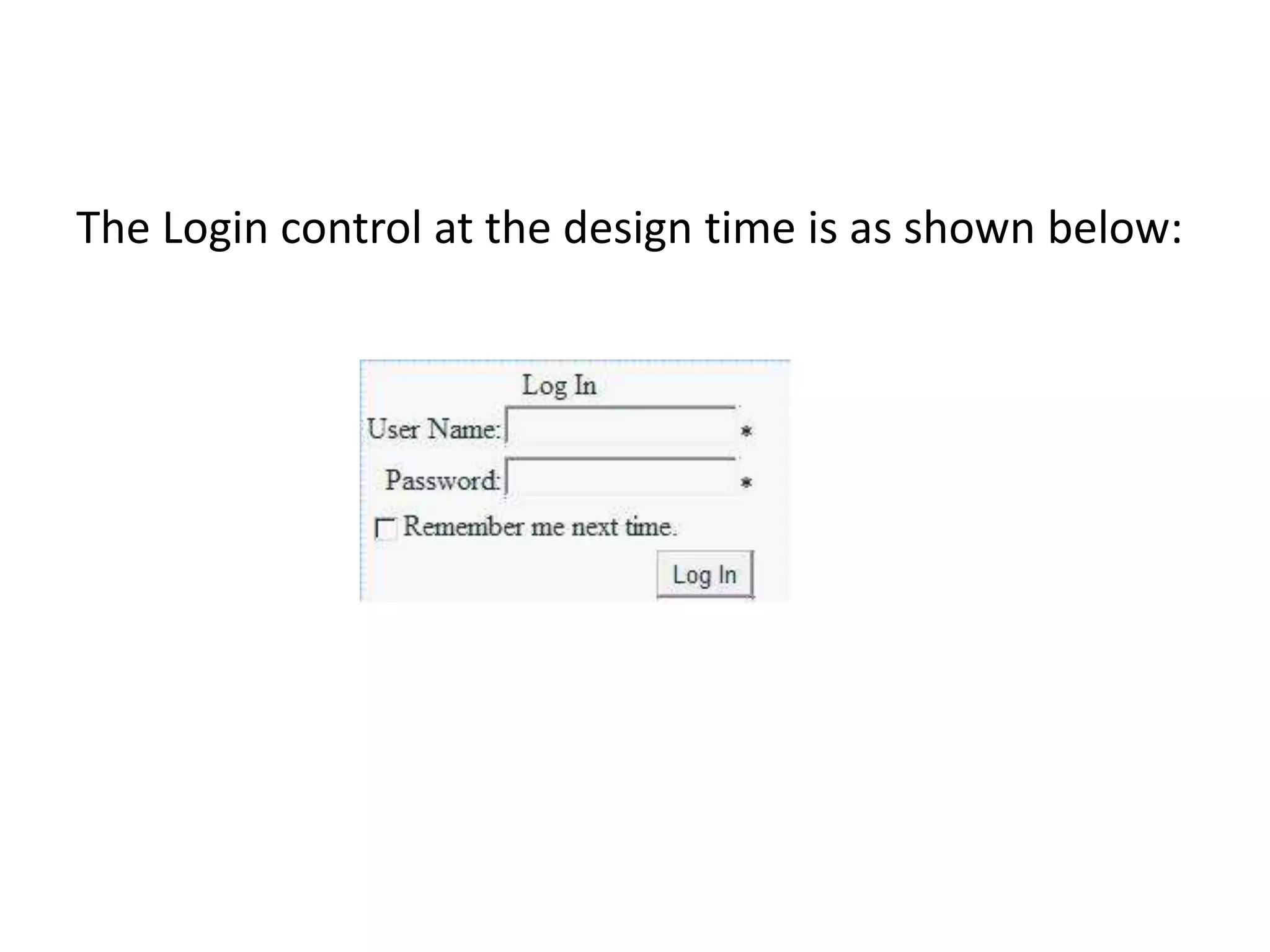
The Login control at the design time is as shown below:
Thank You

Login control .net

  • 1.
    Prepared by- Shaishav RShah (170120116094) Guided by – Prof. Dulari Bhatt Gandhinagar Institute of Technology SUBJECT-.NET (2160711) (Login Control)
  • 2.
    Login Control • Thelogin control provides a user interface for managing the authentication of users in a website. • The authentication is performed on the basis of username and password. • The page access can be restricted by the use of the login controls.
  • 3.
    Various Methods, Properties,and Events 1. CreateChildControls: It creates an individual control of the Login control and the event handlers are associated with it. 2. OnLoggingIn: It raises the LoggingIn event when the user adds the login data before the authentication is completed. 3. OnLoggedIn: It raises an LoggedIn event when the user log into the web site after the authentication is completed 4. OnAuthenticate: It raises an Authenticate event for the user authentication.
  • 4.
    Properties 1. CreateUserIconUrl: Itretrieves the location of the image to display the link to the user. 2. CreateUserUrl: It specifies or retrieves the URL for the new user page. 3. DisplayRememberMe: It specifies the value stating whether to display the RememberMe checkbox. 4. FailureText: It displays the text when the login attempt fails 5. HelpPageText: It specifies the text of link to the login help page. 6. Password: It retrieves the password entered by the user
  • 5.
    Events 1. LoggedIn: Itis initiated when the user logs in the web site and is authenticated 2. LoggingIn: It is initiated when the user submits the login information. 3. LoginError: It is initiated when a login error is detected.
  • 6.
    The Login controlat the design time is as shown below:
  • 7.