Logging System of
     Android
      2010.8.27
      2010.9.2 updated


  Tetsuyuki Kobayashi

                         1
Who am I?

   20+ years involved in embedded systems
       10 years in real time OS, such as iTRON
       10 years in embedded Java Virtual Machine
       Now GCC, Linux, QEMU, Android, …
   Blogs
       http://d.hatena.ne.jp/embedded/ (Personal)
       http://blog.kmckk.com/ (Corporate)
   Twitter
       @tetsu_koba
                                                     2
Today's topic

   Log from Java program
   Log from native program
   Overview of Android Logging
    system
   Tips


                                  3
Log from Java program

   android.util.Log class
   System.out, System.err
android.util.Log

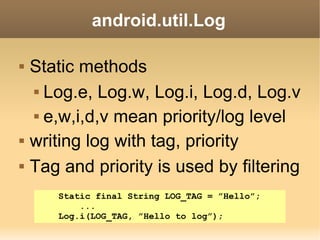
   Static methods
     Log.e, Log.w, Log.i, Log.d, Log.v


     e,w,i,d,v mean priority/log level


   writing log with tag, priority
   Tag and priority is used by filtering
       Static final String LOG_TAG = ”Hello”;
           ...
       Log.i(LOG_TAG, ”Hello to log”);
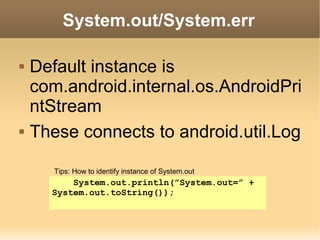
System.out/System.err

   Default instance is
    com.android.internal.os.AndroidPri
    ntStream
   These connects to android.util.Log

       Tips: How to identify instance of System.out
          System.out.println(”System.out=” +
      System.out.toString());
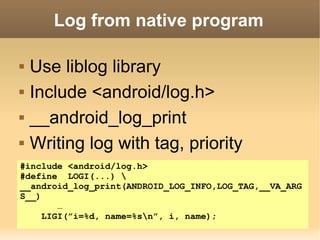
Log from native program

   Use liblog library
   Include <android/log.h>
   __android_log_print
   Writing log with tag, priority
#include <android/log.h>
#define LOGI(...) 
__android_log_print(ANDROID_LOG_INFO,LOG_TAG,__VA_ARG
S__)
        …
     LIGI(”i=%d, name=%sn”, i, name);
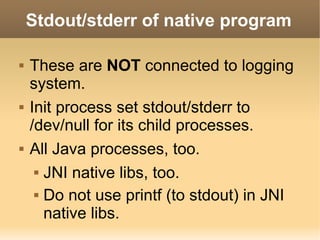
Stdout/stderr of native program

   These are NOT connected to logging
    system.
   Init process set stdout/stderr to
    /dev/null for its child processes.
   All Java processes, too.
      JNI native libs, too.


      Do not use printf (to stdout) in JNI

       native libs.
How to read logs

   Logcat command
   Adb logcat
   Logcat pane in ADT, Eclipse
   Filtering by tag and priority
Log device files

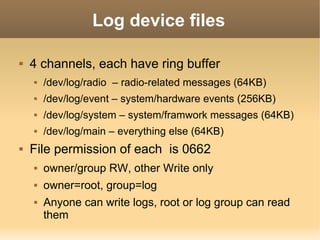
   4 channels, each have ring buffer
       /dev/log/radio – radio-related messages (64KB)
       /dev/log/event – system/hardware events (256KB)
       /dev/log/system – system/framwork messages (64KB)
       /dev/log/main – everything else (64KB)
   File permission of each is 0662
       owner/group RW, other Write only
       owner=root, group=log
       Anyone can write logs, root or log group can read
        them
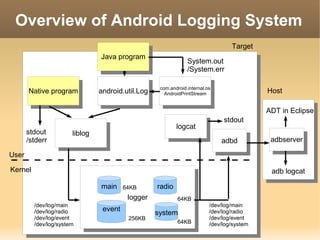
Overview of Android Logging System
                                                                                    Target
                                  Java program
                                   Java program                    System.out
                                                                   /System.err

                                                       com.android.internal.os
       Native program             android.util.Log      com.android.internal.os               Host
        Native program             android.util.Log      AndroidPrintStream
                                                          AndroidPrintStream

                                                                                              ADT in Eclipse
                                                                                  stdout
                                                              logcat
                                                               logcat
       stdout          liblog
       /stderr           liblog                                                                adbserver
                                                                                  adbd
                                                                                   adbd         adbserver
User

Kernel                                                                                         adb logcat

                                  main     64KB       radio
                                            logger
                                             logger           64KB
         /dev/log/main                                                      /dev/log/main
         /dev/log/radio            event                                    /dev/log/radio
                                                      system
         /dev/log/event                     256KB                           /dev/log/event
         /dev/log/system                                      64KB          /dev/log/system
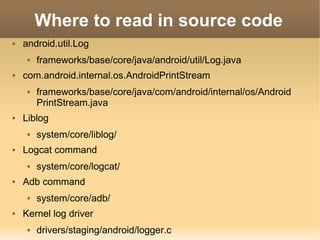
Where to read in source code
   android.util.Log
        frameworks/base/core/java/android/util/Log.java
   com.android.internal.os.AndroidPrintStream
        frameworks/base/core/java/com/android/internal/os/Android
         PrintStream.java
   Liblog
        system/core/liblog/
   Logcat command
        system/core/logcat/
   Adb command
        system/core/adb/
   Kernel log driver
        drivers/staging/android/logger.c
Tips

   Dumping stack trace
   Character Encoding
   Logwrapper
   Log at init process
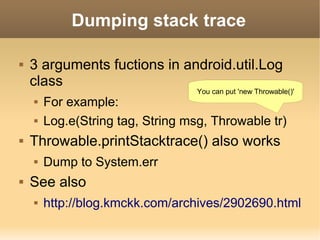
Dumping stack trace

   3 arguments fuctions in android.util.Log
    class
                                   You can put 'new Throwable()'
       For example:
       Log.e(String tag, String msg, Throwable tr)
   Throwable.printStacktrace() also works
       Dump to System.err
   See also
       http://blog.kmckk.com/archives/2902690.html
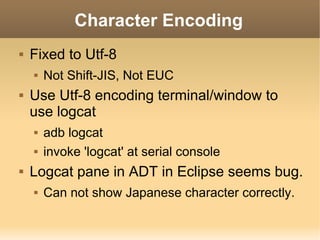
Character Encoding
   Fixed to Utf-8
       Not Shift-JIS, Not EUC
   Use Utf-8 encoding terminal/window to
    use logcat
       adb logcat
       invoke 'logcat' at serial console
   Logcat pane in ADT in Eclipse seems bug.
       Can not show Japanese character correctly.
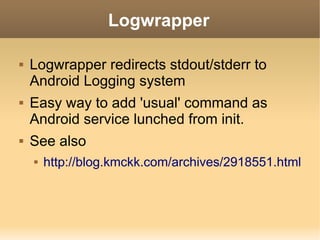
Logwrapper

   Logwrapper redirects stdout/stderr to
    Android Logging system
   Easy way to add 'usual' command as
    Android service lunched from init.
   See also
       http://blog.kmckk.com/archives/2918551.html
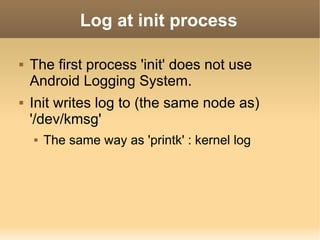
Log at init process

   The first process 'init' does not use
    Android Logging System.
   Init writes log to (the same node as)
    '/dev/kmsg'
       The same way as 'printk' : kernel log
Q&A


Thank you for listening!
Any comments to blogs are welcome.

                                     18

Logging system of Android

  • 1.
    Logging System of Android 2010.8.27 2010.9.2 updated Tetsuyuki Kobayashi 1
  • 2.
    Who am I?  20+ years involved in embedded systems  10 years in real time OS, such as iTRON  10 years in embedded Java Virtual Machine  Now GCC, Linux, QEMU, Android, …  Blogs  http://d.hatena.ne.jp/embedded/ (Personal)  http://blog.kmckk.com/ (Corporate)  Twitter  @tetsu_koba 2
  • 3.
    Today's topic  Log from Java program  Log from native program  Overview of Android Logging system  Tips 3
  • 4.
    Log from Javaprogram  android.util.Log class  System.out, System.err
  • 5.
    android.util.Log  Static methods  Log.e, Log.w, Log.i, Log.d, Log.v  e,w,i,d,v mean priority/log level  writing log with tag, priority  Tag and priority is used by filtering Static final String LOG_TAG = ”Hello”; ... Log.i(LOG_TAG, ”Hello to log”);
  • 6.
    System.out/System.err  Default instance is com.android.internal.os.AndroidPri ntStream  These connects to android.util.Log Tips: How to identify instance of System.out System.out.println(”System.out=” + System.out.toString());
  • 7.
    Log from nativeprogram  Use liblog library  Include <android/log.h>  __android_log_print  Writing log with tag, priority #include <android/log.h> #define LOGI(...) __android_log_print(ANDROID_LOG_INFO,LOG_TAG,__VA_ARG S__) … LIGI(”i=%d, name=%sn”, i, name);
  • 8.
    Stdout/stderr of nativeprogram  These are NOT connected to logging system.  Init process set stdout/stderr to /dev/null for its child processes.  All Java processes, too.  JNI native libs, too.  Do not use printf (to stdout) in JNI native libs.
  • 9.
    How to readlogs  Logcat command  Adb logcat  Logcat pane in ADT, Eclipse  Filtering by tag and priority
  • 10.
    Log device files  4 channels, each have ring buffer  /dev/log/radio – radio-related messages (64KB)  /dev/log/event – system/hardware events (256KB)  /dev/log/system – system/framwork messages (64KB)  /dev/log/main – everything else (64KB)  File permission of each is 0662  owner/group RW, other Write only  owner=root, group=log  Anyone can write logs, root or log group can read them
  • 11.
    Overview of AndroidLogging System Target Java program Java program System.out /System.err com.android.internal.os Native program android.util.Log com.android.internal.os Host Native program android.util.Log AndroidPrintStream AndroidPrintStream ADT in Eclipse stdout logcat logcat stdout liblog /stderr liblog adbserver adbd adbd adbserver User Kernel adb logcat main 64KB radio logger logger 64KB /dev/log/main /dev/log/main /dev/log/radio event /dev/log/radio system /dev/log/event 256KB /dev/log/event /dev/log/system 64KB /dev/log/system
  • 12.
    Where to readin source code  android.util.Log  frameworks/base/core/java/android/util/Log.java  com.android.internal.os.AndroidPrintStream  frameworks/base/core/java/com/android/internal/os/Android PrintStream.java  Liblog  system/core/liblog/  Logcat command  system/core/logcat/  Adb command  system/core/adb/  Kernel log driver  drivers/staging/android/logger.c
  • 13.
    Tips  Dumping stack trace  Character Encoding  Logwrapper  Log at init process
  • 14.
    Dumping stack trace  3 arguments fuctions in android.util.Log class You can put 'new Throwable()'  For example:  Log.e(String tag, String msg, Throwable tr)  Throwable.printStacktrace() also works  Dump to System.err  See also  http://blog.kmckk.com/archives/2902690.html
  • 15.
    Character Encoding  Fixed to Utf-8  Not Shift-JIS, Not EUC  Use Utf-8 encoding terminal/window to use logcat  adb logcat  invoke 'logcat' at serial console  Logcat pane in ADT in Eclipse seems bug.  Can not show Japanese character correctly.
  • 16.
    Logwrapper  Logwrapper redirects stdout/stderr to Android Logging system  Easy way to add 'usual' command as Android service lunched from init.  See also  http://blog.kmckk.com/archives/2918551.html
  • 17.
    Log at initprocess  The first process 'init' does not use Android Logging System.  Init writes log to (the same node as) '/dev/kmsg'  The same way as 'printk' : kernel log
  • 18.
    Q&A Thank you forlistening! Any comments to blogs are welcome. 18