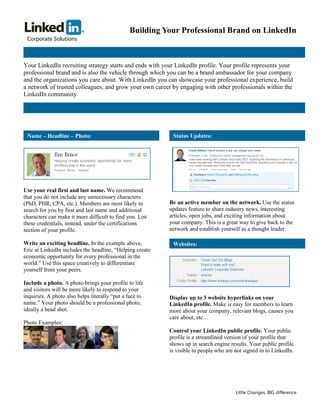
Building Your Professional Brand on LinkedIn


Your LinkedIn recruiting strategy starts and ends with your LinkedIn profile. Your profile represents your
professional brand and is also the vehicle through which you can be a brand ambassador for your company
and the organizations you care about. With LinkedIn you can showcase your professional experience, build
a network of trusted colleagues, and grow your own career by engaging with other professionals within the
LinkedIn community.


 Name – Headline – Photo:                                  Status Updates:


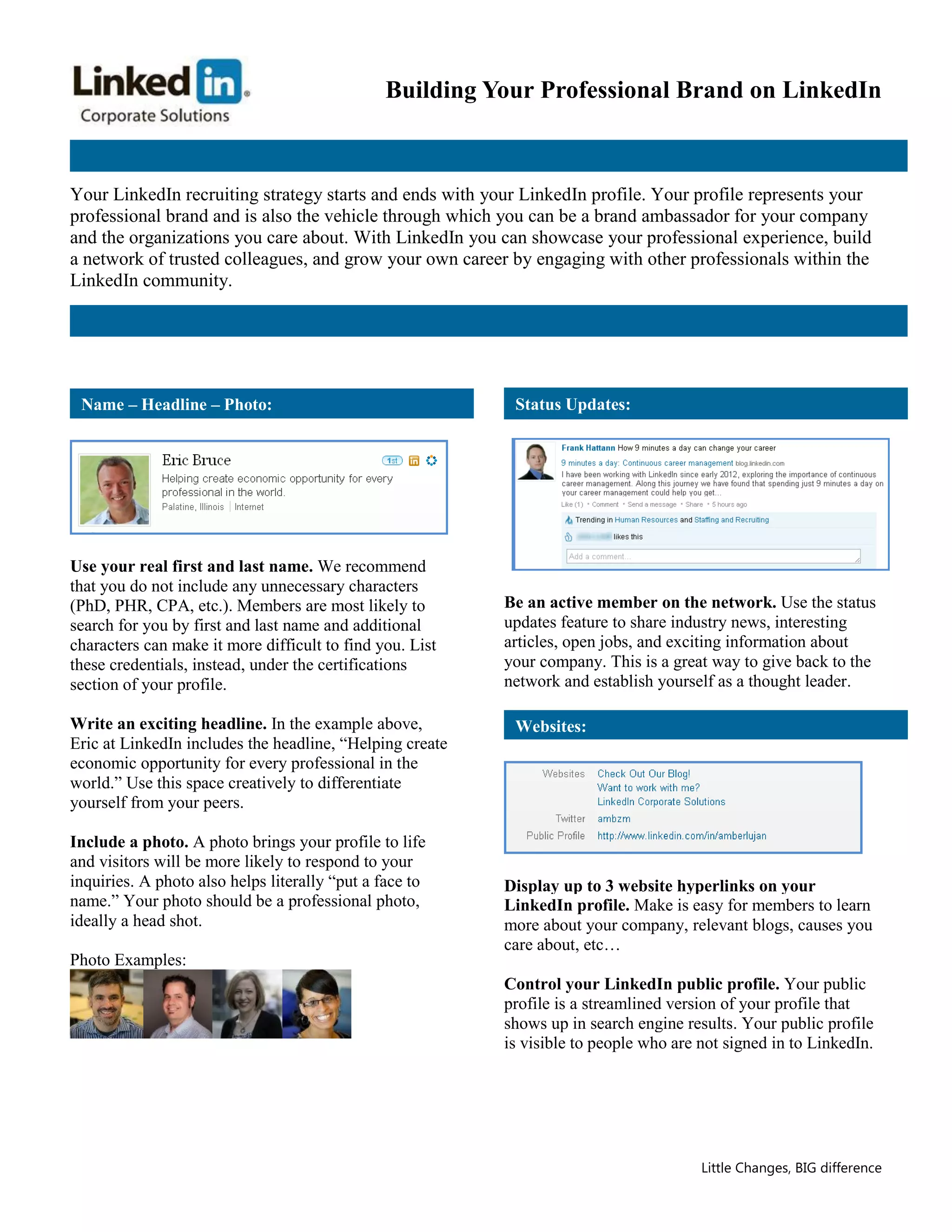
Use your real first and last name. We recommend
that you do not include any unnecessary characters
(PhD, PHR, CPA, etc.). Members are most likely to         Be an active member on the network. Use the status
search for you by first and last name and additional      updates feature to share industry news, interesting
characters can make it more difficult to find you. List   articles, open jobs, and exciting information about
these credentials, instead, under the certifications      your company. This is a great way to give back to the
section of your profile.                                  network and establish yourself as a thought leader.

Write an exciting headline. In the example above,          Websites:
Eric at LinkedIn includes the headline, “Helping create
economic opportunity for every professional in the
world.” Use this space creatively to differentiate
yourself from your peers.

Include a photo. A photo brings your profile to life
and visitors will be more likely to respond to your
inquiries. A photo also helps literally “put a face to    Display up to 3 website hyperlinks on your
name.” Your photo should be a professional photo,         LinkedIn profile. Make is easy for members to learn
ideally a head shot.                                      more about your company, relevant blogs, causes you
                                                          care about, etc…
Photo Examples:
                                                          Control your LinkedIn public profile. Your public
                                                          profile is a streamlined version of your profile that
                                                          shows up in search engine results. Your public profile
                                                          is visible to people who are not signed in to LinkedIn.


                                                                                       Little Changes, BIG difference
Building Your Professional Brand on LinkedIn

 Experience & Recommendations:                            Summary:


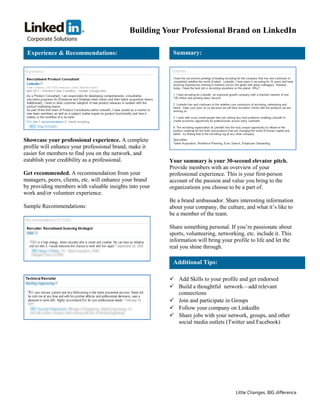
Showcase your professional experience. A complete
profile will enhance your professional brand, make it
easier for members to find you on the network, and
establish your credibility as a professional.            Your summary is your 30-second elevator pitch.
                                                         Provide members with an overview of your
Get recommended. A recommendation from your              professional experience. This is your first-person
managers, peers, clients, etc. will enhance your brand   account of the passion and value you bring to the
by providing members with valuable insights into your    organizations you choose to be a part of.
work and/or volunteer experience.
                                                         Be a brand ambassador. Share interesting information
Sample Recommendations:                                  about your company, the culture, and what it’s like to
                                                         be a member of the team.

                                                         Share something personal. If you’re passionate about
                                                         sports, volunteering, networking, etc. include it. This
                                                         information will bring your profile to life and let the
                                                         real you shine through.

                                                          Additional Tips:

                                                          Add Skills to your profile and get endorsed
                                                          Build a thoughtful network—add relevant
                                                           connections
                                                          Join and participate in Groups
                                                          Follow your company on LinkedIn
                                                          Share jobs with your network, groups, and other
                                                           social media outlets (Twitter and Facebook)


                                                                                      Little Changes, BIG difference

LinkedIn Profile Tips Sheet

  • 1.
    Building Your ProfessionalBrand on LinkedIn Your LinkedIn recruiting strategy starts and ends with your LinkedIn profile. Your profile represents your professional brand and is also the vehicle through which you can be a brand ambassador for your company and the organizations you care about. With LinkedIn you can showcase your professional experience, build a network of trusted colleagues, and grow your own career by engaging with other professionals within the LinkedIn community. Name – Headline – Photo: Status Updates: Use your real first and last name. We recommend that you do not include any unnecessary characters (PhD, PHR, CPA, etc.). Members are most likely to Be an active member on the network. Use the status search for you by first and last name and additional updates feature to share industry news, interesting characters can make it more difficult to find you. List articles, open jobs, and exciting information about these credentials, instead, under the certifications your company. This is a great way to give back to the section of your profile. network and establish yourself as a thought leader. Write an exciting headline. In the example above, Websites: Eric at LinkedIn includes the headline, “Helping create economic opportunity for every professional in the world.” Use this space creatively to differentiate yourself from your peers. Include a photo. A photo brings your profile to life and visitors will be more likely to respond to your inquiries. A photo also helps literally “put a face to Display up to 3 website hyperlinks on your name.” Your photo should be a professional photo, LinkedIn profile. Make is easy for members to learn ideally a head shot. more about your company, relevant blogs, causes you care about, etc… Photo Examples: Control your LinkedIn public profile. Your public profile is a streamlined version of your profile that shows up in search engine results. Your public profile is visible to people who are not signed in to LinkedIn. Little Changes, BIG difference
  • 2.
    Building Your ProfessionalBrand on LinkedIn Experience & Recommendations: Summary: Showcase your professional experience. A complete profile will enhance your professional brand, make it easier for members to find you on the network, and establish your credibility as a professional. Your summary is your 30-second elevator pitch. Provide members with an overview of your Get recommended. A recommendation from your professional experience. This is your first-person managers, peers, clients, etc. will enhance your brand account of the passion and value you bring to the by providing members with valuable insights into your organizations you choose to be a part of. work and/or volunteer experience. Be a brand ambassador. Share interesting information Sample Recommendations: about your company, the culture, and what it’s like to be a member of the team. Share something personal. If you’re passionate about sports, volunteering, networking, etc. include it. This information will bring your profile to life and let the real you shine through. Additional Tips:  Add Skills to your profile and get endorsed  Build a thoughtful network—add relevant connections  Join and participate in Groups  Follow your company on LinkedIn  Share jobs with your network, groups, and other social media outlets (Twitter and Facebook) Little Changes, BIG difference