BUA
 LinkedIn
Presentation
    Presented By:
   Denis Hegarty
   July 10th 2012
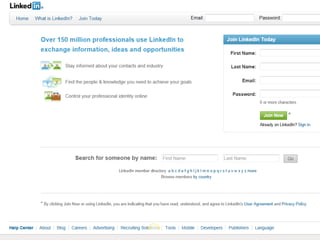
What is LinkedIn
•   Professional Online Network
•   Set up in 2002 by Reid Hoffman
•   Your CV online
•   Connect to people you know
•   Access contacts of your connections
Case Study
• New Product being Launched in the
  Healthcare market
• Note sent out to all connections – several
  hundred
• 3 people came back with suggestions to
  become member of related groups
• Signed up to targeted groups
• Resent message – got several enquiries
3 Step Plan

• A Complete & Compelling Profile

• Growing your Connections

• Your Business Profile
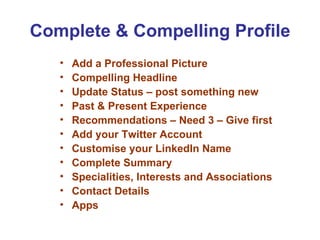
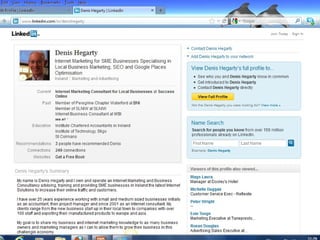
Complete & Compelling Profile
   •   Add a Professional Picture
   •   Compelling Headline
   •   Update Status – post something new
   •   Past & Present Experience
   •   Recommendations – Need 3 – Give first
   •   Add your Twitter Account
   •   Customise your LinkedIn Name
   •   Complete Summary
   •   Specialities, Interests and Associations
   •   Contact Details
   •   Apps
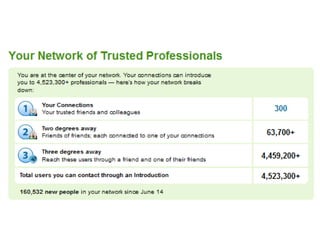
Growing Your Connections
 •   People You Know – request connection
 •   CoWorkers
 •   Previous Colleagues & Contacts
 •   2nd Connections – Ask or request a 1st
     contact to refer
 •   Suggestions from LinkedIn
 •   Use Advances Search to find People
 •   Groups
 •   LinkedIn Alerts with suggestions
 •   Upload Contacts from Outlook…
Your Business Profile/Page
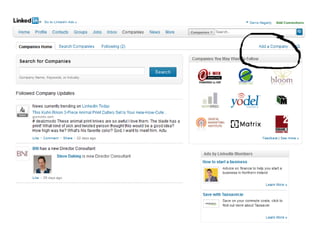
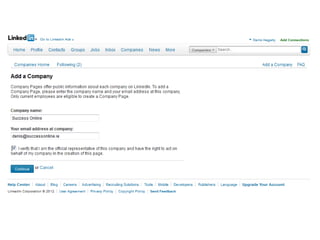
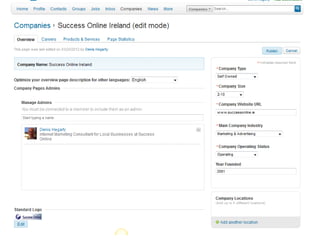
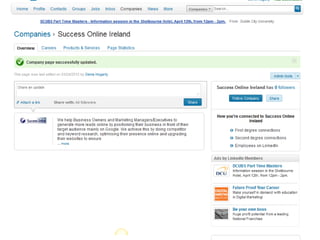
• Set Up page by going to ‘Companies’
• Description of Company Page
  Overview
• Add Values your Company Offers
• Add Keywords within Specialities
• Select Appropriate Industry
• List Location(s)
• Link to your Blog
• Post Status Updates
Other Points
• Create a Call To Action

• Monitor Results

• Status Updates

• LinkedIn Answers
Thank You


         Denis Hegarty
www.LinkedIn.com/in/denishegarty

LinkedIn Presentation to BUA Network South East Ireland

  • 1.
    BUA LinkedIn Presentation Presented By: Denis Hegarty July 10th 2012
  • 2.
    What is LinkedIn • Professional Online Network • Set up in 2002 by Reid Hoffman • Your CV online • Connect to people you know • Access contacts of your connections
  • 3.
    Case Study • NewProduct being Launched in the Healthcare market • Note sent out to all connections – several hundred • 3 people came back with suggestions to become member of related groups • Signed up to targeted groups • Resent message – got several enquiries
  • 4.
    3 Step Plan •A Complete & Compelling Profile • Growing your Connections • Your Business Profile
  • 5.
    Complete & CompellingProfile • Add a Professional Picture • Compelling Headline • Update Status – post something new • Past & Present Experience • Recommendations – Need 3 – Give first • Add your Twitter Account • Customise your LinkedIn Name • Complete Summary • Specialities, Interests and Associations • Contact Details • Apps
  • 9.
    Growing Your Connections • People You Know – request connection • CoWorkers • Previous Colleagues & Contacts • 2nd Connections – Ask or request a 1st contact to refer • Suggestions from LinkedIn • Use Advances Search to find People • Groups • LinkedIn Alerts with suggestions • Upload Contacts from Outlook…
  • 10.
    Your Business Profile/Page •Set Up page by going to ‘Companies’ • Description of Company Page Overview • Add Values your Company Offers • Add Keywords within Specialities • Select Appropriate Industry • List Location(s) • Link to your Blog • Post Status Updates
  • 15.
    Other Points • Createa Call To Action • Monitor Results • Status Updates • LinkedIn Answers
  • 16.
    Thank You Denis Hegarty www.LinkedIn.com/in/denishegarty