BRIEF
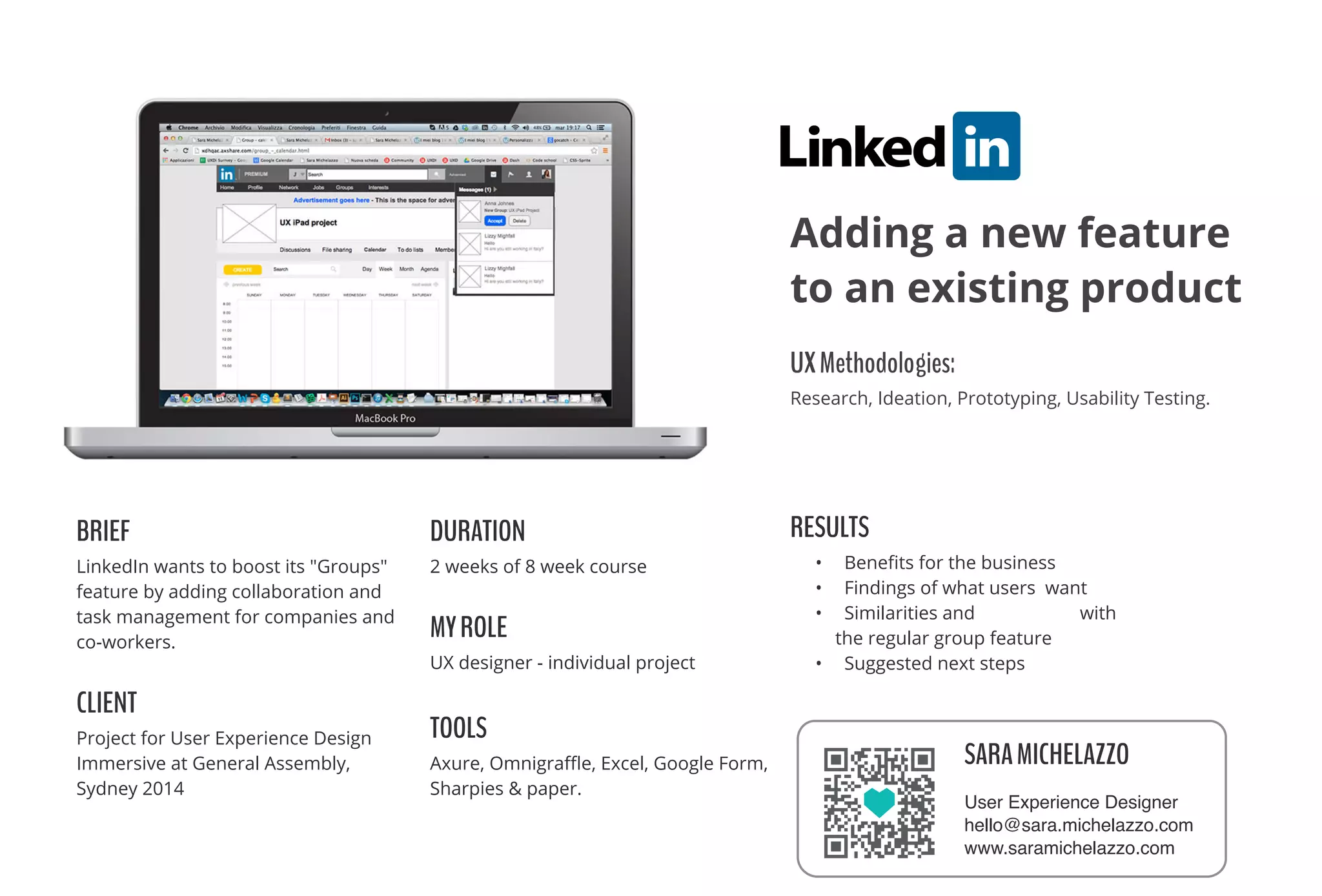
LinkedIn wants to boost its "Groups"
feature by adding collaboration and
task management for companies and
co-workers.
CLIENT
Project for User Experience Design
Immersive at General Assembly,
Sydney 2014
DURATION
2 weeks of 8 week course
MYROLE
UX designer - individual project
TOOLS
Axure, Omnigra๏ฌ„e, Excel, Google Form,
Sharpies & paper.
RESULTS
โ€ข Bene๏ฌts for the business
โ€ข Findings of what users want
โ€ข Similarities and di๏ฌ€erences with
the regular group feature
โ€ข Suggested next steps
UXMethodologies:ย 
Research, Ideation, Prototyping, Usability Testing.
Adding a new feature
to an existing product
SARAMICHELAZZO
User Experience Designer
hello@sara.michelazzo.com
www.saramichelazzo.com
COMPETITIVEANALYSIS&RESEARCH
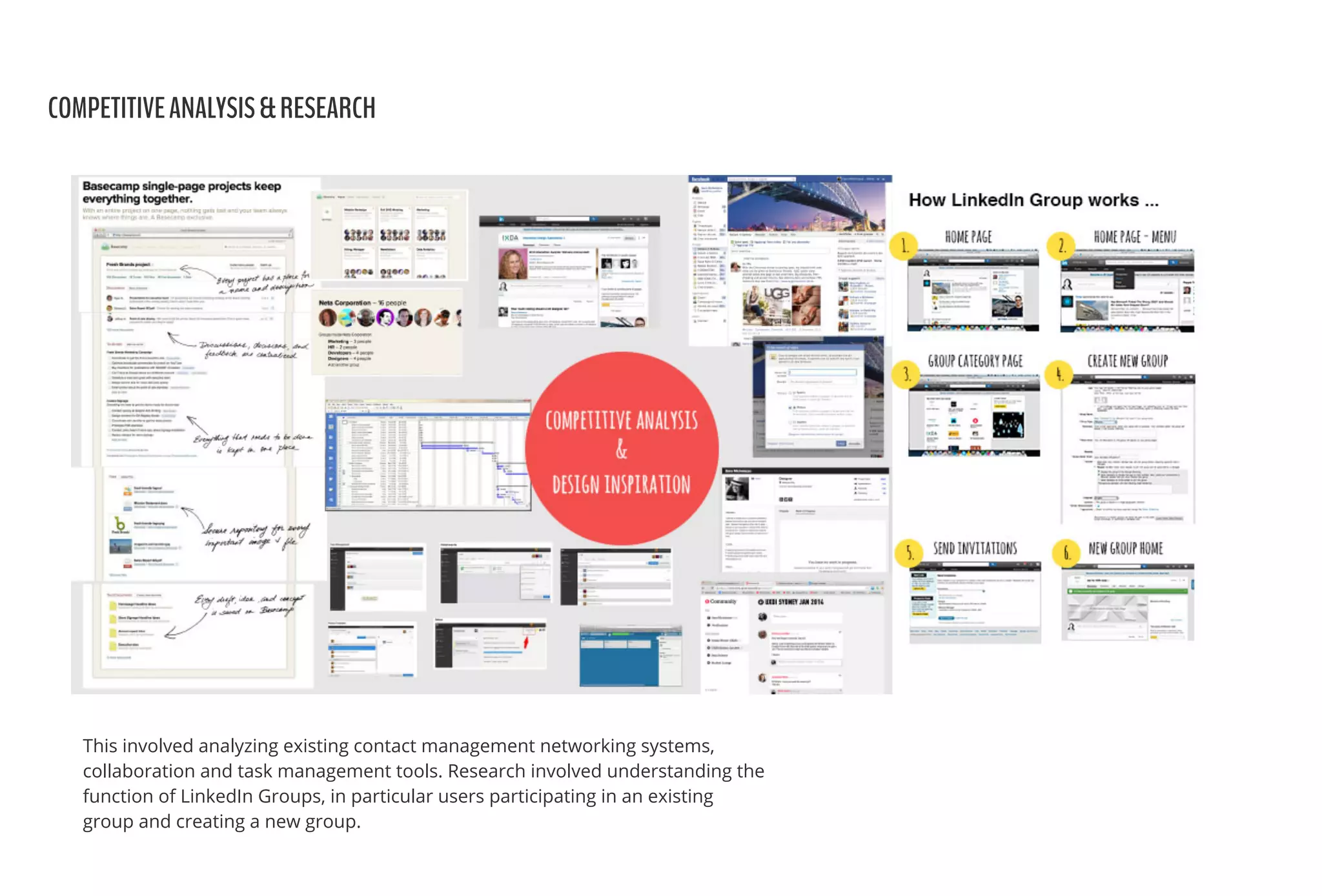
This involved analyzing existing contact management networking systems,
collaboration and task management tools. Research involved understanding the
function of LinkedIn Groups, in particular users participating in an existing
group and creating a new group.
USERRESEARCH&SURVEY
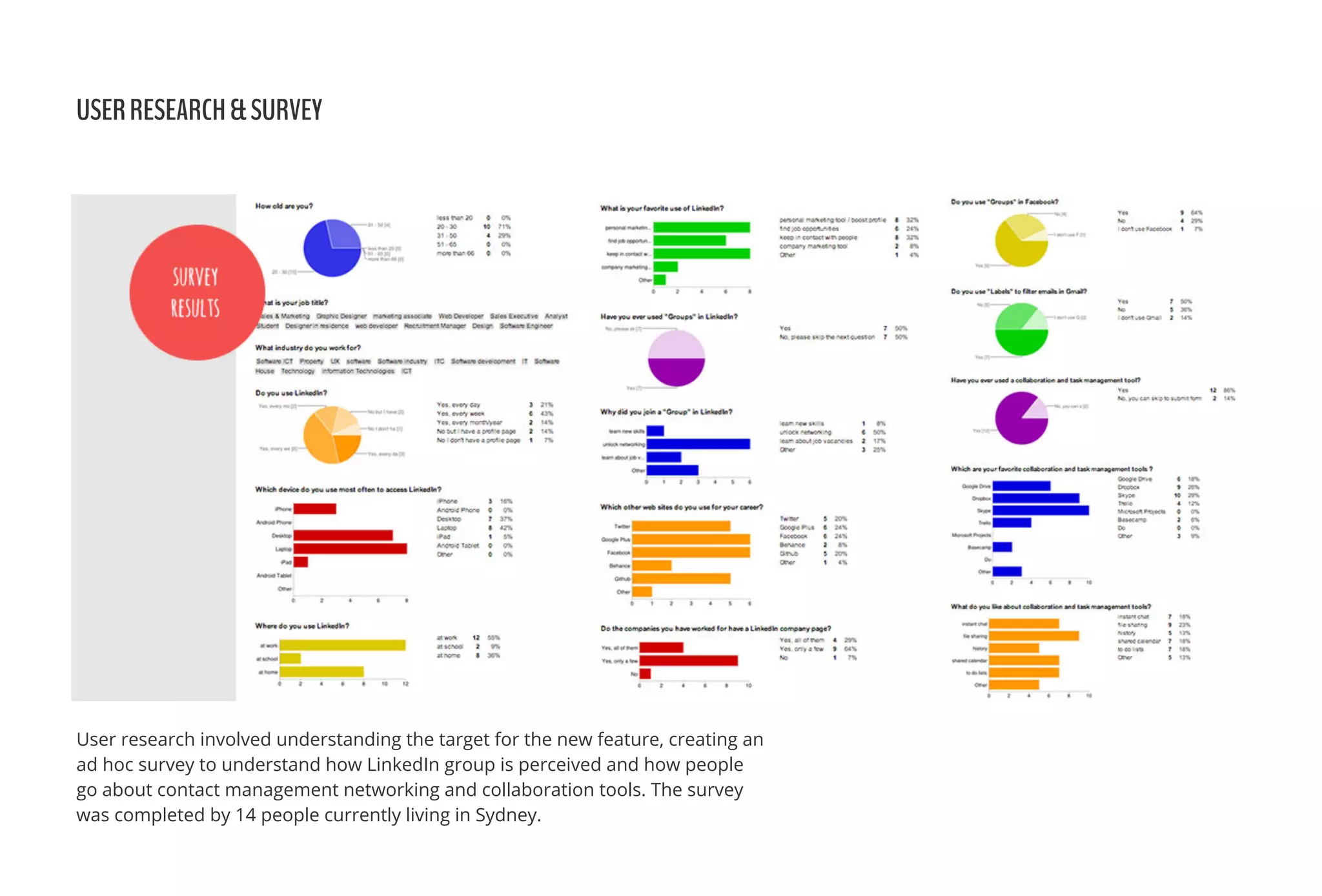
User research involved understanding the target for the new feature, creating an
ad hoc survey to understand how LinkedIn group is perceived and how people
go about contact management networking and collaboration tools. The survey
was completed by 14 people currently living in Sydney.
USERRESEARCH&SURVEY
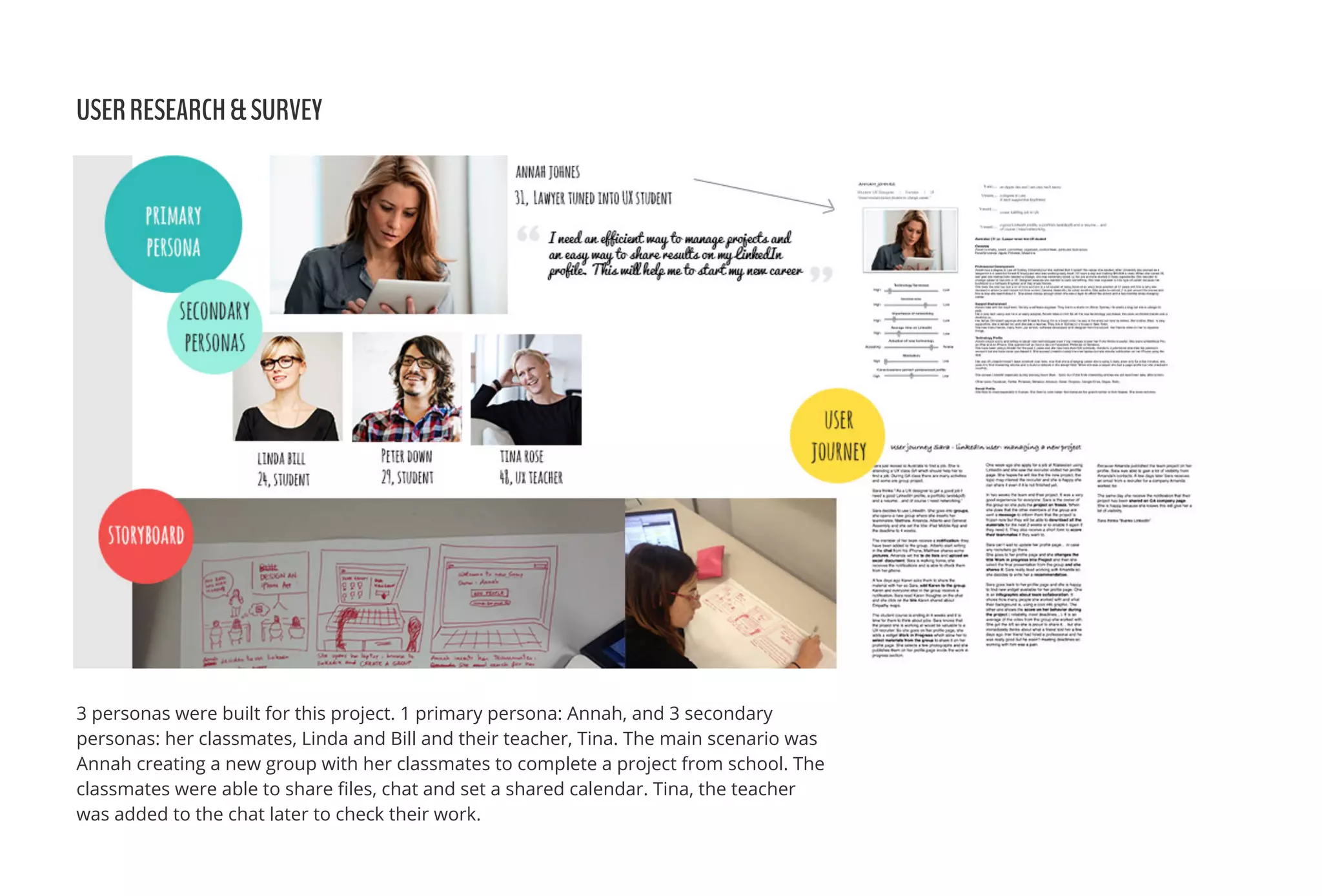
3 personas were built for this project. 1 primary persona: Annah, and 3 secondary
personas: her classmates, Linda and Bill and their teacher, Tina. The main scenario was
Annah creating a new group with her classmates to complete a project from school. The
classmates were able to share ๏ฌles, chat and set a shared calendar. Tina, the teacher
was added to the chat later to check their work.
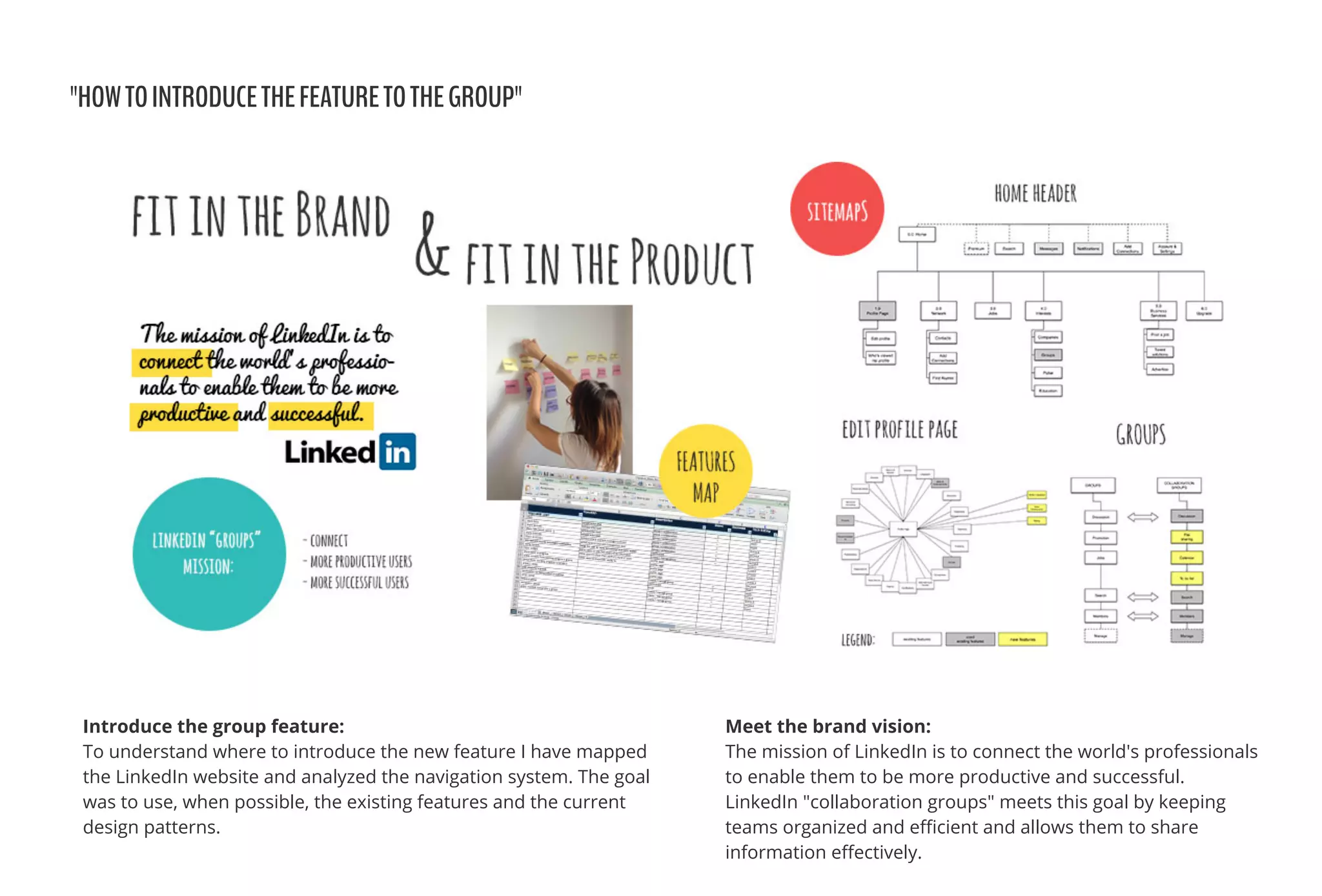
"HOWTOINTRODUCETHEFEATURETOTHEGROUP"
Meet the brand vision:
The mission of LinkedIn is to connect the world's professionals
to enable them to be more productive and successful.
LinkedIn "collaboration groups" meets this goal by keeping
teams organized and e๏ฌƒcient and allows them to share
information e๏ฌ€ectively.
Introduce the group feature:
To understand where to introduce the new feature I have mapped
the LinkedIn website and analyzed the navigation system. The goal
was to use, when possible, the existing features and the current
design patterns.
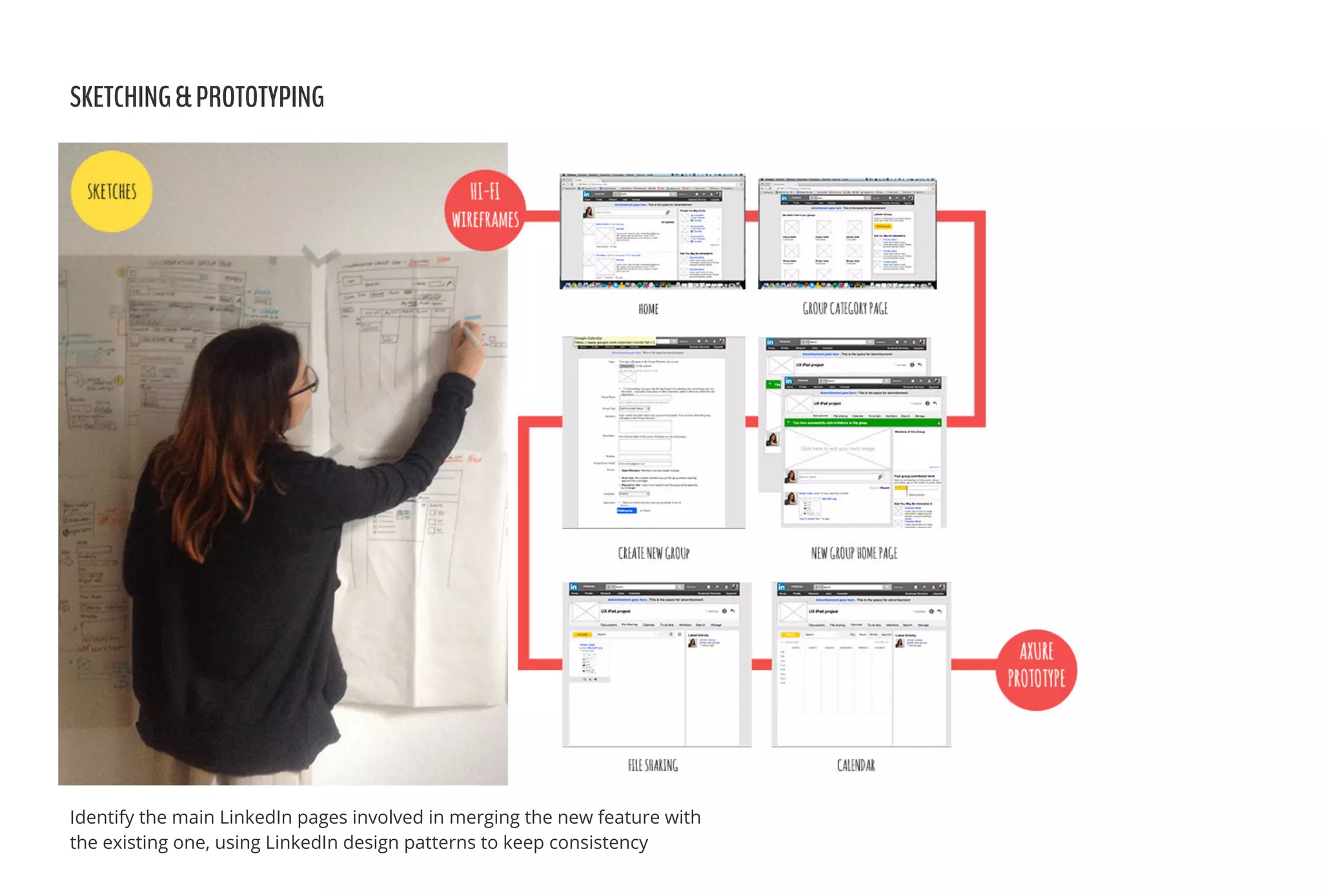
SKETCHING&PROTOTYPING
Identify the main LinkedIn pages involved in merging the new feature with
the existing one, using LinkedIn design patterns to keep consistency
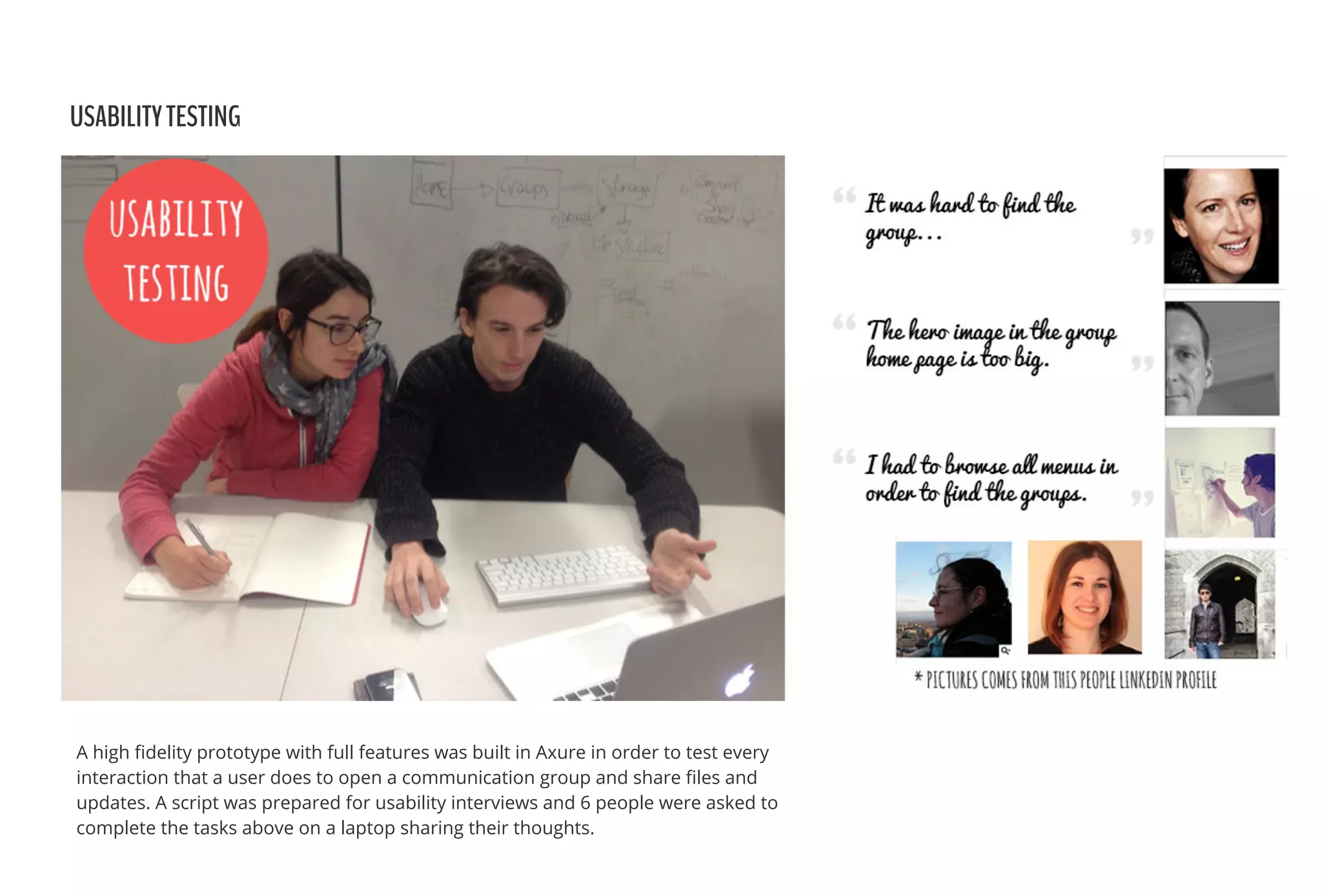
USABILITYTESTING
A high ๏ฌdelity prototype with full features was built in Axure in order to test every
interaction that a user does to open a communication group and share ๏ฌles and
updates. A script was prepared for usability interviews and 6 people were asked to
complete the tasks above on a laptop sharing their thoughts.
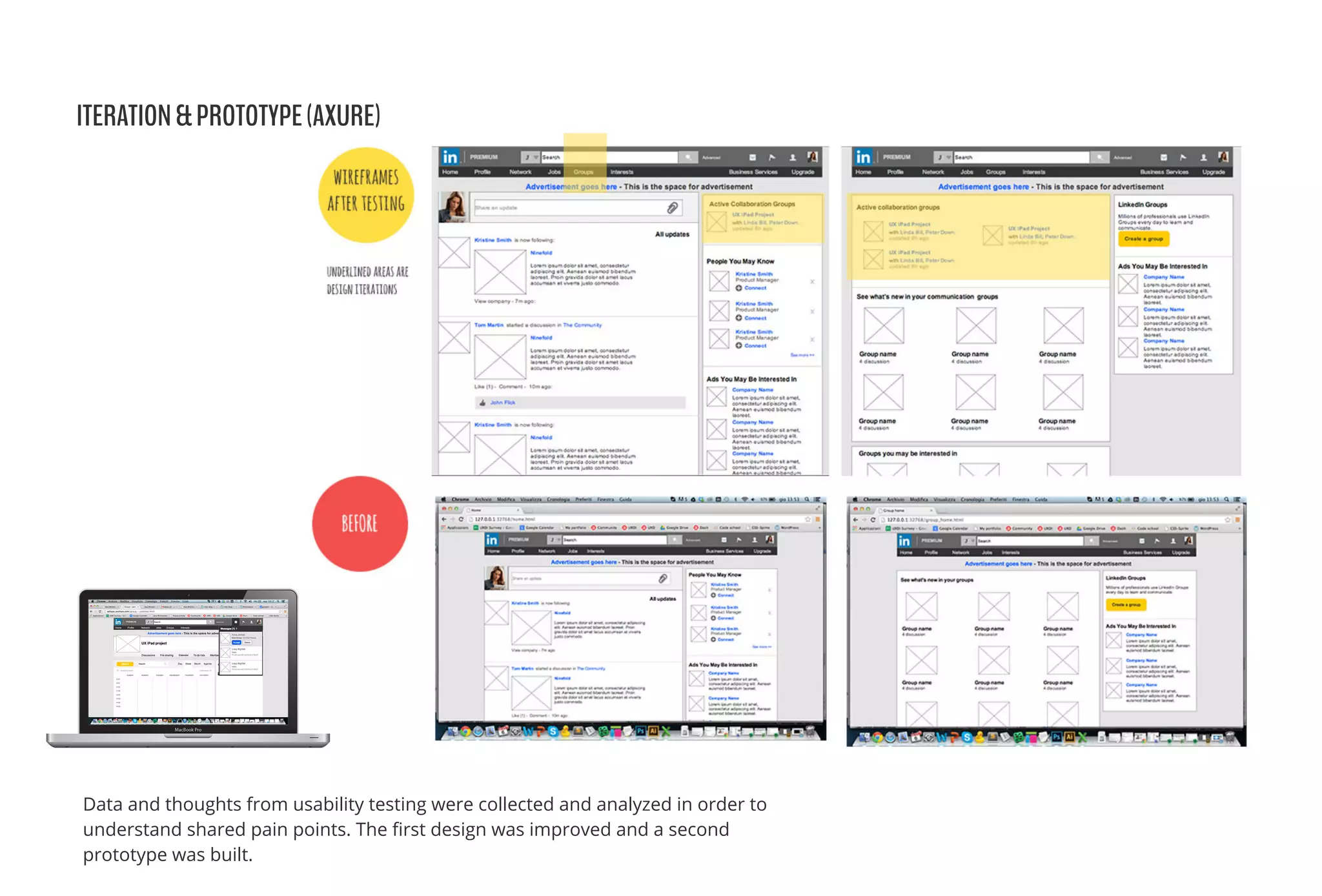
ITERATION&PROTOTYPE(AXURE)
Data and thoughts from usability testing were collected and analyzed in order to
understand shared pain points. The ๏ฌrst design was improved and a second
prototype was built.
RESULTSANDPITCHTOSTAKEHOLDERS
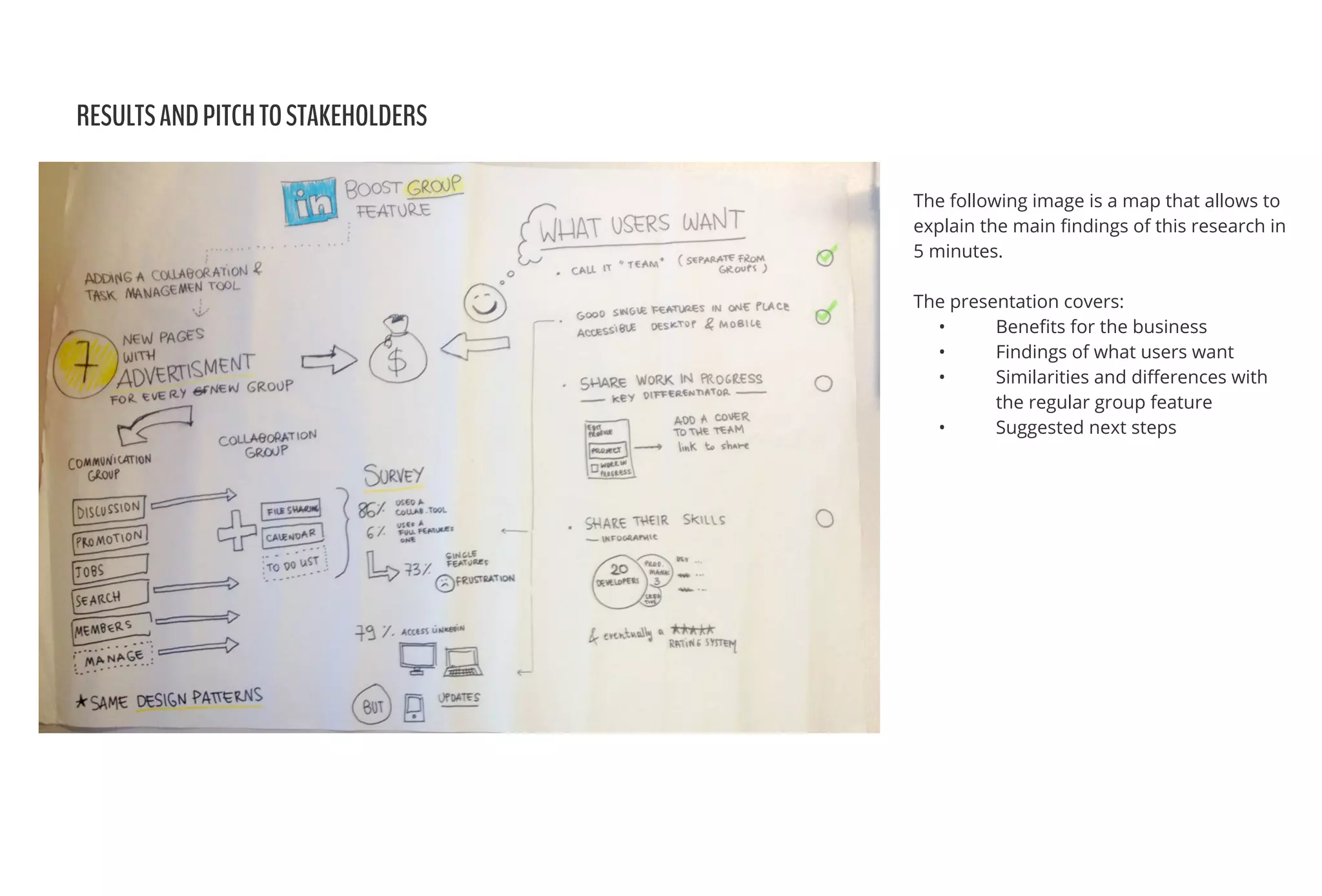
The following image is a map that allows to
explain the main ๏ฌndings of this research in
5 minutes.
The presentation covers:
โ€ข Bene๏ฌts for the business
โ€ข Findings of what users want
โ€ข Similarities and di๏ฌ€erences with
the regular group feature
โ€ข Suggested next steps
Leave a feedback or comment :)
DESIGNISAWORKINPROGRESS

User Experience Desing - LinkedIn groups feature

  • 1.
    BRIEF LinkedIn wants toboost its "Groups" feature by adding collaboration and task management for companies and co-workers. CLIENT Project for User Experience Design Immersive at General Assembly, Sydney 2014 DURATION 2 weeks of 8 week course MYROLE UX designer - individual project TOOLS Axure, Omnigra๏ฌ„e, Excel, Google Form, Sharpies & paper. RESULTS โ€ข Bene๏ฌts for the business โ€ข Findings of what users want โ€ข Similarities and di๏ฌ€erences with the regular group feature โ€ข Suggested next steps UXMethodologies:ย  Research, Ideation, Prototyping, Usability Testing. Adding a new feature to an existing product SARAMICHELAZZO User Experience Designer hello@sara.michelazzo.com www.saramichelazzo.com
  • 2.
    COMPETITIVEANALYSIS&RESEARCH This involved analyzingexisting contact management networking systems, collaboration and task management tools. Research involved understanding the function of LinkedIn Groups, in particular users participating in an existing group and creating a new group.
  • 3.
    USERRESEARCH&SURVEY User research involvedunderstanding the target for the new feature, creating an ad hoc survey to understand how LinkedIn group is perceived and how people go about contact management networking and collaboration tools. The survey was completed by 14 people currently living in Sydney.
  • 4.
    USERRESEARCH&SURVEY 3 personas werebuilt for this project. 1 primary persona: Annah, and 3 secondary personas: her classmates, Linda and Bill and their teacher, Tina. The main scenario was Annah creating a new group with her classmates to complete a project from school. The classmates were able to share ๏ฌles, chat and set a shared calendar. Tina, the teacher was added to the chat later to check their work.
  • 5.
    "HOWTOINTRODUCETHEFEATURETOTHEGROUP" Meet the brandvision: The mission of LinkedIn is to connect the world's professionals to enable them to be more productive and successful. LinkedIn "collaboration groups" meets this goal by keeping teams organized and e๏ฌƒcient and allows them to share information e๏ฌ€ectively. Introduce the group feature: To understand where to introduce the new feature I have mapped the LinkedIn website and analyzed the navigation system. The goal was to use, when possible, the existing features and the current design patterns.
  • 6.
    SKETCHING&PROTOTYPING Identify the mainLinkedIn pages involved in merging the new feature with the existing one, using LinkedIn design patterns to keep consistency
  • 7.
    USABILITYTESTING A high ๏ฌdelityprototype with full features was built in Axure in order to test every interaction that a user does to open a communication group and share ๏ฌles and updates. A script was prepared for usability interviews and 6 people were asked to complete the tasks above on a laptop sharing their thoughts.
  • 8.
    ITERATION&PROTOTYPE(AXURE) Data and thoughtsfrom usability testing were collected and analyzed in order to understand shared pain points. The ๏ฌrst design was improved and a second prototype was built.
  • 9.
    RESULTSANDPITCHTOSTAKEHOLDERS The following imageis a map that allows to explain the main ๏ฌndings of this research in 5 minutes. The presentation covers: โ€ข Bene๏ฌts for the business โ€ข Findings of what users want โ€ข Similarities and di๏ฌ€erences with the regular group feature โ€ข Suggested next steps
  • 10.
    Leave a feedbackor comment :) DESIGNISAWORKINPROGRESS