Evaluation of Library Software;  Its implications on Library Services
Outline Scope Library Automation Technological Trends Library Software Evaluation Impact of IT on Libraries Pragmatics of Library Automation Acquisition, Cataloguing, Circulation, Serials Control, OPAC Features of Library Software : CDS/ISIS & LIBSYS Conclusion
Scope Information Storage & Retrieval Software DBMS - On-line Databases CD-ROM Interface Software House Keeping Activities including Bibliographic Database Software Existing Software Packages Selecting the new Library Software Limitations  Information Storage & Retrieval Software Packages DBMS - Online Database & CD-ROM interface Software No Customization is possible
why Library Automation Library Services Operation of Libraries Labor-intensive costly Salaries benefits support facilities Increase in cost of library materials Books, Serials , etc.. Rs.
Impact of IT on  Libraries Impact of IT has been Profound and Omini Present Vertical & Horizontal Integration of Services Diminishing Distinctions between Technical Services & Public Services Ex : OCLC, WLN, RLIN Primary Journals & Secondary Journals Bibliographic Access & Physical Access Changing Collection & the Electronic Library On-line Products & Sources CD-ROM Products & Services Hypertext and Hypermedia
Technological Trends Paper > Electronic Means Information Demand > End-Users Digitalization Miniaturisation Networking Computer & Communication Analogue > Digital Standalone > Network Computer Terminal > Client-Server Command Structure > Graphic Interface Mono Media > Multi Media
Technological Trends Small Band > Wide Band Fixed Equipment > Mobile/Portable Equipment New Markets Standard Product > Customized Product Multi-stop Shopping > One-stop Shopping Traditional Competitors > New Competitors National Market > World Market Pricing Source Pricing > Package pricing Single rate Pricing > Service-level Pricing format Pricing > content Pricing
Technological Trends Cost-based pricing > Value based Pricing Variable fee > flat fee/up-front pricing Single-user Pricing > Multi-user, Site Licensing Virtual Library Penetration of PC Telecommunication Networks Automation of Library Catalogues On-line Databases, National Bibliographies & OPAC CD-ROM Publishing
Evaluation of Library Software Technical Requirements Operating Systems & Hardware Configuration Special versions & Security User Friendliness & Documentation Limitations Database Vs Non-Database (RDMS) Input & Maintenance of Data Indexing of Stored Information Retrieval of Stored Information Output of Data House Keeping Activities
Evaluation Criteria Ease of Use Tried & Tested Features Good Documentation Large User Community Built-in Routines Compatibility Vendor Performance Flexibility
Evaluation Criteria Value Continuous Support Obsolescence and Upgrades Software Guides & Directories Reviews Benchmarks (No. Records)
Pragmatics of Library Software Modules : Acquisition Acquisition Librarian functions Receive the Request Initiate to procure Duplicate Check Approval Procedures Orders, Invoice Processing & Payment Reminders, Order Cancellation, Recording, Correspondence etc.. Intimating the Users Enquiries Reports Maintenance of Different Databases
Acquisition Exchange Rate, Vendor Record, Budget, Discount, Accession No's  etc.. Users Request for Title Approval details on-line enquiry System Administrators Routines Database Loading Database reorganization Transfer of Acquired titles to the Cataloguing Functional Routines Security
Pragmatics of Library Software Modules Data Input & Maintenance of Data Direct input from Keyboard Screen Editor/Word Processor Editing/Deleting record Data extentended 8-bit ASCII code Data in Record Structure with Separate Fields Predefined Record Structures Adding/Deleting the Existing Record Structure Changing the Field Names at later date Fields have Variable Field length Changing maximum field length (later date)
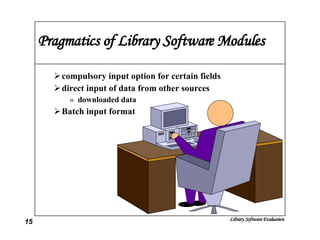
Pragmatics of Library Software Modules compulsory input option for certain fields direct input of data from other sources downloaded data Batch input format
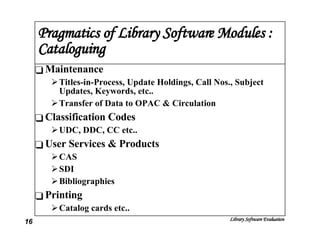
Pragmatics of Library Software Modules : Cataloguing Maintenance Titles-in-Process, Update Holdings, Call Nos., Subject Updates, Keywords, etc.. Transfer of Data to OPAC & Circulation Classification Codes UDC, DDC, CC etc.. User Services & Products CAS SDI Bibliographies Printing Catalog cards etc..
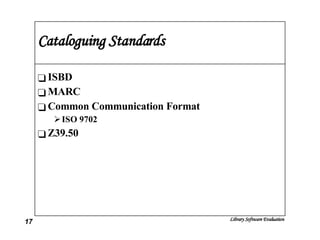
Cataloguing Standards ISBD MARC Common Communication Format ISO 9702 Z39.50
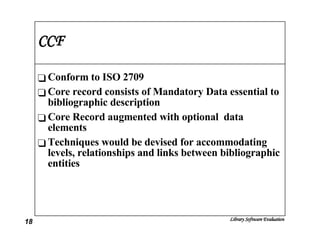
CCF Conform to ISO 2709 Core record consists of Mandatory Data essential to bibliographic description Core Record augmented with optional  data elements Techniques would be devised for accommodating levels, relationships and links between bibliographic entities
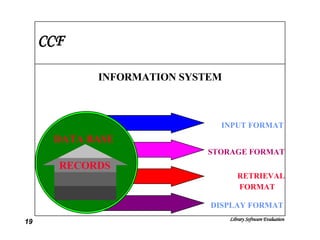
CCF INFORMATION SYSTEM DATA BASE INPUT FORMAT STORAGE FORMAT RETRIEVAL FORMAT DISPLAY FORMAT RECORDS
Z.3950 OSI Model Database source systems Client-server communication state-of-art microcomputer workstations Linked System Protocol (OSI) Lower Level Interaction physical, Data, Network &Transport  Upper Level Layers Session, Presentation &Application
Z.3950 Integrate Text & Graphics Support Multimedia Support complex documents Multitasking operations Large, fast Mass Storage devices Electronic mail Support Data Acquisition Address Substantial amount of Memory User Customize permission Enough speed to permit intensive processing
Z.3950 Functions Initialization Security Validation Searching Present Record Accounting Facility Delete Facility Termination Facility
Pragmatics of Library Software Modules : Information Storage & Retrieval Searching Sequentially Slow Index Computer-generated Index Single word, Compound terms & whole (sub) fields Indexing of Stored Information Max. No. of Characters indexed per term Max. no. of different indexes per file Different Ways of Indexing single, compound and Whole Fields
Pragmatics of Library Software Modules Choice of each file to be indexed Indexing of tagged words only Availability of Stopword list user defined & maximum no stopwrods Indexing of New Records/batch indexing speed of indexing Size of indexed data Building / Removing of Indexes or Changing the type of Index Use of controlled index terms  Thesaurus
Pragmatics of Library Software Modules Retrieval of Stored Information Searching through an Index or Sequential Non-indexed through Sequential search Indexes can displayed/printed; relations through Thesaurus Availability of Index list on the screen as search terms Default search fields Indication of a field or tag is required Boolean searching with AND, OR and NOT operators More operators with parenthesis Search terms and/or previous search terms can be combined directly in Boolean searches
Pragmatics of Library Software Modules Presence of KEEP command offers full boolean possibilities Proximity searching Searching on Truncated terms left, right and internal masking Range searching  From, to, greater than, lessthan Saving the search strategy Output of Data Standard  formats Display, Printing &Writing of data
Pragmatics of Library Software Modules User defined output formats Sorting of data in varies fields (multiple) Including field tags or names Search terms can be highlighted Formats for direct data exchange  Reference lists according to Journal styles
Pragmatics of Library Software Modules : Circulation Issues Returns Reserves Membership Records Registration, Category, Institute member, Define subjects for SDI Collection Updates Display Titles, Copy missing, Damaged, Withdrawn, Binding etc.. Inter Library Loan
Pragmatics of Library Software Modules : Circulation Enquiries Status, Transactions Log, Charges, Missing, Withdrawn etc.. User Communication Reserves, Overdues, etc.. Reports \ Printing System Setup No. of Days issues, Category wise issues, Reference,Serials issue etc..
Pragmatics of Library Software Modules : Serials Control New Subscription New Titles, Approval procedures, Order, Subscription Details, Invoicing, Payment, Correspondence, etc.. Renewals Issues Received (Kardex) Claims Monitoring Periodical Reminders, Binding Enquiries Circulation of Back issues
Classical Retrieval systems : CDS/ISIS UNESCO Information Storage & Retrieval Menu Driven Choosing the Existing Database Changing language Changing or Adding Data Searching the Database Sorting & Printing; writing on file Creating or Updating the indexes Creating or changing database definition
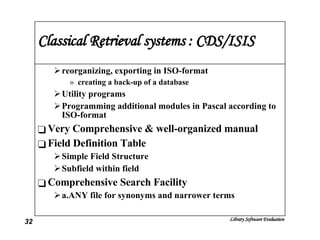
Classical Retrieval systems : CDS/ISIS reorganizing, exporting in ISO-format creating a back-up of a database Utility programs  Programming additional modules in Pascal according to ISO-format Very Comprehensive & well-organized manual  Field Definition Table Simple Field Structure Subfield within field Comprehensive Search Facility a.ANY file for synonyms and narrower terms
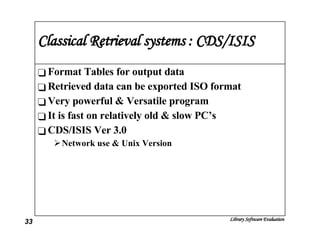
Classical Retrieval systems : CDS/ISIS Format Tables for output data Retrieved data can be exported ISO format Very powerful & Versatile program It is fast on relatively old & slow PC’s CDS/ISIS Ver 3.0 Network use & Unix Version
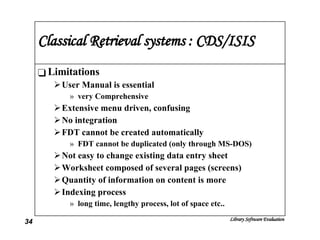
Classical Retrieval systems : CDS/ISIS Limitations User Manual is essential very Comprehensive  Extensive menu driven, confusing No integration FDT cannot be created automatically FDT cannot be duplicated (only through MS-DOS) Not easy to change existing data entry sheet Worksheet composed of several pages (screens) Quantity of information on content is more Indexing process  long time, lengthy process, lot of space etc..
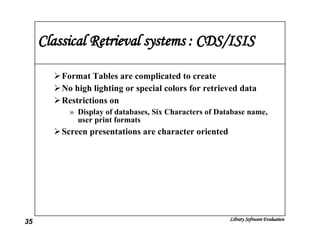
Classical Retrieval systems : CDS/ISIS Format Tables are complicated to create No high lighting or special colors for retrieved data Restrictions on Display of databases, Six Characters of Database name, user print formats Screen presentations are character oriented
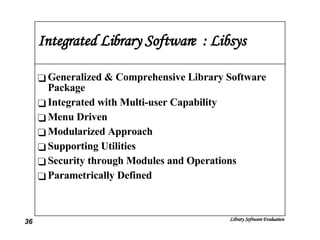
Integrated Library Software  : Libsys Generalized & Comprehensive Library Software Package Integrated with Multi-user Capability Menu Driven Modularized Approach Supporting Utilities Security through Modules and Operations Parametrically Defined
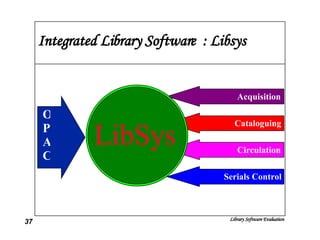
Integrated Library Software  : Libsys LibSys Acquisition Cataloguing Circulation Serials Control OPAC
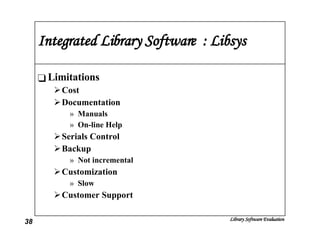
Integrated Library Software  : Libsys Limitations Cost Documentation Manuals On-line Help Serials Control Backup Not incremental Customization Slow Customer Support
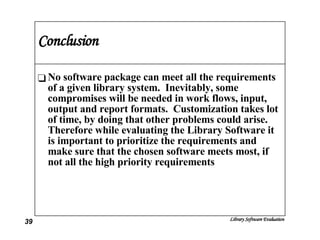
Conclusion No software package can meet all the requirements of a given library system.  Inevitably, some compromises will be needed in work flows, input, output and report formats.  Customization takes lot of time, by doing that other problems could arise.  Therefore while evaluating the Library Software it is important to prioritize the requirements and make sure that the chosen software meets most, if not all the high priority requirements

Lib Sw Evaluation

  • 1.
    Evaluation of LibrarySoftware; Its implications on Library Services
  • 2.
    Outline Scope LibraryAutomation Technological Trends Library Software Evaluation Impact of IT on Libraries Pragmatics of Library Automation Acquisition, Cataloguing, Circulation, Serials Control, OPAC Features of Library Software : CDS/ISIS & LIBSYS Conclusion
  • 3.
    Scope Information Storage& Retrieval Software DBMS - On-line Databases CD-ROM Interface Software House Keeping Activities including Bibliographic Database Software Existing Software Packages Selecting the new Library Software Limitations Information Storage & Retrieval Software Packages DBMS - Online Database & CD-ROM interface Software No Customization is possible
  • 4.
    why Library AutomationLibrary Services Operation of Libraries Labor-intensive costly Salaries benefits support facilities Increase in cost of library materials Books, Serials , etc.. Rs.
  • 5.
    Impact of ITon Libraries Impact of IT has been Profound and Omini Present Vertical & Horizontal Integration of Services Diminishing Distinctions between Technical Services & Public Services Ex : OCLC, WLN, RLIN Primary Journals & Secondary Journals Bibliographic Access & Physical Access Changing Collection & the Electronic Library On-line Products & Sources CD-ROM Products & Services Hypertext and Hypermedia
  • 6.
    Technological Trends Paper> Electronic Means Information Demand > End-Users Digitalization Miniaturisation Networking Computer & Communication Analogue > Digital Standalone > Network Computer Terminal > Client-Server Command Structure > Graphic Interface Mono Media > Multi Media
  • 7.
    Technological Trends SmallBand > Wide Band Fixed Equipment > Mobile/Portable Equipment New Markets Standard Product > Customized Product Multi-stop Shopping > One-stop Shopping Traditional Competitors > New Competitors National Market > World Market Pricing Source Pricing > Package pricing Single rate Pricing > Service-level Pricing format Pricing > content Pricing
  • 8.
    Technological Trends Cost-basedpricing > Value based Pricing Variable fee > flat fee/up-front pricing Single-user Pricing > Multi-user, Site Licensing Virtual Library Penetration of PC Telecommunication Networks Automation of Library Catalogues On-line Databases, National Bibliographies & OPAC CD-ROM Publishing
  • 9.
    Evaluation of LibrarySoftware Technical Requirements Operating Systems & Hardware Configuration Special versions & Security User Friendliness & Documentation Limitations Database Vs Non-Database (RDMS) Input & Maintenance of Data Indexing of Stored Information Retrieval of Stored Information Output of Data House Keeping Activities
  • 10.
    Evaluation Criteria Easeof Use Tried & Tested Features Good Documentation Large User Community Built-in Routines Compatibility Vendor Performance Flexibility
  • 11.
    Evaluation Criteria ValueContinuous Support Obsolescence and Upgrades Software Guides & Directories Reviews Benchmarks (No. Records)
  • 12.
    Pragmatics of LibrarySoftware Modules : Acquisition Acquisition Librarian functions Receive the Request Initiate to procure Duplicate Check Approval Procedures Orders, Invoice Processing & Payment Reminders, Order Cancellation, Recording, Correspondence etc.. Intimating the Users Enquiries Reports Maintenance of Different Databases
  • 13.
    Acquisition Exchange Rate,Vendor Record, Budget, Discount, Accession No's etc.. Users Request for Title Approval details on-line enquiry System Administrators Routines Database Loading Database reorganization Transfer of Acquired titles to the Cataloguing Functional Routines Security
  • 14.
    Pragmatics of LibrarySoftware Modules Data Input & Maintenance of Data Direct input from Keyboard Screen Editor/Word Processor Editing/Deleting record Data extentended 8-bit ASCII code Data in Record Structure with Separate Fields Predefined Record Structures Adding/Deleting the Existing Record Structure Changing the Field Names at later date Fields have Variable Field length Changing maximum field length (later date)
  • 15.
    Pragmatics of LibrarySoftware Modules compulsory input option for certain fields direct input of data from other sources downloaded data Batch input format
  • 16.
    Pragmatics of LibrarySoftware Modules : Cataloguing Maintenance Titles-in-Process, Update Holdings, Call Nos., Subject Updates, Keywords, etc.. Transfer of Data to OPAC & Circulation Classification Codes UDC, DDC, CC etc.. User Services & Products CAS SDI Bibliographies Printing Catalog cards etc..
  • 17.
    Cataloguing Standards ISBDMARC Common Communication Format ISO 9702 Z39.50
  • 18.
    CCF Conform toISO 2709 Core record consists of Mandatory Data essential to bibliographic description Core Record augmented with optional data elements Techniques would be devised for accommodating levels, relationships and links between bibliographic entities
  • 19.
    CCF INFORMATION SYSTEMDATA BASE INPUT FORMAT STORAGE FORMAT RETRIEVAL FORMAT DISPLAY FORMAT RECORDS
  • 20.
    Z.3950 OSI ModelDatabase source systems Client-server communication state-of-art microcomputer workstations Linked System Protocol (OSI) Lower Level Interaction physical, Data, Network &Transport Upper Level Layers Session, Presentation &Application
  • 21.
    Z.3950 Integrate Text& Graphics Support Multimedia Support complex documents Multitasking operations Large, fast Mass Storage devices Electronic mail Support Data Acquisition Address Substantial amount of Memory User Customize permission Enough speed to permit intensive processing
  • 22.
    Z.3950 Functions InitializationSecurity Validation Searching Present Record Accounting Facility Delete Facility Termination Facility
  • 23.
    Pragmatics of LibrarySoftware Modules : Information Storage & Retrieval Searching Sequentially Slow Index Computer-generated Index Single word, Compound terms & whole (sub) fields Indexing of Stored Information Max. No. of Characters indexed per term Max. no. of different indexes per file Different Ways of Indexing single, compound and Whole Fields
  • 24.
    Pragmatics of LibrarySoftware Modules Choice of each file to be indexed Indexing of tagged words only Availability of Stopword list user defined & maximum no stopwrods Indexing of New Records/batch indexing speed of indexing Size of indexed data Building / Removing of Indexes or Changing the type of Index Use of controlled index terms Thesaurus
  • 25.
    Pragmatics of LibrarySoftware Modules Retrieval of Stored Information Searching through an Index or Sequential Non-indexed through Sequential search Indexes can displayed/printed; relations through Thesaurus Availability of Index list on the screen as search terms Default search fields Indication of a field or tag is required Boolean searching with AND, OR and NOT operators More operators with parenthesis Search terms and/or previous search terms can be combined directly in Boolean searches
  • 26.
    Pragmatics of LibrarySoftware Modules Presence of KEEP command offers full boolean possibilities Proximity searching Searching on Truncated terms left, right and internal masking Range searching From, to, greater than, lessthan Saving the search strategy Output of Data Standard formats Display, Printing &Writing of data
  • 27.
    Pragmatics of LibrarySoftware Modules User defined output formats Sorting of data in varies fields (multiple) Including field tags or names Search terms can be highlighted Formats for direct data exchange Reference lists according to Journal styles
  • 28.
    Pragmatics of LibrarySoftware Modules : Circulation Issues Returns Reserves Membership Records Registration, Category, Institute member, Define subjects for SDI Collection Updates Display Titles, Copy missing, Damaged, Withdrawn, Binding etc.. Inter Library Loan
  • 29.
    Pragmatics of LibrarySoftware Modules : Circulation Enquiries Status, Transactions Log, Charges, Missing, Withdrawn etc.. User Communication Reserves, Overdues, etc.. Reports \ Printing System Setup No. of Days issues, Category wise issues, Reference,Serials issue etc..
  • 30.
    Pragmatics of LibrarySoftware Modules : Serials Control New Subscription New Titles, Approval procedures, Order, Subscription Details, Invoicing, Payment, Correspondence, etc.. Renewals Issues Received (Kardex) Claims Monitoring Periodical Reminders, Binding Enquiries Circulation of Back issues
  • 31.
    Classical Retrieval systems: CDS/ISIS UNESCO Information Storage & Retrieval Menu Driven Choosing the Existing Database Changing language Changing or Adding Data Searching the Database Sorting & Printing; writing on file Creating or Updating the indexes Creating or changing database definition
  • 32.
    Classical Retrieval systems: CDS/ISIS reorganizing, exporting in ISO-format creating a back-up of a database Utility programs Programming additional modules in Pascal according to ISO-format Very Comprehensive & well-organized manual Field Definition Table Simple Field Structure Subfield within field Comprehensive Search Facility a.ANY file for synonyms and narrower terms
  • 33.
    Classical Retrieval systems: CDS/ISIS Format Tables for output data Retrieved data can be exported ISO format Very powerful & Versatile program It is fast on relatively old & slow PC’s CDS/ISIS Ver 3.0 Network use & Unix Version
  • 34.
    Classical Retrieval systems: CDS/ISIS Limitations User Manual is essential very Comprehensive Extensive menu driven, confusing No integration FDT cannot be created automatically FDT cannot be duplicated (only through MS-DOS) Not easy to change existing data entry sheet Worksheet composed of several pages (screens) Quantity of information on content is more Indexing process long time, lengthy process, lot of space etc..
  • 35.
    Classical Retrieval systems: CDS/ISIS Format Tables are complicated to create No high lighting or special colors for retrieved data Restrictions on Display of databases, Six Characters of Database name, user print formats Screen presentations are character oriented
  • 36.
    Integrated Library Software : Libsys Generalized & Comprehensive Library Software Package Integrated with Multi-user Capability Menu Driven Modularized Approach Supporting Utilities Security through Modules and Operations Parametrically Defined
  • 37.
    Integrated Library Software : Libsys LibSys Acquisition Cataloguing Circulation Serials Control OPAC
  • 38.
    Integrated Library Software : Libsys Limitations Cost Documentation Manuals On-line Help Serials Control Backup Not incremental Customization Slow Customer Support
  • 39.
    Conclusion No softwarepackage can meet all the requirements of a given library system. Inevitably, some compromises will be needed in work flows, input, output and report formats. Customization takes lot of time, by doing that other problems could arise. Therefore while evaluating the Library Software it is important to prioritize the requirements and make sure that the chosen software meets most, if not all the high priority requirements