LEVELLING UP YOUR
WORDPRESS DEVELOPMENT
WORKFLOW
WITH @DARASKOLNICK
HI, I'M DARA.
NICE TO MEET YOU!
I'm @daraskolnick basically everywhere on the Internet.
A LITTLE ABOUT ME.
I...
live in Toronto
work as web designer & front end developer
have been developing WP themes for 9 years
run my own small business
lead Ladies Learning Code workshops & mentor at
HackerYou
am a first time WordCamp speaker!
THIS TALK IS AIMED AT:
WORDPRESS THEME DEVELOPERS
WHO CREATE CUSTOM (PARENT)
THEMES
Suggestions can apply to either solo devs or teams.
SO, WHY IS HAVING A
GOOD WORKFLOW
SO IMPORTANT?
1. YOU CAN AUTOMATE LOTS
OF NON-FUN TASKS
WHO LOVES COMPRESSING IMAGES,
LINTING CODE, AND CREATING
SPRITES?
ANYONE?
2. A GOOD WORKFLOW
SAVES YOU TIME.
TIME = $$
BUT MORE IMPORTANTLY...
TIME = FREEDOM
WORDPRESS DEV IS GREAT,
OF COURSE...
BUT HAVING THE TIME TO PURSUE
OTHER THINGS IN LIFE IS ALSO PRETTY
GREAT.
3. YOU CAN APPLY THE BEST,
SEXIEST FRONT-END DEV
PRACTICES TO WORDPRESS
THEMING
IF YOU'VE EVER WONDERED...
 
IF YOU'VE EVER WONDERED...
THEN THIS TALK IS FOR YOU!
FIRST DISCLAIMER
THERE'S NO RIGHT WAY TO DO FRONT-
END DEVELOPMENT — THIS IS JUST
ONE WAY.
DEVS HAVE A LOT OF
OPINIONS/FEELS ABOUT THE "RIGHT"
WAY TO DO THINGS
DON'T BE INTIMIDATED BY NEEDING TO
USE THE "RIGHT" TOOLS — SEE WHAT
WORKS BEST FOR YOU.
SECOND DISCLAIMER
MOST OF THE NOT-SO-GOOD DEV
PRACTICES I'LL TALK ABOUT COME
FROM FIRST HAND EXPERIENCE.
WORKFLOW
IMPROVEMENT #1
DEVELOPING LOCALLY
WHY DEVELOP LOCALLY?
No White Screen of Death™ on a client's live site
Local sites load more quickly
No embarrassment if when you eff things up
Allows you to use version control
You're using version control, right? Right?
You can use task runners, CSS preprocessors, etc.
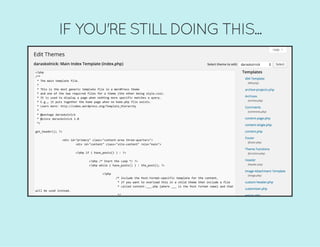
IF YOU'RE STILL DOING THIS...
WE NEED TO TALK.
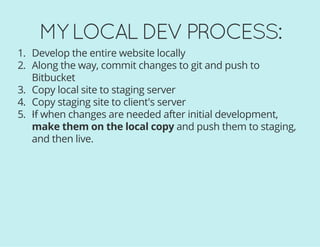
MY LOCAL DEV PROCESS:
1. Develop the entire website locally
2. Along the way, commit changes to git and push to
Bitbucket
3. Copy local site to staging server
4. Copy staging site to client's server
5. If when changes are needed after initial development,
make them on the local copy and push them to staging,
and then live.
MY LOCAL DEV PROCESS:
At no point am I ever making changes directly to the
live site.
When you make all changes on your local copy first, you
don't have to keep track of which codebase is the
latest/correct version.
MY LOCAL DEV
ENVIRONMENT OF CHOICE:
(Mac + Windows)MAMP/MAMP Pro
OTHER SIMILAR OPTIONS:
(Mac, Windows and Linux)
(Mac, Windows, Linux)
XAMPP
AMPPS
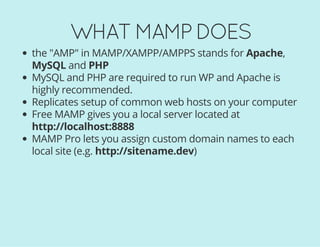
WHAT MAMP DOES
the "AMP" in MAMP/XAMPP/AMPPS stands for Apache,
MySQL and PHP
MySQL and PHP are required to run WP and Apache is
highly recommended.
Replicates setup of common web hosts on your computer
Free MAMP gives you a local server located at
http://localhost:8888
MAMP Pro lets you assign custom domain names to each
local site (e.g. http://sitename.dev)
SETTING UP YOUR FIRST
LOCAL WORDPRESS SITE
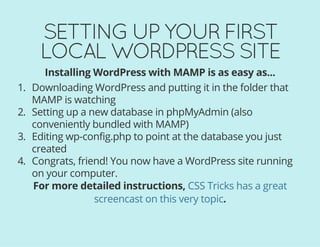
Installing WordPress with MAMP is as easy as...
1. Downloading WordPress and putting it in the folder that
MAMP is watching
2. Setting up a new database in phpMyAdmin (also
conveniently bundled with MAMP)
3. Editing wp-config.php to point at the database you just
created
4. Congrats, friend! You now have a WordPress site running
on your computer.
For more detailed instructions,
.
CSS Tricks has a great
screencast on this very topic
WORKFLOW
IMPROVEMENT #2
USING A STARTER THEME
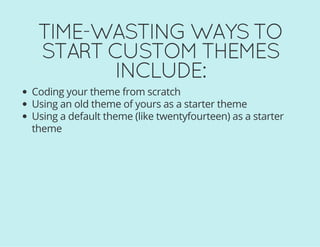
TIME-WASTING WAYS TO
START CUSTOM THEMES
INCLUDE:
Coding your theme from scratch
Using an old theme of yours as a starter theme
Using a default theme (like twentyfourteen) as a starter
theme
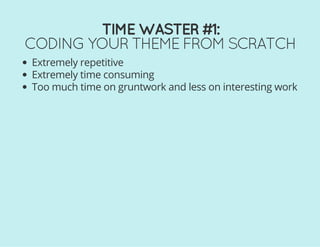
TIME WASTER #1:
CODING YOUR THEME FROM SCRATCH
Extremely repetitive
Extremely time consuming
Too much time on gruntwork and less on interesting work
TIME WASTERS #2 + 3:
USING A FINISHED THEME (YOURS OR
WP'S) AS YOUR STARTER THEME
Lots of time spent undoing old work (either yours or
someone else's)
Easy to make poor coding decisions based on
laziness/what's already there
Often end up with a lot of code bloat when stuff from the
old theme that's irrelevant to yours sticks around
THE BETTER WAY:
USE A REAL STARTER THEME!
A starter theme is a barebones theme that acts as a
foundation for your custom theme.
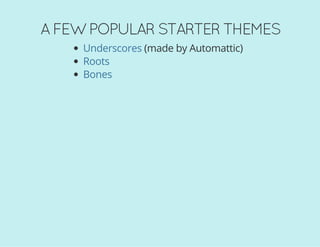
A FEW POPULAR STARTER THEMES
(made by Automattic)Underscores
Roots
Bones
UNDERSCORES STARTS OFF LIKE THIS:
BASIC FILE STRUCTURE IS TAKEN CARE
OF FOR YOU.
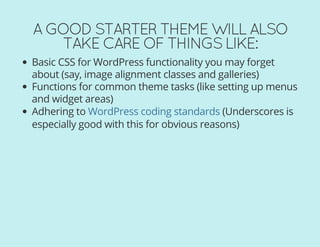
A GOOD STARTER THEME WILL ALSO
TAKE CARE OF THINGS LIKE:
Basic CSS for WordPress functionality you may forget
about (say, image alignment classes and galleries)
Functions for common theme tasks (like setting up menus
and widget areas)
Adhering to (Underscores is
especially good with this for obvious reasons)
WordPress coding standards
STARTER THEMES FTW!
THE TEDIOUS STUFF IS DONE FOR YOU
AND THERE'S LITTLE TO NO STYLING
TO UNDO.
WHAT IF I TOLD YOU WE COULD
TAKE THAT ONE STEP FURTHER?
THE BEST STARTER THEME...
IS YOUR OWN, PERSONALIZED STARTER
THEME!
No one knows your own coding style as well as you do.
MY STARTER THEME IS BASED ON
UNDERSCORES AND CONTAINS:
A customized functions.php file with all my commonly
used functions
A starter script.js file with a few starter functions that
most themes use
All my Sass partials set up as I like them with some useful
variables and mixins
My latest gulpfile.js and package.json (more on that in a
minute)
2 EXAMPLE FUNCTIONS IN MY CUSTOM
STARTER THEME'S FUNCTIONS.PHP FILE
/**
*Media-setdefaultimagelinklocationto'None'
*/
update_option('image_default_link_type','none');
/**
*AlwaysShowKitchenSinkinWYSIWYGEditor
*/
functionunhide_kitchensink($args){
$args['wordpress_adv_hidden']=false;
return$args;
}
add_filter('tiny_mce_before_init','unhide_kitchensink');
ANOTHER CUSTOM STARTER BONUS
You can bake in more accessibility feature than you'll find in
standard starters.
WHERE DO I KEEP MY STARTER THEME?
There's no better place to store your starter theme than
or .GitHub Bitbucket
NOW, STARTING A NEW WORDPRESS
PROJECT IS AS EASY AS:
1. Downloading WordPress and setting it up in
MAMP/XAMPP/AMPPS/thing that contains 'AMP'
2. Cloning your starter theme (or a fork of it) into /wp-
content/themes/
3. Logging into your new site's dashboard and activating
your starter theme
4. Git coding! Git it? Version control jokes are super cool.
NEVER USED GIT BEFORE?
NO WORRIES!
I'll be talking more about it a little later and will give you
some good starter resources.
WORKFLOW
IMPROVEMENT #3
GETTING A TASK RUNNER
TO DO THE BORING STUFF
SOME OF MY FAVOURITE
DEVELOPMENT TASKS INCLUDE:
Remembering which browser prefixes to use in CSS
Compressing my images
Linting and minifying JS files
Creating sprites
Constantly refreshing my browser
THE SOLUTION
/
WHAT ARE GRUNT AND
GULP?
Built on
$Runonthecommandline
Use plugins to run tasks
GRUNT OR GULP?
DEVS LOVE TO ARGUE
I PERSONALLY USE GULP.
YOU HAVE MY BLESSING TO USE
EITHER ONE.
GULP PERFORMS TASKS THAT YOU
CONFIGURE IN YOUR GULPFILE.JS.
YOUR PACKAGE.JSON FILE CONTAINS
A LIST OF YOUR PROJECT'S
DEPENDENCIES (AKA GULP PLUGINS).
GULP SHOULD RUN IN YOUR THEME
DIRECTORY, NOT IN THE ROOT
DIRECTORY OF YOUR WP
INSTALLATION.
MY STARTER THEME'S FILES
A FEW EXAMPLE GULP
TASKS
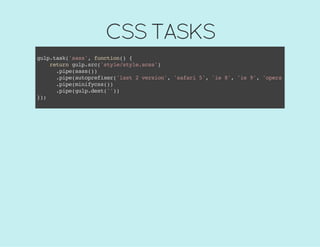
CSS TASKS
gulp.task('sass',function(){
returngulp.src('style/style.scss')
.pipe(sass())
.pipe(autoprefixer('last2version','safari5','ie8','ie9','opera12.1','ios
.pipe(minifycss())
.pipe(gulp.dest(''))
});
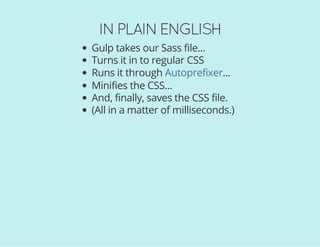
IN PLAIN ENGLISH
Gulp takes our Sass file...
Turns it in to regular CSS
Runs it through ...
Minifies the CSS...
And, finally, saves the CSS file.
(All in a matter of milliseconds.)
Autoprefixer
CSS TASKS
gulp.task('sass',function(){
returngulp.src('style/style.scss')
.pipe(sass())
.pipe(autoprefixer('last2version','safari5','ie8','ie9','opera12.1','ios
.pipe(minifycss())
.pipe(gulp.dest(''))
});
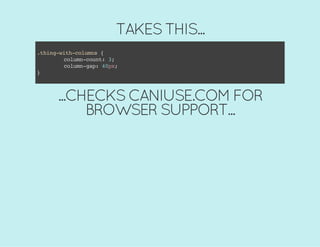
AUTOPREFIXER
TAKES THIS...
.thing-with-columns{
column-count:3;
column-gap:40px;
}
...CHECKS CANIUSE.COM FOR
BROWSER SUPPORT...
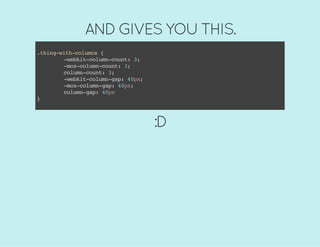
AND GIVES YOU THIS.
.thing-with-columns{
-webkit-column-count:3;
-moz-column-count:3;
column-count:3;
-webkit-column-gap:40px;
-moz-column-gap:40px;
column-gap:40px
}
:D
HOW TO RUN GULP TASKS
Type gulp [taskname]in your Terminal window.
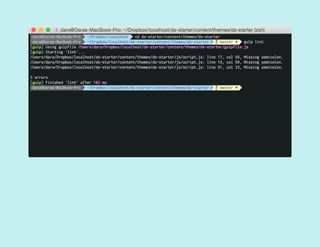
JAVASCRIPT LINTING
gulp.task('lint',function(){
returngulp.src('js/script.js')
.pipe(jshint())
.pipe(jshint.reporter('default'));
});
JS CONCATENATION +
MINIFICATION
gulp.task('scripts',function(){
returngulp.src(['js/plugins.js','js/script.js'])
.pipe(concat('script.min.js'))
.pipe(uglify())
.pipe(gulp.dest('js'));
});
IMAGE COMPRESSION
gulp.task('images',function(){
varimgSrc='img/source/*';
varimgDest='img';
returngulp.src(imgSrc)
.pipe(newer(imgDest))
.pipe(imagemin())
.pipe(gulp.dest(imgDest));
});
BUT I SAVED THE BEST TASK
FOR LAST
TYPING GULPSASS, GULPLINT, GULP
SCRIPTS, AND GULPIMAGES OVER AND
OVER WOULD SURE GET ANNOYING,
RIGHT?
MY BFF, THE WATCH TASK
gulp.task('watch',function(){
//Listenonport35729
server.listen(35729,function(err){
if(err){
returnconsole.log(err)
};
//Watch.jsfiles
gulp.watch('js/*.js',['lint','scripts']);
//Watch.scssfiles
gulp.watch('**/*.scss',['sass']);
//Watchimagefiles
gulp.watch('img/source/*',['images']);
});
});
WATCHES FOR YOUR CHANGES...
...RUNS THE APPROPRIATE TASKS...
... AND USES LIVERELOAD TO
AUTOMATICALLY REFRESH YOUR
BROWSER.
BUT... WHAT IF I'M SCARED
OF THE COMMAND LINE?
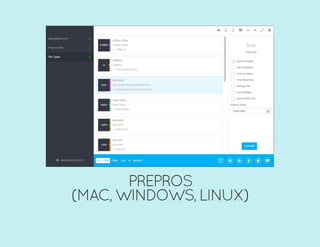
CODEKIT (MAC ONLY)
PREPROS
(MAC, WINDOWS, LINUX)
GUIS CAN BE A GREAT PLACE TO START
LIKE GULP/GRUNT, CODEKIT/PREPROS
ALSO WATCHES YOUR THEME
DIRECTORY
GULP RESOURCES
Getting started with gulp
An Introduction to Gulp.js
Using Gulp for WordPress Theme Development
WordPress theme development with Gulp, Bower, and
Sass
WORKFLOW
IMPROVEMENT #4
CSS PREPROCESSING
♥
♥♥
♥
VARIABLES
PLAIN OL' CSS
.container{
max-width:980px;
}
a{
color:#b4c43d;
font-family:'GothamA','GothamB',sans-serif;
}
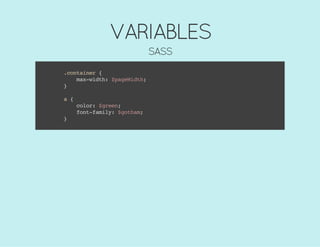
VARIABLES
SASS
//Fonts
$gotham:'GothamA','GothamB',sans-serif;
//Globalinformation
$pageWidth:980px;
$fontSize:16px;
//Colours
$green:#b4c43d;
$teal:#73c6ba;
$brown:#563016;
VARIABLES
SASS
.container{
max-width:$pageWidth;
}
a{
color:$green;
font-family:$gotham;
}
NESTING
PLAIN OL' CSS
.main-navigation{
display:block;
}
.main-navigationul{
list-style:none;
}
.main-navigationli{
float:left;
}
.main-navigationa{
color:#b4c43d;
}
.main-navigationa:hover{
color:#73c6ba;
}
NESTING
SASS
.main-navigation{
display:block;
ul{
list-style:none;
}
li{
float:left;
}
a{
color:$green;
&:hover{
color:$teal;
}
}
}
PARTIALS
DIVIDE YOUR STYLES INTO LOGICAL
SECTIONS
PARTIALS
/*!
ThemeName:SuperAwesomeTheme
ThemeURI:http://fakeyfake.fake
Author:DaraSkolnick
AuthorURI:http://daraskolnick.com
Description:Thefakestthemeinalltheland
*/
@import"partials/reset";
@import"partials/variables";
@import"partials/global";
@import"partials/forms";
@import"partials/nav";
@import"partials/pages";
@import"partials/posts";
@import"partials/widgets";
MATH
PLAIN OL' CSS
.sidebar{
width:36.734693878%;/*360px/980px*/
font-size:1.3125em;/*21px/16px*/
}
MATH
SASS
.sidebar{
width:360px/980px*100%;
font-size:21px/16px*1em;
}
MATH
SASS
.sidebar{
width:360px/$pageWidth*100%;
font-size:20px/$fontSize*1em;
}
WORKFLOW
IMPROVEMENT #5
DEPLOYING WITH GIT
BEFORE GIT...
...DEPLOYING SITES AND MAKING
CHANGES VIA FTP WAS A BIG PAIN.
HEY! WHAT'S WRONG WITH
FTP?
SO GLAD YOU ASKED!
Sooooo slow
Easy to forget which files need updating
Tempting to make changes directly on the server
Therefore easy to get your local + remote copies out of
sync
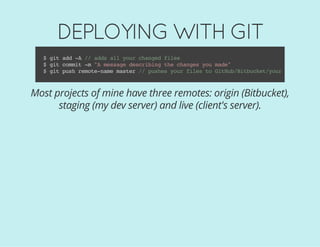
DEPLOYING WITH GIT
$gitadd-A//addsallyourchangedfiles
$gitcommit-m"Amessagedescribingthechangesyoumade"
$gitpushremote-namemaster//pushesyourfilestoGitHub/Bitbucket/yoursite
Most projects of mine have three remotes: origin (Bitbucket),
staging (my dev server) and live (client's server).
THIS IS AWESOME BECAUSE:
Really easy (once you're used to it)
Very quick
Never have to remember which files you changed
OKAY, SO HOW DO I SET IT UP?
A FEW OPTIONS
1. Choose a host with Git support built in (e.g. )
2. If you're using a more average host, use a service like
or that FTPs changed files for you when
you push to Git
3. If your web host allows SSH access, set it up yourself via
command line (e.g. , )
WP Engine
Deploy Beanstalk
Hostgator Bluehost
BUT I HAVE NO IDEA HOW
TO USE GIT - HOW DO I
START?
RESOURCES FOR BEGINNERS:
Learn Version Control with Git
git - the simple guide
tryGit
WORDPRESS-SPECIFIC GIT
RESOURCES
Version Controlling WordPress
A WordPress & Git Workflow
WordPress Development and Deployment With MAMP,
Git and Dropbox
IF GUIS ARE MORE YOUR STYLE
/ (free, and can be
used with non-GitHub remotes)
($, Mac only)
GitHub for Mac GitHub for Windows
Tower
IF DEPLOYING WITH GIT SEEMS TOO
COMPLEX FOR NOW...
Consider storing your client projects in private repositories
to start.
Builds good habits and makes it easier to collaborate with
other developers.
MY BITBUCKET ACCOUNT - PUBLIC VIEW
MY BITBUCKET ACCOUNT - LOGGED IN
YOU MIGHT BE FEELING LIKE THIS
RIGHT NOW
FEELING OVERWHELMED?
Don't worry about doing everything at once
Even the smallest workflow tweaks will save time
THANKS!
ANY QUESTIONS?
@DARASKOLNICK
DARASKOLNICK.COM

Levelling up your WordPress development workflow