Posting and Sharing Materials on Blogs in
Safe and Responsible Manner
CHERRIE ANN A. DELA CRUZ
BLOGS
Blog, also known as weblog, is a personal online
journal that contains short entries written and
updated by an individual called a blogger. It is an
individualized web communication tool that
allows quick and easy publishing of text, photos,
voice updates, artwork, or links to other websites
or other blogs.
TYPES OF BLOGS
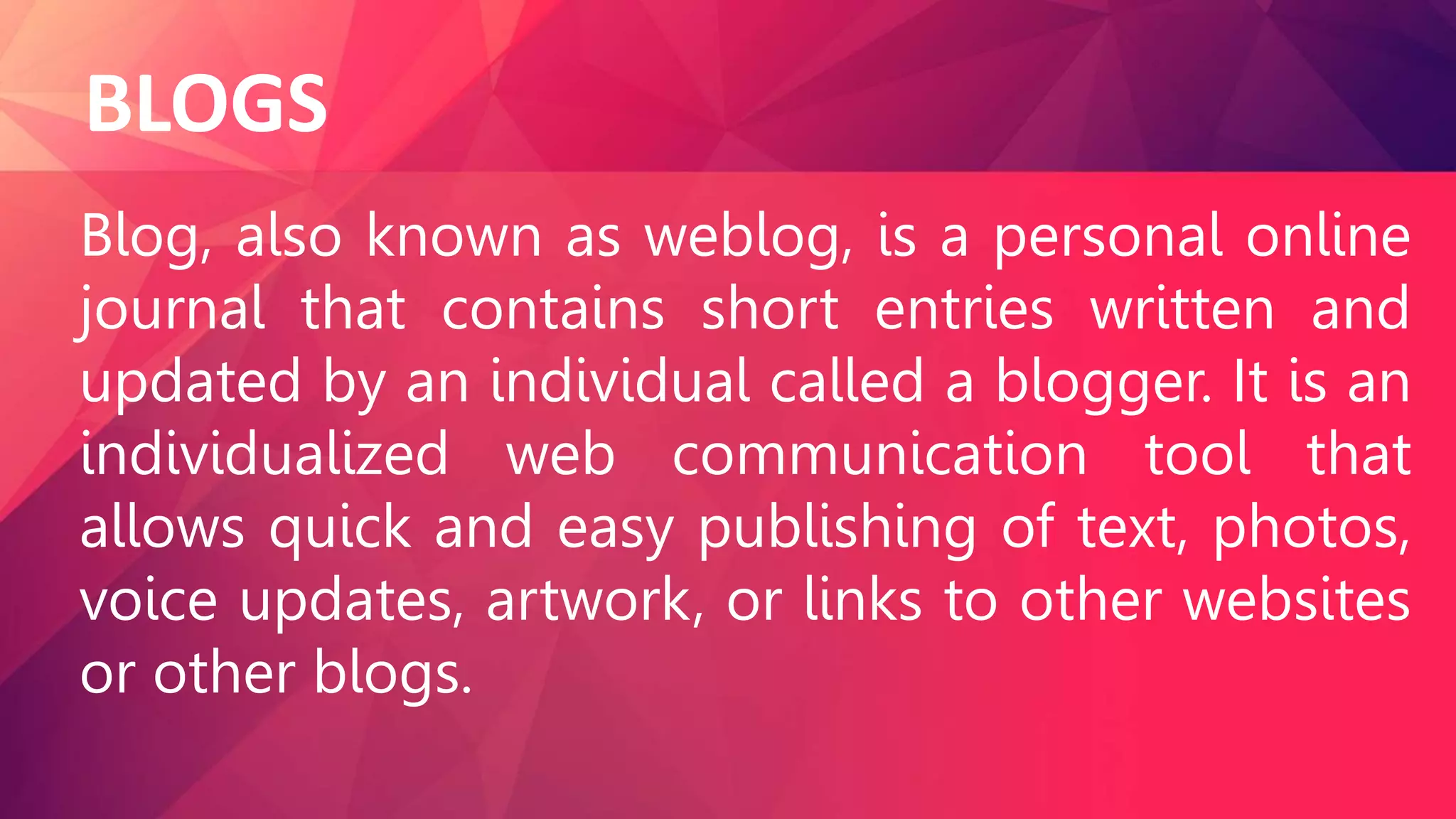
1. Personal. It includes blogs about personal
topics such as travel, music, health, among
others.
TYPES OF BLOGS
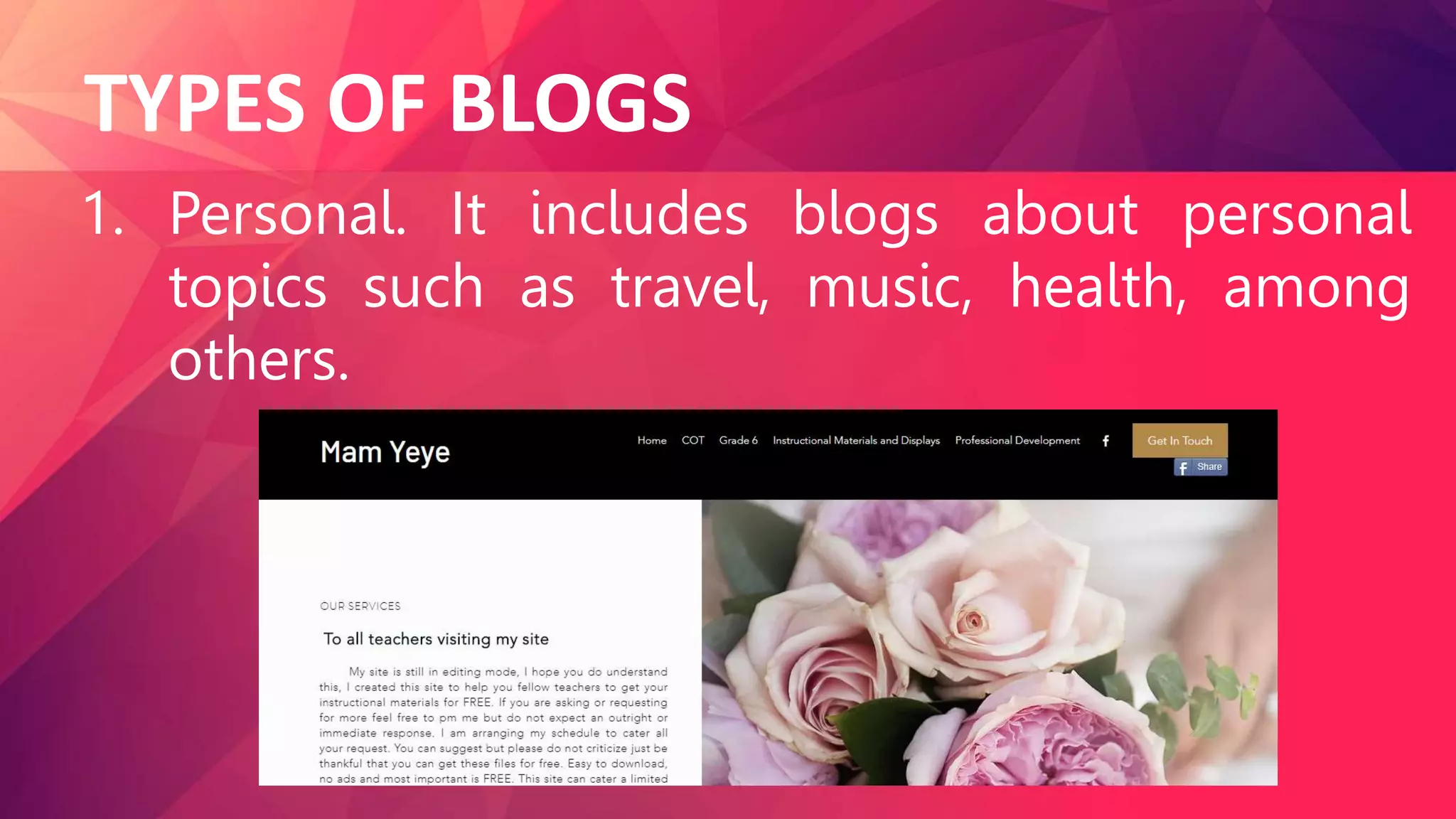
2. Business.
Professionals use this
platform to share their
expertise and
companies use blog to
have a more personal
engagement to their
customers.
#Google photos
TYPES OF BLOGS
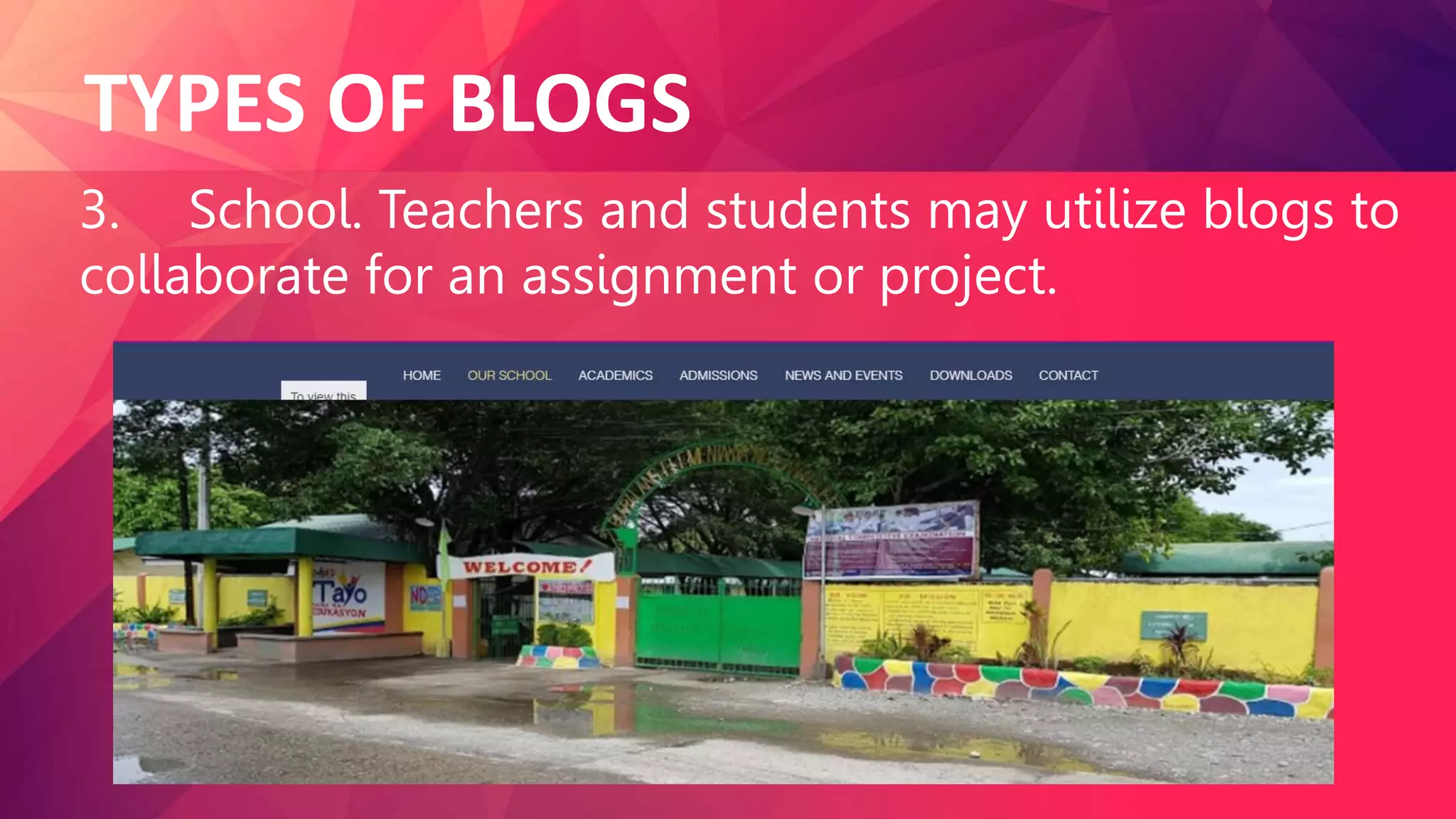
3. School. Teachers and students may utilize blogs to
collaborate for an assignment or project.
TYPES OF BLOGS
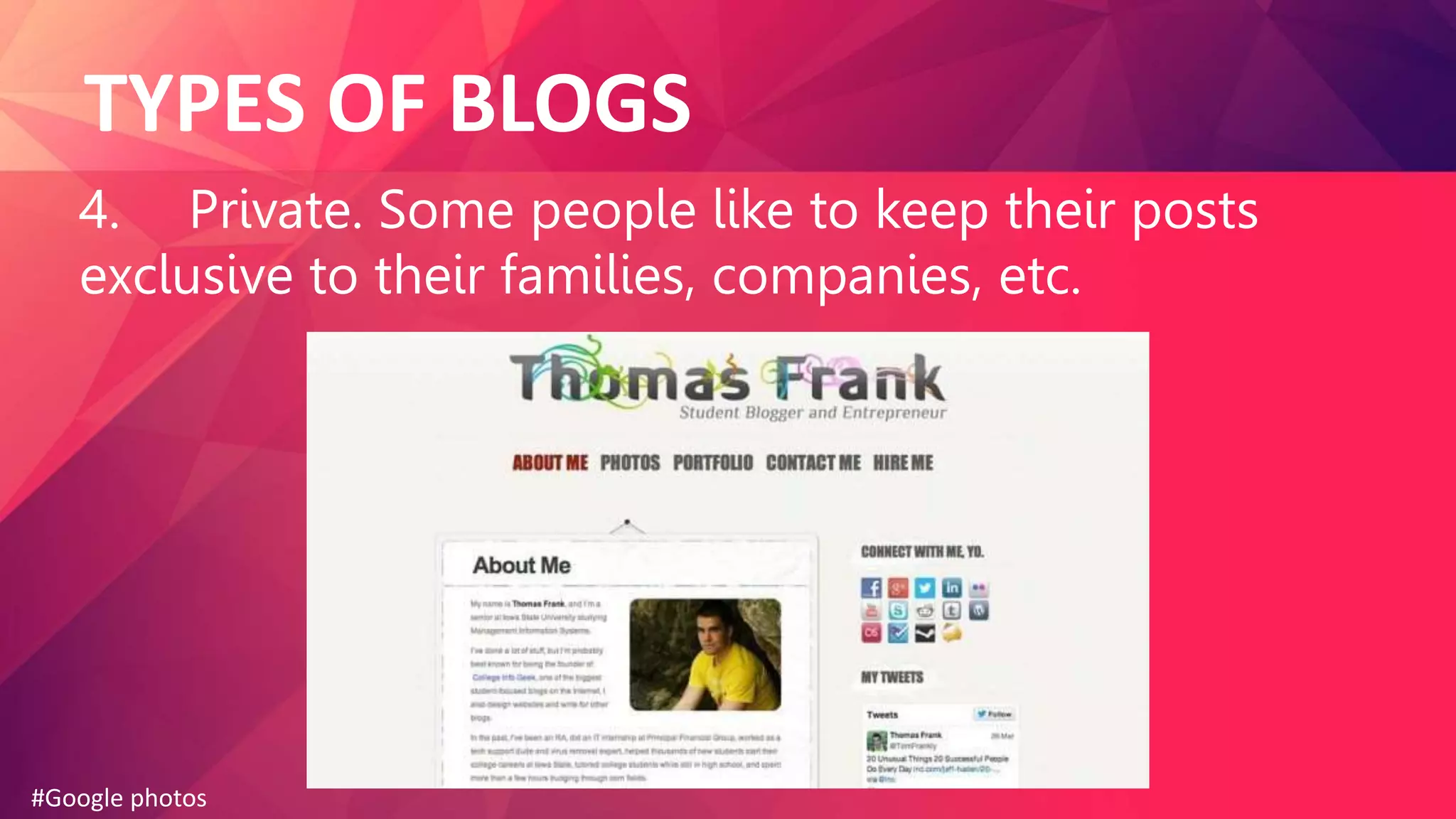
4. Private. Some people like to keep their posts
exclusive to their families, companies, etc.
#Google photos
TYPES OF BLOGS
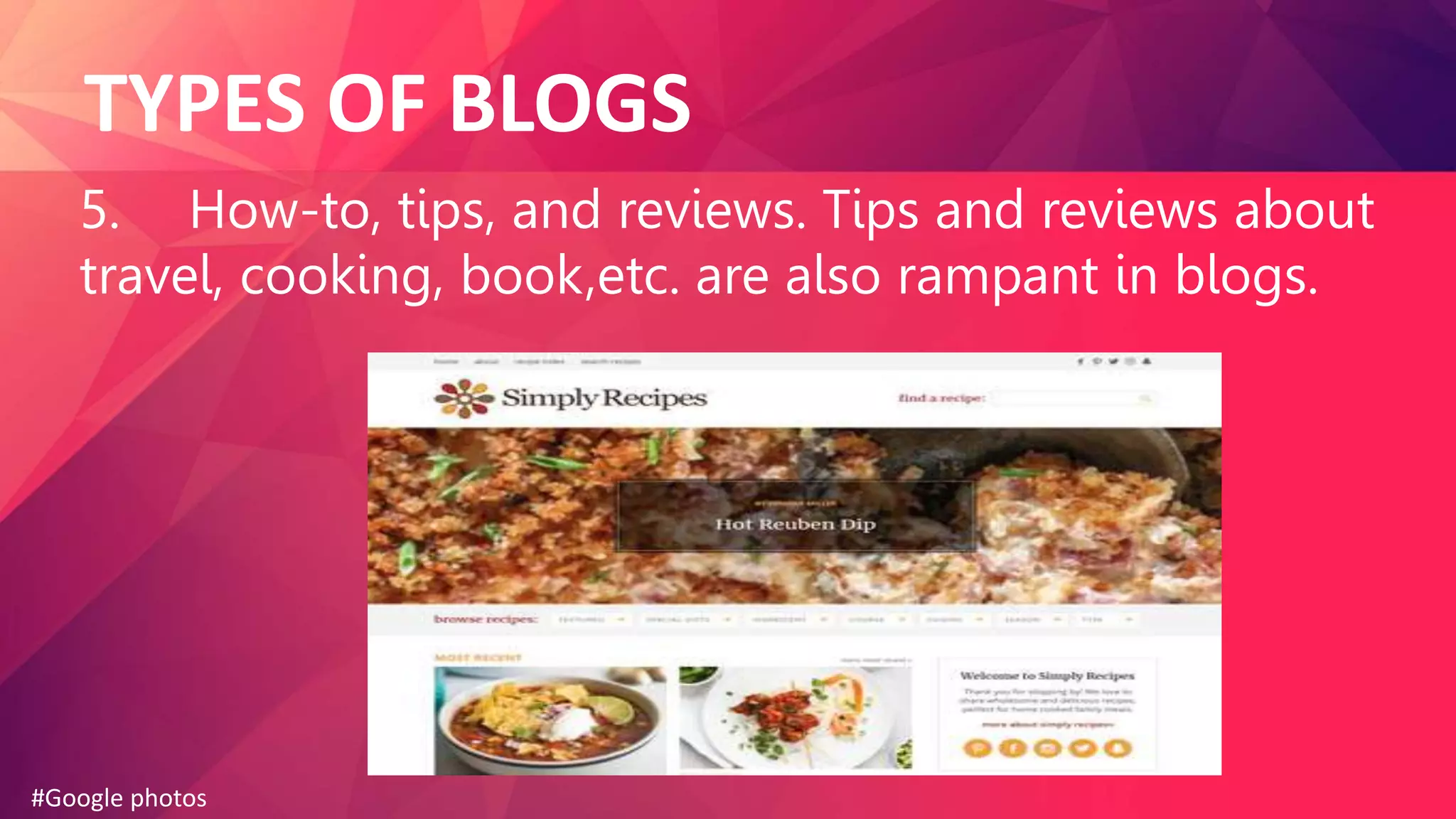
5. How-to, tips, and reviews. Tips and reviews about
travel, cooking, book,etc. are also rampant in blogs.
#Google photos
IMPORTANCE OF STARTING A BLOG
1. Blogging provides opportunities
to share thoughts, feelings, opinions,
and experiences.
#Google photos
IMPORTANCE OF STARTING A BLOG
2. Blogging is fun and gives
bloggers the chance to develop
creativity. Many successful bloggers
have fun posting unique and creative
ideas.
#Google photos
IMPORTANCE OF STARTING A BLOG
3. Blogging is an effective way of
staying active, updated, and
knowledgeable in a field or topic.
#Google photos
IMPORTANCE OF STARTING A BLOG
4. Blogging offers a perfect opportunity
for friends and families to stay connected
using the internet. It allows friends and
families to share personal stories ,
photos, videos, and more information.
#Google photos
IMPORTANCE OF STARTING A BLOG
5. Blogging is an influential tool that will
help businesses promote their products
and services. It can help in building a
stronger relationship with customers and
promote them to become loyal
patronizers.
#Google photos
CREATING A BLOG POST
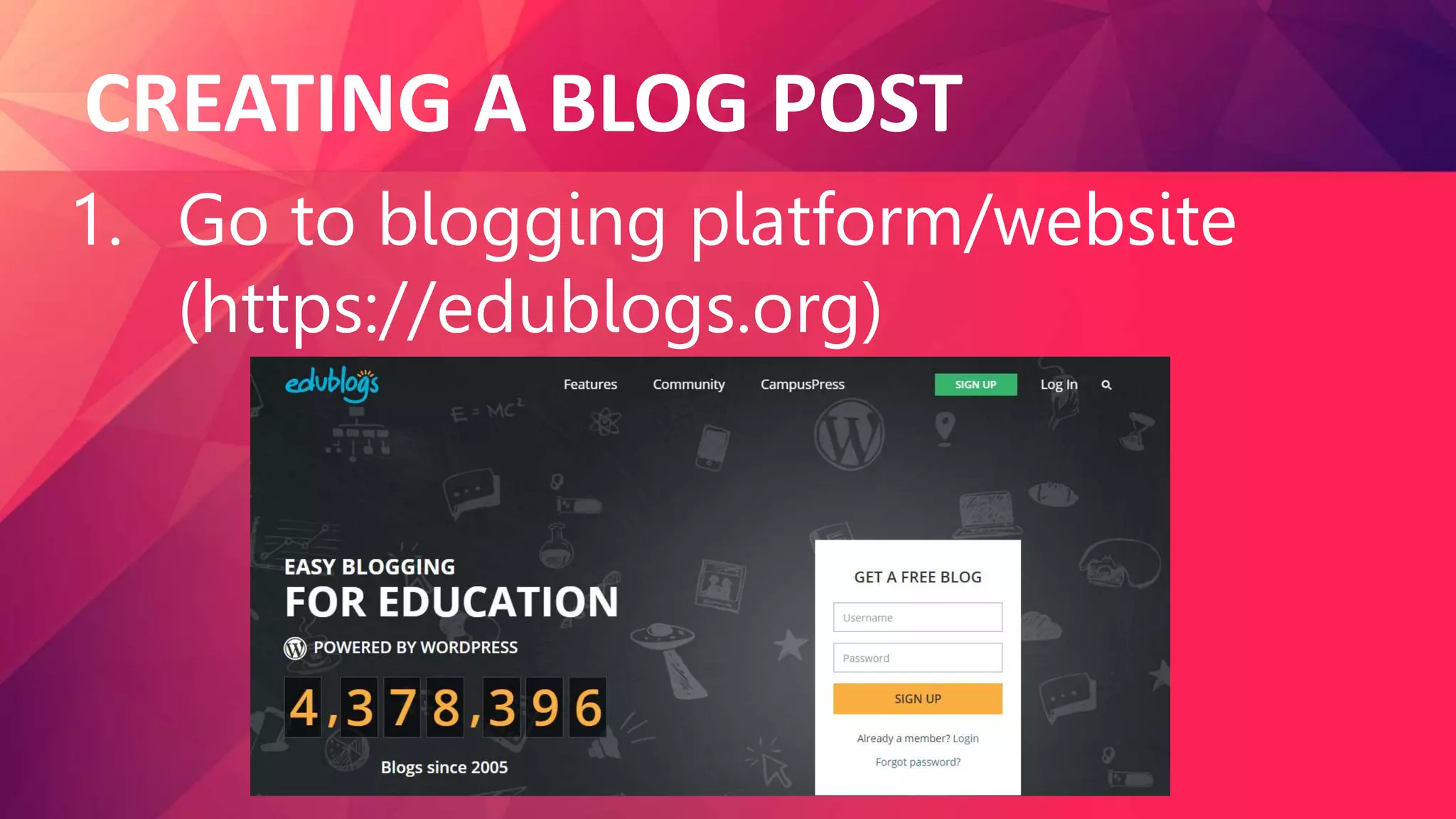
1. Go to blogging platform/website
(https://edublogs.org)
CREATING A BLOG POST
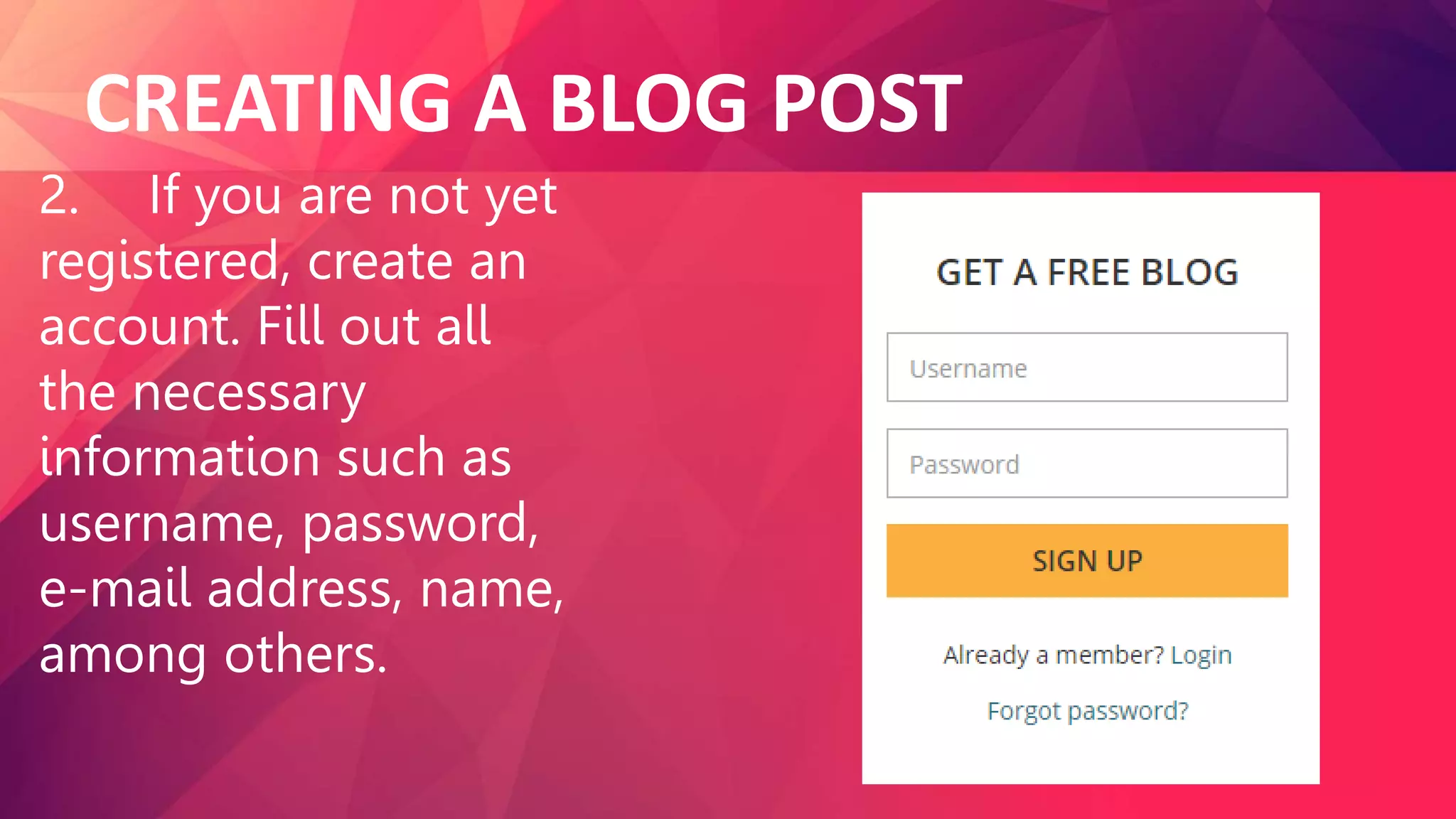
2. If you are not yet
registered, create an
account. Fill out all
the necessary
information such as
username, password,
e-mail address, name,
among others.
CREATING A BLOG POST
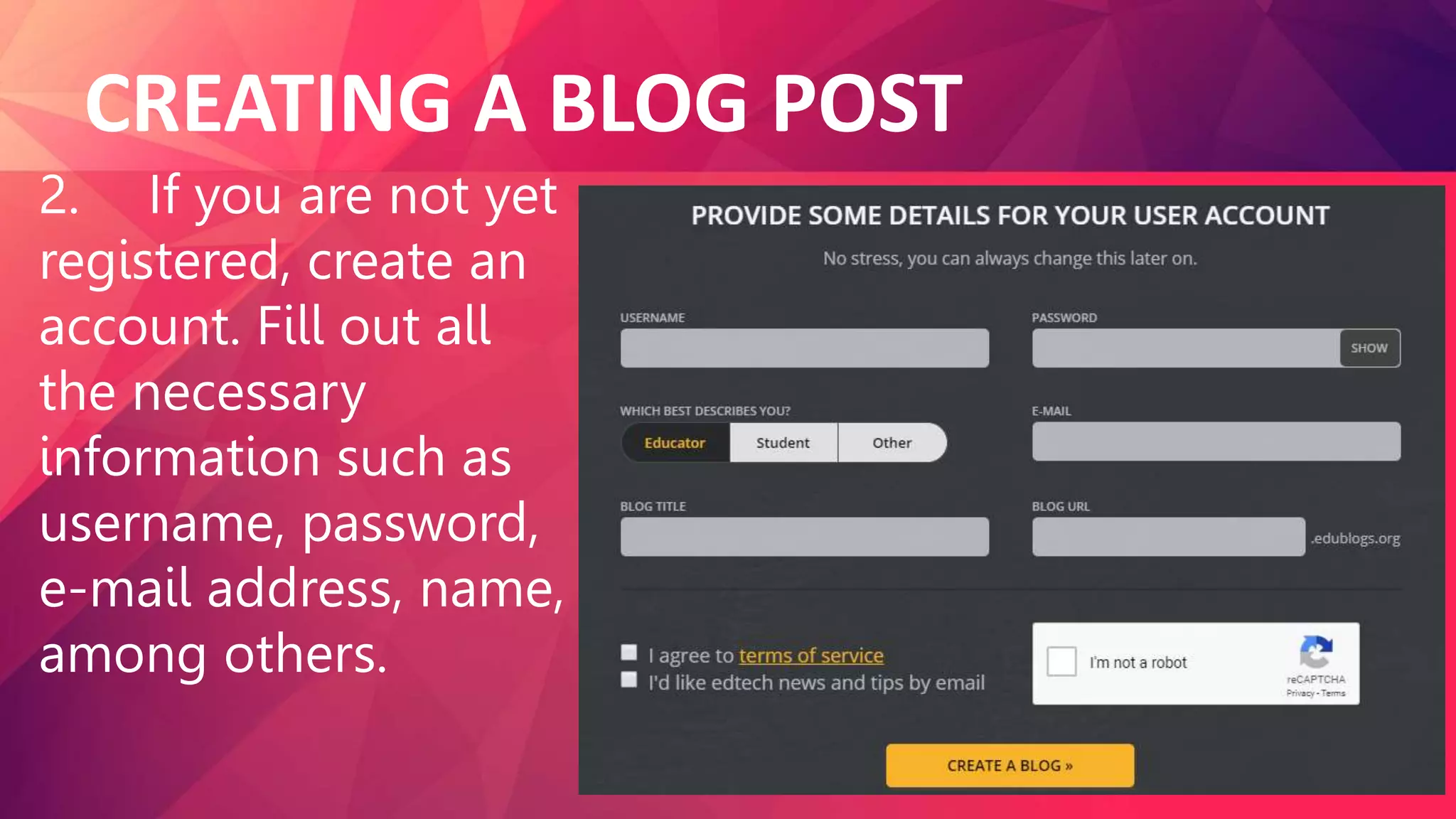
2. If you are not yet
registered, create an
account. Fill out all
the necessary
information such as
username, password,
e-mail address, name,
among others.
CREATING A BLOG POST
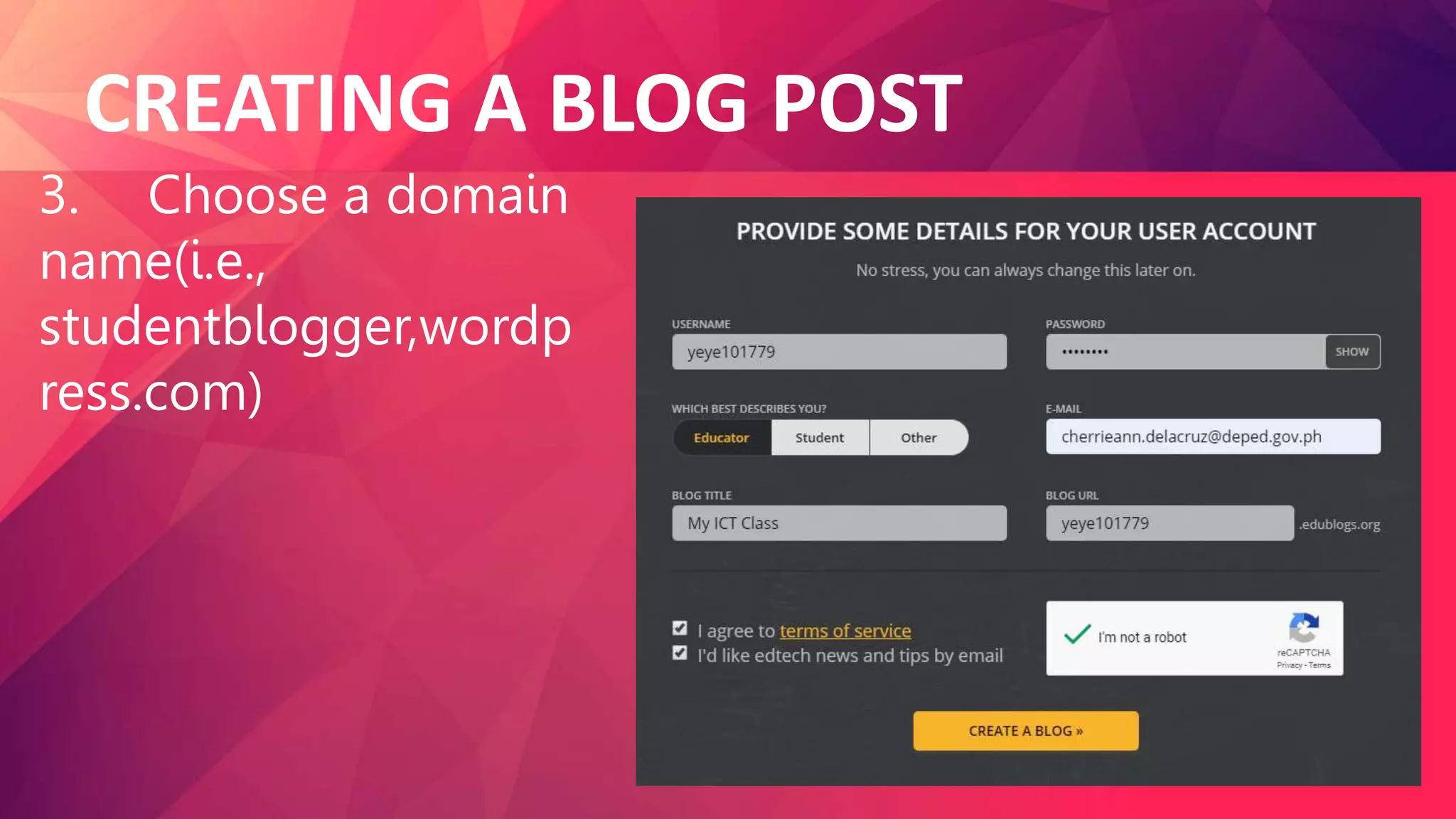
3. Choose a domain
name(i.e.,
studentblogger,wordp
ress.com)
CREATING A BLOG POST
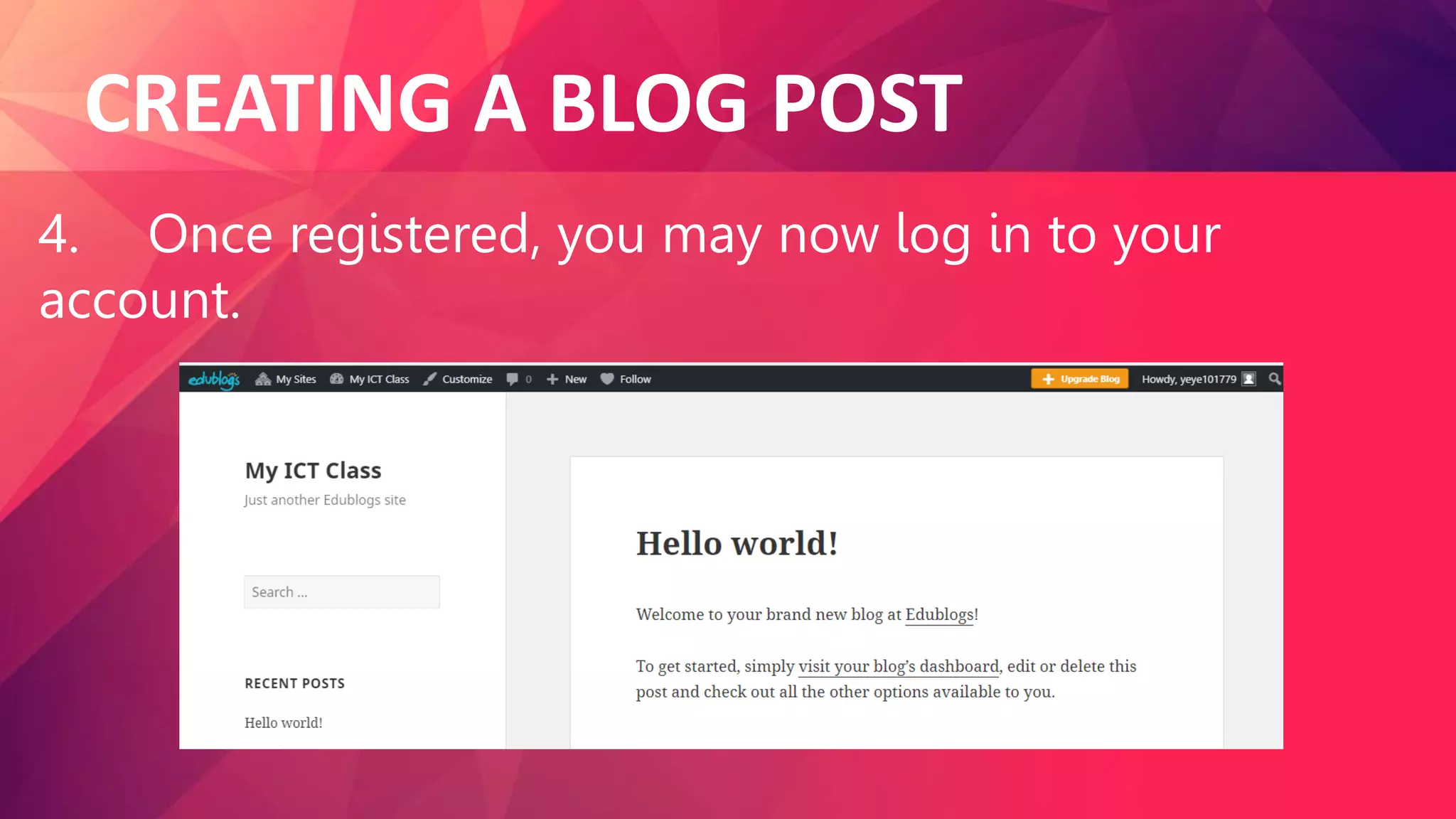
4. Once registered, you may now log in to your
account.
CREATING A BLOG POST
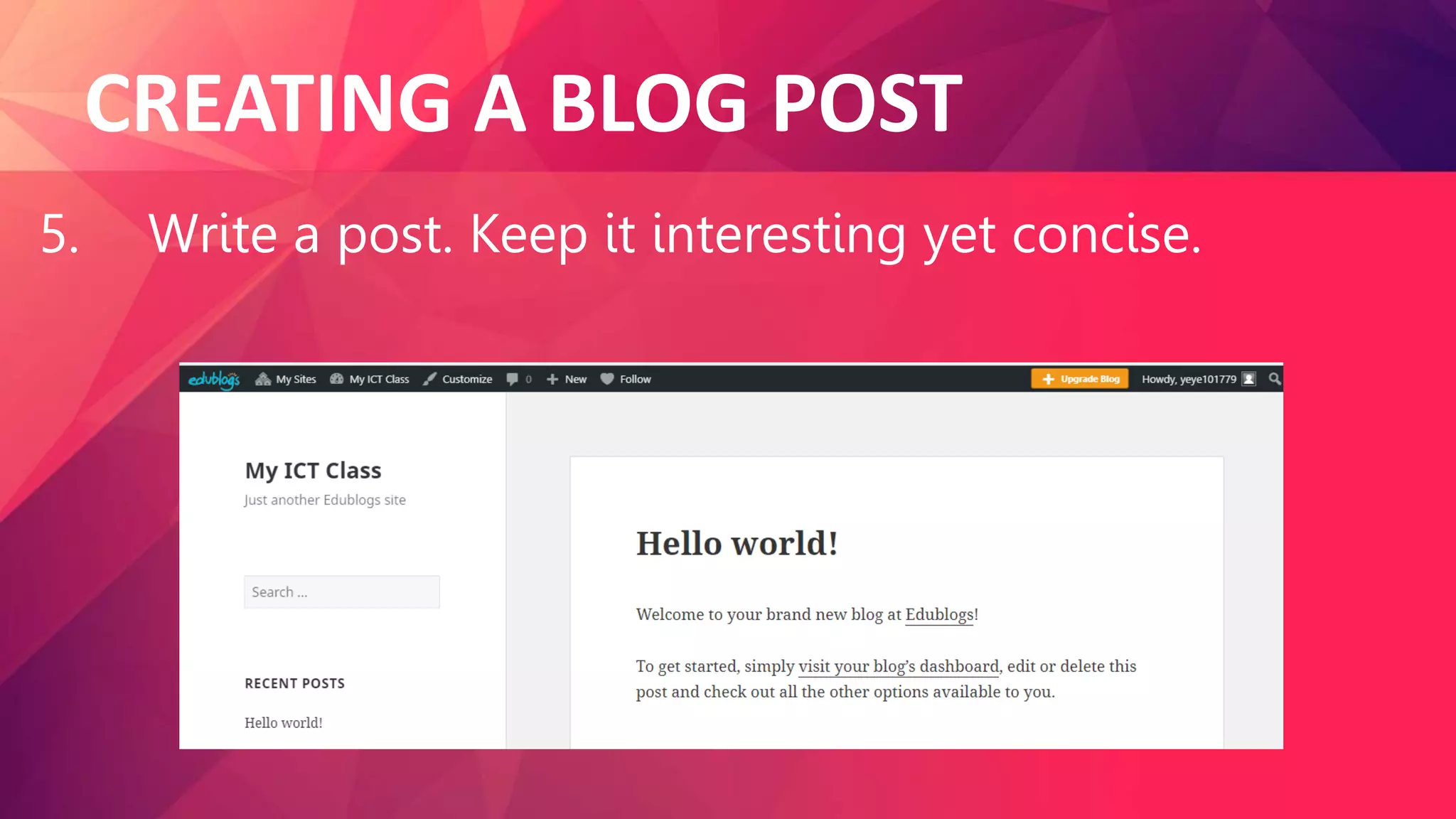
5. Write a post. Keep it interesting yet concise.
CREATING A BLOG POST
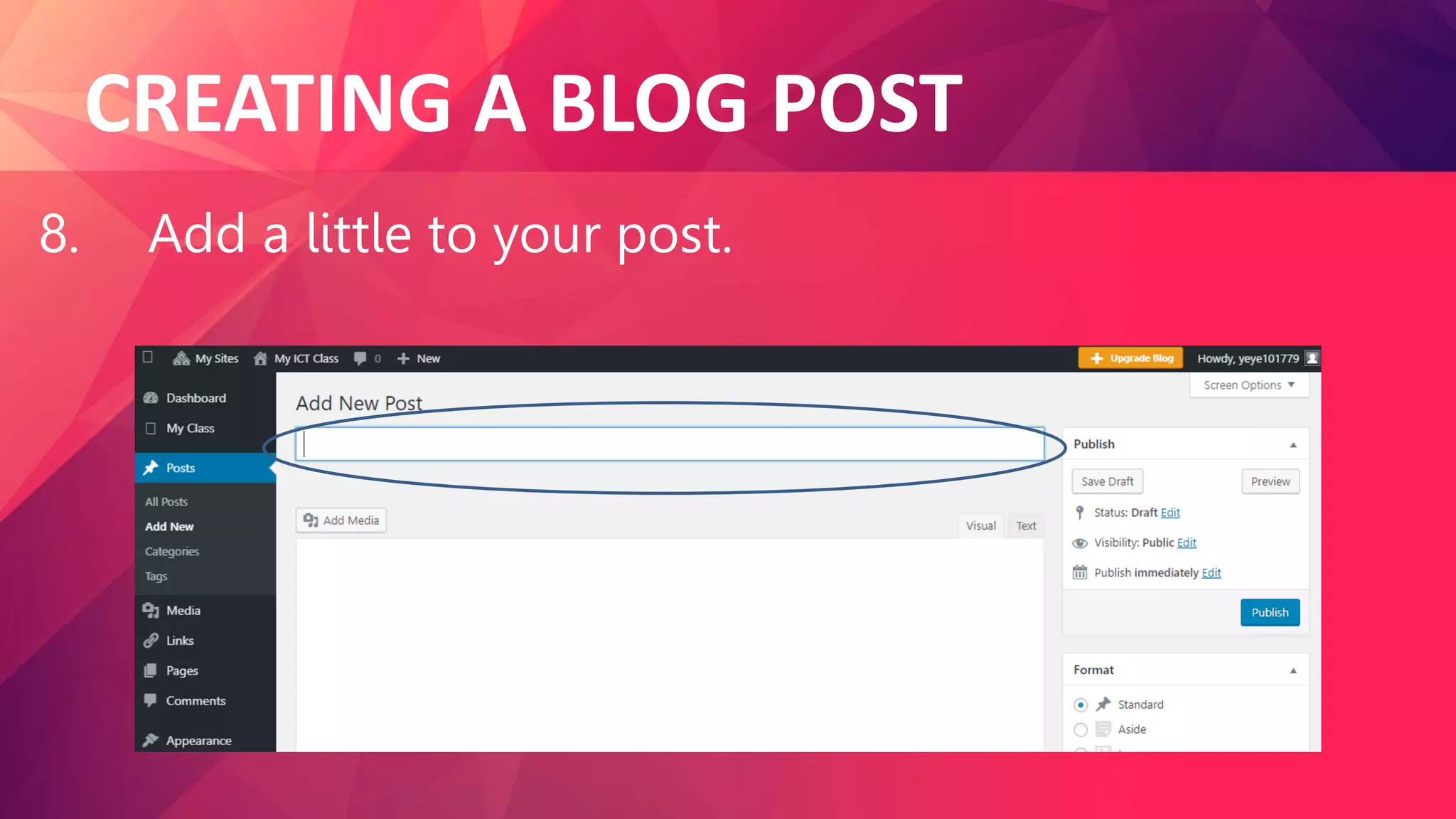
8. Add a little to your post.
CREATING A BLOG POST
9. Check your grammar, spelling and
punctuation used.
CREATING A BLOG POST
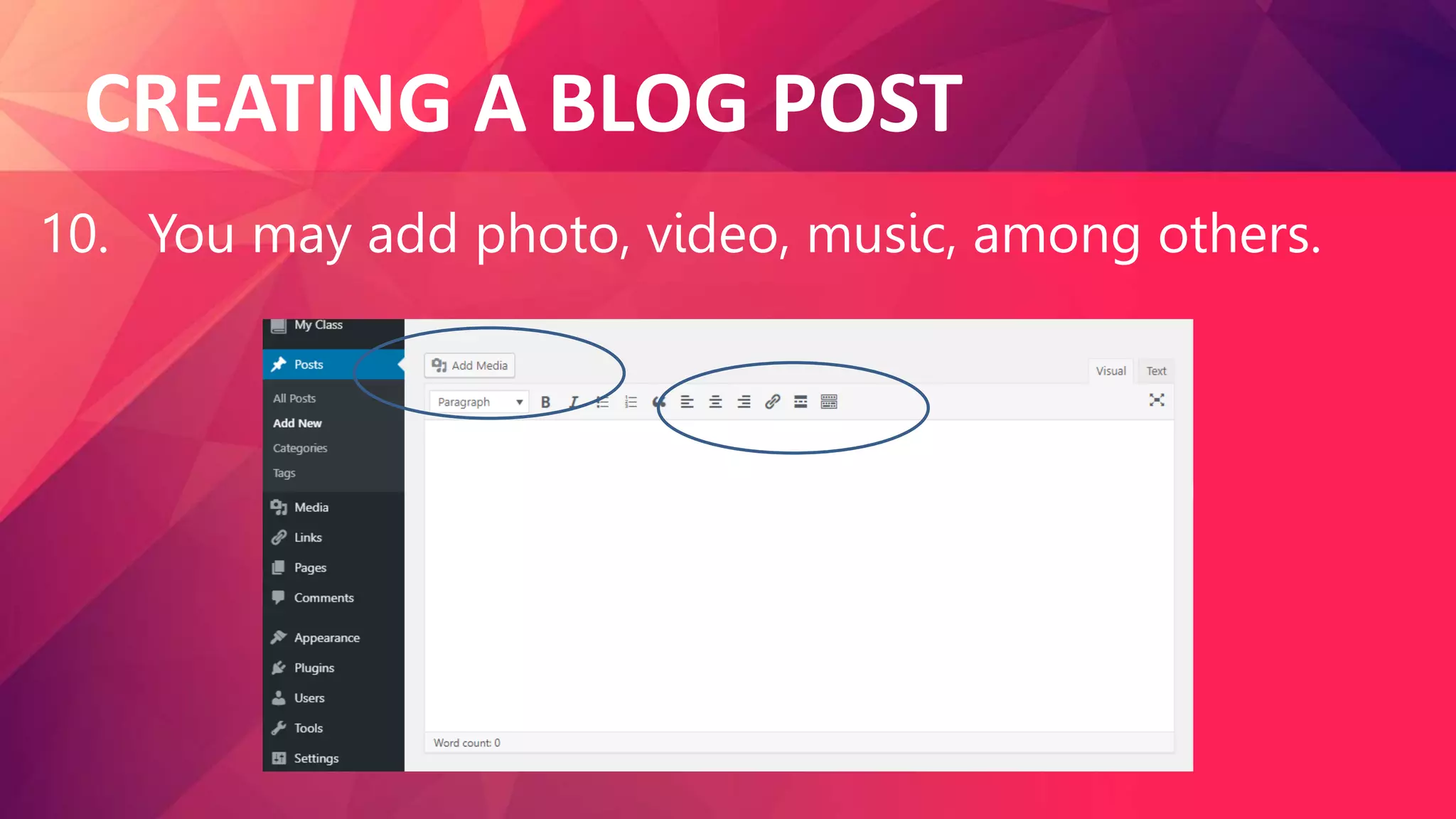
10. You may add photo, video, music, among others.
CREATING A BLOG POST
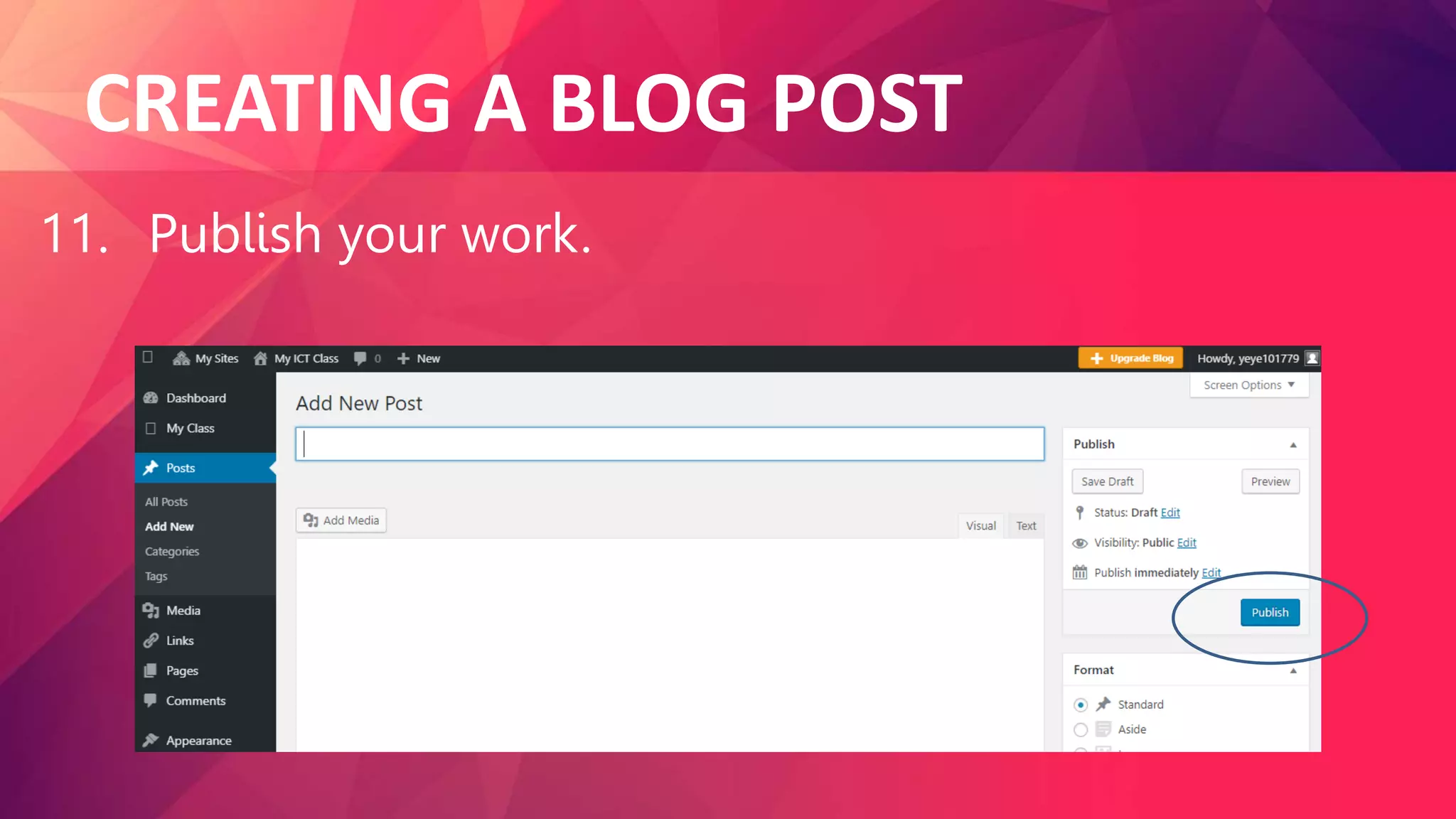
11. Publish your work.
Blogging Dos and Don’ts
1. Always ask permission if you are going to use files
created and owned by others that includes photos,
audio, video clips, images, etc.
Blogging Dos and Don’ts
2. Write respectfully. You may use a conversational or
friendly tone, but still be professional. Do not post
anything that is offensive in nature.
Blogging Dos and Don’ts
3. Write objectively. Write about the things that
inspire you but do not be too subjective. Always back
up opinions and suggestions with facts.
Blogging Dos and Don’ts
4. Choose exciting, timely, and informative topics.
However, do not write just, to appeal to the masses.
Write about topics that are interesting, well-organized,
unique, and entertaining.
Blogging Dos and Don’ts
5. Do not post your personal information.
Blogging Dos and Don’ts
6. Do not make any personal attack on anybody.
Avoid bashing people you do not like. Instead use your
blog for doing positive activities.
LET’s ANSWER
1. What is a blog?
2. What are the types of blog?
3. Give the importance of starting a blog.
4. How do we create a blog post?
5. Explain the Dos and Don’ts in blogging.
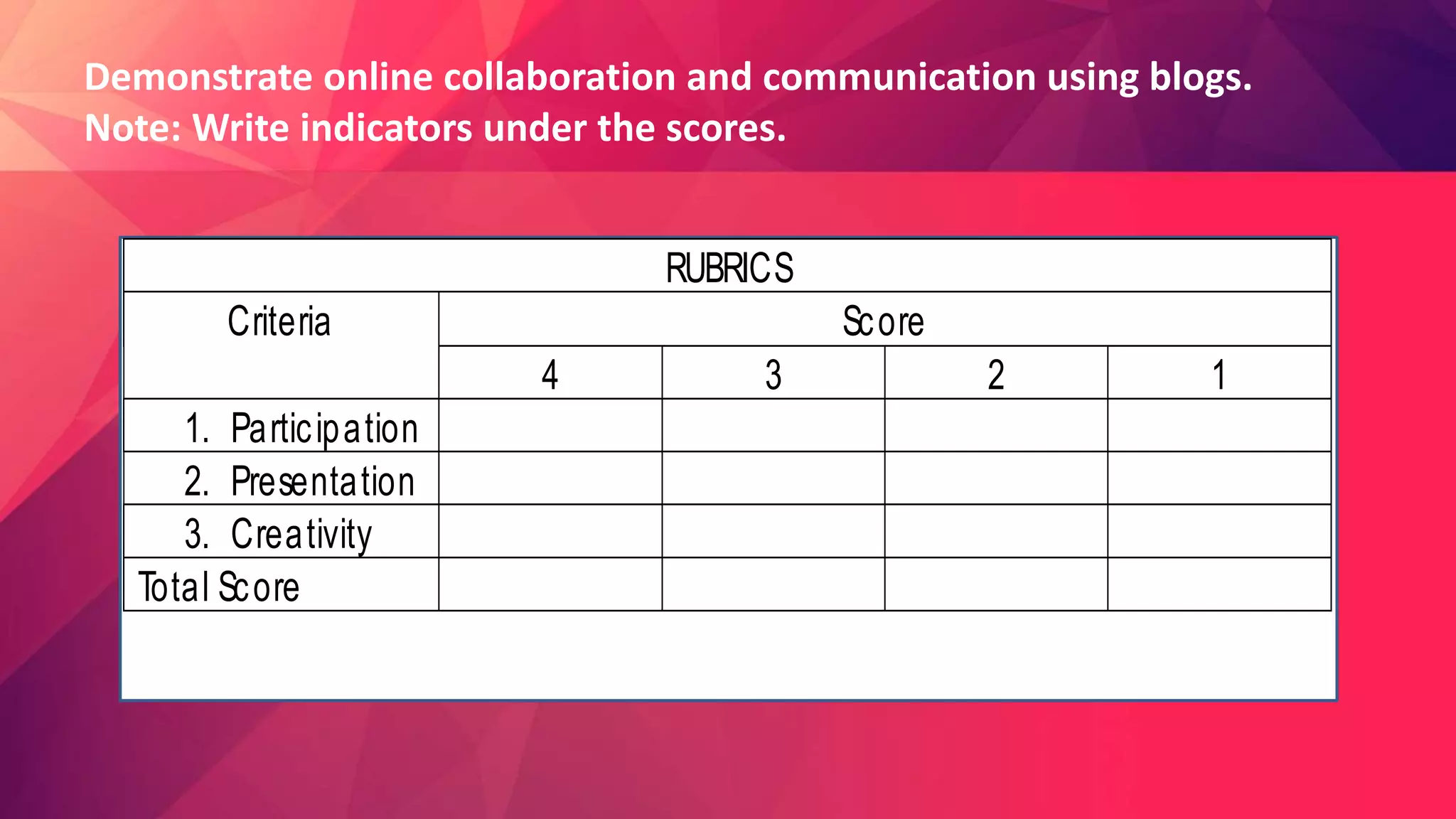
Demonstrate online collaboration and communication using blogs.
Note: Write indicators under the scores.
RUBRICS
Criteria Score
4 3 2 1
1. Participation
2. Presentation
3. Creativity
Total Score

Lesson 5 Posting and Sharing Materials o.pptx

  • 1.
    Posting and SharingMaterials on Blogs in Safe and Responsible Manner CHERRIE ANN A. DELA CRUZ
  • 2.
    BLOGS Blog, also knownas weblog, is a personal online journal that contains short entries written and updated by an individual called a blogger. It is an individualized web communication tool that allows quick and easy publishing of text, photos, voice updates, artwork, or links to other websites or other blogs.
  • 3.
    TYPES OF BLOGS 1.Personal. It includes blogs about personal topics such as travel, music, health, among others.
  • 4.
    TYPES OF BLOGS 2.Business. Professionals use this platform to share their expertise and companies use blog to have a more personal engagement to their customers. #Google photos
  • 5.
    TYPES OF BLOGS 3.School. Teachers and students may utilize blogs to collaborate for an assignment or project.
  • 6.
    TYPES OF BLOGS 4.Private. Some people like to keep their posts exclusive to their families, companies, etc. #Google photos
  • 7.
    TYPES OF BLOGS 5.How-to, tips, and reviews. Tips and reviews about travel, cooking, book,etc. are also rampant in blogs. #Google photos
  • 8.
    IMPORTANCE OF STARTINGA BLOG 1. Blogging provides opportunities to share thoughts, feelings, opinions, and experiences. #Google photos
  • 9.
    IMPORTANCE OF STARTINGA BLOG 2. Blogging is fun and gives bloggers the chance to develop creativity. Many successful bloggers have fun posting unique and creative ideas. #Google photos
  • 10.
    IMPORTANCE OF STARTINGA BLOG 3. Blogging is an effective way of staying active, updated, and knowledgeable in a field or topic. #Google photos
  • 11.
    IMPORTANCE OF STARTINGA BLOG 4. Blogging offers a perfect opportunity for friends and families to stay connected using the internet. It allows friends and families to share personal stories , photos, videos, and more information. #Google photos
  • 12.
    IMPORTANCE OF STARTINGA BLOG 5. Blogging is an influential tool that will help businesses promote their products and services. It can help in building a stronger relationship with customers and promote them to become loyal patronizers. #Google photos
  • 13.
    CREATING A BLOGPOST 1. Go to blogging platform/website (https://edublogs.org)
  • 14.
    CREATING A BLOGPOST 2. If you are not yet registered, create an account. Fill out all the necessary information such as username, password, e-mail address, name, among others.
  • 15.
    CREATING A BLOGPOST 2. If you are not yet registered, create an account. Fill out all the necessary information such as username, password, e-mail address, name, among others.
  • 16.
    CREATING A BLOGPOST 3. Choose a domain name(i.e., studentblogger,wordp ress.com)
  • 17.
    CREATING A BLOGPOST 4. Once registered, you may now log in to your account.
  • 18.
    CREATING A BLOGPOST 5. Write a post. Keep it interesting yet concise.
  • 19.
    CREATING A BLOGPOST 8. Add a little to your post.
  • 20.
    CREATING A BLOGPOST 9. Check your grammar, spelling and punctuation used.
  • 21.
    CREATING A BLOGPOST 10. You may add photo, video, music, among others.
  • 22.
    CREATING A BLOGPOST 11. Publish your work.
  • 23.
    Blogging Dos andDon’ts 1. Always ask permission if you are going to use files created and owned by others that includes photos, audio, video clips, images, etc.
  • 24.
    Blogging Dos andDon’ts 2. Write respectfully. You may use a conversational or friendly tone, but still be professional. Do not post anything that is offensive in nature.
  • 25.
    Blogging Dos andDon’ts 3. Write objectively. Write about the things that inspire you but do not be too subjective. Always back up opinions and suggestions with facts.
  • 26.
    Blogging Dos andDon’ts 4. Choose exciting, timely, and informative topics. However, do not write just, to appeal to the masses. Write about topics that are interesting, well-organized, unique, and entertaining.
  • 27.
    Blogging Dos andDon’ts 5. Do not post your personal information.
  • 28.
    Blogging Dos andDon’ts 6. Do not make any personal attack on anybody. Avoid bashing people you do not like. Instead use your blog for doing positive activities.
  • 29.
    LET’s ANSWER 1. Whatis a blog? 2. What are the types of blog? 3. Give the importance of starting a blog. 4. How do we create a blog post? 5. Explain the Dos and Don’ts in blogging.
  • 30.
    Demonstrate online collaborationand communication using blogs. Note: Write indicators under the scores. RUBRICS Criteria Score 4 3 2 1 1. Participation 2. Presentation 3. Creativity Total Score