1
Lex – A tool for lexical
analysis
Lexical Analysis
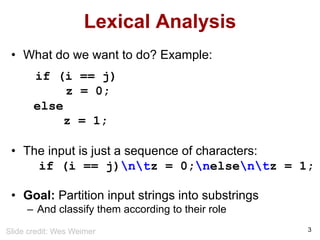
• What do we want to do? Example:
if (i == j)
z = 0;
else
z = 1;
• The input is just a sequence of characters:
if (i == j)ntz = 0;nelsentz = 1;
• Goal: Partition input strings into substrings
– And classify them according to their role
3
Slide credit: Wes Weimer
Implementation of A Lexical
Analyzer
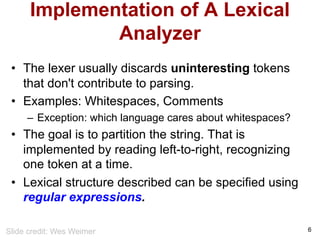
• The lexer usually discards uninteresting tokens
that don't contribute to parsing.
• Examples: Whitespaces, Comments
– Exception: which language cares about whitespaces?
• The goal is to partition the string. That is
implemented by reading left-to-right, recognizing
one token at a time.
• Lexical structure described can be specified using
regular expressions.
6
Slide credit: Wes Weimer
10
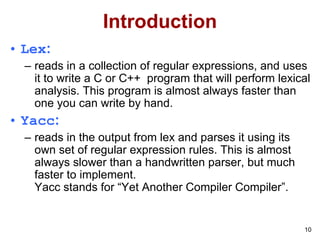
Introduction
• Lex:
– reads in a collection of regular expressions, and uses
it to write a C or C++ program that will perform lexical
analysis. This program is almost always faster than
one you can write by hand.
• Yacc:
– reads in the output from lex and parses it using its
own set of regular expression rules. This is almost
always slower than a handwritten parser, but much
faster to implement.
Yacc stands for “Yet Another Compiler Compiler”.
11
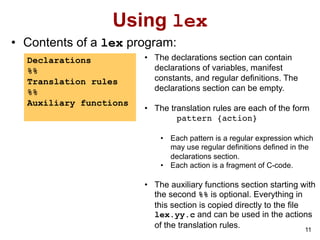
Using lex
• Contents of a lex program:
Declarations
%%
Translation rules
%%
Auxiliary functions
• The declarations section can contain
declarations of variables, manifest
constants, and regular definitions. The
declarations section can be empty.
• The translation rules are each of the form
pattern {action}
• Each pattern is a regular expression which
may use regular definitions defined in the
declarations section.
• Each action is a fragment of C-code.
• The auxiliary functions section starting with
the second %% is optional. Everything in
this section is copied directly to the file
lex.yy.c and can be used in the actions
of the translation rules.
13
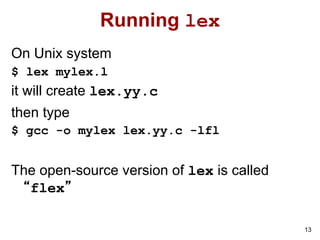
Running lex
On Unix system
$ lex mylex.l
it will create lex.yy.c
then type
$ gcc -o mylex lex.yy.c -lfl
The open-source version of lex is called
“flex”
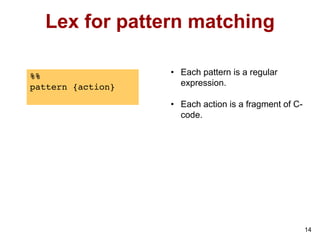
Lex for pattern matching
14
%%
pattern {action}
• Each pattern is a regular
expression.
• Each action is a fragment of C-
code.
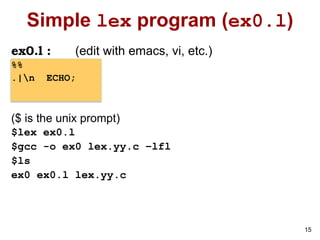
Simple lex program (ex0.l)
ex0.l : (edit with emacs, vi, etc.)
%%
.|n ECHO;
($ is the unix prompt)
$lex ex0.l
$gcc -o ex0 lex.yy.c –lfl
$ls
ex0 ex0.l lex.yy.c
15
16
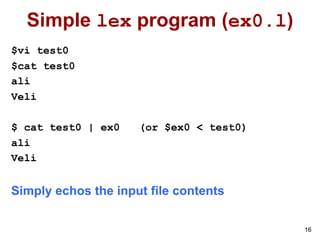
Simple lex program (ex0.l)
$vi test0
$cat test0
ali
Veli
$ cat test0 | ex0 (or $ex0 < test0)
ali
Veli
Simply echos the input file contents
17
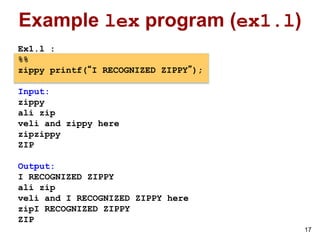
Example lex program (ex1.l)
Ex1.l :
%%
zippy printf(“I RECOGNIZED ZIPPY”);
Input:
zippy
ali zip
veli and zippy here
zipzippy
ZIP
Output:
I RECOGNIZED ZIPPY
ali zip
veli and I RECOGNIZED ZIPPY here
zipI RECOGNIZED ZIPPY
ZIP
18
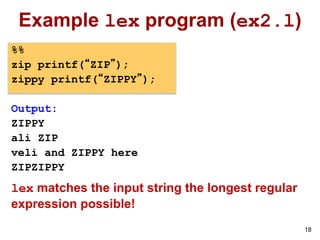
Example lex program (ex2.l)
%%
zip printf(“ZIP”);
zippy printf(“ZIPPY”);
Output:
ZIPPY
ali ZIP
veli and ZIPPY here
ZIPZIPPY
lex matches the input string the longest regular
expression possible!
19
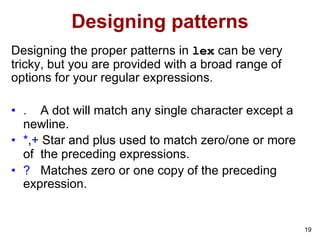
Designing patterns
Designing the proper patterns in lex can be very
tricky, but you are provided with a broad range of
options for your regular expressions.
• . A dot will match any single character except a
newline.
• *,+ Star and plus used to match zero/one or more
of the preceding expressions.
• ? Matches zero or one copy of the preceding
expression.
20
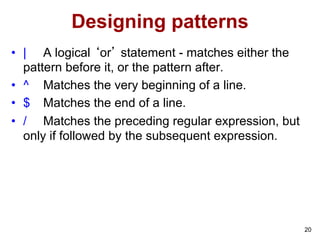
Designing patterns
• | A logical ‘or’ statement - matches either the
pattern before it, or the pattern after.
• ^ Matches the very beginning of a line.
• $ Matches the end of a line.
• / Matches the preceding regular expression, but
only if followed by the subsequent expression.
21
Designing patterns
• [ ] Brackets are used to denote a character class, which
matches any single character within the brackets. If the first
character is a ‘^’, this negates the brackets causing them
to match any character except those listed. The ‘-’ can be
used in a set of brackets to denote a range.
• “ ” Match everything within the quotes literally - don’t use
any special meanings for characters.
• ( ) Group everything in the parentheses as a single unit
for the rest of the expression.
22
Regular expressions in lex
• a matches a
• abc matches abc
• [abc] matches a, b or c
• [a-f] matches a, b, c, d, e, or f
• [0-9] matches any digit
• X+ matches one or more of X
• X* matches zero or more of X
• [0-9]+ matches any integer
• (…) grouping an expression into a single unit
• | alternation (or)
• (a|b|c)* is equivalent to [a-c]*
23
Regular expressions in lex
• X? X is optional (0 or 1 occurrence)
• if(def)? matches if or ifdef (equivalent to if|ifdef)
• [A-Za-z] matches any alphabetical character
• . matches any character except newline character
• . matches the . character
• n matches the newline character
• t matches the tab character
•  matches the  character
• [ t] matches either a space or tab character
• [^a-d] matches any character other than a,b,c and d
Regular Expressions in lex
[^ab] anything except: a b
[a^b] one of: a ^ b
[a|b] one of: a | b
24
[a-z] any letter a through z
[a-z] one of: a - z
[-az] one of: - a z
25
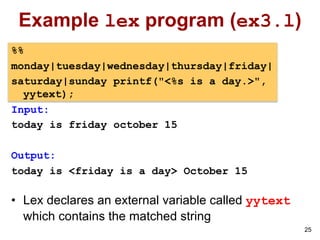
Example lex program (ex3.l)
%%
monday|tuesday|wednesday|thursday|friday|
saturday|sunday printf("<%s is a day.>",
yytext);
Input:
today is friday october 15
Output:
today is <friday is a day> October 15
• Lex declares an external variable called yytext
which contains the matched string
26
A slightly more complex program
(ex4.l)
%%
[t ]+ ;
monday|tuesday|wednesday|thursday|friday|
saturday|sunday printf("%s is a day.",yytext);
[a-zA-Z]+ printf("<%s is not a day.>",yytext);
27
Rule order
• If more than one regular expression match the
same string the one that is defined earlier is used.
/* rule-order.l */
%%
for printf("FOR");
[a-z]+ printf("IDENTIFIER");
input
for count := 1 to 10
output
FOR IDENTIFIER := 1 IDENTIFIER 10
28
Rule order
• However, if we swap the two lines in the specification
file:
%%
[a-z]+ printf("IDENTIFIER");
for printf("FOR");
input
for count := 1 to 10
output
IDENTIFIER IDENTIFIER := 1 IDENTIFIER 10
29
ex5.l
%%
[t ]+ ;
monday|tuesday|wednesday|thursday|friday
printf(”<%s is a week day>",yytext);
Saturday|Sunday
printf(”<%s is a weekend>”,yytext);
[a-zA-Z]+
printf(”<%s is not day>”,yytext);
30
Examples
Real numbers, e.g., 0, 27, 2.10, .17
[0-9]*(.)?[0-9]+
To include an optional preceding sign:
[+-]?[0-9]*(.)?[0-9]+
Integer or floating point number
[0-9]+(.[0-9]+)?
Integer, floating point, or scientific notation.
[+-]?[0-9]+(.[0-9]+)?([eE][+-]?[0-9]+)?
31
Example
/* echo-uppercase-words.l */
%%
[A-Z]+[ tn.,] printf("%s",yytext);
. ; /* no action specified */
The scanner for the specification above echo all strings of capital
letters, followed by a space tab (t) or newline (n) dot (.) or
comma (,) to stdout, and all other characters will be ignored.
Input Output
Ali VELI A7, X. 12 VELI X.
HAMI BEY a HAMI BEY
32
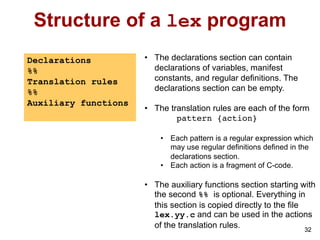
Structure of a lex program
32
Declarations
%%
Translation rules
%%
Auxiliary functions
• The declarations section can contain
declarations of variables, manifest
constants, and regular definitions. The
declarations section can be empty.
• The translation rules are each of the form
pattern {action}
• Each pattern is a regular expression which
may use regular definitions defined in the
declarations section.
• Each action is a fragment of C-code.
• The auxiliary functions section starting with
the second %% is optional. Everything in
this section is copied directly to the file
lex.yy.c and can be used in the actions
of the translation rules.
33
Declarations
%%
[+-]?[0-9]*(.)?[0-9]+ printf("FLOAT");
The same lex specification can be written as:
digit [0-9]
%%
[+-]?{digit}*(.)?{digit}+ printf("FLOAT");
input: ab7.3c--5.4.3+d++5
output: abFLOATc-FLOATFLOAT+d+FLOAT
34
Declarations (ex7.l)
%{
float val;
%}
digit [0-9]
sign [+-]
%%
{sign}?{digit}*(.)?{digit}+ {sscanf(yytext, "%f", &val);
printf(">%f<", val);
}
Input Output
ali-7.8veli ali>-7.800000<veli
ali--07.8veli ali->-7.800000<veli
+3.7.5 >3.700000<>0.500000<
35
Declarations
Declarations can be used in Declarations
/* def-in-def.l */
alphabetic [A-Za-z]
digit [0-9]
alphanumeric ({alphabetic}|{digit})
%%
{alphabetic}{alphanumeric}*
printf("Variable");
, printf("Comma");
{ printf("Left brace");
:= printf("Assignment");
36
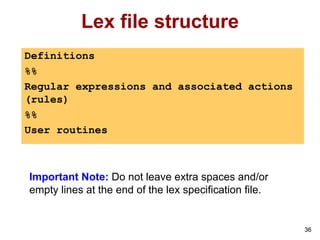
Lex file structure
Definitions
%%
Regular expressions and associated actions
(rules)
%%
User routines
Important Note: Do not leave extra spaces and/or
empty lines at the end of the lex specification file.
37
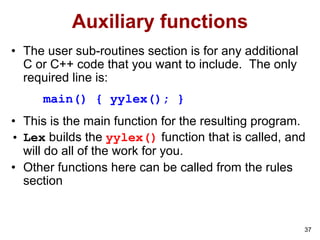
Auxiliary functions
• The user sub-routines section is for any additional
C or C++ code that you want to include. The only
required line is:
main() { yylex(); }
• This is the main function for the resulting program.
• Lex builds the yylex() function that is called, and
will do all of the work for you.
• Other functions here can be called from the rules
section
38
Example Number Identifications
(ex8.l)
%%
[t ]+ /* Ignore Whitespace */;
[+-]?[0-9]+(.[0-9]+)?([eE][+-]?[0-9]+)?
printf(" %s:number", yytext);
[a-zA-Z]+
printf(" %s:NOT number", yytext);
%%
main() { yylex(); }
39
Counting Words (ex9.l)
%{
int char_count = 0;
int word_count = 0;
int line_count = 0;
%}
word [^ tn]+
eol n
%%
{word} {word_count++; char_count+=yyleng;}
{eol} {char_count++; line_count++;}
. char_count++;
%%
main() {
yylex();
printf("line_count = %d , word_count = %d,
char_count = %dn", line_count, word_
count, char_count);
}
lex also
provides a
count yyleng
of the number
of characters
matched
40
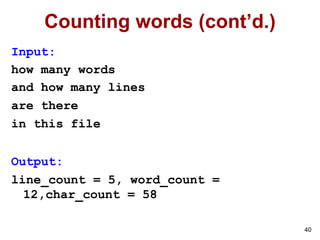
Counting words (cont’d.)
Input:
how many words
and how many lines
are there
in this file
Output:
line_count = 5, word_count =
12,char_count = 58
41
ex10.l
%{
int k;
%}
%%
-?[0-9]+ {
k = atoi(yytext);
printf(”<%d>", k%7 == 0 ? k+3 :k+1);
}
-?[0-9.]+ ECHO;
[A-Za-z][A-Za-z0-9]+ printf(“<%s>",yytext);
%%
42
ex11.l
%{
int lengs[100];
%}
%%
[a-z]+ {lengs[yyleng]++ ;
if(yyleng==1) printf(“<%s> ", yytext); }
. | n ;
%%
yywrap()
{
int i;
printf("Lenght No. wordsn");
for(i=0; i<100; i++) if(lengs[i] >0)
printf("%5d%10dn", i, lengs[i]);
return(1) ;
}
yywrap is called whenever lex reaches an end-of-file
43
ex12.l
%{ int total=0 %}
WS [ t]+
%%
I total += 1;
IV total += 4;
V total += 5;
IX total += 9;
X total += 10;
XL total += 40;
L total += 50;
XC total += 90;
C total += 100;
CD total += 400;
D total += 500;
CM total += 900;
M total += 1000;
{WS} |
n return total;
%%
Int main (void) {
int first, second;
first = yylex ();
second = yylex ();
printf (“%d + %d = %dn”, first, second,
first+second);
return 0;
}

lecture_lex.pdf

  • 1.
    1 Lex – Atool for lexical analysis
  • 2.
    Lexical Analysis • Whatdo we want to do? Example: if (i == j) z = 0; else z = 1; • The input is just a sequence of characters: if (i == j)ntz = 0;nelsentz = 1; • Goal: Partition input strings into substrings – And classify them according to their role 3 Slide credit: Wes Weimer
  • 3.
    Implementation of ALexical Analyzer • The lexer usually discards uninteresting tokens that don't contribute to parsing. • Examples: Whitespaces, Comments – Exception: which language cares about whitespaces? • The goal is to partition the string. That is implemented by reading left-to-right, recognizing one token at a time. • Lexical structure described can be specified using regular expressions. 6 Slide credit: Wes Weimer
  • 4.
    10 Introduction • Lex: – readsin a collection of regular expressions, and uses it to write a C or C++ program that will perform lexical analysis. This program is almost always faster than one you can write by hand. • Yacc: – reads in the output from lex and parses it using its own set of regular expression rules. This is almost always slower than a handwritten parser, but much faster to implement. Yacc stands for “Yet Another Compiler Compiler”.
  • 5.
    11 Using lex • Contentsof a lex program: Declarations %% Translation rules %% Auxiliary functions • The declarations section can contain declarations of variables, manifest constants, and regular definitions. The declarations section can be empty. • The translation rules are each of the form pattern {action} • Each pattern is a regular expression which may use regular definitions defined in the declarations section. • Each action is a fragment of C-code. • The auxiliary functions section starting with the second %% is optional. Everything in this section is copied directly to the file lex.yy.c and can be used in the actions of the translation rules.
  • 6.
    13 Running lex On Unixsystem $ lex mylex.l it will create lex.yy.c then type $ gcc -o mylex lex.yy.c -lfl The open-source version of lex is called “flex”
  • 7.
    Lex for patternmatching 14 %% pattern {action} • Each pattern is a regular expression. • Each action is a fragment of C- code.
  • 8.
    Simple lex program(ex0.l) ex0.l : (edit with emacs, vi, etc.) %% .|n ECHO; ($ is the unix prompt) $lex ex0.l $gcc -o ex0 lex.yy.c –lfl $ls ex0 ex0.l lex.yy.c 15
  • 9.
    16 Simple lex program(ex0.l) $vi test0 $cat test0 ali Veli $ cat test0 | ex0 (or $ex0 < test0) ali Veli Simply echos the input file contents
  • 10.
    17 Example lex program(ex1.l) Ex1.l : %% zippy printf(“I RECOGNIZED ZIPPY”); Input: zippy ali zip veli and zippy here zipzippy ZIP Output: I RECOGNIZED ZIPPY ali zip veli and I RECOGNIZED ZIPPY here zipI RECOGNIZED ZIPPY ZIP
  • 11.
    18 Example lex program(ex2.l) %% zip printf(“ZIP”); zippy printf(“ZIPPY”); Output: ZIPPY ali ZIP veli and ZIPPY here ZIPZIPPY lex matches the input string the longest regular expression possible!
  • 12.
    19 Designing patterns Designing theproper patterns in lex can be very tricky, but you are provided with a broad range of options for your regular expressions. • . A dot will match any single character except a newline. • *,+ Star and plus used to match zero/one or more of the preceding expressions. • ? Matches zero or one copy of the preceding expression.
  • 13.
    20 Designing patterns • |A logical ‘or’ statement - matches either the pattern before it, or the pattern after. • ^ Matches the very beginning of a line. • $ Matches the end of a line. • / Matches the preceding regular expression, but only if followed by the subsequent expression.
  • 14.
    21 Designing patterns • [] Brackets are used to denote a character class, which matches any single character within the brackets. If the first character is a ‘^’, this negates the brackets causing them to match any character except those listed. The ‘-’ can be used in a set of brackets to denote a range. • “ ” Match everything within the quotes literally - don’t use any special meanings for characters. • ( ) Group everything in the parentheses as a single unit for the rest of the expression.
  • 15.
    22 Regular expressions inlex • a matches a • abc matches abc • [abc] matches a, b or c • [a-f] matches a, b, c, d, e, or f • [0-9] matches any digit • X+ matches one or more of X • X* matches zero or more of X • [0-9]+ matches any integer • (…) grouping an expression into a single unit • | alternation (or) • (a|b|c)* is equivalent to [a-c]*
  • 16.
    23 Regular expressions inlex • X? X is optional (0 or 1 occurrence) • if(def)? matches if or ifdef (equivalent to if|ifdef) • [A-Za-z] matches any alphabetical character • . matches any character except newline character • . matches the . character • n matches the newline character • t matches the tab character • matches the character • [ t] matches either a space or tab character • [^a-d] matches any character other than a,b,c and d
  • 17.
    Regular Expressions inlex [^ab] anything except: a b [a^b] one of: a ^ b [a|b] one of: a | b 24 [a-z] any letter a through z [a-z] one of: a - z [-az] one of: - a z
  • 18.
    25 Example lex program(ex3.l) %% monday|tuesday|wednesday|thursday|friday| saturday|sunday printf("<%s is a day.>", yytext); Input: today is friday october 15 Output: today is <friday is a day> October 15 • Lex declares an external variable called yytext which contains the matched string
  • 19.
    26 A slightly morecomplex program (ex4.l) %% [t ]+ ; monday|tuesday|wednesday|thursday|friday| saturday|sunday printf("%s is a day.",yytext); [a-zA-Z]+ printf("<%s is not a day.>",yytext);
  • 20.
    27 Rule order • Ifmore than one regular expression match the same string the one that is defined earlier is used. /* rule-order.l */ %% for printf("FOR"); [a-z]+ printf("IDENTIFIER"); input for count := 1 to 10 output FOR IDENTIFIER := 1 IDENTIFIER 10
  • 21.
    28 Rule order • However,if we swap the two lines in the specification file: %% [a-z]+ printf("IDENTIFIER"); for printf("FOR"); input for count := 1 to 10 output IDENTIFIER IDENTIFIER := 1 IDENTIFIER 10
  • 22.
    29 ex5.l %% [t ]+ ; monday|tuesday|wednesday|thursday|friday printf(”<%sis a week day>",yytext); Saturday|Sunday printf(”<%s is a weekend>”,yytext); [a-zA-Z]+ printf(”<%s is not day>”,yytext);
  • 23.
    30 Examples Real numbers, e.g.,0, 27, 2.10, .17 [0-9]*(.)?[0-9]+ To include an optional preceding sign: [+-]?[0-9]*(.)?[0-9]+ Integer or floating point number [0-9]+(.[0-9]+)? Integer, floating point, or scientific notation. [+-]?[0-9]+(.[0-9]+)?([eE][+-]?[0-9]+)?
  • 24.
    31 Example /* echo-uppercase-words.l */ %% [A-Z]+[tn.,] printf("%s",yytext); . ; /* no action specified */ The scanner for the specification above echo all strings of capital letters, followed by a space tab (t) or newline (n) dot (.) or comma (,) to stdout, and all other characters will be ignored. Input Output Ali VELI A7, X. 12 VELI X. HAMI BEY a HAMI BEY
  • 25.
    32 Structure of alex program 32 Declarations %% Translation rules %% Auxiliary functions • The declarations section can contain declarations of variables, manifest constants, and regular definitions. The declarations section can be empty. • The translation rules are each of the form pattern {action} • Each pattern is a regular expression which may use regular definitions defined in the declarations section. • Each action is a fragment of C-code. • The auxiliary functions section starting with the second %% is optional. Everything in this section is copied directly to the file lex.yy.c and can be used in the actions of the translation rules.
  • 26.
    33 Declarations %% [+-]?[0-9]*(.)?[0-9]+ printf("FLOAT"); The samelex specification can be written as: digit [0-9] %% [+-]?{digit}*(.)?{digit}+ printf("FLOAT"); input: ab7.3c--5.4.3+d++5 output: abFLOATc-FLOATFLOAT+d+FLOAT
  • 27.
    34 Declarations (ex7.l) %{ float val; %} digit[0-9] sign [+-] %% {sign}?{digit}*(.)?{digit}+ {sscanf(yytext, "%f", &val); printf(">%f<", val); } Input Output ali-7.8veli ali>-7.800000<veli ali--07.8veli ali->-7.800000<veli +3.7.5 >3.700000<>0.500000<
  • 28.
    35 Declarations Declarations can beused in Declarations /* def-in-def.l */ alphabetic [A-Za-z] digit [0-9] alphanumeric ({alphabetic}|{digit}) %% {alphabetic}{alphanumeric}* printf("Variable"); , printf("Comma"); { printf("Left brace"); := printf("Assignment");
  • 29.
    36 Lex file structure Definitions %% Regularexpressions and associated actions (rules) %% User routines Important Note: Do not leave extra spaces and/or empty lines at the end of the lex specification file.
  • 30.
    37 Auxiliary functions • Theuser sub-routines section is for any additional C or C++ code that you want to include. The only required line is: main() { yylex(); } • This is the main function for the resulting program. • Lex builds the yylex() function that is called, and will do all of the work for you. • Other functions here can be called from the rules section
  • 31.
    38 Example Number Identifications (ex8.l) %% [t]+ /* Ignore Whitespace */; [+-]?[0-9]+(.[0-9]+)?([eE][+-]?[0-9]+)? printf(" %s:number", yytext); [a-zA-Z]+ printf(" %s:NOT number", yytext); %% main() { yylex(); }
  • 32.
    39 Counting Words (ex9.l) %{ intchar_count = 0; int word_count = 0; int line_count = 0; %} word [^ tn]+ eol n %% {word} {word_count++; char_count+=yyleng;} {eol} {char_count++; line_count++;} . char_count++; %% main() { yylex(); printf("line_count = %d , word_count = %d, char_count = %dn", line_count, word_ count, char_count); } lex also provides a count yyleng of the number of characters matched
  • 33.
    40 Counting words (cont’d.) Input: howmany words and how many lines are there in this file Output: line_count = 5, word_count = 12,char_count = 58
  • 34.
    41 ex10.l %{ int k; %} %% -?[0-9]+ { k= atoi(yytext); printf(”<%d>", k%7 == 0 ? k+3 :k+1); } -?[0-9.]+ ECHO; [A-Za-z][A-Za-z0-9]+ printf(“<%s>",yytext); %%
  • 35.
    42 ex11.l %{ int lengs[100]; %} %% [a-z]+ {lengs[yyleng]++; if(yyleng==1) printf(“<%s> ", yytext); } . | n ; %% yywrap() { int i; printf("Lenght No. wordsn"); for(i=0; i<100; i++) if(lengs[i] >0) printf("%5d%10dn", i, lengs[i]); return(1) ; } yywrap is called whenever lex reaches an end-of-file
  • 36.
    43 ex12.l %{ int total=0%} WS [ t]+ %% I total += 1; IV total += 4; V total += 5; IX total += 9; X total += 10; XL total += 40; L total += 50; XC total += 90; C total += 100; CD total += 400; D total += 500; CM total += 900; M total += 1000; {WS} | n return total; %% Int main (void) { int first, second; first = yylex (); second = yylex (); printf (“%d + %d = %dn”, first, second, first+second); return 0; }