Lectures on NumericalMethods 1
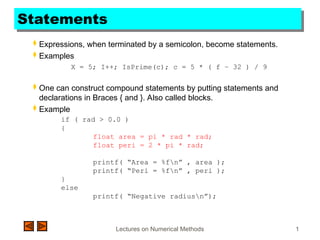
Statements
Expressions, when terminated by a semicolon, become statements.
Examples
X = 5; I++; IsPrime(c); c = 5 * ( f – 32 ) / 9
One can construct compound statements by putting statements and
declarations in Braces { and }. Also called blocks.
Example
if ( rad > 0.0 )
{
float area = pi * rad * rad;
float peri = 2 * pi * rad;
printf( “Area = %fn” , area );
printf( “Peri = %fn” , peri );
}
else
printf( “Negative radiusn”);
2.
Lectures on NumericalMethods 2
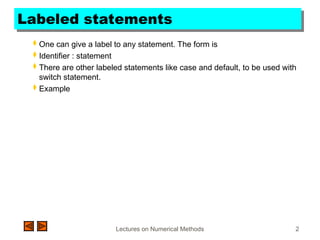
Labeled statements
One can give a label to any statement. The form is
Identifier : statement
There are other labeled statements like case and default, to be used with
switch statement.
Example
3.
Lectures on NumericalMethods 3
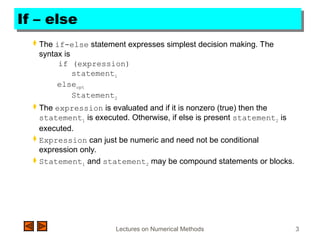
If – else
The if-else statement expresses simplest decision making. The
syntax is
if (expression)
statement1
elseopt
Statement2
The expression is evaluated and if it is nonzero (true) then the
statement1 is executed. Otherwise, if else is present statement2 is
executed.
Expression can just be numeric and need not be conditional
expression only.
Statement1 and statement2 may be compound statements or blocks.
4.
Lectures on NumericalMethods 4
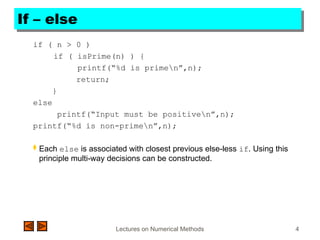
If – else
if ( n > 0 )
if ( isPrime(n) ) {
printf(“%d is primen”,n);
return;
}
else
printf(“Input must be positiven”,n);
printf(“%d is non-primen”,n);
Each else is associated with closest previous else-less if. Using this
principle multi-way decisions can be constructed.
5.
Lectures on NumericalMethods 5
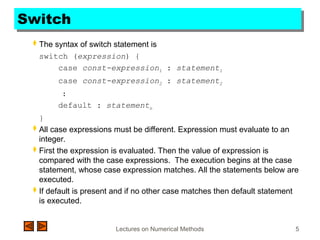
Switch
The syntax of switch statement is
switch (expression) {
case const-expression1 : statement1
case const-expression2 : statement2
:
default : statementn
}
All case expressions must be different. Expression must evaluate to an
integer.
First the expression is evaluated. Then the value of expression is
compared with the case expressions. The execution begins at the case
statement, whose case expression matches. All the statements below are
executed.
If default is present and if no other case matches then default statement
is executed.
6.
Lectures on NumericalMethods 6
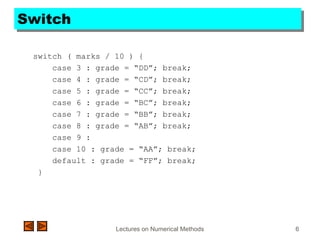
Switch
switch ( marks / 10 ) {
case 3 : grade = “DD”; break;
case 4 : grade = “CD”; break;
case 5 : grade = “CC”; break;
case 6 : grade = “BC”; break;
case 7 : grade = “BB”; break;
case 8 : grade = “AB”; break;
case 9 :
case 10 : grade = “AA”; break;
default : grade = “FF”; break;
}
7.
Lectures on NumericalMethods 7
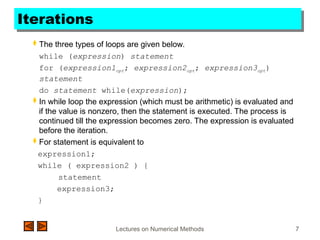
Iterations
The three types of loops are given below.
while (expression) statement
for (expression1opt; expression2opt; expression3opt)
statement
do statement while(expression);
In while loop the expression (which must be arithmetic) is evaluated and
if the value is nonzero, then the statement is executed. The process is
continued till the expression becomes zero. The expression is evaluated
before the iteration.
For statement is equivalent to
expression1;
while ( expression2 ) {
statement
expression3;
}
8.
Lectures on NumericalMethods 8
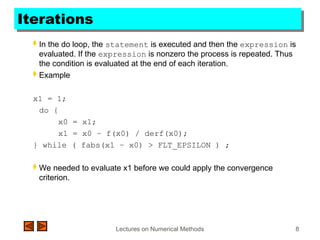
Iterations
In the do loop, the statement is executed and then the expression is
evaluated. If the expression is nonzero the process is repeated. Thus
the condition is evaluated at the end of each iteration.
Example
x1 = 1;
do {
x0 = x1;
x1 = x0 – f(x0) / derf(x0);
} while ( fabs(x1 – x0) > FLT_EPSILON ) ;
We needed to evaluate x1 before we could apply the convergence
criterion.
9.
Lectures on NumericalMethods 9
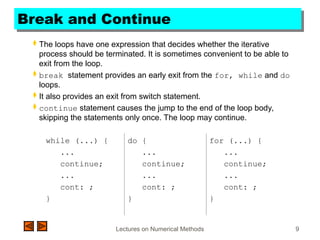
Break and Continue
The loops have one expression that decides whether the iterative
process should be terminated. It is sometimes convenient to be able to
exit from the loop.
break statement provides an early exit from the for, while and do
loops.
It also provides an exit from switch statement.
continue statement causes the jump to the end of the loop body,
skipping the statements only once. The loop may continue.
while (...) {
...
continue;
...
cont: ;
}
do {
...
continue;
...
cont: ;
}
for (...) {
...
continue;
...
cont: ;
}
10.
Lectures on NumericalMethods 10
Break and continue
Example
for ( i = 0; i < n; i++ ) {
if ( a[i] < 0 ) continue;
/* Process only non-negative elements of the array */
...
}
Example
for ( i = 2; i <= (int)sqrt(n); i++ ) {
if ( n % i == 0 ) break;
if ( n % i ) printf(“Primen”);
else printf(“Not primen”);
![Lectures on Numerical Methods 10
Break and continue
Example
for ( i = 0; i < n; i++ ) {
if ( a[i] < 0 ) continue;
/* Process only non-negative elements of the array */
...
}
Example
for ( i = 2; i <= (int)sqrt(n); i++ ) {
if ( n % i == 0 ) break;
if ( n % i ) printf(“Primen”);
else printf(“Not primen”);](https://image.slidesharecdn.com/lecture4-251008105331-6ca25b5a/85/lecture4-on-conditional-statements-in-C-ppt-10-320.jpg)


