Lectures on Numerical Methods1
Tokens in CTokens in C
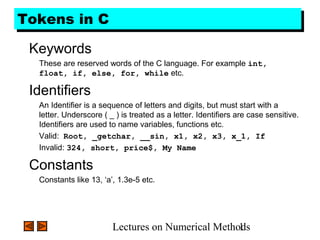
Keywords
These are reserved words of the C language. For example int,
float, if, else, for, while etc.
Identifiers
An Identifier is a sequence of letters and digits, but must start with a
letter. Underscore ( _ ) is treated as a letter. Identifiers are case sensitive.
Identifiers are used to name variables, functions etc.
Valid: Root, _getchar, __sin, x1, x2, x3, x_1, If
Invalid: 324, short, price$, My Name
Constants
Constants like 13, ‘a’, 1.3e-5 etc.
Lectures on Numerical Methods2
Tokens in CTokens in C
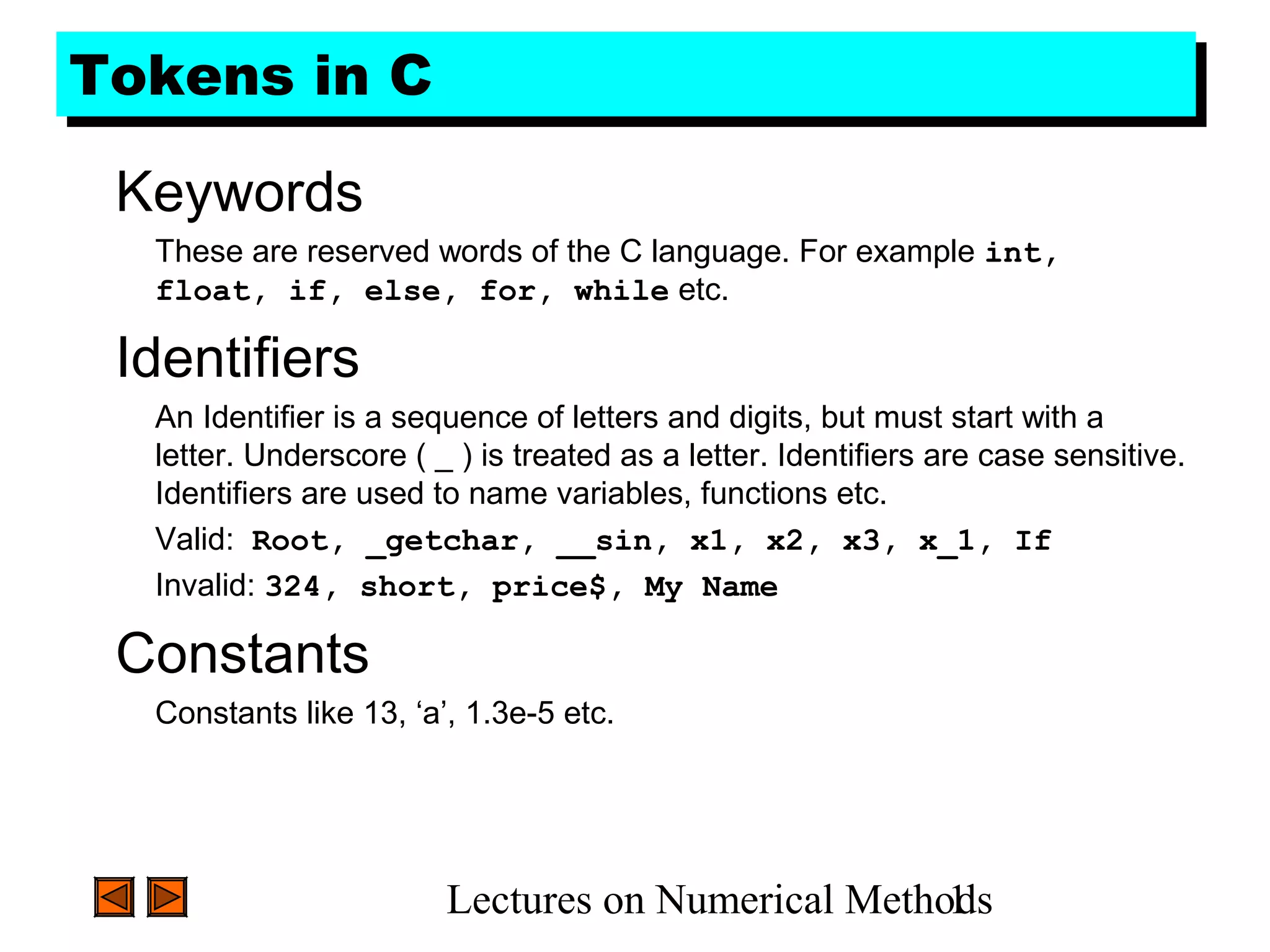
String Literals
A sequence of characters enclosed in double quotes as “…”. For
example “13” is a string literal and not number 13. ‘a’ and “a” are
different.
Operators
Arithmetic operators like +, -, *, / ,% etc.
Logical operators like ||, &&, ! etc. and so on.
White Spaces
Spaces, new lines, tabs, comments ( A sequence of characters enclosed
in /* and */ ) etc. These are used to separate the adjacent identifiers,
kewords and constants.
Lectures on Numerical Methods3
Basic Data TypesBasic Data Types
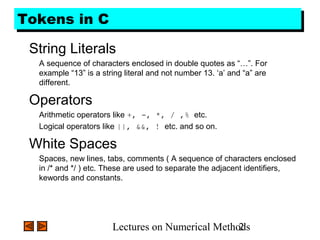
Integral Types
Integers are stored in various sizes. They can be signed or unsigned.
Example
Suppose an integer is represented by a byte (8 bits). Leftmost bit is sign
bit. If the sign bit is 0, the number is treated as positive.
Bit pattern 01001011 = 75 (decimal).
The largest positive number is 01111111 = 27
– 1 = 127.
Negative numbers are stored as two’s complement or as one’s
complement.
-75 = 10110100 (one’s complement).
-75 = 10110101 (two’s complement).
Lectures on Numerical Methods4
Basic Data TypesBasic Data Types
Integral Types
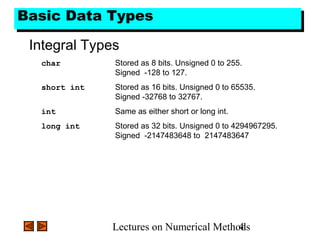
char Stored as 8 bits. Unsigned 0 to 255.
Signed -128 to 127.
short int Stored as 16 bits. Unsigned 0 to 65535.
Signed -32768 to 32767.
int Same as either short or long int.
long int Stored as 32 bits. Unsigned 0 to 4294967295.
Signed -2147483648 to 2147483647
Lectures on Numerical Methods5
Basic Data TypesBasic Data Types
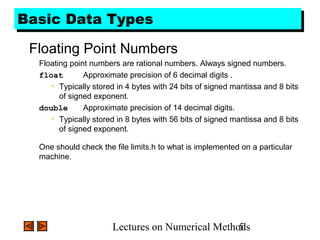
Floating Point Numbers
Floating point numbers are rational numbers. Always signed numbers.
float Approximate precision of 6 decimal digits .
• Typically stored in 4 bytes with 24 bits of signed mantissa and 8 bits
of signed exponent.
double Approximate precision of 14 decimal digits.
• Typically stored in 8 bytes with 56 bits of signed mantissa and 8 bits
of signed exponent.
One should check the file limits.h to what is implemented on a particular
machine.
Lectures on Numerical Methods6
ConstantsConstants
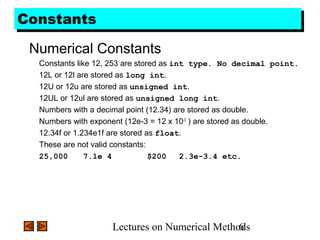
Numerical Constants
Constants like 12, 253 are stored as int type. No decimal point.
12L or 12l are stored as long int.
12U or 12u are stored as unsigned int.
12UL or 12ul are stored as unsigned long int.
Numbers with a decimal point (12.34) are stored as double.
Numbers with exponent (12e-3 = 12 x 10-3
) are stored as double.
12.34f or 1.234e1f are stored as float.
These are not valid constants:
25,000 7.1e 4 $200 2.3e-3.4 etc.
Lectures on Numerical Methods7
ConstantsConstants
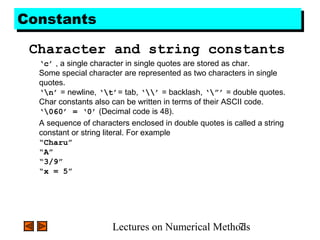
Character and string constants
‘c’ , a single character in single quotes are stored as char.
Some special character are represented as two characters in single
quotes.
‘n’ = newline, ‘t’= tab, ‘’ = backlash, ‘”’ = double quotes.
Char constants also can be written in terms of their ASCII code.
‘060’ = ‘0’ (Decimal code is 48).
A sequence of characters enclosed in double quotes is called a string
constant or string literal. For example
“Charu”
“A”
“3/9”
“x = 5”
Lectures on Numerical Methods8
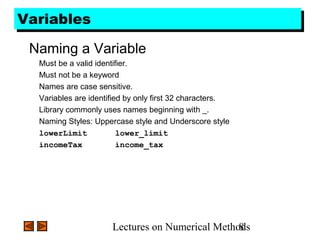
VariablesVariables
Naming a Variable
Must be a valid identifier.
Must not be a keyword
Names are case sensitive.
Variables are identified by only first 32 characters.
Library commonly uses names beginning with _.
Naming Styles: Uppercase style and Underscore style
lowerLimit lower_limit
incomeTax income_tax
Lectures on Numerical Methods9
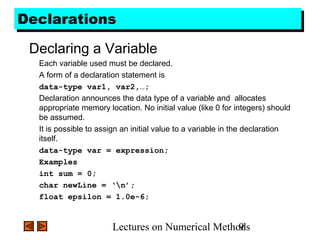
DeclarationsDeclarations
Declaring a Variable
Each variable used must be declared.
A form of a declaration statement is
data-type var1, var2,…;
Declaration announces the data type of a variable and allocates
appropriate memory location. No initial value (like 0 for integers) should
be assumed.
It is possible to assign an initial value to a variable in the declaration
itself.
data-type var = expression;
Examples
int sum = 0;
char newLine = ‘n’;
float epsilon = 1.0e-6;
Lectures on Numerical Methods10
Global and Local VariablesGlobal and Local Variables
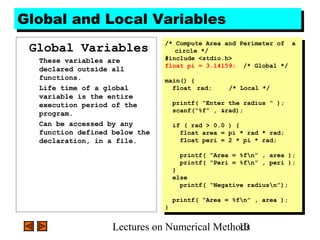
Global Variables
These variables are
declared outside all
functions.
Life time of a global
variable is the entire
execution period of the
program.
Can be accessed by any
function defined below the
declaration, in a file.
/* Compute Area and Perimeter of a
circle */
#include <stdio.h>
float pi = 3.14159; /* Global */
main() {
float rad; /* Local */
printf( “Enter the radius “ );
scanf(“%f” , &rad);
if ( rad > 0.0 ) {
float area = pi * rad * rad;
float peri = 2 * pi * rad;
printf( “Area = %fn” , area );
printf( “Peri = %fn” , peri );
}
else
printf( “Negative radiusn”);
printf( “Area = %fn” , area );
}
/* Compute Area and Perimeter of a
circle */
#include <stdio.h>
float pi = 3.14159; /* Global */
main() {
float rad; /* Local */
printf( “Enter the radius “ );
scanf(“%f” , &rad);
if ( rad > 0.0 ) {
float area = pi * rad * rad;
float peri = 2 * pi * rad;
printf( “Area = %fn” , area );
printf( “Peri = %fn” , peri );
}
else
printf( “Negative radiusn”);
printf( “Area = %fn” , area );
}
Lectures on Numerical Methods11
Global and Local VariablesGlobal and Local Variables
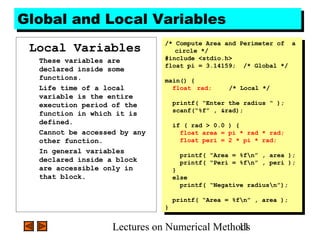
Local Variables
These variables are
declared inside some
functions.
Life time of a local
variable is the entire
execution period of the
function in which it is
defined.
Cannot be accessed by any
other function.
In general variables
declared inside a block
are accessible only in
that block.
/* Compute Area and Perimeter of a
circle */
#include <stdio.h>
float pi = 3.14159; /* Global */
main() {
float rad; /* Local */
printf( “Enter the radius “ );
scanf(“%f” , &rad);
if ( rad > 0.0 ) {
float area = pi * rad * rad;
float peri = 2 * pi * rad;
printf( “Area = %fn” , area );
printf( “Peri = %fn” , peri );
}
else
printf( “Negative radiusn”);
printf( “Area = %fn” , area );
}
/* Compute Area and Perimeter of a
circle */
#include <stdio.h>
float pi = 3.14159; /* Global */
main() {
float rad; /* Local */
printf( “Enter the radius “ );
scanf(“%f” , &rad);
if ( rad > 0.0 ) {
float area = pi * rad * rad;
float peri = 2 * pi * rad;
printf( “Area = %fn” , area );
printf( “Peri = %fn” , peri );
}
else
printf( “Negative radiusn”);
printf( “Area = %fn” , area );
}
Lectures on Numerical Methods12
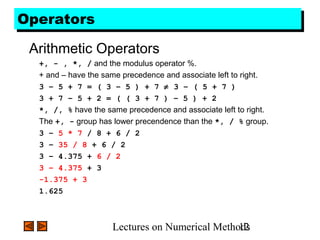
OperatorsOperators
Arithmetic Operators
+, - , *, / and the modulus operator %.
+ and – have the same precedence and associate left to right.
3 – 5 + 7 = ( 3 – 5 ) + 7 ≠ 3 – ( 5 + 7 )
3 + 7 – 5 + 2 = ( ( 3 + 7 ) – 5 ) + 2
*, /, % have the same precedence and associate left to right.
The +, - group has lower precendence than the *, / % group.
3 – 5 * 7 / 8 + 6 / 2
3 – 35 / 8 + 6 / 2
3 – 4.375 + 6 / 2
3 – 4.375 + 3
-1.375 + 3
1.625
Lectures on Numerical Methods13
OperatorsOperators
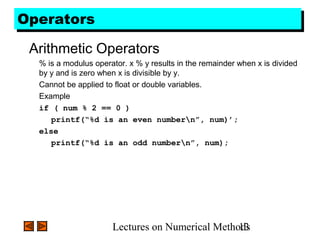
Arithmetic Operators
% is a modulus operator. x % y results in the remainder when x is divided
by y and is zero when x is divisible by y.
Cannot be applied to float or double variables.
Example
if ( num % 2 == 0 )
printf(“%d is an even numbern”, num)’;
else
printf(“%d is an odd numbern”, num);
Lectures on Numerical Methods14
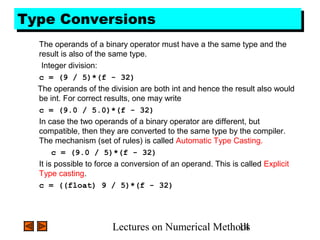
Type ConversionsType Conversions
The operands of a binary operator must have a the same type and the
result is also of the same type.
Integer division:
c = (9 / 5)*(f - 32)
The operands of the division are both int and hence the result also would
be int. For correct results, one may write
c = (9.0 / 5.0)*(f - 32)
In case the two operands of a binary operator are different, but
compatible, then they are converted to the same type by the compiler.
The mechanism (set of rules) is called Automatic Type Casting.
c = (9.0 / 5)*(f - 32)
It is possible to force a conversion of an operand. This is called Explicit
Type casting.
c = ((float) 9 / 5)*(f - 32)
Lectures on Numerical Methods15
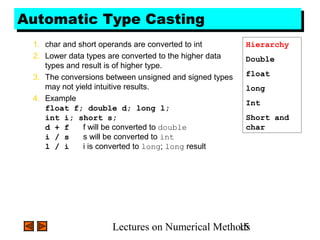
Automatic Type CastingAutomatic Type Casting
1. char and short operands are converted to int
2. Lower data types are converted to the higher data
types and result is of higher type.
3. The conversions between unsigned and signed types
may not yield intuitive results.
4. Example
float f; double d; long l;
int i; short s;
d + f f will be converted to double
i / s s will be converted to int
l / i i is converted to long; long result
Hierarchy
Double
float
long
Int
Short and
char
Lectures on Numerical Methods16
Explicit Type CastingExplicit Type Casting
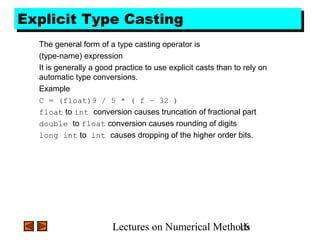
The general form of a type casting operator is
(type-name) expression
It is generally a good practice to use explicit casts than to rely on
automatic type conversions.
Example
C = (float)9 / 5 * ( f – 32 )
float to int conversion causes truncation of fractional part
double to float conversion causes rounding of digits
long int to int causes dropping of the higher order bits.
Lectures on Numerical Methods17
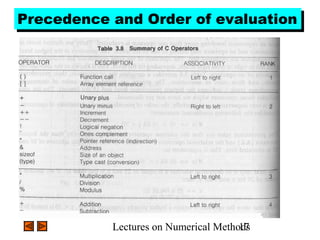
Precedence and Order of evaluationPrecedence and Order of evaluation
Lectures on Numerical Methods18
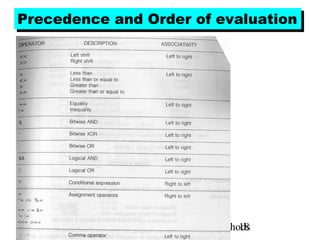
Precedence and Order of evaluationPrecedence and Order of evaluation
Lectures on Numerical Methods19
OperatorsOperators
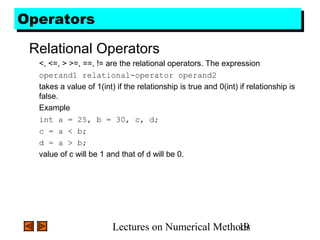
Relational Operators
<, <=, > >=, ==, != are the relational operators. The expression
operand1 relational-operator operand2
takes a value of 1(int) if the relationship is true and 0(int) if relationship is
false.
Example
int a = 25, b = 30, c, d;
c = a < b;
d = a > b;
value of c will be 1 and that of d will be 0.
Lectures on Numerical Methods20
OperatorsOperators
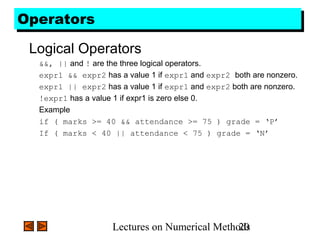
Logical Operators
&&, || and ! are the three logical operators.
expr1 && expr2 has a value 1 if expr1 and expr2 both are nonzero.
expr1 || expr2 has a value 1 if expr1 and expr2 both are nonzero.
!expr1 has a value 1 if expr1 is zero else 0.
Example
if ( marks >= 40 && attendance >= 75 ) grade = ‘P’
If ( marks < 40 || attendance < 75 ) grade = ‘N’
Lectures on Numerical Methods21
OperatorsOperators
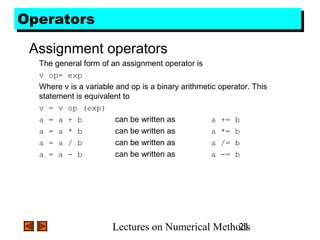
Assignment operators
The general form of an assignment operator is
v op= exp
Where v is a variable and op is a binary arithmetic operator. This
statement is equivalent to
v = v op (exp)
a = a + b can be written as a += b
a = a * b can be written as a *= b
a = a / b can be written as a /= b
a = a - b can be written as a -= b
Lectures on Numerical Methods22
OperatorsOperators
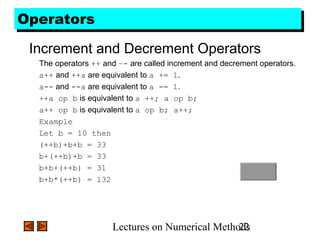
Increment and Decrement Operators
The operators ++ and –- are called increment and decrement operators.
a++ and ++a are equivalent to a += 1.
a-- and --a are equivalent to a -= 1.
++a op b is equivalent to a ++; a op b;
a++ op b is equivalent to a op b; a++;
Example
Let b = 10 then
(++b)+b+b = 33
b+(++b)+b = 33
b+b+(++b) = 31
b+b*(++b) = 132
Lectures on Numerical Methods23
Floating Point ArithmeticFloating Point Arithmetic
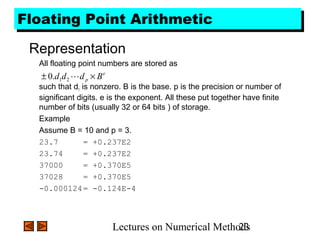
Representation
All floating point numbers are stored as
such that d1 is nonzero. B is the base. p is the precision or number of
significant digits. e is the exponent. All these put together have finite
number of bits (usually 32 or 64 bits ) of storage.
Example
Assume B = 10 and p = 3.
23.7 = +0.237E2
23.74 = +0.237E2
37000 = +0.370E5
37028 = +0.370E5
-0.000124= -0.124E-4
e
p Bddd ×± 21.0
Lectures on Numerical Methods24
Floating Point ArithmeticFloating Point Arithmetic
Representation
Sk = { x | Bk-1
<= x < Bk
}. Number of elements in each Sk is same. In the
previous example it is 900.
Gap between seuccessive numbers of Sk is Bk-p
.
B1-p is called machine epsilon. It is the gap between 1 and next
representable number.
Underflow and Overflow occur when number cannot be represented
because it is too small or too big.
Two floating points are added by aligning decimal points.
Floating point arithmetic is not associative and distributive.

C language

  • 1.
    Lectures on NumericalMethods1 Tokens in CTokens in C Keywords These are reserved words of the C language. For example int, float, if, else, for, while etc. Identifiers An Identifier is a sequence of letters and digits, but must start with a letter. Underscore ( _ ) is treated as a letter. Identifiers are case sensitive. Identifiers are used to name variables, functions etc. Valid: Root, _getchar, __sin, x1, x2, x3, x_1, If Invalid: 324, short, price$, My Name Constants Constants like 13, ‘a’, 1.3e-5 etc.
  • 2.
    Lectures on NumericalMethods2 Tokens in CTokens in C String Literals A sequence of characters enclosed in double quotes as “…”. For example “13” is a string literal and not number 13. ‘a’ and “a” are different. Operators Arithmetic operators like +, -, *, / ,% etc. Logical operators like ||, &&, ! etc. and so on. White Spaces Spaces, new lines, tabs, comments ( A sequence of characters enclosed in /* and */ ) etc. These are used to separate the adjacent identifiers, kewords and constants.
  • 3.
    Lectures on NumericalMethods3 Basic Data TypesBasic Data Types Integral Types Integers are stored in various sizes. They can be signed or unsigned. Example Suppose an integer is represented by a byte (8 bits). Leftmost bit is sign bit. If the sign bit is 0, the number is treated as positive. Bit pattern 01001011 = 75 (decimal). The largest positive number is 01111111 = 27 – 1 = 127. Negative numbers are stored as two’s complement or as one’s complement. -75 = 10110100 (one’s complement). -75 = 10110101 (two’s complement).
  • 4.
    Lectures on NumericalMethods4 Basic Data TypesBasic Data Types Integral Types char Stored as 8 bits. Unsigned 0 to 255. Signed -128 to 127. short int Stored as 16 bits. Unsigned 0 to 65535. Signed -32768 to 32767. int Same as either short or long int. long int Stored as 32 bits. Unsigned 0 to 4294967295. Signed -2147483648 to 2147483647
  • 5.
    Lectures on NumericalMethods5 Basic Data TypesBasic Data Types Floating Point Numbers Floating point numbers are rational numbers. Always signed numbers. float Approximate precision of 6 decimal digits . • Typically stored in 4 bytes with 24 bits of signed mantissa and 8 bits of signed exponent. double Approximate precision of 14 decimal digits. • Typically stored in 8 bytes with 56 bits of signed mantissa and 8 bits of signed exponent. One should check the file limits.h to what is implemented on a particular machine.
  • 6.
    Lectures on NumericalMethods6 ConstantsConstants Numerical Constants Constants like 12, 253 are stored as int type. No decimal point. 12L or 12l are stored as long int. 12U or 12u are stored as unsigned int. 12UL or 12ul are stored as unsigned long int. Numbers with a decimal point (12.34) are stored as double. Numbers with exponent (12e-3 = 12 x 10-3 ) are stored as double. 12.34f or 1.234e1f are stored as float. These are not valid constants: 25,000 7.1e 4 $200 2.3e-3.4 etc.
  • 7.
    Lectures on NumericalMethods7 ConstantsConstants Character and string constants ‘c’ , a single character in single quotes are stored as char. Some special character are represented as two characters in single quotes. ‘n’ = newline, ‘t’= tab, ‘’ = backlash, ‘”’ = double quotes. Char constants also can be written in terms of their ASCII code. ‘060’ = ‘0’ (Decimal code is 48). A sequence of characters enclosed in double quotes is called a string constant or string literal. For example “Charu” “A” “3/9” “x = 5”
  • 8.
    Lectures on NumericalMethods8 VariablesVariables Naming a Variable Must be a valid identifier. Must not be a keyword Names are case sensitive. Variables are identified by only first 32 characters. Library commonly uses names beginning with _. Naming Styles: Uppercase style and Underscore style lowerLimit lower_limit incomeTax income_tax
  • 9.
    Lectures on NumericalMethods9 DeclarationsDeclarations Declaring a Variable Each variable used must be declared. A form of a declaration statement is data-type var1, var2,…; Declaration announces the data type of a variable and allocates appropriate memory location. No initial value (like 0 for integers) should be assumed. It is possible to assign an initial value to a variable in the declaration itself. data-type var = expression; Examples int sum = 0; char newLine = ‘n’; float epsilon = 1.0e-6;
  • 10.
    Lectures on NumericalMethods10 Global and Local VariablesGlobal and Local Variables Global Variables These variables are declared outside all functions. Life time of a global variable is the entire execution period of the program. Can be accessed by any function defined below the declaration, in a file. /* Compute Area and Perimeter of a circle */ #include <stdio.h> float pi = 3.14159; /* Global */ main() { float rad; /* Local */ printf( “Enter the radius “ ); scanf(“%f” , &rad); if ( rad > 0.0 ) { float area = pi * rad * rad; float peri = 2 * pi * rad; printf( “Area = %fn” , area ); printf( “Peri = %fn” , peri ); } else printf( “Negative radiusn”); printf( “Area = %fn” , area ); } /* Compute Area and Perimeter of a circle */ #include <stdio.h> float pi = 3.14159; /* Global */ main() { float rad; /* Local */ printf( “Enter the radius “ ); scanf(“%f” , &rad); if ( rad > 0.0 ) { float area = pi * rad * rad; float peri = 2 * pi * rad; printf( “Area = %fn” , area ); printf( “Peri = %fn” , peri ); } else printf( “Negative radiusn”); printf( “Area = %fn” , area ); }
  • 11.
    Lectures on NumericalMethods11 Global and Local VariablesGlobal and Local Variables Local Variables These variables are declared inside some functions. Life time of a local variable is the entire execution period of the function in which it is defined. Cannot be accessed by any other function. In general variables declared inside a block are accessible only in that block. /* Compute Area and Perimeter of a circle */ #include <stdio.h> float pi = 3.14159; /* Global */ main() { float rad; /* Local */ printf( “Enter the radius “ ); scanf(“%f” , &rad); if ( rad > 0.0 ) { float area = pi * rad * rad; float peri = 2 * pi * rad; printf( “Area = %fn” , area ); printf( “Peri = %fn” , peri ); } else printf( “Negative radiusn”); printf( “Area = %fn” , area ); } /* Compute Area and Perimeter of a circle */ #include <stdio.h> float pi = 3.14159; /* Global */ main() { float rad; /* Local */ printf( “Enter the radius “ ); scanf(“%f” , &rad); if ( rad > 0.0 ) { float area = pi * rad * rad; float peri = 2 * pi * rad; printf( “Area = %fn” , area ); printf( “Peri = %fn” , peri ); } else printf( “Negative radiusn”); printf( “Area = %fn” , area ); }
  • 12.
    Lectures on NumericalMethods12 OperatorsOperators Arithmetic Operators +, - , *, / and the modulus operator %. + and – have the same precedence and associate left to right. 3 – 5 + 7 = ( 3 – 5 ) + 7 ≠ 3 – ( 5 + 7 ) 3 + 7 – 5 + 2 = ( ( 3 + 7 ) – 5 ) + 2 *, /, % have the same precedence and associate left to right. The +, - group has lower precendence than the *, / % group. 3 – 5 * 7 / 8 + 6 / 2 3 – 35 / 8 + 6 / 2 3 – 4.375 + 6 / 2 3 – 4.375 + 3 -1.375 + 3 1.625
  • 13.
    Lectures on NumericalMethods13 OperatorsOperators Arithmetic Operators % is a modulus operator. x % y results in the remainder when x is divided by y and is zero when x is divisible by y. Cannot be applied to float or double variables. Example if ( num % 2 == 0 ) printf(“%d is an even numbern”, num)’; else printf(“%d is an odd numbern”, num);
  • 14.
    Lectures on NumericalMethods14 Type ConversionsType Conversions The operands of a binary operator must have a the same type and the result is also of the same type. Integer division: c = (9 / 5)*(f - 32) The operands of the division are both int and hence the result also would be int. For correct results, one may write c = (9.0 / 5.0)*(f - 32) In case the two operands of a binary operator are different, but compatible, then they are converted to the same type by the compiler. The mechanism (set of rules) is called Automatic Type Casting. c = (9.0 / 5)*(f - 32) It is possible to force a conversion of an operand. This is called Explicit Type casting. c = ((float) 9 / 5)*(f - 32)
  • 15.
    Lectures on NumericalMethods15 Automatic Type CastingAutomatic Type Casting 1. char and short operands are converted to int 2. Lower data types are converted to the higher data types and result is of higher type. 3. The conversions between unsigned and signed types may not yield intuitive results. 4. Example float f; double d; long l; int i; short s; d + f f will be converted to double i / s s will be converted to int l / i i is converted to long; long result Hierarchy Double float long Int Short and char
  • 16.
    Lectures on NumericalMethods16 Explicit Type CastingExplicit Type Casting The general form of a type casting operator is (type-name) expression It is generally a good practice to use explicit casts than to rely on automatic type conversions. Example C = (float)9 / 5 * ( f – 32 ) float to int conversion causes truncation of fractional part double to float conversion causes rounding of digits long int to int causes dropping of the higher order bits.
  • 17.
    Lectures on NumericalMethods17 Precedence and Order of evaluationPrecedence and Order of evaluation
  • 18.
    Lectures on NumericalMethods18 Precedence and Order of evaluationPrecedence and Order of evaluation
  • 19.
    Lectures on NumericalMethods19 OperatorsOperators Relational Operators <, <=, > >=, ==, != are the relational operators. The expression operand1 relational-operator operand2 takes a value of 1(int) if the relationship is true and 0(int) if relationship is false. Example int a = 25, b = 30, c, d; c = a < b; d = a > b; value of c will be 1 and that of d will be 0.
  • 20.
    Lectures on NumericalMethods20 OperatorsOperators Logical Operators &&, || and ! are the three logical operators. expr1 && expr2 has a value 1 if expr1 and expr2 both are nonzero. expr1 || expr2 has a value 1 if expr1 and expr2 both are nonzero. !expr1 has a value 1 if expr1 is zero else 0. Example if ( marks >= 40 && attendance >= 75 ) grade = ‘P’ If ( marks < 40 || attendance < 75 ) grade = ‘N’
  • 21.
    Lectures on NumericalMethods21 OperatorsOperators Assignment operators The general form of an assignment operator is v op= exp Where v is a variable and op is a binary arithmetic operator. This statement is equivalent to v = v op (exp) a = a + b can be written as a += b a = a * b can be written as a *= b a = a / b can be written as a /= b a = a - b can be written as a -= b
  • 22.
    Lectures on NumericalMethods22 OperatorsOperators Increment and Decrement Operators The operators ++ and –- are called increment and decrement operators. a++ and ++a are equivalent to a += 1. a-- and --a are equivalent to a -= 1. ++a op b is equivalent to a ++; a op b; a++ op b is equivalent to a op b; a++; Example Let b = 10 then (++b)+b+b = 33 b+(++b)+b = 33 b+b+(++b) = 31 b+b*(++b) = 132
  • 23.
    Lectures on NumericalMethods23 Floating Point ArithmeticFloating Point Arithmetic Representation All floating point numbers are stored as such that d1 is nonzero. B is the base. p is the precision or number of significant digits. e is the exponent. All these put together have finite number of bits (usually 32 or 64 bits ) of storage. Example Assume B = 10 and p = 3. 23.7 = +0.237E2 23.74 = +0.237E2 37000 = +0.370E5 37028 = +0.370E5 -0.000124= -0.124E-4 e p Bddd ×± 21.0
  • 24.
    Lectures on NumericalMethods24 Floating Point ArithmeticFloating Point Arithmetic Representation Sk = { x | Bk-1 <= x < Bk }. Number of elements in each Sk is same. In the previous example it is 900. Gap between seuccessive numbers of Sk is Bk-p . B1-p is called machine epsilon. It is the gap between 1 and next representable number. Underflow and Overflow occur when number cannot be represented because it is too small or too big. Two floating points are added by aligning decimal points. Floating point arithmetic is not associative and distributive.

Editor's Notes

  • #4 C is strongly typed. The variables and constants etc have a certain data types. All variables could have been double type, but then multiplying double numbers is very expensive. So the various data types have been provided for the reason of efficiency and ease of handling.
  • #5 C guarantees only following: Sizeof(short) &amp;lt;= sizeof(int) &amp;lt;= sizeof(long).