Introduction to Python

          Lecture 2
       Kasyanov Anton


          IASA 2011
Plan

   Variables
   Types
   Functions
   If operator
Variables

   A variable is a name that refers to a value.
   Variables let us store and reuse values in
    several places.
   Python is dynamically typed. That means that
    we don't need to specify variable's type.
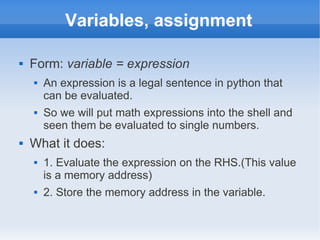
Variables, assignment

   Form: variable = expression
       An expression is a legal sentence in python that
        can be evaluated.
       So we will put math expressions into the shell and
        seen them be evaluated to single numbers.
   What it does:
       1. Evaluate the expression on the RHS.(This value
        is a memory address)
       2. Store the memory address in the variable.
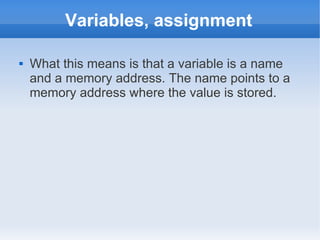
Variables, assignment

   What this means is that a variable is a name
    and a memory address. The name points to a
    memory address where the value is stored.
Practice

   Let's play with python shell
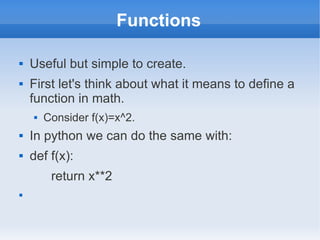
Functions

   Useful but simple to create.
   First let's think about what it means to define a
    function in math.
       Consider f(x)=x^2.
   In python we can do the same with:
   def f(x):
         return x**2

Functions

   A function definition has the form:
        def function_name(parameters):
                    block
       def is a python keyword; it cannot be used for
        naming functions or variables.
       A parameter of a function is a variable. A function
        can have any number of parameters, including 0.
       A block is a sequence of legal python statements.
                   A block must be indented.
       If the block contains the keyword return, it returns a
        value; otherwise it returns the special value None.
Functions documentation

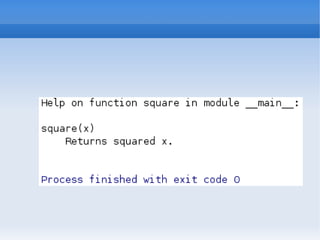
   We can use the built-in function help() to get
    information on functions or modules.
   We can do this on functions that we've defined
    as well, but it doesn't give much information.
   We can add useful documentation with
    docstrings.
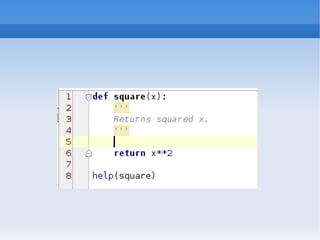
       A docstring is surrounded by ''' and must be the first
        line of a module or function.
Docstrings

   If the first line of a function or module is a
    string, we call it a docstring.
       Short for documentation string.
   Python saves the string to return if the help
    function is called.
   Convention: Leave a blank line after but not
    before a docstring.
   All functions should have docstrings.
Naming conventions

   Naming rules and conventions apply to
    functions, variables and any other kind of name
    that you will see.
   Must start with a letter or underscore.
   Can include letters, numbers, and underscores
    and nothing else.
   Case matters, so age is not same name as
    Age.
Name conventions

   For variables and functions pothole_case is
    used
       variable_name, useful_function
   CamelCase is sometimes used, but not for
    variables and functions
       MyClass
Types

   Every variable has a type
   Use built-in function type()
   Type converting is available
Booleans

   Can have two values True, False.
   Have three operations: not, and, or.
   not changes a True to a False and vice versa.
   and returns False unless all the arguments are
    True.
   or returns True unless all the arguments are
    False.
Booleans

   We can use relational operators.
       <,>,<=,>=,!=, ==
   These are all comparison operators that return
    True or False.
   == is the equality operator.
   != is not equals.
Practice

   Let's use Python shell and play with types.
If statement

   The general form of an if statement is:
      if condition:
        block
   Example:
      if grade >=50:
        print “pass”
If statement

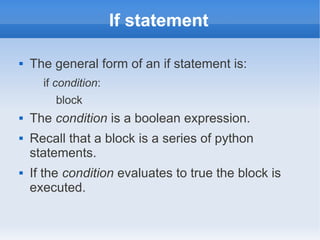
   The general form of an if statement is:
      if condition:
        block
   The condition is a boolean expression.
   Recall that a block is a series of python
    statements.
   If the condition evaluates to true the block is
    executed.
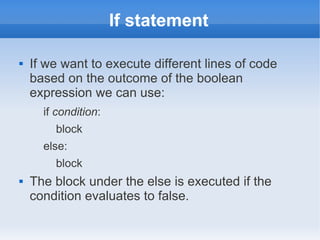
If statement

   If we want to execute different lines of code
    based on the outcome of the boolean
    expression we can use:
      if condition:
        block
      else:
        block
   The block under the else is executed if the
    condition evaluates to false.
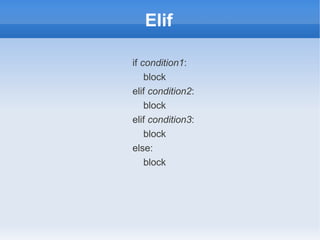
Elif

if condition1:
    block
elif condition2:
    block
elif condition3:
    block
else:
    block
Practice

   Changing photo to make it look like it's sunset
    using Python.
   Sunset is when red color is main on the photo.
   Let's decrease blue and green components of
    each pixel.
   We will use Python Imaging Library (PIL).
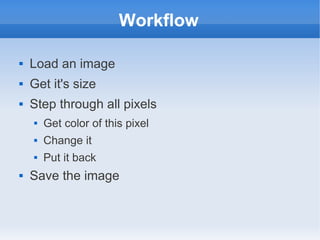
Workflow

   Load an image
   Get it's size
   Step through all pixels
       Get color of this pixel
       Change it
       Put it back
   Save the image
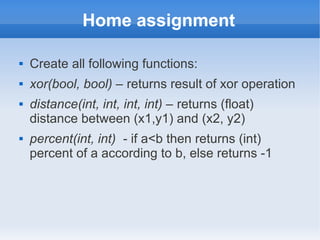
Home assignment

   Create all following functions:
   xor(bool, bool) – returns result of xor operation
   distance(int, int, int, int) – returns (float)
    distance between (x1,y1) and (x2, y2)
   percent(int, int) - if a<b then returns (int)
    percent of a according to b, else returns -1
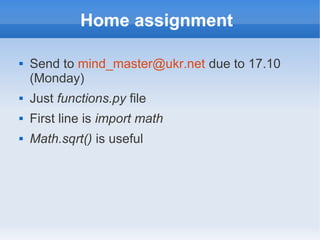
Home assignment

   Send to mind_master@ukr.net due to 17.10
    (Monday)
   Just functions.py file
   First line is import math
   Math.sqrt() is useful
Any questions?

Anton Kasyanov, Introduction to Python, Lecture2

  • 1.
    Introduction to Python Lecture 2 Kasyanov Anton IASA 2011
  • 2.
    Plan  Variables  Types  Functions  If operator
  • 3.
    Variables  A variable is a name that refers to a value.  Variables let us store and reuse values in several places.  Python is dynamically typed. That means that we don't need to specify variable's type.
  • 4.
    Variables, assignment  Form: variable = expression  An expression is a legal sentence in python that can be evaluated.  So we will put math expressions into the shell and seen them be evaluated to single numbers.  What it does:  1. Evaluate the expression on the RHS.(This value is a memory address)  2. Store the memory address in the variable.
  • 5.
    Variables, assignment  What this means is that a variable is a name and a memory address. The name points to a memory address where the value is stored.
  • 6.
    Practice  Let's play with python shell
  • 7.
    Functions  Useful but simple to create.  First let's think about what it means to define a function in math.  Consider f(x)=x^2.  In python we can do the same with:  def f(x): return x**2 
  • 8.
    Functions  A function definition has the form: def function_name(parameters): block  def is a python keyword; it cannot be used for naming functions or variables.  A parameter of a function is a variable. A function can have any number of parameters, including 0.  A block is a sequence of legal python statements.  A block must be indented.  If the block contains the keyword return, it returns a value; otherwise it returns the special value None.
  • 9.
    Functions documentation  We can use the built-in function help() to get information on functions or modules.  We can do this on functions that we've defined as well, but it doesn't give much information.  We can add useful documentation with docstrings.  A docstring is surrounded by ''' and must be the first line of a module or function.
  • 11.
    Docstrings  If the first line of a function or module is a string, we call it a docstring.  Short for documentation string.  Python saves the string to return if the help function is called.  Convention: Leave a blank line after but not before a docstring.  All functions should have docstrings.
  • 13.
    Naming conventions  Naming rules and conventions apply to functions, variables and any other kind of name that you will see.  Must start with a letter or underscore.  Can include letters, numbers, and underscores and nothing else.  Case matters, so age is not same name as Age.
  • 14.
    Name conventions  For variables and functions pothole_case is used  variable_name, useful_function  CamelCase is sometimes used, but not for variables and functions  MyClass
  • 15.
    Types  Every variable has a type  Use built-in function type()  Type converting is available
  • 16.
    Booleans  Can have two values True, False.  Have three operations: not, and, or.  not changes a True to a False and vice versa.  and returns False unless all the arguments are True.  or returns True unless all the arguments are False.
  • 17.
    Booleans  We can use relational operators.  <,>,<=,>=,!=, ==  These are all comparison operators that return True or False.  == is the equality operator.  != is not equals.
  • 18.
    Practice  Let's use Python shell and play with types.
  • 19.
    If statement  The general form of an if statement is: if condition: block  Example: if grade >=50: print “pass”
  • 20.
    If statement  The general form of an if statement is: if condition: block  The condition is a boolean expression.  Recall that a block is a series of python statements.  If the condition evaluates to true the block is executed.
  • 21.
    If statement  If we want to execute different lines of code based on the outcome of the boolean expression we can use: if condition: block else: block  The block under the else is executed if the condition evaluates to false.
  • 22.
    Elif if condition1: block elif condition2: block elif condition3: block else: block
  • 23.
    Practice  Changing photo to make it look like it's sunset using Python.  Sunset is when red color is main on the photo.  Let's decrease blue and green components of each pixel.  We will use Python Imaging Library (PIL).
  • 24.
    Workflow  Load an image  Get it's size  Step through all pixels  Get color of this pixel  Change it  Put it back  Save the image
  • 25.
    Home assignment  Create all following functions:  xor(bool, bool) – returns result of xor operation  distance(int, int, int, int) – returns (float) distance between (x1,y1) and (x2, y2)  percent(int, int) - if a<b then returns (int) percent of a according to b, else returns -1
  • 26.
    Home assignment  Send to mind_master@ukr.net due to 17.10 (Monday)  Just functions.py file  First line is import math  Math.sqrt() is useful
  • 27.