Network
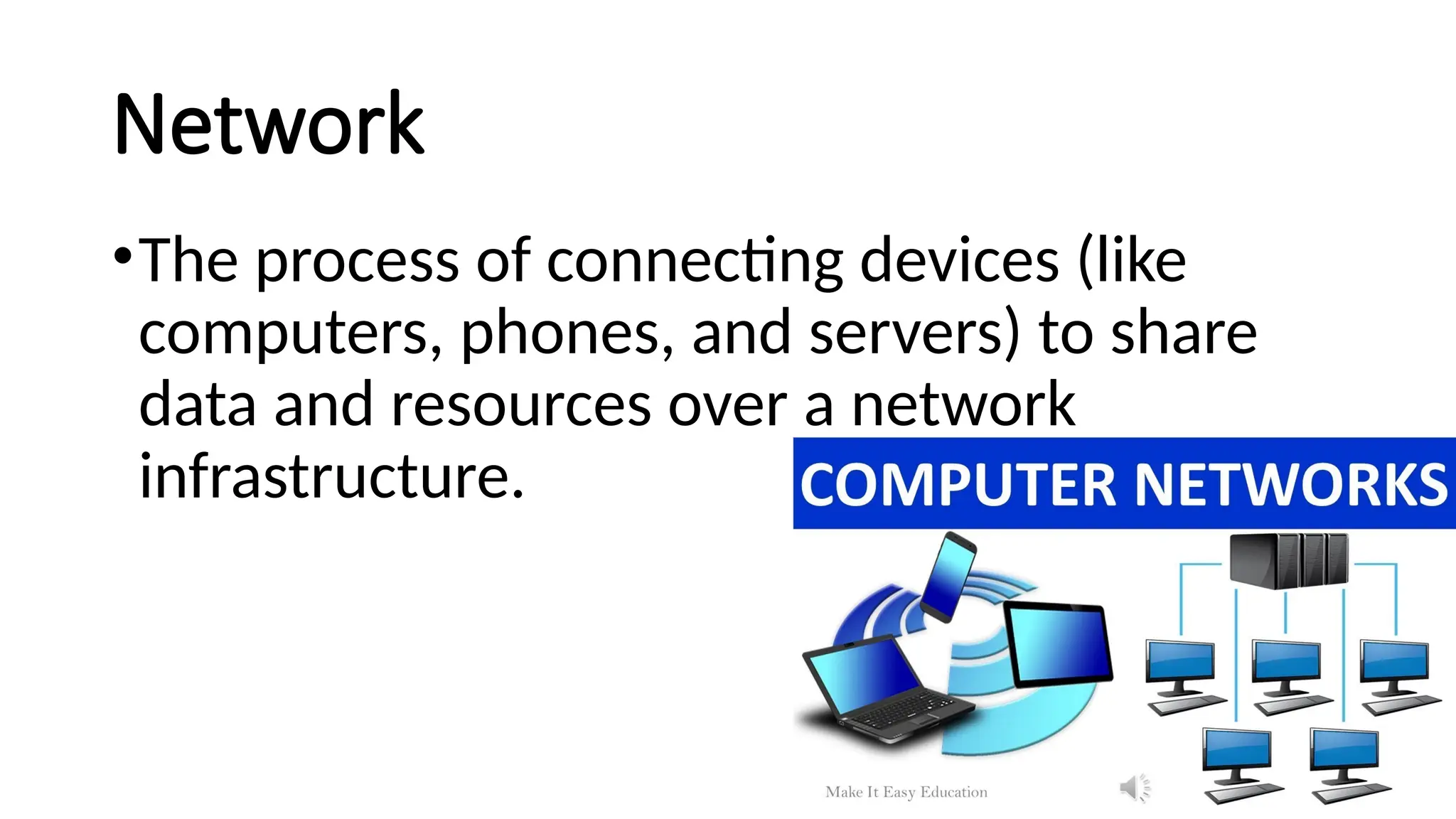
•The process ofconnecting devices (like
computers, phones, and servers) to share
data and resources over a network
infrastructure.
3.
Networking: Building Blocks
•Thefoundational building blocks of
computer networking are
•nodes, links, and protocols. These elements
work together with various networking
devices and software to create a system for
exchanging data and sharing resources.
4.
Core components
Nodes
A nodeis any device that can send, receive, or
forward information over a network.
•Workstations: End-user devices like desktop
computers, laptops, and mobile phones.
•Servers: Powerful computers that provide
resources and services—such as files, websites,
and applications—to other devices on the
network.
5.
Links
Links are thetransmission media that connect nodes and carry
data signals.
•Wired media: Physical cables that transfer data using
electrical or light pulses, such as:
•Ethernet cables (twisted pair)
•Fiber-optic cables
•Coaxial cables
•Wireless media: Technologies that use radio waves or other
electromagnetic signals to transmit data through the air.
Common examples include Wi-Fi, Bluetooth, and cellular
networks.
6.
Protocols
Protocols are thesets of rules and standards that define how
devices communicate and exchange data across a network. The
most fundamental example is the TCP/IP suite, which governs
the internet.
•TCP (Transmission Control Protocol): Guarantees the reliable
delivery of data packets by ensuring they arrive in the correct
order and without errors.
•IP (Internet Protocol): Manages the logical addressing and
routing of data packets so they can be delivered across different
networks.
•HTTP (Hypertext Transfer Protocol): The protocol used for
communication between web browsers and servers.
7.
Networking hardware
These arespecialized devices that connect and manage the flow of traffic on
a network.
•Routers: Connects multiple networks and forwards data packets to their
correct destination. A home router, for example, connects your internal local
area network (LAN) to the internet.
•Switches: Connects devices within a single network. Unlike simpler devices,
a switch intelligently forwards traffic only to the specific device it is intended
for, improving network efficiency.
•Modems: Modulates and demodulates signals to allow a computer or
router to connect to the internet over a cable or telephone line.
•Firewalls: Enforces security rules by monitoring and controlling incoming
and outgoing network traffic. It acts as a barrier against threats like hackers
and malware.
8.
•Access Points: Createsa wireless local area network
(WLAN) by connecting wireless devices, such as laptops
and smartphones, to a wired network.
•Network Interface Card (NIC): A hardware component,
often built into a computer's motherboard, that enables
a device to connect to a network.
9.
Network architecture
Network architecturedefines the blueprint of a network,
including the physical and logical layout of its components.
Network topology
Topology describes the physical and logical arrangement of the
nodes and links in a network.
•Star: All devices are connected to a central node, like a hub or
switch.
•Bus: All devices are connected to a single main cable.
•Mesh: Devices are interconnected with many redundant links,
creating high reliability.
10.
Network types byscope
Networks can also be categorized by their geographical
area.
•LAN (Local Area Network): A network connecting
devices in a small, localized area, such as an office or
home.
•WAN (Wide Area Network): A network that spans a
large geographical area, connecting multiple LANs over
cities, states, or even countries.
•The Internet: The largest and most complex WAN,
connecting billions of devices globally.
11.
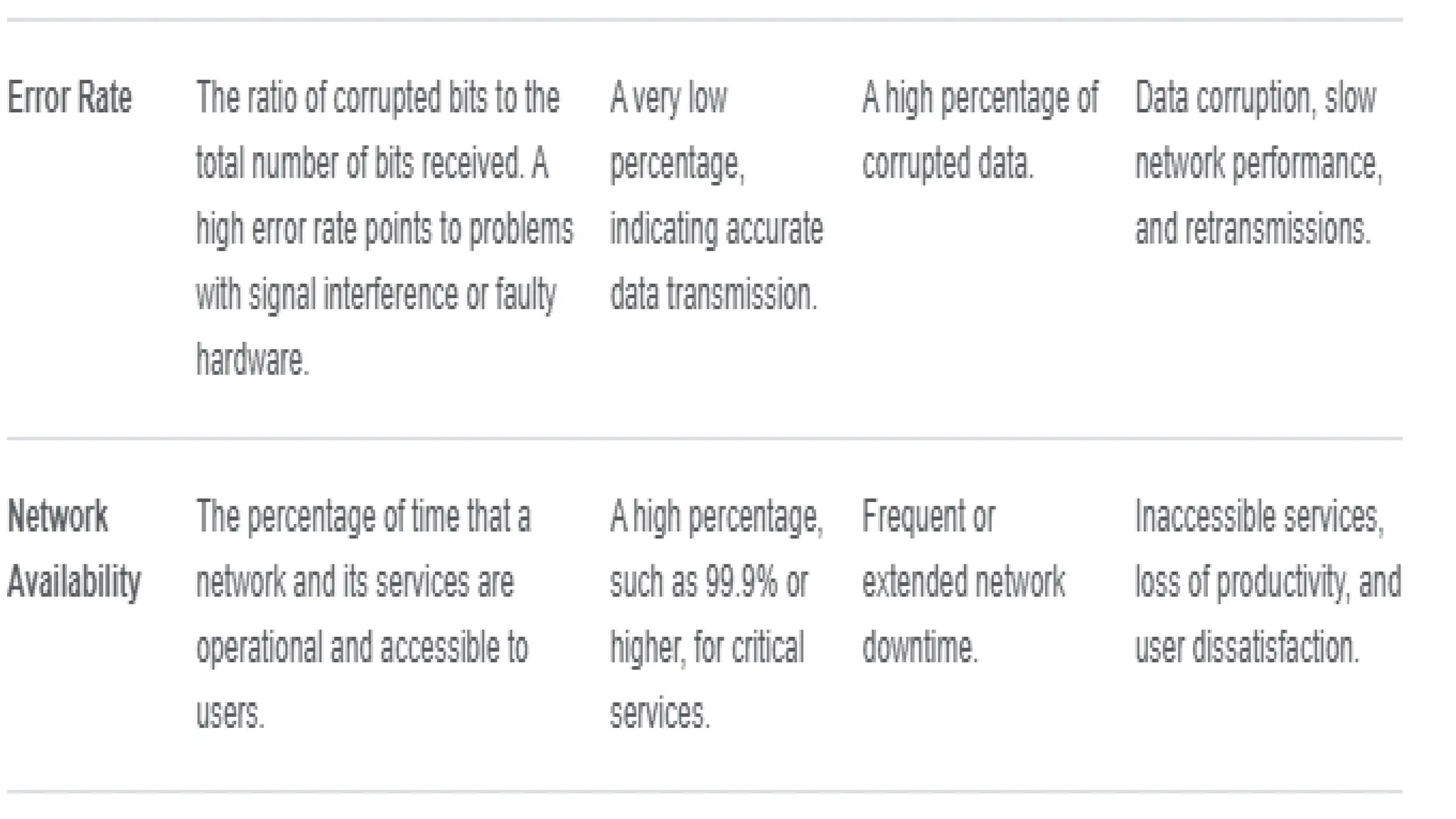
Network availability
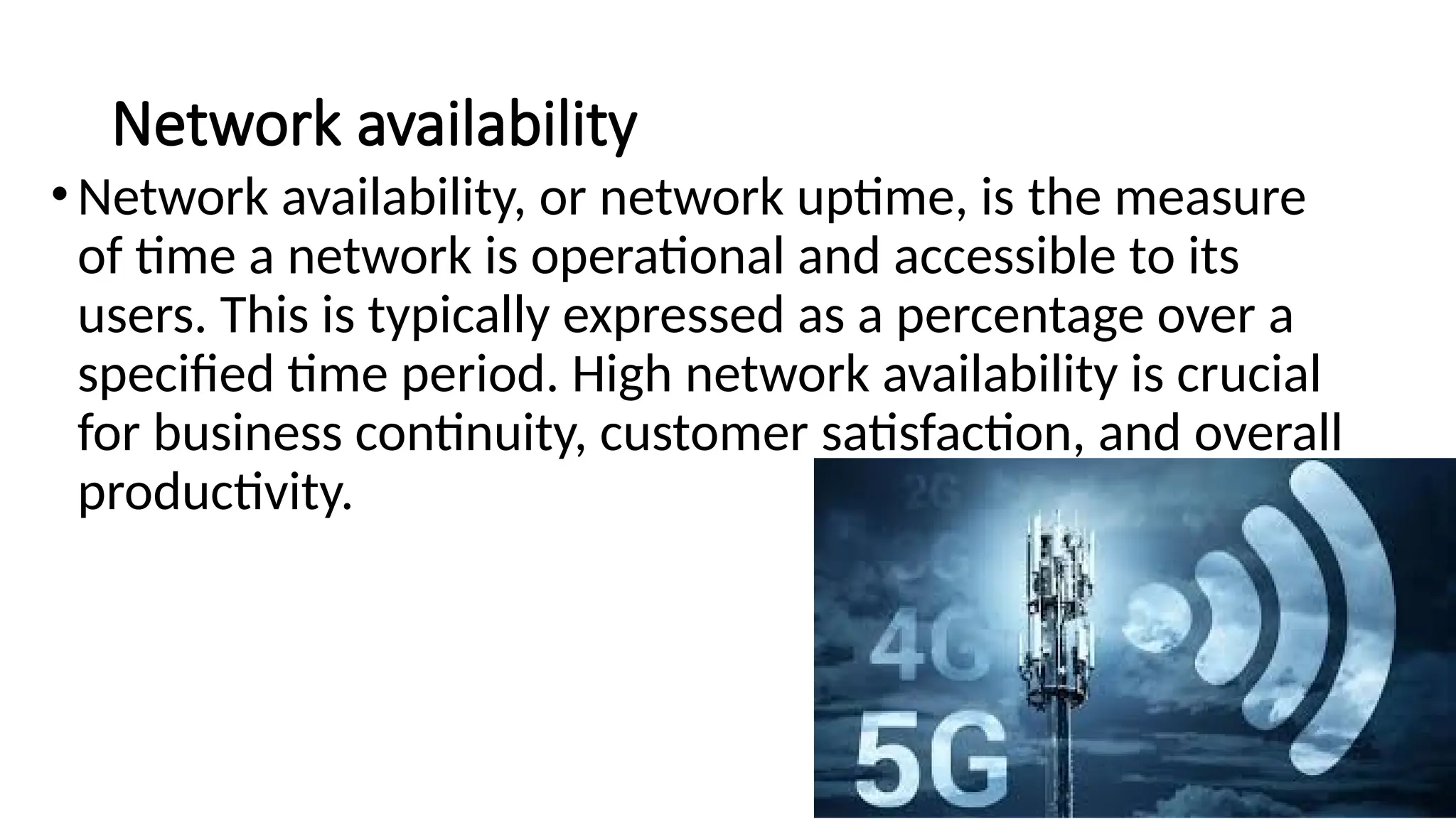
•Network availability,or network uptime, is the measure
of time a network is operational and accessible to its
users. This is typically expressed as a percentage over a
specified time period. High network availability is crucial
for business continuity, customer satisfaction, and overall
productivity.
12.
The "Nines" method
Thisis a popular method for expressing high levels of
network availability.
•Two Nines (99%): ~3.65 days of downtime per year.
•Three Nines (99.9%): ~8.76 hours of downtime per
year.
•Four Nines (99.99%): ~52.56 minutes of downtime per
year.
•Five Nines (99.999%): ~5.26 minutes of downtime per
year.
13.
Other key metrics
•Mean Time Between Failures (MTBF): The average time a network or
component functions before a failure. A higher MTBF indicates
greater reliability.
• Mean Time to Repair (MTTR): The average time it takes to fix a
network outage. A lower MTTR contributes to higher availability.
• Packet Loss: Measures the percentage of data packets that fail to
reach their destination. High packet loss indicates congestion or
instability and affects performance and reliability.
14.
Factors that affectnetwork availability
• Redundancy and failover: Incorporating backup systems and components, such
as redundant servers and load balancers, eliminates single points of failure.
• Network security: Malicious attacks like Distributed Denial of Service (DDoS)
can lead to significant network downtime. Robust security measures like
firewalls and encryption help maintain availability.
• Infrastructure stability: The reliability of network components like routers,
switches, power supplies, and internet service providers (ISPs) directly impacts
uptime.
• Proactive monitoring: Network monitoring tools can track device health and
performance metrics in real time. This helps IT teams identify and resolve issues
quickly before they cause an outage.
15.
• Regular maintenance:Implementing a consistent schedule for
software updates, firmware patches, and hardware replacement helps
prevent disruptions.
• Disaster recovery plan: A comprehensive plan for restoring network
operations after a major incident, such as a power outage or
cyberattack, is essential for minimizing downtime.
16.
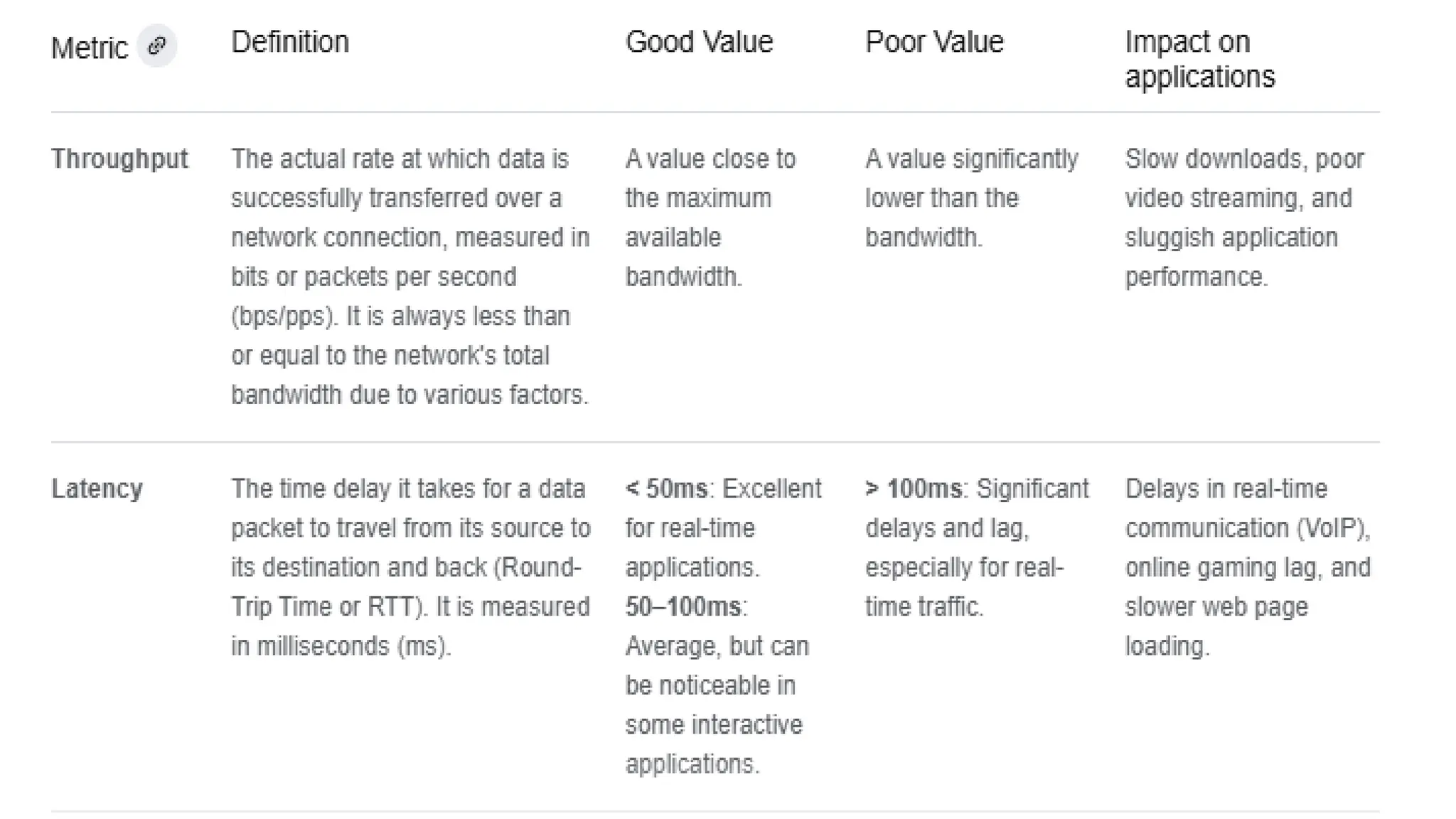
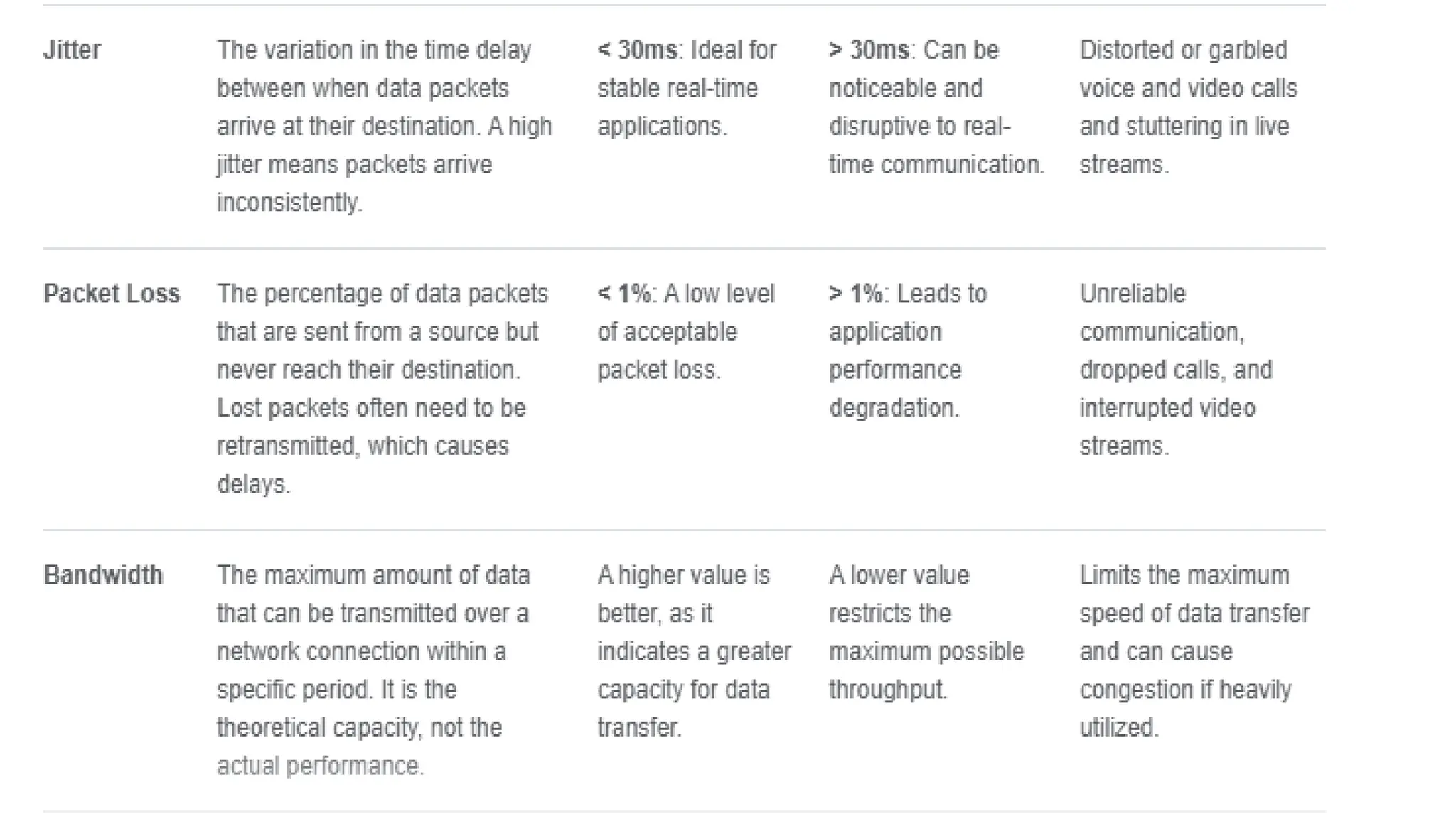
Network performance
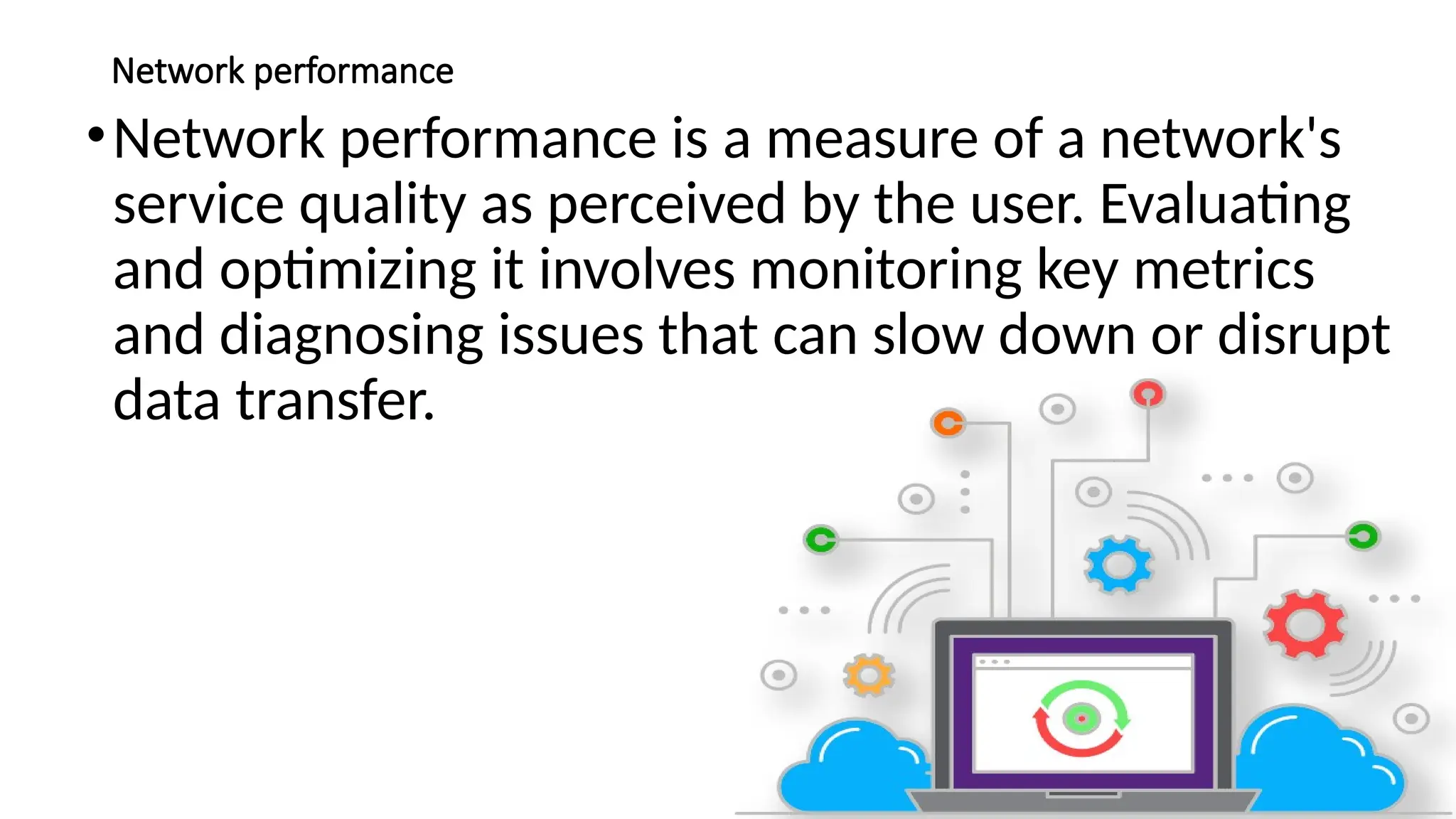
•Network performanceis a measure of a network's
service quality as perceived by the user. Evaluating
and optimizing it involves monitoring key metrics
and diagnosing issues that can slow down or disrupt
data transfer.
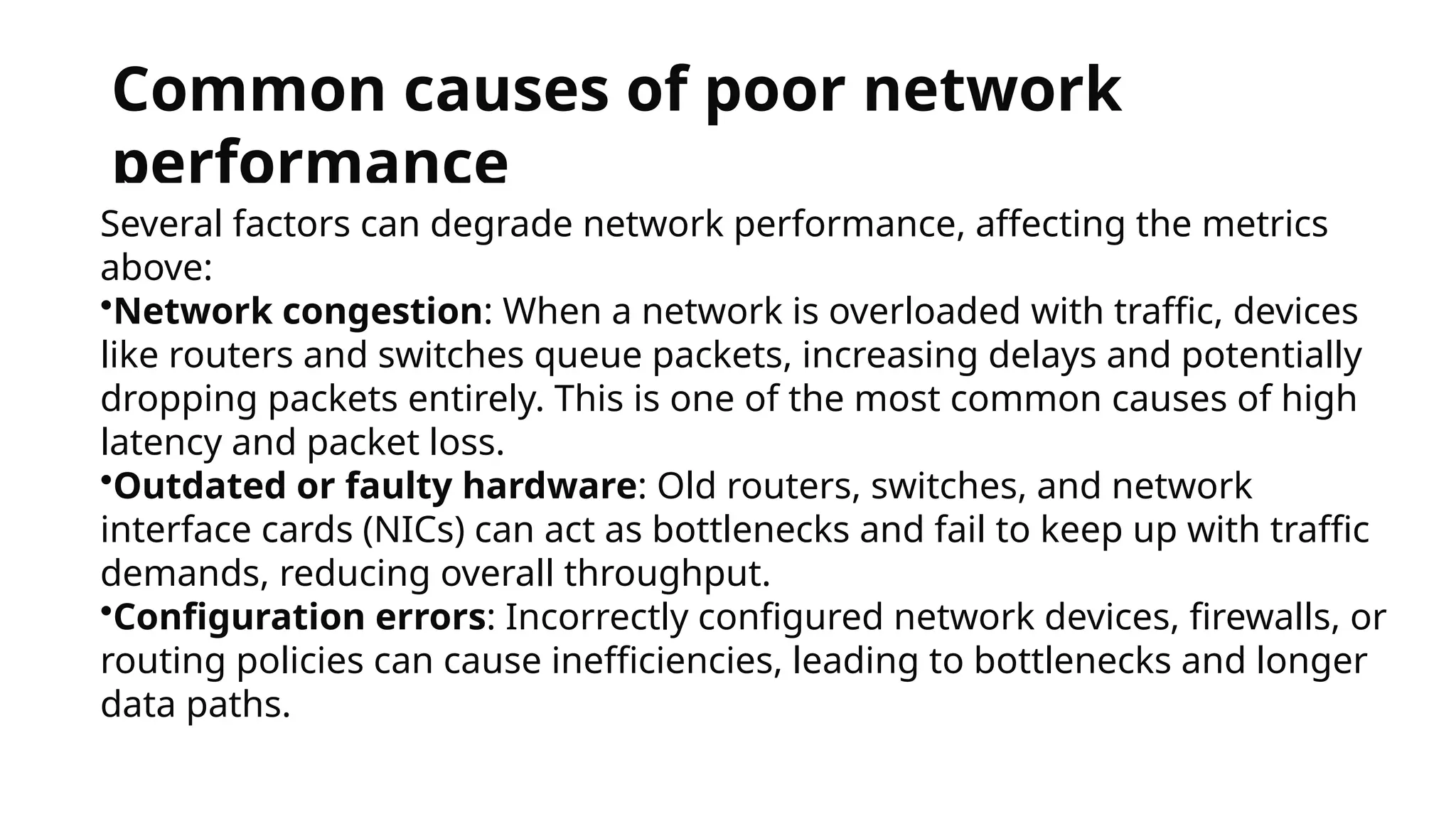
20.
Common causes ofpoor network
performance
Several factors can degrade network performance, affecting the metrics
above:
•Network congestion: When a network is overloaded with traffic, devices
like routers and switches queue packets, increasing delays and potentially
dropping packets entirely. This is one of the most common causes of high
latency and packet loss.
•Outdated or faulty hardware: Old routers, switches, and network
interface cards (NICs) can act as bottlenecks and fail to keep up with traffic
demands, reducing overall throughput.
•Configuration errors: Incorrectly configured network devices, firewalls, or
routing policies can cause inefficiencies, leading to bottlenecks and longer
data paths.
21.
• Physical distance:The greater the geographical distance between the
sender and receiver, the higher the latency will be due to the time it
takes for data to travel.
• Wireless interference: On Wi-Fi networks, interference from other
electronic devices, overlapping wireless signals, or physical
obstructions can degrade signal quality and increase packet loss.
• Software issues: Bugs in network drivers, firmware, or applications
can disrupt data flow and cause instability in packet delivery.
22.
How to measureand improve network
performance
Measurement tools and techniques
•Network monitoring software: Tools like SolarWinds and PRTG provide
real-time dashboards and alerts for key metrics, helping administrators
visualize traffic and identify issues.
•Speed tests: Websites like Ookla's Speedtest can quickly measure your
current download and upload speeds, which reflect your network's
throughput.
•Ping and Traceroute:
•ping measures the RTT and packet loss to a specific destination.
•traceroute maps the path your data takes and measures the latency at each
"hop" between routers.
Baselines and trend analysis: By establishing a performance baseline under normal
conditions, you can more easily spot anomalies and diagnose issues that emerge over time.
23.
Improvement and optimizationstrategies
• Implement Quality of Service (QoS): Prioritize certain types of traffic (e.g., VoIP,
video conferencing) over less sensitive traffic to ensure critical applications have
the resources they need.
• Upgrade hardware: Replace old network equipment with modern, higher-
capacity devices to handle increased traffic loads.
• Optimize network infrastructure:
• Network segmentation: Divide a network into smaller, isolated segments to reduce
congestion and improve security.
• Load balancing: Distribute network traffic evenly across multiple servers to prevent any
single one from being overwhelmed.
• Reduce network hops: Use technologies like cloud services or Content Delivery
Networks (CDNs) to reduce the distance data travels and minimize the number of
routers (hops) it must pass through.
• Use wired connections: For devices that require a stable connection, a wired
Ethernet connection is more reliable and less prone to packet loss and
interference than Wi-Fi.
24.
Network security
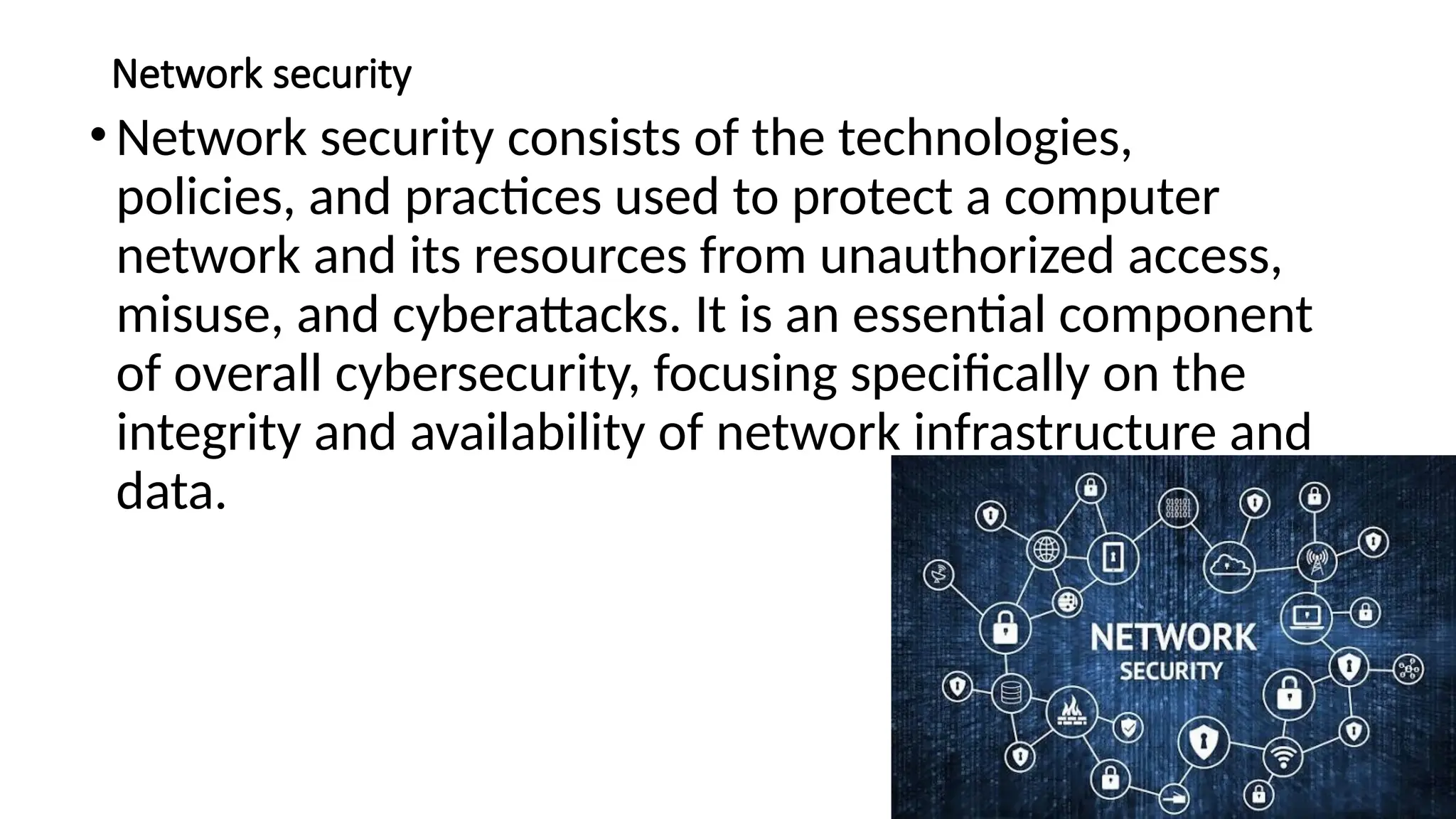
•Network securityconsists of the technologies,
policies, and practices used to protect a computer
network and its resources from unauthorized access,
misuse, and cyberattacks. It is an essential component
of overall cybersecurity, focusing specifically on the
integrity and availability of network infrastructure and
data.
25.
Core principles
Effective networksecurity is built upon the following
principles, often referred to as the "CIA Triad":
•Confidentiality: Preventing sensitive information
from being accessed by unauthorized individuals.
•Integrity: Ensuring that data remains accurate,
consistent, and unaltered by unauthorized parties.
•Availability: Guaranteeing that authorized users can
reliably access the network and its resources when
needed.
26.
Common threats andvulnerabilities
• Malware: Malicious software such as viruses, worms, and ransomware that can
damage systems, steal data, or demand a ransom payment.
• Phishing and social engineering: Deceptive tactics used to manipulate employees
into revealing sensitive information, which remains a leading cause of security
breaches.
• DDoS attacks: Distributed Denial-of-Service attacks overwhelm a network with a
flood of traffic, making online services and websites unavailable to legitimate users.
• Insider threats: Malicious or careless actions by employees, partners, or
contractors with legitimate network access who misuse their privileges.
• Zero-day exploits: Attacks that leverage a previously unknown software or
hardware vulnerability before a patch can be developed or deployed.
27.
Key security controlsand technologies
• Firewalls: Act as a barrier between trusted internal networks and untrusted
external networks, filtering traffic based on a predefined set of security rules.
• Intrusion Detection and Prevention Systems (IDS/IPS): An IDS monitors
network traffic for malicious activity and alerts administrators, while an IPS can
automatically block or prevent detected threats.
• Virtual Private Networks (VPNs): Create a secure, encrypted connection for
users accessing a network remotely, protecting data from interception.
• Network Access Control (NAC): Verifies the identity of users and devices trying
to connect to the network and enforces security policies.
• Data Loss Prevention (DLP): Uses software to monitor data in use, in motion,
and at rest to prevent accidental or malicious data breaches.
28.
• Security Informationand Event Management (SIEM): Aggregates and
analyzes log data from various security tools and network devices to
detect anomalies and identify potential threats.
• Zero Trust Architecture (ZTA): Operates on the principle of "never
trust, always verify," assuming no user or device is trustworthy by
default and requiring continuous verification.