OSI Model
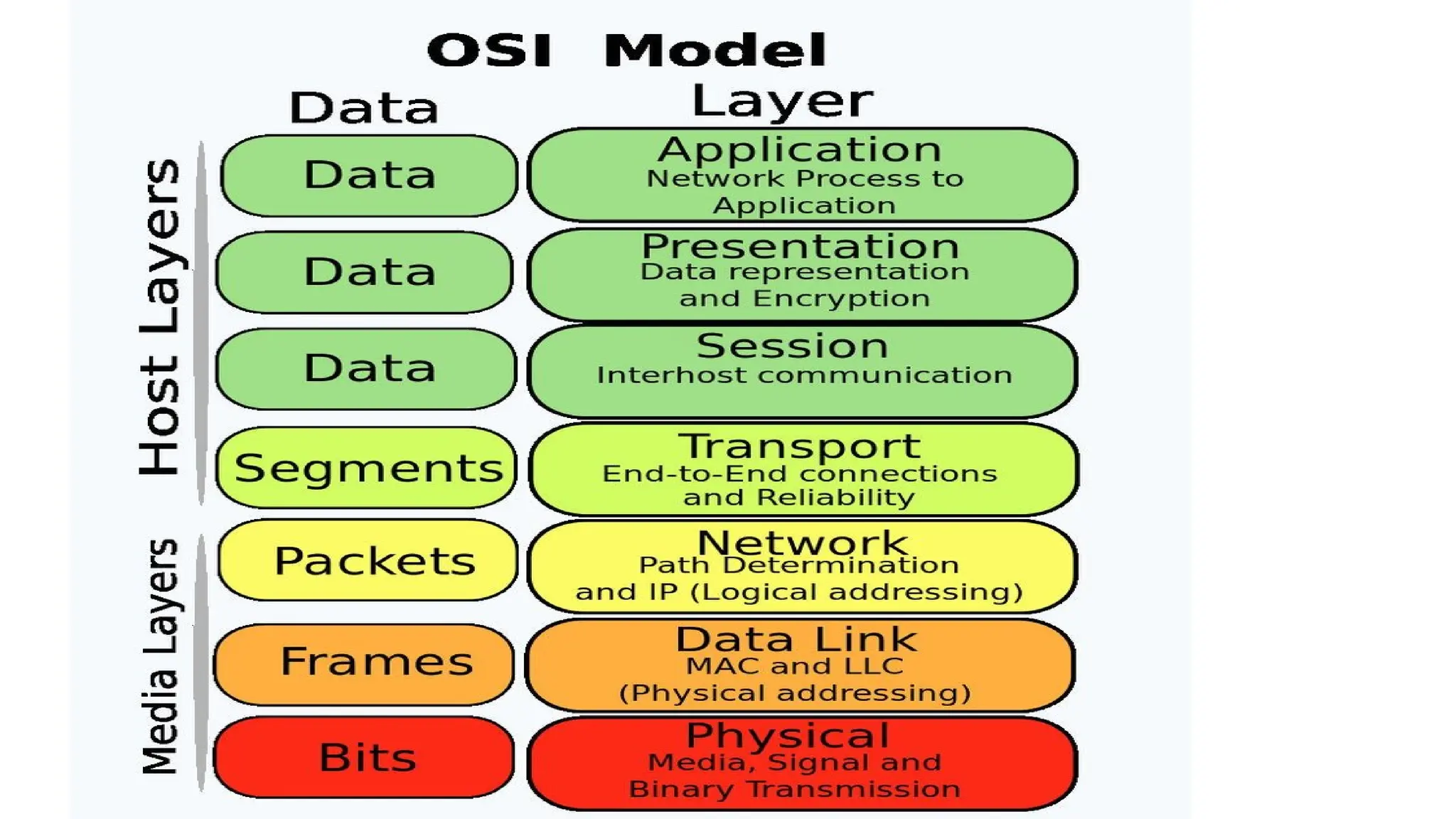
• TheOSI (Open Systems Interconnection) model is a conceptual
framework that standardizes the functions of a telecommunication
system into seven distinct layers. The model outlines how information
moves from an application on a sending device, down through the
layers and across a network, and then back up the layers to an
application on the receiving device.
4.
Layer 7: Application
Thisis the only layer that directly interacts with data
from the end-user. It provides network services for
applications to use, such as web browsers and email
clients.
•Functions: Facilitates high-level network services like
resource sharing, remote file access, and directory
services.
•Protocols: HTTP, FTP, SMTP, and DNS.
5.
Layer 6: Presentation
•Thislayer handles data formatting, translation,
encryption, and compression to ensure data
from one system's application layer is readable
by another's. Key functions include converting
data formats, encrypting data for security, and
compressing it for efficiency. Protocols include
TLS/SSL, JPEG, and MPEG.
6.
Layer 5: Session
•Thesession layer manages connections
between computers, establishing,
controlling, and ending communication
sessions. It controls which device sends
data and uses checkpoints to resume a
session if interrupted. Protocols include
RPC and PPTP.
7.
Layer 4: Transport
•Thislayer ensures reliable, end-to-end data
delivery. It segments data from the session layer
and reassembles it at the destination. Functions
include segmenting data, error detection and
correction (like TCP retransmission), flow
control, and multiplexing data to the correct
application using port numbers. Protocols are
TCP and UDP.
8.
Layer 3: Network
•Thenetwork layer routes data between different
networks. It breaks segments into packets and
determines the best path for them. Functions
include assigning logical addresses (like IP
addresses), routing packets (routers operate
here), and fragmenting/reassembling packets.
Protocols include IP and ICMP.
9.
Layer 2: DataLink
•This layer provides node-to-node data transfer
and manages errors on the physical layer. It
frames packets using MAC addresses for local
delivery. Functions include organizing bits into
frames, adding MAC addresses, error
detection/retransmission, and flow control.
Protocols include Ethernet and Wi-Fi.
10.
Layer 1: Physical
•Thelowest layer, the physical layer involves the
physical equipment and transmits raw data bits
over a medium like cables or wireless signals. Its
functions include bit transmission, defining data
rates, synchronizing sender and receiver clocks,
and specifying network topologies. Devices at
this layer include hubs, repeaters, and cables.
11.
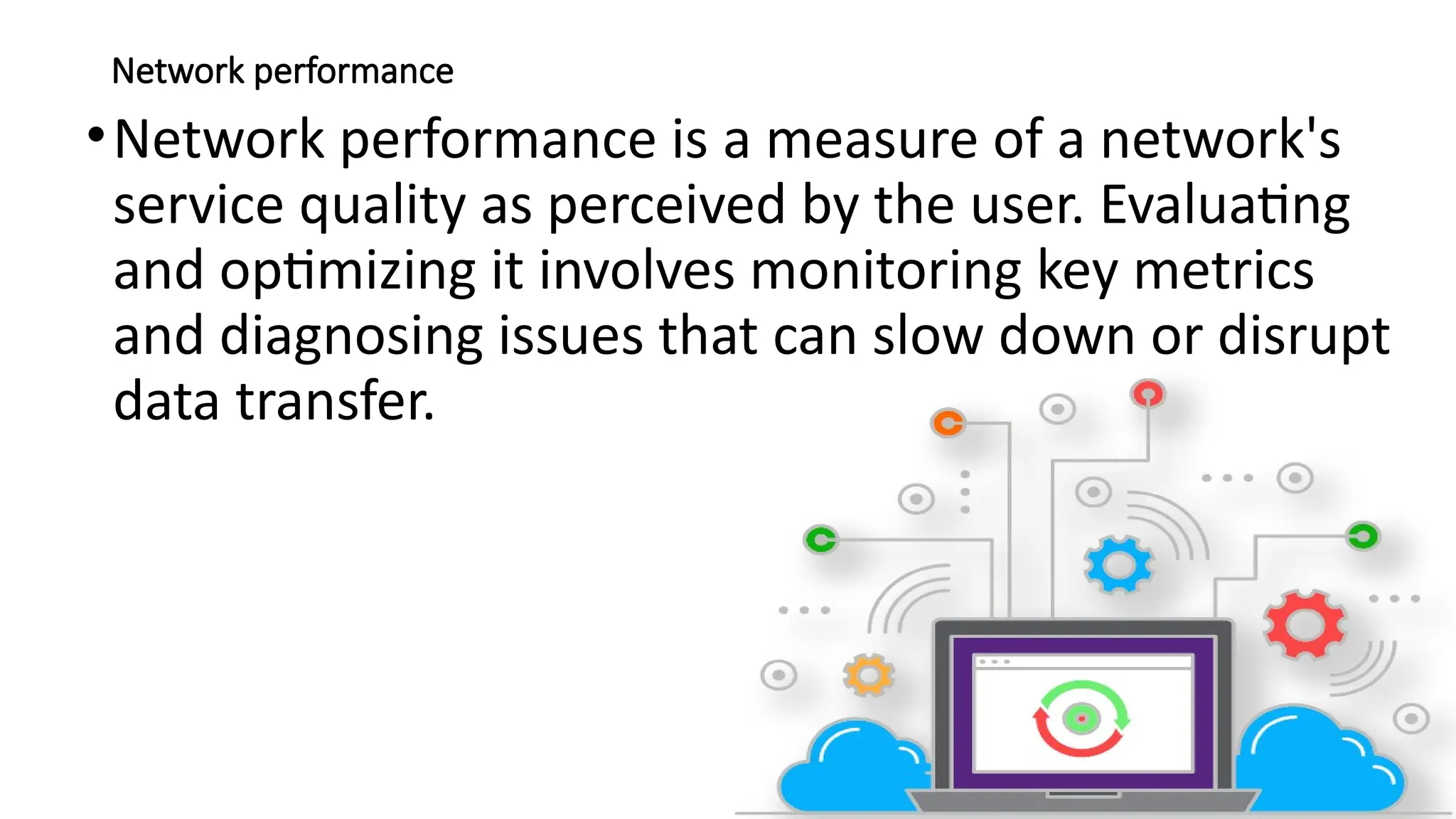
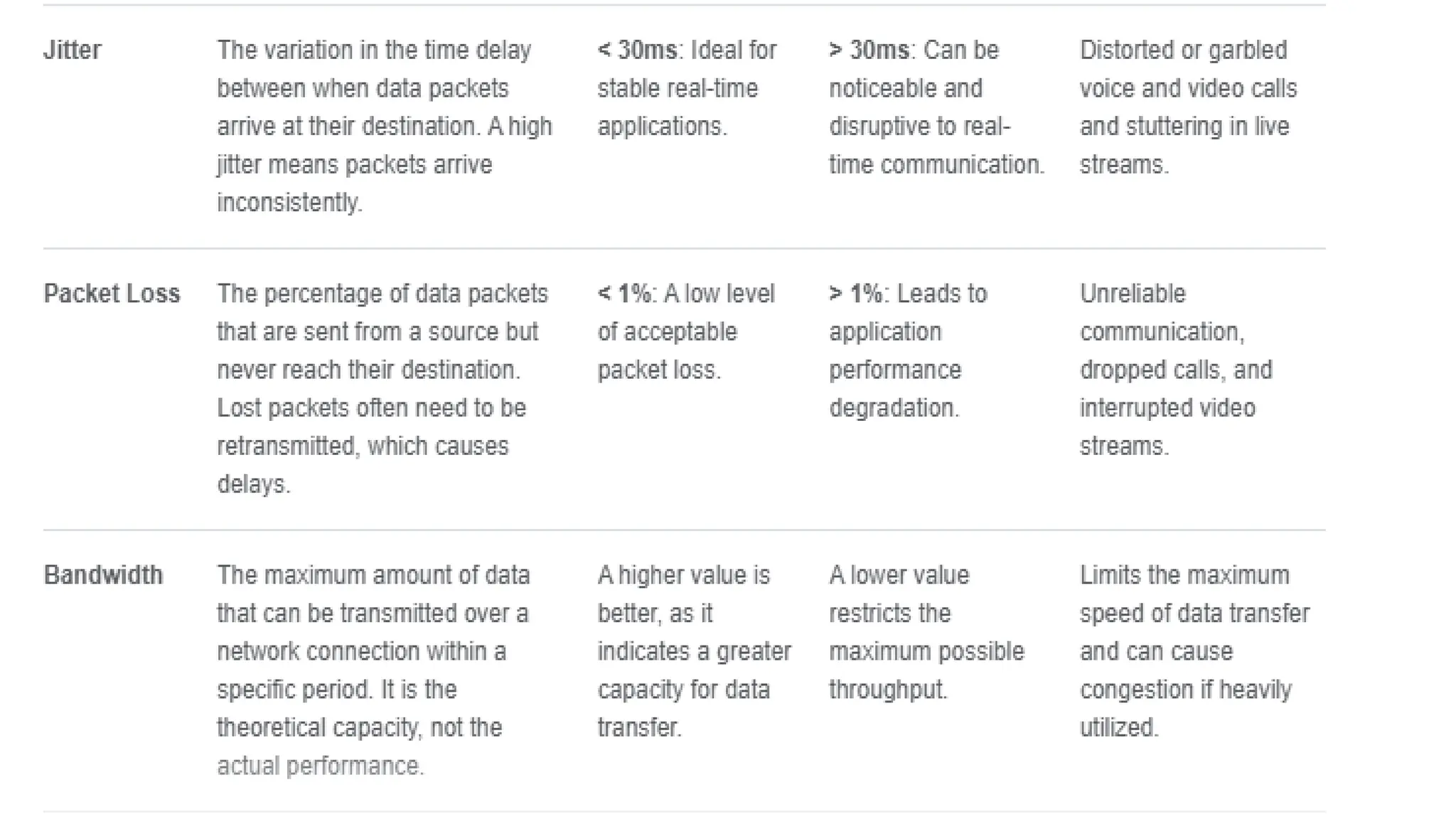
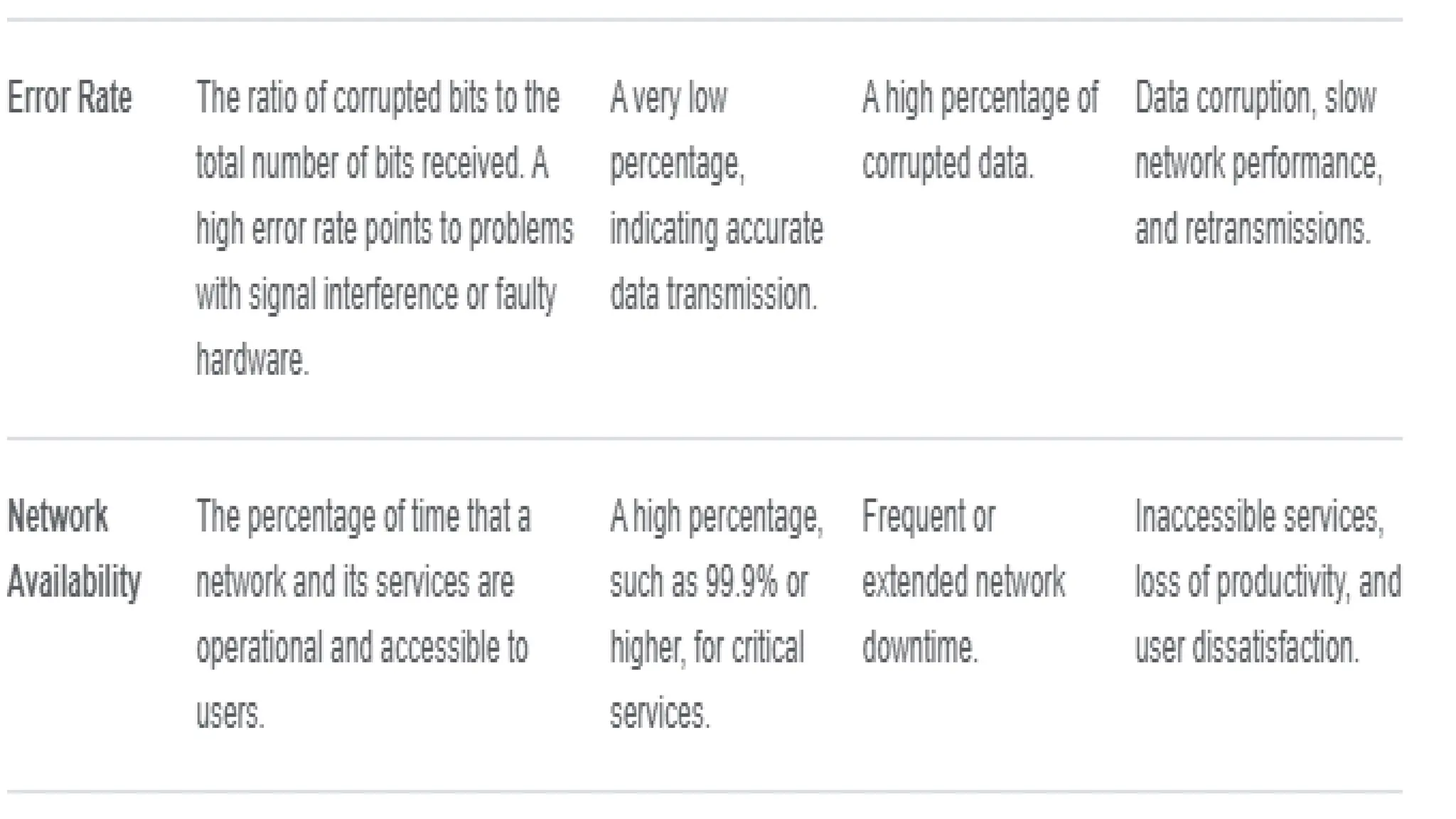
Network performance
•Network performanceis a measure of a network's
service quality as perceived by the user. Evaluating
and optimizing it involves monitoring key metrics
and diagnosing issues that can slow down or disrupt
data transfer.
15.
Common causes ofpoor network
performance
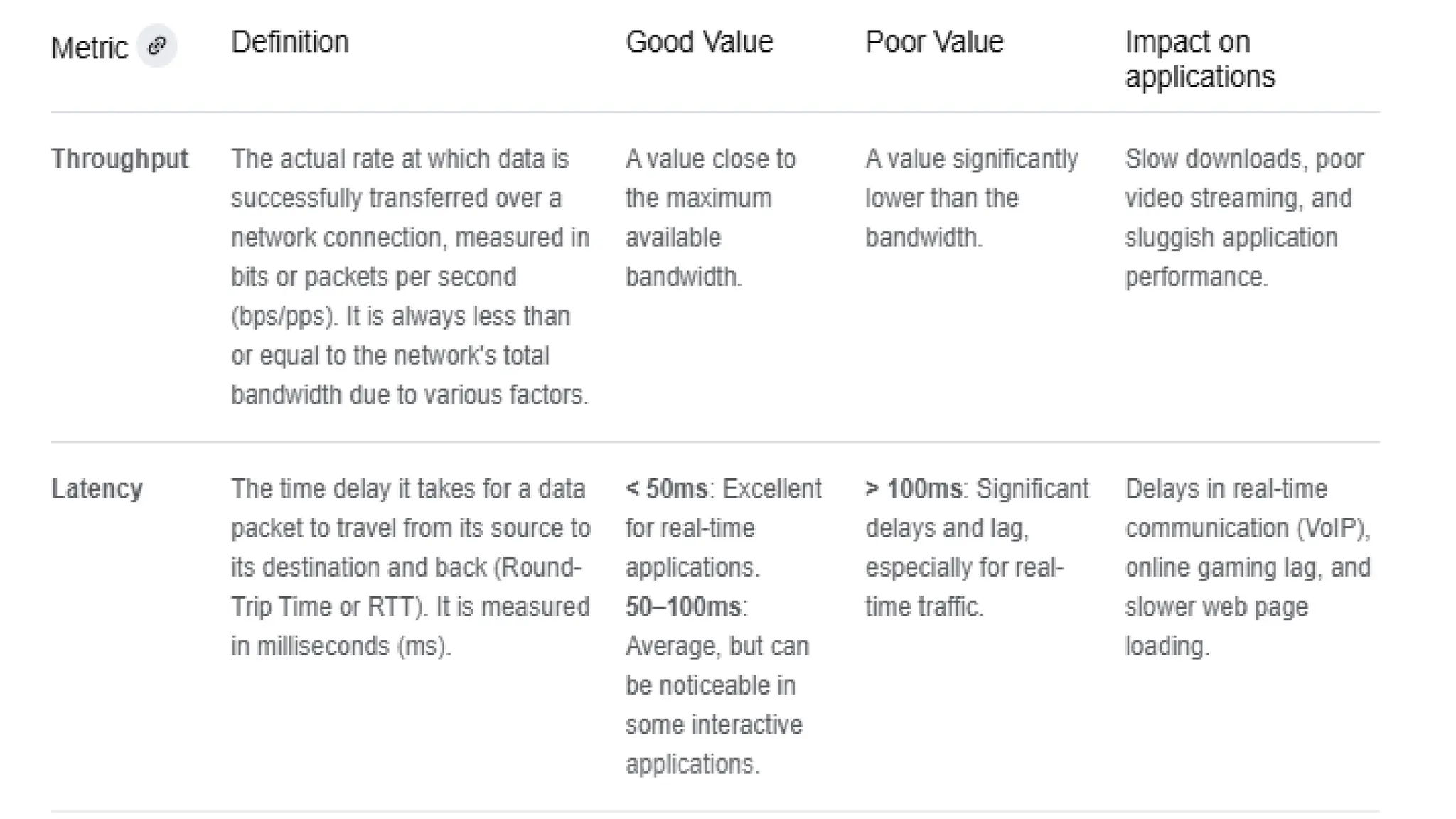
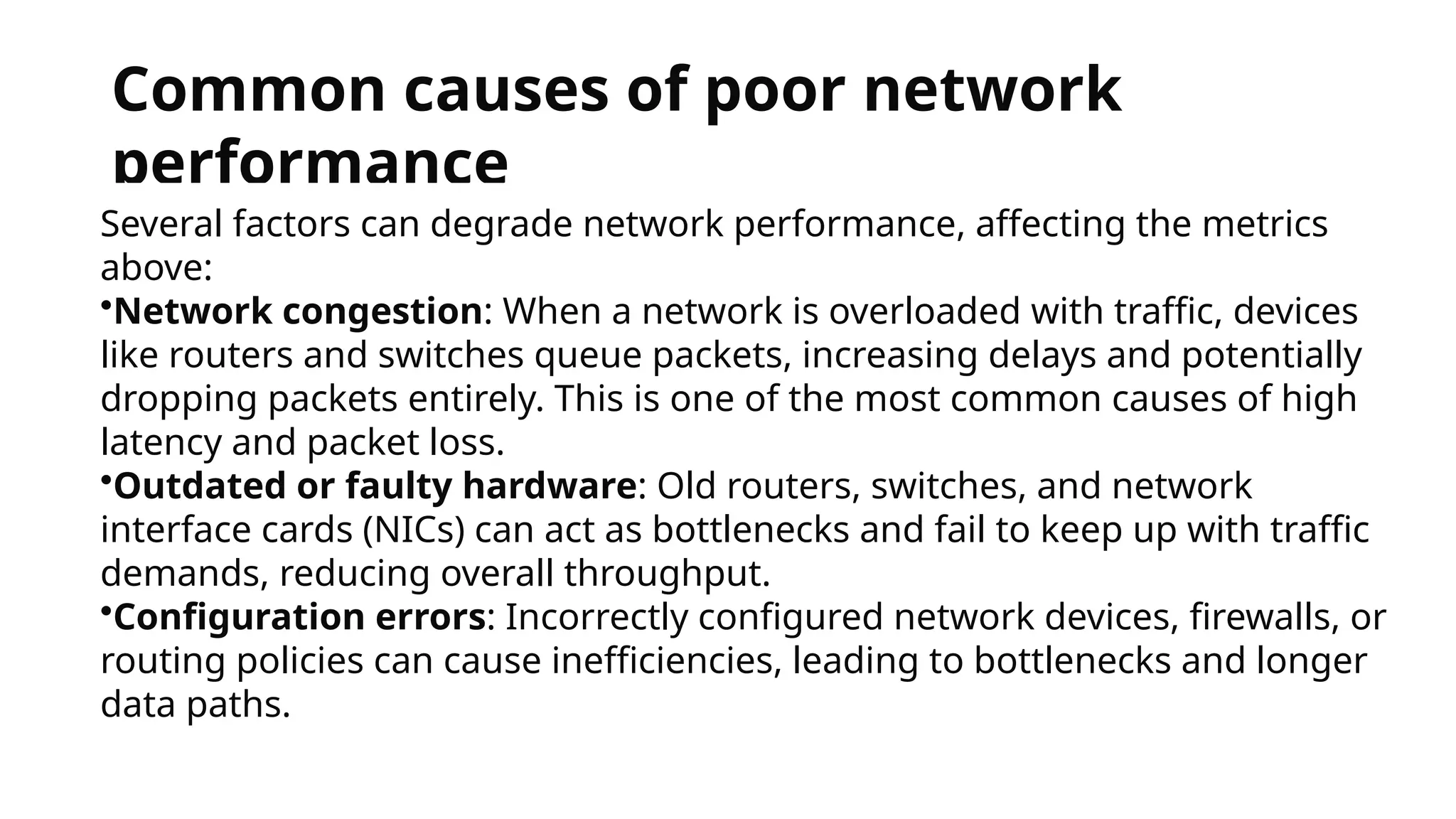
Several factors can degrade network performance, affecting the metrics
above:
•Network congestion: When a network is overloaded with traffic, devices
like routers and switches queue packets, increasing delays and potentially
dropping packets entirely. This is one of the most common causes of high
latency and packet loss.
•Outdated or faulty hardware: Old routers, switches, and network
interface cards (NICs) can act as bottlenecks and fail to keep up with traffic
demands, reducing overall throughput.
•Configuration errors: Incorrectly configured network devices, firewalls, or
routing policies can cause inefficiencies, leading to bottlenecks and longer
data paths.
16.
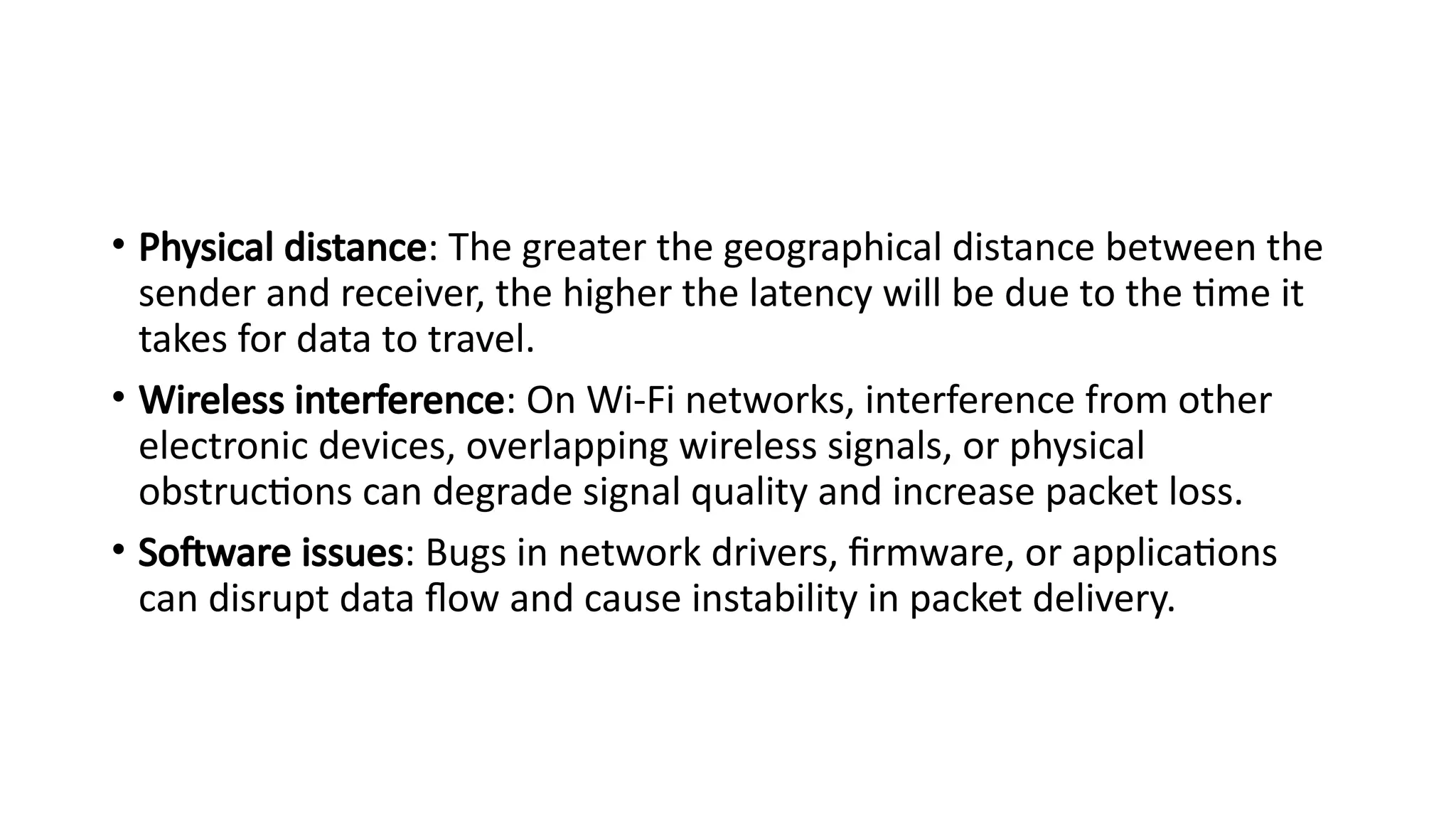
• Physical distance:The greater the geographical distance between the
sender and receiver, the higher the latency will be due to the time it
takes for data to travel.
• Wireless interference: On Wi-Fi networks, interference from other
electronic devices, overlapping wireless signals, or physical
obstructions can degrade signal quality and increase packet loss.
• Software issues: Bugs in network drivers, firmware, or applications
can disrupt data flow and cause instability in packet delivery.
17.
How to measureand improve network
performance
Measurement tools and techniques
•Network monitoring software: Tools like SolarWinds and PRTG provide
real-time dashboards and alerts for key metrics, helping administrators
visualize traffic and identify issues.
•Speed tests: Websites like Ookla's Speedtest can quickly measure your
current download and upload speeds, which reflect your network's
throughput.
•Ping and Traceroute:
•ping measures the RTT and packet loss to a specific destination.
•traceroute maps the path your data takes and measures the latency at each
"hop" between routers.
Baselines and trend analysis: By establishing a performance baseline under normal
conditions, you can more easily spot anomalies and diagnose issues that emerge over time.
18.
Improvement and optimizationstrategies
• Implement Quality of Service (QoS): Prioritize certain types of traffic (e.g., VoIP,
video conferencing) over less sensitive traffic to ensure critical applications have
the resources they need.
• Upgrade hardware: Replace old network equipment with modern, higher-
capacity devices to handle increased traffic loads.
• Optimize network infrastructure:
• Network segmentation: Divide a network into smaller, isolated segments to reduce
congestion and improve security.
• Load balancing: Distribute network traffic evenly across multiple servers to prevent any single
one from being overwhelmed.
• Reduce network hops: Use technologies like cloud services or Content Delivery
Networks (CDNs) to reduce the distance data travels and minimize the number of
routers (hops) it must pass through.
• Use wired connections: For devices that require a stable connection, a wired
Ethernet connection is more reliable and less prone to packet loss and
interference than Wi-Fi.