Introduction to Cloud Computing
Lecture 1 Part2
1
WHAT IS CLOUD COMPUTING ?
What can we gain from cloud ?
2
Benefits From Cloud
• Cloud computing brings many benefits :
▪ For the market and enterprises
• Reduce initial investment
• Reduce capital expenditure
• Improve industrial specialization
• Improve resource utilization
▪ For the end user and individuals
• Reduce local computing power
• Reduce local storage power
• Variety of thin client devices in daily life
3
4
Reduce Initial Investment
• Traditional process of enterprises to initiate business :
▪ Survey and analysis the industry and market
▪ Estimate the quantity of supply and demand
▪ Purchase and deploy IT infrastructure
▪ Install and test the software system
▪ Design and develop enterprise specific business service
▪ Announce the business service to clients
• Some drawbacks :
▪ The survey, analysis and estimation may not 100% correct
▪ Infrastructure deployment is time consuming
▪ Enterprises should take the risk of wrong investment
5
Reduce Initial Investment
• Initiate business with Cloud Computing services :
▪ Survey and analysis the industry and market
▪ Chose one cloud provider for enterprise deployment
▪ Design and develop business service upon cloud environment
▪ Announce the business service to clients
• Some benefits :
▪ Enterprise do not need to own the infrastructure
▪ Enterprise can develop and deploy business service in short time
▪ Enterprise can reduce the business loss of wrong investment
6
Reduce Initial Investment
• What dose cloud computing achieve ?
Traditional With Cloud Computing
Investment Risk Enterprise takes the risk Cloud reduces the risk
Infrastructure
Enterprise owns the
infrastructure
Cloud provider owns the
infrastructure
Time duration Long deployment time Fast to business ready
7
Reduce Capital Expenditure
• Traditional capital expenditure of enterprises :
▪ Each enterprise should establish its own IT department
▪ IT department should handle the listing jobs
• Manage and administrate hardware and software
• Apply regular data backup and check point process
• Purchase new infrastructure and eliminate outdated one
• Always standby for any unexpected IT problems
• Some drawbacks :
▪ Enterprise pays for IT investment which is not its business focus
▪ Enterprise should take the risk of hardware/software malfunction
▪ Replacing and updating infrastructure is time consuming and risky
8
Reduce Capital Expenditure
• Capital expenditure with Cloud Computing service :
▪ Enterprise can almost dismiss its IT department
▪ The jobs of IT department can be achieved by cloud provider
• Dynamically update and upgrade hardware or software
• Dynamically provision and deploy infrastructure for enterprise
• Automatically backup data and check consistency
• Self-recover from disaster or system malfunction
• Some benefits :
▪ Enterprise can shift effort to its business focus
▪ Enterprise can reconfigure its IT services in short time
▪ Enterprise pays to cloud provider as many as the service used
9
Reduce Capital Expenditure
• What dose cloud computing achieve ?
Traditional With Cloud Computing
Business focus
Need to own its IT
department
Cloud provider takes
care everything
Payment
Pay for all investment
and human resource
Enterprise pays as the
service used
Time duration Long establish time Fast to business ready
10
Improve Industrial Specialization
• Traditional industry and market :
▪ Every enterprise has to own its IT department
▪ IT resource is managed by enterprise themselves
▪ IT complexity should be well taken care by enterprise themselves
• Some drawbacks :
▪ IT department is not the business focus of enterprise
▪ Most of enterprises do not well maintain their IT resources
▪ Enterprise seldom optimizes their IT resource usage
11
Improve Industrial Specialization
• Collaboration with Cloud providers :
▪ Cloud providers centrally maintain IT infrastructure for clients
▪ Cloud providers employ experts for management and administration
▪ Cloud providers focus on providing reliable IT services
▪ Enterprises only rent the service they need and care
• Some benefits :
▪ Industrial specialization will be improved
▪ IT service performance will be optimized
▪ Enterprise business focus will be enhanced
▪ IT resource waste will be reduced
12
Improve Industrial Specialization
• What dose cloud computing achieve ?
Traditional With Cloud Computing
Collaboration
Enterprise needs to take
care everything
Enterprise focuses on its
own business
Management
Enterprise works with
poor manageability
Cloud provider applies
professional control
Relationship Stand alone enterprise Win-Win partnership
13
Improve Resource Utilization
• Traditional industry and market :
▪ Enterprise seldom takes care about IT resource utilization
▪ Enterprise owns their IT resource without well management
▪ IT resource usually over invested for peak demand
• Some drawbacks :
▪ Power and space utilization among enterprises are wasted
▪ IT resources across enterprises cannot be shared
14
Improve Resource Utilization
• Collaboration with Cloud providers :
▪ IT resources are centrically managed and optimized
• Cloud provider builds performance optimized hardware
• Cloud provider builds consolidated cooling system
• Cloud provider will consider the geographic issues
• Cloud provider will consider legal policy issues
• Some benefits :
▪ IT infrastructure can be shared among enterprises
▪ IT infrastructure performance and utilization can be optimized
▪ Large-scale integrated optimization can be applied
15
Improve Resource Utilization
• What dose cloud computing achieve ?
Traditional With Cloud Computing
IT Resource
Utilization
IT resource under
utilized most of time
Share to improve
utilization of IT resource
Power
Consumption
Waste power and
cooling system
Cloud system should be
global optimized
16
17
Reduce Local Computing Power
• Traditional local computing power requirement :
▪ One need to buy your own personal computer
▪ Buy powerful processor if you need intensive computing
▪ Buy large memory to meet application requirement
▪ Install plenty of applications in need
• Some drawbacks :
▪ One can hardly replicate the same system environment
▪ One needs to regularly update or upgrade software and hardware
▪ One needs to reinstall all applications if you reinstall the OS
18
Reduce Local Computing Power
• Using Cloud Computing services :
▪ One can utilize the remote computing power in the cloud
▪ One needs only basic computing power to connect to internet
▪ Application in the cloud will automatically upgrade
• Some benefits :
▪ One can access his/her applications anywhere through the Internet
▪ One can dynamically request for computing power on demand
▪ Application may need not to be reinstalled even reinstall the OS
19
Reduce Local Computing Power
• What dose cloud computing achieve ?
Traditional With Cloud Computing
Hardware
Requirement
User needs to buy
powerful hardware
Only basic hardware to
connect to internet
Software
Requirement
Install application in
local computer
No local installation
requirement
Portability Hard to be portable Natively portable
20
Reduce Local Storage Power
• Traditional local storage power requirement :
▪ User programs and data files are stored in local devices
▪ User has to backup data regularly preventing hardware damage
• Some drawbacks :
▪ Storage space may not enough for burst data requirement
▪ Storage space may be over needed which result in resource waste
▪ Data consistency is hard to maintain between computers
▪ Need to sacrifice part of storage space for data backup
21
Reduce Local Storage Power
• Using Cloud Computing services :
▪ User programs and data files are stored in the cloud
▪ Cloud service provider will guarantee the data availability
• Some benefits :
▪ One can dynamically allocate storage space on demand
▪ One can access data anywhere through the Internet
▪ No need to care about data consistency between computers
▪ No need to care about data loss due to hardware damage
22
Reduce Local Storage Power
• What dose cloud computing achieve ?
Traditional With Cloud Computing
Storage Space
Limited to local disk,
may be under utilized
Dynamically allocated
on demand
Storage Data
Consistency
Difficult to maintain
data consistency
Data consistency
maintained by cloud
Availability Regular user backup Cloud service guarantee
23
Variety of End Devices
• Traditional computing resource :
▪ One can connect to the Internet by personal computer
▪ Only personal computer can deliver reasonable computing power
▪ Small devices cannot perform incentive computation due to their
power and hardware limitation
• Some drawbacks :
▪ Computing power is not portable
▪ Small devices can only perform simplified works
24
Variety of End Devices
• Devices collaborate with Cloud services :
▪ Device connects to the Internet through wireless network
▪ Device accesses cloud services through web service interface
▪ Device sends computing incentive jobs into cloud and wait for results
• Some benefits :
▪ User can easily access cloud service through small devices
▪ User can access almost unlimited computing power anywhere
▪ Small devices can be intelligently managed through cloud
25
Variety of End Devices
• What dose cloud computing achieve ?
Traditional With Cloud Computing
Computing
Power
Only accessed through
desktop computer
Accessed through small
smart devices
Small Device
Intelligence
Functionalities was
limited due to their
power consumption
Shift computing incentive
jobs into cloud, and then
wait for results
26
Agenda
• What is Cloud Computing ?
▪ Different perspectives
▪ Properties and characteristics
▪ Benefits from cloud computing
• Service and deployment models
▪ Three service models
▪ Four deployment models
27
SERVICE MODELS
Choose the service you need.
28
Say, you just moved to a city
and you are looking for a
place to live.
29
Built a new house ?
Buy an empty house ?
Live in a hotel ?
30
You can fully control everything your like
your new house to have. But that is a
hard work …
31
You can customize some part of
your house. But never change
the original architecture.
32
Live in a hotel will be a good idea if the
only thing you care is enjoy your life!!
There is nothing you can do with the
house except living in it.
33
34
Service Models Overview
• What if you want to have an IT department ?
▪ Similar to build a new house in previous analogy
• You can rent some virtualized infrastructure and build up your own IT
system among those resources, which may be fully controlled.
• Technical speaking, use the Infrastructure as a Service (IaaS) solution.
▪ Similar to buy an empty house in previous analogy
• You can directly develop your IT system through one cloud platform,
and do not care about any lower level resource management.
• Technical speaking, use the Platform as a Service (PaaS) solution.
▪ Similar to live in a hotel in previous analogy
• You can directly use some existed IT system solutions, which were
provided by some cloud application service provider, without knowing
any detail technique about how these service was achieved.
• Technical speaking, use the Software as a Service (SaaS) solution.
35
Service Model Overview
36
SERVICE MODELS
Infrastructure as a Service
Platform as a Service
Software as a Service
37
Infrastructure as a Service
• Infrastructure as a Service - IaaS
▪ The capability provided to the consumer is to provision processing,
storage, networks, and other fundamental computing resources
where the consumer is able to deploy and run arbitrary software,
which can include operating systems and applications.
▪ The consumer does not manage or control the underlying cloud
infrastructure but has control over operating systems, storage,
deployed applications, and possibly limited control of select
networking components .
• Examples :
▪ Amazon EC2
▪ Eucalyputs
▪ OpenNebula
▪ … etc
38
Infrastructure as a Service
• System architecture :
39
Infrastructure as a Service
• Enabling technique - Virtualization
▪ Virtualization is an abstraction of logical resources away from
underlying physical resources.
• Virtualization technique shift OS onto hypervisor.
• Multiple OS share the physical hardware and provide different services.
• Improve utilization, availability, security and convenience.
VM1 VM2 VM3
40
Infrastructure as a Service
• Properties supported by virtualization technique :
▪ Manageability and Interoperability
▪ Availability and Reliability
▪ Scalability and Elasticity
41
Infrastructure as a Service
• Provide service –Resource Management Interface
▪ Several types of virtualized resource :
• Virtual Machine – As an IaaS provider, we should be able to provide the
basic virtual machine operations, such as creation, suspension, resumption
and termination, …etc.
• Virtual Storage – As an IaaS provider, we should be able to provide the
basic virtual storage operations, such as space allocation, space release,
data writing and data reading, …etc.
• Virtual Network – As an IaaS provider, we should be able to provide the
basic virtual network operations, such as IP address allocation, domain
name register, connection establishment and bandwidth provision, …etc.
42
Infrastructure as a Service
• Provide service – System Monitoring Interface
▪ Several types of monitoring metrics :
• Virtual Machine – As an IaaS provider, we should be able to monitor
some system states of each virtual machine, such as CPU loading, memory
utilization, IO loading and internal network loading, …etc.
• Virtual Storage – As an IaaS provider, we should be able to monitor some
storage states of each virtual storage, such as virtual space utilization,
data duplication and storage device access bandwidth, …etc.
• Virtual Network – As an IaaS provider, we should be able to monitor
some network states of each virtual network, such as virtual network
bandwidth, network connectivity and network load balancing, …etc.
43
IaaS - Summary
• IaaS is the deployment platform that abstract the infrastructure.
• IaaS enabling technique
▪ Virtualization
• Server Virtualization
• Storage Virtualization
• Network Virtualization
• IaaS provided services
▪ Resource Management Interface
▪ System Monitoring Interface
44
SERVICE MODELS
Infrastructure as a Service
Platform as a Service
Software as a Service
45
Platform as a Service
• Platform as a Service - PaaS
▪ The capability provided to the consumer is to deploy onto the cloud
infrastructure consumer-created or acquired applications created
using programming languages and tools supported by the provider.
▪ The consumer does not manage or control the underlying cloud
infrastructure including network, servers, operating systems, or
storage, but has control over the deployed applications and
possibly application hosting environment configurations.
• Examples :
▪ Microsoft Windows Azure
▪ Google App Engine
▪ Hadoop
▪ … etc
46
Platform as a Service
• System architecture :
47
Platform as a Service
• Enabling technique – Runtime Environment Design
▪ Runtime environment refers to collection of software services
available. Usually implemented by a collection of program libraries.
• Common properties in Runtime Environment :
▪ Manageability and Interoperability
▪ Performance and Optimization
▪ Availability and Reliability
▪ Scalability and Elasticity
48
Platform as a Service
• Provide service – Programming IDE
▪ Users make use of programming IDE to develop their service
among PaaS.
• This IDE should integrate the full functionalities which supported from the
underling runtime environment.
• This IDE should also provide some development tools, such as profiler,
debugger and testing environment.
▪ The programming APIs supported from runtime environment may
be various between different cloud providers, but there are still
some common operating functions.
• Computation, storage and communication resource operation
49
Platform as a Service
• Provide service – System Control Interface
▪ Police-Based Control
• Typically described as a principle or rule to guide decisions and achieve
rational outcome(s)
• Make the decision according to some requirements
▪ Workflow Control
• Describe the flow of installation and configuration of resources
• Workflow processing daemon delivers speedy and efficient construction
and management of cloud resources
50
PaaS - Summary
• PaaS is the development platform that abstract the infrastructure,
OS, and middleware to drive developer productivity.
• PaaS enabling technique
▪ Runtime Environment
• PaaS provide services
▪ Programming IDE
• Programming APIs
• Development tools
▪ System Control Interface
• Policy based approach
• Workflow based approach
51
SERVICE MODELS
Infrastructure as a Service
Platform as a Service
Software as a Service
52
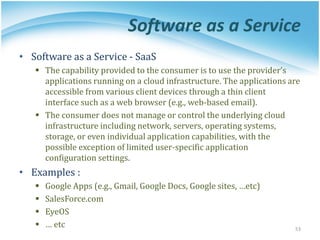
Software as a Service
• Software as a Service - SaaS
▪ The capability provided to the consumer is to use the provider’s
applications running on a cloud infrastructure. The applications are
accessible from various client devices through a thin client
interface such as a web browser (e.g., web-based email).
▪ The consumer does not manage or control the underlying cloud
infrastructure including network, servers, operating systems,
storage, or even individual application capabilities, with the
possible exception of limited user-specific application
configuration settings.
• Examples :
▪ Google Apps (e.g., Gmail, Google Docs, Google sites, …etc)
▪ SalesForce.com
▪ EyeOS
▪ … etc 53
Software as a Service
54
Software as a Service
• Enabling Technique – Web Service
▪ Web 2.0 is the trend of using the full potential of the web
• Viewing the Internet as a computing platform
• Running interactive applications through a web browser
• Leveraging interconnectivity and mobility of devices
• Enhanced effectiveness with greater human participation
• Properties provided by Internet :
▪ Accessibility and Portability
55
Software as a Service
• Provide service – Web-based Applications
▪ Conventional applications should translate their access interface
onto web-based platform.
▪ Applications in different domains
• General Applications – Applications which are designed for general
propose, such as office suit, multimedia and instant message, …etc.
• Business Applications – Application which are designed for business
propose, such as ERP, CRM and market trading system, …etc.
• Scientific Applications – Application which are designed for scientific
propose, such as aerospace simulation and biochemistry simulation, …etc.
• Government Applications – Applications which are designed for
government propose, such as national medical system and public
transportation system service, …etc.
56
Software as a Service
• Provide service – Web Portal
▪ Apart from the standard search engine feature, web portals offer
other services such as e-mail, news, stock prices, information,
databases and entertainment.
▪ Portals provide a way for enterprises to provide a consistent look
and feel with access control and procedures for multiple
applications and databases, which otherwise would have been
different entities altogether.
▪ Some examples :
• iGoogle
• MSNBC
• Netvibes
• Yahoo!
57
SaaS - Summary
• SaaS is the finished applications that you rent and customize.
• SaaS enabling technique
▪ Web Service
• SaaS provide services
▪ Web-based Applications
• General applications
• Business applications
• Scientific applications
• Government applications
▪ Web Portal
58
DEPLOYMENT MODELS
How to deploy a cloud system ?
59
Deployment Model
• There are four primary cloud deployment models :
▪ Public Cloud
▪ Private Cloud
▪ Community Cloud
▪ Hybrid Cloud
• Each can exhibit the previously discussed characteristics;
their differences lie primarily in the scope and access of
published cloud services, as they are made available to
service consumers.
60
Public Cloud
• Public cloud definition
▪ The cloud infrastructure is made available to the general public or a
large industry group and is owned by an organization selling cloud
services.
▪ Also known as external cloud or multi-tenant cloud, this model
essentially represents a cloud environment that is openly accessible.
▪ Basic characteristics :
• Homogeneous infrastructure
• Common policies
• Shared resources and multi-tenant
• Leased or rented infrastructure
• Economies of scale
61
Private Cloud
• Private cloud definition
▪ The cloud infrastructure is operated solely for an organization. It
may be managed by the organization or a third party and may exist
on premise or off premise.
▪ Also referred to as internal cloud or on-premise cloud, a private
cloud intentionally limits access to its resources to service
consumers that belong to the same organization that owns the
cloud.
▪ Basic characteristics :
• Heterogeneous infrastructure
• Customized and tailored policies
• Dedicated resources
• In-house infrastructure
• End-to-end control
62
Public vs. Private
• Comparison :
Public Cloud Private Cloud
Infrastructure Homogeneous Heterogeneous
Policy Model Common defined Customized & Tailored
Resource Model Shared & Multi-tenant Dedicated
Cost Model Operational expenditure Capital expenditure
Economy Model Large economy of scale End-to-end control
63
Community Cloud
• Community cloud definition
▪ The cloud infrastructure is shared by several organizations and
supports a specific community that has shared concerns (e.g.,
mission, security requirements, policy, and compliance
considerations).
64
Hybrid Cloud
• Hybrid cloud definition
▪ The cloud infrastructure is a composition of two or more clouds
(private, community, or public) that remain unique entities but are
bound together by standardized or proprietary technology that
enables data and application
portability (e.g., cloud bursting
for load-balancing between
clouds).
65
Cloud Ecosystem
66
Summary
• What is cloud computing in your mind
▪ Clear or Cloudy?
• Cloud computing is a new paradigm shift of computing
• Cloud computing can provide high quality of properties
and characteristics based on essentially central ideas
• Service models and deployment models provide services
that can be used to
▪ Rent fundamental computing resources
▪ Deploy and develop customer-created applications on clouds
▪ Access provider’s applications over network (wired or wireless)
67
References
• NIST (National Institute of Standards and Technology).
http://csrc.nist.gov/groups/SNS/cloud-computing/
• M. Armbrust et. al., “Above the Clouds: A Berkeley View of Cloud
Computing,” Technical Report No. UCB/EECS-2009-28,
University of California at Berkeley, 2009.
• R. Buyya et. al., “Cloud computing and emerging IT platforms:
Vision, hype, and reality for delivering computing as the 5th
utility,” Future Generation Computer Systems, 2009.
• Cloud Computing Use Cases.
http://groups.google.com/group/cloud-computing-use-cases
• Cloud Computing Explained.
http://www.andyharjanto.com/2009/11/wanted-cloud-
computing-explained-in.html
• From Wikipedia, the free encyclopedia
• All resources of the materials and pictures were partially
retrieved from the Internet.
68

Lecture 1 _ Introduction Cloud Computing Part2 (1).pdf

  • 1.
    Introduction to CloudComputing Lecture 1 Part2 1
  • 2.
    WHAT IS CLOUDCOMPUTING ? What can we gain from cloud ? 2
  • 3.
    Benefits From Cloud •Cloud computing brings many benefits : ▪ For the market and enterprises • Reduce initial investment • Reduce capital expenditure • Improve industrial specialization • Improve resource utilization ▪ For the end user and individuals • Reduce local computing power • Reduce local storage power • Variety of thin client devices in daily life 3
  • 4.
  • 5.
    Reduce Initial Investment •Traditional process of enterprises to initiate business : ▪ Survey and analysis the industry and market ▪ Estimate the quantity of supply and demand ▪ Purchase and deploy IT infrastructure ▪ Install and test the software system ▪ Design and develop enterprise specific business service ▪ Announce the business service to clients • Some drawbacks : ▪ The survey, analysis and estimation may not 100% correct ▪ Infrastructure deployment is time consuming ▪ Enterprises should take the risk of wrong investment 5
  • 6.
    Reduce Initial Investment •Initiate business with Cloud Computing services : ▪ Survey and analysis the industry and market ▪ Chose one cloud provider for enterprise deployment ▪ Design and develop business service upon cloud environment ▪ Announce the business service to clients • Some benefits : ▪ Enterprise do not need to own the infrastructure ▪ Enterprise can develop and deploy business service in short time ▪ Enterprise can reduce the business loss of wrong investment 6
  • 7.
    Reduce Initial Investment •What dose cloud computing achieve ? Traditional With Cloud Computing Investment Risk Enterprise takes the risk Cloud reduces the risk Infrastructure Enterprise owns the infrastructure Cloud provider owns the infrastructure Time duration Long deployment time Fast to business ready 7
  • 8.
    Reduce Capital Expenditure •Traditional capital expenditure of enterprises : ▪ Each enterprise should establish its own IT department ▪ IT department should handle the listing jobs • Manage and administrate hardware and software • Apply regular data backup and check point process • Purchase new infrastructure and eliminate outdated one • Always standby for any unexpected IT problems • Some drawbacks : ▪ Enterprise pays for IT investment which is not its business focus ▪ Enterprise should take the risk of hardware/software malfunction ▪ Replacing and updating infrastructure is time consuming and risky 8
  • 9.
    Reduce Capital Expenditure •Capital expenditure with Cloud Computing service : ▪ Enterprise can almost dismiss its IT department ▪ The jobs of IT department can be achieved by cloud provider • Dynamically update and upgrade hardware or software • Dynamically provision and deploy infrastructure for enterprise • Automatically backup data and check consistency • Self-recover from disaster or system malfunction • Some benefits : ▪ Enterprise can shift effort to its business focus ▪ Enterprise can reconfigure its IT services in short time ▪ Enterprise pays to cloud provider as many as the service used 9
  • 10.
    Reduce Capital Expenditure •What dose cloud computing achieve ? Traditional With Cloud Computing Business focus Need to own its IT department Cloud provider takes care everything Payment Pay for all investment and human resource Enterprise pays as the service used Time duration Long establish time Fast to business ready 10
  • 11.
    Improve Industrial Specialization •Traditional industry and market : ▪ Every enterprise has to own its IT department ▪ IT resource is managed by enterprise themselves ▪ IT complexity should be well taken care by enterprise themselves • Some drawbacks : ▪ IT department is not the business focus of enterprise ▪ Most of enterprises do not well maintain their IT resources ▪ Enterprise seldom optimizes their IT resource usage 11
  • 12.
    Improve Industrial Specialization •Collaboration with Cloud providers : ▪ Cloud providers centrally maintain IT infrastructure for clients ▪ Cloud providers employ experts for management and administration ▪ Cloud providers focus on providing reliable IT services ▪ Enterprises only rent the service they need and care • Some benefits : ▪ Industrial specialization will be improved ▪ IT service performance will be optimized ▪ Enterprise business focus will be enhanced ▪ IT resource waste will be reduced 12
  • 13.
    Improve Industrial Specialization •What dose cloud computing achieve ? Traditional With Cloud Computing Collaboration Enterprise needs to take care everything Enterprise focuses on its own business Management Enterprise works with poor manageability Cloud provider applies professional control Relationship Stand alone enterprise Win-Win partnership 13
  • 14.
    Improve Resource Utilization •Traditional industry and market : ▪ Enterprise seldom takes care about IT resource utilization ▪ Enterprise owns their IT resource without well management ▪ IT resource usually over invested for peak demand • Some drawbacks : ▪ Power and space utilization among enterprises are wasted ▪ IT resources across enterprises cannot be shared 14
  • 15.
    Improve Resource Utilization •Collaboration with Cloud providers : ▪ IT resources are centrically managed and optimized • Cloud provider builds performance optimized hardware • Cloud provider builds consolidated cooling system • Cloud provider will consider the geographic issues • Cloud provider will consider legal policy issues • Some benefits : ▪ IT infrastructure can be shared among enterprises ▪ IT infrastructure performance and utilization can be optimized ▪ Large-scale integrated optimization can be applied 15
  • 16.
    Improve Resource Utilization •What dose cloud computing achieve ? Traditional With Cloud Computing IT Resource Utilization IT resource under utilized most of time Share to improve utilization of IT resource Power Consumption Waste power and cooling system Cloud system should be global optimized 16
  • 17.
  • 18.
    Reduce Local ComputingPower • Traditional local computing power requirement : ▪ One need to buy your own personal computer ▪ Buy powerful processor if you need intensive computing ▪ Buy large memory to meet application requirement ▪ Install plenty of applications in need • Some drawbacks : ▪ One can hardly replicate the same system environment ▪ One needs to regularly update or upgrade software and hardware ▪ One needs to reinstall all applications if you reinstall the OS 18
  • 19.
    Reduce Local ComputingPower • Using Cloud Computing services : ▪ One can utilize the remote computing power in the cloud ▪ One needs only basic computing power to connect to internet ▪ Application in the cloud will automatically upgrade • Some benefits : ▪ One can access his/her applications anywhere through the Internet ▪ One can dynamically request for computing power on demand ▪ Application may need not to be reinstalled even reinstall the OS 19
  • 20.
    Reduce Local ComputingPower • What dose cloud computing achieve ? Traditional With Cloud Computing Hardware Requirement User needs to buy powerful hardware Only basic hardware to connect to internet Software Requirement Install application in local computer No local installation requirement Portability Hard to be portable Natively portable 20
  • 21.
    Reduce Local StoragePower • Traditional local storage power requirement : ▪ User programs and data files are stored in local devices ▪ User has to backup data regularly preventing hardware damage • Some drawbacks : ▪ Storage space may not enough for burst data requirement ▪ Storage space may be over needed which result in resource waste ▪ Data consistency is hard to maintain between computers ▪ Need to sacrifice part of storage space for data backup 21
  • 22.
    Reduce Local StoragePower • Using Cloud Computing services : ▪ User programs and data files are stored in the cloud ▪ Cloud service provider will guarantee the data availability • Some benefits : ▪ One can dynamically allocate storage space on demand ▪ One can access data anywhere through the Internet ▪ No need to care about data consistency between computers ▪ No need to care about data loss due to hardware damage 22
  • 23.
    Reduce Local StoragePower • What dose cloud computing achieve ? Traditional With Cloud Computing Storage Space Limited to local disk, may be under utilized Dynamically allocated on demand Storage Data Consistency Difficult to maintain data consistency Data consistency maintained by cloud Availability Regular user backup Cloud service guarantee 23
  • 24.
    Variety of EndDevices • Traditional computing resource : ▪ One can connect to the Internet by personal computer ▪ Only personal computer can deliver reasonable computing power ▪ Small devices cannot perform incentive computation due to their power and hardware limitation • Some drawbacks : ▪ Computing power is not portable ▪ Small devices can only perform simplified works 24
  • 25.
    Variety of EndDevices • Devices collaborate with Cloud services : ▪ Device connects to the Internet through wireless network ▪ Device accesses cloud services through web service interface ▪ Device sends computing incentive jobs into cloud and wait for results • Some benefits : ▪ User can easily access cloud service through small devices ▪ User can access almost unlimited computing power anywhere ▪ Small devices can be intelligently managed through cloud 25
  • 26.
    Variety of EndDevices • What dose cloud computing achieve ? Traditional With Cloud Computing Computing Power Only accessed through desktop computer Accessed through small smart devices Small Device Intelligence Functionalities was limited due to their power consumption Shift computing incentive jobs into cloud, and then wait for results 26
  • 27.
    Agenda • What isCloud Computing ? ▪ Different perspectives ▪ Properties and characteristics ▪ Benefits from cloud computing • Service and deployment models ▪ Three service models ▪ Four deployment models 27
  • 28.
    SERVICE MODELS Choose theservice you need. 28
  • 29.
    Say, you justmoved to a city and you are looking for a place to live. 29
  • 30.
    Built a newhouse ? Buy an empty house ? Live in a hotel ? 30
  • 31.
    You can fullycontrol everything your like your new house to have. But that is a hard work … 31
  • 32.
    You can customizesome part of your house. But never change the original architecture. 32
  • 33.
    Live in ahotel will be a good idea if the only thing you care is enjoy your life!! There is nothing you can do with the house except living in it. 33
  • 34.
  • 35.
    Service Models Overview •What if you want to have an IT department ? ▪ Similar to build a new house in previous analogy • You can rent some virtualized infrastructure and build up your own IT system among those resources, which may be fully controlled. • Technical speaking, use the Infrastructure as a Service (IaaS) solution. ▪ Similar to buy an empty house in previous analogy • You can directly develop your IT system through one cloud platform, and do not care about any lower level resource management. • Technical speaking, use the Platform as a Service (PaaS) solution. ▪ Similar to live in a hotel in previous analogy • You can directly use some existed IT system solutions, which were provided by some cloud application service provider, without knowing any detail technique about how these service was achieved. • Technical speaking, use the Software as a Service (SaaS) solution. 35
  • 36.
  • 37.
    SERVICE MODELS Infrastructure asa Service Platform as a Service Software as a Service 37
  • 38.
    Infrastructure as aService • Infrastructure as a Service - IaaS ▪ The capability provided to the consumer is to provision processing, storage, networks, and other fundamental computing resources where the consumer is able to deploy and run arbitrary software, which can include operating systems and applications. ▪ The consumer does not manage or control the underlying cloud infrastructure but has control over operating systems, storage, deployed applications, and possibly limited control of select networking components . • Examples : ▪ Amazon EC2 ▪ Eucalyputs ▪ OpenNebula ▪ … etc 38
  • 39.
    Infrastructure as aService • System architecture : 39
  • 40.
    Infrastructure as aService • Enabling technique - Virtualization ▪ Virtualization is an abstraction of logical resources away from underlying physical resources. • Virtualization technique shift OS onto hypervisor. • Multiple OS share the physical hardware and provide different services. • Improve utilization, availability, security and convenience. VM1 VM2 VM3 40
  • 41.
    Infrastructure as aService • Properties supported by virtualization technique : ▪ Manageability and Interoperability ▪ Availability and Reliability ▪ Scalability and Elasticity 41
  • 42.
    Infrastructure as aService • Provide service –Resource Management Interface ▪ Several types of virtualized resource : • Virtual Machine – As an IaaS provider, we should be able to provide the basic virtual machine operations, such as creation, suspension, resumption and termination, …etc. • Virtual Storage – As an IaaS provider, we should be able to provide the basic virtual storage operations, such as space allocation, space release, data writing and data reading, …etc. • Virtual Network – As an IaaS provider, we should be able to provide the basic virtual network operations, such as IP address allocation, domain name register, connection establishment and bandwidth provision, …etc. 42
  • 43.
    Infrastructure as aService • Provide service – System Monitoring Interface ▪ Several types of monitoring metrics : • Virtual Machine – As an IaaS provider, we should be able to monitor some system states of each virtual machine, such as CPU loading, memory utilization, IO loading and internal network loading, …etc. • Virtual Storage – As an IaaS provider, we should be able to monitor some storage states of each virtual storage, such as virtual space utilization, data duplication and storage device access bandwidth, …etc. • Virtual Network – As an IaaS provider, we should be able to monitor some network states of each virtual network, such as virtual network bandwidth, network connectivity and network load balancing, …etc. 43
  • 44.
    IaaS - Summary •IaaS is the deployment platform that abstract the infrastructure. • IaaS enabling technique ▪ Virtualization • Server Virtualization • Storage Virtualization • Network Virtualization • IaaS provided services ▪ Resource Management Interface ▪ System Monitoring Interface 44
  • 45.
    SERVICE MODELS Infrastructure asa Service Platform as a Service Software as a Service 45
  • 46.
    Platform as aService • Platform as a Service - PaaS ▪ The capability provided to the consumer is to deploy onto the cloud infrastructure consumer-created or acquired applications created using programming languages and tools supported by the provider. ▪ The consumer does not manage or control the underlying cloud infrastructure including network, servers, operating systems, or storage, but has control over the deployed applications and possibly application hosting environment configurations. • Examples : ▪ Microsoft Windows Azure ▪ Google App Engine ▪ Hadoop ▪ … etc 46
  • 47.
    Platform as aService • System architecture : 47
  • 48.
    Platform as aService • Enabling technique – Runtime Environment Design ▪ Runtime environment refers to collection of software services available. Usually implemented by a collection of program libraries. • Common properties in Runtime Environment : ▪ Manageability and Interoperability ▪ Performance and Optimization ▪ Availability and Reliability ▪ Scalability and Elasticity 48
  • 49.
    Platform as aService • Provide service – Programming IDE ▪ Users make use of programming IDE to develop their service among PaaS. • This IDE should integrate the full functionalities which supported from the underling runtime environment. • This IDE should also provide some development tools, such as profiler, debugger and testing environment. ▪ The programming APIs supported from runtime environment may be various between different cloud providers, but there are still some common operating functions. • Computation, storage and communication resource operation 49
  • 50.
    Platform as aService • Provide service – System Control Interface ▪ Police-Based Control • Typically described as a principle or rule to guide decisions and achieve rational outcome(s) • Make the decision according to some requirements ▪ Workflow Control • Describe the flow of installation and configuration of resources • Workflow processing daemon delivers speedy and efficient construction and management of cloud resources 50
  • 51.
    PaaS - Summary •PaaS is the development platform that abstract the infrastructure, OS, and middleware to drive developer productivity. • PaaS enabling technique ▪ Runtime Environment • PaaS provide services ▪ Programming IDE • Programming APIs • Development tools ▪ System Control Interface • Policy based approach • Workflow based approach 51
  • 52.
    SERVICE MODELS Infrastructure asa Service Platform as a Service Software as a Service 52
  • 53.
    Software as aService • Software as a Service - SaaS ▪ The capability provided to the consumer is to use the provider’s applications running on a cloud infrastructure. The applications are accessible from various client devices through a thin client interface such as a web browser (e.g., web-based email). ▪ The consumer does not manage or control the underlying cloud infrastructure including network, servers, operating systems, storage, or even individual application capabilities, with the possible exception of limited user-specific application configuration settings. • Examples : ▪ Google Apps (e.g., Gmail, Google Docs, Google sites, …etc) ▪ SalesForce.com ▪ EyeOS ▪ … etc 53
  • 54.
    Software as aService 54
  • 55.
    Software as aService • Enabling Technique – Web Service ▪ Web 2.0 is the trend of using the full potential of the web • Viewing the Internet as a computing platform • Running interactive applications through a web browser • Leveraging interconnectivity and mobility of devices • Enhanced effectiveness with greater human participation • Properties provided by Internet : ▪ Accessibility and Portability 55
  • 56.
    Software as aService • Provide service – Web-based Applications ▪ Conventional applications should translate their access interface onto web-based platform. ▪ Applications in different domains • General Applications – Applications which are designed for general propose, such as office suit, multimedia and instant message, …etc. • Business Applications – Application which are designed for business propose, such as ERP, CRM and market trading system, …etc. • Scientific Applications – Application which are designed for scientific propose, such as aerospace simulation and biochemistry simulation, …etc. • Government Applications – Applications which are designed for government propose, such as national medical system and public transportation system service, …etc. 56
  • 57.
    Software as aService • Provide service – Web Portal ▪ Apart from the standard search engine feature, web portals offer other services such as e-mail, news, stock prices, information, databases and entertainment. ▪ Portals provide a way for enterprises to provide a consistent look and feel with access control and procedures for multiple applications and databases, which otherwise would have been different entities altogether. ▪ Some examples : • iGoogle • MSNBC • Netvibes • Yahoo! 57
  • 58.
    SaaS - Summary •SaaS is the finished applications that you rent and customize. • SaaS enabling technique ▪ Web Service • SaaS provide services ▪ Web-based Applications • General applications • Business applications • Scientific applications • Government applications ▪ Web Portal 58
  • 59.
    DEPLOYMENT MODELS How todeploy a cloud system ? 59
  • 60.
    Deployment Model • Thereare four primary cloud deployment models : ▪ Public Cloud ▪ Private Cloud ▪ Community Cloud ▪ Hybrid Cloud • Each can exhibit the previously discussed characteristics; their differences lie primarily in the scope and access of published cloud services, as they are made available to service consumers. 60
  • 61.
    Public Cloud • Publiccloud definition ▪ The cloud infrastructure is made available to the general public or a large industry group and is owned by an organization selling cloud services. ▪ Also known as external cloud or multi-tenant cloud, this model essentially represents a cloud environment that is openly accessible. ▪ Basic characteristics : • Homogeneous infrastructure • Common policies • Shared resources and multi-tenant • Leased or rented infrastructure • Economies of scale 61
  • 62.
    Private Cloud • Privatecloud definition ▪ The cloud infrastructure is operated solely for an organization. It may be managed by the organization or a third party and may exist on premise or off premise. ▪ Also referred to as internal cloud or on-premise cloud, a private cloud intentionally limits access to its resources to service consumers that belong to the same organization that owns the cloud. ▪ Basic characteristics : • Heterogeneous infrastructure • Customized and tailored policies • Dedicated resources • In-house infrastructure • End-to-end control 62
  • 63.
    Public vs. Private •Comparison : Public Cloud Private Cloud Infrastructure Homogeneous Heterogeneous Policy Model Common defined Customized & Tailored Resource Model Shared & Multi-tenant Dedicated Cost Model Operational expenditure Capital expenditure Economy Model Large economy of scale End-to-end control 63
  • 64.
    Community Cloud • Communitycloud definition ▪ The cloud infrastructure is shared by several organizations and supports a specific community that has shared concerns (e.g., mission, security requirements, policy, and compliance considerations). 64
  • 65.
    Hybrid Cloud • Hybridcloud definition ▪ The cloud infrastructure is a composition of two or more clouds (private, community, or public) that remain unique entities but are bound together by standardized or proprietary technology that enables data and application portability (e.g., cloud bursting for load-balancing between clouds). 65
  • 66.
  • 67.
    Summary • What iscloud computing in your mind ▪ Clear or Cloudy? • Cloud computing is a new paradigm shift of computing • Cloud computing can provide high quality of properties and characteristics based on essentially central ideas • Service models and deployment models provide services that can be used to ▪ Rent fundamental computing resources ▪ Deploy and develop customer-created applications on clouds ▪ Access provider’s applications over network (wired or wireless) 67
  • 68.
    References • NIST (NationalInstitute of Standards and Technology). http://csrc.nist.gov/groups/SNS/cloud-computing/ • M. Armbrust et. al., “Above the Clouds: A Berkeley View of Cloud Computing,” Technical Report No. UCB/EECS-2009-28, University of California at Berkeley, 2009. • R. Buyya et. al., “Cloud computing and emerging IT platforms: Vision, hype, and reality for delivering computing as the 5th utility,” Future Generation Computer Systems, 2009. • Cloud Computing Use Cases. http://groups.google.com/group/cloud-computing-use-cases • Cloud Computing Explained. http://www.andyharjanto.com/2009/11/wanted-cloud- computing-explained-in.html • From Wikipedia, the free encyclopedia • All resources of the materials and pictures were partially retrieved from the Internet. 68