Boolean and Comparison Instructions (AND,
OR, NOT, XOR, TEST, CMP)
COMPUTER ORGANIZATION &
ASSEMBLY LANGUAGE
Boolean Instructions
Boolean instructions perform bitwise logical operations
between operands.
Instruction Description Example
AND Bitwise AND AND AX, BX
OR Bitwise OR OR AX, BX
XOR Bitwise Exclusive OR XOR AX, BX
NOT Bitwise NOT (1's complement) NOT AX
TEST Performs AND without storing
result
TEST AX, BX
Agenda Today
• Bitwise logical operator in Assembly and Masking
operations
• That is used by processor
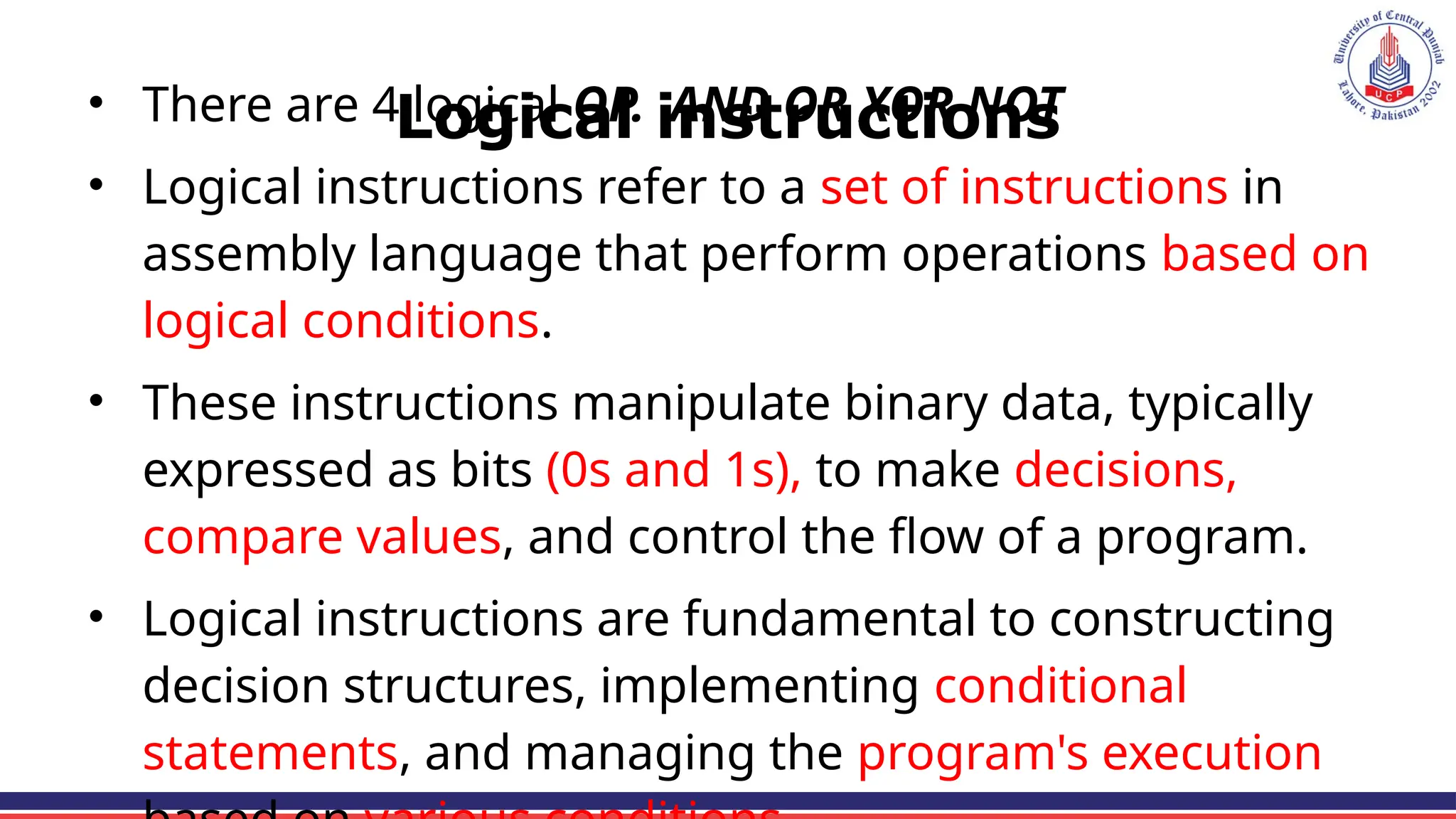
Logical instructions
• There are 4 logical OP. AND OR XOR NOT
• Logical instructions refer to a set of instructions in
assembly language that perform operations based on
logical conditions.
• These instructions manipulate binary data, typically
expressed as bits (0s and 1s), to make decisions,
compare values, and control the flow of a program.
• Logical instructions are fundamental to constructing
decision structures, implementing conditional
statements, and managing the program's execution
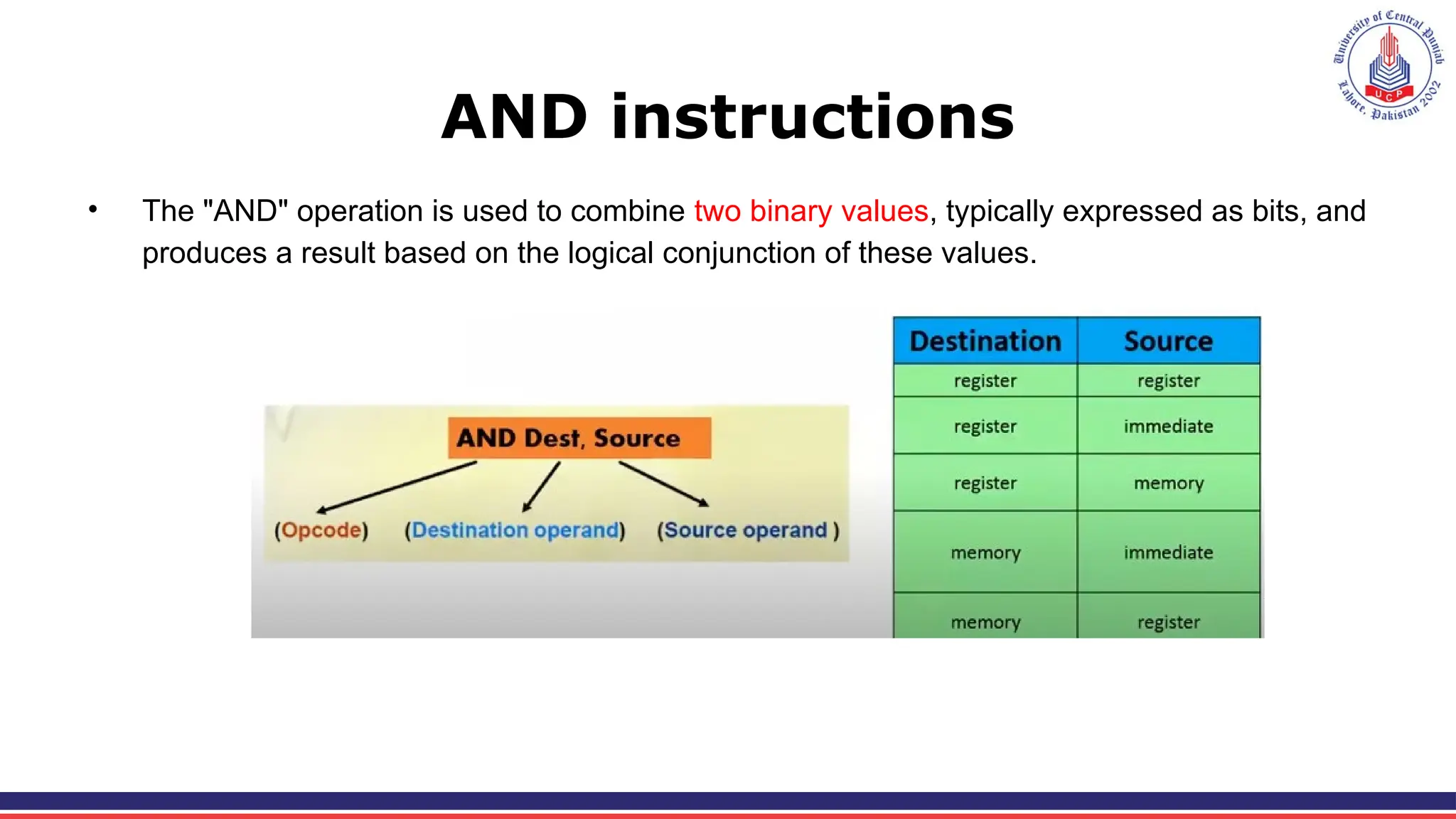
AND instructions
• The "AND" operation is used to combine two binary values, typically expressed as bits, and
produces a result based on the logical conjunction of these values.
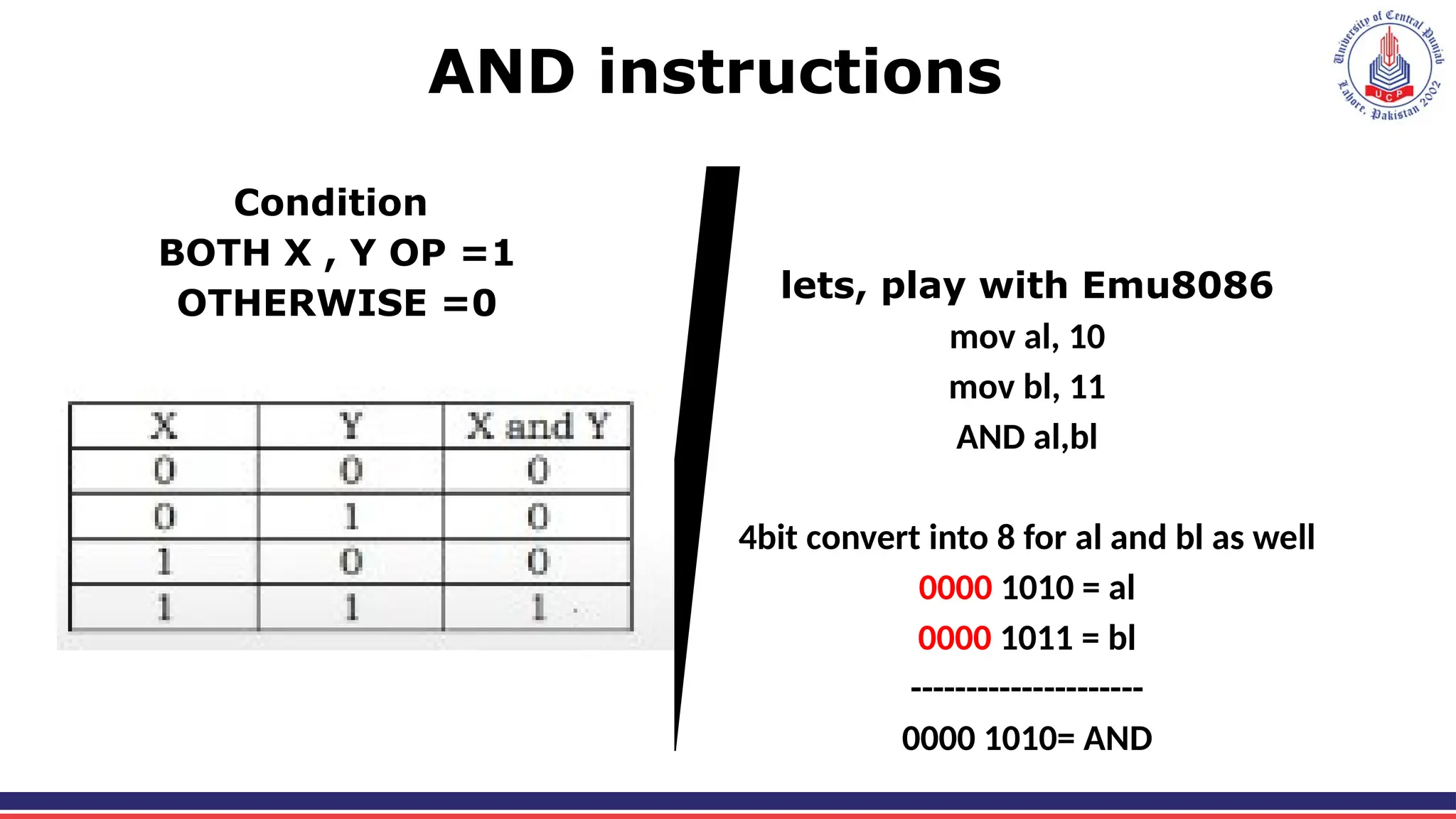
AND instructions
Condition
BOTH X , Y OP =1
OTHERWISE =0 lets, play with Emu8086
mov al, 10
mov bl, 11
AND al,bl
4bit convert into 8 for al and bl as well
0000 1010 = al
0000 1011 = bl
---------------------
0000 1010= AND
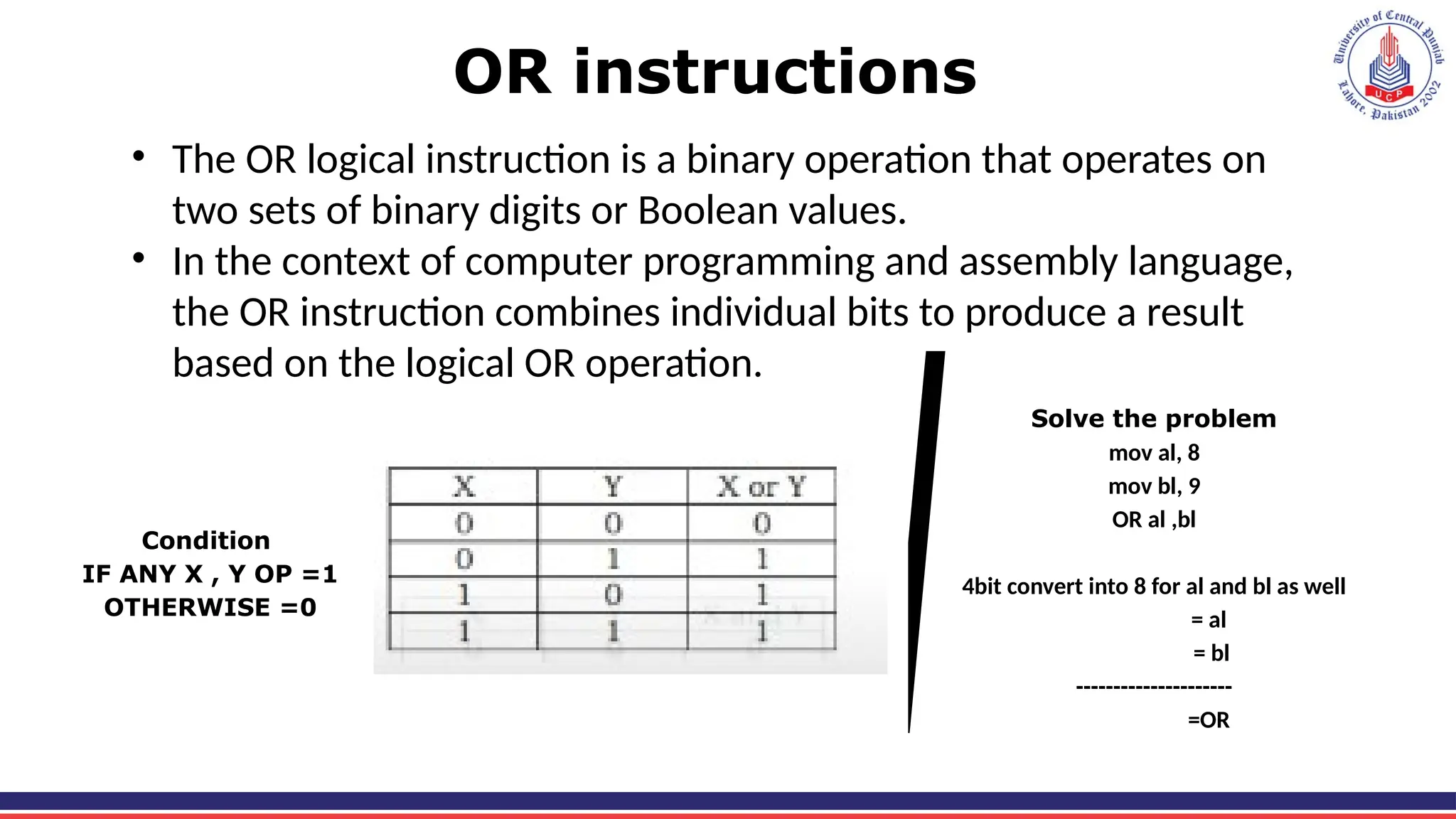
OR instructions
• The OR logical instruction is a binary operation that operates on
two sets of binary digits or Boolean values.
• In the context of computer programming and assembly language,
the OR instruction combines individual bits to produce a result
based on the logical OR operation.
Condition
IF ANY X , Y OP =1
OTHERWISE =0
Solve the problem
mov al, 8
mov bl, 9
OR al ,bl
4bit convert into 8 for al and bl as well
= al
= bl
---------------------
=OR
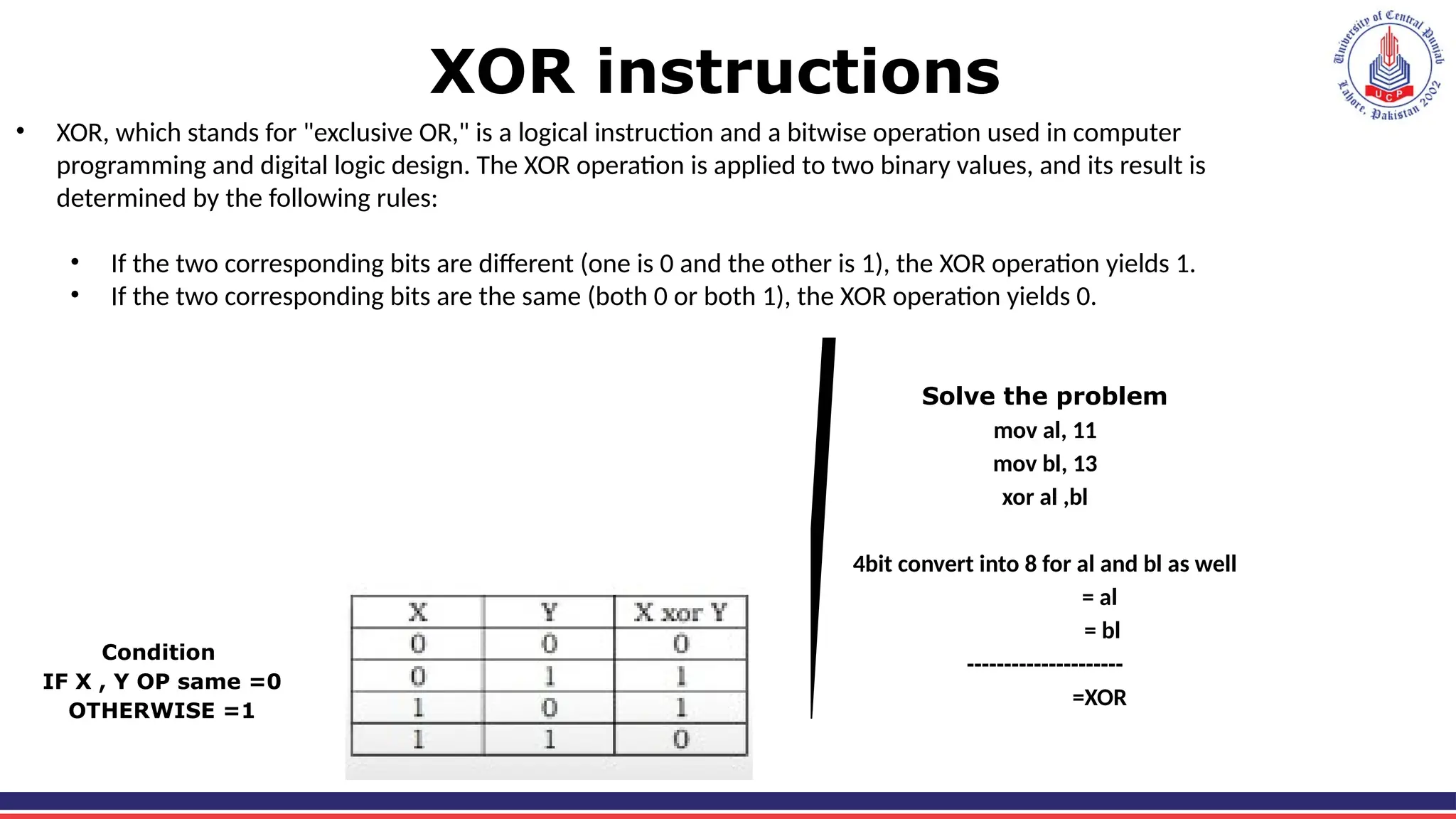
XOR instructions
• XOR, which stands for "exclusive OR," is a logical instruction and a bitwise operation used in computer
programming and digital logic design. The XOR operation is applied to two binary values, and its result is
determined by the following rules:
• If the two corresponding bits are different (one is 0 and the other is 1), the XOR operation yields 1.
• If the two corresponding bits are the same (both 0 or both 1), the XOR operation yields 0.
Condition
IF X , Y OP same =0
OTHERWISE =1
Solve the problem
mov al, 11
mov bl, 13
xor al ,bl
4bit convert into 8 for al and bl as well
= al
= bl
---------------------
=XOR
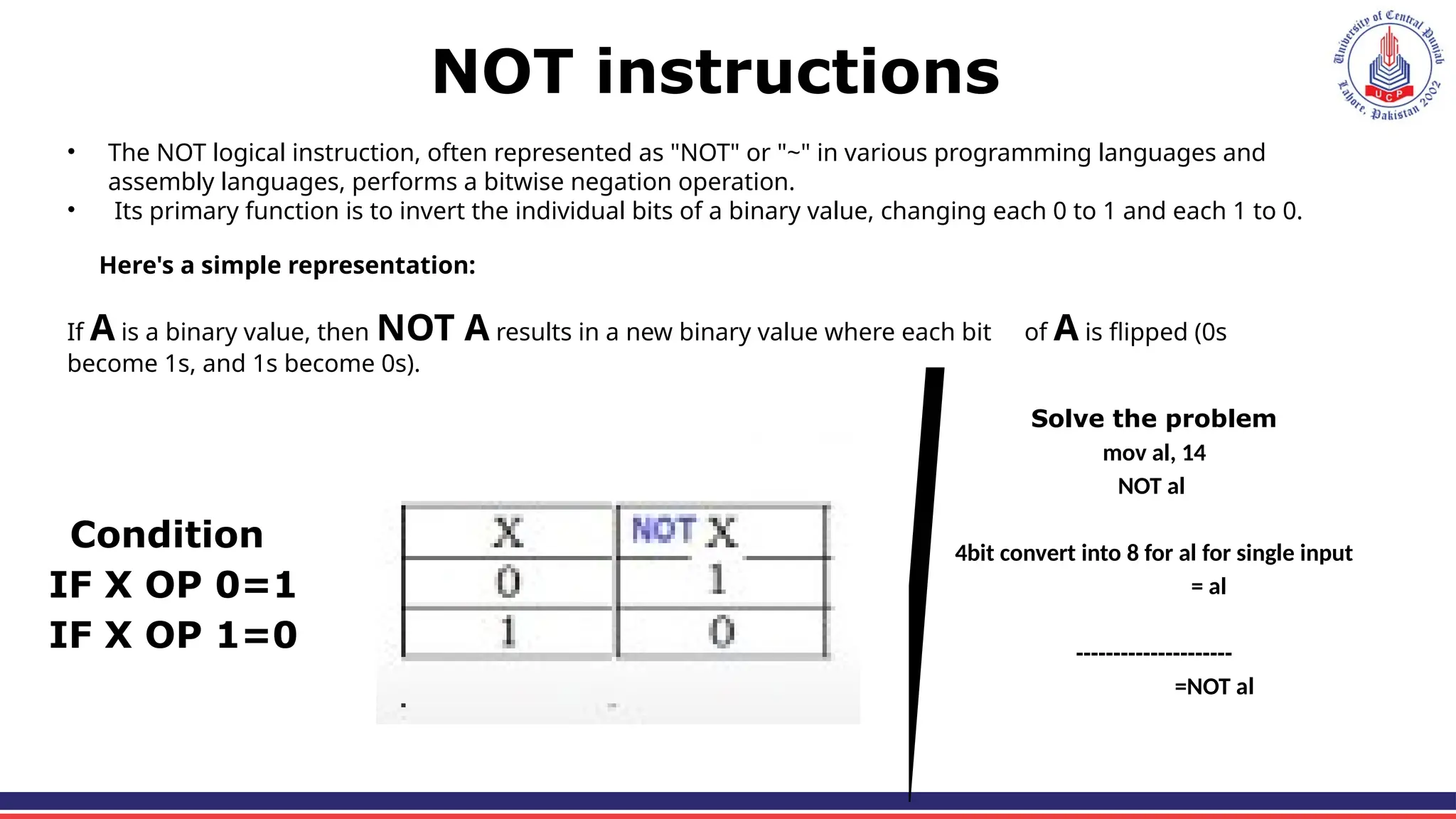
NOT instructions
• The NOT logical instruction, often represented as "NOT" or "~" in various programming languages and
assembly languages, performs a bitwise negation operation.
• Its primary function is to invert the individual bits of a binary value, changing each 0 to 1 and each 1 to 0.
Here's a simple representation:
If A is a binary value, then NOT A results in a new binary value where each bit of A is flipped (0s
become 1s, and 1s become 0s).
Condition
IF X OP 0=1
IF X OP 1=0
Solve the problem
mov al, 14
NOT al
4bit convert into 8 for al for single input
= al
---------------------
=NOT al
Test Instruction
The TEST instruction performs a bitwise AND between two operands,
just like the AND instruction, but it does not store the result. Instead, it
only updates the CPU flags (in the FLAGS register), which can be used
for conditional branching.
Syntex:
TEST destination, source
Comparison Instructions (CMP)
• In Assembly language, Boolean and Comparison Instructions (CMP)
are used to evaluate conditions and make decisions in programs.
These instructions are fundamental for implementing loops,
conditional branching, and logic operations.
Types of Masking
1. Selective bit clearing
2. Selective bit setting
3. Selective bit inversion
4. Selective bit testing
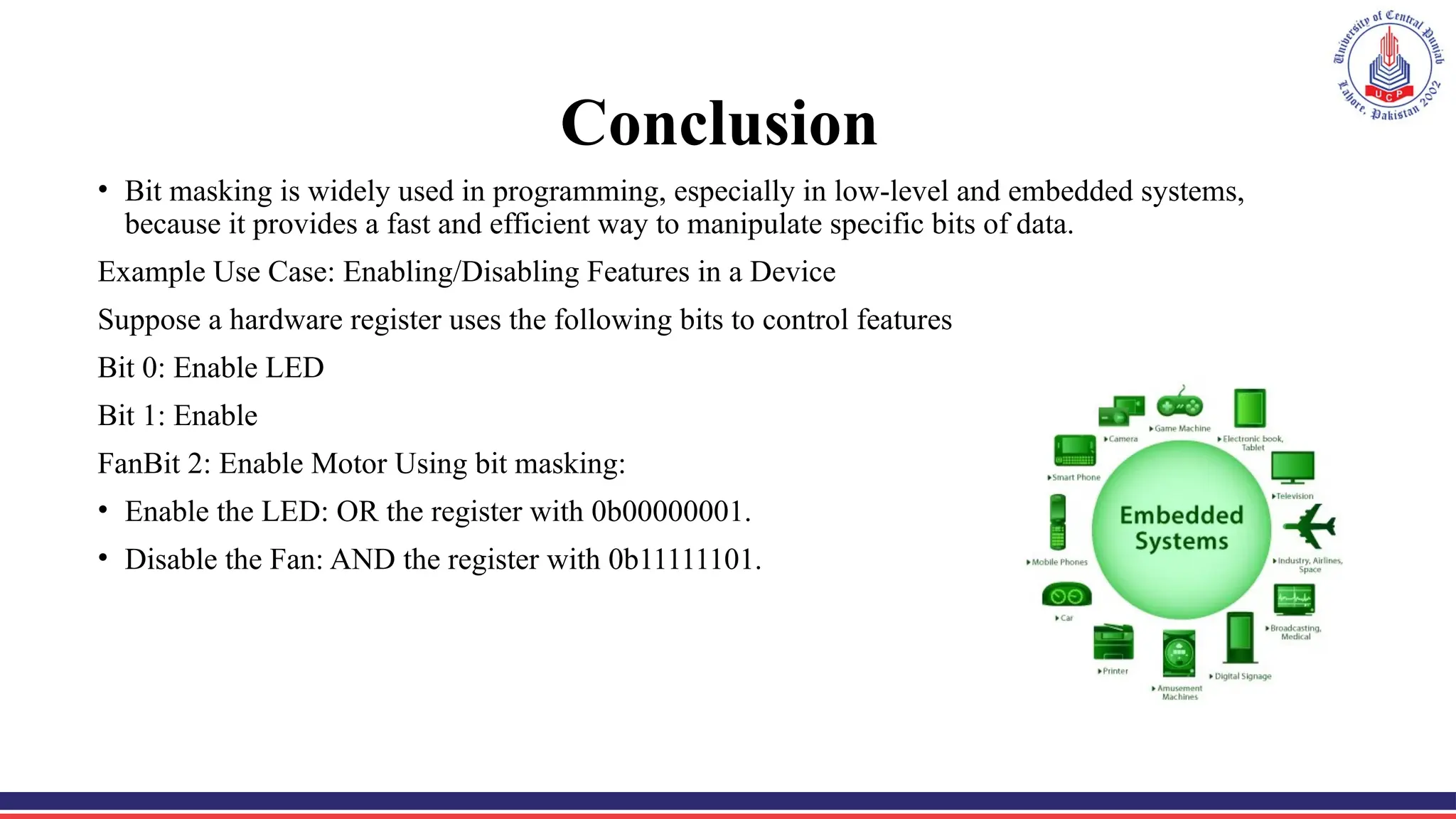
Conclusion
• Bit masking is widely used in programming, especially in low-level and embedded systems,
because it provides a fast and efficient way to manipulate specific bits of data.
Example Use Case: Enabling/Disabling Features in a Device
Suppose a hardware register uses the following bits to control features
Bit 0: Enable LED
Bit 1: Enable
FanBit 2: Enable Motor Using bit masking:
• Enable the LED: OR the register with 0b00000001.
• Disable the Fan: AND the register with 0b11111101.
Compare instruction and its types
• In Assembly, a jump instruction changes the flow of execution to a
different part of the program.
• We can learn compare after learning the jumps.
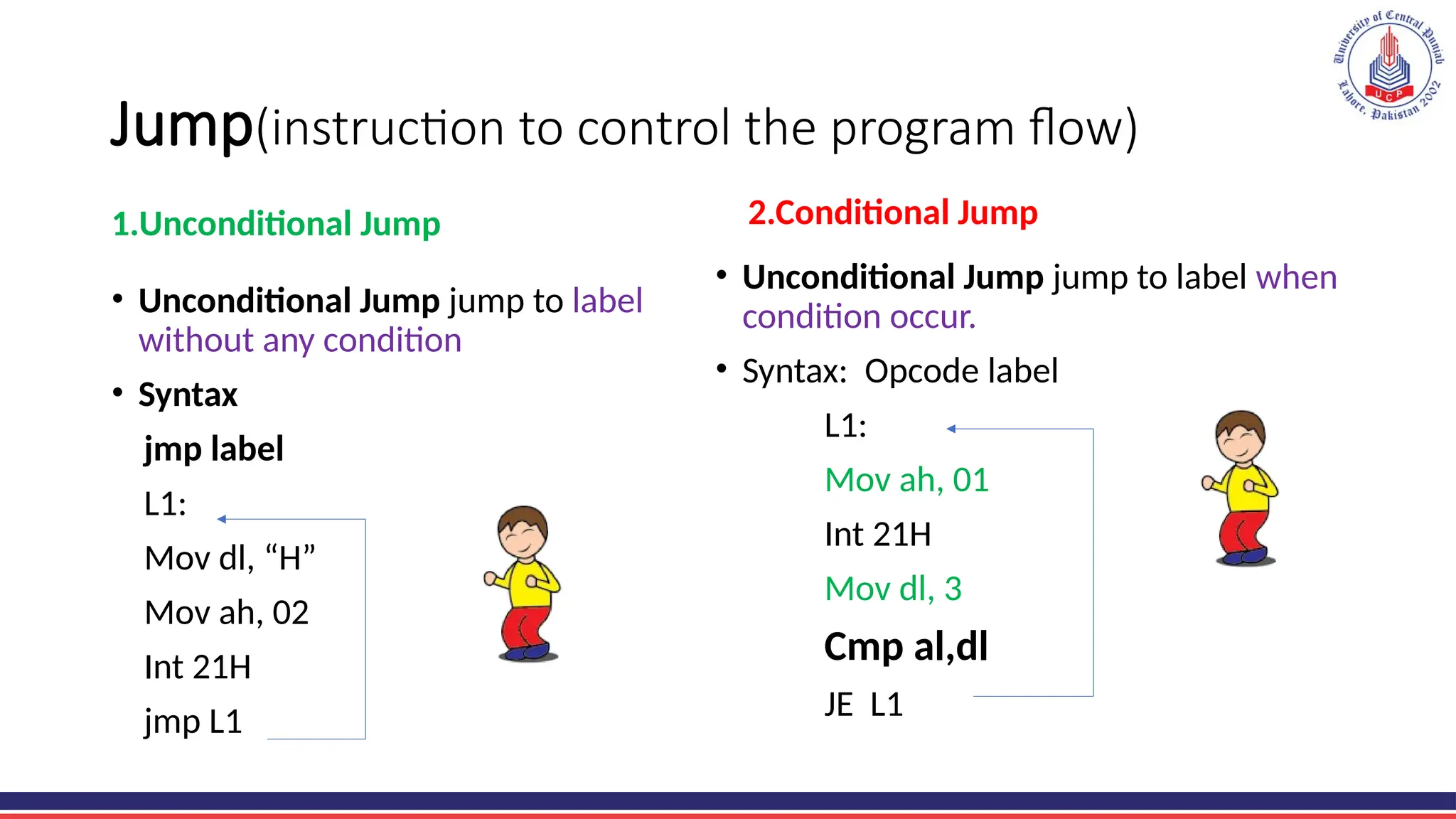
Jump(instruction to control the program flow)
1.Unconditional Jump
• Unconditional Jump jump to label
without any condition
• Syntax
jmp label
L1:
Mov dl, “H”
Mov ah, 02
Int 21H
jmp L1
2.Conditional Jump
• Unconditional Jump jump to label when
condition occur.
• Syntax: Opcode label
L1:
Mov ah, 01
Int 21H
Mov dl, 3
Cmp al,dl
JE L1
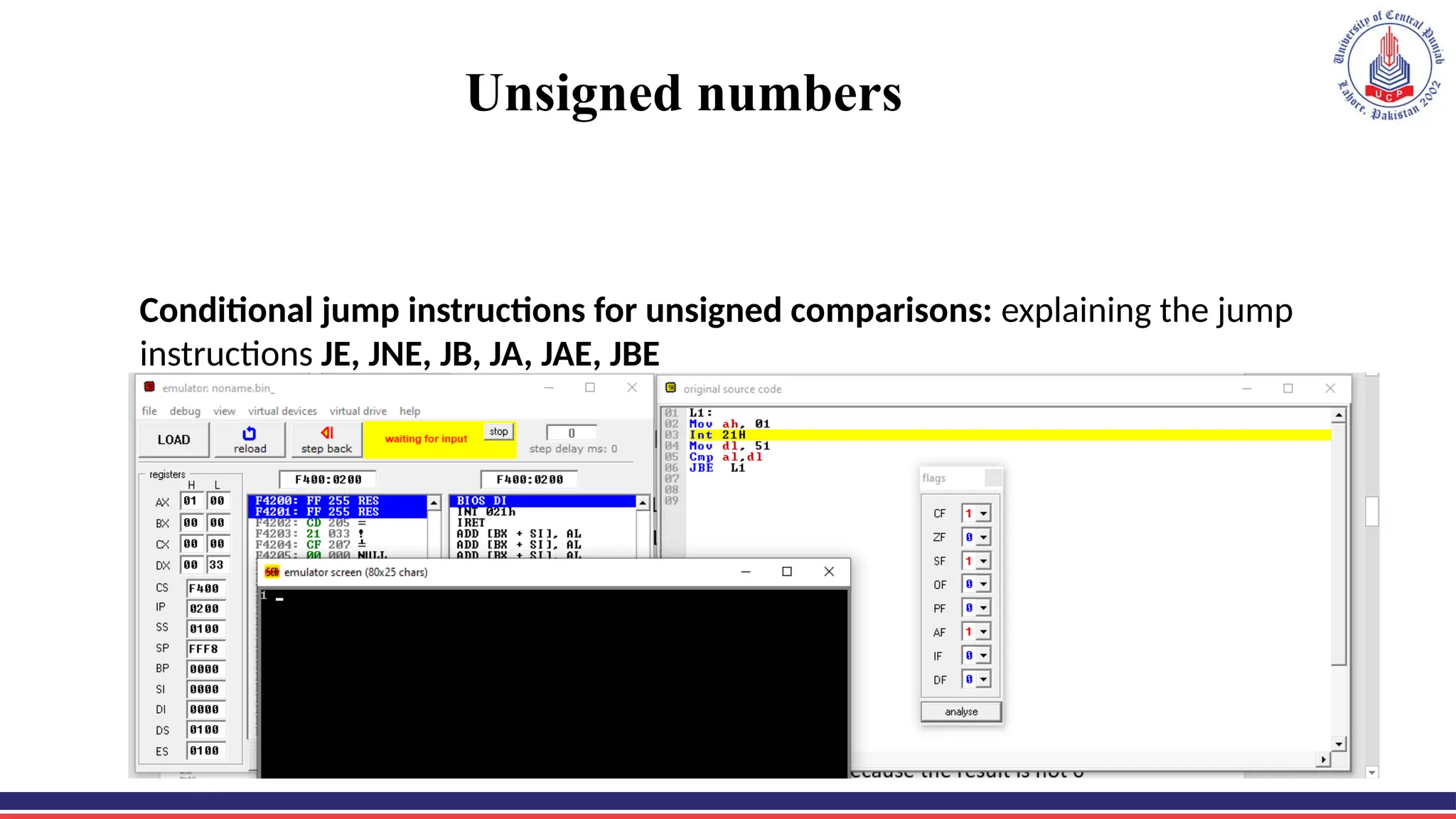
Unsigned numbers
Conditional jump instructions for unsigned comparisons: explaining the jump
instructions JE, JNE, JB, JA, JAE, JBE
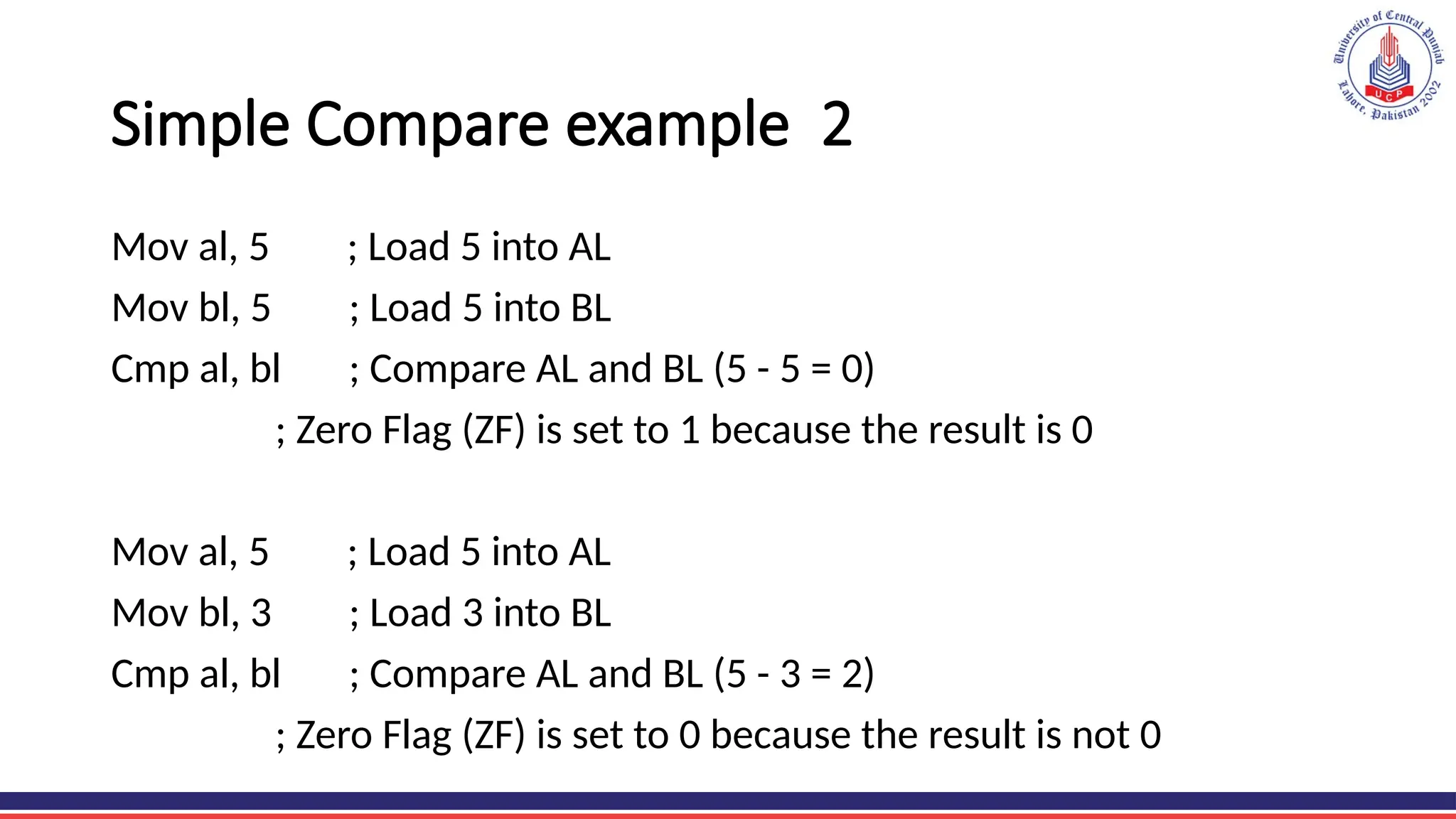
Simple Compare example 2
Mov al, 5 ; Load 5 into AL
Mov bl, 5 ; Load 5 into BL
Cmp al, bl ; Compare AL and BL (5 - 5 = 0)
; Zero Flag (ZF) is set to 1 because the result is 0
Mov al, 5 ; Load 5 into AL
Mov bl, 3 ; Load 3 into BL
Cmp al, bl ; Compare AL and BL (5 - 3 = 2)
; Zero Flag (ZF) is set to 0 because the result is not 0
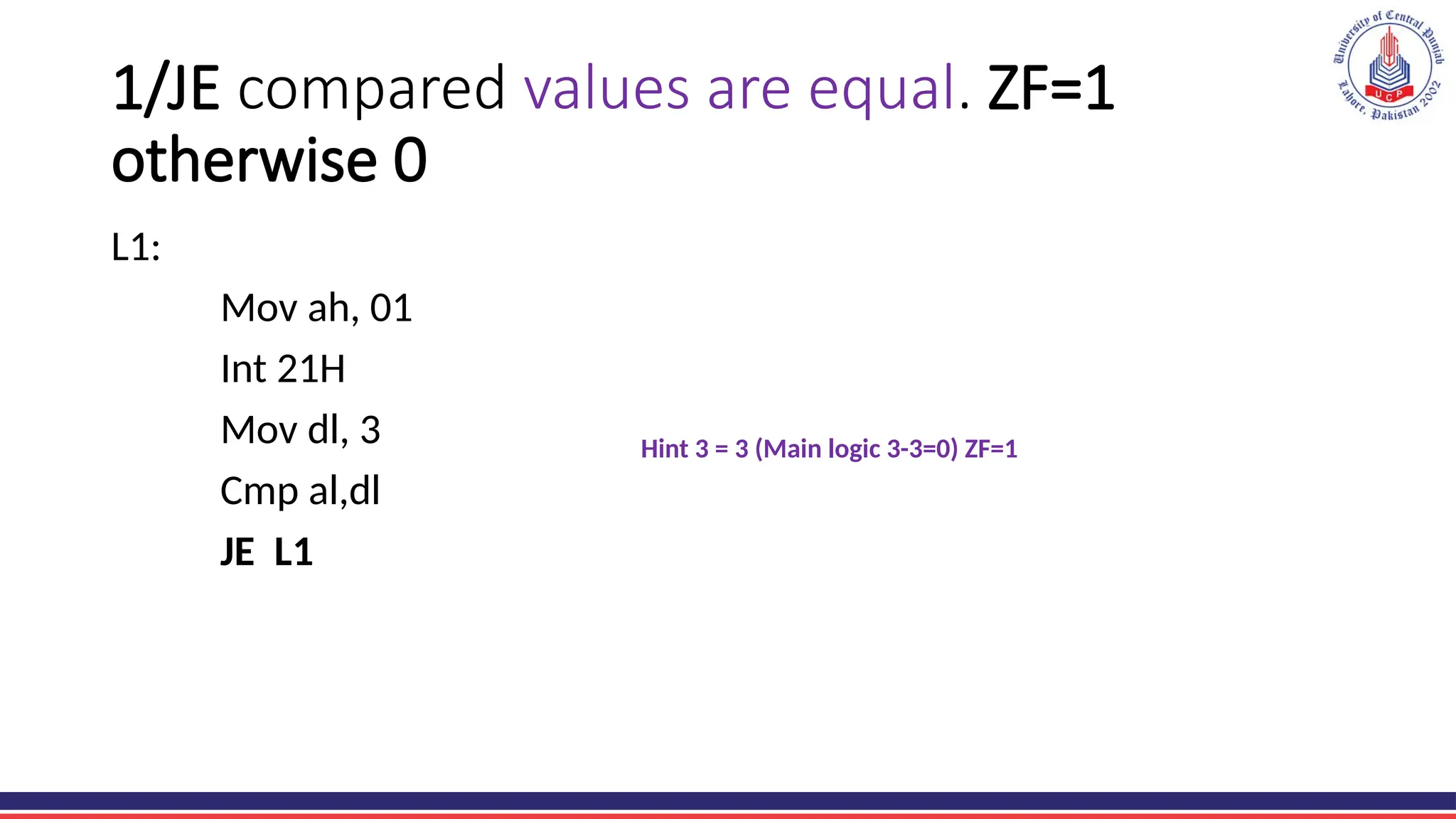
1/JE compared values are equal. ZF=1
otherwise 0
L1:
Mov ah, 01
Int 21H
Mov dl, 3
Cmp al,dl
JE L1
Hint 3 = 3 (Main logic 3-3=0) ZF=1
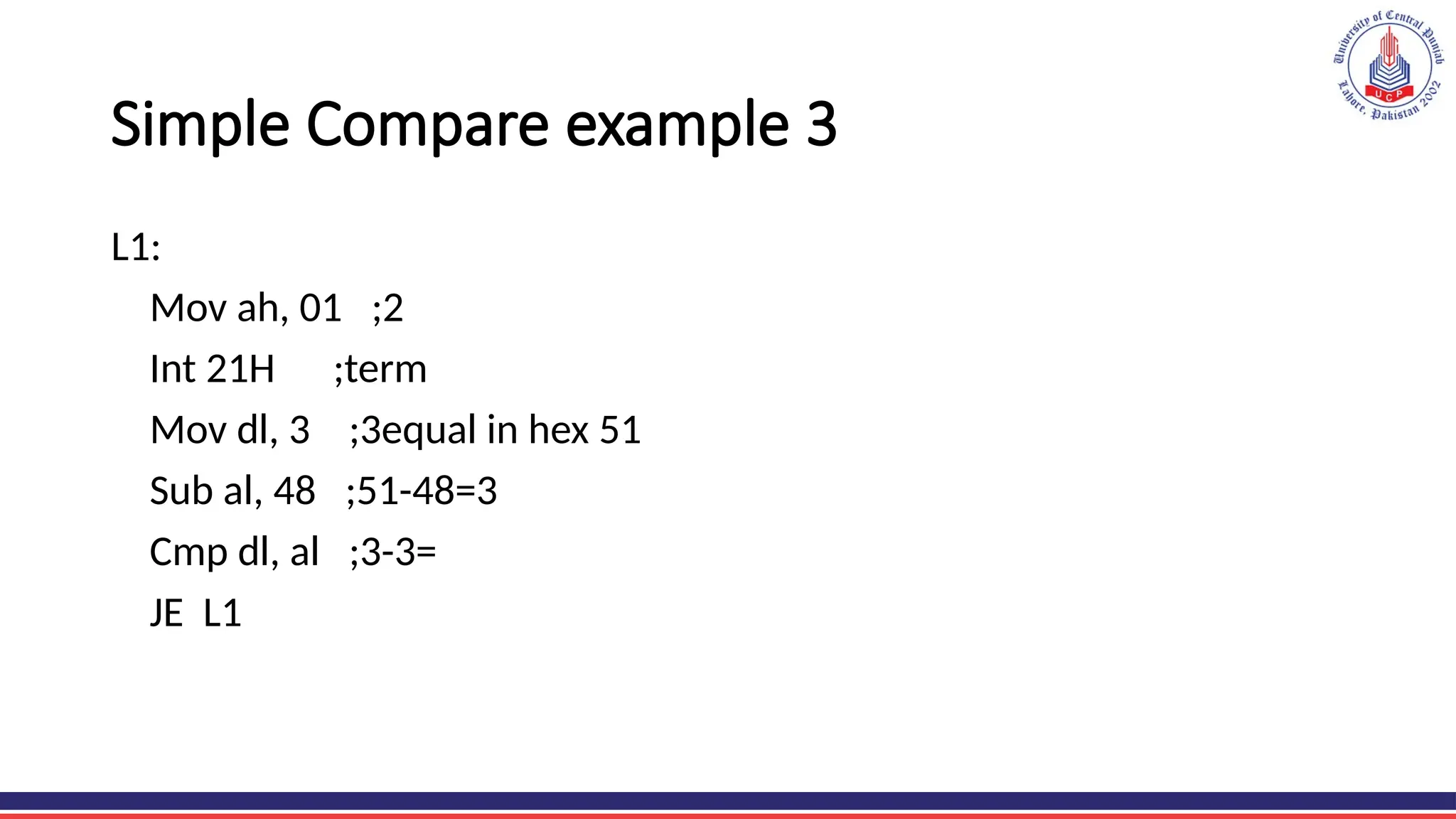
Simple Compare example 3
L1:
Mov ah, 01 ;2
Int 21H ;term
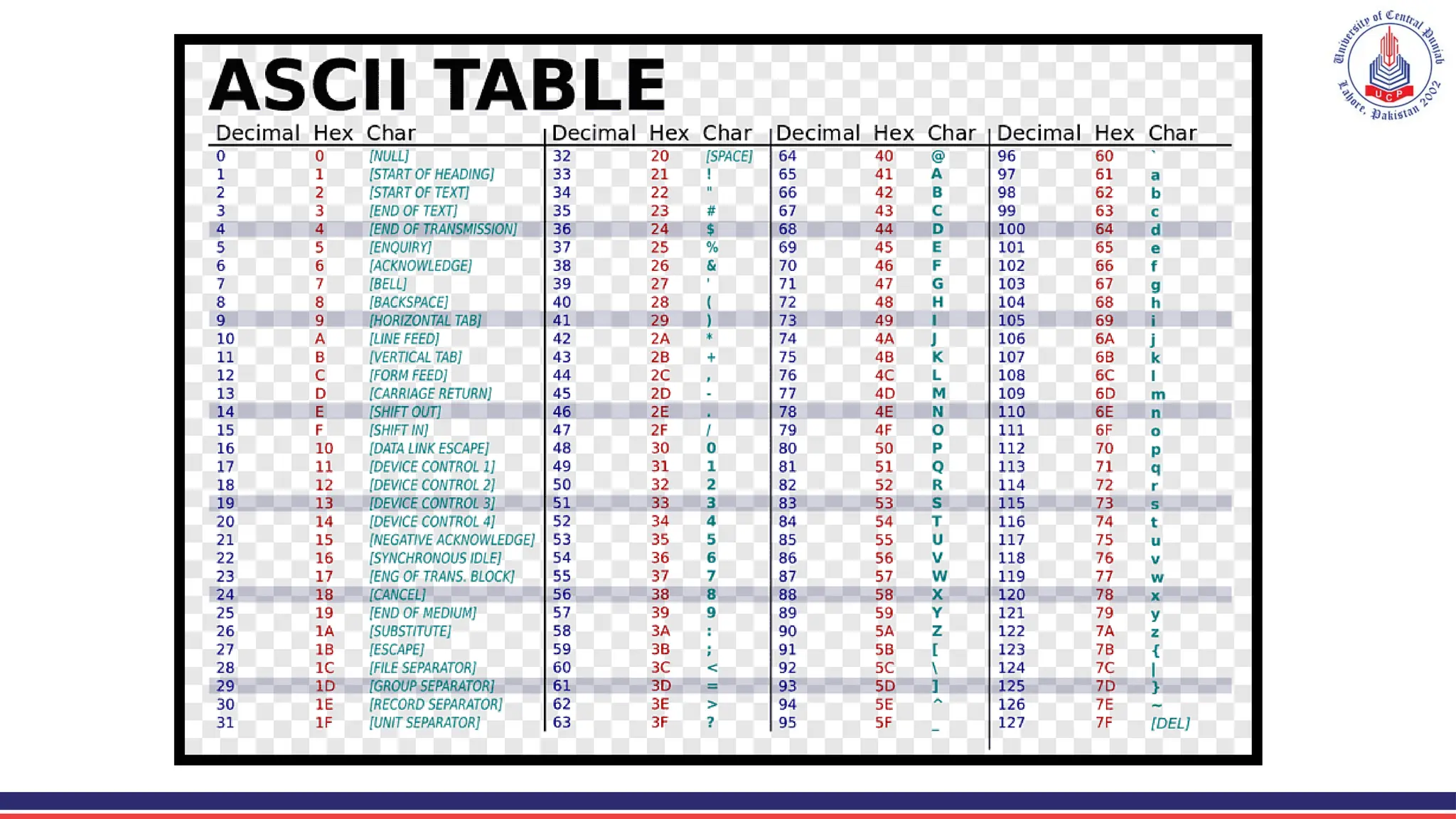
Mov dl, 3 ;3equal in hex 51
Sub al, 48 ;51-48=3
Cmp dl, al ;3-3=
JE L1
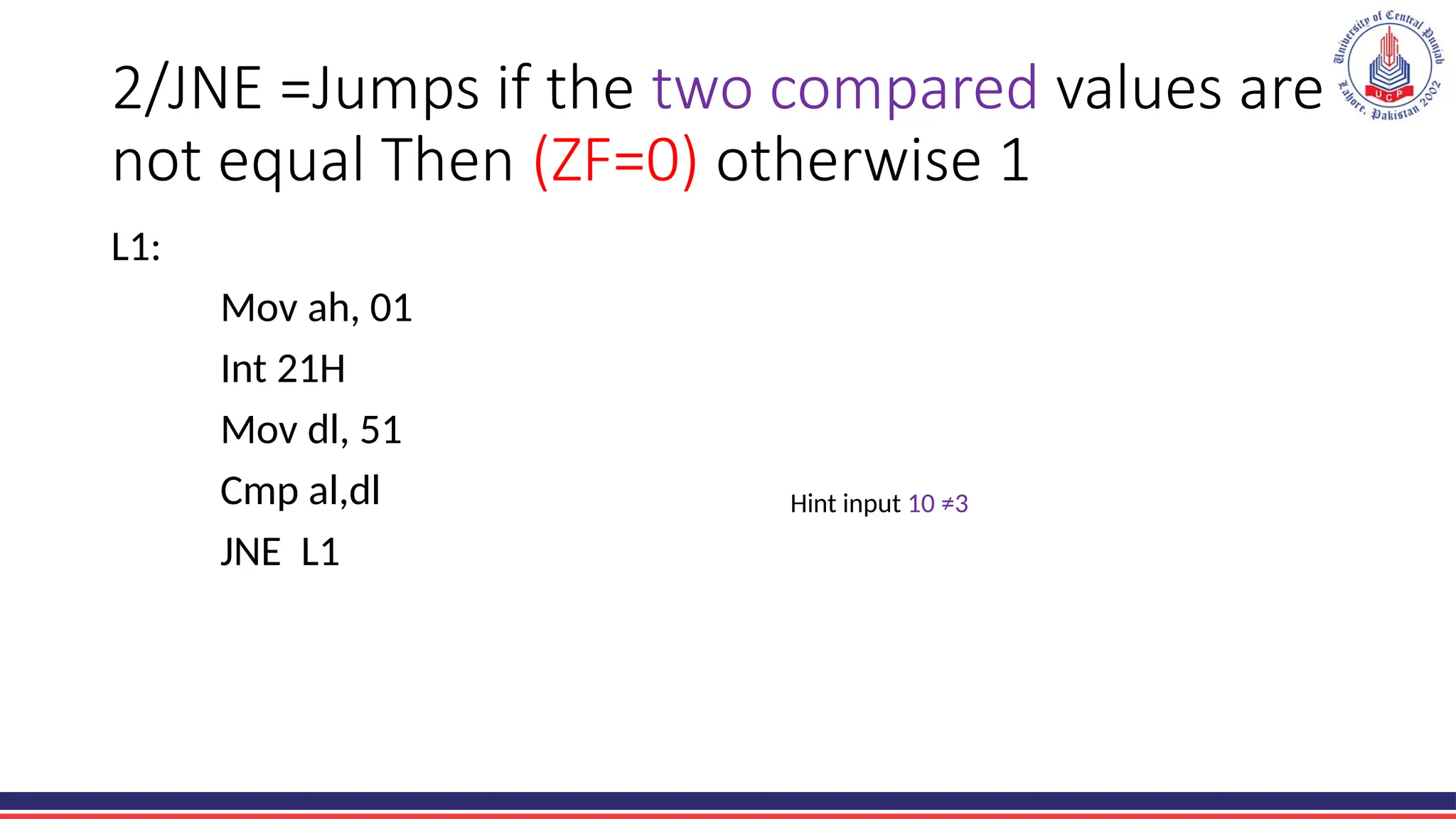
2/JNE =Jumps if the two compared values are
not equal Then (ZF=0) otherwise 1
L1:
Mov ah, 01
Int 21H
Mov dl, 51
Cmp al,dl
JNE L1
Hint input 10 ≠3
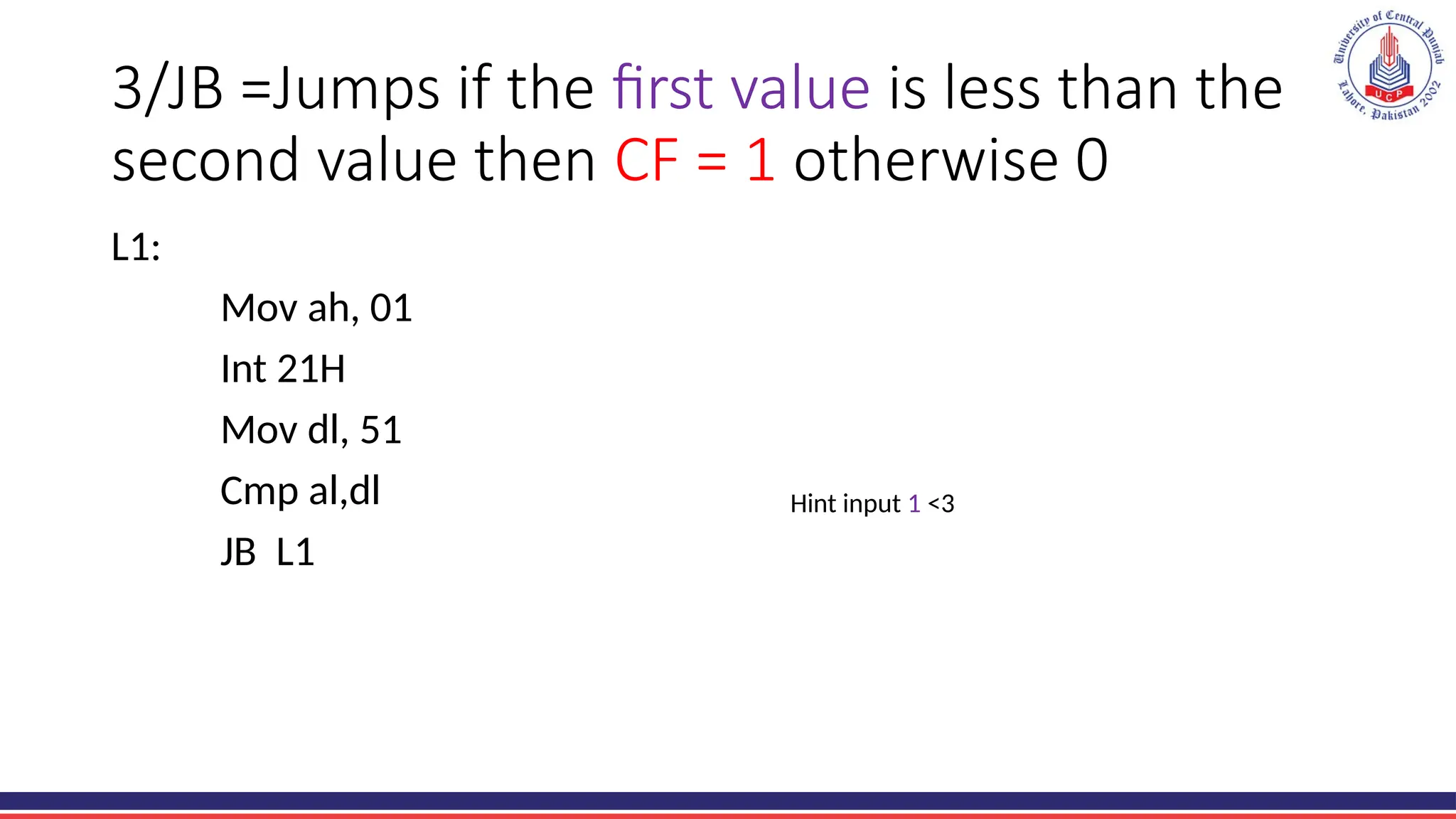
3/JB =Jumps if the first value is less than the
second value then CF = 1 otherwise 0
L1:
Mov ah, 01
Int 21H
Mov dl, 51
Cmp al,dl
JB L1
Hint input 1 <3
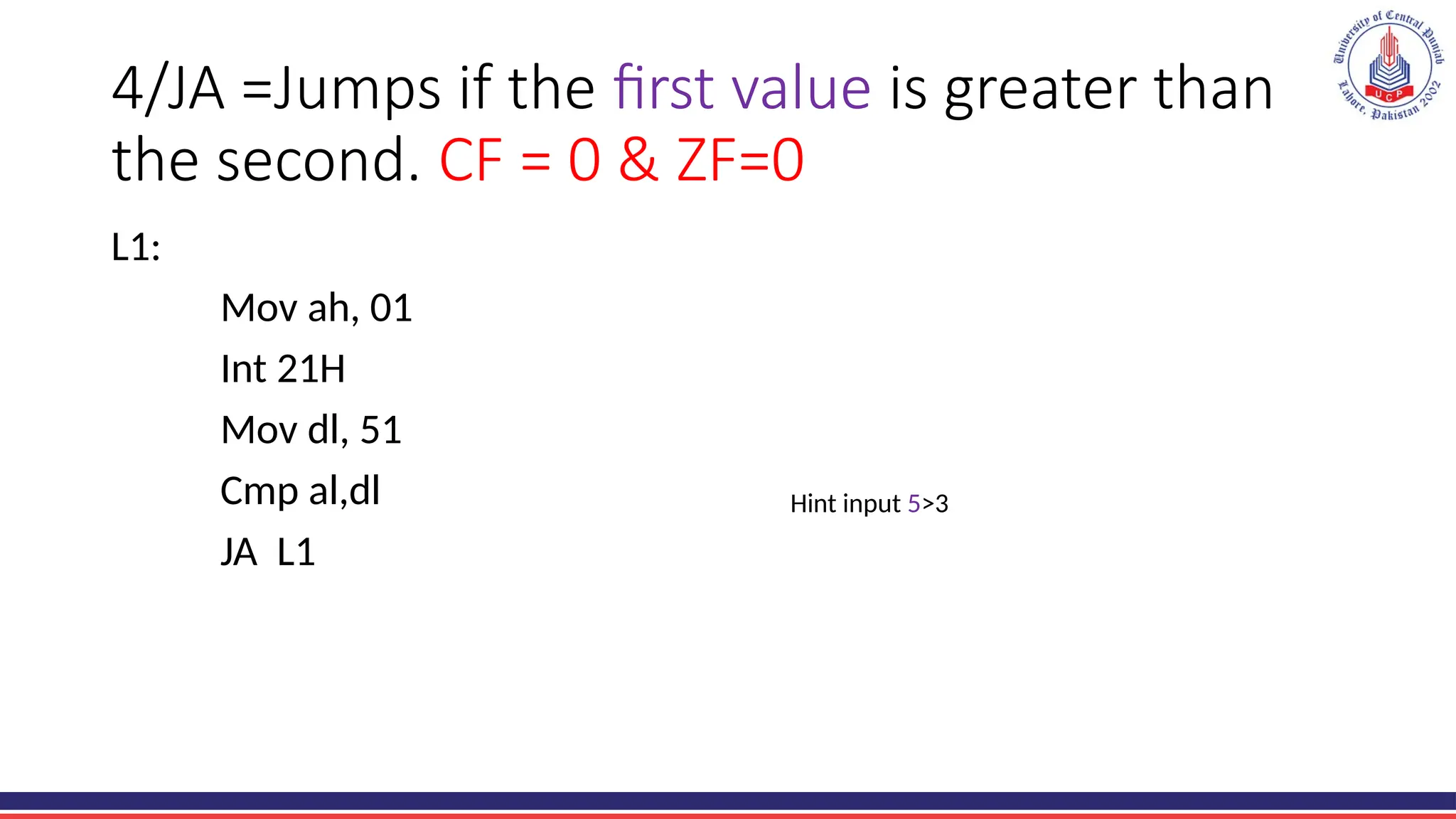
4/JA =Jumps if the first value is greater than
the second. CF = 0 & ZF=0
L1:
Mov ah, 01
Int 21H
Mov dl, 51
Cmp al,dl
JA L1
Hint input 5>3
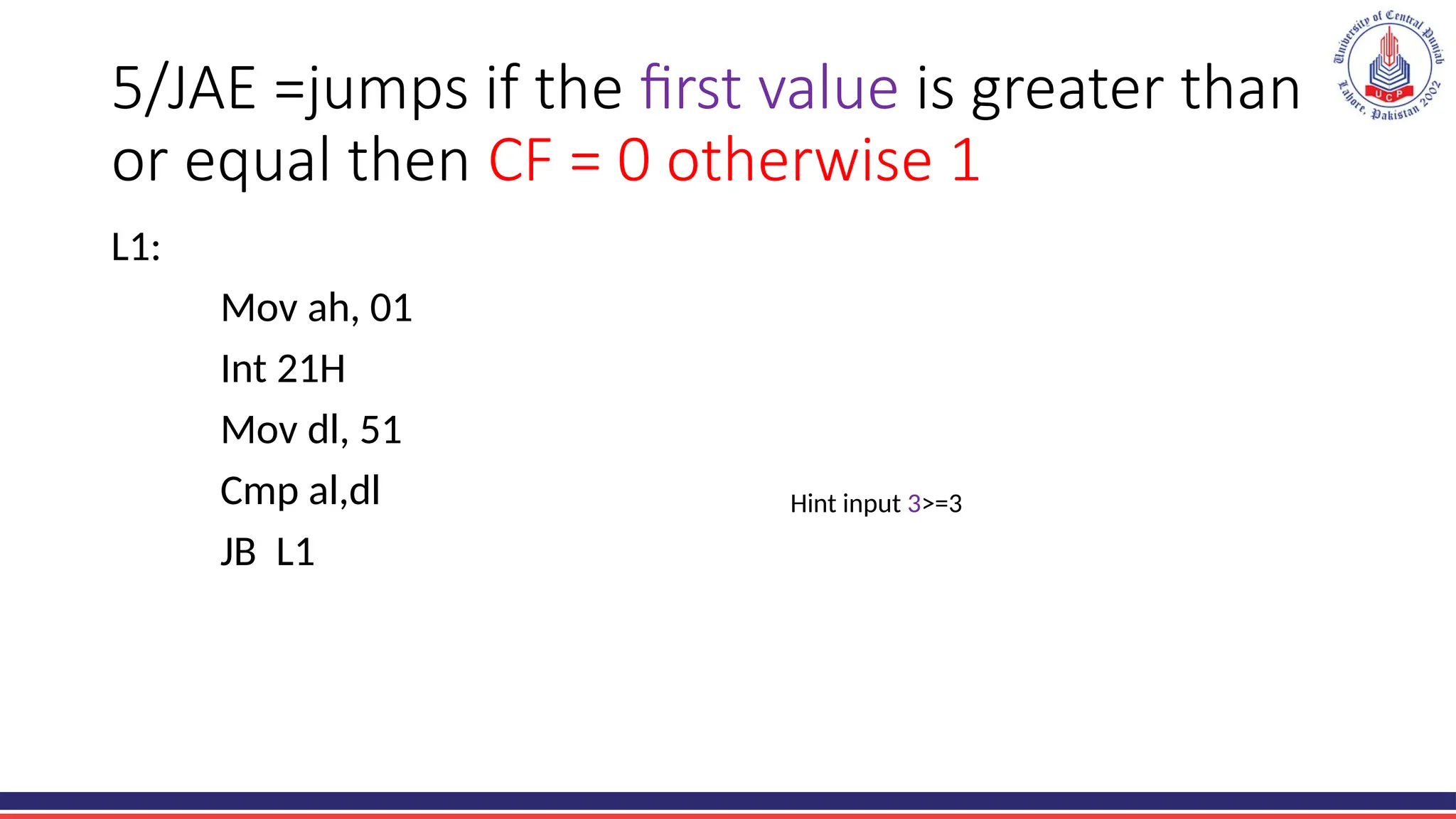
5/JAE =jumps if the first value is greater than
or equal then CF = 0 otherwise 1
L1:
Mov ah, 01
Int 21H
Mov dl, 51
Cmp al,dl
JB L1
Hint input 3>=3
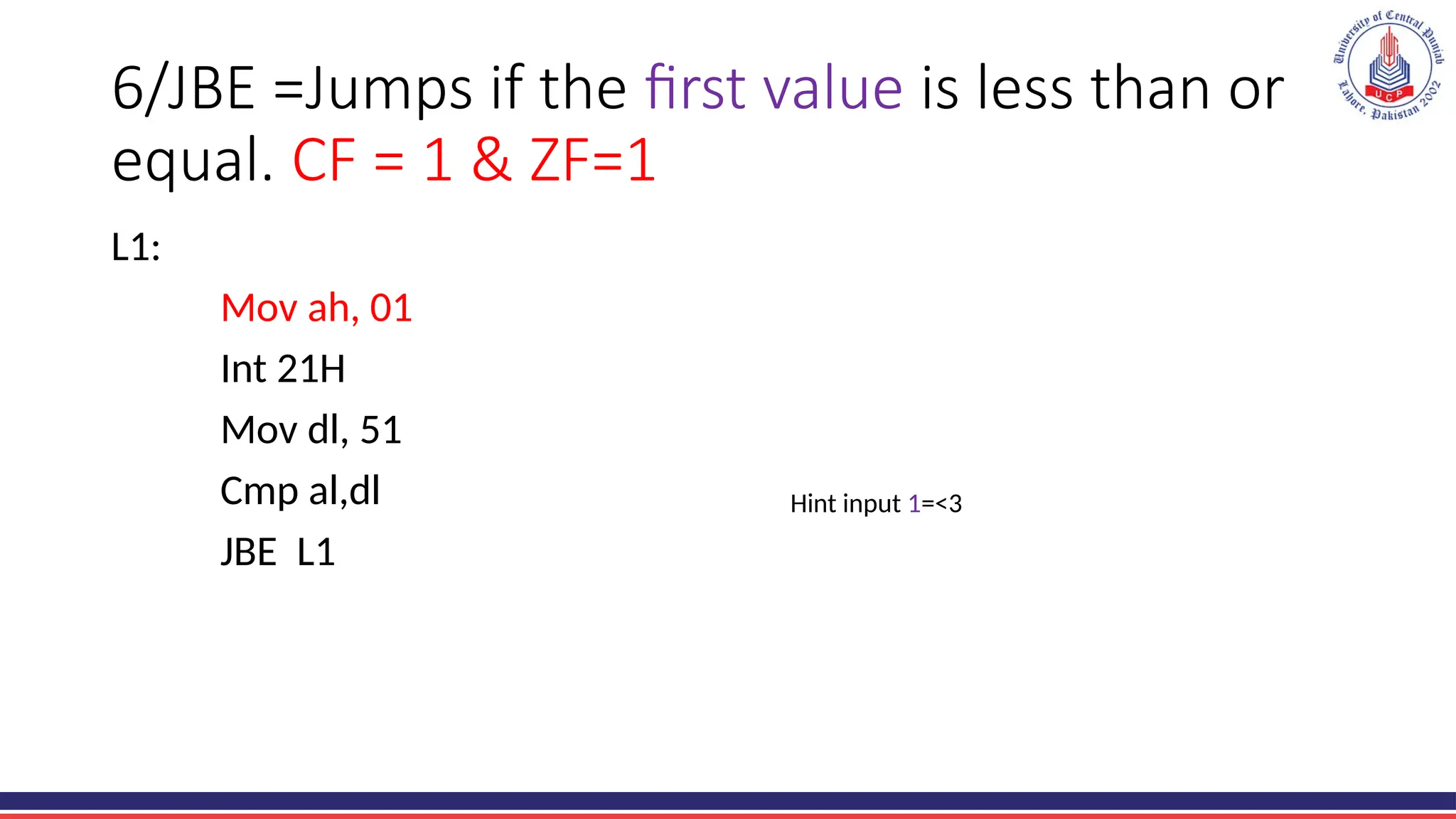
6/JBE =Jumps if the first value is less than or
equal. CF = 1 & ZF=1
L1:
Mov ah, 01
Int 21H
Mov dl, 51
Cmp al,dl
JBE L1
Hint input 1=<3
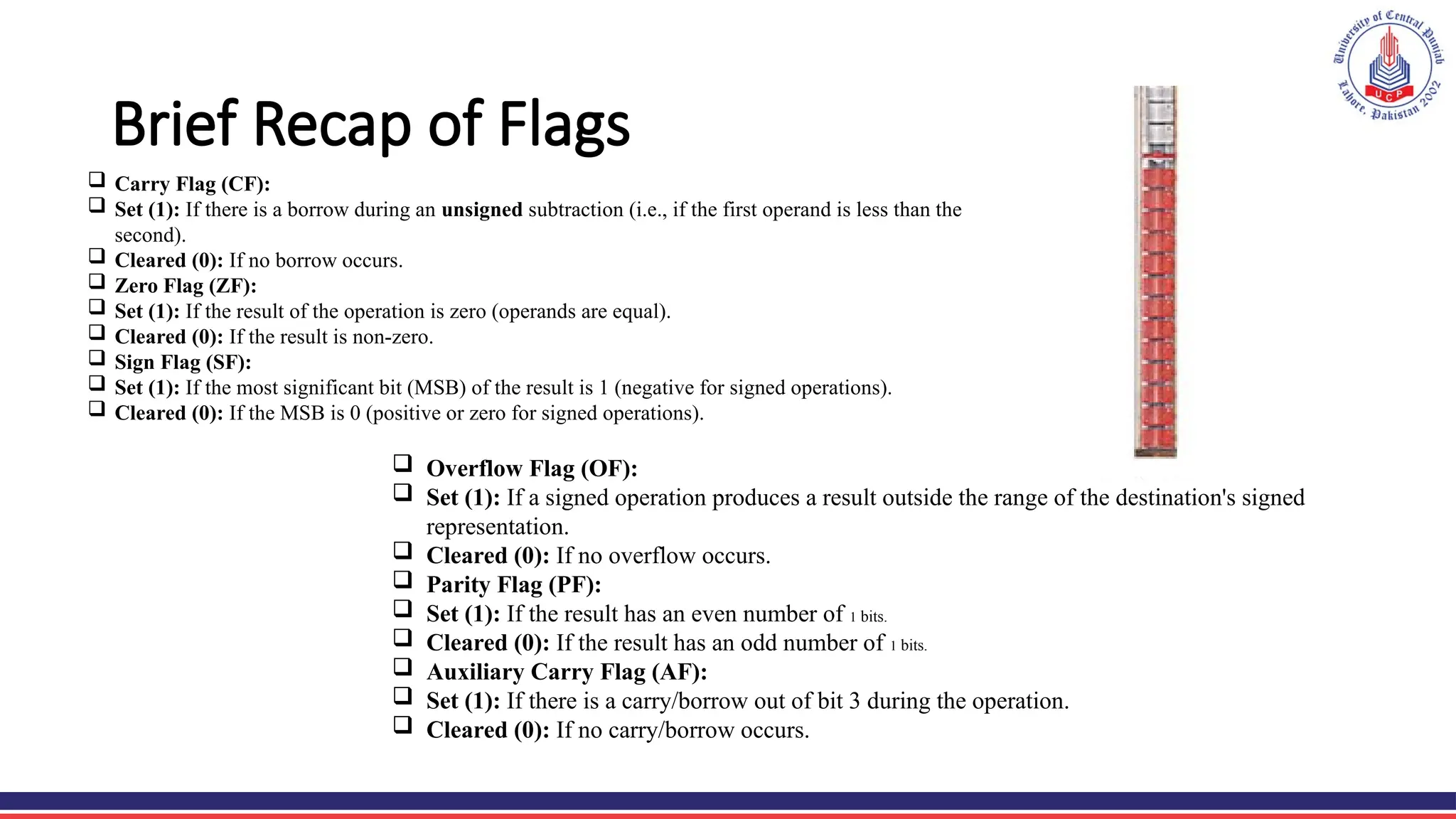
Brief Recap of Flags
 Carry Flag (CF):
 Set (1): If there is a borrow during an unsigned subtraction (i.e., if the first operand is less than the
second).
 Cleared (0): If no borrow occurs.
 Zero Flag (ZF):
 Set (1): If the result of the operation is zero (operands are equal).
 Cleared (0): If the result is non-zero.
 Sign Flag (SF):
 Set (1): If the most significant bit (MSB) of the result is 1 (negative for signed operations).
 Cleared (0): If the MSB is 0 (positive or zero for signed operations).
 Overflow Flag (OF):
 Set (1): If a signed operation produces a result outside the range of the destination's signed
representation.
 Cleared (0): If no overflow occurs.
 Parity Flag (PF):
 Set (1): If the result has an even number of 1 bits.
 Cleared (0): If the result has an odd number of 1 bits.
 Auxiliary Carry Flag (AF):
 Set (1): If there is a carry/borrow out of bit 3 during the operation.
 Cleared (0): If no carry/borrow occurs.
Text Books refrence:
• Assembly Language Step-by-Step: Programming with DOS and Linux
Jeff Duntemann
• Introduction to 80X86 Assembly Language and Computer Architecture
Richard C. Detmer.

LEC 15 BOLEAN OPERATORS in comsats university.pptx

  • 1.
    Boolean and ComparisonInstructions (AND, OR, NOT, XOR, TEST, CMP) COMPUTER ORGANIZATION & ASSEMBLY LANGUAGE
  • 2.
    Boolean Instructions Boolean instructionsperform bitwise logical operations between operands. Instruction Description Example AND Bitwise AND AND AX, BX OR Bitwise OR OR AX, BX XOR Bitwise Exclusive OR XOR AX, BX NOT Bitwise NOT (1's complement) NOT AX TEST Performs AND without storing result TEST AX, BX
  • 3.
    Agenda Today • Bitwiselogical operator in Assembly and Masking operations • That is used by processor
  • 4.
    Logical instructions • Thereare 4 logical OP. AND OR XOR NOT • Logical instructions refer to a set of instructions in assembly language that perform operations based on logical conditions. • These instructions manipulate binary data, typically expressed as bits (0s and 1s), to make decisions, compare values, and control the flow of a program. • Logical instructions are fundamental to constructing decision structures, implementing conditional statements, and managing the program's execution
  • 5.
    AND instructions • The"AND" operation is used to combine two binary values, typically expressed as bits, and produces a result based on the logical conjunction of these values.
  • 6.
    AND instructions Condition BOTH X, Y OP =1 OTHERWISE =0 lets, play with Emu8086 mov al, 10 mov bl, 11 AND al,bl 4bit convert into 8 for al and bl as well 0000 1010 = al 0000 1011 = bl --------------------- 0000 1010= AND
  • 7.
    OR instructions • TheOR logical instruction is a binary operation that operates on two sets of binary digits or Boolean values. • In the context of computer programming and assembly language, the OR instruction combines individual bits to produce a result based on the logical OR operation. Condition IF ANY X , Y OP =1 OTHERWISE =0 Solve the problem mov al, 8 mov bl, 9 OR al ,bl 4bit convert into 8 for al and bl as well = al = bl --------------------- =OR
  • 8.
    XOR instructions • XOR,which stands for "exclusive OR," is a logical instruction and a bitwise operation used in computer programming and digital logic design. The XOR operation is applied to two binary values, and its result is determined by the following rules: • If the two corresponding bits are different (one is 0 and the other is 1), the XOR operation yields 1. • If the two corresponding bits are the same (both 0 or both 1), the XOR operation yields 0. Condition IF X , Y OP same =0 OTHERWISE =1 Solve the problem mov al, 11 mov bl, 13 xor al ,bl 4bit convert into 8 for al and bl as well = al = bl --------------------- =XOR
  • 9.
    NOT instructions • TheNOT logical instruction, often represented as "NOT" or "~" in various programming languages and assembly languages, performs a bitwise negation operation. • Its primary function is to invert the individual bits of a binary value, changing each 0 to 1 and each 1 to 0. Here's a simple representation: If A is a binary value, then NOT A results in a new binary value where each bit of A is flipped (0s become 1s, and 1s become 0s). Condition IF X OP 0=1 IF X OP 1=0 Solve the problem mov al, 14 NOT al 4bit convert into 8 for al for single input = al --------------------- =NOT al
  • 10.
    Test Instruction The TESTinstruction performs a bitwise AND between two operands, just like the AND instruction, but it does not store the result. Instead, it only updates the CPU flags (in the FLAGS register), which can be used for conditional branching. Syntex: TEST destination, source
  • 11.
    Comparison Instructions (CMP) •In Assembly language, Boolean and Comparison Instructions (CMP) are used to evaluate conditions and make decisions in programs. These instructions are fundamental for implementing loops, conditional branching, and logic operations.
  • 12.
    Types of Masking 1.Selective bit clearing 2. Selective bit setting 3. Selective bit inversion 4. Selective bit testing
  • 13.
    Conclusion • Bit maskingis widely used in programming, especially in low-level and embedded systems, because it provides a fast and efficient way to manipulate specific bits of data. Example Use Case: Enabling/Disabling Features in a Device Suppose a hardware register uses the following bits to control features Bit 0: Enable LED Bit 1: Enable FanBit 2: Enable Motor Using bit masking: • Enable the LED: OR the register with 0b00000001. • Disable the Fan: AND the register with 0b11111101.
  • 14.
    Compare instruction andits types • In Assembly, a jump instruction changes the flow of execution to a different part of the program. • We can learn compare after learning the jumps.
  • 15.
    Jump(instruction to controlthe program flow) 1.Unconditional Jump • Unconditional Jump jump to label without any condition • Syntax jmp label L1: Mov dl, “H” Mov ah, 02 Int 21H jmp L1 2.Conditional Jump • Unconditional Jump jump to label when condition occur. • Syntax: Opcode label L1: Mov ah, 01 Int 21H Mov dl, 3 Cmp al,dl JE L1
  • 16.
    Unsigned numbers Conditional jumpinstructions for unsigned comparisons: explaining the jump instructions JE, JNE, JB, JA, JAE, JBE
  • 18.
    Simple Compare example2 Mov al, 5 ; Load 5 into AL Mov bl, 5 ; Load 5 into BL Cmp al, bl ; Compare AL and BL (5 - 5 = 0) ; Zero Flag (ZF) is set to 1 because the result is 0 Mov al, 5 ; Load 5 into AL Mov bl, 3 ; Load 3 into BL Cmp al, bl ; Compare AL and BL (5 - 3 = 2) ; Zero Flag (ZF) is set to 0 because the result is not 0
  • 19.
    1/JE compared valuesare equal. ZF=1 otherwise 0 L1: Mov ah, 01 Int 21H Mov dl, 3 Cmp al,dl JE L1 Hint 3 = 3 (Main logic 3-3=0) ZF=1
  • 20.
    Simple Compare example3 L1: Mov ah, 01 ;2 Int 21H ;term Mov dl, 3 ;3equal in hex 51 Sub al, 48 ;51-48=3 Cmp dl, al ;3-3= JE L1
  • 21.
    2/JNE =Jumps ifthe two compared values are not equal Then (ZF=0) otherwise 1 L1: Mov ah, 01 Int 21H Mov dl, 51 Cmp al,dl JNE L1 Hint input 10 ≠3
  • 22.
    3/JB =Jumps ifthe first value is less than the second value then CF = 1 otherwise 0 L1: Mov ah, 01 Int 21H Mov dl, 51 Cmp al,dl JB L1 Hint input 1 <3
  • 23.
    4/JA =Jumps ifthe first value is greater than the second. CF = 0 & ZF=0 L1: Mov ah, 01 Int 21H Mov dl, 51 Cmp al,dl JA L1 Hint input 5>3
  • 24.
    5/JAE =jumps ifthe first value is greater than or equal then CF = 0 otherwise 1 L1: Mov ah, 01 Int 21H Mov dl, 51 Cmp al,dl JB L1 Hint input 3>=3
  • 25.
    6/JBE =Jumps ifthe first value is less than or equal. CF = 1 & ZF=1 L1: Mov ah, 01 Int 21H Mov dl, 51 Cmp al,dl JBE L1 Hint input 1=<3
  • 26.
    Brief Recap ofFlags  Carry Flag (CF):  Set (1): If there is a borrow during an unsigned subtraction (i.e., if the first operand is less than the second).  Cleared (0): If no borrow occurs.  Zero Flag (ZF):  Set (1): If the result of the operation is zero (operands are equal).  Cleared (0): If the result is non-zero.  Sign Flag (SF):  Set (1): If the most significant bit (MSB) of the result is 1 (negative for signed operations).  Cleared (0): If the MSB is 0 (positive or zero for signed operations).  Overflow Flag (OF):  Set (1): If a signed operation produces a result outside the range of the destination's signed representation.  Cleared (0): If no overflow occurs.  Parity Flag (PF):  Set (1): If the result has an even number of 1 bits.  Cleared (0): If the result has an odd number of 1 bits.  Auxiliary Carry Flag (AF):  Set (1): If there is a carry/borrow out of bit 3 during the operation.  Cleared (0): If no carry/borrow occurs.
  • 27.
    Text Books refrence: •Assembly Language Step-by-Step: Programming with DOS and Linux Jeff Duntemann • Introduction to 80X86 Assembly Language and Computer Architecture Richard C. Detmer.
Editor's Notes

  • #3 Binary games
  • #15 COMPARE AH, DL TO KNOW ABOUT THAT, COMPARISON- SIT ON CHAIR GAME-add 51 instead of 3
  • #16 Lets play some games
  • #19 3=51ascii
  • #21 Not equal per run
  • #22 JUMP BELOW
  • #23 Jump above
  • #24 JAE (Jump if Above or Equal):
  • #25 JAE (Jump Below or Equal):