




Learnings –
Mobile Apps Testing

Dubinsky Soares
Manisha Awasthi
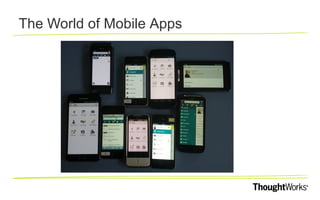
The World of Mobile Apps
Native
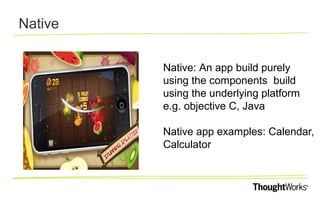
Native: An app build purely
using the components build
using the underlying platform
e.g. objective C, Java
Native app examples: Calendar,
Calculator
Mobile Web
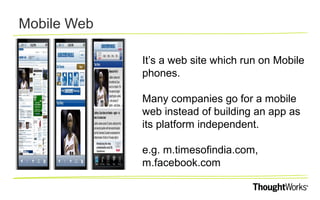
It’s a web site which run on Mobile
phones.
Many companies go for a mobile
web instead of building an app as
its platform independent.
e.g. m.timesofindia.com,
m.facebook.com
Hybrid
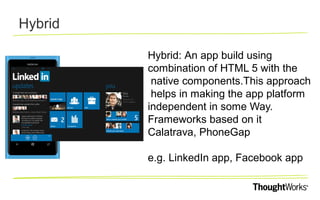
Hybrid: An app build using
combination of HTML 5 with the
native components.This approach
helps in making the app platform
independent in some Way.
Frameworks based on it
Calatrava, PhoneGap
e.g. LinkedIn app, Facebook app
Challenges in Testing Mobile apps
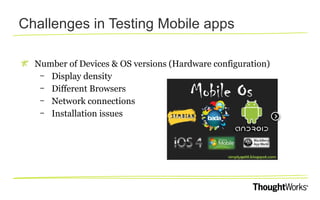
Number of Devices & OS versions (Hardware configuration)
– Display density
– Different Browsers
– Network connections
– Installation issues
The Best Phone in the World
Challenges in Testing Mobile apps
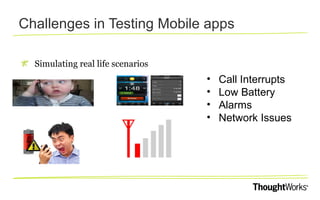
Simulating real life scenarios

•
•
•
•

Call Interrupts
Low Battery
Alarms
Network Issues
Challenges in Testing Mobile apps
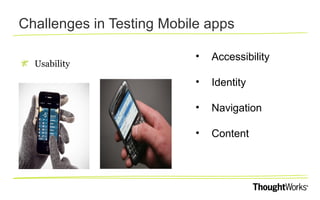
Usability

•

Accessibility

•

Identity

•

Navigation

•

Content
Challenges in Testing Mobile apps
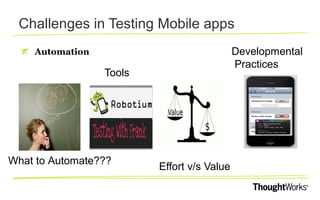
Developmental
Practices

Automation

Tools

What to Automate???

Effort v/s Value
Non Functional Testing
Key Learnings
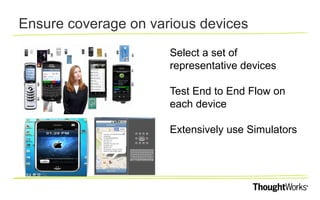
Ensure coverage on various devices
Select a set of
representative devices
Test End to End Flow on
each device
Extensively use Simulators
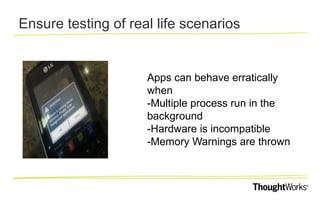
Ensure testing of real life scenarios

Apps can behave erratically
when
-Multiple process run in the
background
-Hardware is incompatible
-Memory Warnings are thrown
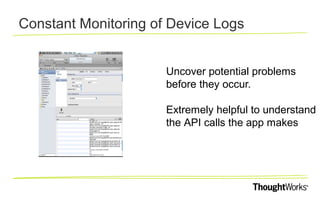
Constant Monitoring of Device Logs
Uncover potential problems
before they occur.
Extremely helpful to understand
the API calls the app makes
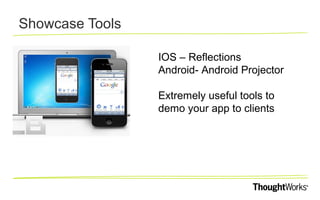
Showcase Tools
IOS – Reflections
Android- Android Projector
Extremely useful tools to
demo your app to clients
Automation Tools
Frank
Calabash
MonkeyTalk
Sikuili
UIAutomation
Automation Tools
Robotium
Calabash
MonkeyTalk
Sikuili
Native Driver
Android Instrumentation
Automation Tools
Android Driver
iPhone Driver
Watir
Automation Tools
MobiTest
Google Page Speed
Load Runner
Jmeter
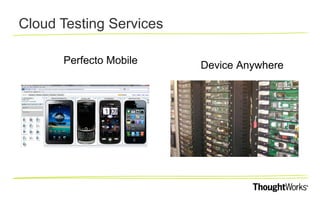
Cloud Testing Services
Perfecto Mobile

Device Anywhere
All this talk …. Lets see something work !
Key Learning’s
Use simulators to get the breadth of devices tested.
Testing on different Display density mobiles
Keep an eye on smaller details as well
Simulating real life scenarios
Constant monitoring of device logs while testing
Selective automation on Devices/simulators
How can we help?

Dr ag
p ic tu r
e to p a
l c eho
ld er o
r cl ick

ThoughtWorks is a global custom software solutions consultancy trusted by
many of the world’s leading businesses with their most complex and critical
systems. We deliver consulting grounded in delivery expertise, build custom
applications and help organisations across all market sectors to drive IT
efficiency – working to an exceptionally high standard.

Contact us

dubinsky@thoughtworks.com
manishaa@thoughtworks.com

Private and Confidential. © 2012 ThoughtWorks. All rights reserved.

Learnings from Mobile Application Testing

  • 1.
    Learnings – Mobile AppsTesting Dubinsky Soares Manisha Awasthi
  • 2.
    The World ofMobile Apps
  • 3.
    Native Native: An appbuild purely using the components build using the underlying platform e.g. objective C, Java Native app examples: Calendar, Calculator
  • 4.
    Mobile Web It’s aweb site which run on Mobile phones. Many companies go for a mobile web instead of building an app as its platform independent. e.g. m.timesofindia.com, m.facebook.com
  • 5.
    Hybrid Hybrid: An appbuild using combination of HTML 5 with the native components.This approach helps in making the app platform independent in some Way. Frameworks based on it Calatrava, PhoneGap e.g. LinkedIn app, Facebook app
  • 6.
    Challenges in TestingMobile apps Number of Devices & OS versions (Hardware configuration) – Display density – Different Browsers – Network connections – Installation issues
  • 7.
    The Best Phonein the World
  • 8.
    Challenges in TestingMobile apps Simulating real life scenarios • • • • Call Interrupts Low Battery Alarms Network Issues
  • 9.
    Challenges in TestingMobile apps Usability • Accessibility • Identity • Navigation • Content
  • 10.
    Challenges in TestingMobile apps Developmental Practices Automation Tools What to Automate??? Effort v/s Value
  • 11.
  • 12.
  • 13.
    Ensure coverage onvarious devices Select a set of representative devices Test End to End Flow on each device Extensively use Simulators
  • 14.
    Ensure testing ofreal life scenarios Apps can behave erratically when -Multiple process run in the background -Hardware is incompatible -Memory Warnings are thrown
  • 15.
    Constant Monitoring ofDevice Logs Uncover potential problems before they occur. Extremely helpful to understand the API calls the app makes
  • 16.
    Showcase Tools IOS –Reflections Android- Android Projector Extremely useful tools to demo your app to clients
  • 17.
  • 18.
  • 19.
  • 20.
    Automation Tools MobiTest Google PageSpeed Load Runner Jmeter
  • 21.
    Cloud Testing Services PerfectoMobile Device Anywhere
  • 22.
    All this talk…. Lets see something work !
  • 23.
    Key Learning’s Use simulatorsto get the breadth of devices tested. Testing on different Display density mobiles Keep an eye on smaller details as well Simulating real life scenarios Constant monitoring of device logs while testing Selective automation on Devices/simulators
  • 25.
    How can wehelp? Dr ag p ic tu r e to p a l c eho ld er o r cl ick ThoughtWorks is a global custom software solutions consultancy trusted by many of the world’s leading businesses with their most complex and critical systems. We deliver consulting grounded in delivery expertise, build custom applications and help organisations across all market sectors to drive IT efficiency – working to an exceptionally high standard. Contact us dubinsky@thoughtworks.com manishaa@thoughtworks.com Private and Confidential. © 2012 ThoughtWorks. All rights reserved.