A checklist to prepare
for iOS 14 changes
for app events
BUILDING FOR PRIVACY AND PERFORMANCE
February 2021 - Updated March 29th
A checklist to prepare for iOS 14 changes for app events 2
© Facebook company
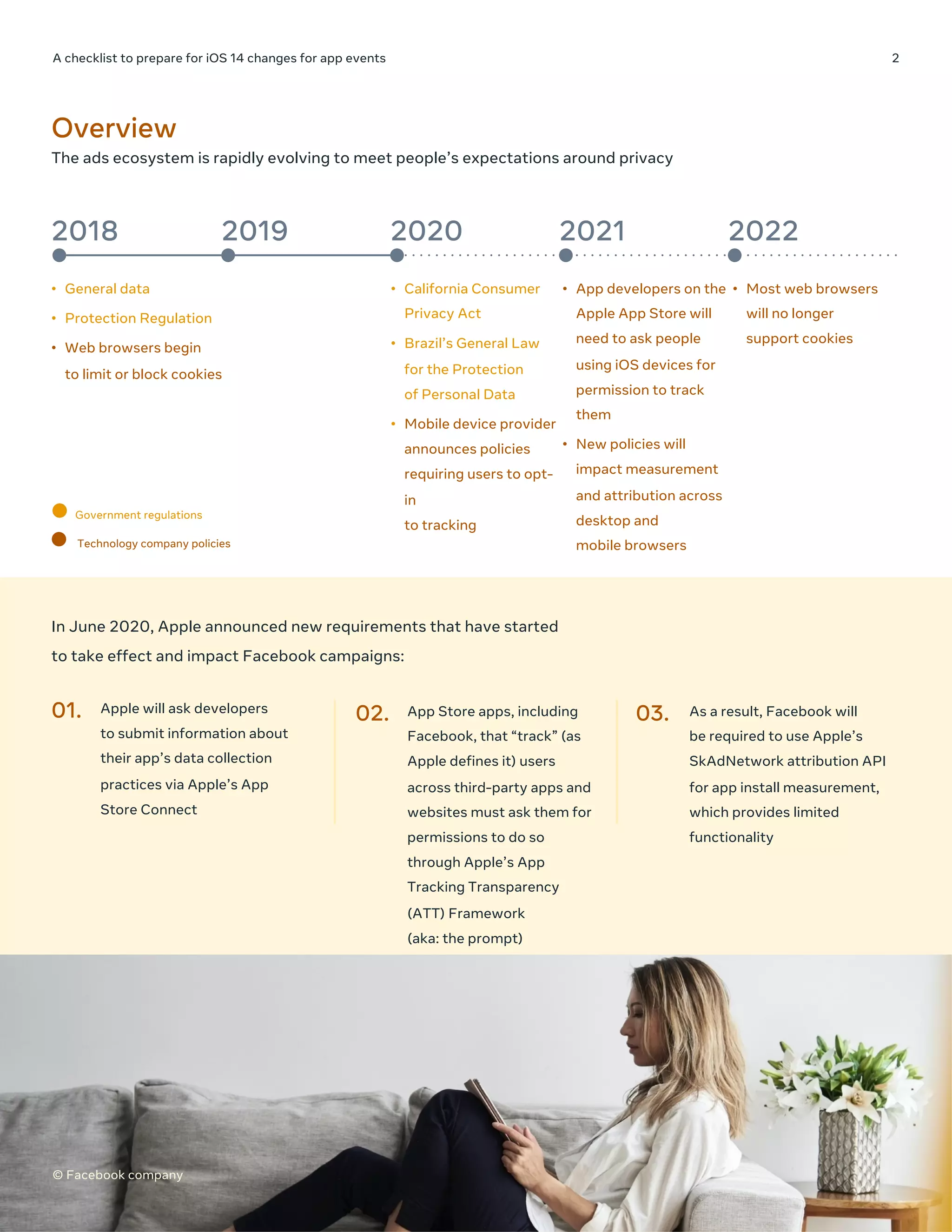
The ads ecosystem is rapidly evolving to meet people’s expectations around privacy
Overview
2018 2019 2020 2021 2022
• General data
• Protection Regulation
• Web browsers begin
to limit or block cookies
• California Consumer
Privacy Act
• Brazil’s General Law
for the Protection
of Personal Data
• Mobile device provider
announces policies
requiring users to opt-
in
to tracking
• App developers on the
Apple App Store will
need to ask people
using iOS devices for
permission to track
them
• New policies will
impact measurement
and attribution across
desktop and
mobile browsers
• Most web browsers
will no longer
support cookies
In June 2020, Apple announced new requirements that have started
to take effect and impact Facebook campaigns:
01. Apple will ask developers
to submit information about
their app’s data collection
practices via Apple’s App
Store Connect
02. App Store apps, including
Facebook, that “track” (as
Apple defines it) users
across third-party apps and
websites must ask them for
permissions to do so
through Apple’s App
Tracking Transparency
(ATT) Framework
(aka: the prompt)
03. As a result, Facebook will
be required to use Apple’s
SkAdNetwork attribution API
for app install measurement,
which provides limited
functionality
Government regulations
Technology company policies
© Facebook company
A checklist to prepare for iOS 14 changes for app events 3
© Facebook company
Apple’s policy is expected to have implications for businesses that rely on personalized ads to reach customers or
monetize their apps. When Apple’s prompt is shown on Facebook and Instagram, advertisers running campaigns to
iOS 14.0+ users will be impacted by Apple imposed limitations on data sharing.
USER PROMPT SHARED CUSTOMER DATA AVAILABLE WITH
EVENTS
ADS MANAGER CHANGES
Prompt
Opt-in
Opt-out
• Publisher App data
• Privacy prompt
Customer data
available with events*
IDFA will not be available—ad
serving/campaign
performance suffers
Dual opt-in means we can do
identity matching to improve our
ability to serve ads
This guide provides information to help you prepare for this shift in advance of these changes. To learn more about our stance in regard to Apple, visit fb.com/ApplePolicyUpdate.
Before iOS 14 update: For app advertising, an IDFA has historically matched consumers
to their activity on a device to help deliver relevant ads
What changes to expect: The impact of Apple’s new
measurement standards on advertisers
Prompt
• Your App data
• Privacy prompt
APP
Opt-in
Customer data
available with events*
Reporting is still aggregated & delayed
through SKAN for app install campaigns
CUSTOMER DEVICE ID
+ PERSONALIZED
ADVERTISING
After iOS 14.5 update: Without matching, advertising
becomes less effective and more costly
CUSTOMER
When this connection is severed, without meaningful ways to
preserve valid advertising use cases, businesses suffer:
• They reach fewer of their consumers
• They pay more to reach new consumers
• They can’t accurately measure their marketing activities
*Apple’s policies preclude customer data from being shared without dual opt-in, but this data can be available (e.g., via server-to-server data transmissions).
A checklist to prepare for iOS 14 changes for app events 4
© Facebook company
All app-based business tools
(Facebook SDK, app events API
Area of impact
Element/Settings
Before SKAN API:
Available data to fuel
campaigns
After SKAN API
integration: Available data
to fuel campaigns
Measurement Optimization Targeting
TIMING
Reporting model in
Ads Manager
Impression time
The reporting time of
SKAdNetwork Event which
is aggregated, delayed and
restricted
X
Are metrics (install,
purchase, value) real
time?
Yes No (several days delayed) X X
ATTRIBUTION
Attribution model
Media attribution on
Facebook family of
apps, cross device
Cross publisher last click
attribution on device
X
Attribution window 1D/7D/28D CT, 1D VT
For MAI: No attribution
window concept; utilize
SKAN 30-60-day CT
X
REPORTING
Has ID-based
breakdown
(age, gender, etc.)
Yes No X X
Support View
through
Yes No X
Are results modeled? No
Campaign Level is not
modeled, Ad Set and Ad
Level will be modeled
X X
Deferred Deeplinking Yes
No (due to loss of IDFA
from opt-outs)
X
CAMPAIGN
MANAGEMENT
Number of
campaigns/Ad sets
Effectively unlimited
Restricted to 9 Facebook
campaigns per ad account
at launch
X
Advertisers can expect less information
for ad targeting, delivery and measurement
A checklist to prepare for iOS 14 changes for app events 5
© Facebook company
As Apple’s requirements continue to evolve and new information becomes available, Facebook will share additional guidance.
Facebook.com/business/learn/ads-changes/guide
ACTION CONSIDERATIONS HOW TIMING
Action 1:
Be ready to adopt Apple’s
policies by implementing the
latest Facebook SDK (v8.0+),
or review MMP or App Events
API implementations
While v80+ is fully integrated with
SKAdNetwork, as best practice, we
recommend all advertisers upgrade
to our latest SDK version (currently
v9.0). Additionally, Facebook SDK
v9.0 includes our latest version of
Facebook Login.
To learn more visit: https://fb.me/appdatadisclosure Now
Action 2:
If only using the App Events
API, plan to support Apple’s
SKAN API and confirm
integration via Events Manager
Without SKAN API integration all
active campaigns will stop delivering
to iOS 14.5+ users
Unlock App Install Campaigns with SKAN API integration
Advertisers who use the App Events API and do not have the Facebook SDK installed
will need to support Apple’s SKAdNetwork API to be able to run mobile app install
campaigns and will need to configure their own conversion schema for AEO and VO.
(Conversion schema configuration is not needed if advertiser is ONLY optimizing for
Mobile App Installs)
Advertisers will need to first confirm that they have properly implemented
SKAdNetwork through Events Manager to have access to the SKAdNetwork
configuration experience and to be able to create MAI, AEO and VO campaigns.
Once advertisers confirm in Events Manager, they meet the requirements for
SKAdNetwork support, they will need to configure their conversion schema to be able
to run AEO and VO campaigns. Access to a customizable conversion schema setup is
available in Events Manager.
Advertisers can manually map the conversion values to app events.
Only purchase events can have a value set and advertisers will have the capability to
define the value set ranges as needed.
Prepare for
Action 3:
Improve your opportunities for
personalized advertising by
using the “Advertiser Tracking
Enabled” flag to better guide
Facebook on per-event data
use
Required to improve our ability to
find your audiences and optimize
your iOS 14.0+ campaigns
Implement the “Advertiser Tracking Enabled” flag with Facebook SDK, App Events API
or any MMP integration
Now
Action 4:
Help Facebook to understand
your advertising goals by
configuring your conversion
schema
Failure to configure your conversion
schema will stop all App Events,
Value optimization, or App installs +
App Events campaigns from
delivering to iOS 14.5+ devices.
Advertisers optimizing only for
Mobile App Installs do not need to
configure their conversion schema.
Three paths to configure your conversion
• Use Recommendations: Facebook’s Use Recommendation option is where
Facebook auto-configures the events
• Import from Partner App: Work with MMP to complete the conversion schema
• Customize: For external events/App Events API users. Advanced setup, technical
expertise may be needed.
Prepare for
Action 5:
Continue your app install
campaigns targeting iOS 14.0+
devices by consolidating your
campaigns and testing new
campaign structures
You can expect campaigns and ad
sets targeting iOS 14.5+ devices to
become inactive until they are
consolidated to 1 ad account with no
more than 9 campaigns with 5 ad
sets of the same optimization type
• One one ad account per app
• Only nine campaigns within the
app ad account
• Only five ad sets of the same
optimization type for each app
campaign
Ad Account Management
Prepare to operate with one ad account for iOS 14+ app install ads per app.
Campaign Management
Due to restrictions imposed by Apple’s SKAdNetwork, advertisers can have a
maximum of 9 app install campaigns, and 5 ad sets per campaign, targeting iOS 14. All
active campaigns with a delivery state other than “deleted” will count toward the 9
campaign limit.
Campaign and Ad Set Consolidation
Use Automated App Ads to help consolidate campaigns with its simplified structure of
one campaign, one ad set and one ad.
If you are unable to use Automated App Ads, consider alternate campaign
consolidation strategies provided.
Test new campaign structures
You are able to set up and test SKAdNetwork-based app install campaigns in Ads
Manager and via API. More details below on how we will enable advertisers to do this
with prompts and tools to guide them through the process.
Prepare for
What actions to take: The impact of Apple’s iOS 14
requirements on advertisers and developers

Lazar Malakov - App guidance mar29_us

  • 1.
    A checklist toprepare for iOS 14 changes for app events BUILDING FOR PRIVACY AND PERFORMANCE February 2021 - Updated March 29th
  • 2.
    A checklist toprepare for iOS 14 changes for app events 2 © Facebook company The ads ecosystem is rapidly evolving to meet people’s expectations around privacy Overview 2018 2019 2020 2021 2022 • General data • Protection Regulation • Web browsers begin to limit or block cookies • California Consumer Privacy Act • Brazil’s General Law for the Protection of Personal Data • Mobile device provider announces policies requiring users to opt- in to tracking • App developers on the Apple App Store will need to ask people using iOS devices for permission to track them • New policies will impact measurement and attribution across desktop and mobile browsers • Most web browsers will no longer support cookies In June 2020, Apple announced new requirements that have started to take effect and impact Facebook campaigns: 01. Apple will ask developers to submit information about their app’s data collection practices via Apple’s App Store Connect 02. App Store apps, including Facebook, that “track” (as Apple defines it) users across third-party apps and websites must ask them for permissions to do so through Apple’s App Tracking Transparency (ATT) Framework (aka: the prompt) 03. As a result, Facebook will be required to use Apple’s SkAdNetwork attribution API for app install measurement, which provides limited functionality Government regulations Technology company policies © Facebook company
  • 3.
    A checklist toprepare for iOS 14 changes for app events 3 © Facebook company Apple’s policy is expected to have implications for businesses that rely on personalized ads to reach customers or monetize their apps. When Apple’s prompt is shown on Facebook and Instagram, advertisers running campaigns to iOS 14.0+ users will be impacted by Apple imposed limitations on data sharing. USER PROMPT SHARED CUSTOMER DATA AVAILABLE WITH EVENTS ADS MANAGER CHANGES Prompt Opt-in Opt-out • Publisher App data • Privacy prompt Customer data available with events* IDFA will not be available—ad serving/campaign performance suffers Dual opt-in means we can do identity matching to improve our ability to serve ads This guide provides information to help you prepare for this shift in advance of these changes. To learn more about our stance in regard to Apple, visit fb.com/ApplePolicyUpdate. Before iOS 14 update: For app advertising, an IDFA has historically matched consumers to their activity on a device to help deliver relevant ads What changes to expect: The impact of Apple’s new measurement standards on advertisers Prompt • Your App data • Privacy prompt APP Opt-in Customer data available with events* Reporting is still aggregated & delayed through SKAN for app install campaigns CUSTOMER DEVICE ID + PERSONALIZED ADVERTISING After iOS 14.5 update: Without matching, advertising becomes less effective and more costly CUSTOMER When this connection is severed, without meaningful ways to preserve valid advertising use cases, businesses suffer: • They reach fewer of their consumers • They pay more to reach new consumers • They can’t accurately measure their marketing activities *Apple’s policies preclude customer data from being shared without dual opt-in, but this data can be available (e.g., via server-to-server data transmissions).
  • 4.
    A checklist toprepare for iOS 14 changes for app events 4 © Facebook company All app-based business tools (Facebook SDK, app events API Area of impact Element/Settings Before SKAN API: Available data to fuel campaigns After SKAN API integration: Available data to fuel campaigns Measurement Optimization Targeting TIMING Reporting model in Ads Manager Impression time The reporting time of SKAdNetwork Event which is aggregated, delayed and restricted X Are metrics (install, purchase, value) real time? Yes No (several days delayed) X X ATTRIBUTION Attribution model Media attribution on Facebook family of apps, cross device Cross publisher last click attribution on device X Attribution window 1D/7D/28D CT, 1D VT For MAI: No attribution window concept; utilize SKAN 30-60-day CT X REPORTING Has ID-based breakdown (age, gender, etc.) Yes No X X Support View through Yes No X Are results modeled? No Campaign Level is not modeled, Ad Set and Ad Level will be modeled X X Deferred Deeplinking Yes No (due to loss of IDFA from opt-outs) X CAMPAIGN MANAGEMENT Number of campaigns/Ad sets Effectively unlimited Restricted to 9 Facebook campaigns per ad account at launch X Advertisers can expect less information for ad targeting, delivery and measurement
  • 5.
    A checklist toprepare for iOS 14 changes for app events 5 © Facebook company As Apple’s requirements continue to evolve and new information becomes available, Facebook will share additional guidance. Facebook.com/business/learn/ads-changes/guide ACTION CONSIDERATIONS HOW TIMING Action 1: Be ready to adopt Apple’s policies by implementing the latest Facebook SDK (v8.0+), or review MMP or App Events API implementations While v80+ is fully integrated with SKAdNetwork, as best practice, we recommend all advertisers upgrade to our latest SDK version (currently v9.0). Additionally, Facebook SDK v9.0 includes our latest version of Facebook Login. To learn more visit: https://fb.me/appdatadisclosure Now Action 2: If only using the App Events API, plan to support Apple’s SKAN API and confirm integration via Events Manager Without SKAN API integration all active campaigns will stop delivering to iOS 14.5+ users Unlock App Install Campaigns with SKAN API integration Advertisers who use the App Events API and do not have the Facebook SDK installed will need to support Apple’s SKAdNetwork API to be able to run mobile app install campaigns and will need to configure their own conversion schema for AEO and VO. (Conversion schema configuration is not needed if advertiser is ONLY optimizing for Mobile App Installs) Advertisers will need to first confirm that they have properly implemented SKAdNetwork through Events Manager to have access to the SKAdNetwork configuration experience and to be able to create MAI, AEO and VO campaigns. Once advertisers confirm in Events Manager, they meet the requirements for SKAdNetwork support, they will need to configure their conversion schema to be able to run AEO and VO campaigns. Access to a customizable conversion schema setup is available in Events Manager. Advertisers can manually map the conversion values to app events. Only purchase events can have a value set and advertisers will have the capability to define the value set ranges as needed. Prepare for Action 3: Improve your opportunities for personalized advertising by using the “Advertiser Tracking Enabled” flag to better guide Facebook on per-event data use Required to improve our ability to find your audiences and optimize your iOS 14.0+ campaigns Implement the “Advertiser Tracking Enabled” flag with Facebook SDK, App Events API or any MMP integration Now Action 4: Help Facebook to understand your advertising goals by configuring your conversion schema Failure to configure your conversion schema will stop all App Events, Value optimization, or App installs + App Events campaigns from delivering to iOS 14.5+ devices. Advertisers optimizing only for Mobile App Installs do not need to configure their conversion schema. Three paths to configure your conversion • Use Recommendations: Facebook’s Use Recommendation option is where Facebook auto-configures the events • Import from Partner App: Work with MMP to complete the conversion schema • Customize: For external events/App Events API users. Advanced setup, technical expertise may be needed. Prepare for Action 5: Continue your app install campaigns targeting iOS 14.0+ devices by consolidating your campaigns and testing new campaign structures You can expect campaigns and ad sets targeting iOS 14.5+ devices to become inactive until they are consolidated to 1 ad account with no more than 9 campaigns with 5 ad sets of the same optimization type • One one ad account per app • Only nine campaigns within the app ad account • Only five ad sets of the same optimization type for each app campaign Ad Account Management Prepare to operate with one ad account for iOS 14+ app install ads per app. Campaign Management Due to restrictions imposed by Apple’s SKAdNetwork, advertisers can have a maximum of 9 app install campaigns, and 5 ad sets per campaign, targeting iOS 14. All active campaigns with a delivery state other than “deleted” will count toward the 9 campaign limit. Campaign and Ad Set Consolidation Use Automated App Ads to help consolidate campaigns with its simplified structure of one campaign, one ad set and one ad. If you are unable to use Automated App Ads, consider alternate campaign consolidation strategies provided. Test new campaign structures You are able to set up and test SKAdNetwork-based app install campaigns in Ads Manager and via API. More details below on how we will enable advertisers to do this with prompts and tools to guide them through the process. Prepare for What actions to take: The impact of Apple’s iOS 14 requirements on advertisers and developers