TAE 2
Subject: Operating System
Topic: Latest Windows Version
Guided by:
Ms. Geeta Atkar
Group No : 06
(SCOB01) Abhijit Jadhav
(SCOB26) Jay Patel
(SCOB48) Uttam Singh
WHAT IS OPERATING SYSTEM ?
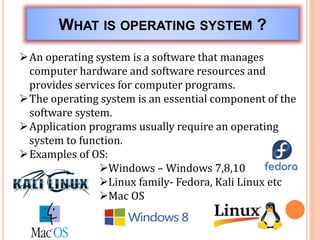
An operating system is a software that manages
computer hardware and software resources and
provides services for computer programs.
The operating system is an essential component of the
software system.
Application programs usually require an operating
system to function.
Examples of OS:
Windows – Windows 7,8,10
Linux family- Fedora, Kali Linux etc
Mac OS
WINDOWS CURRENT VERSIONS
Windows 8
Windows 8 pro
Windows 8 Enterprise
Windows 8.1
Windows 8.1 pro
Windows 8 Enterprise
Windows 10
Windows 10 pro
Windows 10 Enterprise
Windows 10 Education
NEW FEATURE
 Start Menu.
 Cortana.
 Multiple Desktops.
 New task view button.
 Windows Apps.
 Actions centre.
 Continuum.
WINDOWS 10
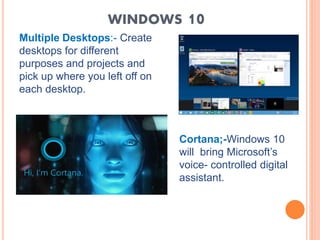
Multiple Desktops:- Create
desktops for different
purposes and projects and
pick up where you left off on
each desktop.
Cortana;-Windows 10
will bring Microsoft’s
voice- controlled digital
assistant.
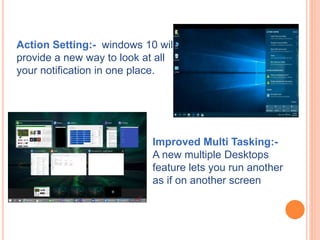
Action Setting:- windows 10 will
provide a new way to look at all
your notification in one place.
Improved Multi Tasking:-
A new multiple Desktops
feature lets you run another
as if on another screen
THANKING
YOU

LATEST WINDOWS OPERATING SYSTEM

  • 1.
    TAE 2 Subject: OperatingSystem Topic: Latest Windows Version Guided by: Ms. Geeta Atkar Group No : 06 (SCOB01) Abhijit Jadhav (SCOB26) Jay Patel (SCOB48) Uttam Singh
  • 2.
    WHAT IS OPERATINGSYSTEM ? An operating system is a software that manages computer hardware and software resources and provides services for computer programs. The operating system is an essential component of the software system. Application programs usually require an operating system to function. Examples of OS: Windows – Windows 7,8,10 Linux family- Fedora, Kali Linux etc Mac OS
  • 3.
    WINDOWS CURRENT VERSIONS Windows8 Windows 8 pro Windows 8 Enterprise Windows 8.1 Windows 8.1 pro Windows 8 Enterprise Windows 10 Windows 10 pro Windows 10 Enterprise Windows 10 Education
  • 4.
    NEW FEATURE  StartMenu.  Cortana.  Multiple Desktops.  New task view button.  Windows Apps.  Actions centre.  Continuum.
  • 5.
    WINDOWS 10 Multiple Desktops:-Create desktops for different purposes and projects and pick up where you left off on each desktop. Cortana;-Windows 10 will bring Microsoft’s voice- controlled digital assistant.
  • 6.
    Action Setting:- windows10 will provide a new way to look at all your notification in one place. Improved Multi Tasking:- A new multiple Desktops feature lets you run another as if on another screen
  • 7.

Editor's Notes

  • #7 New task view button:- there is new task-view button on the taskbar for quick switch in between open files and quick access to any desktops you create. Action setting:-Windows 10 will provide a new way to look at all your notification in one place. Windows 10 as a service and mobility with improved application ,graphic user interface and fast booting. New task view button:- there is new task-view button on the taskbar for quick switch in between open files and quick access to any desktops you create. Action setting:-Windows 10 will provide a new way to look at all your notification in one place. Windows 10 as a service and mobility with improved application ,graphic user interface and fast booting