
1. Installation of Apache
Hello Everyone, 
In this tutorial, 
let us Install LAMP Server (Apache, MySQL, PHP) 
on Ubuntu 12.04/14.04 Server.
What is Lamp? 
LAMP is a combination of operating system and 
open-source software stack. The acronym LAMP 
is derived from first letters of Linux, Apache 
HTTP Server, MySQL or Maria DB database, and 
PHP/Perl/Python.
What is Apache ? 
Apache is an open-source multi-platform web 
server. It provides a full range of web server 
features including CGI, SSL and virtual domains. 
Website link for Apache: httpd.apache.org/
I'm running all the steps in this tutorial with root 
privileges, so make sure you're logged in as 
ROOT
Update Ubuntu repositories by giving 
the below command
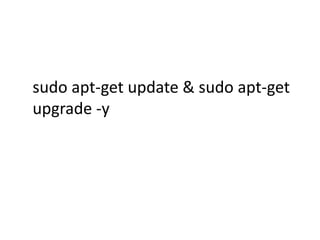
sudo apt-get update & sudo apt-get 
upgrade -y
sudo apt-get install apache2
Testing for Apache Working or Not 
http://localhost/ 
or 
http://server-ip-address/.
2. Installation of MySQL
What is MySQL ? 
MySQL is a relational database management 
system (RDBMS) that runs as a server providing 
multi-user access to a number of databases, 
though SQLite probably has more total 
embedded deployments. 
Website link MySQL: http://www.mysql.com/
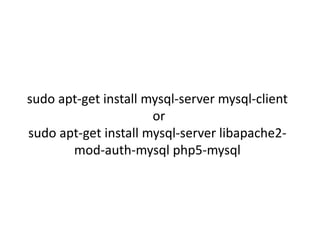
sudo apt-get install mysql-server mysql-client 
or 
sudo apt-get install mysql-server libapache2- 
mod-auth-mysql php5-mysql
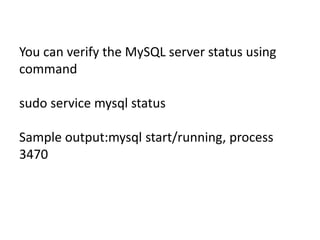
You can verify the MySQL server status using 
command 
sudo service mysql status 
Sample output:mysql start/running, process 
3470
3. Installation of PHP
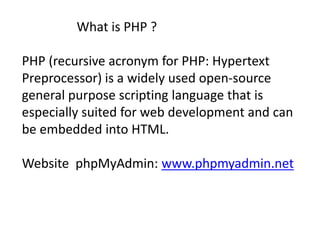
What is PHP ? 
PHP (recursive acronym for PHP: Hypertext 
Preprocessor) is a widely used open-source 
general purpose scripting language that is 
especially suited for web development and can 
be embedded into HTML. 
Website phpMyAdmin: www.phpmyadmin.net
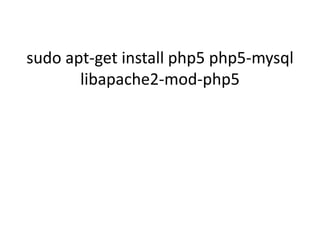
sudo apt-get install php5 php5-mysql 
libapache2-mod-php5
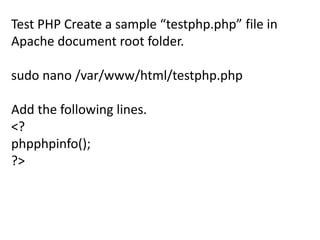
Test PHP Create a sample “testphp.php” file in 
Apache document root folder. 
sudo nano /var/www/html/testphp.php 
Add the following lines. 
<? 
phpphpinfo(); 
?>
Restart apache2 service: 
sudo service apache2 restart 
or 
/etc/init.d/apache2 restart
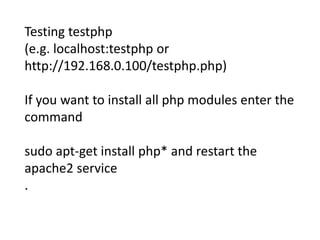
Testing testphp 
(e.g. localhost:testphp or 
http://192.168.0.100/testphp.php) 
If you want to install all php modules enter the 
command 
sudo apt-get install php* and restart the 
apache2 service 
.
To verify the modules, open web browser and 
navigate to 
http://server-ip-address/testphp.php. 
You will able to see all installed php modules
3. Installation of phpMyAdmin
phpMyAdmin is a free open-source web 
interface tool used to manage your MySQL 
databases. It is available in the Official Debian 
repositories.
sudo apt-get install phpmyadmin
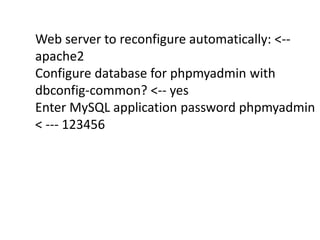
Web server to reconfigure automatically: <-- 
apache2 
Configure database for phpmyadmin with 
dbconfig-common? <-- yes 
Enter MySQL application password phpmyadmin 
< --- 123456
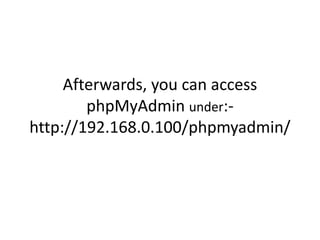
Afterwards, you can access 
phpMyAdmin under:- 
http://192.168.0.100/phpmyadmin/
How to change MYSQL root Passwd
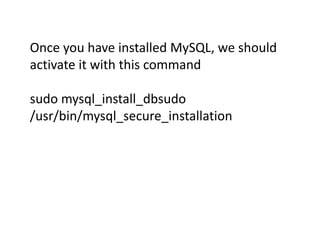
Once you have installed MySQL, we should 
activate it with this command 
sudo mysql_install_dbsudo 
/usr/bin/mysql_secure_installation
The prompt will ask you for your current root 
password. 
Go ahead and choose N and move on to the 
next steps 
Remove anonymous users? [Y/n] y 
Disallow root login remotely? [Y/n] y 
Remove test database and access to it? [Y/n] y 
Reload privilege tables now? [Y/n] y 
Now you can manage your MySQL databases 
from phpMyAdmin web interface
That’s it. Your LAMP server is up and running now. 
NOTE :- For Any Clarification Please Comment Below 
Watch Next Video :- see How to Install Ubuntu Server 
14.04 
https://www.youtube.com/watch?v=PiKchOXHwpE&list 
=PLmMAzSMza_1f4b8Keim51-9LfKBU28pWf 
Thanking You 
Hope U Like it........

How to Install LAMP in Ubuntu 14.04

  • 1.
  • 2.
    Hello Everyone, Inthis tutorial, let us Install LAMP Server (Apache, MySQL, PHP) on Ubuntu 12.04/14.04 Server.
  • 3.
    What is Lamp? LAMP is a combination of operating system and open-source software stack. The acronym LAMP is derived from first letters of Linux, Apache HTTP Server, MySQL or Maria DB database, and PHP/Perl/Python.
  • 4.
    What is Apache? Apache is an open-source multi-platform web server. It provides a full range of web server features including CGI, SSL and virtual domains. Website link for Apache: httpd.apache.org/
  • 5.
    I'm running allthe steps in this tutorial with root privileges, so make sure you're logged in as ROOT
  • 6.
    Update Ubuntu repositoriesby giving the below command
  • 7.
    sudo apt-get update& sudo apt-get upgrade -y
  • 8.
  • 9.
    Testing for ApacheWorking or Not http://localhost/ or http://server-ip-address/.
  • 10.
  • 11.
    What is MySQL? MySQL is a relational database management system (RDBMS) that runs as a server providing multi-user access to a number of databases, though SQLite probably has more total embedded deployments. Website link MySQL: http://www.mysql.com/
  • 12.
    sudo apt-get installmysql-server mysql-client or sudo apt-get install mysql-server libapache2- mod-auth-mysql php5-mysql
  • 13.
    You can verifythe MySQL server status using command sudo service mysql status Sample output:mysql start/running, process 3470
  • 14.
  • 15.
    What is PHP? PHP (recursive acronym for PHP: Hypertext Preprocessor) is a widely used open-source general purpose scripting language that is especially suited for web development and can be embedded into HTML. Website phpMyAdmin: www.phpmyadmin.net
  • 16.
    sudo apt-get installphp5 php5-mysql libapache2-mod-php5
  • 17.
    Test PHP Createa sample “testphp.php” file in Apache document root folder. sudo nano /var/www/html/testphp.php Add the following lines. <? phpphpinfo(); ?>
  • 18.
    Restart apache2 service: sudo service apache2 restart or /etc/init.d/apache2 restart
  • 19.
    Testing testphp (e.g.localhost:testphp or http://192.168.0.100/testphp.php) If you want to install all php modules enter the command sudo apt-get install php* and restart the apache2 service .
  • 20.
    To verify themodules, open web browser and navigate to http://server-ip-address/testphp.php. You will able to see all installed php modules
  • 21.
  • 22.
    phpMyAdmin is afree open-source web interface tool used to manage your MySQL databases. It is available in the Official Debian repositories.
  • 23.
  • 24.
    Web server toreconfigure automatically: <-- apache2 Configure database for phpmyadmin with dbconfig-common? <-- yes Enter MySQL application password phpmyadmin < --- 123456
  • 25.
    Afterwards, you canaccess phpMyAdmin under:- http://192.168.0.100/phpmyadmin/
  • 26.
    How to changeMYSQL root Passwd
  • 27.
    Once you haveinstalled MySQL, we should activate it with this command sudo mysql_install_dbsudo /usr/bin/mysql_secure_installation
  • 28.
    The prompt willask you for your current root password. Go ahead and choose N and move on to the next steps Remove anonymous users? [Y/n] y Disallow root login remotely? [Y/n] y Remove test database and access to it? [Y/n] y Reload privilege tables now? [Y/n] y Now you can manage your MySQL databases from phpMyAdmin web interface
  • 29.
    That’s it. YourLAMP server is up and running now. NOTE :- For Any Clarification Please Comment Below Watch Next Video :- see How to Install Ubuntu Server 14.04 https://www.youtube.com/watch?v=PiKchOXHwpE&list =PLmMAzSMza_1f4b8Keim51-9LfKBU28pWf Thanking You Hope U Like it........