Kubeflow
Development Environment
Weiqiang Zhuang
wzhuang@us.ibm.com
IBM CODAIT
Github id: adrian555
Development environment
• No specifically required OS
• Linux, MacOS, Windows, etc.
• Source code version control and repository
• Git and github
• Container image
• Docker engine
• Languages
• golang
• python
• IDE
• Unit tests
• Run/Debug
• Deployment environment
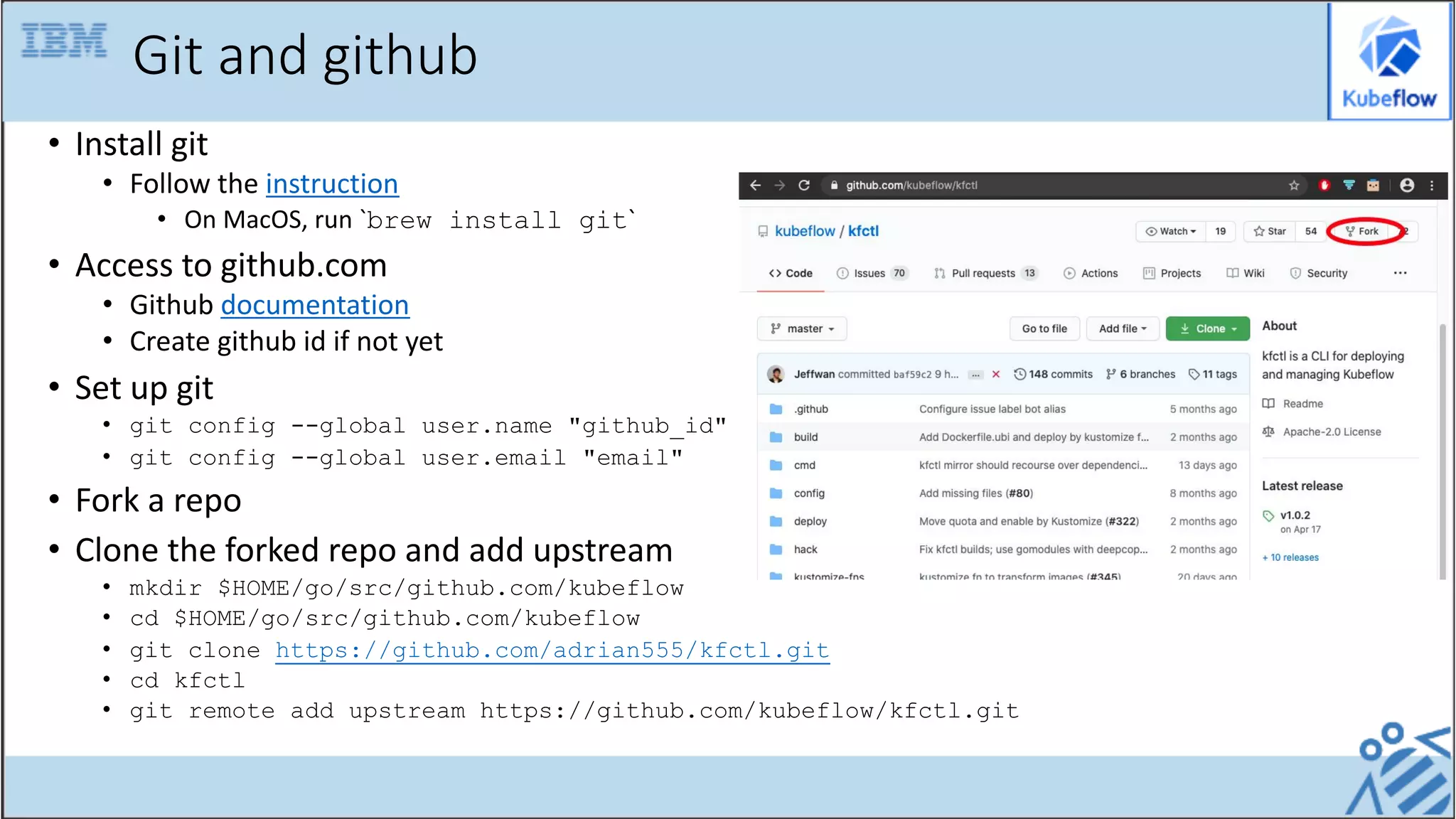
Git and github
• Install git
• Follow the instruction
• On MacOS, run `brew install git`
• Access to github.com
• Github documentation
• Create github id if not yet
• Set up git
• git config --global user.name "github_id"
• git config --global user.email "email"
• Fork a repo
• Clone the forked repo and add upstream
• mkdir $HOME/go/src/github.com/kubeflow
• cd $HOME/go/src/github.com/kubeflow
• git clone https://github.com/adrian555/kfctl.git
• cd kfctl
• git remote add upstream https://github.com/kubeflow/kfctl.git
Docker engine
• Install Docker
• Follow the link
• On MacOS, Docker Desktop will be installed. If necessary, change the resource configuration.
• Access to container registry
• For dockerhub, follow the link to create an account
• For quay.io, follow the link to sign up
• Others, such as gcr.io or your organization's own
• Build and push a container image
• Dockerfile
• docker build –t <registry>/<org>/<image>:<tag>
• docker push <registry>/<org>/<image>:<tag>
Languages and IDE
• Install Go Tools
• Follow the instructions
• On MacOS, run `brew install go`
• Set up GOPATH env
• export GOPATH=$HOME/go
• Install Python with Miniconda3
• Follow the instructions
• Create an env, run `conda create -n myenv`
• Install your favorite IDE
• For Visual Studio Code, follow this link
• Install extensions: Go, Python, YAML
Cluster
• Minikube
• Good for local testing, run on VM or laptop
• Follow the instructions
• For MacOS, more info is covered in this document
• Cloud cluster
• For IBM Cloud Kubernetes clusters, follow this link to provision. Details will be covered in the hands on
session.
• Others, such as AWS, GCP, etc.
Demo
• Code and unit test with VSC
• Run and debug

Kubeflow Development Environment

  • 1.
  • 2.
    Development environment • Nospecifically required OS • Linux, MacOS, Windows, etc. • Source code version control and repository • Git and github • Container image • Docker engine • Languages • golang • python • IDE • Unit tests • Run/Debug • Deployment environment
  • 3.
    Git and github •Install git • Follow the instruction • On MacOS, run `brew install git` • Access to github.com • Github documentation • Create github id if not yet • Set up git • git config --global user.name "github_id" • git config --global user.email "email" • Fork a repo • Clone the forked repo and add upstream • mkdir $HOME/go/src/github.com/kubeflow • cd $HOME/go/src/github.com/kubeflow • git clone https://github.com/adrian555/kfctl.git • cd kfctl • git remote add upstream https://github.com/kubeflow/kfctl.git
  • 4.
    Docker engine • InstallDocker • Follow the link • On MacOS, Docker Desktop will be installed. If necessary, change the resource configuration. • Access to container registry • For dockerhub, follow the link to create an account • For quay.io, follow the link to sign up • Others, such as gcr.io or your organization's own • Build and push a container image • Dockerfile • docker build –t <registry>/<org>/<image>:<tag> • docker push <registry>/<org>/<image>:<tag>
  • 5.
    Languages and IDE •Install Go Tools • Follow the instructions • On MacOS, run `brew install go` • Set up GOPATH env • export GOPATH=$HOME/go • Install Python with Miniconda3 • Follow the instructions • Create an env, run `conda create -n myenv` • Install your favorite IDE • For Visual Studio Code, follow this link • Install extensions: Go, Python, YAML
  • 6.
    Cluster • Minikube • Goodfor local testing, run on VM or laptop • Follow the instructions • For MacOS, more info is covered in this document • Cloud cluster • For IBM Cloud Kubernetes clusters, follow this link to provision. Details will be covered in the hands on session. • Others, such as AWS, GCP, etc.
  • 7.
    Demo • Code andunit test with VSC • Run and debug