Ankit Kumar @ Gojek
Learn Kotlin Fundamentals
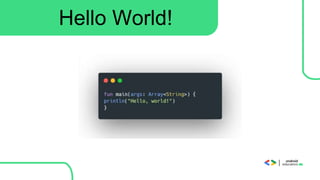
Hello World!
Let’s See the Difference From Java
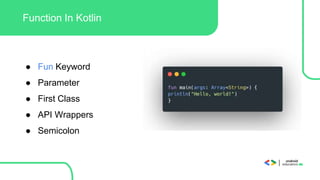
Function In Kotlin
● Fun Keyword
● Parameter
● First Class
● API Wrappers
● Semicolon
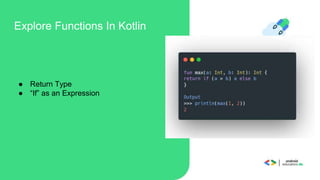
Explore Functions In Kotlin
● Return Type
● “If” as an Expression
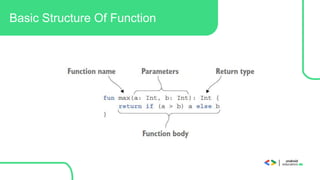
Basic Structure Of Function
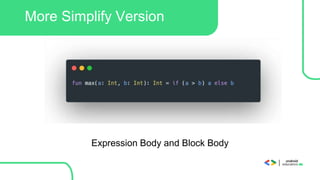
More Simplify Version
Expression Body and Block Body
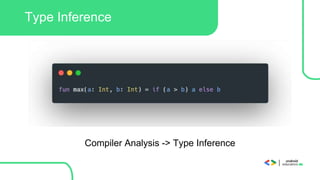
Type Inference
Compiler Analysis -> Type Inference
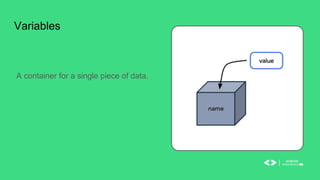
A container for a single piece of data.
Variables
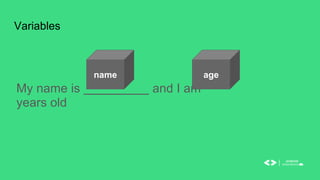
My name is and I am
years old
Variables
name age
My name is and I am
years old
Variables
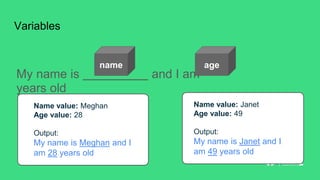
Name value: Meghan
Age value: 28
Output:
My name is Meghan and I
am 28 years old
Name value: Janet
Age value: 49
Output:
My name is Janet and I
am 49 years old
name age
Basic data types
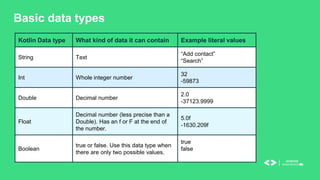
Kotlin Data type What kind of data it can contain Example literal values
String Text
“Add contact”
“Search”
Int Whole integer number
32
-59873
Double Decimal number
2.0
-37123.9999
Float
Decimal number (less precise than a
Double). Has an f or F at the end of
the number.
5.0f
-1630.209f
Boolean
true or false. Use this data type when
there are only two possible values.
true
false
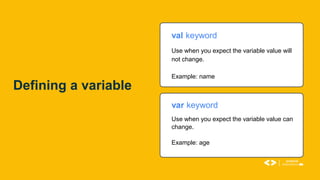
val keyword
Use when you expect the variable value will
not change.
Example: name
var keyword
Use when you expect the variable value can
change.
Example: age
Defining a variable
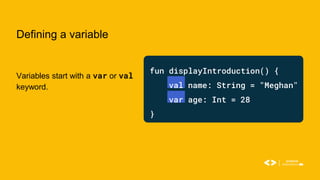
Defining a variable
Variables start with a var or val
keyword.
fun displayIntroduction() {
val name: String = "Meghan"
var age: Int = 28
}
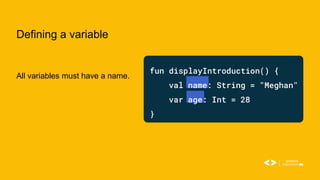
Defining a variable
All variables must have a name.
fun displayIntroduction() {
val name: String = "Meghan"
var age: Int = 28
}
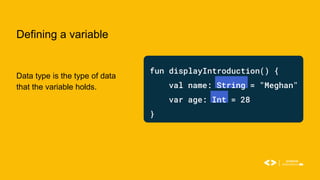
Defining a variable
Data type is the type of data
that the variable holds.
fun displayIntroduction() {
val name: String = "Meghan"
var age: Int = 28
}
Defining a variable
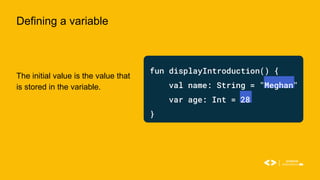
The initial value is the value that
is stored in the variable.
fun displayIntroduction() {
val name: String = "Meghan"
var age: Int = 28
}
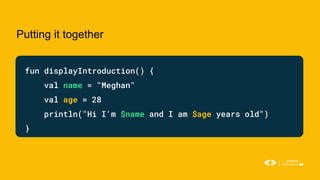
Putting it together
fun displayIntroduction() {
val name = "Meghan"
val age = 28
println("Hi I'm $name and I am $age years old")
}
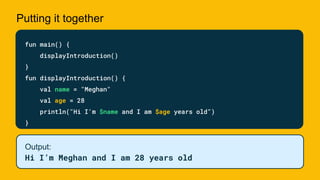
Putting it together
fun main() {
displayIntroduction()
}
fun displayIntroduction() {
val name = "Meghan"
val age = 28
println("Hi I'm $name and I am $age years old")
}
Output:
Hi I’m Meghan and I am 28 years old
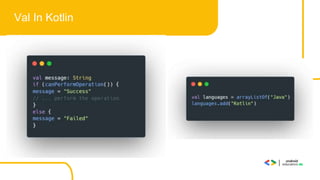
Val In Kotlin
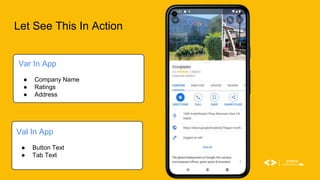
Let See This In Action
Var In App
● Company Name
● Ratings
● Address
Val In App
● Button Text
● Tab Text
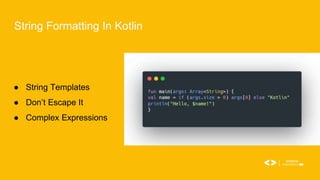
String Formatting In Kotlin
● String Templates
● Don’t Escape It
● Complex Expressions
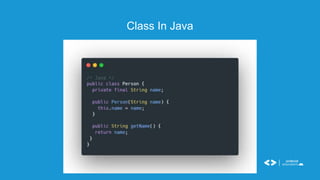
Class In Java
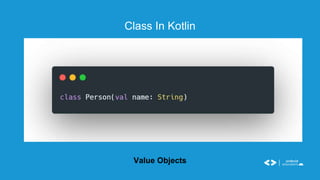
Class In Kotlin
Value Objects
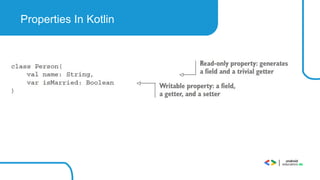
Properties In Kotlin
● First Class language feature
● Concise Hides Java Codes
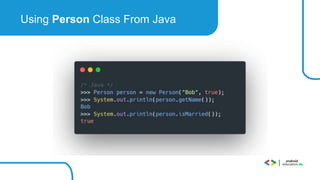
Using Person Class From Java
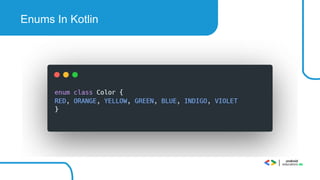
Enums In Kotlin
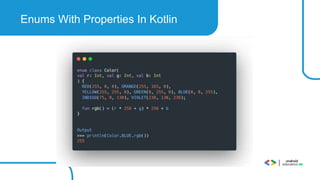
Enums With Properties In Kotlin
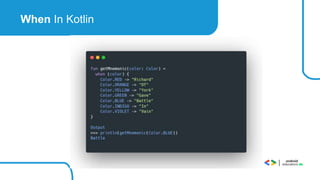
When In Kotlin
Loops In Kotlin
● Do While
● While
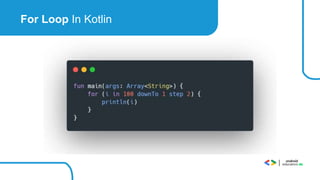
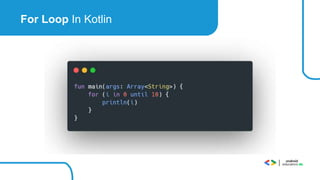
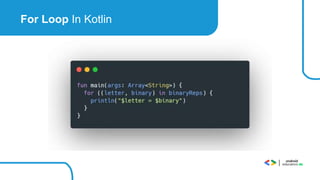
● For
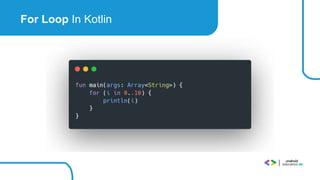
For Loop In Kotlin
For Loop In Kotlin
For Loop In Kotlin
For Loop In Kotlin
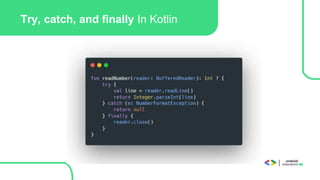
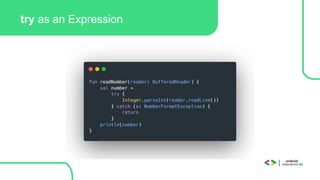
Exceptions In Kotlin
Try, catch, and finally In Kotlin
try as an Expression
ThankYou!!
Reference:
● Kotlin Official Website https://kotlinlang.org/
● https://developer.android.com/training/kotlinplayground
● http://www.kotlinweekly.net/
● https://github.com/JetBrains/kotlin

Kotlin Fundamentals.pptx

Editor's Notes

  • #10 In computer programming, a variable is a container for a single piece of data. You can envision it as a box that contains a value. The box has a label, which is the name of the variable. By referring to the box by its name, you have access to the value it holds.
  • #11 You may be thinking, why store your name and age in variables when you can use them directly? The problem is that when your code uses values directly in all the instructions, your program will only work for that specific case. In this example, there are boxes in the sentence that contain values for both name and age.
  • #12 If you change the values of the variables the output will change. In the first example, the value of the name variable is “Meghan” and the value of the age variable is 28. The corresponding output prints “My name is Meghan and I am 28 years old”. In the second example, the value of the name variable is “Janet” and the value of the age variable is 49. The corresponding output prints “My name is Janet and I am 49 years old”.
  • #13 When you decide what aspects of your app can be variables, it's important to specify what type of data can be stored in those variables. In Kotlin, there are some common basic data types. This table shows a different data type in each row. For each data type, there's a description of what kind of data it can hold and example values. A String holds text so you will use it to store your name, and an Int holds an integer number so you will use it to store your age.
  • #14 Now, let’s jump into how you define a variable. You can declare a variable using either val or var. With val, the variable is read-only, which means you can only read, or access, the value of the variable. Once the value is set, you cannot edit or modify its value. With var, the variable is mutable, which means the value can be changed or modified. The value can be mutated. In Kotlin, it's preferred to use val over var when possible. We will store your name as a val because that will not change. We will store your age as a var because it changes every year.
  • #15 To demonstrate how to define a variable we will define both name and age variables. Before you use a variable, you must declare it. To declare a variable, start with the val or var keyword.
  • #16 All variables must have a name that they can be referenced by.
  • #17 The data type specifies the type of data that the variable holds. Note that a colon separates the name and data type.
  • #18 In the variable declaration, the equal sign symbol (=) follows the data type. The equal sign symbol is called the assignment operator. The assignment operator assigns a value to the variable. The variable’s initial value is the data stored in the variable.
  • #19 Let’s finish putting the displayIntroduction() function together. We have our variables but they don’t do anything yet. Let’s add a print statement to print out your introduction using println to print to the output in Kotlin Playground. In order to print your variables, you will use String templates which allow you to include variable references in a string by using the $ sign before the variable name. [You can learn more about String Templates here]
  • #20 Finally, we will replace the contents of the main() function with a call to the displayIntroduction() function when we run it, “Hi I’m Meghan and I am 28 years old” will print to the output. In this lecture we went over functions and variables and how to put them together to create a function that introduces you. Soon you will go deeper into these concepts and try them out for yourself in the codelabs.