Technology Upgrade
   Build a Foundation for Enhanced
Teaching with a Customized Grade Book
(Part 1)


     Observation
  Technology Revolution
Medicine
Security
Business
Industry
Education?


1906                2006
We want tech in
   schools
  “Not a passing fad”
Who?
Why?
Who?
Not a “Silver Bullet”
Besides,
Technology requires:
       Time
      Energy
     Patience
     Practice
What do you think:
Is personal investment in tech
and the hours it takes to learn
        it worthwhile?
Why?
Automate
Informate
 Term coined by Shoshana Zuboff in her book
 "In the Age of the Smart Machine" (1988)
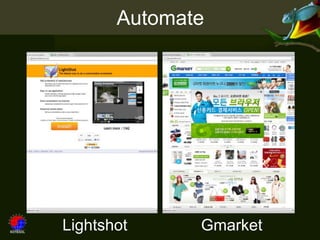
Automate


Lightshot     Gmarket
Informate!
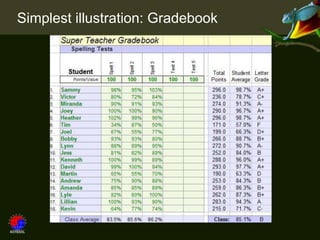
Simplest illustration: Gradebook
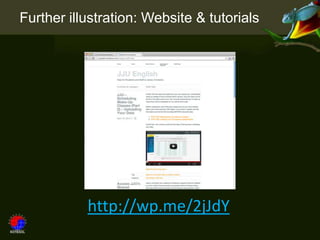
Further illustration: Website & tutorials


           http://wp.me/2jJdY
Student illustration: Computers / Devices
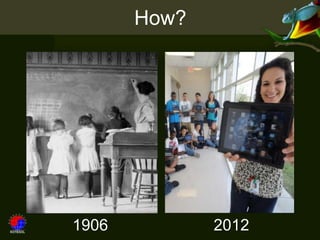
How?


1906          2012
“Attitude plays a major part in
      any change effort.”
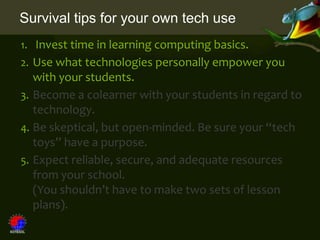
Survival tips for your own tech use
1. Invest time in learning computing basics.

2. Use what technologies personally empower you
   with your students.
3. Become a colearner with your students in regard to
   technology.
4. Be skeptical, but open-minded. Be sure your “tech
   toys” have a purpose.
5. Expect reliable, secure, and adequate resources
   from your school.
   (You shouldn’t have to make two sets of lesson
   plans).
What’s the “big picture”?
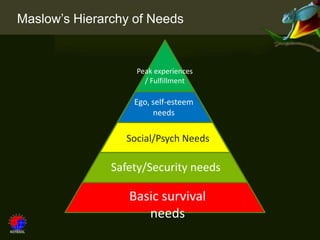
Maslow’s Hierarchy of Needs


                   Peak experiences
                     / Fulfillment

                   Ego, self-esteem
                        needs

                 Social/Psych Needs

               Safety/Security needs

                  Basic survival
                     needs
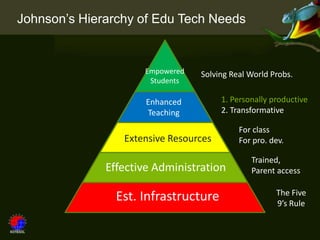
Johnson’s Hierarchy of Edu Tech Needs


                     Empowered   Solving Real World Probs.
                      Students

                      Enhanced         1. Personally productive
                      Teaching         2. Transformative

                                           For class
                 Extensive Resources       For pro. dev.

                                               Trained,
              Effective Administration         Parent access

                                                      The Five
                Est. Infrastructure                   9’s Rule
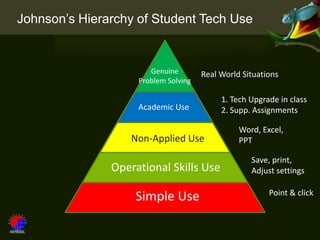
Johnson’s Hierarchy of Student Tech Use


                       Genuine        Real World Situations
                    Problem Solving

                                           1. Tech Upgrade in class
                    Academic Use           2. Supp. Assignments

                                                Word, Excel,
                   Non-Applied Use              PPT

                                                   Save, print,
               Operational Skills Use              Adjust settings

                                                        Point & click
                   Simple Use
Survival tips for your own tech use
1. Invest time in learning computing basics.
2. Use what technologies personally empower you
   with your students.
3. Become a colearner with your students in regard to
   technology.
4. Be skeptical, but open-minded. Be sure your “tech
   toys” have a purpose.
5. Expect reliable, secure, and adequate resources
   from your school.
   (You shouldn’t have to make two sets of lesson
   plans).
(Part 2)

       Enhanced
       Teaching
       Personal
      Productivity
MS Excel
Grade Book
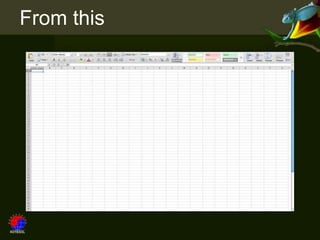
From this
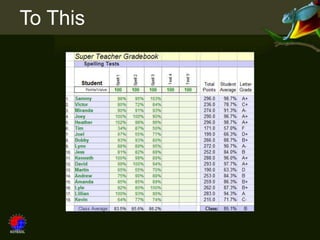
To This
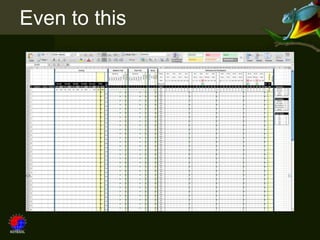
Even to this
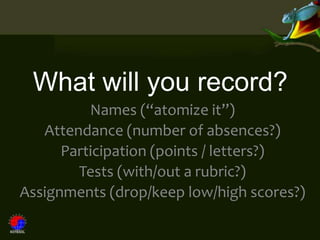
What will you record?
          Names (“atomize it”)
   Attendance (number of absences?)
      Participation (points / letters?)
        Tests (with/out a rubric?)
Assignments (drop/keep low/high scores?)
How will you structure it?
      Names & numbers first?
      Final grades at the end?
    Letter grades? Percentages?
     Allow only certain values?
       Need a bell curve?***
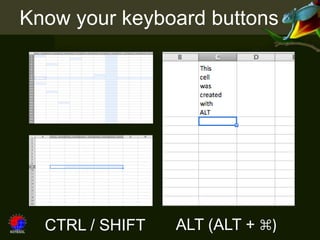
Know your keyboard buttons


  CTRL / SHIFT   ALT (ALT + ⌘)
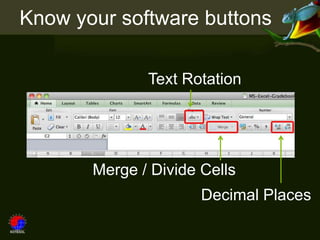
Know your software buttons

              Text Rotation


       Merge / Divide Cells
                      Decimal Places
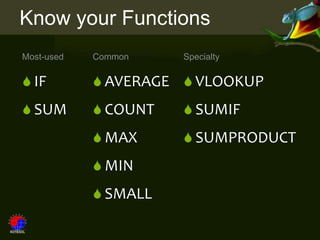
Know your Functions
Most-used   Common    Specialty

 IF         AVERAGE  VLOOKUP
 SUM        COUNT    SUMIF
             MAX      SUMPRODUCT
             MIN
             SMALL
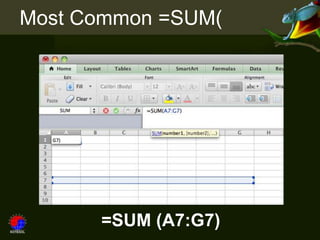
Most Common =SUM(


      =SUM (A7:G7)
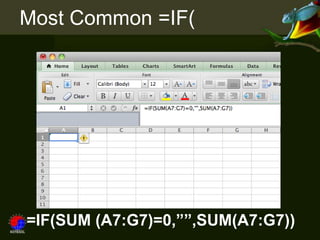
Most Common =IF(


=IF(SUM (A7:G7)=0,””,SUM(A7:G7))
The IF function


=IF(true, then, else)
 =IF(SUM(A7:G7)=0,””,SUM(A7:G7))
Nested IFs

    =IF(A7>=0.9,”A”,
         (IF(A7>=0.8,”B”,
              (IF(A7>=0.7,”C”,
                   (IF(A7>=0.6,”D”,
                        ”F”
                   ))
              ))
         )))
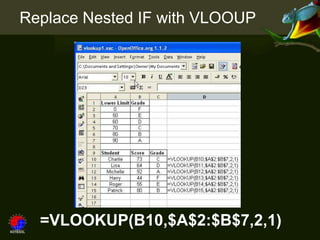
Replace Nested IF with VLOOUP


  =VLOOKUP(B10,$A$2:$B$7,2,1)
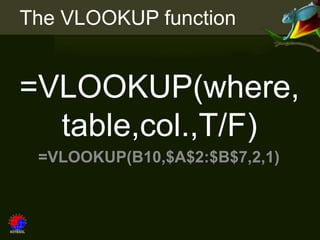
The VLOOKUP function


=VLOOKUP(where,
  table,col.,T/F)
 =VLOOKUP(B10,$A$2:$B$7,2,1)
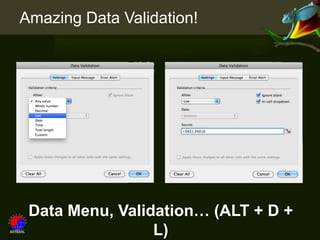
Amazing Data Validation!


 Data Menu, Validation… (ALT + D +
                 L)
(Finally)


See an Example
   Build Our Own
http://wp.me/2jJdY
KOTESOL Gradebook Presentation

KOTESOL Gradebook Presentation