© Acism Software Pvt Ltd, Pune, India
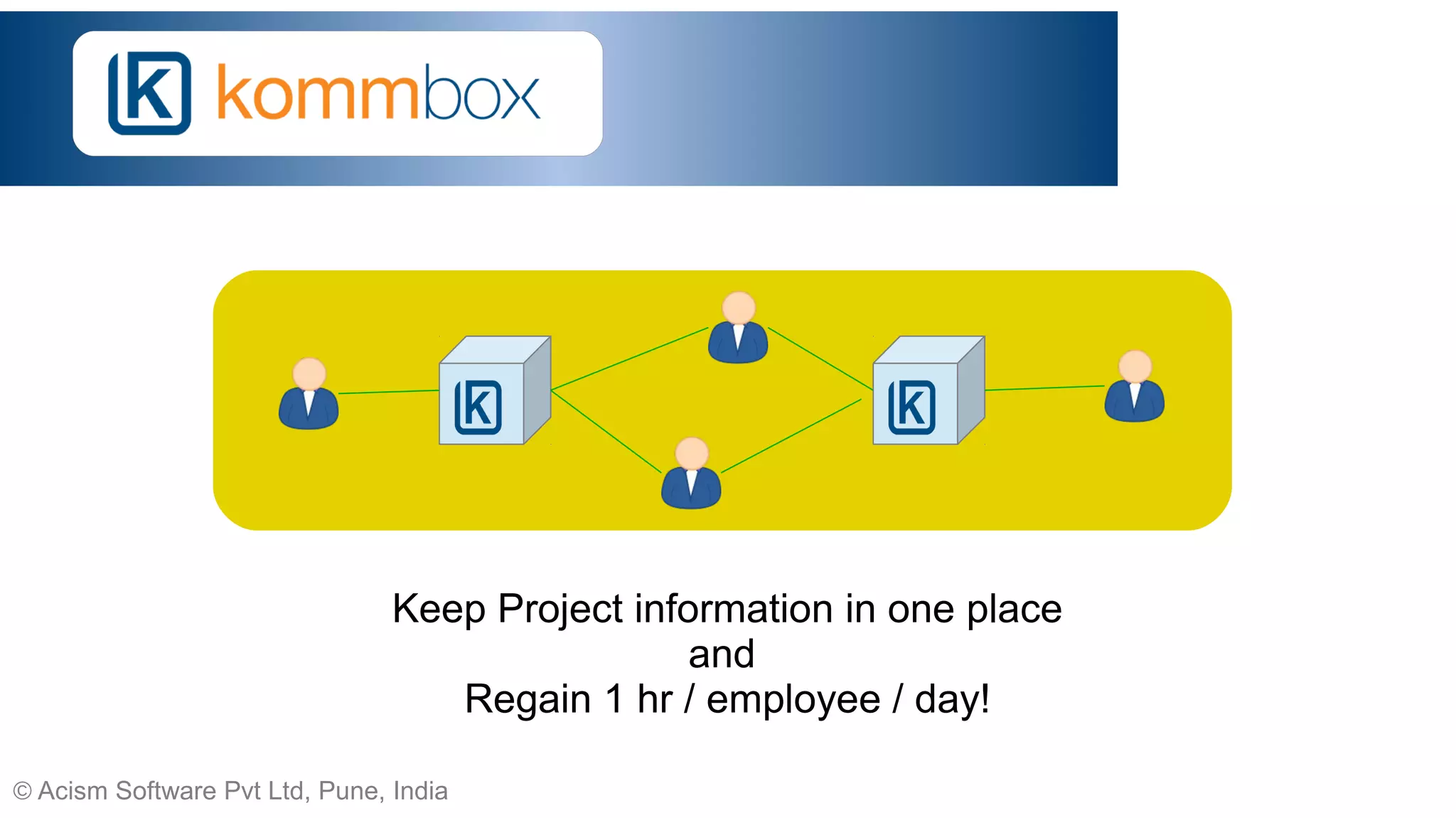
Keep Project information in one place
and
Regain 1 hr / employee / day!
© Acism Software Pvt Ltd, Pune, India
Premise
● Information is power.
– Less in documents. More in conversations.
● Keeping everyone concerned on the same page matters.
● Work changes hands over time.
– Continuity needs to be maintained.
● Task related conversations temporal in nature
– Important when current. Take up space when old.
– Contain useful data on performance.
● Analytics / intelligence / visualization aid in “read less, know more”.
© Acism Software Pvt Ltd, Pune, India
What is Kommbox
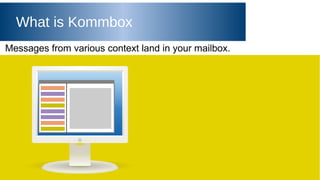
Messages from various context land in your mailbox.
© Acism Software Pvt Ltd, Pune, India
What is Kommbox
The same is also true about your coworkers, partners and customers.
© Acism Software Pvt Ltd, Pune, India
What is Kommbox
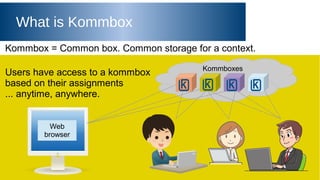
Kommbox = Common box. Common storage for a context.
Web
browser
Users have access to a kommbox
based on their assignments
... anytime, anywhere.
Kommboxes
© Acism Software Pvt Ltd, Pune, India
Benefits
● All users access exactly the same information
=> “Do I have that email?” confusion eliminated
● User accesses are managed centrally
=> No accidental slips to users who have left
● Information stays in one place
=> New users get the entire information as soon as they
are assigned, no need to forward tonnes of emails
© Acism Software Pvt Ltd, Pune, India
Kommbox = Organized Storage
A kommbox is an organized store of information.
A kommbox contains discussions and tasks.
● Discussion: Set of messages pertaining to a single topic, arranged chronologically.
(Conversation)
● Task: Action assigned to one or more persons with a specified due date. Tasks may be
recurring, and can be organized under summary tasks.
Being organized, the complete context of information is available.
Further, each Discussion, Task or Message has a globally unique URL.
© Acism Software Pvt Ltd, Pune, India
Message Mood Visualization
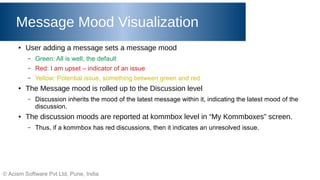
● User adding a message sets a message mood
– Green: All is well, the default
– Red: I am upset – indicator of an issue
– Yellow: Potential issue, something between green and red
● The Message mood is rolled up to the Discussion level
– Discussion inherits the mood of the latest message within it, indicating the latest mood of the
discussion.
● The discussion moods are reported at kommbox level in “My Kommboxes” screen.
– Thus, if a kommbox has red discussions, then it indicates an unresolved issue.
© Acism Software Pvt Ltd, Pune, India
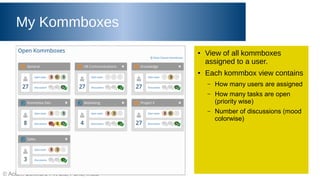
My Kommboxes
● View of all kommboxes
assigned to a user.
● Each kommbox view contains
– How many users are assigned
– How many tasks are open
(priority wise)
– Number of discussions (mood
colorwise)
© Acism Software Pvt Ltd, Pune, India
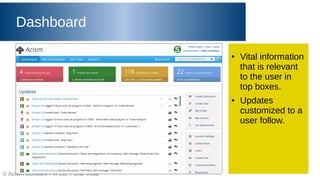
Dashboard
● Vital information
that is relevant
to the user in
top boxes.
● Updates
customized to a
user follow.
© Acism Software Pvt Ltd, Pune, India
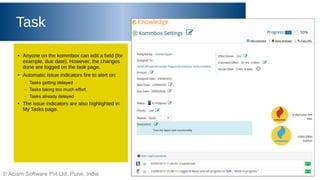
Task
● Anyone on the kommbox can edit a field (for
example, due date). However, the changes
done are logged on the task page.
● Automatic issue indicators fire to alert on:
– Tasks getting delayed
– Tasks taking too much effort
– Tasks already delayed
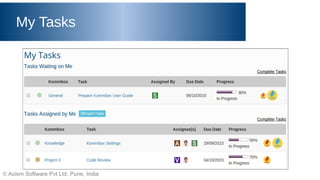
● The issue indicators are also highlighted in
My Tasks page.
© Acism Software Pvt Ltd, Pune, India
My Tasks
© Acism Software Pvt Ltd, Pune, India
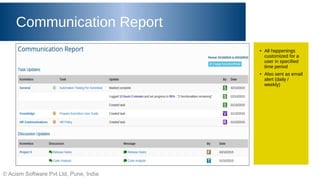
Communication Report
● All happenings
customized for a
user in specified
time period
● Also sent as email
alert (daily /
weekly)
© Acism Software Pvt Ltd, Pune, India
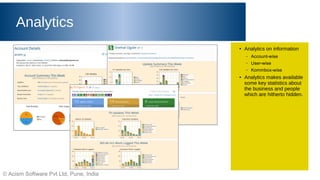
Analytics
● Analytics on information
– Account-wise
– User-wise
– Kommbox-wise
● Analytics makes available
some key statistics about
the business and people
which are hitherto hidden.
© Acism Software Pvt Ltd, Pune, India
Email Integration
● Kommbox supports two way email integration
– Kommbox -> User
● Task alerts
● Daily / Weekly reports
● Instant updates
● User management (such as password reset)
– User -> Kommbox
● Task updates / discussion updates through email
● In addition, there is an experimental mail-linked-kommbox feature
– Configure kommbox to take arbitrary email
– Apply filters and take it to a kommbox
● The user can control over how much email they receive from kommbox
– Reports and updates may be turned on or off by the user
© Acism Software Pvt Ltd, Pune, India
Testimonial
From Nikhil Arni, AVP Programs and PMO, PMI Pune Deccan India Chapter
© Acism Software Pvt Ltd, Pune, India
Connect
Acism Software Private Limited, India
Web: http://kommbox.com
Email: sales@kommbox.com
Twitter: @kommbox
Facebook: Kommbox
Google+: +Kommbox

Kommbox - Collaborative Project Management Tool

  • 1.
    © Acism SoftwarePvt Ltd, Pune, India Keep Project information in one place and Regain 1 hr / employee / day!
  • 2.
    © Acism SoftwarePvt Ltd, Pune, India Premise ● Information is power. – Less in documents. More in conversations. ● Keeping everyone concerned on the same page matters. ● Work changes hands over time. – Continuity needs to be maintained. ● Task related conversations temporal in nature – Important when current. Take up space when old. – Contain useful data on performance. ● Analytics / intelligence / visualization aid in “read less, know more”.
  • 3.
    © Acism SoftwarePvt Ltd, Pune, India What is Kommbox Messages from various context land in your mailbox.
  • 4.
    © Acism SoftwarePvt Ltd, Pune, India What is Kommbox The same is also true about your coworkers, partners and customers.
  • 5.
    © Acism SoftwarePvt Ltd, Pune, India What is Kommbox Kommbox = Common box. Common storage for a context. Web browser Users have access to a kommbox based on their assignments ... anytime, anywhere. Kommboxes
  • 6.
    © Acism SoftwarePvt Ltd, Pune, India Benefits ● All users access exactly the same information => “Do I have that email?” confusion eliminated ● User accesses are managed centrally => No accidental slips to users who have left ● Information stays in one place => New users get the entire information as soon as they are assigned, no need to forward tonnes of emails
  • 7.
    © Acism SoftwarePvt Ltd, Pune, India Kommbox = Organized Storage A kommbox is an organized store of information. A kommbox contains discussions and tasks. ● Discussion: Set of messages pertaining to a single topic, arranged chronologically. (Conversation) ● Task: Action assigned to one or more persons with a specified due date. Tasks may be recurring, and can be organized under summary tasks. Being organized, the complete context of information is available. Further, each Discussion, Task or Message has a globally unique URL.
  • 8.
    © Acism SoftwarePvt Ltd, Pune, India Message Mood Visualization ● User adding a message sets a message mood – Green: All is well, the default – Red: I am upset – indicator of an issue – Yellow: Potential issue, something between green and red ● The Message mood is rolled up to the Discussion level – Discussion inherits the mood of the latest message within it, indicating the latest mood of the discussion. ● The discussion moods are reported at kommbox level in “My Kommboxes” screen. – Thus, if a kommbox has red discussions, then it indicates an unresolved issue.
  • 9.
    © Acism SoftwarePvt Ltd, Pune, India My Kommboxes ● View of all kommboxes assigned to a user. ● Each kommbox view contains – How many users are assigned – How many tasks are open (priority wise) – Number of discussions (mood colorwise)
  • 10.
    © Acism SoftwarePvt Ltd, Pune, India Dashboard ● Vital information that is relevant to the user in top boxes. ● Updates customized to a user follow.
  • 11.
    © Acism SoftwarePvt Ltd, Pune, India Task ● Anyone on the kommbox can edit a field (for example, due date). However, the changes done are logged on the task page. ● Automatic issue indicators fire to alert on: – Tasks getting delayed – Tasks taking too much effort – Tasks already delayed ● The issue indicators are also highlighted in My Tasks page.
  • 12.
    © Acism SoftwarePvt Ltd, Pune, India My Tasks
  • 13.
    © Acism SoftwarePvt Ltd, Pune, India Communication Report ● All happenings customized for a user in specified time period ● Also sent as email alert (daily / weekly)
  • 14.
    © Acism SoftwarePvt Ltd, Pune, India Analytics ● Analytics on information – Account-wise – User-wise – Kommbox-wise ● Analytics makes available some key statistics about the business and people which are hitherto hidden.
  • 15.
    © Acism SoftwarePvt Ltd, Pune, India Email Integration ● Kommbox supports two way email integration – Kommbox -> User ● Task alerts ● Daily / Weekly reports ● Instant updates ● User management (such as password reset) – User -> Kommbox ● Task updates / discussion updates through email ● In addition, there is an experimental mail-linked-kommbox feature – Configure kommbox to take arbitrary email – Apply filters and take it to a kommbox ● The user can control over how much email they receive from kommbox – Reports and updates may be turned on or off by the user
  • 16.
    © Acism SoftwarePvt Ltd, Pune, India Testimonial From Nikhil Arni, AVP Programs and PMO, PMI Pune Deccan India Chapter
  • 17.
    © Acism SoftwarePvt Ltd, Pune, India Connect Acism Software Private Limited, India Web: http://kommbox.com Email: sales@kommbox.com Twitter: @kommbox Facebook: Kommbox Google+: +Kommbox