Knowledge Sharing Session on
Javascript SourceMaps & Angular
Compilation
1
Md. Zahidur Rahman
Software Engineer
Cefalo Bangladesh Ltd.
linkedin.com/in/zahid-rahman492
Javascript SourceMaps
2
Let’s discuss first problem?
3
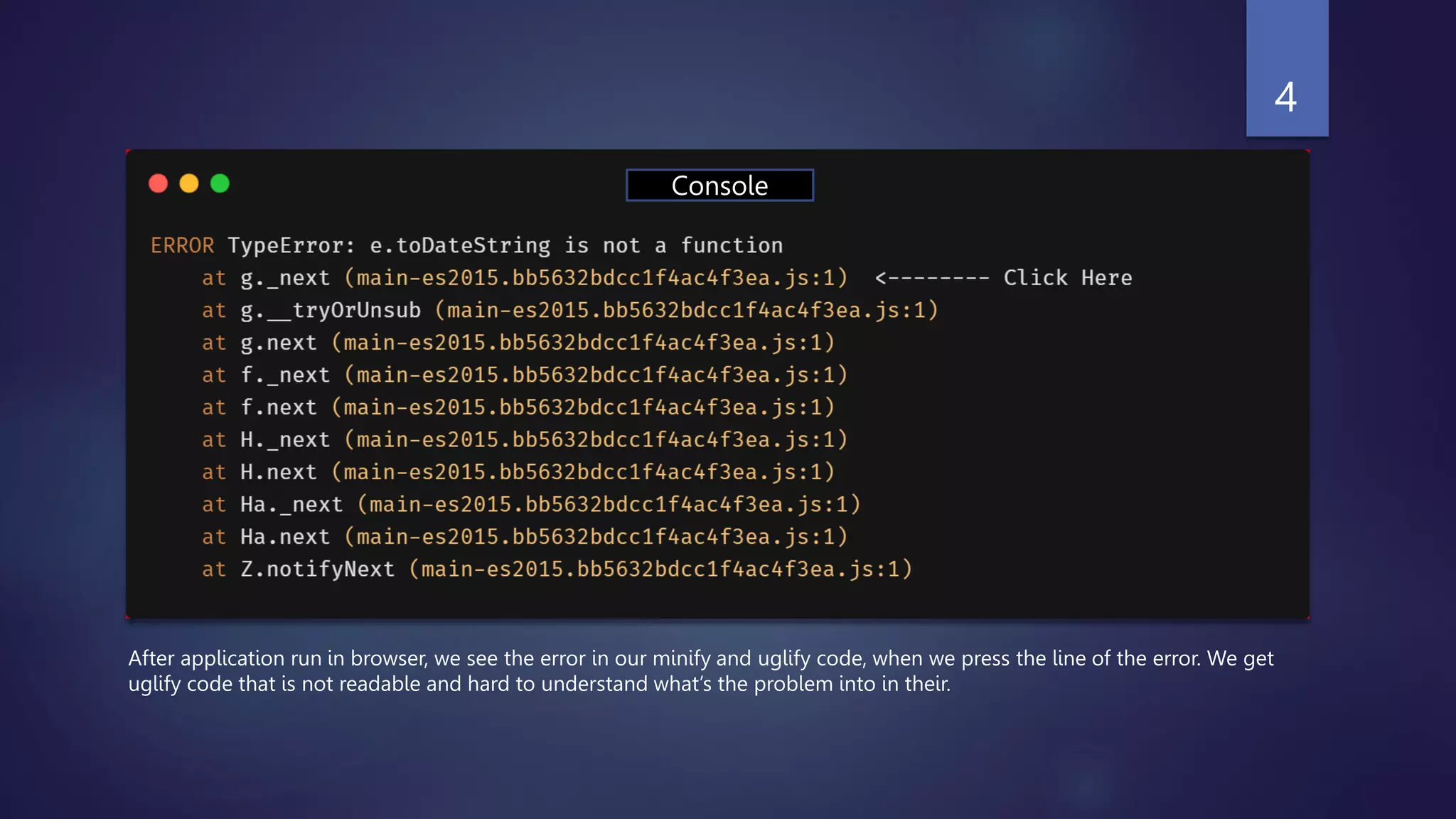
After application run in browser, we see the error in our minify and uglify code, when we press the line of the error. We get
uglify code that is not readable and hard to understand what’s the problem into in their.
4
Console
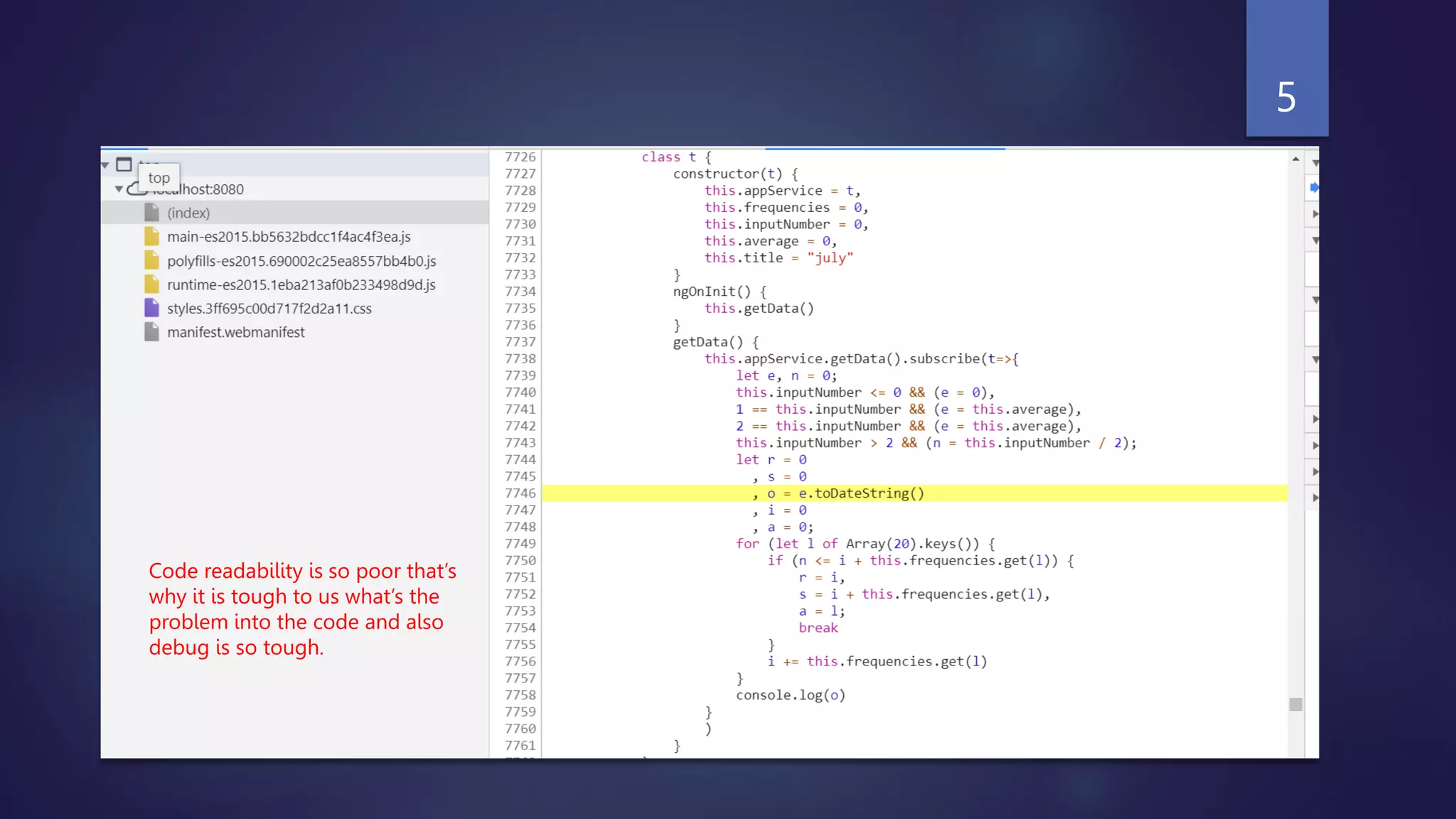
Code readability is so poor that’s
why it is tough to us what’s the
problem into the code and also
debug is so tough.
5
This problem resolve by SourceMaps.
6
SourceMaps
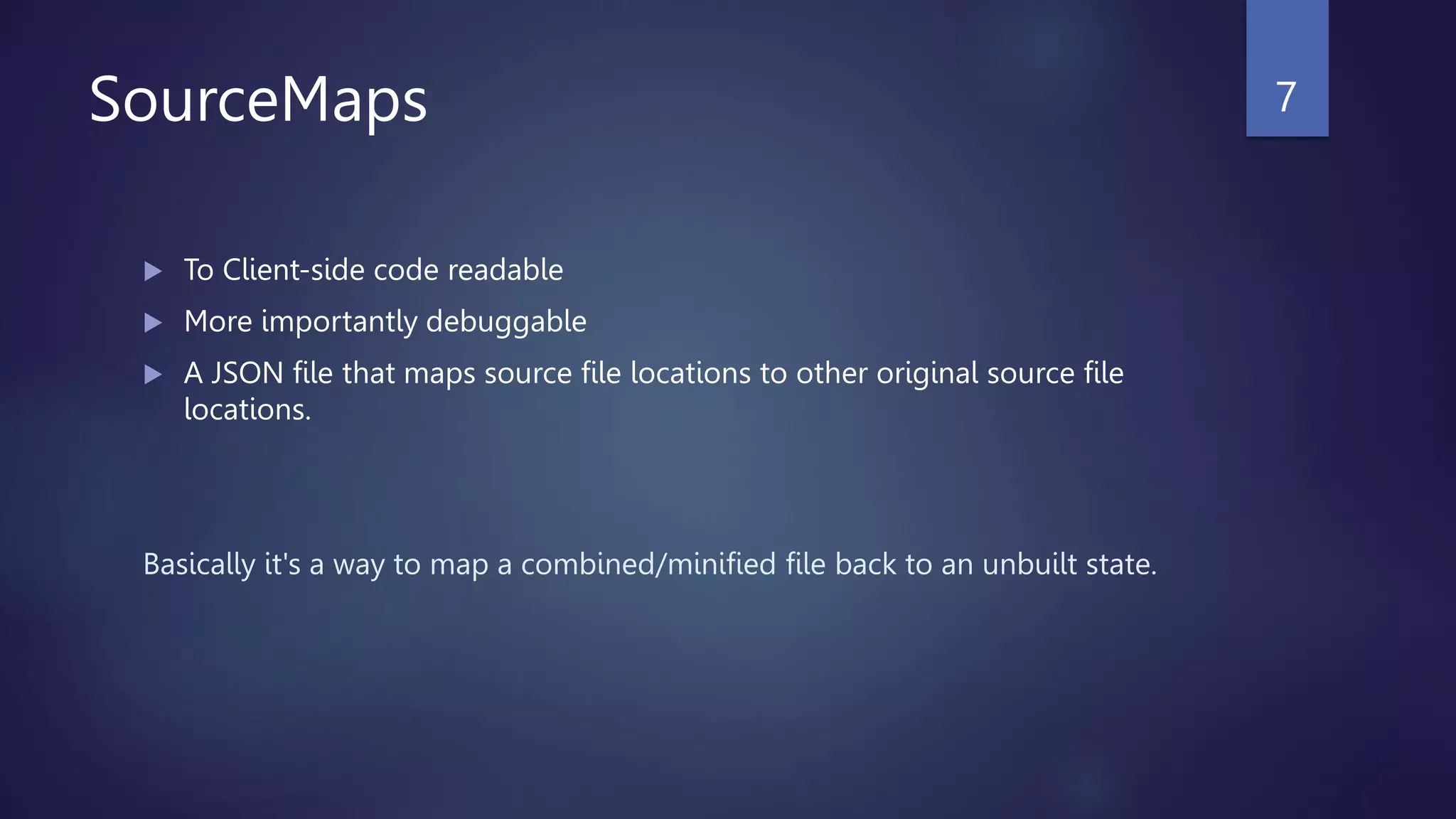
 To Client-side code readable
 More importantly debuggable
 A JSON file that maps source file locations to other original source file
locations.
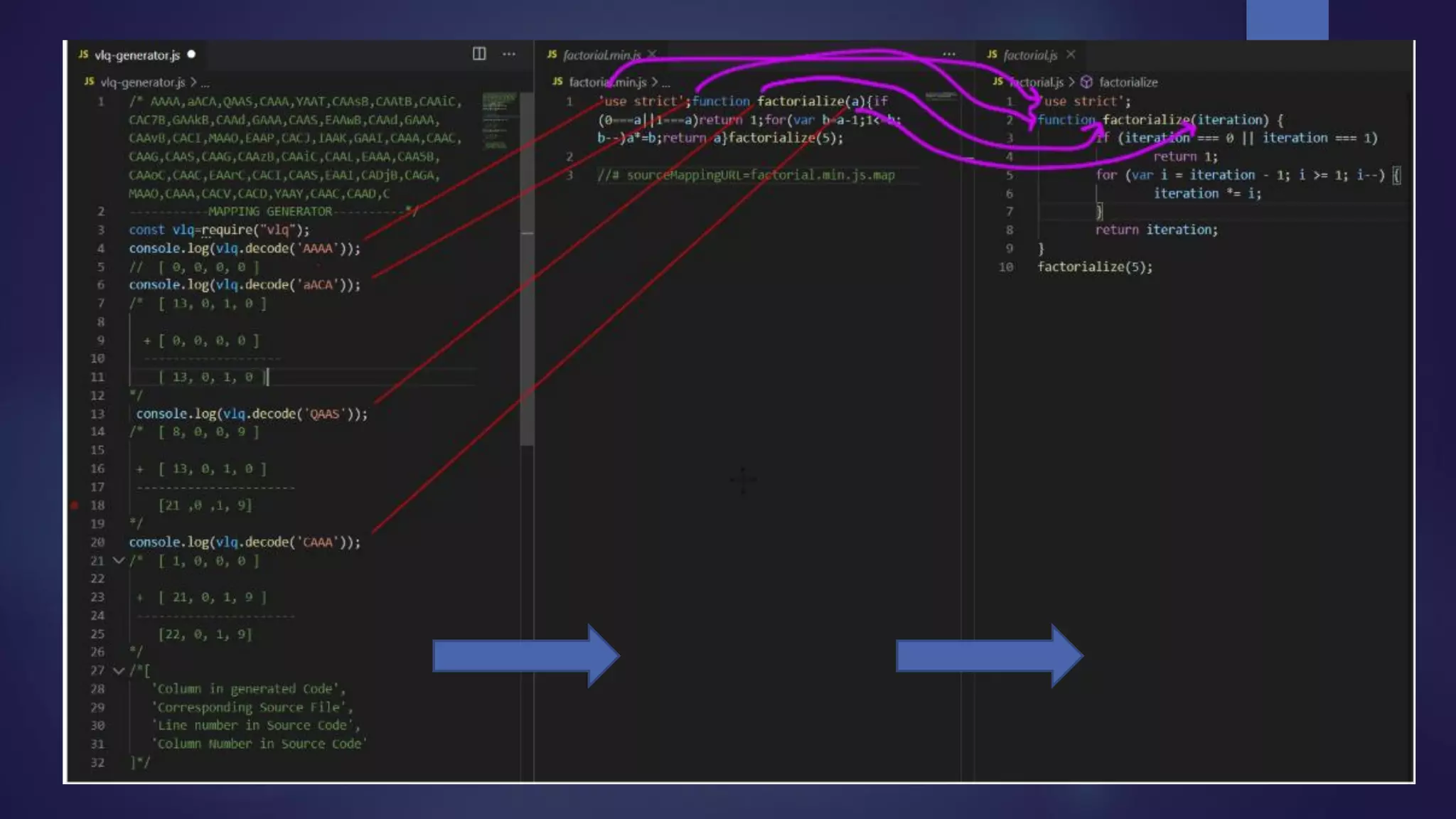
Basically it's a way to map a combined/minified file back to an unbuilt state.
7
SourceMaps (Con’t)
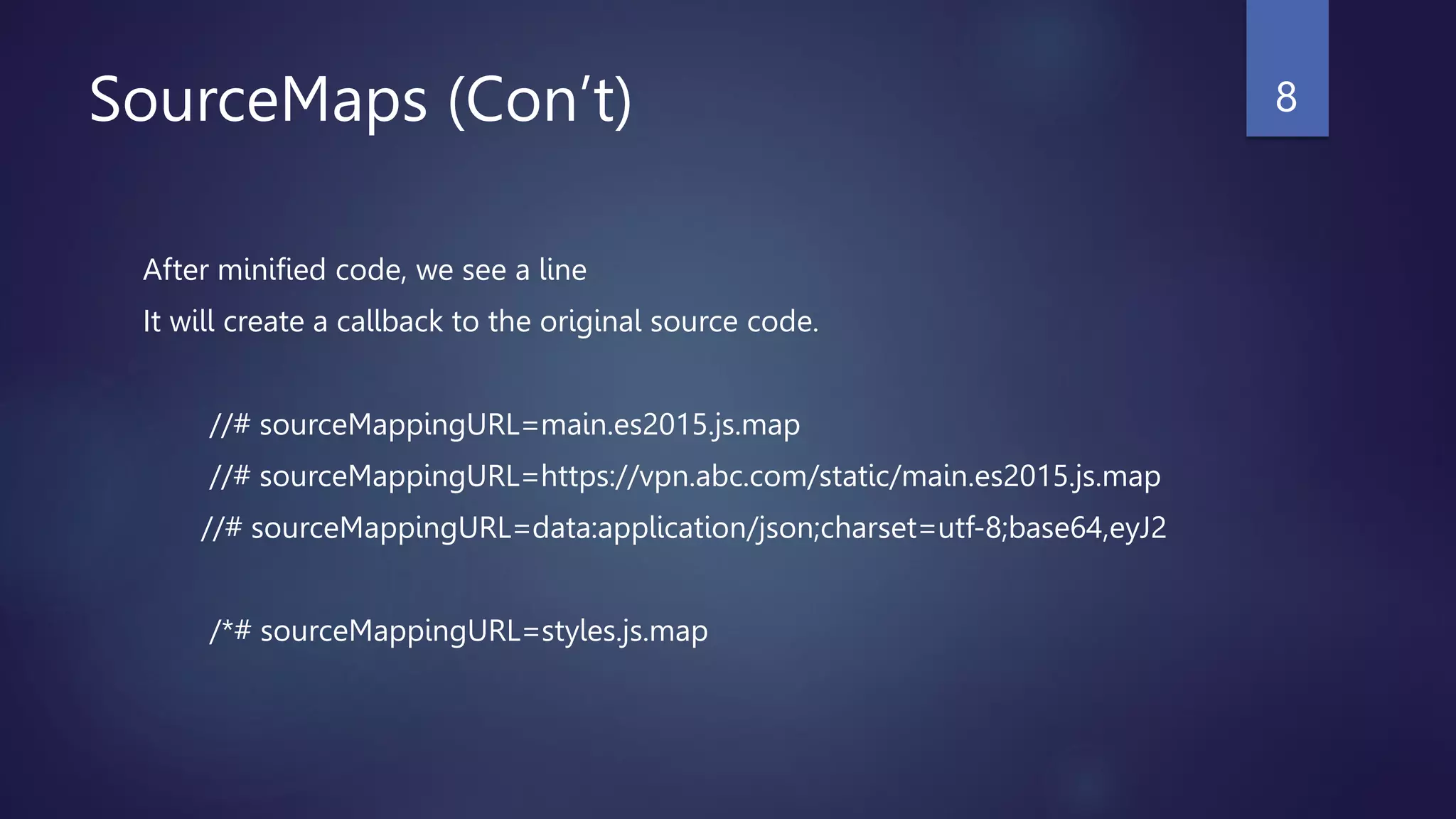
After minified code, we see a line
It will create a callback to the original source code.
//# sourceMappingURL=main.es2015.js.map
//# sourceMappingURL=https://vpn.abc.com/static/main.es2015.js.map
//# sourceMappingURL=data:application/json;charset=utf-8;base64,eyJ2
/*# sourceMappingURL=styles.js.map
8
9
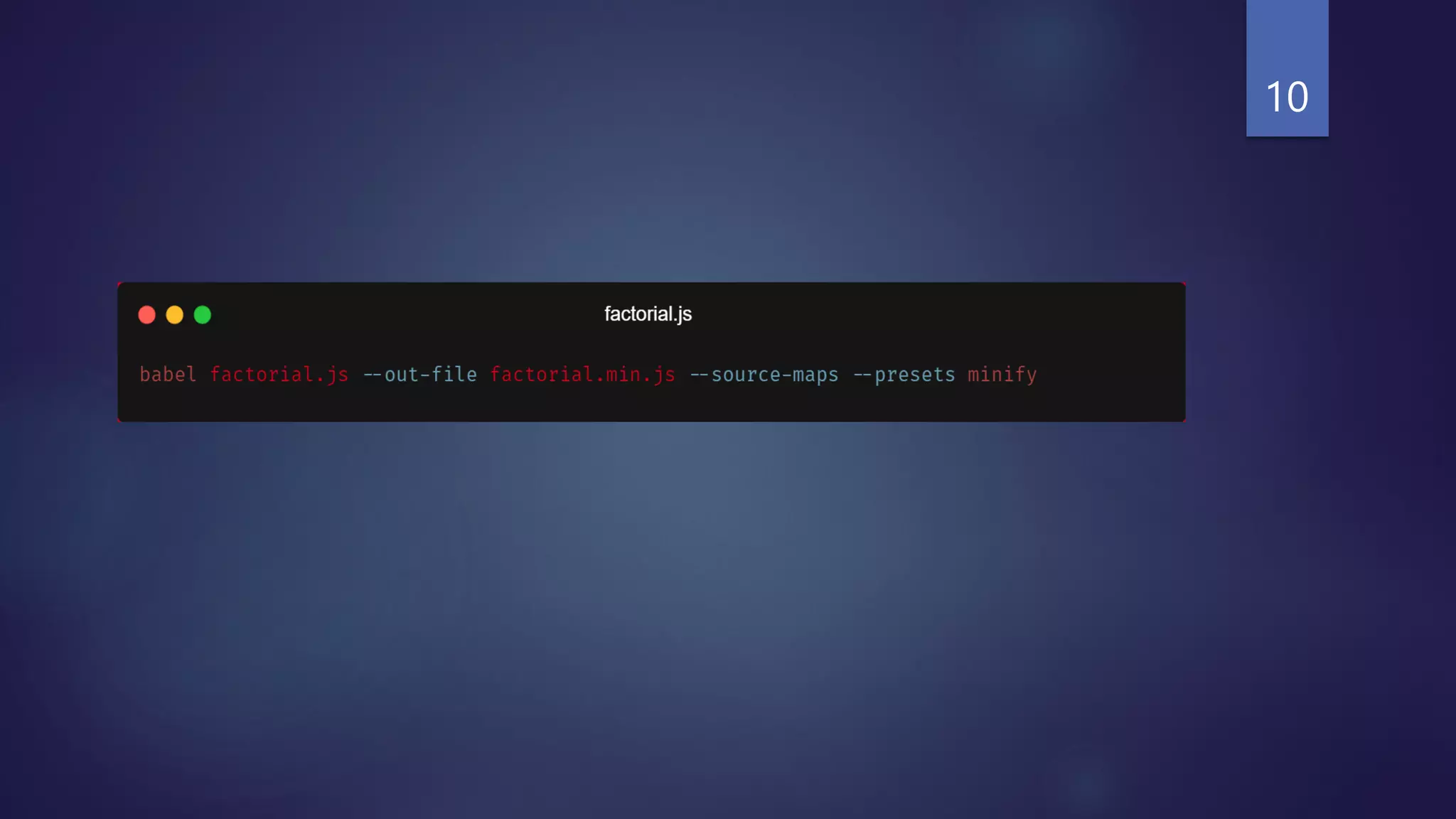
10
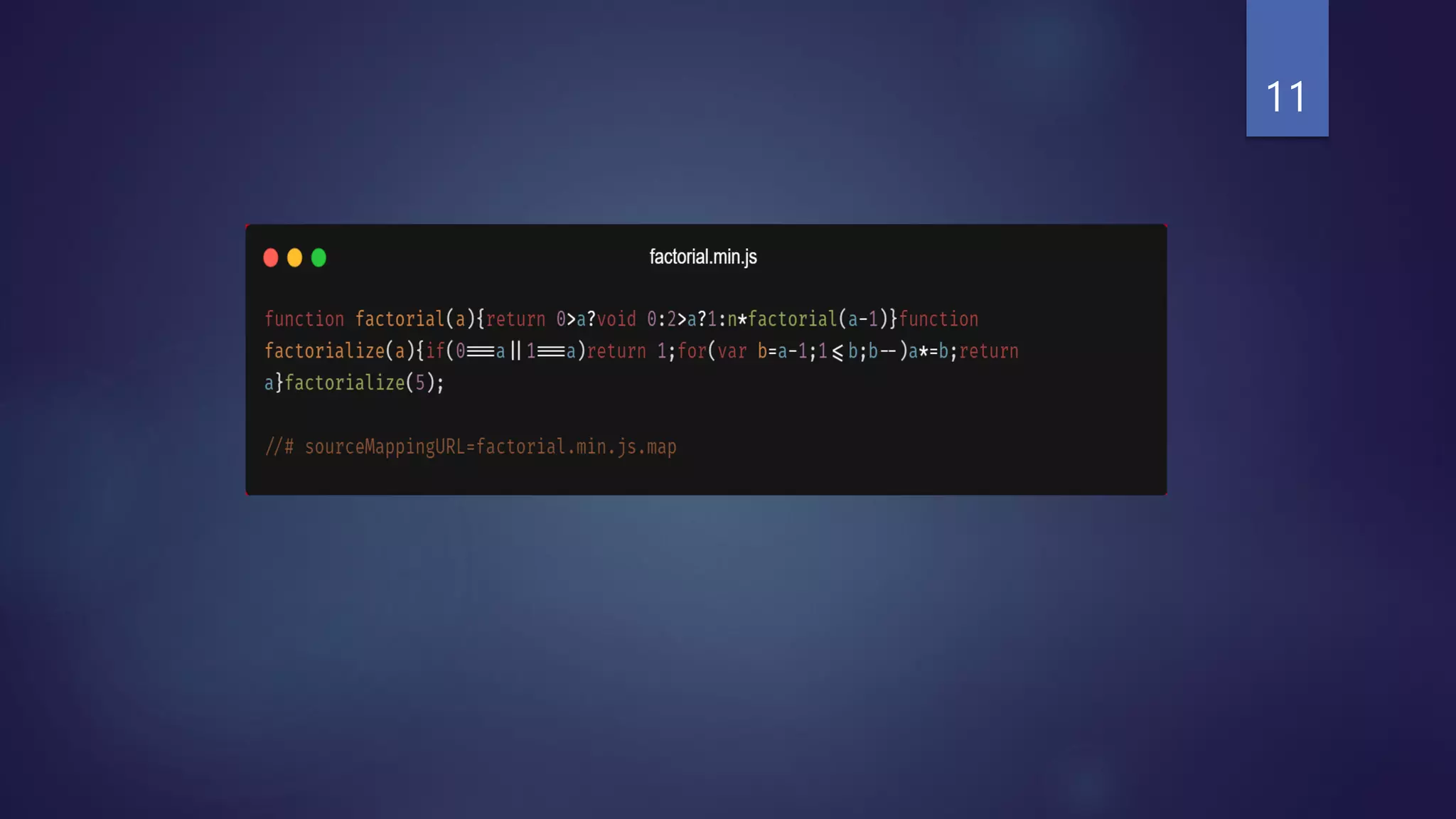
11
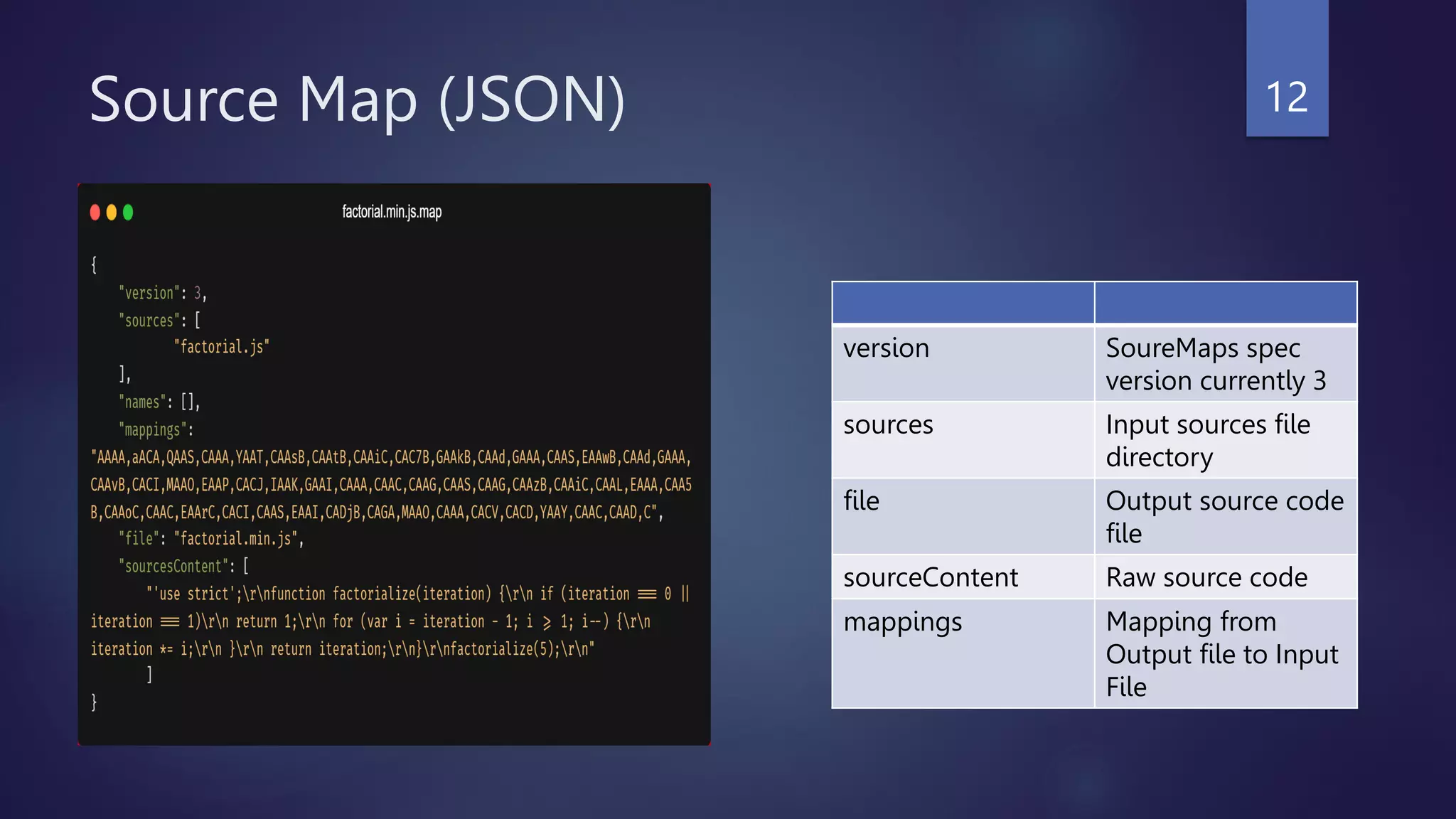
Source Map (JSON)
version SoureMaps spec
version currently 3
sources Input sources file
directory
file Output source code
file
sourceContent Raw source code
mappings Mapping from
Output file to Input
File
12
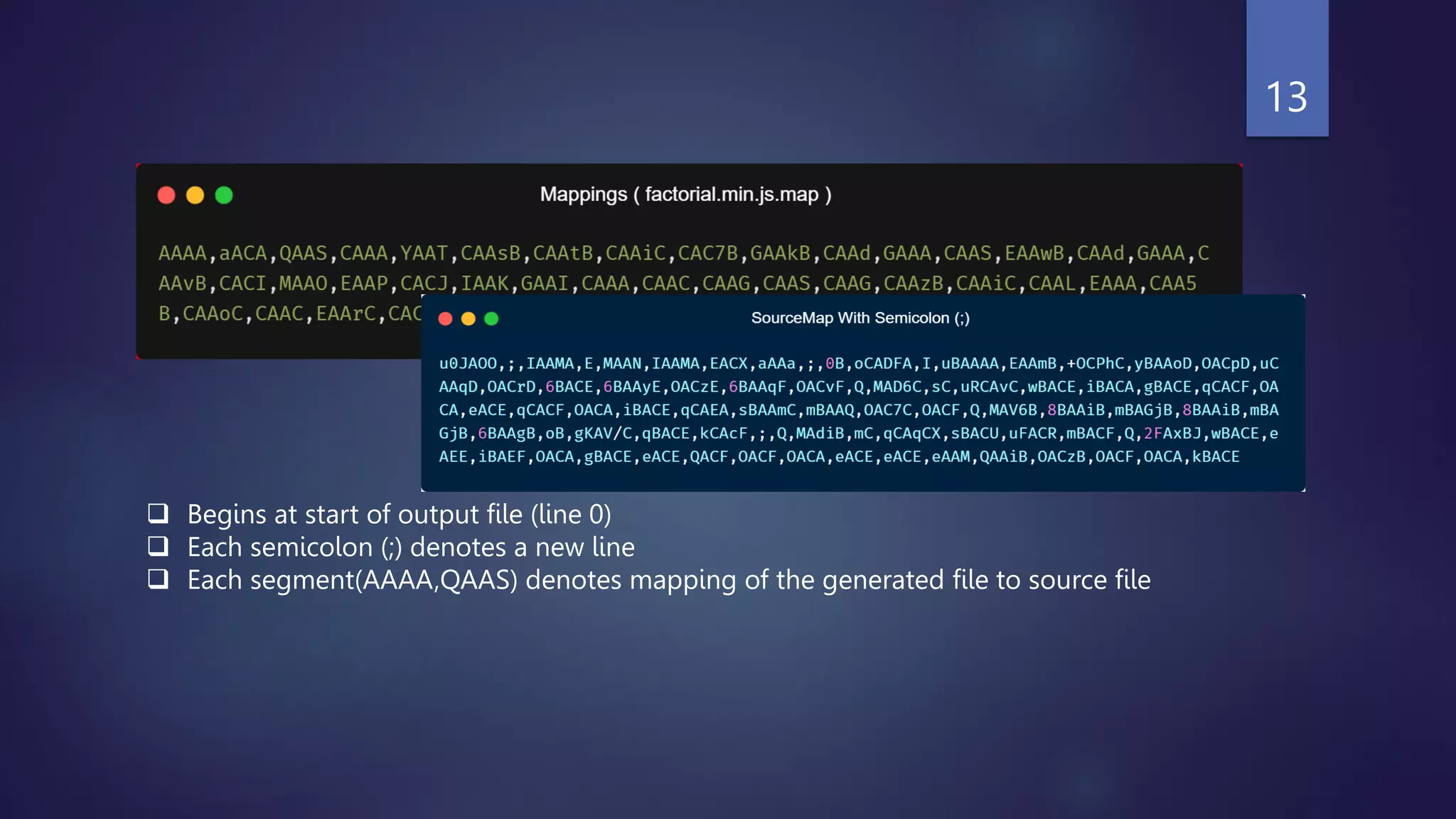
 Begins at start of output file (line 0)
 Each semicolon (;) denotes a new line
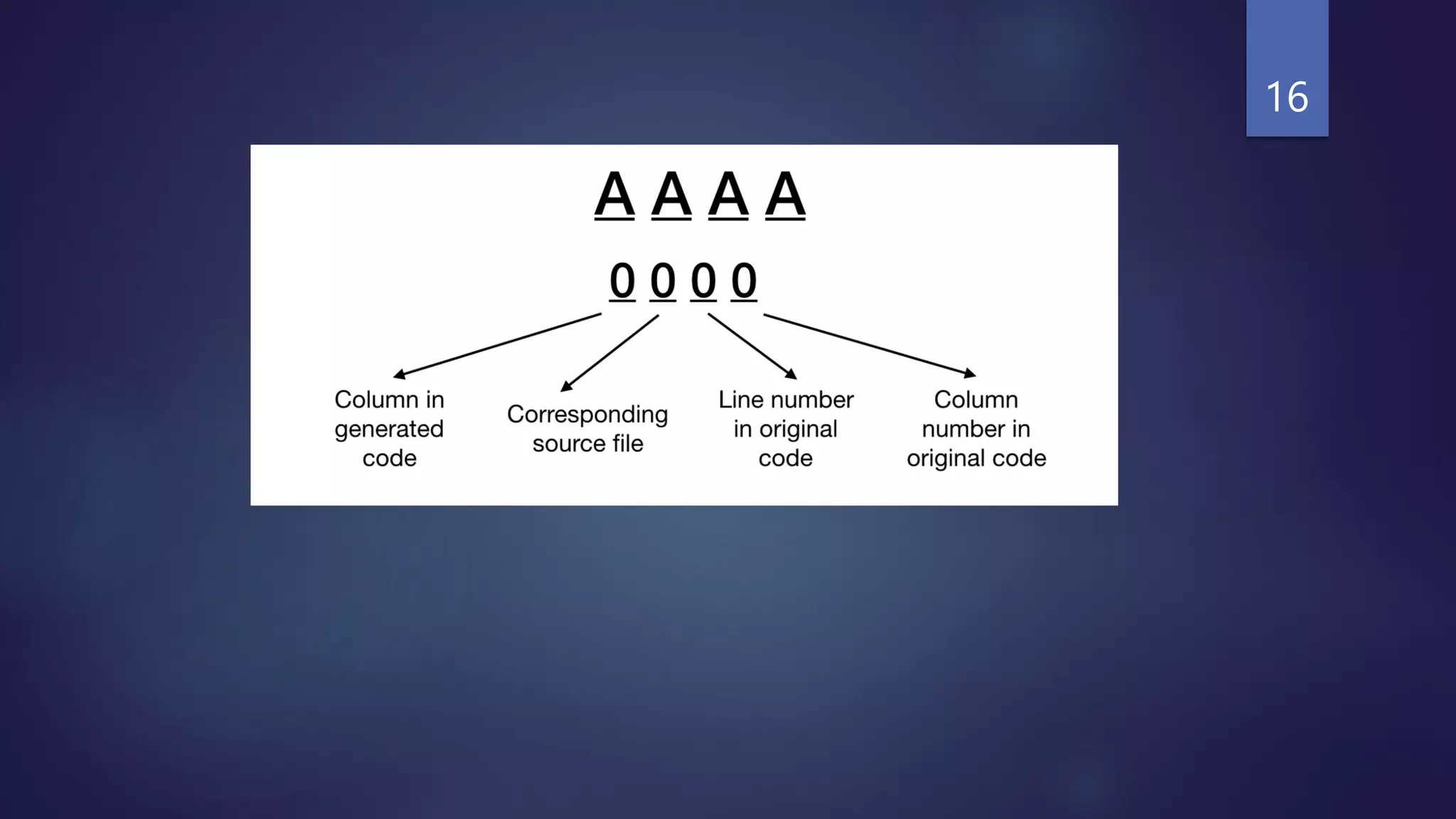
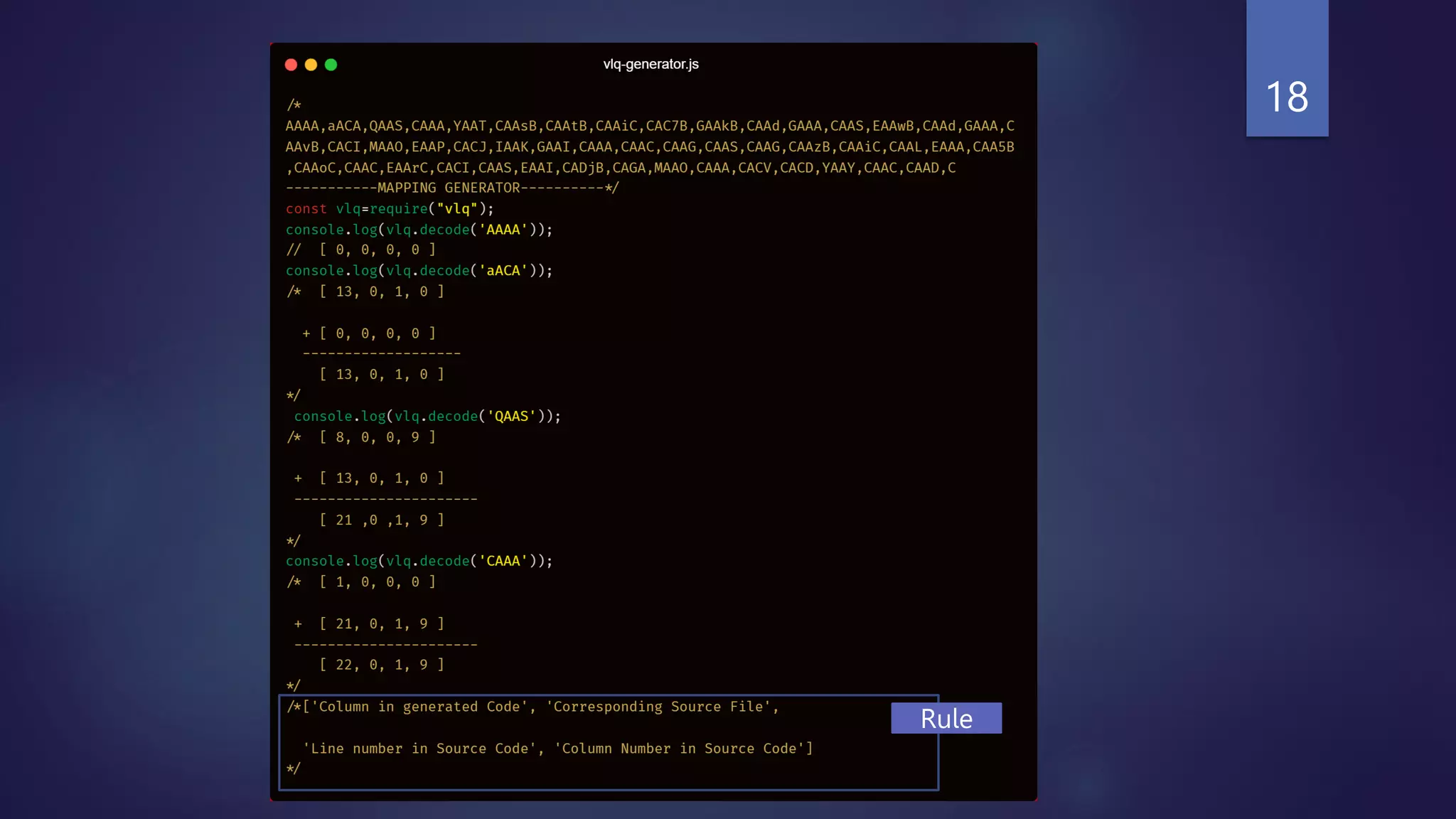
 Each segment(AAAA,QAAS) denotes mapping of the generated file to source file
13
AAAA?
14
VLQ (Variable Length Quantity)
 A variable-length quantity (VLQ) is a universal code that uses an arbitrary
number of binary octets (eight-bit bytes) to represent an arbitrarily large
integer.
15
Interger/Tuple VLQ
0 A
1 B
123 2H
188 4L
[4,0,0,6] IAAM
[15,0,0,17] WAAM
* To know more about VLQ, read this article,
https://www.lucidchart.com/techblog/2019/08/22/decode-encoding-base64-vlqs-
source-maps/
16
No worry !!!, we can use any standard vlq library.
17
18
Rule
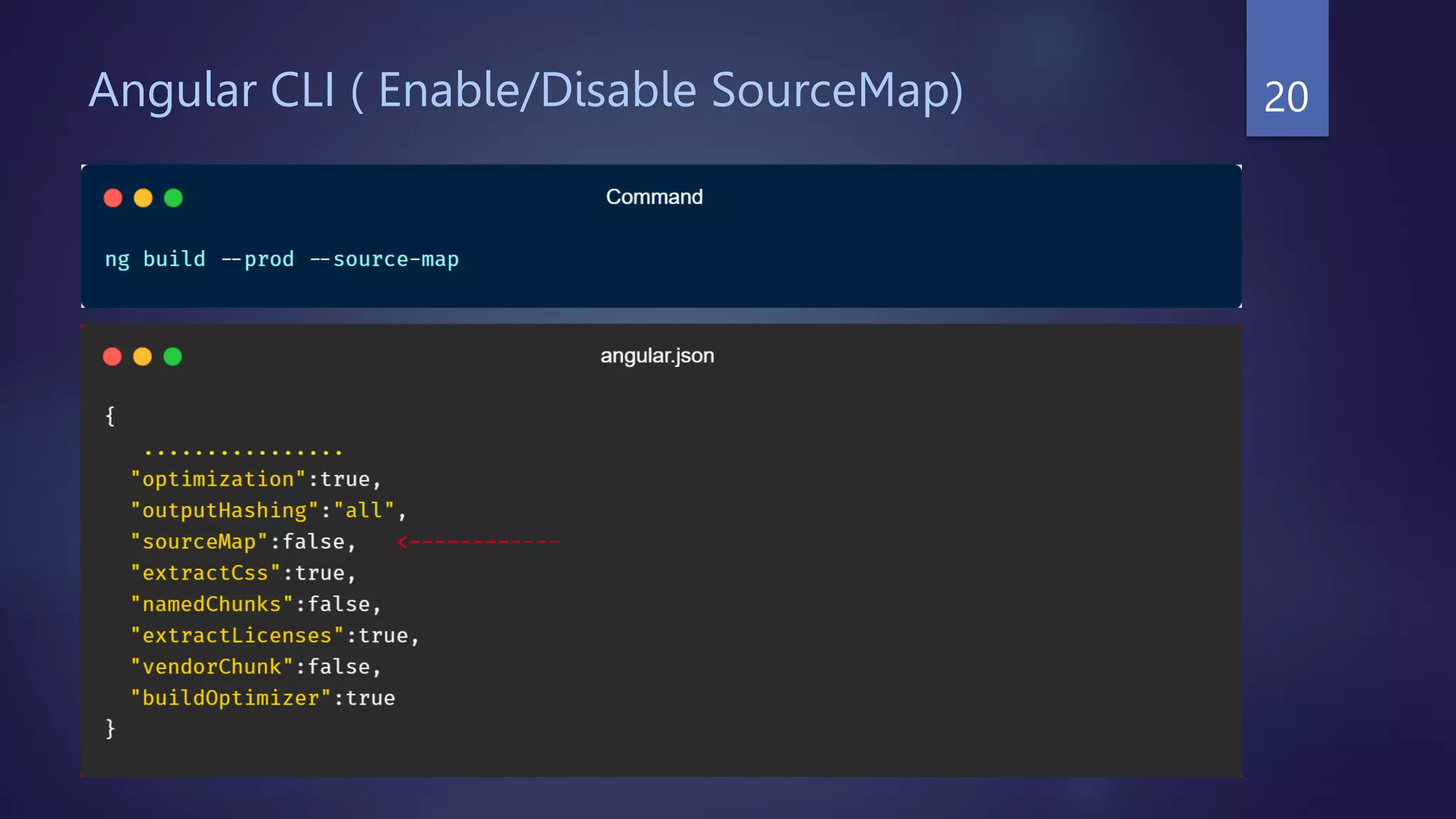
Angular CLI ( Enable/Disable SourceMap) 20
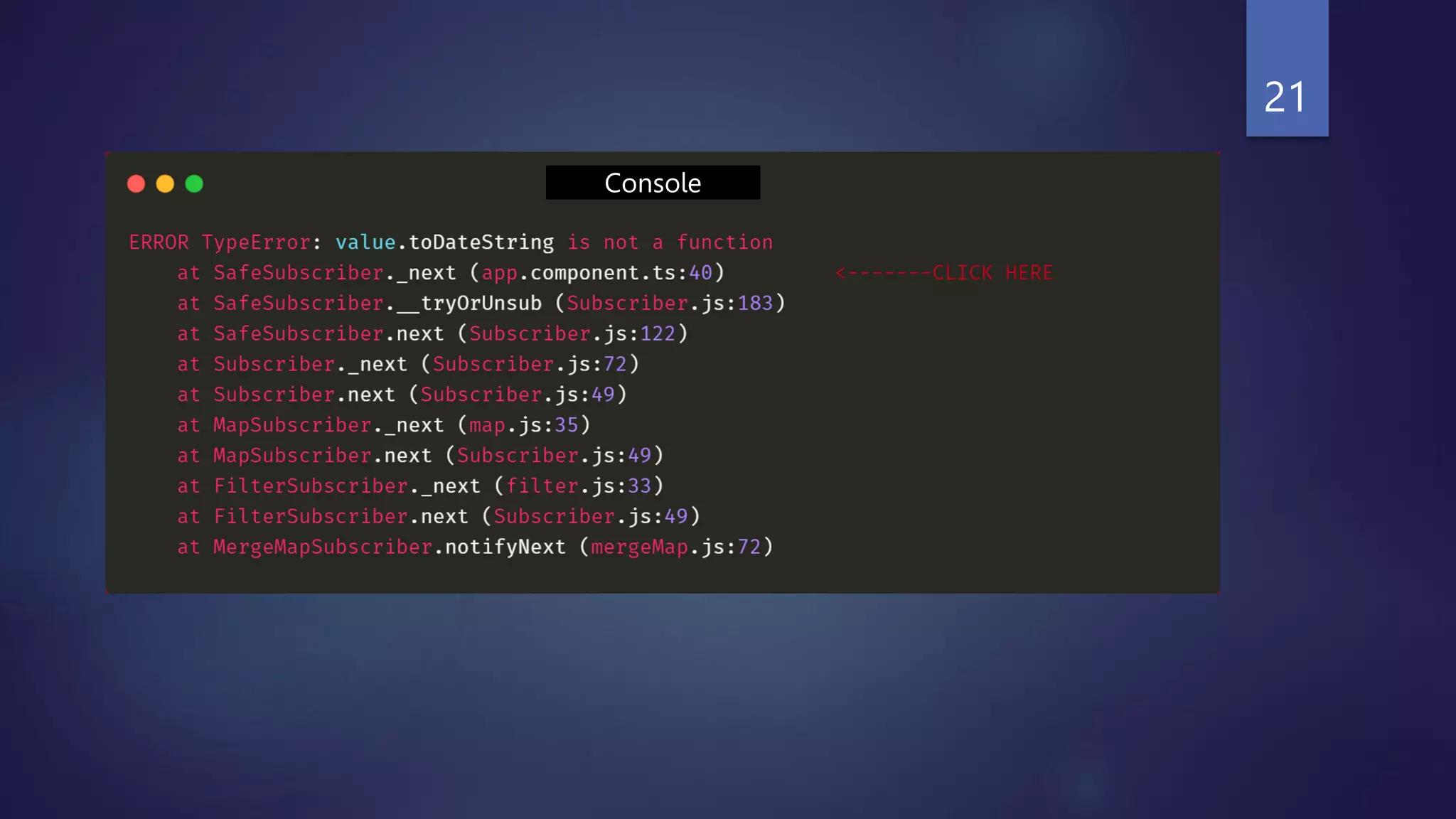
Console
21
22
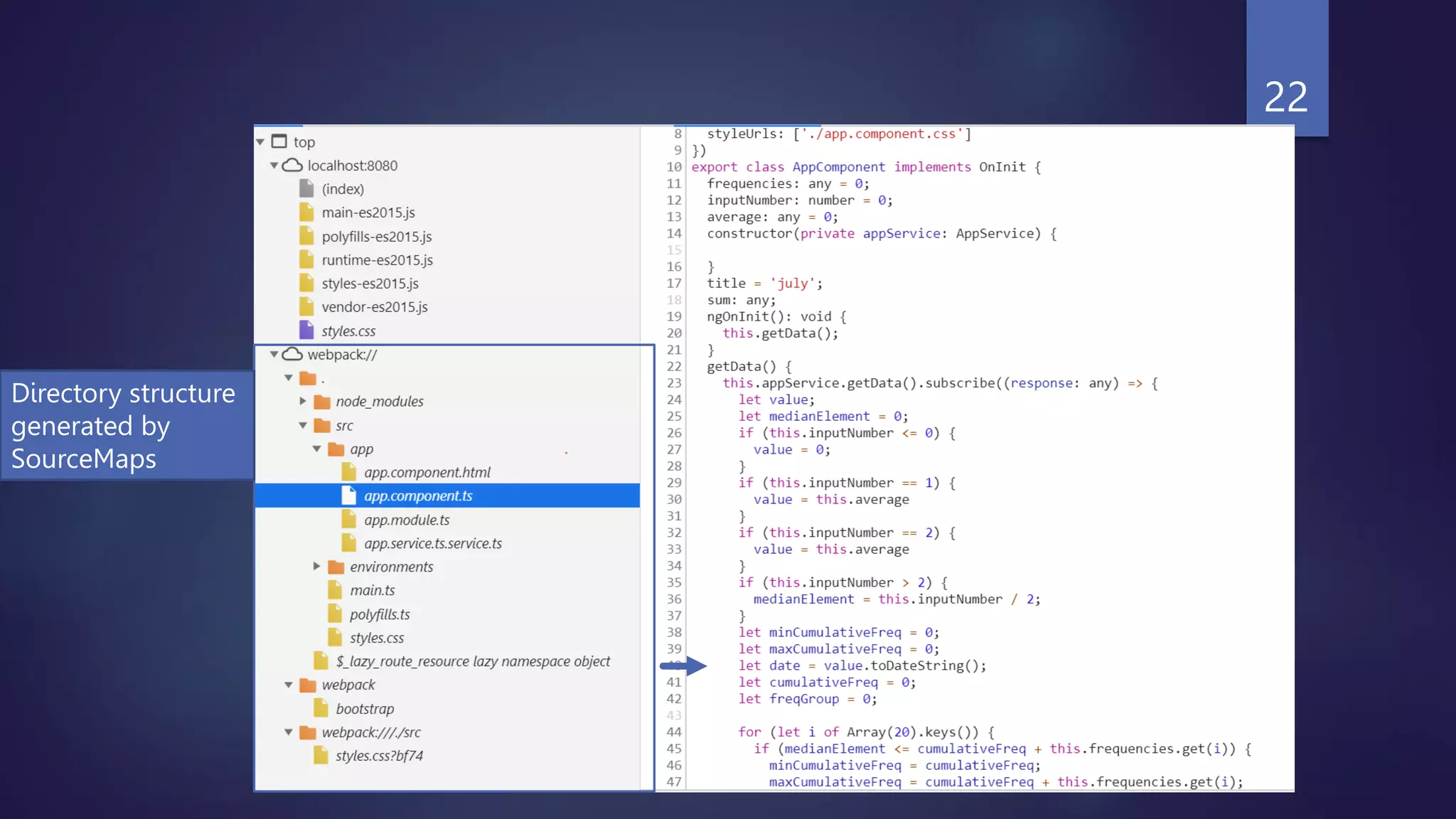
Directory structure
generated by
SourceMaps
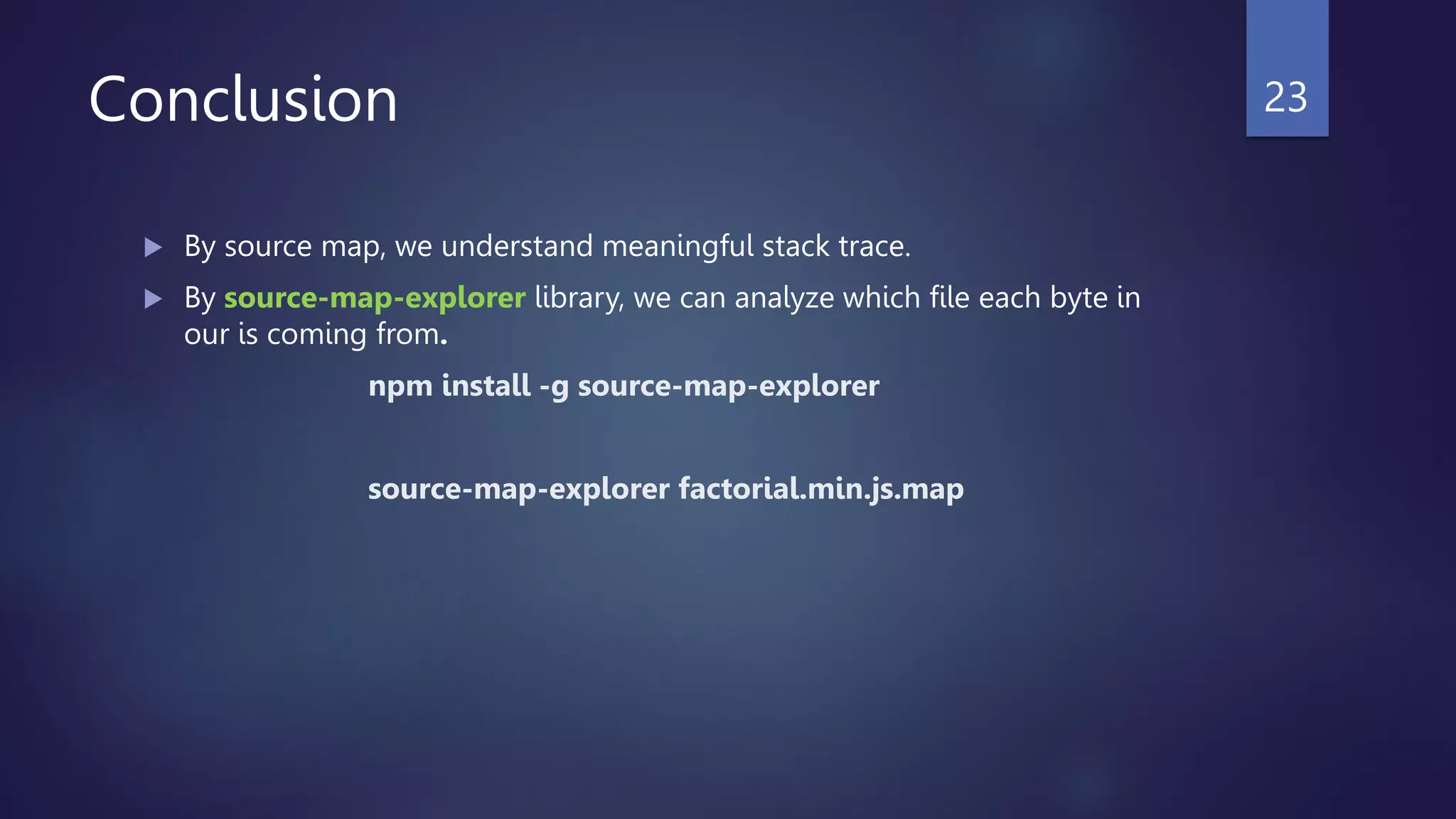
Conclusion
 By source map, we understand meaningful stack trace.
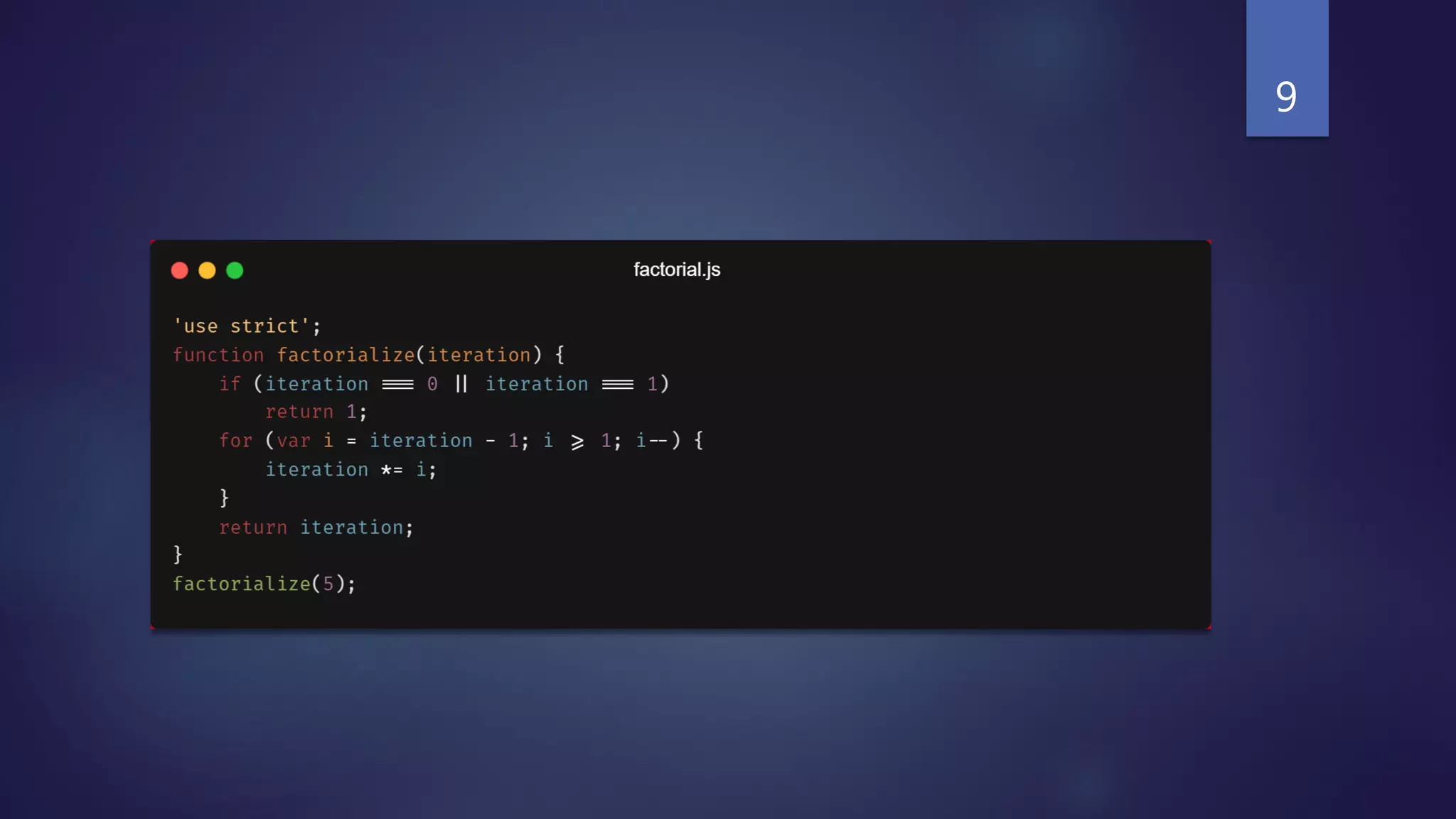
 By source-map-explorer library, we can analyze which file each byte in
our is coming from.
npm install -g source-map-explorer
source-map-explorer factorial.min.js.map
23
Questions?
24
Angular Compilation
25
The Compiler transforms the source code of an
Angular application for achieving higher efficiency.
26
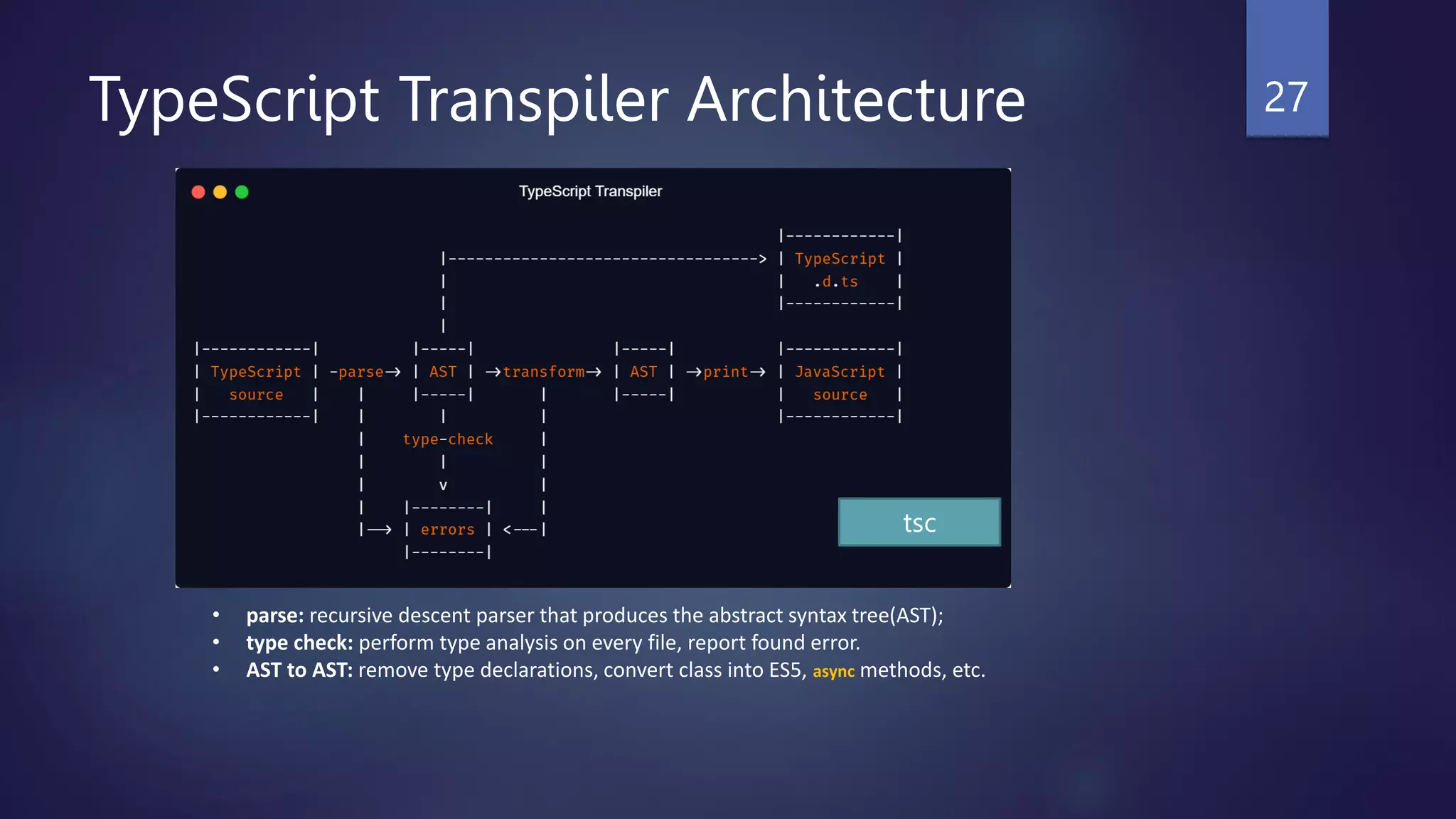
TypeScript Transpiler Architecture 27
• parse: recursive descent parser that produces the abstract syntax tree(AST);
• type check: perform type analysis on every file, report found error.
• AST to AST: remove type declarations, convert class into ES5, async methods, etc.
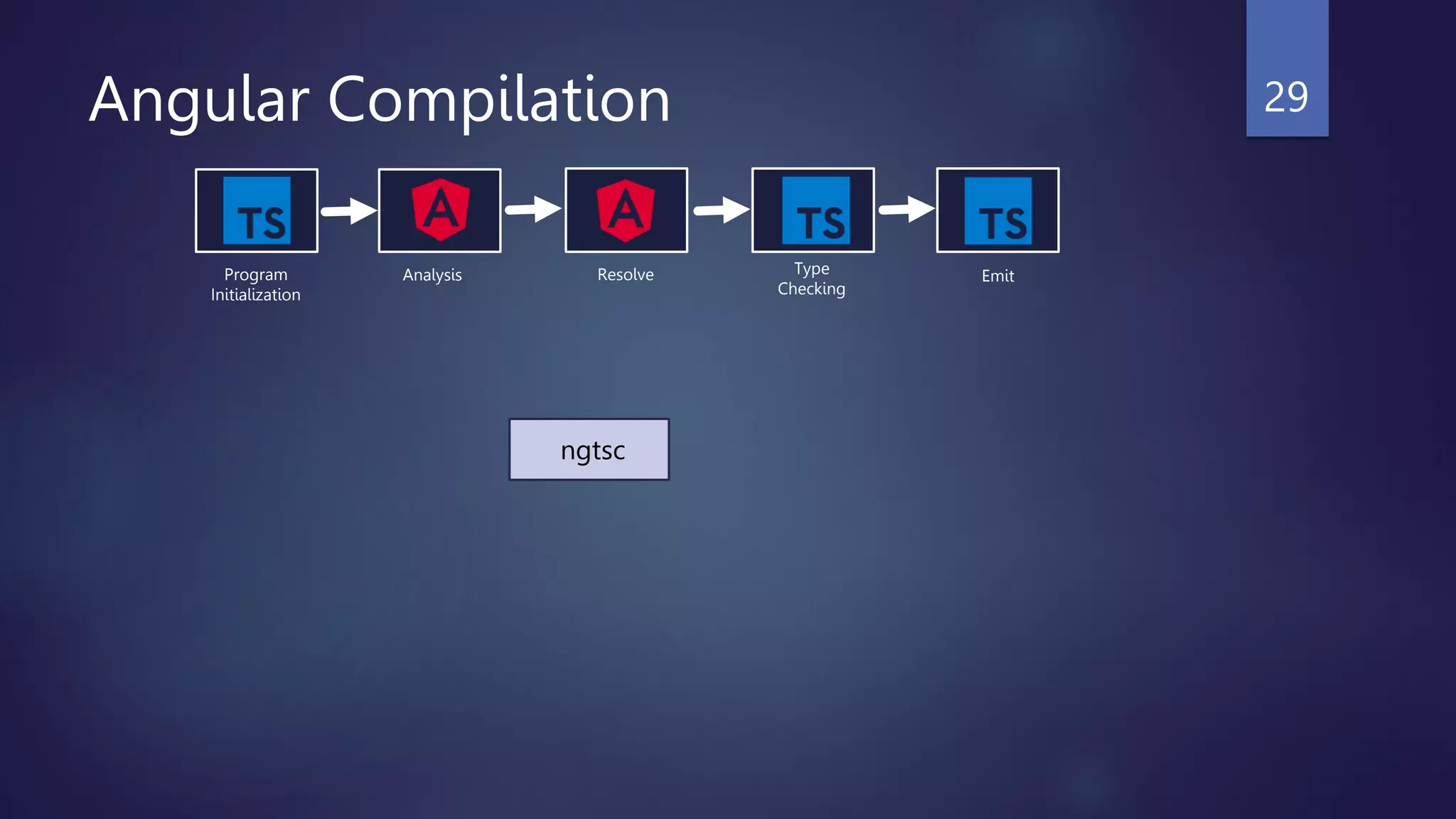
tsc
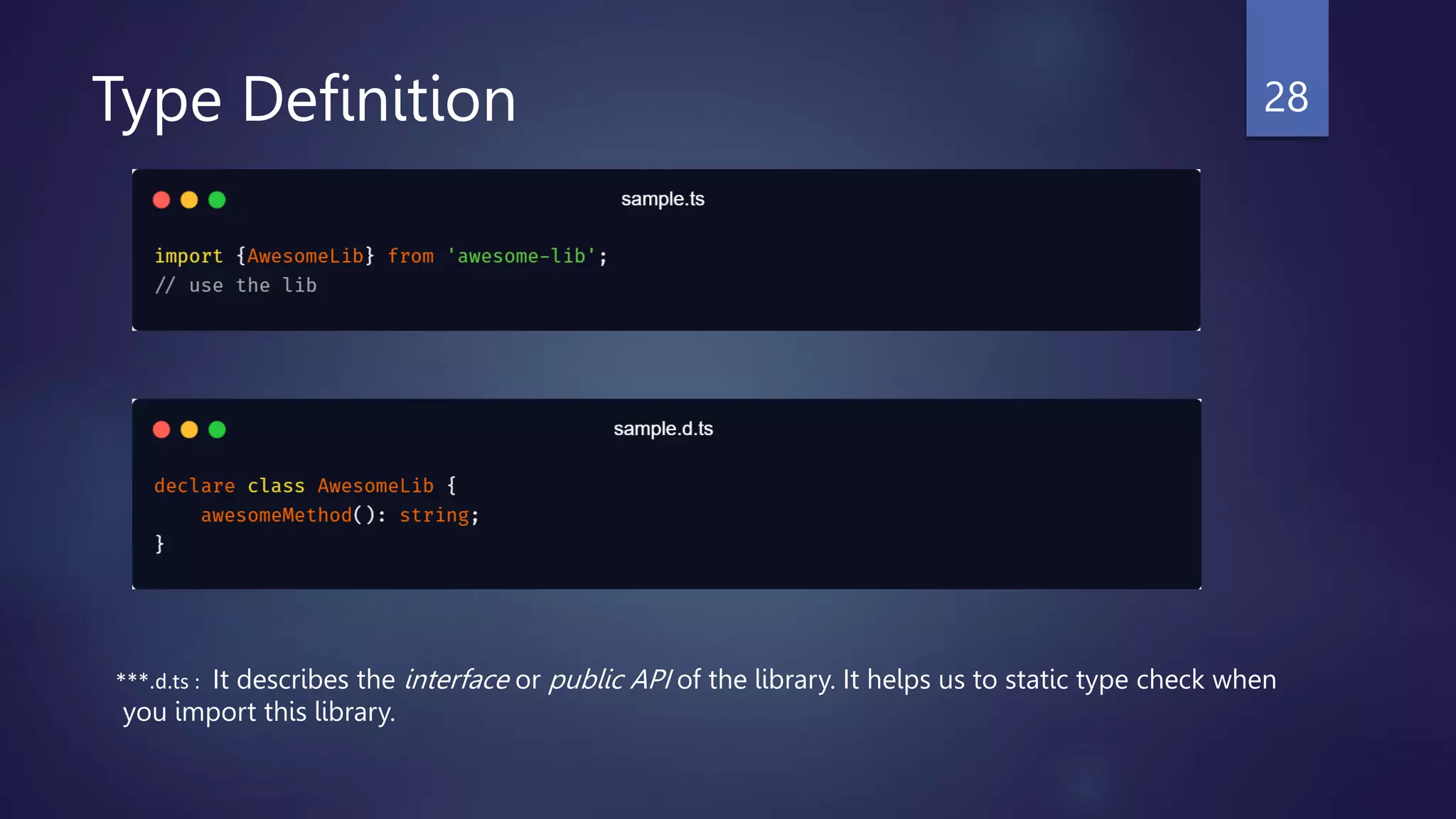
Type Definition 28
***.d.ts : It describes the interface or public API of the library. It helps us to static type check when
you import this library.
ngtsc
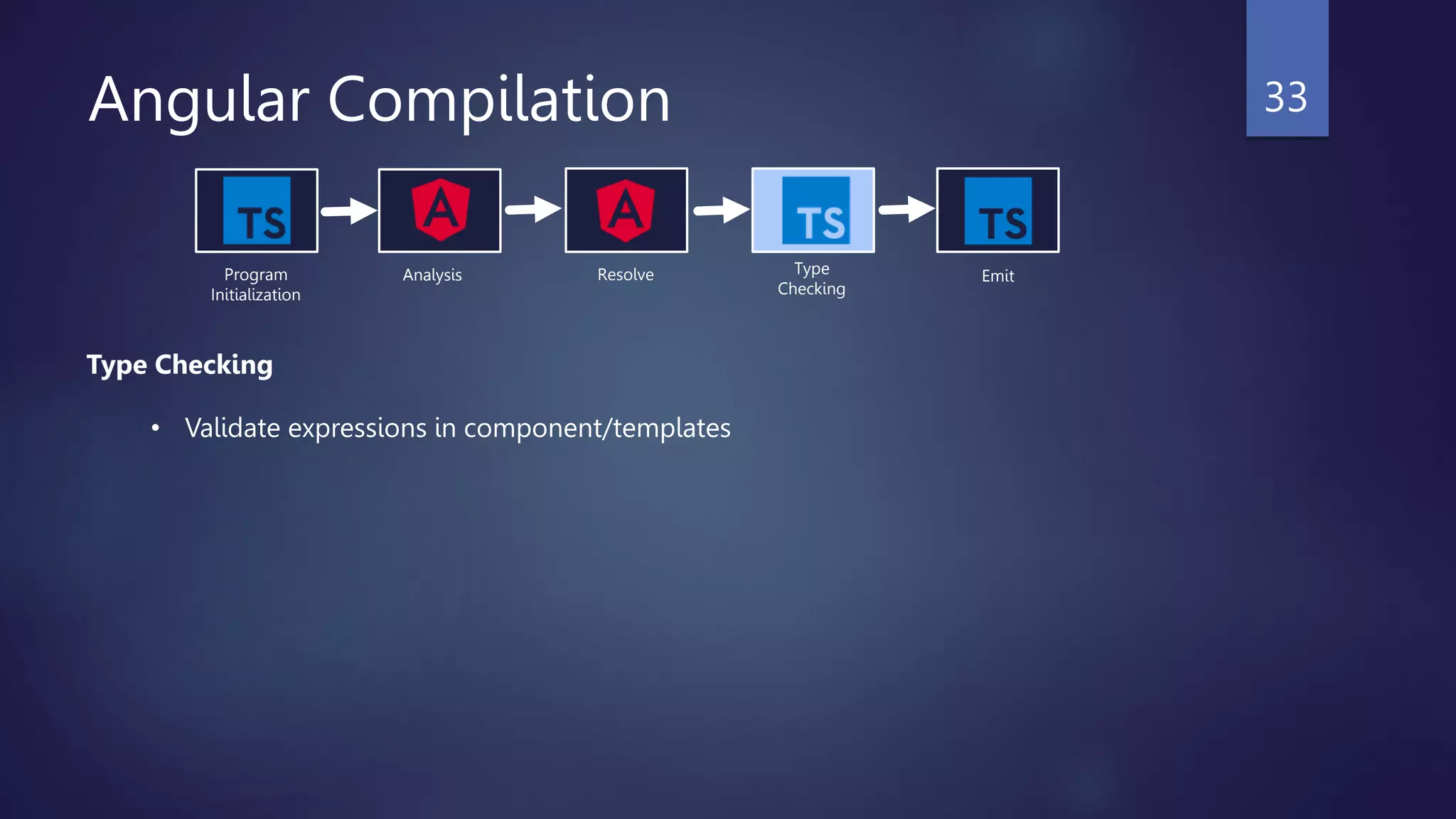
Angular Compilation 29
Program
Initialization
Analysis Resolve Type
Checking
Emit
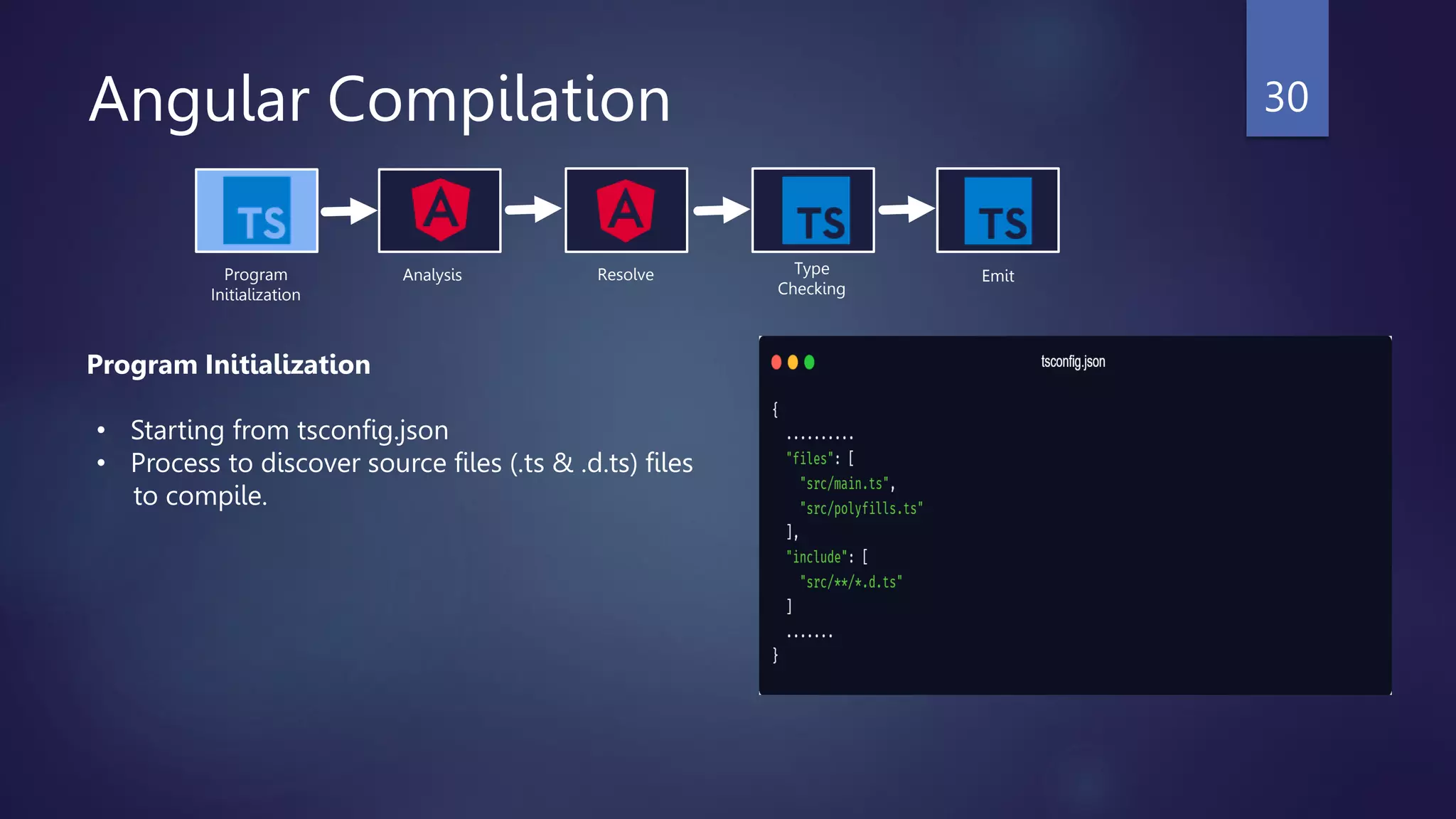
Angular Compilation 30
Program
Initialization
Analysis Resolve Type
Checking
Emit
Program Initialization
• Starting from tsconfig.json
• Process to discover source files (.ts & .d.ts) files
to compile.
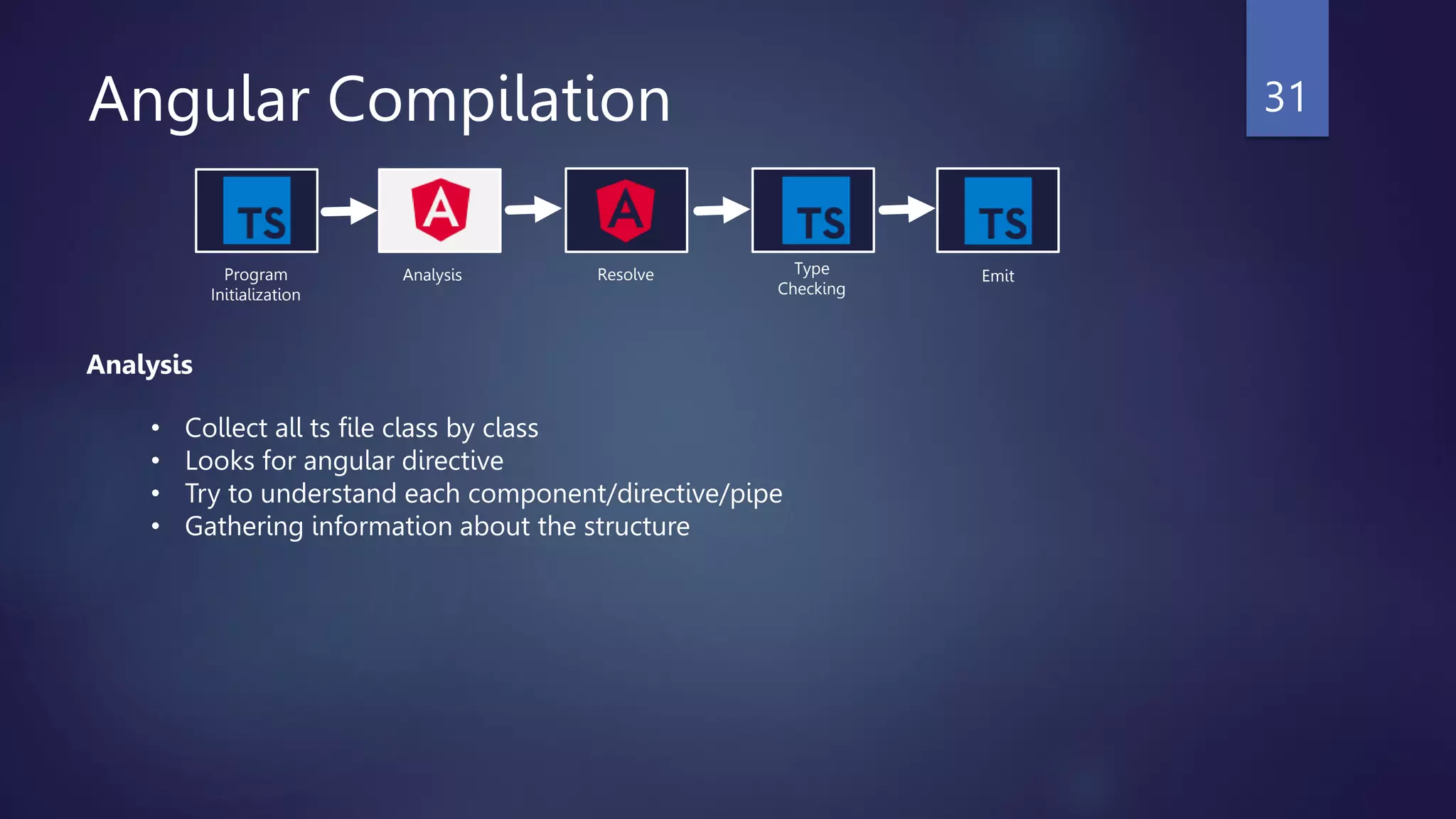
Angular Compilation 31
Program
Initialization
Analysis Resolve Type
Checking
Emit
Analysis
• Collect all ts file class by class
• Looks for angular directive
• Try to understand each component/directive/pipe
• Gathering information about the structure
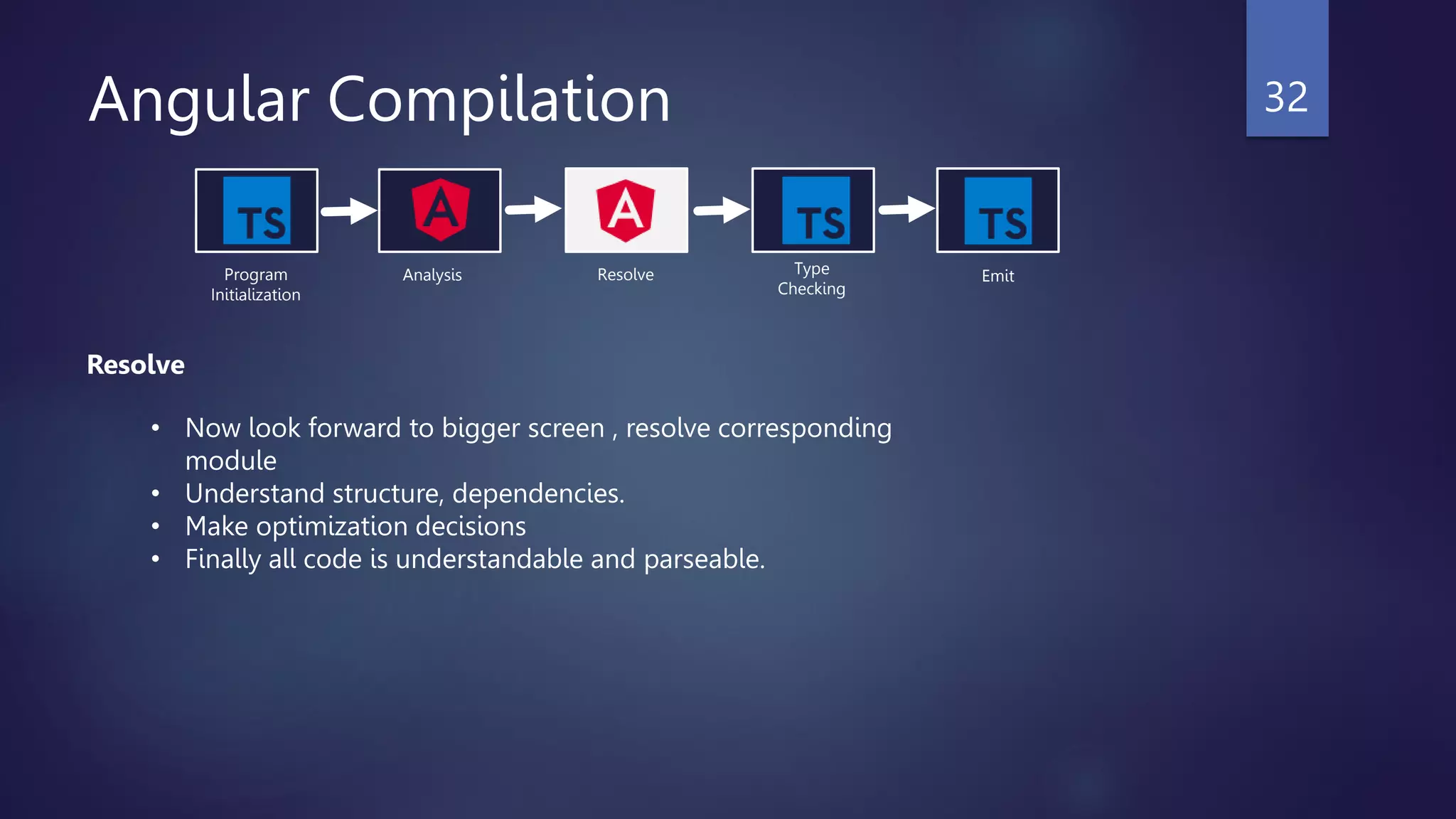
Angular Compilation 32
Program
Initialization
Analysis Resolve Type
Checking
Emit
Resolve
• Now look forward to bigger screen , resolve corresponding
module
• Understand structure, dependencies.
• Make optimization decisions
• Finally all code is understandable and parseable.
Angular Compilation 33
Program
Initialization
Analysis Resolve Type
Checking
Emit
Type Checking
• Validate expressions in component/templates
Angular Compilation 34
Program
Initialization
Analysis Resolve Type
Checking
Emit
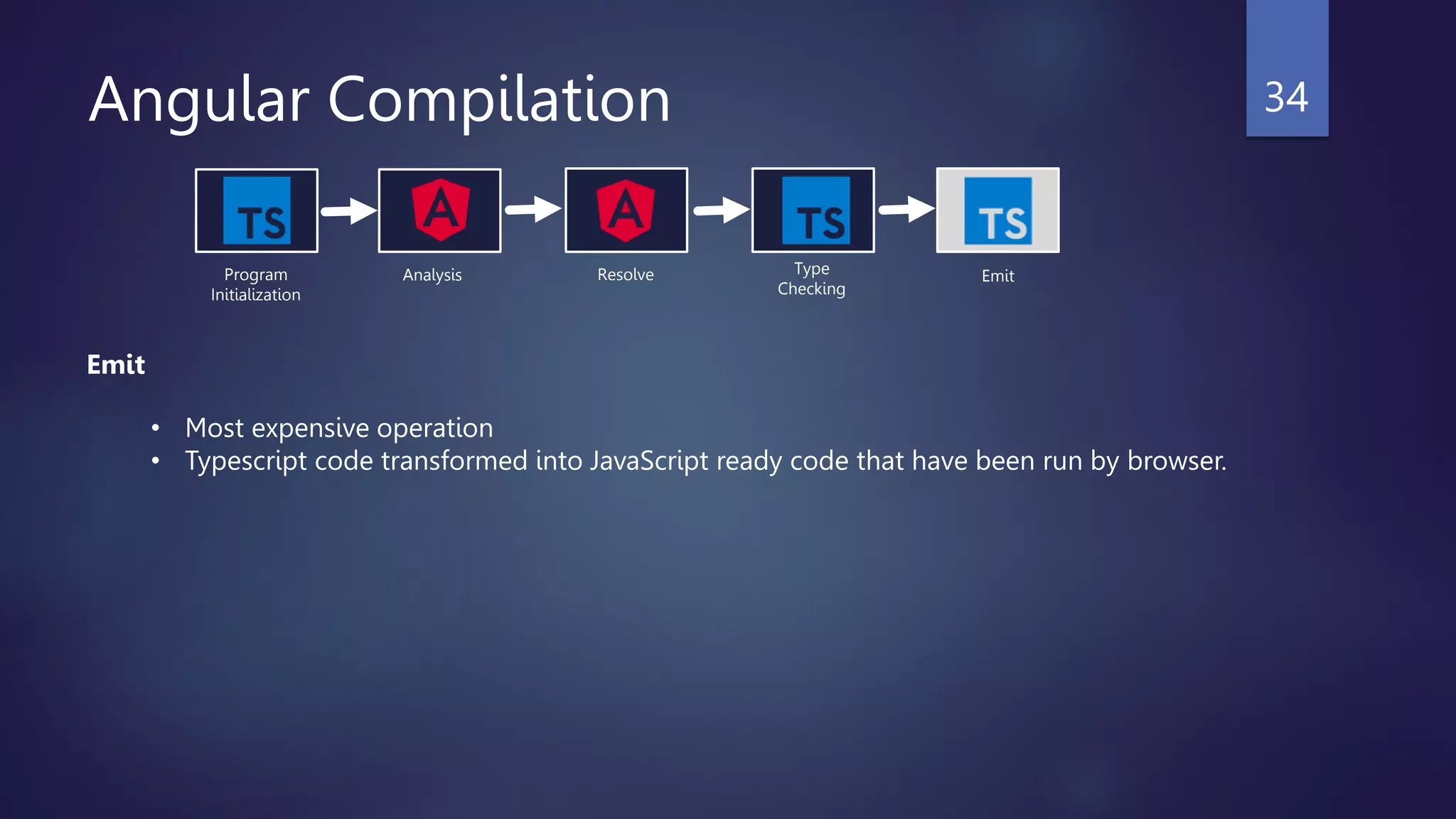
Emit
• Most expensive operation
• Typescript code transformed into JavaScript ready code that have been run by browser.
Angular Compilation Mode
 JIT( Just In Time)
 AOT (Ahead Of Time)
35
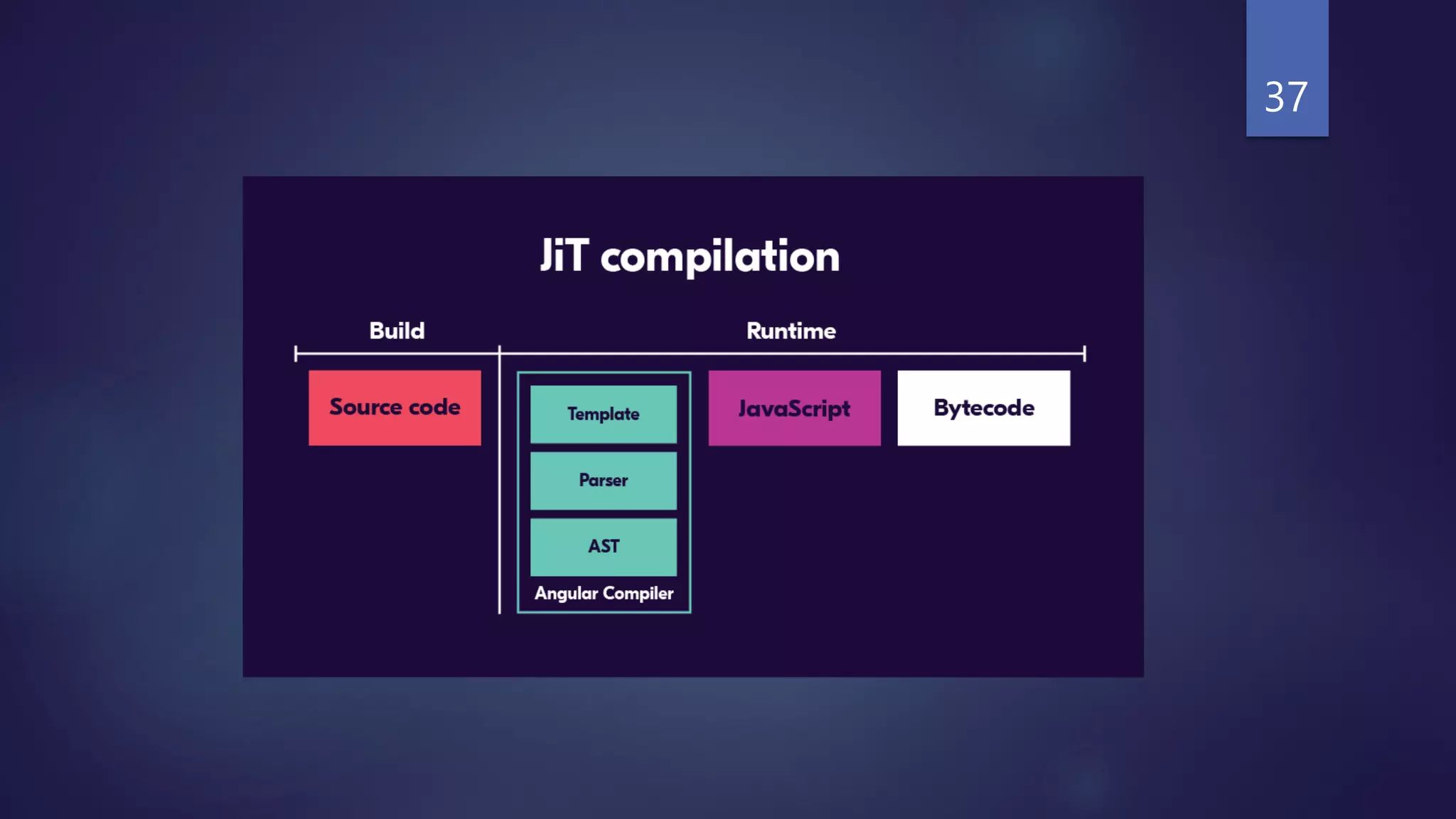
JIT
Let’s first look into JIT,
 compiles your app in the browser at runtime. That’s mean download the code and
compile into runtime.
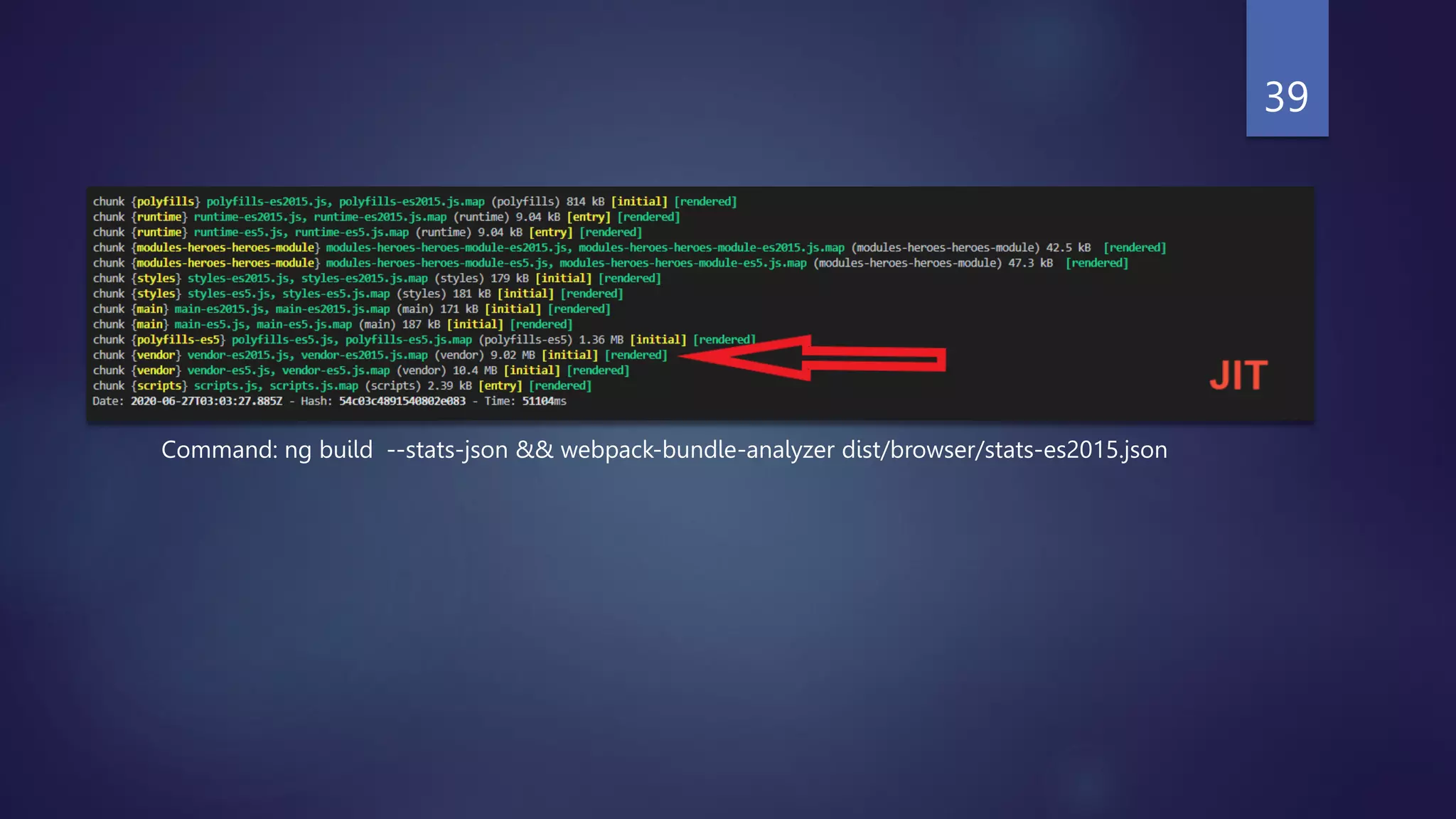
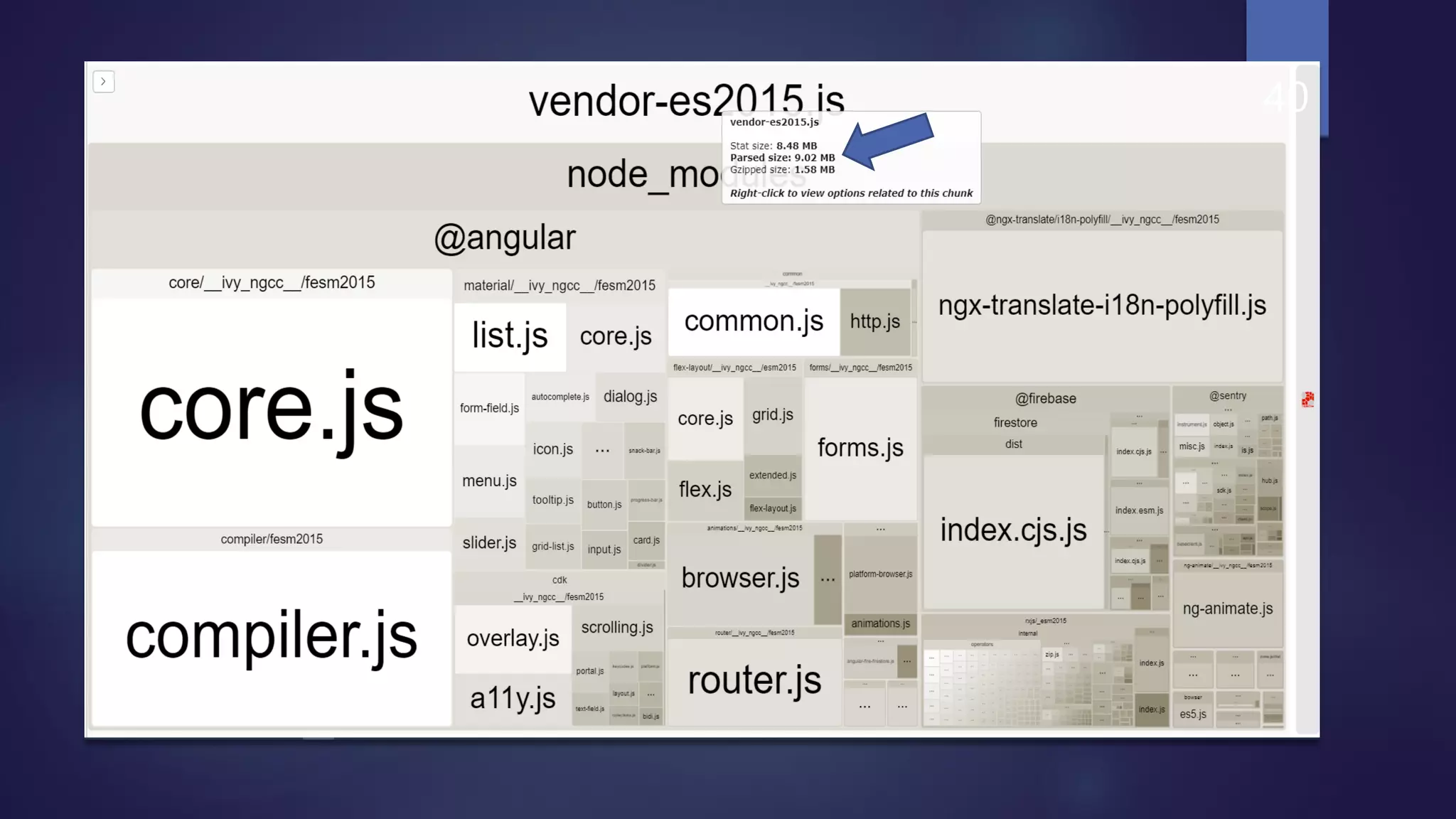
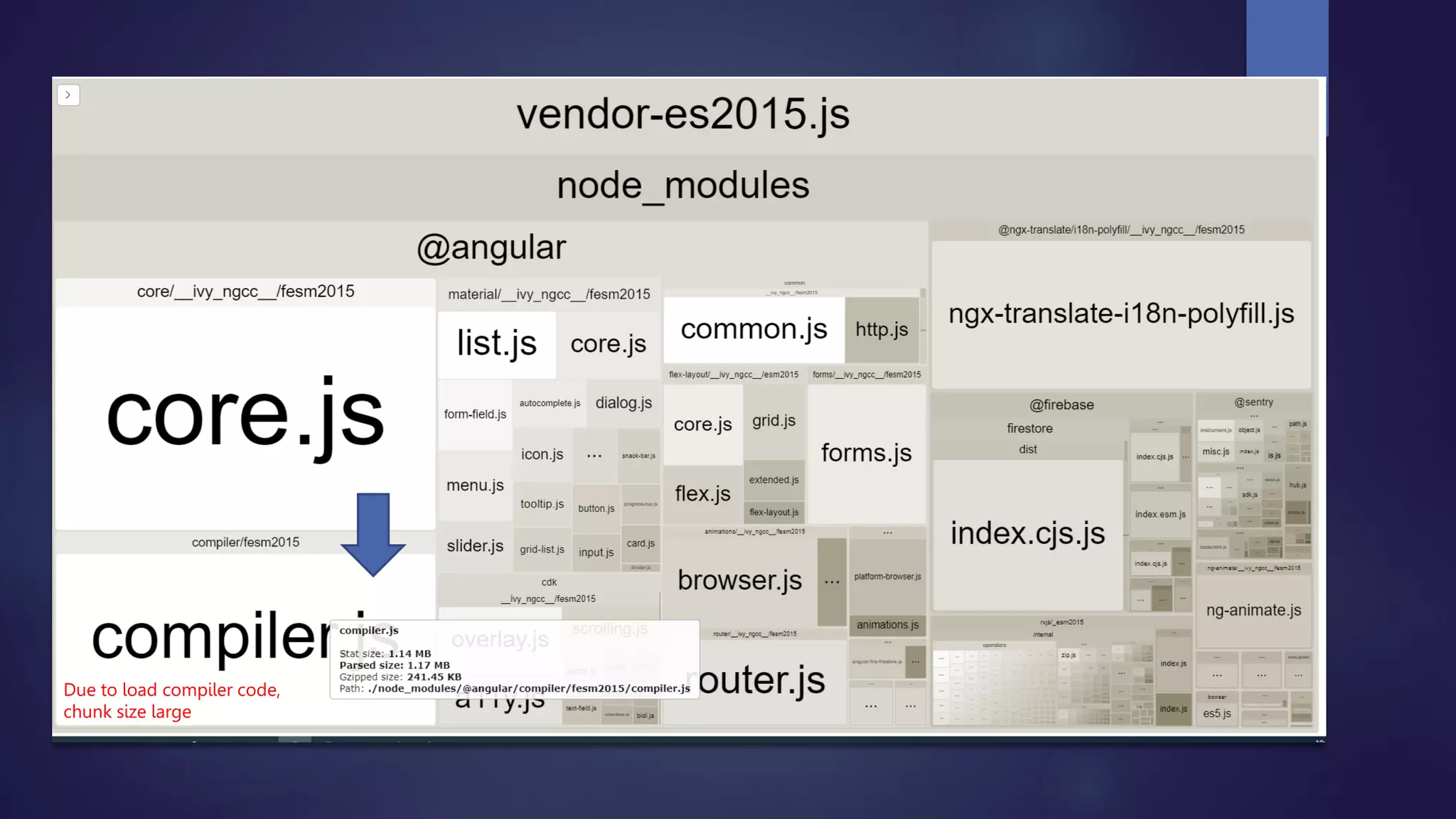
 Include the compiler code into the bundle that’s why chunk is large.
 Command for JIT (ng serve,ng build)
36
37
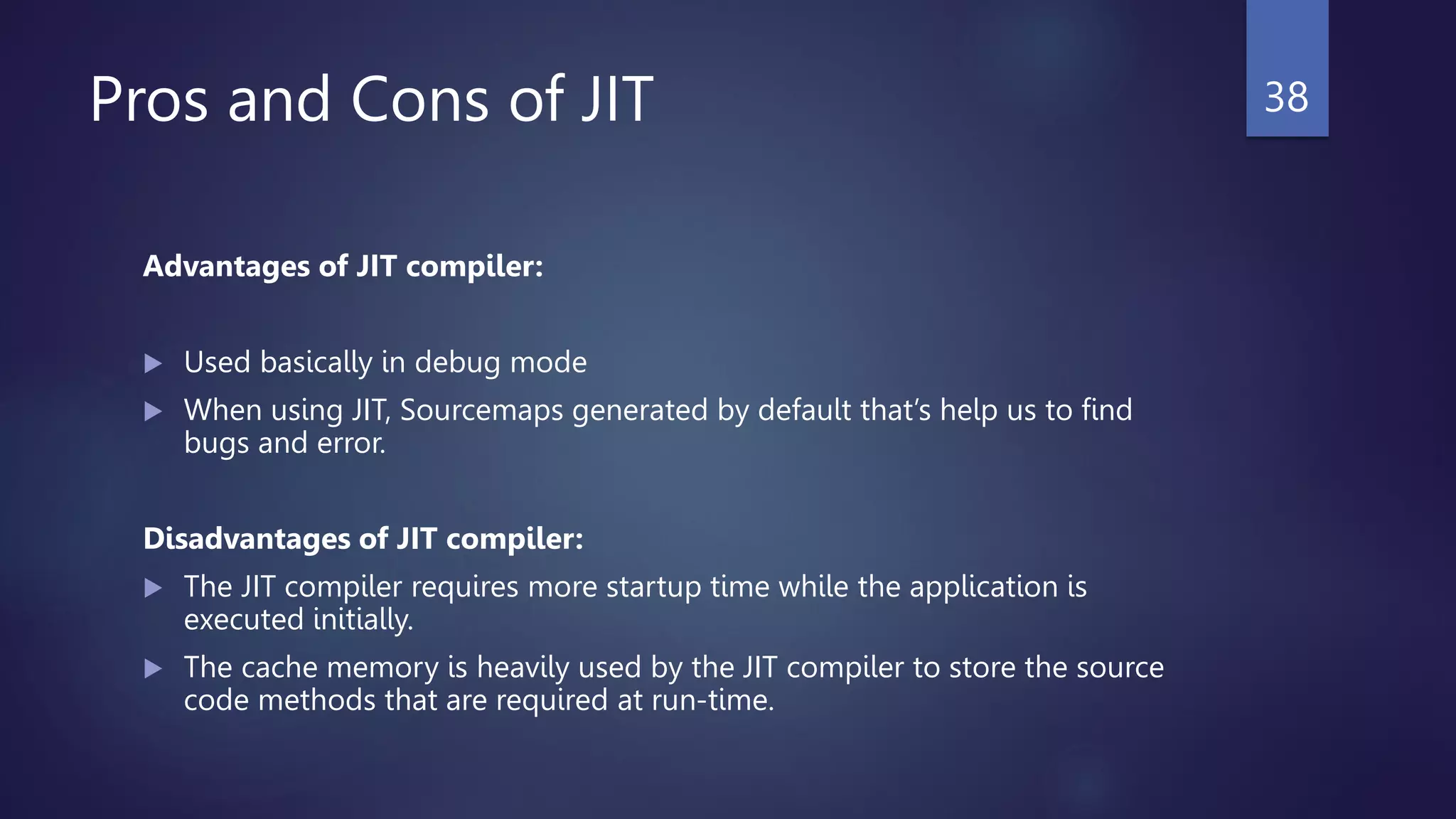
Pros and Cons of JIT
Advantages of JIT compiler:
 Used basically in debug mode
 When using JIT, Sourcemaps generated by default that’s help us to find
bugs and error.
Disadvantages of JIT compiler:
 The JIT compiler requires more startup time while the application is
executed initially.
 The cache memory is heavily used by the JIT compiler to store the source
code methods that are required at run-time.
38
Command: ng build --stats-json && webpack-bundle-analyzer dist/browser/stats-es2015.json
39
40
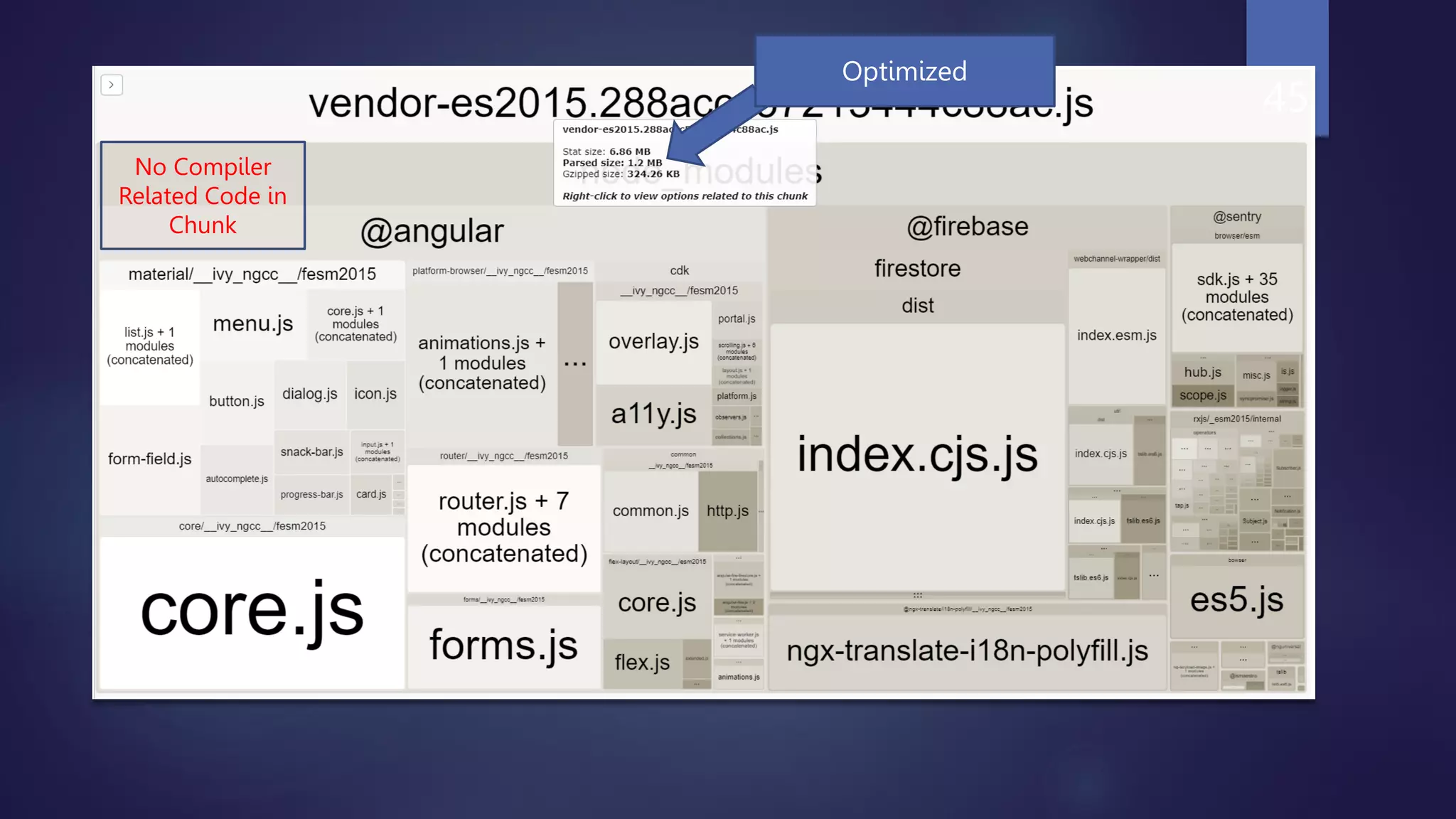
Due to load compiler code,
chunk size large
AOT (Ahead Of Time)
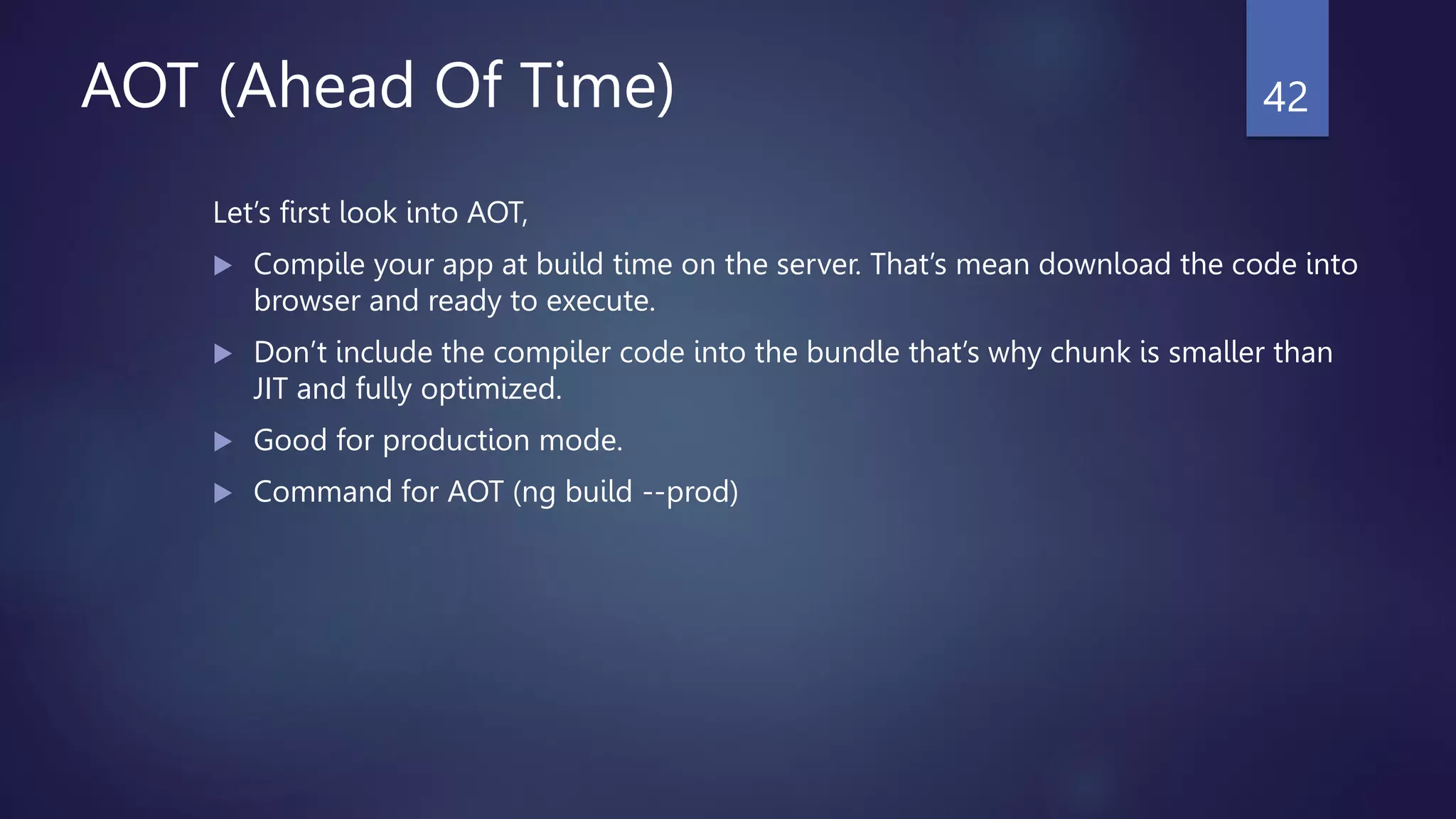
Let’s first look into AOT,
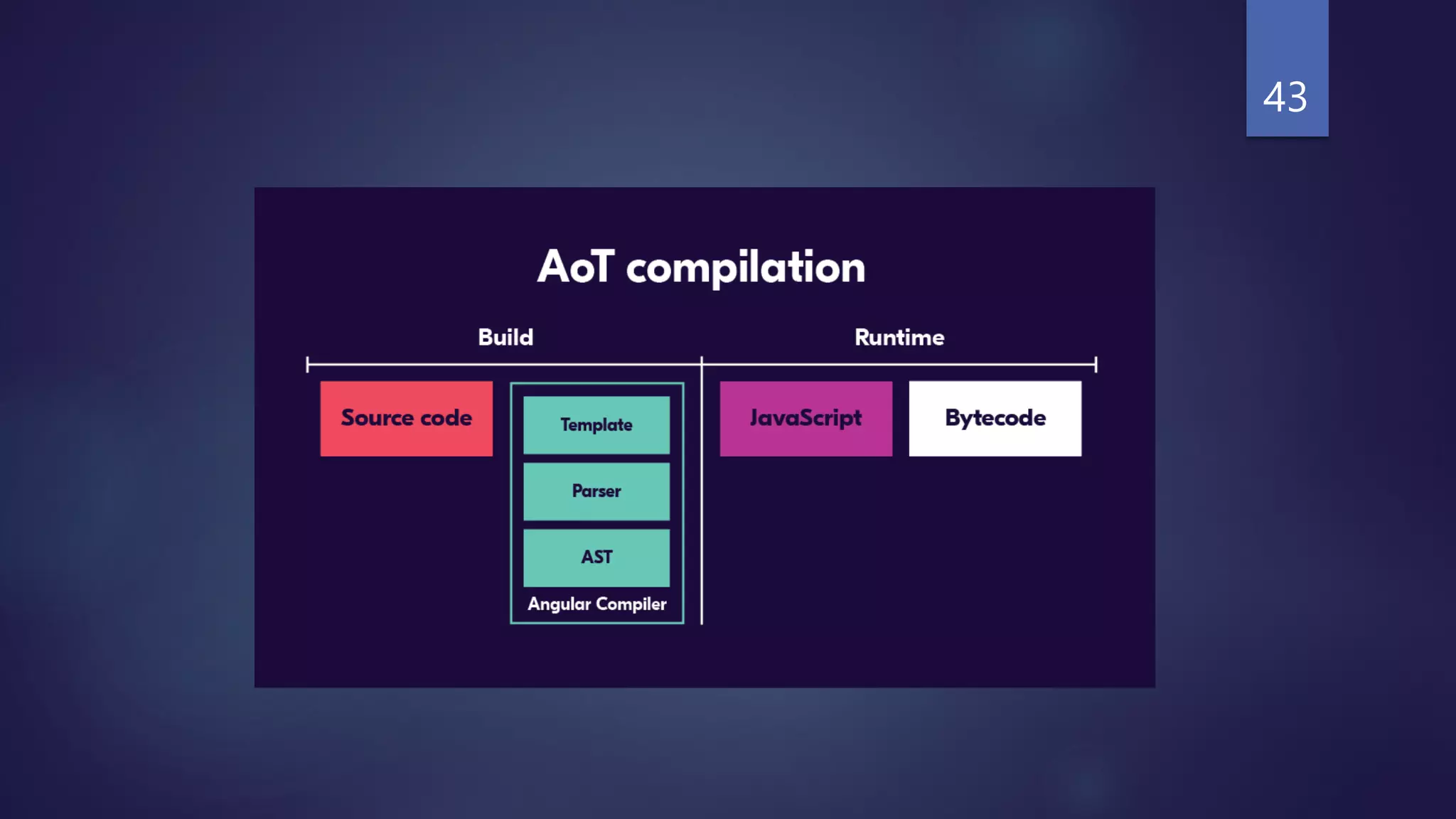
 Compile your app at build time on the server. That’s mean download the code into
browser and ready to execute.
 Don’t include the compiler code into the bundle that’s why chunk is smaller than
JIT and fully optimized.
 Good for production mode.
 Command for AOT (ng build --prod)
42
43
44
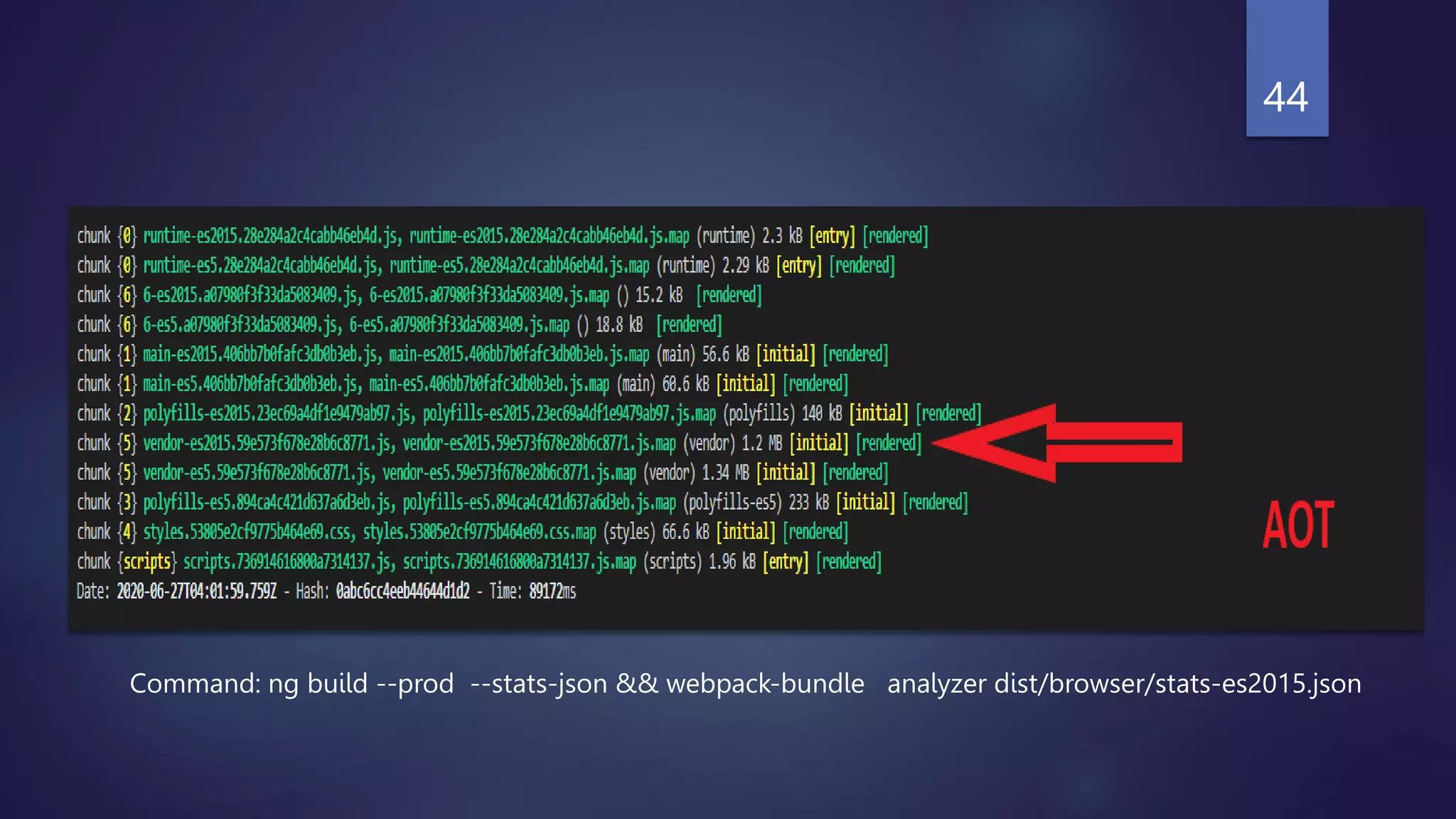
Command: ng build --prod --stats-json && webpack-bundle analyzer dist/browser/stats-es2015.json
45
No Compiler
Related Code in
Chunk
Optimized
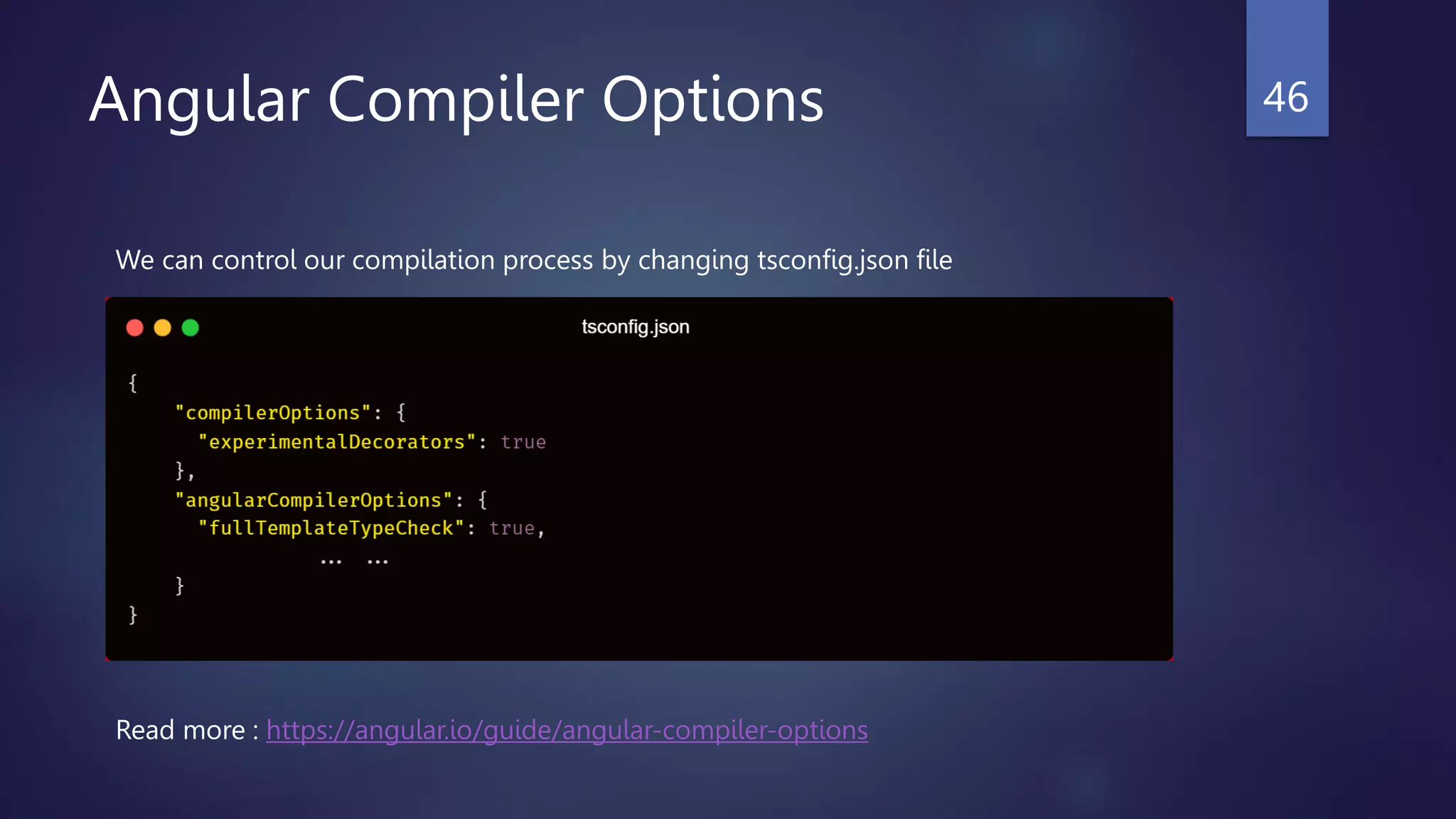
Angular Compiler Options 46
We can control our compilation process by changing tsconfig.json file
Read more : https://angular.io/guide/angular-compiler-options
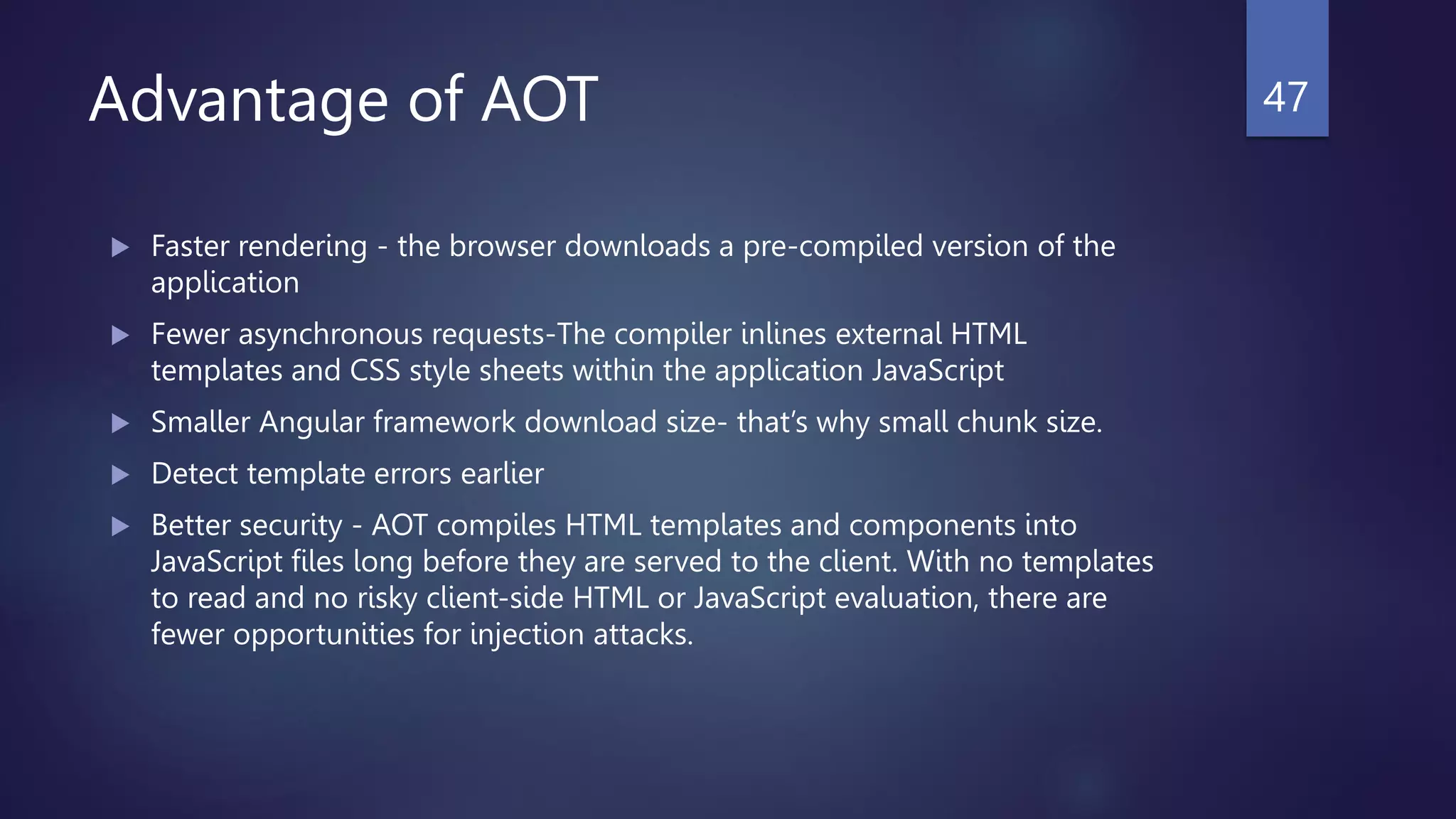
Advantage of AOT
 Faster rendering - the browser downloads a pre-compiled version of the
application
 Fewer asynchronous requests-The compiler inlines external HTML
templates and CSS style sheets within the application JavaScript
 Smaller Angular framework download size- that’s why small chunk size.
 Detect template errors earlier
 Better security - AOT compiles HTML templates and components into
JavaScript files long before they are served to the client. With no templates
to read and no risky client-side HTML or JavaScript evaluation, there are
fewer opportunities for injection attacks.
47
Questions?
48
Future Plan
 Angular Ivy Compilation & Rendering
 Deep dive into Service Worker & PWA
 Angular Schematics
 Performance Optimization Checklist for Angular App
 Angular Server Side Rendering (SSR) & Pre-render application
 ngRx Store
49
References
 https://angular.io/
 https://dev.to/eugeniolentini/an-introduction-to-angular-9-ivy-compiler-
177n#lingo
 https://medium.com/@trungutt/yet-another-explanation-on-sourcemap-
669797e418ce
 https://www.youtube.com/watch?v=anphffaczrq
 https://www.npmjs.com/package/vlq
50
Thank You
51

Knowledge Sharing Session on JavaScript Source Maps & Angular Compilation

  • 1.
    Knowledge Sharing Sessionon Javascript SourceMaps & Angular Compilation 1 Md. Zahidur Rahman Software Engineer Cefalo Bangladesh Ltd. linkedin.com/in/zahid-rahman492
  • 2.
  • 3.
  • 4.
    After application runin browser, we see the error in our minify and uglify code, when we press the line of the error. We get uglify code that is not readable and hard to understand what’s the problem into in their. 4 Console
  • 5.
    Code readability isso poor that’s why it is tough to us what’s the problem into the code and also debug is so tough. 5
  • 6.
    This problem resolveby SourceMaps. 6
  • 7.
    SourceMaps  To Client-sidecode readable  More importantly debuggable  A JSON file that maps source file locations to other original source file locations. Basically it's a way to map a combined/minified file back to an unbuilt state. 7
  • 8.
    SourceMaps (Con’t) After minifiedcode, we see a line It will create a callback to the original source code. //# sourceMappingURL=main.es2015.js.map //# sourceMappingURL=https://vpn.abc.com/static/main.es2015.js.map //# sourceMappingURL=data:application/json;charset=utf-8;base64,eyJ2 /*# sourceMappingURL=styles.js.map 8
  • 9.
  • 10.
  • 11.
  • 12.
    Source Map (JSON) versionSoureMaps spec version currently 3 sources Input sources file directory file Output source code file sourceContent Raw source code mappings Mapping from Output file to Input File 12
  • 13.
     Begins atstart of output file (line 0)  Each semicolon (;) denotes a new line  Each segment(AAAA,QAAS) denotes mapping of the generated file to source file 13
  • 14.
  • 15.
    VLQ (Variable LengthQuantity)  A variable-length quantity (VLQ) is a universal code that uses an arbitrary number of binary octets (eight-bit bytes) to represent an arbitrarily large integer. 15 Interger/Tuple VLQ 0 A 1 B 123 2H 188 4L [4,0,0,6] IAAM [15,0,0,17] WAAM * To know more about VLQ, read this article, https://www.lucidchart.com/techblog/2019/08/22/decode-encoding-base64-vlqs- source-maps/
  • 16.
  • 17.
    No worry !!!,we can use any standard vlq library. 17
  • 18.
  • 20.
    Angular CLI (Enable/Disable SourceMap) 20
  • 21.
  • 22.
  • 23.
    Conclusion  By sourcemap, we understand meaningful stack trace.  By source-map-explorer library, we can analyze which file each byte in our is coming from. npm install -g source-map-explorer source-map-explorer factorial.min.js.map 23
  • 24.
  • 25.
  • 26.
    The Compiler transformsthe source code of an Angular application for achieving higher efficiency. 26
  • 27.
    TypeScript Transpiler Architecture27 • parse: recursive descent parser that produces the abstract syntax tree(AST); • type check: perform type analysis on every file, report found error. • AST to AST: remove type declarations, convert class into ES5, async methods, etc. tsc
  • 28.
    Type Definition 28 ***.d.ts: It describes the interface or public API of the library. It helps us to static type check when you import this library.
  • 29.
  • 30.
    Angular Compilation 30 Program Initialization AnalysisResolve Type Checking Emit Program Initialization • Starting from tsconfig.json • Process to discover source files (.ts & .d.ts) files to compile.
  • 31.
    Angular Compilation 31 Program Initialization AnalysisResolve Type Checking Emit Analysis • Collect all ts file class by class • Looks for angular directive • Try to understand each component/directive/pipe • Gathering information about the structure
  • 32.
    Angular Compilation 32 Program Initialization AnalysisResolve Type Checking Emit Resolve • Now look forward to bigger screen , resolve corresponding module • Understand structure, dependencies. • Make optimization decisions • Finally all code is understandable and parseable.
  • 33.
    Angular Compilation 33 Program Initialization AnalysisResolve Type Checking Emit Type Checking • Validate expressions in component/templates
  • 34.
    Angular Compilation 34 Program Initialization AnalysisResolve Type Checking Emit Emit • Most expensive operation • Typescript code transformed into JavaScript ready code that have been run by browser.
  • 35.
    Angular Compilation Mode JIT( Just In Time)  AOT (Ahead Of Time) 35
  • 36.
    JIT Let’s first lookinto JIT,  compiles your app in the browser at runtime. That’s mean download the code and compile into runtime.  Include the compiler code into the bundle that’s why chunk is large.  Command for JIT (ng serve,ng build) 36
  • 37.
  • 38.
    Pros and Consof JIT Advantages of JIT compiler:  Used basically in debug mode  When using JIT, Sourcemaps generated by default that’s help us to find bugs and error. Disadvantages of JIT compiler:  The JIT compiler requires more startup time while the application is executed initially.  The cache memory is heavily used by the JIT compiler to store the source code methods that are required at run-time. 38
  • 39.
    Command: ng build--stats-json && webpack-bundle-analyzer dist/browser/stats-es2015.json 39
  • 40.
  • 41.
    Due to loadcompiler code, chunk size large
  • 42.
    AOT (Ahead OfTime) Let’s first look into AOT,  Compile your app at build time on the server. That’s mean download the code into browser and ready to execute.  Don’t include the compiler code into the bundle that’s why chunk is smaller than JIT and fully optimized.  Good for production mode.  Command for AOT (ng build --prod) 42
  • 43.
  • 44.
    44 Command: ng build--prod --stats-json && webpack-bundle analyzer dist/browser/stats-es2015.json
  • 45.
    45 No Compiler Related Codein Chunk Optimized
  • 46.
    Angular Compiler Options46 We can control our compilation process by changing tsconfig.json file Read more : https://angular.io/guide/angular-compiler-options
  • 47.
    Advantage of AOT Faster rendering - the browser downloads a pre-compiled version of the application  Fewer asynchronous requests-The compiler inlines external HTML templates and CSS style sheets within the application JavaScript  Smaller Angular framework download size- that’s why small chunk size.  Detect template errors earlier  Better security - AOT compiles HTML templates and components into JavaScript files long before they are served to the client. With no templates to read and no risky client-side HTML or JavaScript evaluation, there are fewer opportunities for injection attacks. 47
  • 48.
  • 49.
    Future Plan  AngularIvy Compilation & Rendering  Deep dive into Service Worker & PWA  Angular Schematics  Performance Optimization Checklist for Angular App  Angular Server Side Rendering (SSR) & Pre-render application  ngRx Store 49
  • 50.
    References  https://angular.io/  https://dev.to/eugeniolentini/an-introduction-to-angular-9-ivy-compiler- 177n#lingo https://medium.com/@trungutt/yet-another-explanation-on-sourcemap- 669797e418ce  https://www.youtube.com/watch?v=anphffaczrq  https://www.npmjs.com/package/vlq 50
  • 51.