Computer Security
UC Santa Cruz’s Basic Overview
Introduction
2011
its.ucsc.edu
THINKING AT THE EDGE
2
Navigating This Tutorial
This Computer Security Overview Training
consists of 11 different self-paced modules that you can
view in your web browser or download to your computer.
Each module is designed to take approximately
5-15 minutes to complete and includes a certificate at the
end that you can print out and have signed.
Once you complete each module, you can go back to the
ITS Security Awareness Training site
(http://its.ucsc.edu/security_awareness/training.php) to
view or download the next one. You can also visit this
website at any time to review the information in these
training modules or to take additional tutorials as they
become available.
3
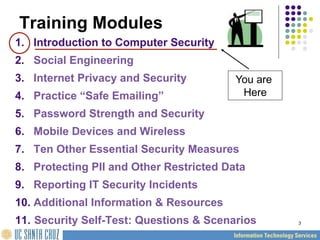
Training Modules
1. Introduction to Computer Security
2. Social Engineering
3. Internet Privacy and Security
4. Practice “Safe Emailing”
5. Password Strength and Security
6. Mobile Devices and Wireless
7. Ten Other Essential Security Measures
8. Protecting PII and Other Restricted Data
9. Reporting IT Security Incidents
10. Additional Information  Resources
11. Security Self-Test: Questions  Scenarios
You are
Here
1. Introduction to
Computer Security
5
What is Computer
Security?
6
Computer Security is the
protection of computing
systems and the data that
they store or access
7
Why is Computer Security
Important?
Computer Security allows the
University to carry out its mission by:
 Enabling people to carry out their jobs,
education, and research.
 Supporting critical business processes
 Protecting personal and sensitive information
8
Why do I need to learn about
Computer Security?
Isn’t this just an IT Problem?
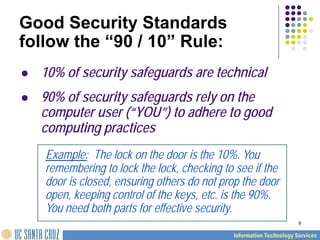
9
 10% of security safeguards are technical
 90% of security safeguards rely on the
computer user (“YOU”) to adhere to good
computing practices
Example: The lock on the door is the 10%. You
remembering to lock the lock, checking to see if the
door is closed, ensuring others do not prop the door
open, keeping control of the keys, etc. is the 90%.
You need both parts for effective security.
Good Security Standards
follow the “90 / 10” Rule:
10
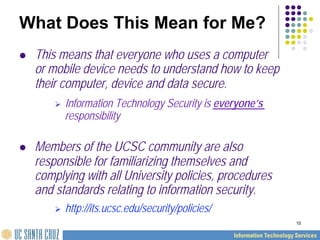
What Does This Mean for Me?
 This means that everyone who uses a computer
or mobile device needs to understand how to keep
their computer, device and data secure.
 Information Technology Security is everyone’s
responsibility
 Members of the UCSC community are also
responsible for familiarizing themselves and
complying with all University policies, procedures
and standards relating to information security.
 http://its.ucsc.edu/security/policies/
11
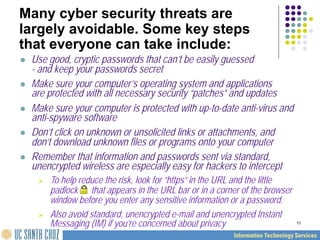
Many cyber security threats are
largely avoidable. Some key steps
that everyone can take include:
 Use good, cryptic passwords that can’t be easily guessed
- and keep your passwords secret
 Make sure your computer’s operating system and applications
are protected with all necessary security “patches” and updates
 Make sure your computer is protected with up-to-date anti-virus and
anti-spyware software
 Don’t click on unknown or unsolicited links or attachments, and
don’t download unknown files or programs onto your computer
 Remember that information and passwords sent via standard,
unencrypted wireless are especially easy for hackers to intercept
 To help reduce the risk, look for “https” in the URL and the little
padlock that appears in the URL bar or in a corner of the browser
window before you enter any sensitive information or a password.
 Also avoid standard, unencrypted e-mail and unencrypted Instant
Messaging (IM) if you’re concerned about privacy
12
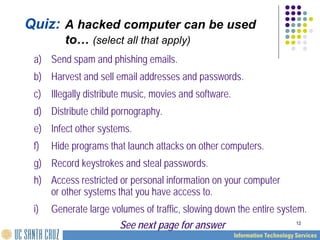
Quiz: A hacked computer can be used
to… (select all that apply)
a) Send spam and phishing emails.
b) Harvest and sell email addresses and passwords.
c) Illegally distribute music, movies and software.
d) Distribute child pornography.
e) Infect other systems.
f) Hide programs that launch attacks on other computers.
g) Record keystrokes and steal passwords.
h) Access restricted or personal information on your computer
or other systems that you have access to.
i) Generate large volumes of traffic, slowing down the entire system.
See next page for answer
13
Of course, the answer is
“All of the above.”
A compromised computer can be used
for all kinds of surprising things.
14
Protecting UCSC’s Networks
Computers posing a serious threat will be
blocked or disconnected from the campus
network. Passwords known to be
compromised will be scrambled.
•“Central campus network and security personnel take immediate
action to mitigate any threats that have the potential to pose a
serious risk to campus information system resources or the Internet.
If the threat is deemed serious enough, the computer(s) posing the
threat will be blocked or disconnected from network access.”
•The “UCSC Guidelines and Procedures for Blocking Network
Access” are available online at:
http://its.ucsc.edu/security/policies/blockingproc.php
15
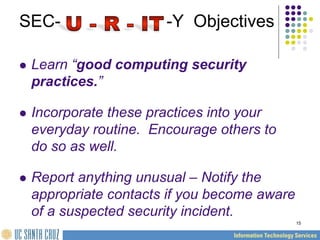
SEC- -Y Objectives
 Learn “good computing security
practices.”
 Incorporate these practices into your
everyday routine. Encourage others to
do so as well.
 Report anything unusual – Notify the
appropriate contacts if you become aware
of a suspected security incident.
16
What are the consequences for
security violations?
 Risk to security and integrity of personal or confidential
information
 e.g. identity theft, data corruption or destruction,
unavailability of critical information in an emergency, etc.
 Loss of valuable business information
 Loss of employee and public trust, embarrassment, bad publicity,
media coverage, news reports
 Costly reporting requirements in the case of a compromise of
certain types of personal, financial and health information
 Internal disciplinary action(s) up to and including termination of
employment, as well as possible penalties, prosecution and the
potential for sanctions / lawsuits
17
The different modules of
this tutorial will:
 Discuss the risks to your computer
and the data it contains
 Provide additional guidelines for
avoiding risks
 Suggest some practical and easy
solutions
18
Would you like to:
(please click on an option)
Start again
Finish  go to the certificate
Select another lesson

Kel1 Computer security - UC Santa Cruz's.pdf

  • 1.
    Computer Security UC SantaCruz’s Basic Overview Introduction 2011 its.ucsc.edu THINKING AT THE EDGE
  • 2.
    2 Navigating This Tutorial ThisComputer Security Overview Training consists of 11 different self-paced modules that you can view in your web browser or download to your computer. Each module is designed to take approximately 5-15 minutes to complete and includes a certificate at the end that you can print out and have signed. Once you complete each module, you can go back to the ITS Security Awareness Training site (http://its.ucsc.edu/security_awareness/training.php) to view or download the next one. You can also visit this website at any time to review the information in these training modules or to take additional tutorials as they become available.
  • 3.
    3 Training Modules 1. Introductionto Computer Security 2. Social Engineering 3. Internet Privacy and Security 4. Practice “Safe Emailing” 5. Password Strength and Security 6. Mobile Devices and Wireless 7. Ten Other Essential Security Measures 8. Protecting PII and Other Restricted Data 9. Reporting IT Security Incidents 10. Additional Information Resources 11. Security Self-Test: Questions Scenarios You are Here
  • 4.
  • 5.
  • 6.
    6 Computer Security isthe protection of computing systems and the data that they store or access
  • 7.
    7 Why is ComputerSecurity Important? Computer Security allows the University to carry out its mission by: Enabling people to carry out their jobs, education, and research. Supporting critical business processes Protecting personal and sensitive information
  • 8.
    8 Why do Ineed to learn about Computer Security? Isn’t this just an IT Problem?
  • 9.
    9 10% ofsecurity safeguards are technical 90% of security safeguards rely on the computer user (“YOU”) to adhere to good computing practices Example: The lock on the door is the 10%. You remembering to lock the lock, checking to see if the door is closed, ensuring others do not prop the door open, keeping control of the keys, etc. is the 90%. You need both parts for effective security. Good Security Standards follow the “90 / 10” Rule:
  • 10.
    10 What Does ThisMean for Me? This means that everyone who uses a computer or mobile device needs to understand how to keep their computer, device and data secure. Information Technology Security is everyone’s responsibility Members of the UCSC community are also responsible for familiarizing themselves and complying with all University policies, procedures and standards relating to information security. http://its.ucsc.edu/security/policies/
  • 11.
    11 Many cyber securitythreats are largely avoidable. Some key steps that everyone can take include: Use good, cryptic passwords that can’t be easily guessed - and keep your passwords secret Make sure your computer’s operating system and applications are protected with all necessary security “patches” and updates Make sure your computer is protected with up-to-date anti-virus and anti-spyware software Don’t click on unknown or unsolicited links or attachments, and don’t download unknown files or programs onto your computer Remember that information and passwords sent via standard, unencrypted wireless are especially easy for hackers to intercept To help reduce the risk, look for “https” in the URL and the little padlock that appears in the URL bar or in a corner of the browser window before you enter any sensitive information or a password. Also avoid standard, unencrypted e-mail and unencrypted Instant Messaging (IM) if you’re concerned about privacy
  • 12.
    12 Quiz: A hackedcomputer can be used to… (select all that apply) a) Send spam and phishing emails. b) Harvest and sell email addresses and passwords. c) Illegally distribute music, movies and software. d) Distribute child pornography. e) Infect other systems. f) Hide programs that launch attacks on other computers. g) Record keystrokes and steal passwords. h) Access restricted or personal information on your computer or other systems that you have access to. i) Generate large volumes of traffic, slowing down the entire system. See next page for answer
  • 13.
    13 Of course, theanswer is “All of the above.” A compromised computer can be used for all kinds of surprising things.
  • 14.
    14 Protecting UCSC’s Networks Computersposing a serious threat will be blocked or disconnected from the campus network. Passwords known to be compromised will be scrambled. •“Central campus network and security personnel take immediate action to mitigate any threats that have the potential to pose a serious risk to campus information system resources or the Internet. If the threat is deemed serious enough, the computer(s) posing the threat will be blocked or disconnected from network access.” •The “UCSC Guidelines and Procedures for Blocking Network Access” are available online at: http://its.ucsc.edu/security/policies/blockingproc.php
  • 15.
    15 SEC- -Y Objectives Learn “good computing security practices.” Incorporate these practices into your everyday routine. Encourage others to do so as well. Report anything unusual – Notify the appropriate contacts if you become aware of a suspected security incident.
  • 16.
    16 What are theconsequences for security violations? Risk to security and integrity of personal or confidential information e.g. identity theft, data corruption or destruction, unavailability of critical information in an emergency, etc. Loss of valuable business information Loss of employee and public trust, embarrassment, bad publicity, media coverage, news reports Costly reporting requirements in the case of a compromise of certain types of personal, financial and health information Internal disciplinary action(s) up to and including termination of employment, as well as possible penalties, prosecution and the potential for sanctions / lawsuits
  • 17.
    17 The different modulesof this tutorial will: Discuss the risks to your computer and the data it contains Provide additional guidelines for avoiding risks Suggest some practical and easy solutions
  • 18.
    18 Would you liketo: (please click on an option) Start again Finish go to the certificate Select another lesson