What is ApacheKafka?
Kafka is a distributed event streaming platform.
Developed by LinkedIn, now under Apache Foundation.
Used for building real-time data pipelines and streaming apps.
3.
Why Kafka?
High throughputand low latency.
Scalable and fault-tolerant.
Decouples producers and consumers.
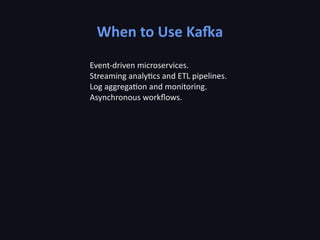
Ideal for real-time analytics, monitoring, and event sourcing.
4.
Core Concepts
Producer: sendsmessages to topics.
Topic: category where records are published.
Partition: parallel unit of storage within a topic.
Consumer: reads messages from topics.
Broker: Kafka server managing data storage and replication.
5.
Kafka Architecture
Cluster ofbrokers handles message distribution.
Producers push data to topics.
Consumers pull data from topics.
ZooKeeper (legacy) or KRaft manages metadata and coordination.
6.
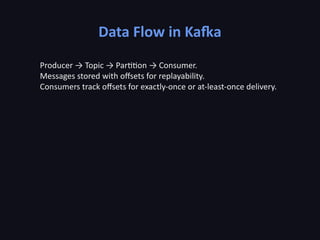
Data Flow inKafka
Producer → Topic → Partition → Consumer.
Messages stored with offsets for replayability.
Consumers track offsets for exactly-once or at-least-once delivery.
7.
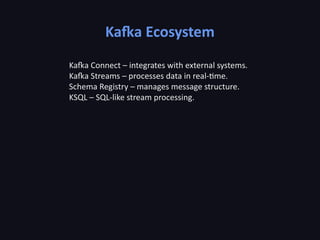
Kafka Ecosystem
Kafka Connect– integrates with external systems.
Kafka Streams – processes data in real-time.
Schema Registry – manages message structure.
KSQL – SQL-like stream processing.
8.
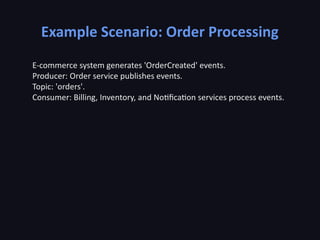
Example Scenario: OrderProcessing
E-commerce system generates 'OrderCreated' events.
Producer: Order service publishes events.
Topic: 'orders'.
Consumer: Billing, Inventory, and Notification services process events.
9.
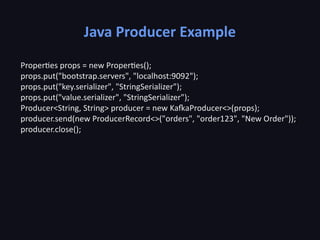
Java Producer Example
Propertiesprops = new Properties();
props.put("bootstrap.servers", "localhost:9092");
props.put("key.serializer", "StringSerializer");
props.put("value.serializer", "StringSerializer");
Producer<String, String> producer = new KafkaProducer<>(props);
producer.send(new ProducerRecord<>("orders", "order123", "New Order"));
producer.close();
10.
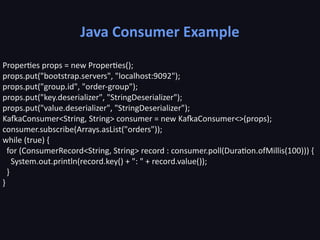
Java Consumer Example
Propertiesprops = new Properties();
props.put("bootstrap.servers", "localhost:9092");
props.put("group.id", "order-group");
props.put("key.deserializer", "StringDeserializer");
props.put("value.deserializer", "StringDeserializer");
KafkaConsumer<String, String> consumer = new KafkaConsumer<>(props);
consumer.subscribe(Arrays.asList("orders"));
while (true) {
for (ConsumerRecord<String, String> record : consumer.poll(Duration.ofMillis(100))) {
System.out.println(record.key() + ": " + record.value());
}
}
11.
Kafka Retention &Replay
Kafka retains messages for a defined period or size.
Consumers can replay messages from offsets.
Supports debugging, recovery, and auditing.
12.
Scaling Kafka
Add morepartitions to increase parallelism.
Replicate partitions for fault tolerance.
Producers can use partition keys for ordering guarantees.
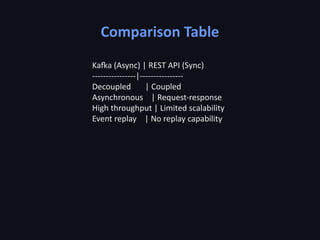
Comparison Table
Kafka (Async)| REST API (Sync)
----------------|----------------
Decoupled | Coupled
Asynchronous | Request-response
High throughput | Limited scalability
Event replay | No replay capability
18.
Best Practices
Use schemaregistry to manage message format.
Partition data logically for load distribution.
Enable replication for fault tolerance.
Monitor consumer lag.
19.
Troubleshooting
Check broker logsand consumer offsets.
Monitor using Kafka Manager or Prometheus.
Watch for under-replicated partitions.
Use idempotent producers to avoid duplicates.
20.
Security in Kafka
UseSSL/TLS for encryption.
SASL authentication for clients.
ACLs for topic access control.
21.
Kafka in Production
Deployacross multiple availability zones.
Automate with Kubernetes or Confluent tools.
Ensure monitoring and alerting systems.
22.
Real-World Use Cases
Netflix:Real-time monitoring & recommendations.
Uber: Stream processing for ETAs.
LinkedIn: Activity streams & metrics collection.
23.
Summary
Kafka enables scalable,reliable event streaming.
Decouples systems via pub/sub architecture.
Ideal for modern distributed systems.
24.
Key Takeaways
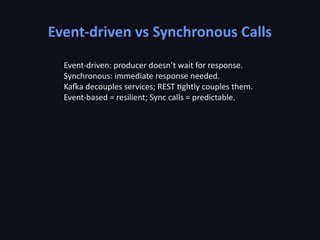
Event-driven designimproves scalability.
Kafka ensures durability and replayability.
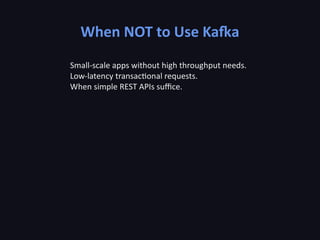
Use Kafka wisely — not every system needs it.