Deploying Joomla sites with GIT
Ashwin Date
CTO, Techjoomla
Director, Tekdi Web Solutions
@coolbung | @techjoomla
www.techjoomla.com
My Joomla! connection

●

5-star personality on the Joomla Forum

●

Started using Joomla since Mambo days

●

Started on development work since Joomla 1.0
What is the presentation about ?
●

GIT - Replacement for FTP

●

Not the only way, just a guideline

●

My learning on the way

●

Looking out for more ideas!
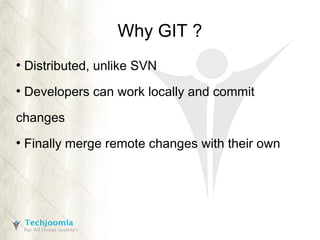
Why GIT ?
●

Distributed, unlike SVN

●

Developers can work locally and commit

changes
●

Finally merge remote changes with their own
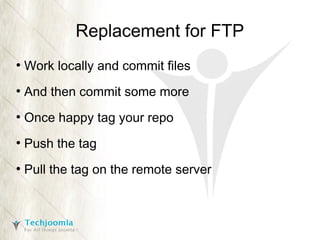
Replacement for FTP
●

Work locally and commit files

●

And then commit some more

●

Once happy tag your repo

●

Push the tag

●

Pull the tag on the remote server
But why GIT ?
●

You overwrote my changes!

●

Something happened and the site crashed!
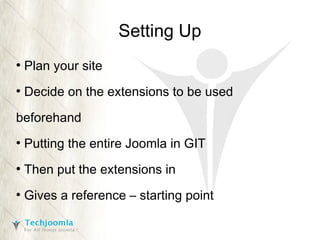
Setting Up
●

Plan your site

●

Decide on the extensions to be used

beforehand
●

Putting the entire Joomla in GIT

●

Then put the extensions in

●

Gives a reference – starting point
Working with Joomla / Extensions
●

Developers can work locally and commit

changes
●

Merge remote changes with their own

●

Each application version is tagged

●

Tags used to pull & deploy a version to

staging/production
Doing the Deployment
●

Server has a clone of the repository

●

Pull the latest changes

●

Checkout the tag

●

Copy tag files to httpdocs-<tag>

●

Symlink your httpdocs to httpdocs-<tag>
Doing the Deployment
●

In case of a problem, easily roll back to last

version, since each version is just a symlinked
folder
●

Write a small .htversion file to your Joomla root.

Can be used to display application version
Managing Upgrades
●

Perform upgrade on development clone

●

Push updated files

●

Perform the deployment as usual
Careful!
●

Installing new extensions

●

Managing configurations

●

Handling database changes

●

Document manual changes needed in all the

versions
Automation
●

Script to perform deployments -

https://github.com/techjoomla/Joomla-Extensions/tree/master/scripts
Thank You
Ashwin Date
Twitter : @coolbung / @techjoomla
Email : ashwin@techjoomla.com
http://www.slideshare.net/coolbung

Deploying Joomla sites with GIT

  • 1.
    Deploying Joomla siteswith GIT Ashwin Date CTO, Techjoomla Director, Tekdi Web Solutions @coolbung | @techjoomla www.techjoomla.com
  • 2.
    My Joomla! connection ● 5-starpersonality on the Joomla Forum ● Started using Joomla since Mambo days ● Started on development work since Joomla 1.0
  • 3.
    What is thepresentation about ? ● GIT - Replacement for FTP ● Not the only way, just a guideline ● My learning on the way ● Looking out for more ideas!
  • 4.
    Why GIT ? ● Distributed,unlike SVN ● Developers can work locally and commit changes ● Finally merge remote changes with their own
  • 5.
    Replacement for FTP ● Worklocally and commit files ● And then commit some more ● Once happy tag your repo ● Push the tag ● Pull the tag on the remote server
  • 6.
    But why GIT? ● You overwrote my changes! ● Something happened and the site crashed!
  • 7.
    Setting Up ● Plan yoursite ● Decide on the extensions to be used beforehand ● Putting the entire Joomla in GIT ● Then put the extensions in ● Gives a reference – starting point
  • 8.
    Working with Joomla/ Extensions ● Developers can work locally and commit changes ● Merge remote changes with their own ● Each application version is tagged ● Tags used to pull & deploy a version to staging/production
  • 9.
    Doing the Deployment ● Serverhas a clone of the repository ● Pull the latest changes ● Checkout the tag ● Copy tag files to httpdocs-<tag> ● Symlink your httpdocs to httpdocs-<tag>
  • 10.
    Doing the Deployment ● Incase of a problem, easily roll back to last version, since each version is just a symlinked folder ● Write a small .htversion file to your Joomla root. Can be used to display application version
  • 11.
    Managing Upgrades ● Perform upgradeon development clone ● Push updated files ● Perform the deployment as usual
  • 12.
    Careful! ● Installing new extensions ● Managingconfigurations ● Handling database changes ● Document manual changes needed in all the versions
  • 13.
    Automation ● Script to performdeployments - https://github.com/techjoomla/Joomla-Extensions/tree/master/scripts
  • 14.
    Thank You Ashwin Date Twitter: @coolbung / @techjoomla Email : ashwin@techjoomla.com http://www.slideshare.net/coolbung