




Hong Kong Drupal User Group
(HKDUG)

Workshop & Sharing
2014 March 8th
Presenter
●

Wong Hoi Sing Edison

●

CEO, PantaRei Design
–

●

Drupal developer & contributor
–

●

hswong3i@pantarei-design.com
https://drupal.org/user/33940

HKDUG Co-founder
Outline
●

What is Drupal?

●

Evaluate Drupal Project Online

●

Scalable & Modularized Architecture

●

Export Settings with Features

●

Revision Control with GIT
What is Drupal?
●

●

●

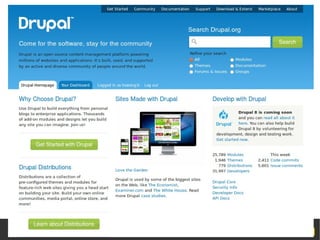
Drupal is an open-source platform and content
management system (CMS) for building dynamic web
sites
Distributed under the terms of the GNU General
Public License (or "GPL"), which means anyone is
free to download it and share it with others
To easily organize, manage and publish your content,
with an endless variety of customization
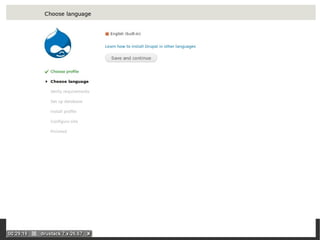
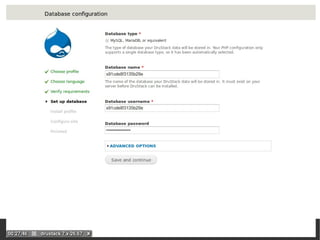
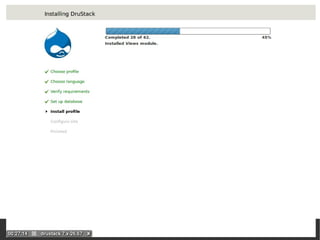
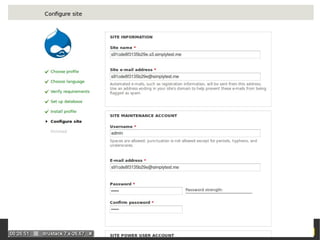
Evaluate Drupal Project Online
●

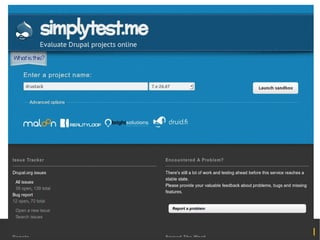
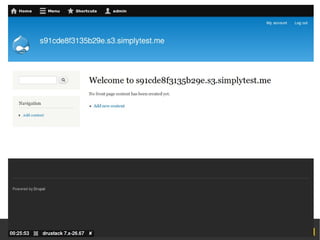
http://simplytest.me/

●

On-demand sandbox environments

●

No overhead for setup LAMP stack

●

Simple, fast and for free!

●

Let's try it now!
–

http://simplytest.me/project/drupal/7.x

–

http://simplytest.me/project/drupal/8.x

–

http://simplytest.me/project/drustack/7.x-26.x
Evaluate Drupal Project Online
(cont.)
●

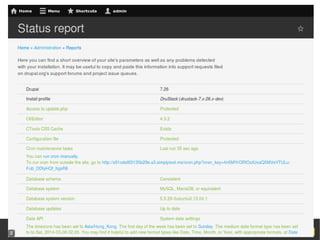
Check “Status report” page

●

Add new article

●

Add new main menu link

●

Add new block to region

●

Add new user

●

Change look & feel (theme)

●

Change system settings
Scalable & Modularized
Architecture
●

Why?
–
–

Reduce team development overhead

–
●

Easy for implementation
Managable and redeployable

How?
–

Categorizing changes in different level

–

Export data/settings with Features

–

Manage revision with GIT
Scalable & Modularized
Architecture (cont.)
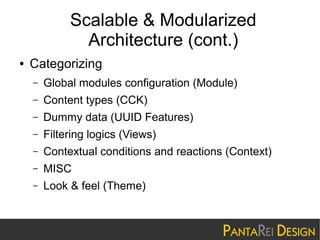
●

Categorizing
–

Global modules configuration (Module)

–

Content types (CCK)

–

Dummy data (UUID Features)

–

Filtering logics (Views)

–

Contextual conditions and reactions (Context)

–

MISC

–

Look & feel (Theme)
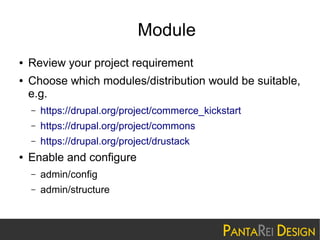
Module
●
●

Review your project requirement
Choose which modules/distribution would be suitable,
e.g.
–
–

https://drupal.org/project/commons

–
●

https://drupal.org/project/commerce_kickstart
https://drupal.org/project/drustack

Enable and configure
–

admin/config

–

admin/structure
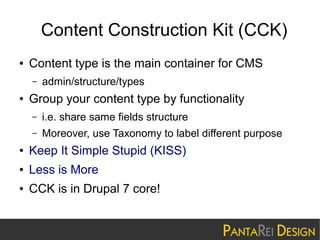
Content Construction Kit (CCK)
●

Content type is the main container for CMS
–

●

admin/structure/types

Group your content type by functionality
–

i.e. share same fields structure

–

Moreover, use Taxonomy to label different purpose

●

Keep It Simple Stupid (KISS)

●

Less is More

●

CCK is in Drupal 7 core!
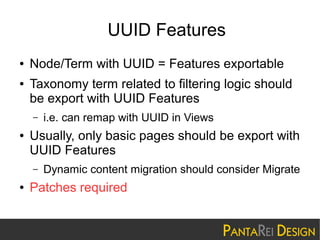
UUID Features
●
●

Node/Term with UUID = Features exportable
Taxonomy term related to filtering logic should
be export with UUID Features
–

●

Usually, only basic pages should be export with
UUID Features
–

●

i.e. can remap with UUID in Views

Dynamic content migration should consider Migrate

Patches required
Views
●

Filter content with no custom code nor SQL
required
–

admin/structure/views

●

Manage with GUI

●

Supported by most 3rd party modules

●

Exportable with Features
–

●

Good combo with Taxonomy + UUID Features!

Views is in Drupal 8 Core!
Context
●

Manage contextual conditions and reactions for
different portions
–

●

Very flexible and powerful (i.e. by rules)
–

●

Drupal default with by blocks

Reuse theme predefined regions
–

●

admin/structure/context

Panels default custom layout and design

Exportable with Features
–

Good combo with Taxonomy + UUID Features!
MISC
●

Custom blocks
–

https://drupal.org/project/boxes

–

https://drupal.org/project/bean

●

Custom modules

●

Additional functionality
Theme
●

●

Site should work well even with Drupal default
theme
Keep away from custom PHP logic
–
–

●

Try to implement with previous level
Reduce backend dependency

Don't hack core
–

Overriding with themable output
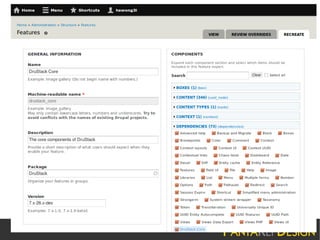
Export Settings with Features
●

By default, modules settings store in database
–

●

Features can export these dynamic changes into a
new custom module (a.k.a. Features export)
–

●

variable_get(), variable_set(), variable_del()

https://drupal.org/project/features

After export, latest changes can compare with
archived version, and (partly) rollback or recreate
Export Settings with Features
(cont.)
●

With Scalable & Modularized Architecture
–

●

Team development can be workout by sharing code,
and maintain own environment independently
–

●

Export each layer, each group of configuration, individually

Shared testbed (i.e. single copy of code + database) no
longer required

Redeployable
–

i.e. Continous Integration (CI) possible
Export Settings with Features
(cont.)
●

Knowledge management become possible

●

Reduce development risk

●

Reduce on going maintenance overhead
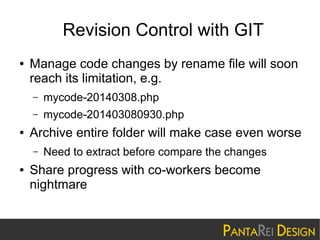
Revision Control with GIT
●

Manage code changes by rename file will soon
reach its limitation, e.g.
–
–

●

mycode-20140308.php
mycode-201403080930.php

Archive entire folder will make case even worse
–

●

Need to extract before compare the changes

Share progress with co-workers become
nightmare
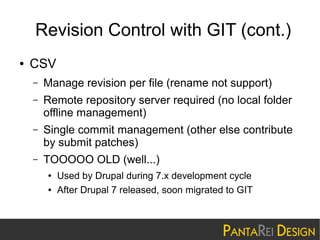
Revision Control with GIT (cont.)
●

CSV
–

Manage revision per file (rename not support)

–

Remote repository server required (no local folder
offline management)

–

Single commit management (other else contribute
by submit patches)

–

TOOOOO OLD (well...)
●
●

Used by Drupal during 7.x development cycle
After Drupal 7 released, soon migrated to GIT
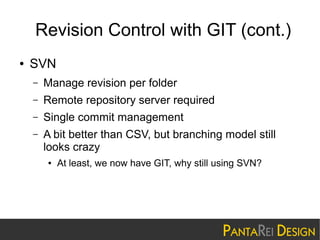
Revision Control with GIT (cont.)
●

SVN
–

Manage revision per folder

–

Remote repository server required

–

Single commit management

–

A bit better than CSV, but branching model still
looks crazy
●

At least, we now have GIT, why still using SVN?
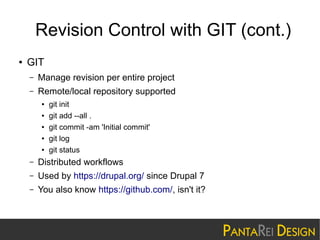
Revision Control with GIT (cont.)
●

GIT
–

Manage revision per entire project

–

Remote/local repository supported
●
●
●
●
●

git init
git add --all .
git commit -am 'Initial commit'
git log
git status

–

Distributed workflows

–

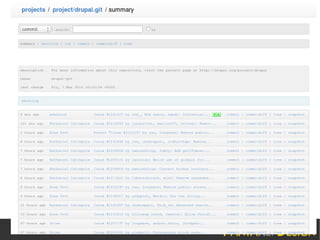
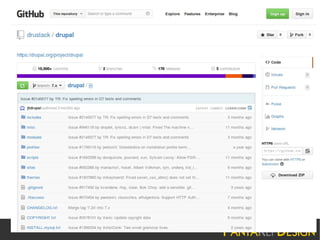
Used by https://drupal.org/ since Drupal 7

–

You also know https://github.com/, isn't it?
Revision Control with GIT (cont.)
●

Drupal configuration goes dynamic

●

Features export make it as static files

●

Static files revision control by GIT

●

●

Team members can therefore share progress
by managed code with GIT
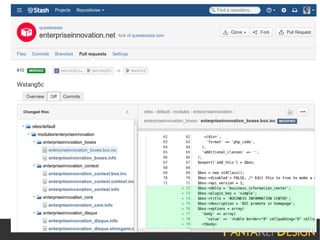
Project manager (PM) can review individual pull
request submitted by team members, and fully
test before commit to main stream
Q&A
I Need More Help!
●

Read documents from Drupal Community
–

●

https://drupal.org/documentation

Join Hong Kong Drupal User Group
–
–

●

http://www.meetup.com/Hong-Kong-Drupal-User-Group
https://groups.drupal.org/hong-kong

Contact us for one (1) month free-trial support
service
–

sales@pantarei-design.com

Hong Kong Drupal User Group - 2014 March 8th

  • 1.
    Hong Kong DrupalUser Group (HKDUG) Workshop & Sharing 2014 March 8th
  • 2.
    Presenter ● Wong Hoi SingEdison ● CEO, PantaRei Design – ● Drupal developer & contributor – ● hswong3i@pantarei-design.com https://drupal.org/user/33940 HKDUG Co-founder
  • 3.
    Outline ● What is Drupal? ● EvaluateDrupal Project Online ● Scalable & Modularized Architecture ● Export Settings with Features ● Revision Control with GIT
  • 4.
    What is Drupal? ● ● ● Drupalis an open-source platform and content management system (CMS) for building dynamic web sites Distributed under the terms of the GNU General Public License (or "GPL"), which means anyone is free to download it and share it with others To easily organize, manage and publish your content, with an endless variety of customization
  • 11.
    Evaluate Drupal ProjectOnline ● http://simplytest.me/ ● On-demand sandbox environments ● No overhead for setup LAMP stack ● Simple, fast and for free! ● Let's try it now! – http://simplytest.me/project/drupal/7.x – http://simplytest.me/project/drupal/8.x – http://simplytest.me/project/drustack/7.x-26.x
  • 19.
    Evaluate Drupal ProjectOnline (cont.) ● Check “Status report” page ● Add new article ● Add new main menu link ● Add new block to region ● Add new user ● Change look & feel (theme) ● Change system settings
  • 20.
    Scalable & Modularized Architecture ● Why? – – Reduceteam development overhead – ● Easy for implementation Managable and redeployable How? – Categorizing changes in different level – Export data/settings with Features – Manage revision with GIT
  • 21.
    Scalable & Modularized Architecture(cont.) ● Categorizing – Global modules configuration (Module) – Content types (CCK) – Dummy data (UUID Features) – Filtering logics (Views) – Contextual conditions and reactions (Context) – MISC – Look & feel (Theme)
  • 22.
    Module ● ● Review your projectrequirement Choose which modules/distribution would be suitable, e.g. – – https://drupal.org/project/commons – ● https://drupal.org/project/commerce_kickstart https://drupal.org/project/drustack Enable and configure – admin/config – admin/structure
  • 23.
    Content Construction Kit(CCK) ● Content type is the main container for CMS – ● admin/structure/types Group your content type by functionality – i.e. share same fields structure – Moreover, use Taxonomy to label different purpose ● Keep It Simple Stupid (KISS) ● Less is More ● CCK is in Drupal 7 core!
  • 24.
    UUID Features ● ● Node/Term withUUID = Features exportable Taxonomy term related to filtering logic should be export with UUID Features – ● Usually, only basic pages should be export with UUID Features – ● i.e. can remap with UUID in Views Dynamic content migration should consider Migrate Patches required
  • 25.
    Views ● Filter content withno custom code nor SQL required – admin/structure/views ● Manage with GUI ● Supported by most 3rd party modules ● Exportable with Features – ● Good combo with Taxonomy + UUID Features! Views is in Drupal 8 Core!
  • 26.
    Context ● Manage contextual conditionsand reactions for different portions – ● Very flexible and powerful (i.e. by rules) – ● Drupal default with by blocks Reuse theme predefined regions – ● admin/structure/context Panels default custom layout and design Exportable with Features – Good combo with Taxonomy + UUID Features!
  • 27.
  • 28.
    Theme ● ● Site should workwell even with Drupal default theme Keep away from custom PHP logic – – ● Try to implement with previous level Reduce backend dependency Don't hack core – Overriding with themable output
  • 29.
    Export Settings withFeatures ● By default, modules settings store in database – ● Features can export these dynamic changes into a new custom module (a.k.a. Features export) – ● variable_get(), variable_set(), variable_del() https://drupal.org/project/features After export, latest changes can compare with archived version, and (partly) rollback or recreate
  • 31.
    Export Settings withFeatures (cont.) ● With Scalable & Modularized Architecture – ● Team development can be workout by sharing code, and maintain own environment independently – ● Export each layer, each group of configuration, individually Shared testbed (i.e. single copy of code + database) no longer required Redeployable – i.e. Continous Integration (CI) possible
  • 32.
    Export Settings withFeatures (cont.) ● Knowledge management become possible ● Reduce development risk ● Reduce on going maintenance overhead
  • 33.
    Revision Control withGIT ● Manage code changes by rename file will soon reach its limitation, e.g. – – ● mycode-20140308.php mycode-201403080930.php Archive entire folder will make case even worse – ● Need to extract before compare the changes Share progress with co-workers become nightmare
  • 34.
    Revision Control withGIT (cont.) ● CSV – Manage revision per file (rename not support) – Remote repository server required (no local folder offline management) – Single commit management (other else contribute by submit patches) – TOOOOO OLD (well...) ● ● Used by Drupal during 7.x development cycle After Drupal 7 released, soon migrated to GIT
  • 35.
    Revision Control withGIT (cont.) ● SVN – Manage revision per folder – Remote repository server required – Single commit management – A bit better than CSV, but branching model still looks crazy ● At least, we now have GIT, why still using SVN?
  • 36.
    Revision Control withGIT (cont.) ● GIT – Manage revision per entire project – Remote/local repository supported ● ● ● ● ● git init git add --all . git commit -am 'Initial commit' git log git status – Distributed workflows – Used by https://drupal.org/ since Drupal 7 – You also know https://github.com/, isn't it?
  • 39.
    Revision Control withGIT (cont.) ● Drupal configuration goes dynamic ● Features export make it as static files ● Static files revision control by GIT ● ● Team members can therefore share progress by managed code with GIT Project manager (PM) can review individual pull request submitted by team members, and fully test before commit to main stream
  • 41.
  • 42.
    I Need MoreHelp! ● Read documents from Drupal Community – ● https://drupal.org/documentation Join Hong Kong Drupal User Group – – ● http://www.meetup.com/Hong-Kong-Drupal-User-Group https://groups.drupal.org/hong-kong Contact us for one (1) month free-trial support service – sales@pantarei-design.com